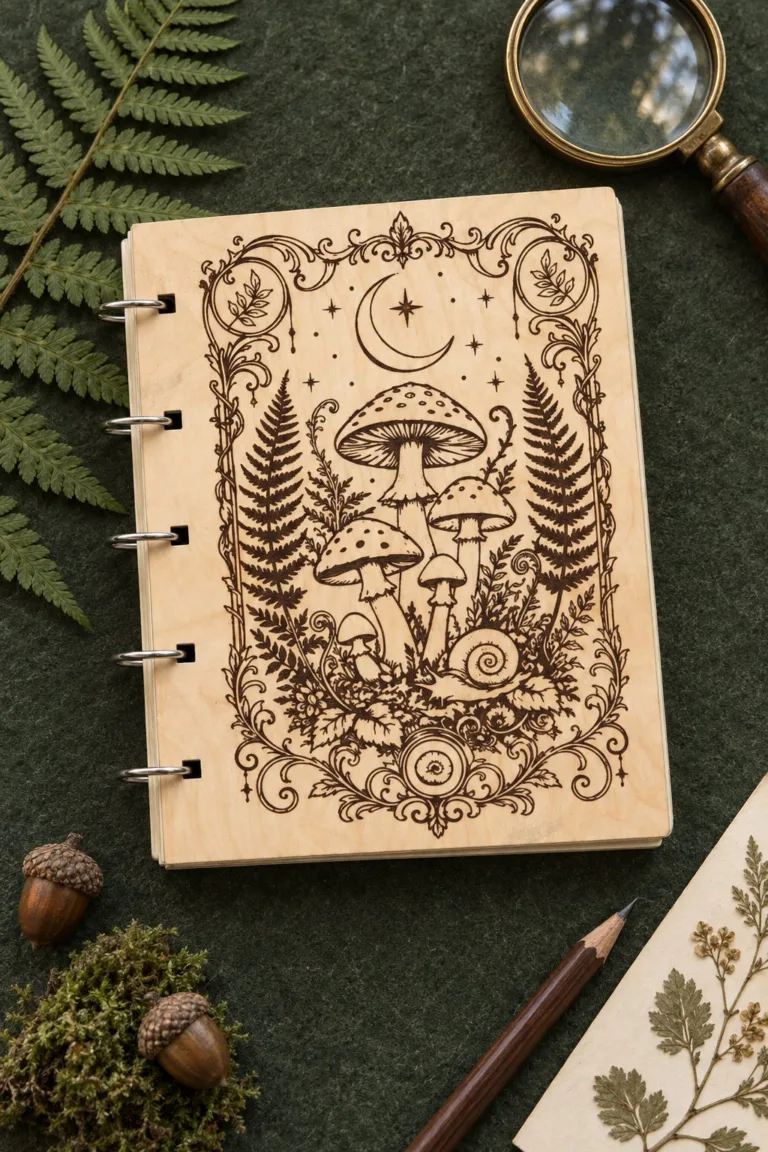
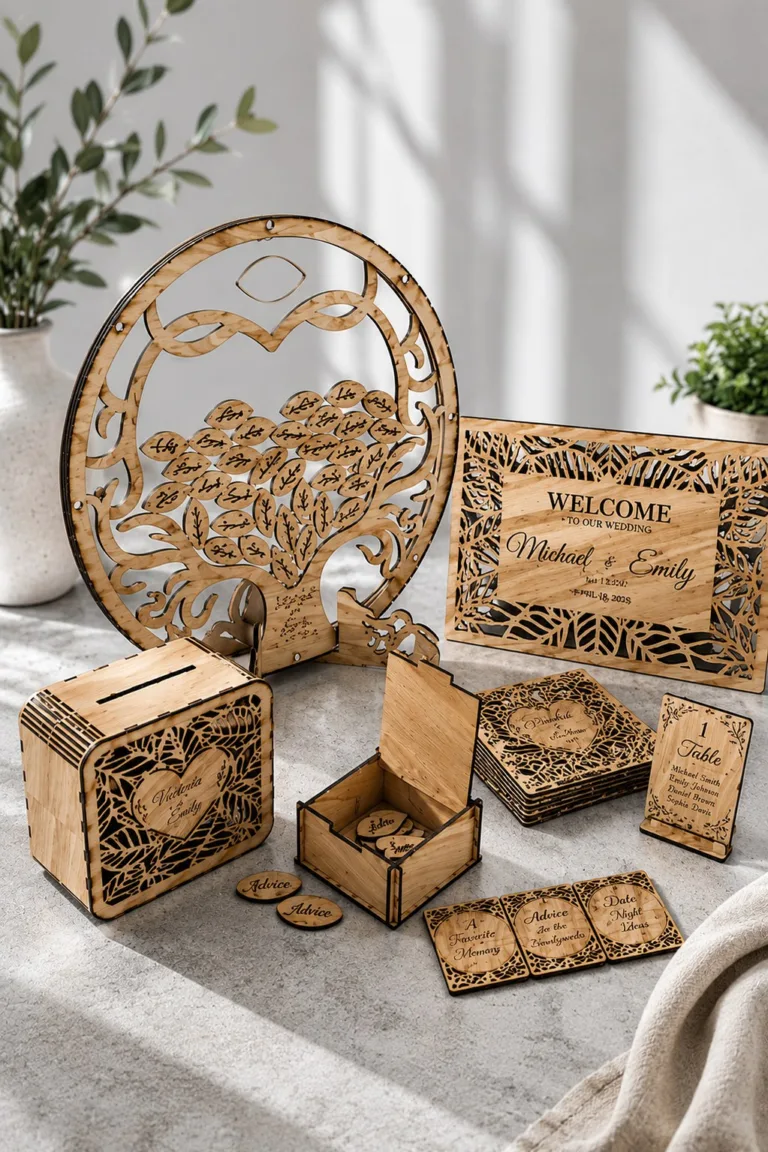
Laser Cut Christmas Gifts: Useful Things to Make and Give
Laser cut christmas gifts are objects you cut for one person and give at the holidays. The best ones do a small job: they carry a name, hold a note, brighten a shelf or count the days until December 25. A pretty front is the easy part. The hard part is a drawer that still slides after the glue has dried.
So start with the person, not the file. Who opens the gift, and where will it stand in January? This guide walks through eleven files from makers on Creative Fabrica, grouped by the moment of giving. After that come the checks that save a sheet of plywood.
Short answer
Laser cut christmas gifts work best when the object is useful and one finished sample opens, closes or hangs properly before you repeat it. Pick the job first, then the file. A name on a tree starts with Personalized Christmas Ornament, a keepsake box with Slider Book Box Laser Cut, and a countdown with Advent Calendar Bases Bundle Laser Cut. Every maker below states different details, so read each section before you cut.
Want to compare every design side by side? Jump to the comparison table with the files and the first thing to check for each one.
Choose laser cut christmas gifts by who opens them
Think about the handover. Will your friend open the gift at the table, or find it on a shelf days later? A small box that carries a note is a quick present. A calendar is a longer one, because someone opens it twenty-four times.
Next, decide what goes inside or on top. A folded note needs a shallow space. A wrapped chocolate needs more. Then measure the wrapped item itself, not the one you picture from a shop window.
Then think about the place. A drawer that feels easy on the bench may be awkward on a high shelf, so set the finished gift where it will really stand. For smaller things to hang on the tree, see our Christmas ornament projects.
Laser cut christmas gifts with a name on them
A name turns an ornament into something a person keeps for years. It also adds a risk, because a misspelt name means a recut. Proof the spelling on paper first, then cut.
Personalized Christmas Ornament
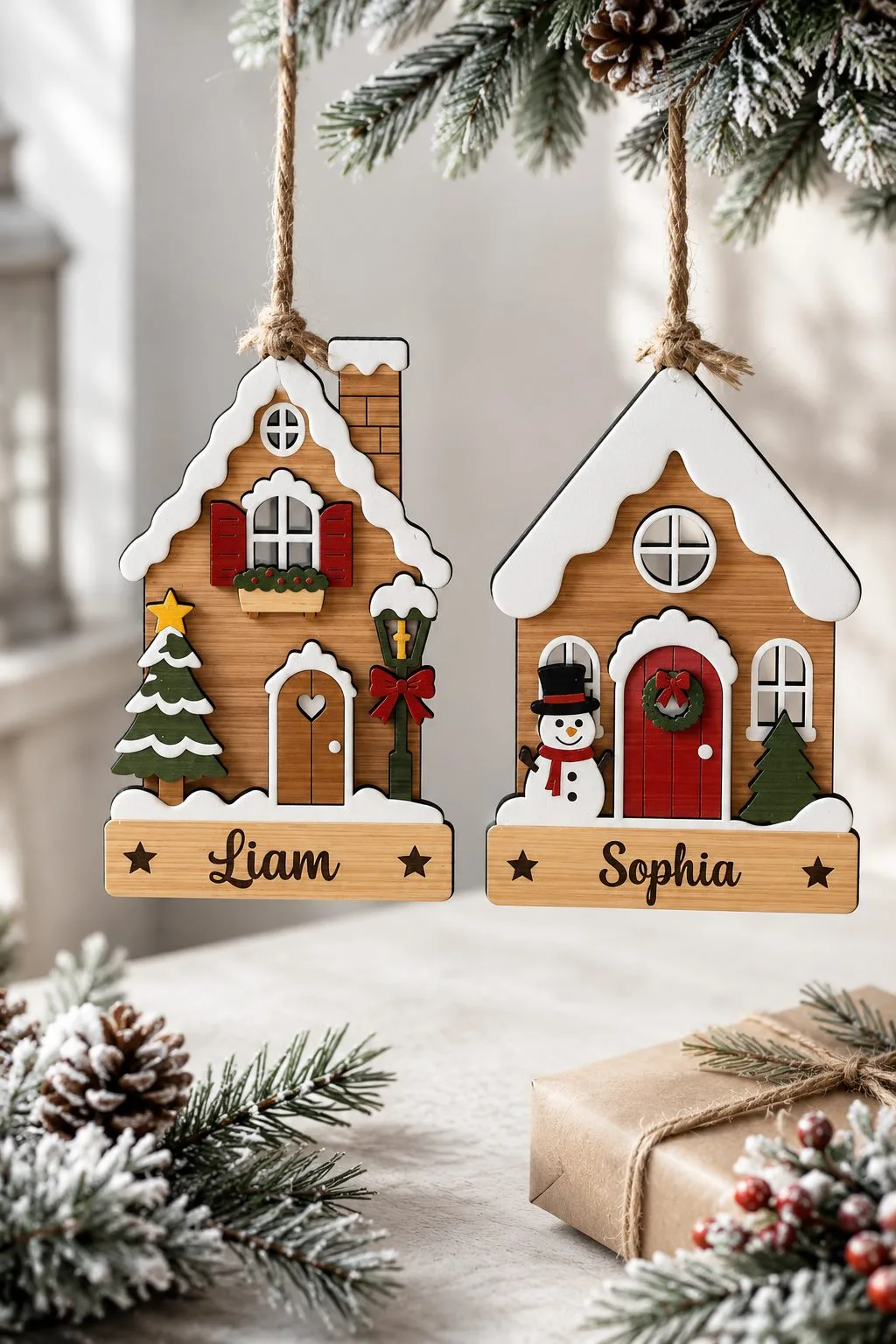
The maker of Personalized Christmas Ornament offers four layered houses, and each house has its own nameplate. The hanging hole is already in the file, so you do not have to drill one. Besides, the files come as SVG, AI, DXF, EPS, PDF and DWG.
The maker lists an unusually long set of machines: Glowforge, xTool, LightBurn, OMTech, Thunder Laser, Aeon Laser, Cricut with SVG, and Silhouette Designer Edition. Suggested uses are the tree, gifts, tags, family heirlooms and craft fairs. The listing says nothing about fonts, so check which font you will use for the name before you cut.
Personalised Christmas Nice List Bundle
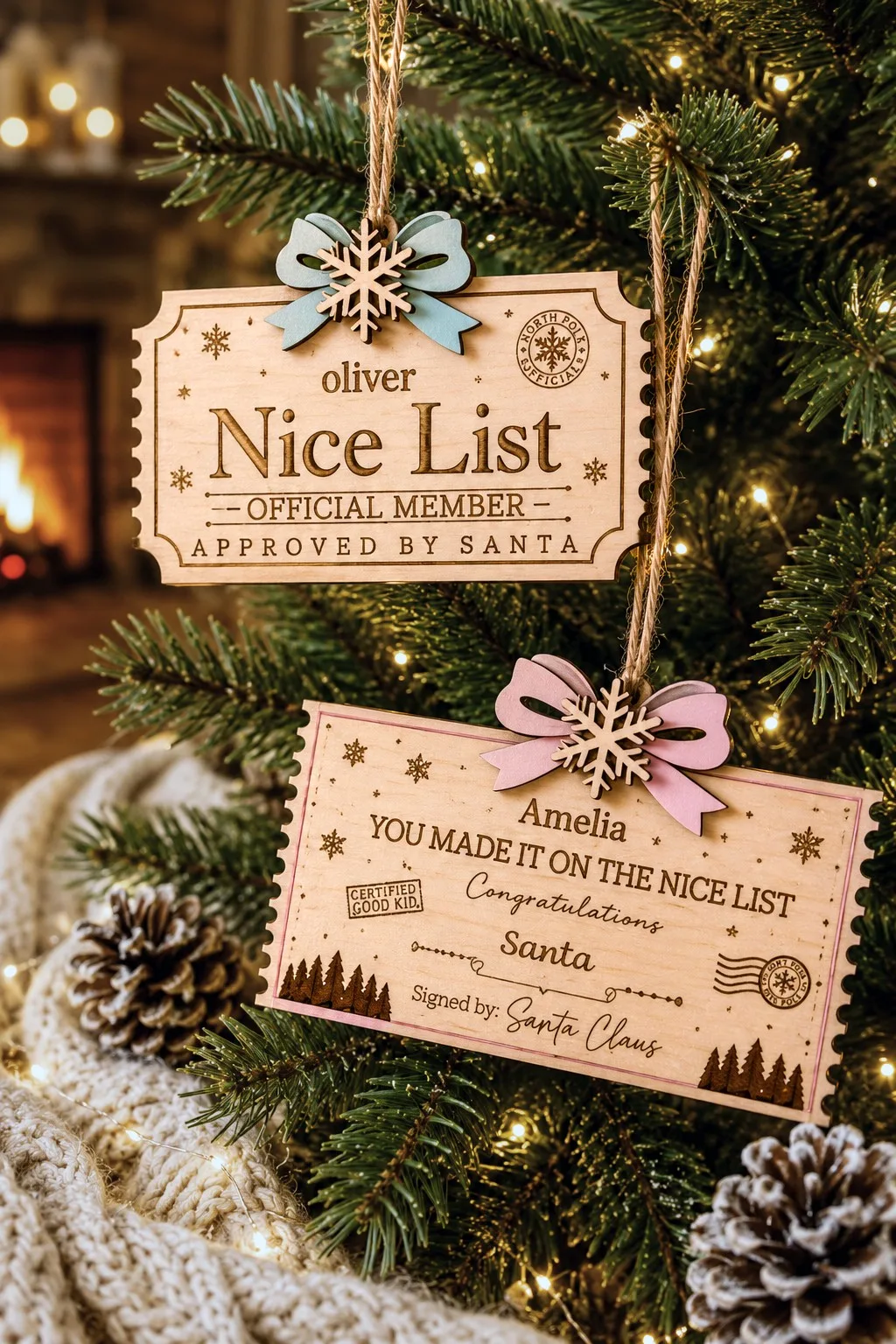
A wooden ticket from Santa is a gift that costs very little and lands well with a child. In addition, the maker of Personalised Christmas Nice List Bundle supplies EPS, SVG and DXF in one ZIP, and reminds you to unzip it. However, the files may not be resold or shared.
In our photo the ticket carries words like “Nice List”, “Official Member” and “Approved by Santa”, with room for a name. Also, the listing does not give the number of designs, the size or the material. Ask before you assume a thickness, and cut a paper ticket first to see how the lettering sits.
Santa Meter Ornaments Bundle Lasercut
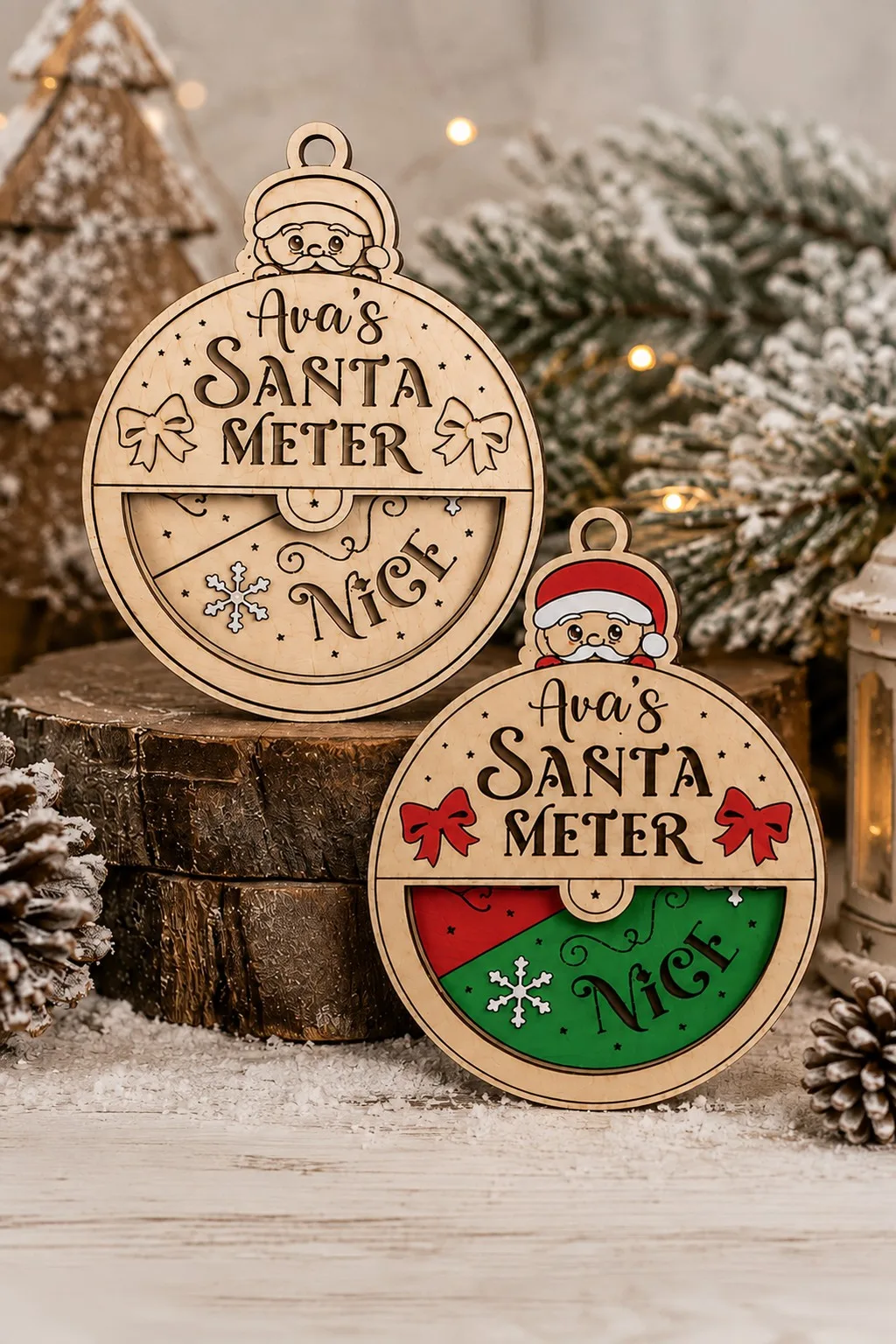
Santa Meter Ornaments Bundle Lasercut holds ten designs in SVG, DXF, EPS, PDF, JPEG and PNG. In the photos each ball carries a small scale with an arrow, so the ornament seems to measure how good someone has been.
The description is a general one. It explains neither how the scale works nor where a name goes, and it gives no thickness. Treat this as a file to open and study before you promise a gift. Count the parts of one ball and check that the arrow can turn after assembly.
Laser cut christmas gifts for the cocoa lover
Warm drinks and winter go together, so a mug in wood makes a friendly gift. These two files cover small ornaments and a bigger one.
Laser Cut Cocoa Mug Christmas Decoration
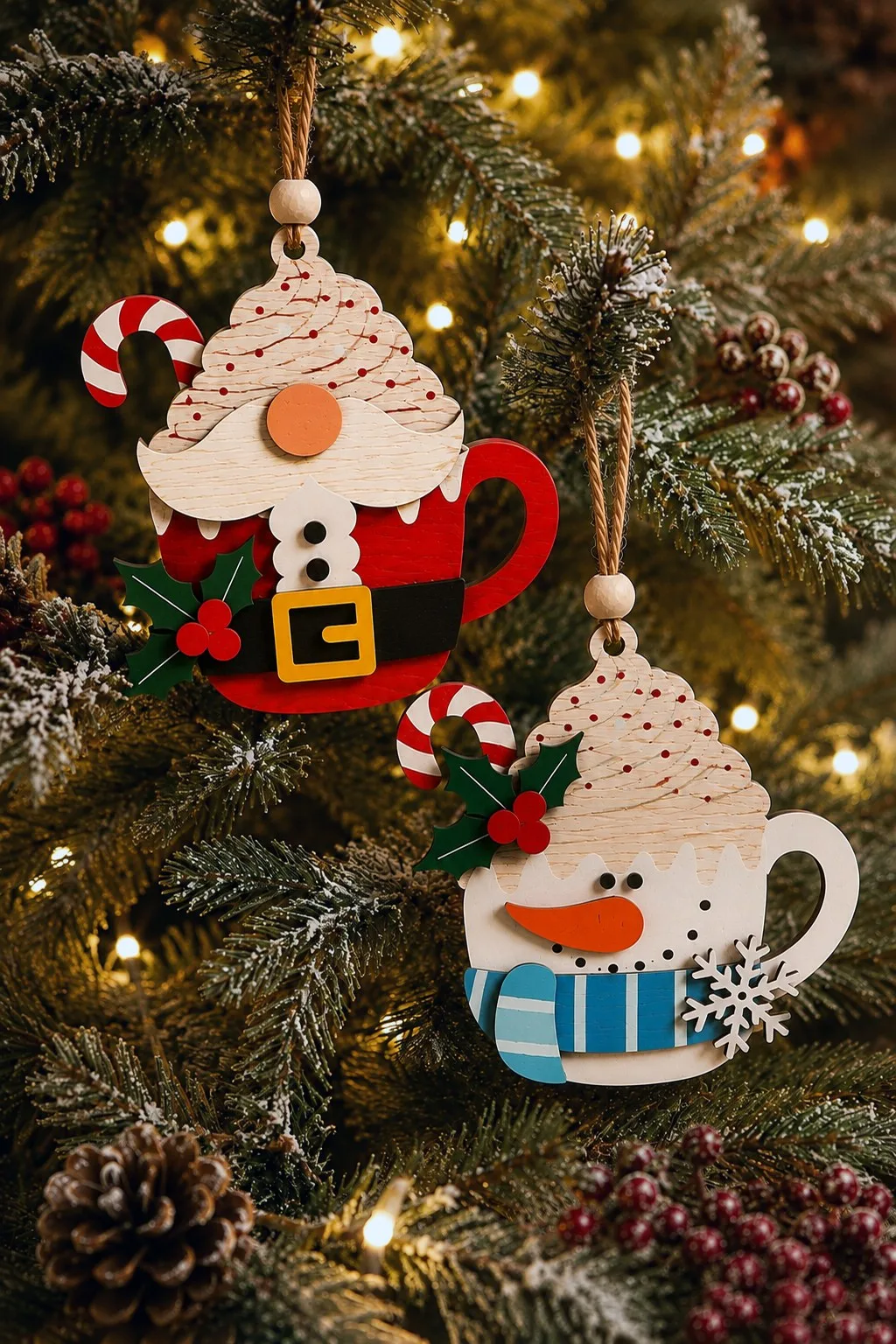
The listing for Laser Cut Cocoa Mug Christmas Decoration describes three layered mugs: Santa, a snowman and a gingerbread figure. The layers are split by colour, so each colour can be cut on its own. Besides, the files come as SVG, DXF, AI, EPS, PDF and DWG for lasers, CNC and Glowforge.
The maker says you can change the size freely before cutting. Suggested uses include tree ornaments, wall decor, gift tags and a cocoa bar. A mug that is also a gift tag is a neat idea, because the person hangs it afterwards.
Christmas Mug Ornament Multilayer Laser
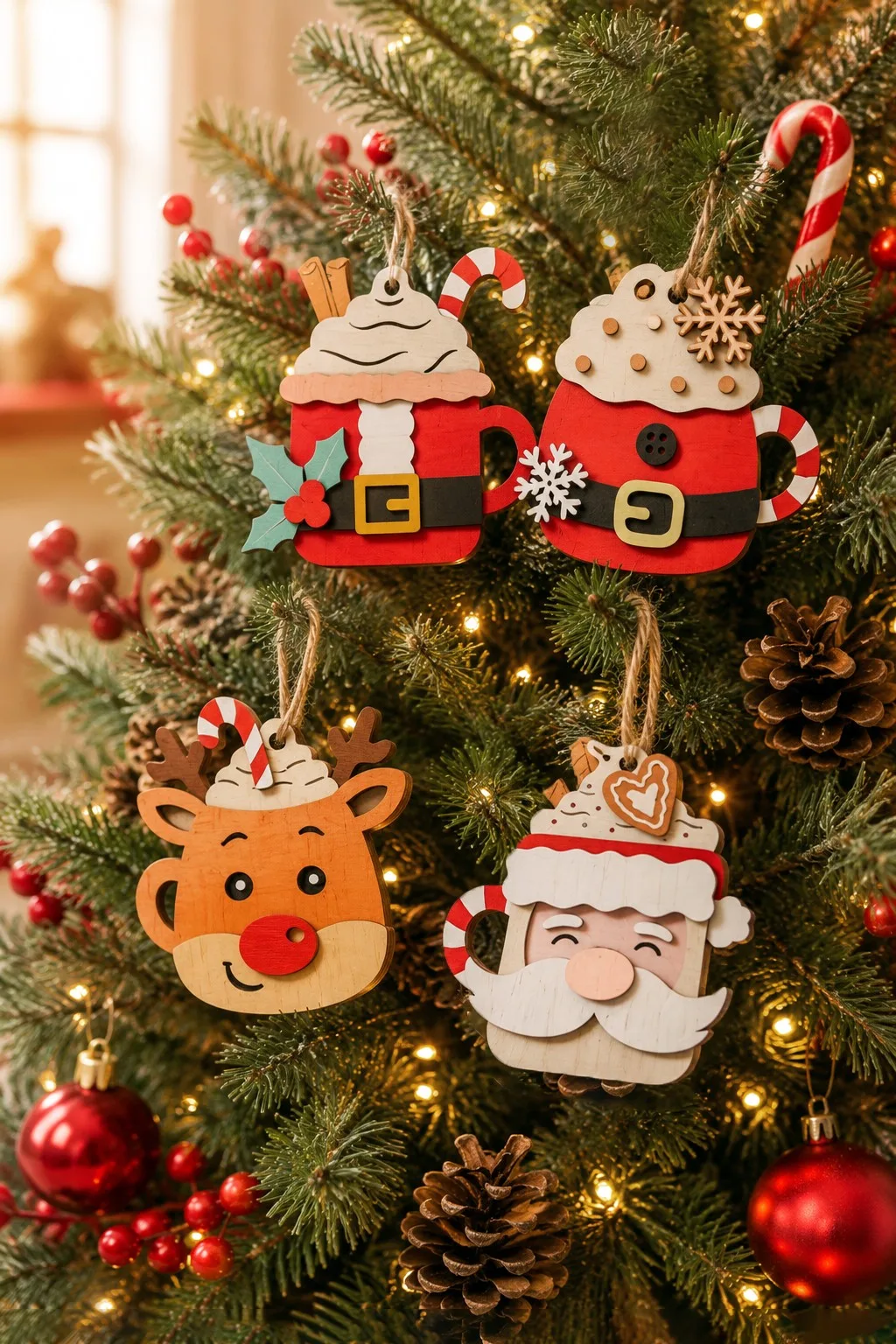
The maker of Christmas Mug Ornament Multilayer Laser lists four multilayer mugs at about 5 inches, a rare case where the size is named. The formats are SVG, DXF, PDF, EPS, AI and DWG. Also, machines include Glowforge, xTool, OMTech and Cricut, with a note that the size is adjustable.
The thickness is not given. Because the mugs have many layers, test the stack before you cut the whole set.
Laser cut christmas gifts that hold something
A box is a gift and a wrapper at once, so it should open easily. Check the opening before you check the lettering.
Slider Book Box Laser Cut
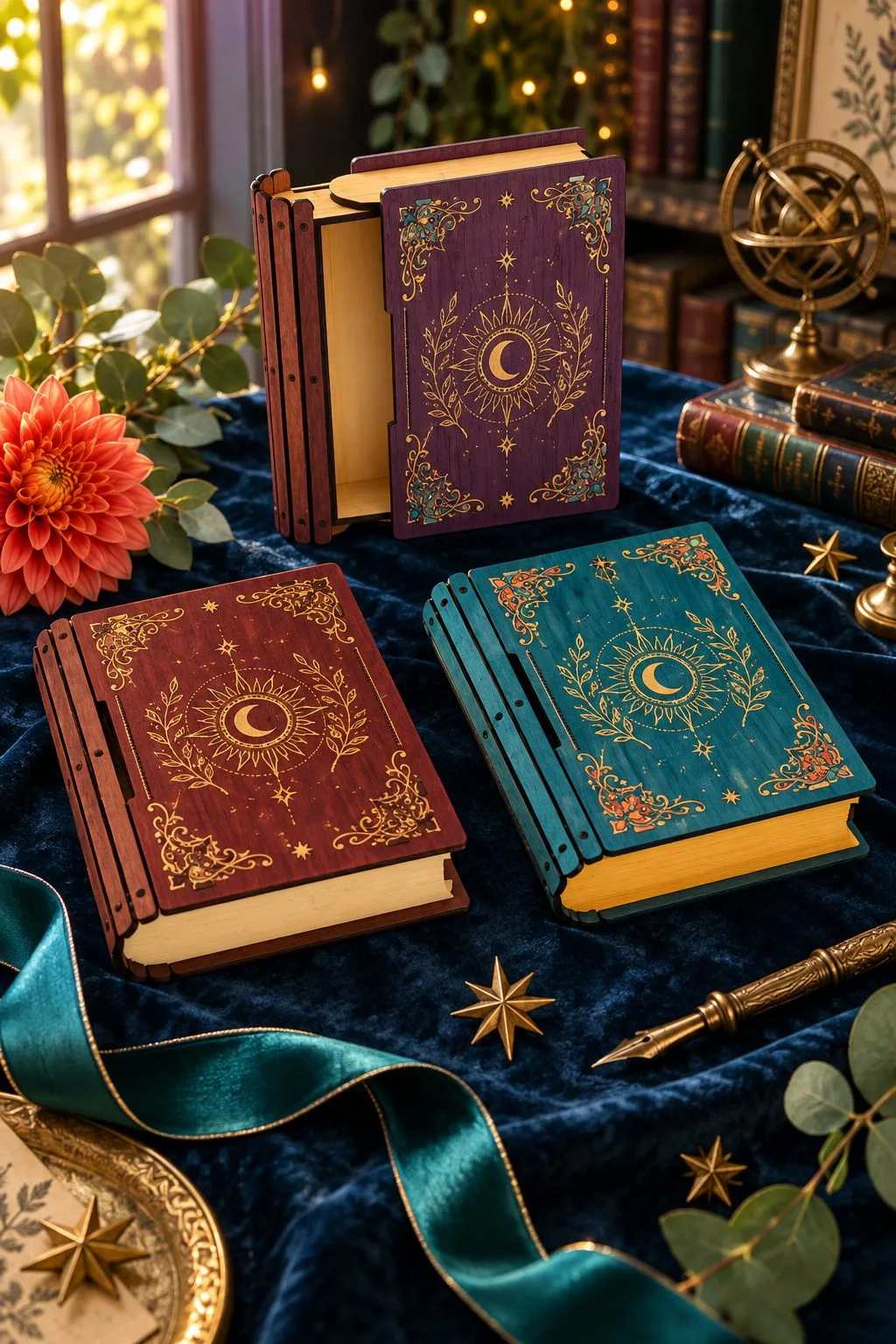
The maker of Slider Book Box Laser Cut gives the outside size as 125 × 150 × 36 mm and the drawer interior as 98 × 127 × 28 mm. Besides, the files are drawn for 3 or 4 mm material and come as CDR, DXF, PDF and SVG. The box looks like a book, and the drawer slides out of its side.
Cut a paper outline of the drawer interior, put the real note or gift on it and close the paper around it. If the contents do not sit flat, the drawer will not close easily either. A card, a ribbon and a few sweets can fill 28 mm quickly.
Laser Cut Box with Flip Up Lid Storage
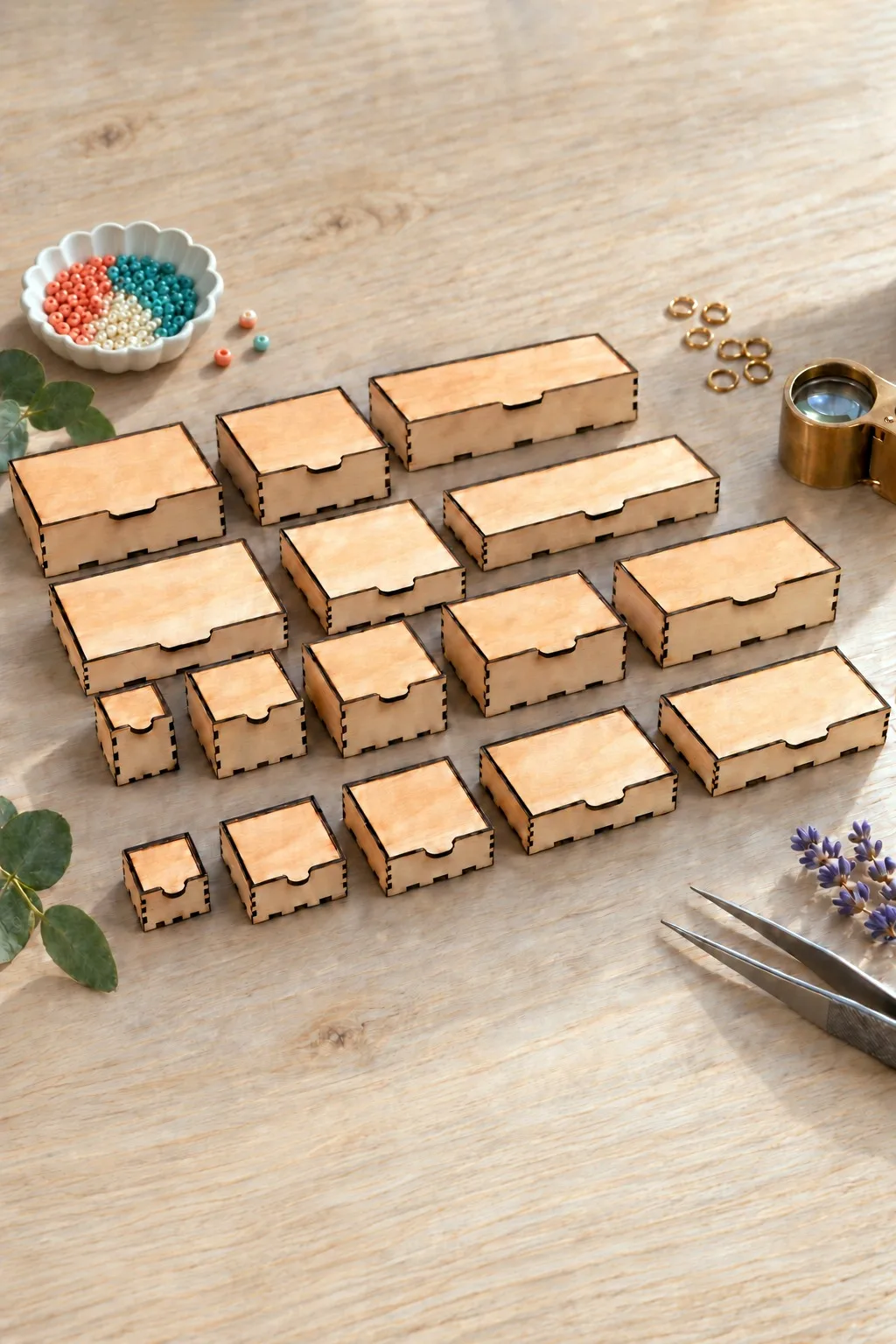
Laser Cut Box with Flip Up Lid Storage offers sixteen outside sizes in millimetres: 50 × 50 × 50, 80 × 80 × 50, 100 × 100 × 50, 150 × 100 × 50, 150 × 150 × 50, 200 × 100 × 50, 200 × 150 × 50 and 200 × 200 × 50, plus the same eight at 100 mm high. Each size comes in six thicknesses: 3 mm, 1/8 inch, 4, 5, 6 mm and 1/4 inch.
The maker asks LightBurn users to import the DXF rather than the SVG. Formats are CDR, SVG, DXF, PDF, EPS and AI. With sixteen sizes you can match the box to the gift, so measure the wrapped item first and choose the size after that.
Rainbow Jewelry Box Laser Cut
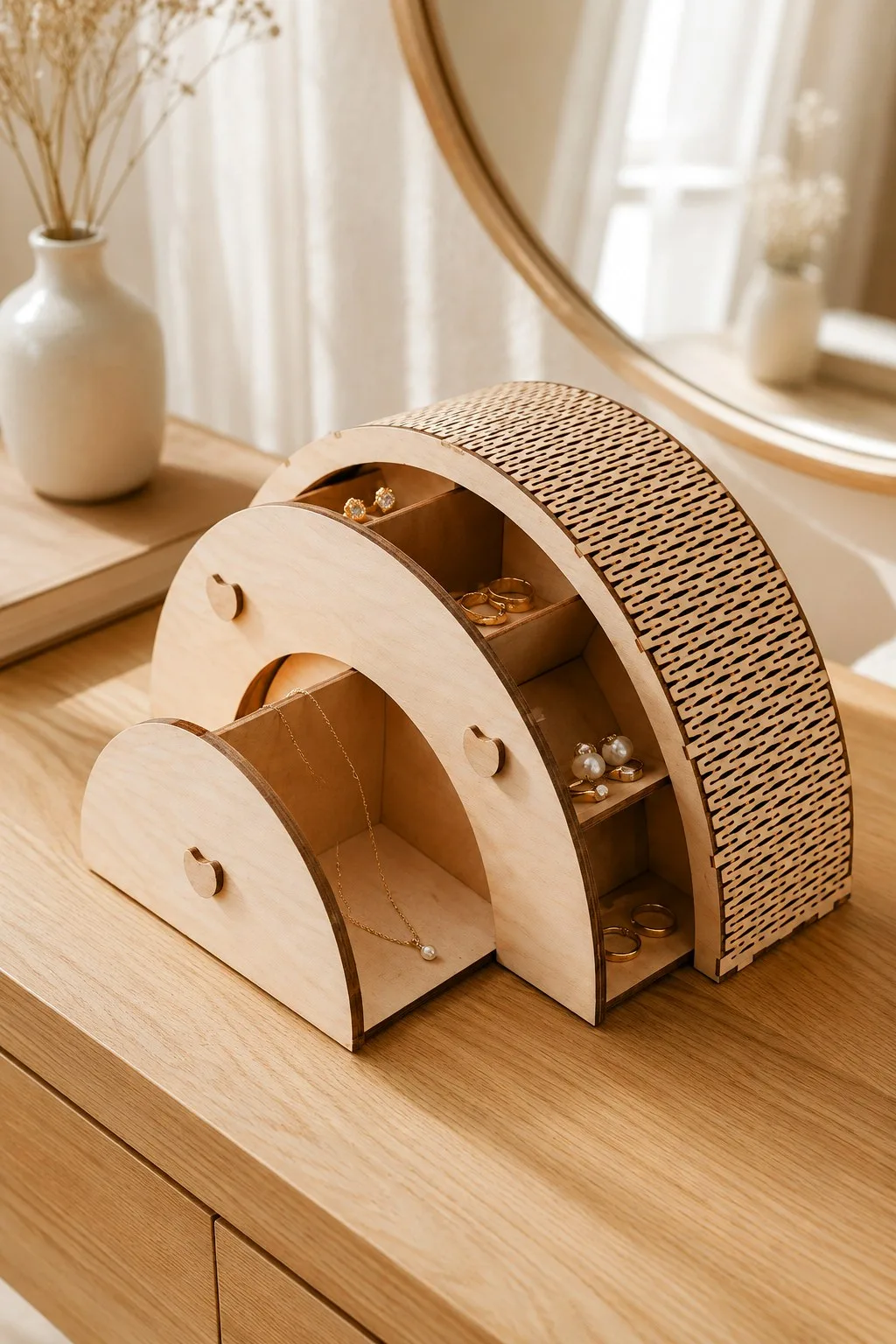
The listing for Rainbow Jewelry Box Laser Cut describes a rainbow-shaped jewelry box with several drawers and compartments for rings, earrings, chains and small things. The back panel is a living hinge, which the maker calls out as a feature of the construction, and it relies on flexible plywood.
The design is optimised for 3 mm plywood or MDF. It has mortise-and-tenon joints, drawers that are said to glide, and beginner-level assembly. Also, the formats are SVG, DXF, EPS, PDF and DWG. The overall size is not stated, so measure the drawings before you promise a place on someone’s dresser.
Laser Cut Business Card Holder
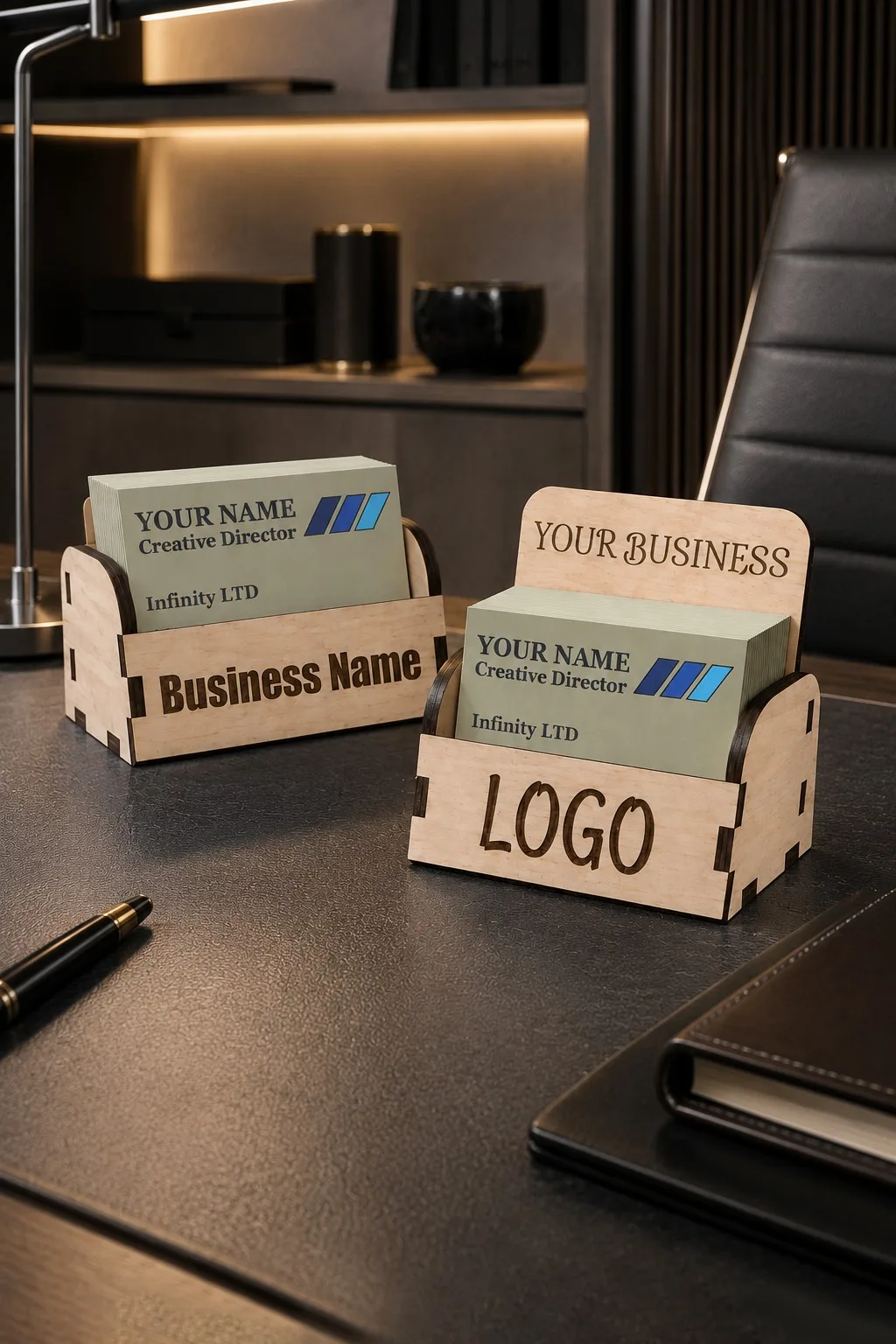
An office gift can be a thoughtful one, and Laser Cut Business Card Holder has the details to plan it. In addition, the maker gives two variants: a low back and a tall back with room to engrave a company name. The width is about 10 cm, the depth 5.5 cm and the height 5 or 8.5 cm, made for a standard 8.5 × 5.5 cm card.
The files suit 3, 3.2 (1/8 inch) and 4 mm wood, plywood, MDF or acrylic, in AI, EPS, DXF and SVG. Besides, the maker names LightBurn, LaserCut and RDWorks as tested programs, and Glowforge, OMTech, xTool and Thunder Laser as machines. Reception desks, meeting rooms and expo stands are the suggested places.
Laser cut christmas gifts that count the days
A calendar is the gift that keeps working all month. It also asks the most of your cutting, because every compartment must open.
Advent Calendar Bases Bundle Laser Cut
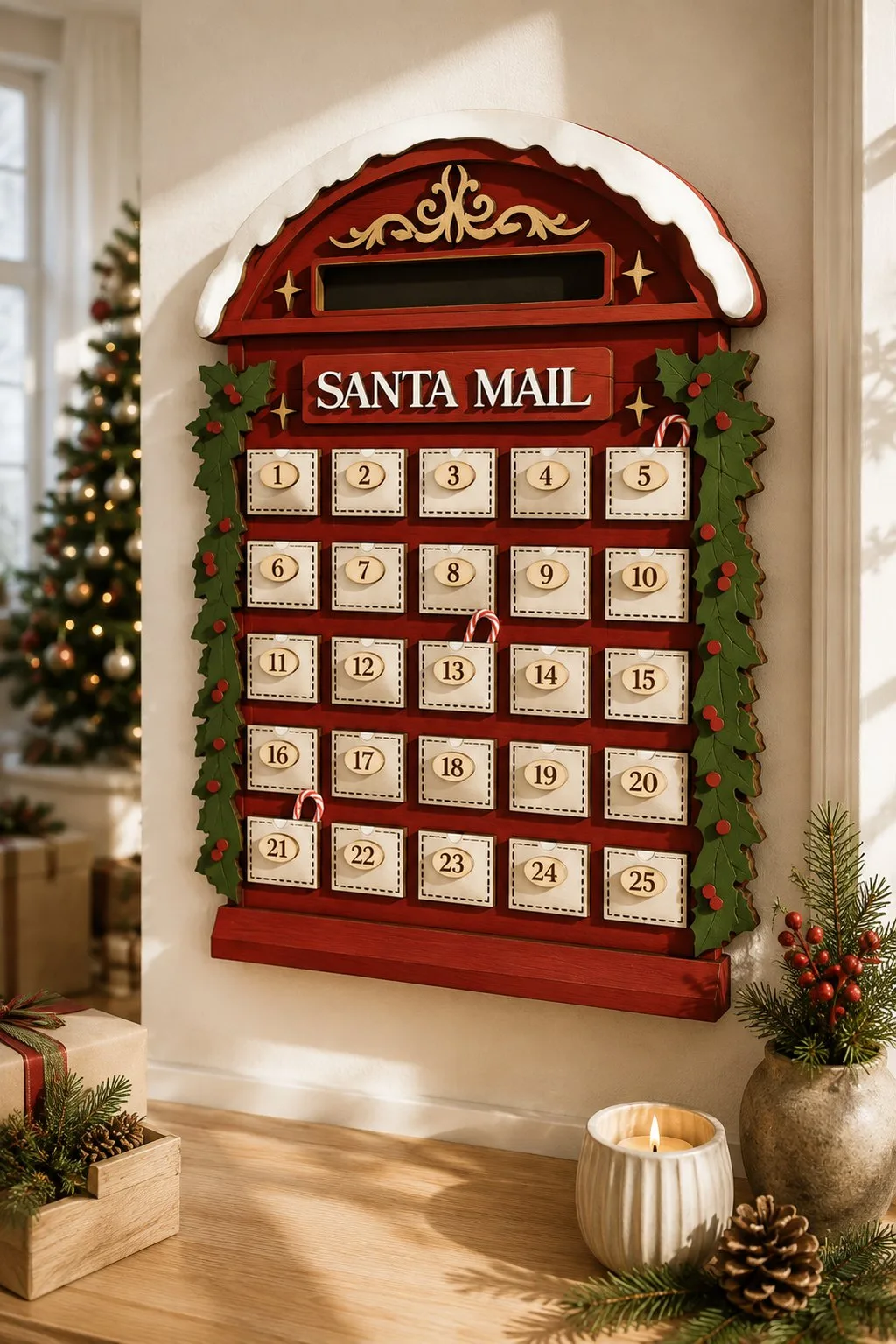
The listing for Advent Calendar Bases Bundle Laser Cut contains ten designs in SVG, DXF, EPS, PDF, JPEG and PNG. In addition, the maker specifies 6 mm material. However, the description does not give a material type, an overall size or the size of one compartment, and the photos are for inspiration.
So you have two jobs. First, confirm which sheet the file was drawn for and match it to your machine’s guidance. Second, open the design you like and count its real openings. For more shapes, see our Santa advent calendar guide.
A centerpiece for the shelf
A gift can also be something you simply look at, and a sleigh with a deer does that job well.
3D Wooden Santa Sleigh with Deer
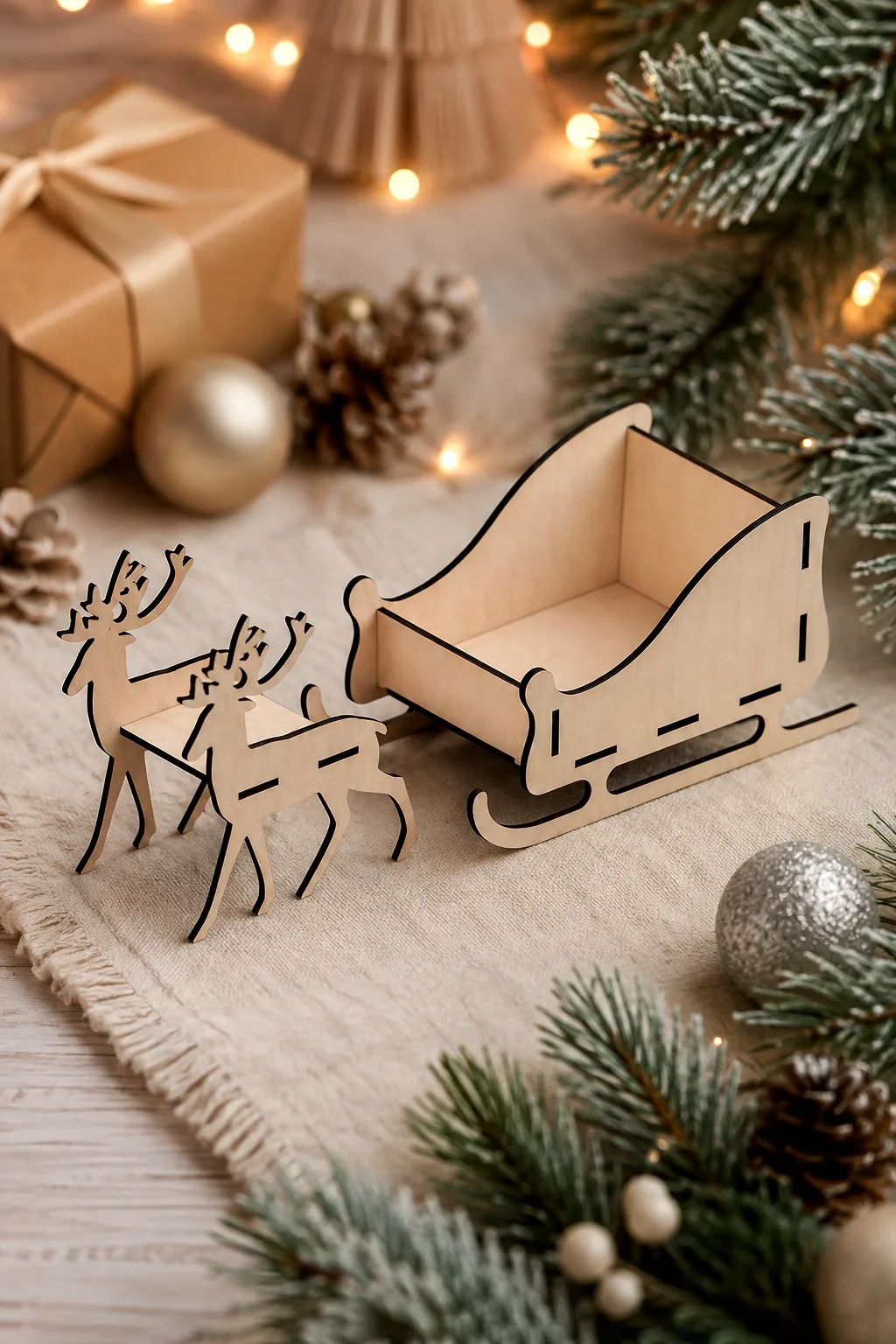
The maker of 3D Wooden Santa Sleigh with Deer supplies SVG, DXF, PDF, AI and CDR, and says the file was drawn for Glowforge and tested on a Glowforge Pro. It also suits other lasers. The maker lists Cricut, Cameo, Silhouette, Sizzix, Brother and Gemini, so the file can be cut from paper or card too.
Thickness and size are not stated. Because the sleigh is a 3D build, cut a small paper version first to see how the parts fit together.
Laser cut christmas gifts at a glance
Every row is a real file. Also, the sizes and materials come from the makers, and “not stated” means the listing does not give it.
Names, tags and mugs
| What it is | What the maker states | File formats | Good for |
|---|---|---|---|
| Personalized Christmas Ornament | 4 layered houses, each with a nameplate; hanging hole in the file | SVG, AI, DXF, EPS, PDF, DWG | A named tree ornament |
| Personalised Christmas Nice List Bundle | Number of designs, size and material not stated | EPS, SVG, DXF | A ticket from Santa for a child |
| Santa Meter Ornaments Bundle Lasercut | 10 designs; thickness not stated | SVG, DXF, EPS, PDF, JPEG, PNG | A tree ball with a scale and arrow |
| Laser Cut Cocoa Mug Christmas Decoration | 3 mugs: Santa, snowman, gingerbread; size can be changed | SVG, DXF, AI, EPS, PDF, DWG | A cocoa-bar decoration or gift tag |
| Christmas Mug Ornament Multilayer Laser | 4 layered mugs, about 5 inches | SVG, DXF, PDF, EPS, AI, DWG | A larger mug ornament |
Boxes, a countdown and a centerpiece
| What it is | What the maker states | File formats | Good for |
|---|---|---|---|
| Slider Book Box Laser Cut | 125 × 150 × 36 mm outside; 98 × 127 × 28 mm drawer; 3 or 4 mm | CDR, DXF, PDF, SVG | A note or small gift in a drawer |
| Laser Cut Box with Flip Up Lid Storage | 16 outside sizes from 50 × 50 × 50 mm; six thicknesses | CDR, SVG, DXF, PDF, EPS, AI | Boxes in many sizes |
| Rainbow Jewelry Box Laser Cut | Drawers and compartments; 3 mm plywood or MDF; size not stated | SVG, DXF, EPS, PDF, DWG | A jewelry keepsake |
| Laser Cut Business Card Holder | About 10 × 5.5 cm; 5 or 8.5 cm high; 3, 3.2 or 4 mm | AI, EPS, DXF, SVG | An office gift |
| Advent Calendar Bases Bundle Laser Cut | 10 designs; 6 mm; overall size not stated | SVG, DXF, EPS, PDF, JPEG, PNG | A countdown |
| 3D Wooden Santa Sleigh with Deer | Thickness and size not stated | SVG, DXF, PDF, AI, CDR | A centerpiece |
Check the material before you cut laser cut christmas gifts
Start with what the maker states. The slider box is drawn for 3 or 4 mm sheet, the calendar bases for 6 mm and the jewelry box for 3 mm. Do not swap one thickness for another without checking the joints.
Wood is not one uniform material. Trotec explains that wood structure and material differences affect how a sheet processes, which is a good reason to test your actual sheet. Trotec wood guidance If a listing leaves the material open, ask the designer before you cut.
Check the file before you resize it
Save a working copy and keep the original beside it. Then measure one known edge after you import the file. LightBurn documents separate settings for SVG scale and DXF units, so a drawing can arrive at a different size from the one you expect. LightBurn settings
Do not shrink a whole design just to fit your bed. Scaling changes the joints along with the size. If you need a smaller gift, look for a design that is smaller already, or use the flip-up lid sizes.
Test one gift before you repeat it
Assemble one sample dry, without glue. Does the drawer enter without force? Then check whether the lid lifts. Last, see if the ornament hangs straight. These are our suggested checks, not test results: we have not cut these gifts ourselves.
When the construction uses fitted joints, separate joint fit from moving clearance. LightBurn explains that kerf depends on the material and on your cutting conditions, and that kerf compensation changes the cutting path. LightBurn kerf guide Work in order: confirm the sheet, test the joint, then test the assembled gift.
Wrap and pack laser cut christmas gifts
Add the note, ribbon and any insert before you judge the usable space. Then close the box and open it again. If the lid or drawer catches the ribbon, move the ribbon before you change the joints.
Finish the sample the way you will finish the rest, and wait until it is ready before you test the movement. Then keep the finish off any surface that must slide.
Diagnose the symptom before you recut
These causes are possibilities, not findings. Compare your sample with the original drawing before you change several things at once.
| Symptom | Possible cause | Next check |
|---|---|---|
| The drawing imports at a different size | Scale or units differ in the import settings | Compare one known edge with the maker’s number |
| The drawer resists entering | Wrong file variant or sheet thickness | Compare the measured sheet with the file notes |
| The lid catches the ribbon | The wrapping uses space the design does not leave | Close the box with the ribbon in place |
| A name is misspelt | The proof was never checked on paper | Read the printed outline aloud before cutting |
| Layers do not stack flat | The sheet differs from the drawn thickness | Stack two parts and measure the pile |
| Two copies fit differently | The sheet or file variant differs | Match each copy to its own sample record |
Change one cause at a time and save each revision under a new working name. Cut the affected sample again afterwards, because an old sample cannot confirm a new fit. Our laser cut sheet planner helps you plan how the parts use each sheet.
Before you cut laser cut christmas gifts
Confirm the intended material and thickness for each file. Check the import size, the cut and engrave groups and any assembly notes, then prepare one complete sample. Next, write the names and messages on a separate list from your cut files.
Finally, keep a short record of the sample: file, sheet, joint result and fit of the contents. It will make next December much easier. Looking for something useful after the holidays too? Browse our boxes and desk gifts or the full Christmas collection.
FAQ
What is the easiest of the laser cut christmas gifts to start with?
A named ornament or a single box with one drawer is the gentlest start. Cut a paper outline first and check your gift on it. Then make one complete sample before you prepare more.
Can I make the advent base from 3 mm material?
The maker specifies 6 mm material for this bundle, so do not treat 3 mm as a straight swap. After that, ask the designer about another thickness. If you adapt the file, recheck every joint and moving opening with a new sample.
Should I engrave a name on every gift?
Not necessarily. A name works when the file leaves a flat area for it. Otherwise a separate card feels just as personal and keeps the joints safe.
How do I plan several laser cut christmas gifts at once?
Make one complete sample of each construction first. Then keep recipient names and contents on a separate list from your cut files. Also keep each material variant with its own file.
Is an ornament the same job as a calendar?
No. A calendar adds repeated compartments and daily access, while an ornament needs its own hanging hole and material check. Finally, choose the sample around the construction you actually plan to make.
Can’t find the design you need?
Describe your idea in a few words and generate your own SVG design with AI.
Good to know: the files in this guide are hosted on Creative Fabrica. Downloading is free with their free trial: a payment card is needed to start it, and you can cancel the subscription at any time.