Laser Cut Gift Card Holder: Fit and Personal Details Checks
A laser cut gift card holder is a decorative piece that presents a card while leaving a way to take it out. Imagine handing one to a friend at a birthday dinner. They read your message, smile, and then look for the edge of the card. That last movement should feel obvious.
Next, keep the actual gift card beside you while choosing the design. Add its sleeve and your folded note too. A holder can look generous on screen, then feel crowded once you slide the complete gift inside.
So plan the handover as well as the front. Will your friend pull from the top, open a flap or lift a card from behind the decoration? Let the real drawing answer that before you add their name.
Short answer
Choose a laser cut gift card holder around the actual card, sleeve and removal edge. Happy Birthday Cake Gift Card Holder supplies one SVG, JPG, PNG and EPS, without pocket measurements. Then inspect the real drawing before adding a name; the separate business-card stand below serves an open desktop display.
Want to compare every design side by side? Jump to the comparison table with the files and the first thing to check for each one.
Laser cut gift card holder: for birthdays and a baby shower
A personal card gift begins with the actual card and the message that accompanies it. Choose a general money holder, a birthday cake or a baby-shower bottle by the occasion, then inspect the selected drawing’s holding area. Also keep the sleeve in the measurement, because folded paper changes the arrangement you hand over.
Money Gift Card Laser Cut
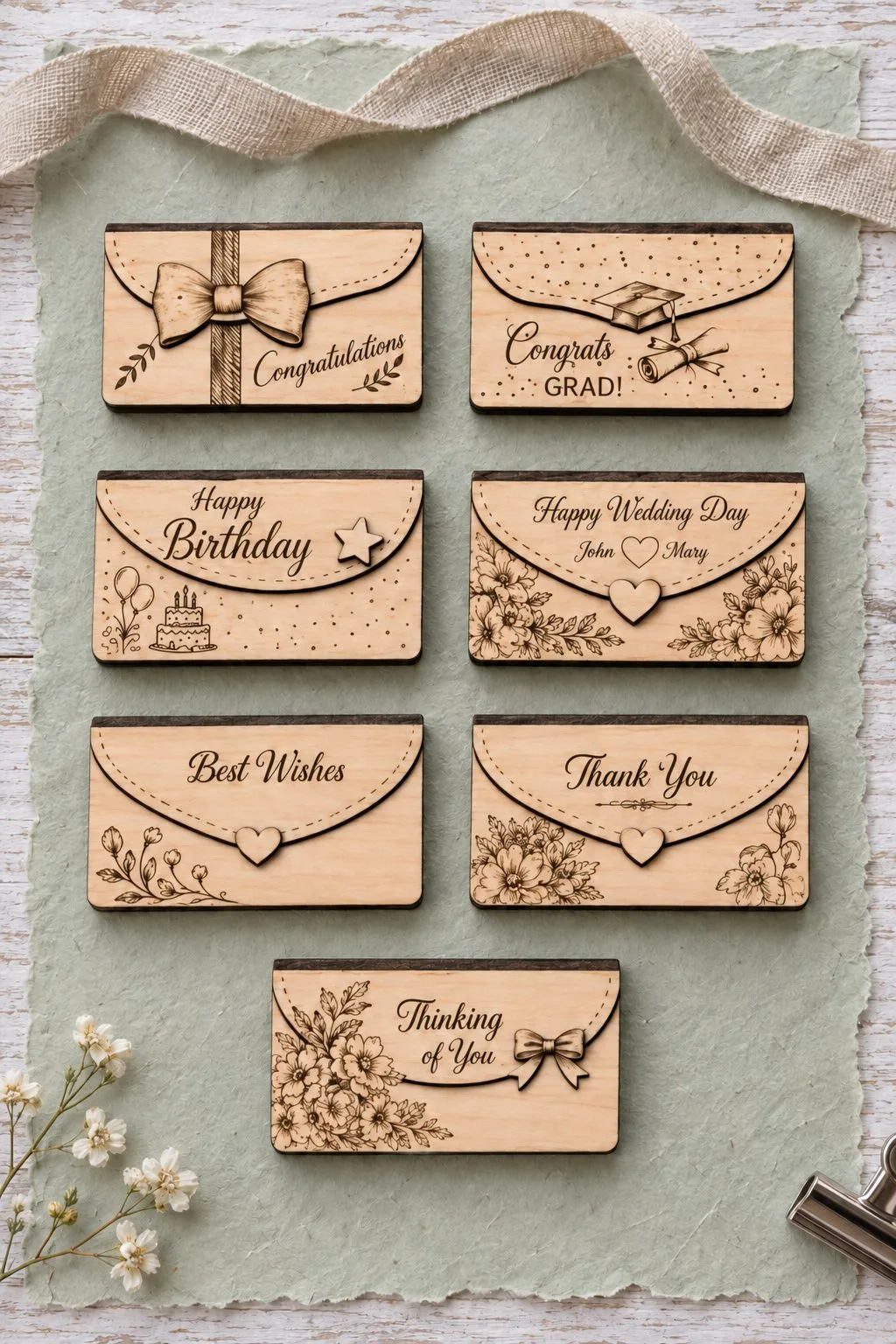
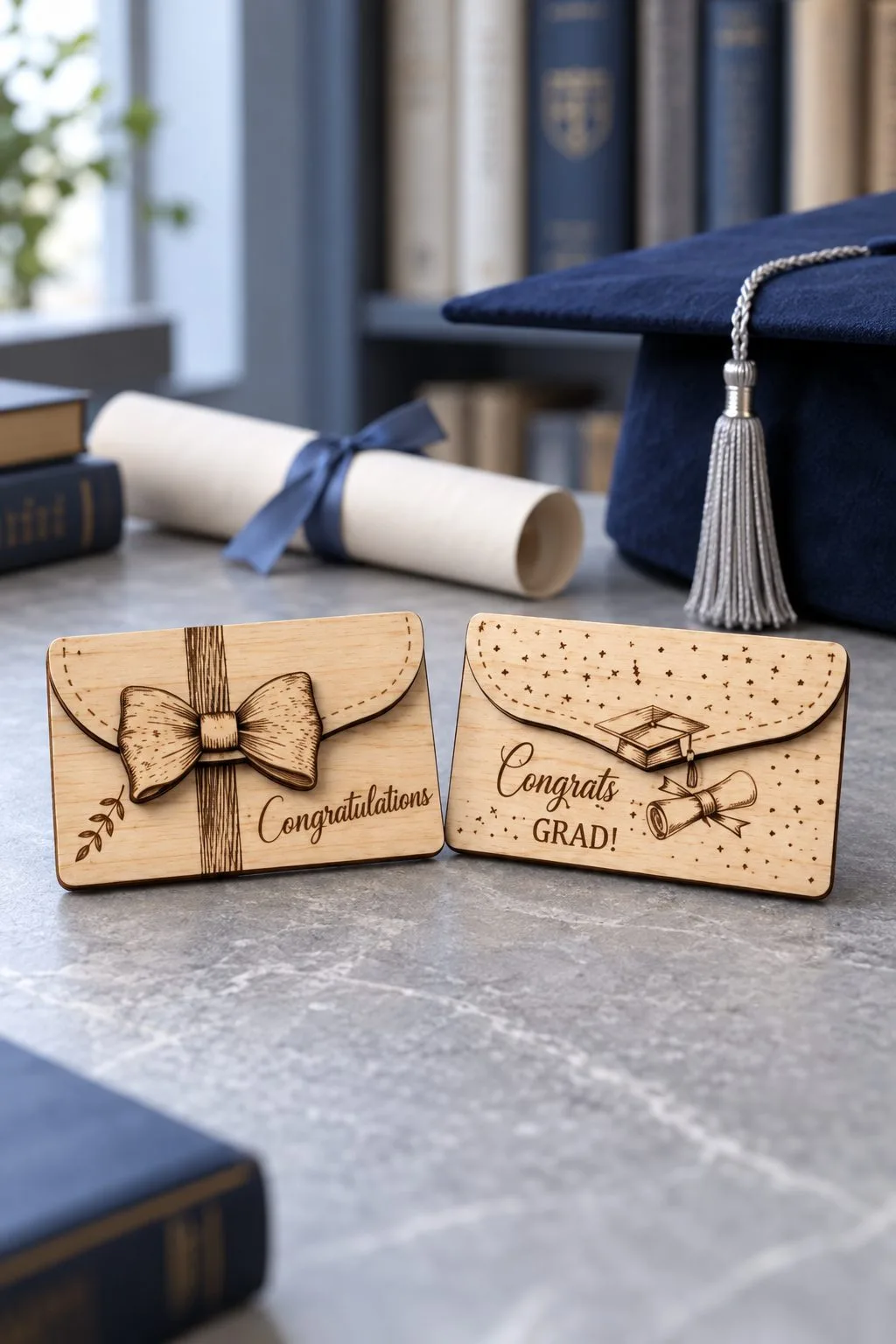
Money Gift Card Laser Cut comes in SVG, PDF, PNG, EPS, and the maker specifies a ZIP package for money cards, envelopes and personalized gift-card holders; birthdays, weddings and graduations are named. However, a confirmed design count, pocket dimensions and sheet thickness are not given in this description.
First, decide whether the gift contains a store card, folded cash or both. Then select one drawing from the package and trace its real retaining area. Keep the measured sleeve beside that tracing, because the list of gifting uses does not identify the size of a particular pocket.
Happy Birthday Cake Gift Card Holder
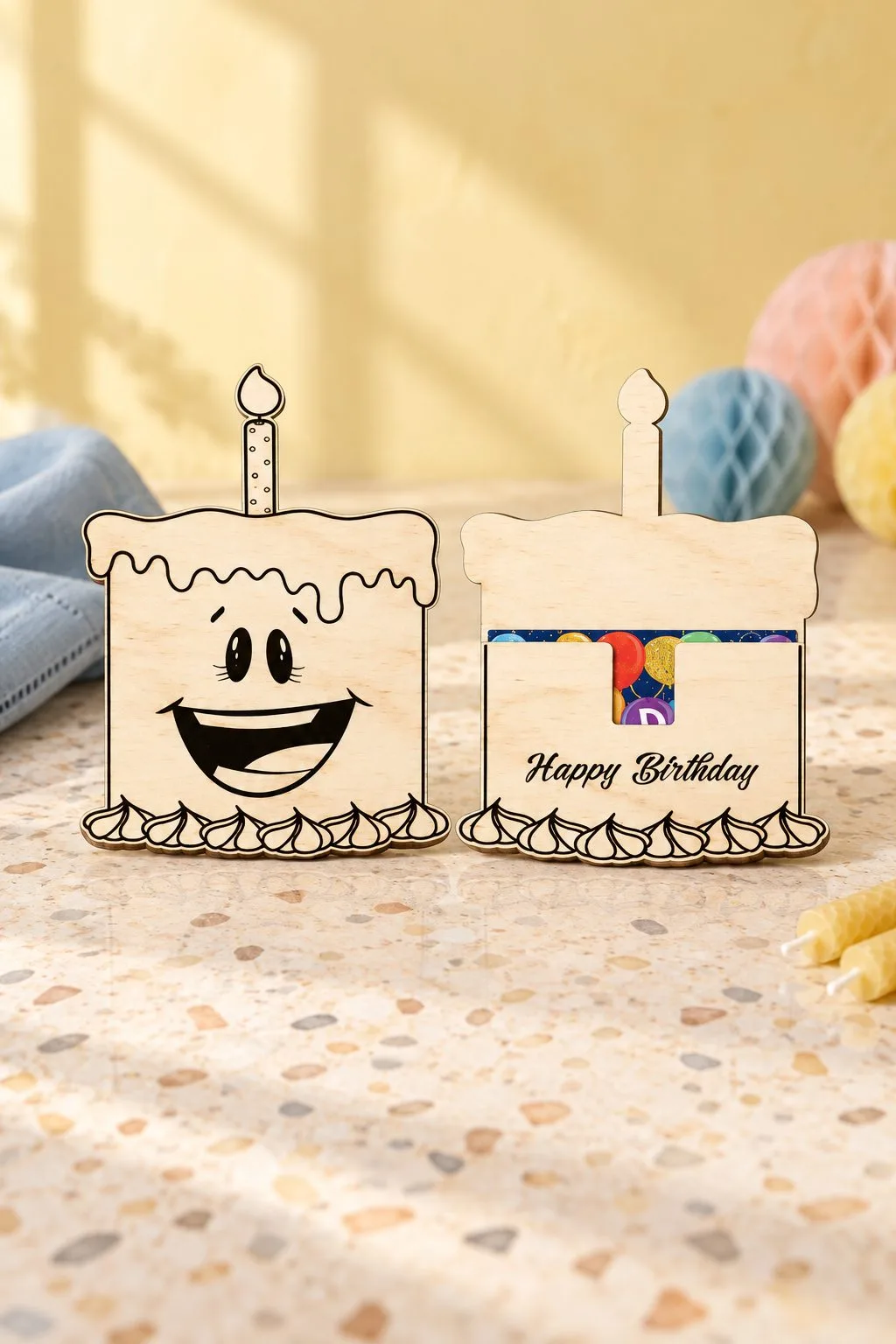
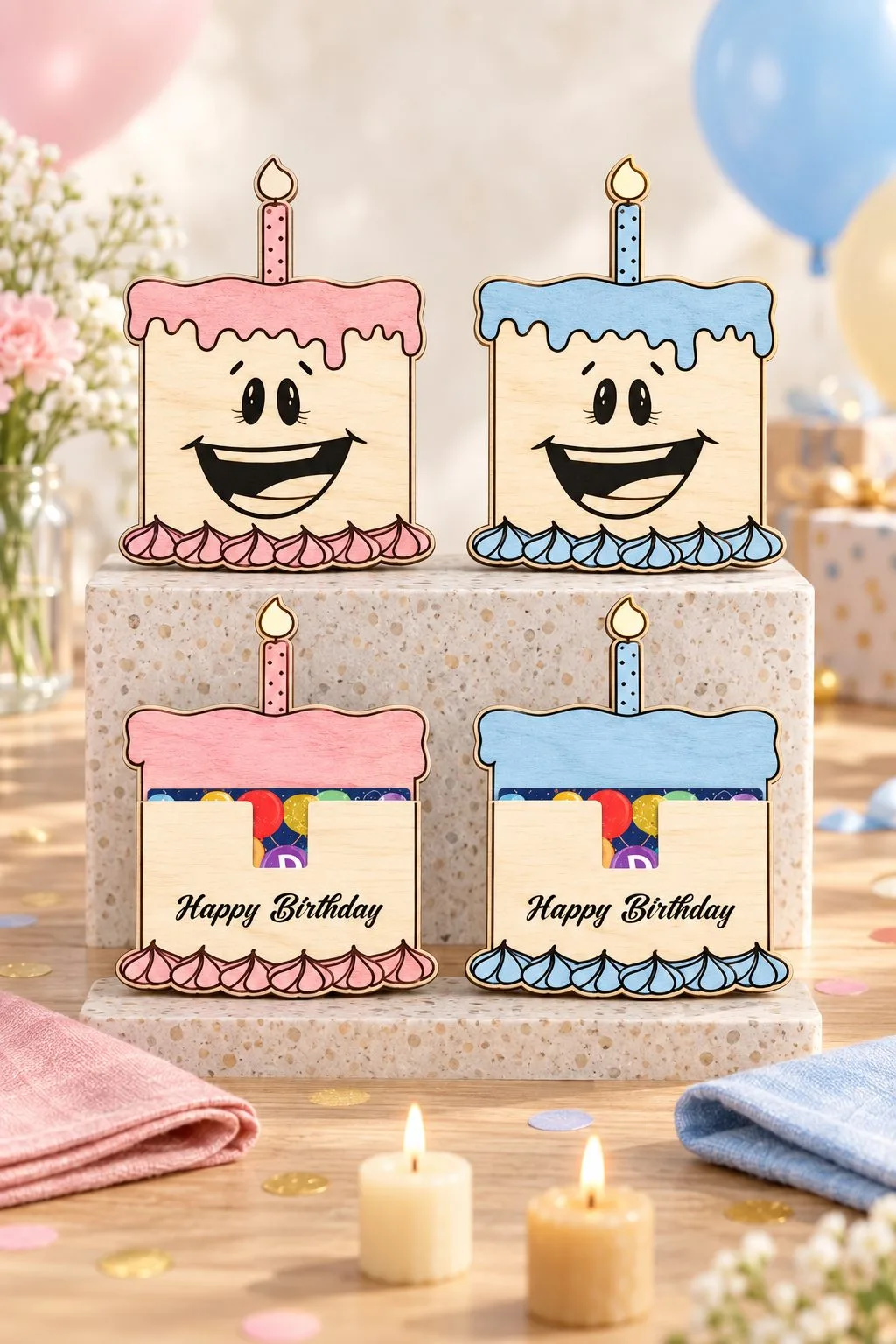
The description for Happy Birthday Cake Gift Card Holder names one file in each format; the artwork is made as close to one piece as possible and may need editing for the laser; its formats are SVG, JPG, PNG, EPS. Also check card pocket dimensions, material and thickness, which the maker does not give here.
For a birthday dinner, place the actual sleeve behind a paper copy of the cake artwork. Next, mark the edge the recipient will grasp. If the decorative outline hides that edge, review the chosen construction before adding a name, so the greeting does not make an awkward opening harder.
Welcome Baby Bottle Gift Card Holder
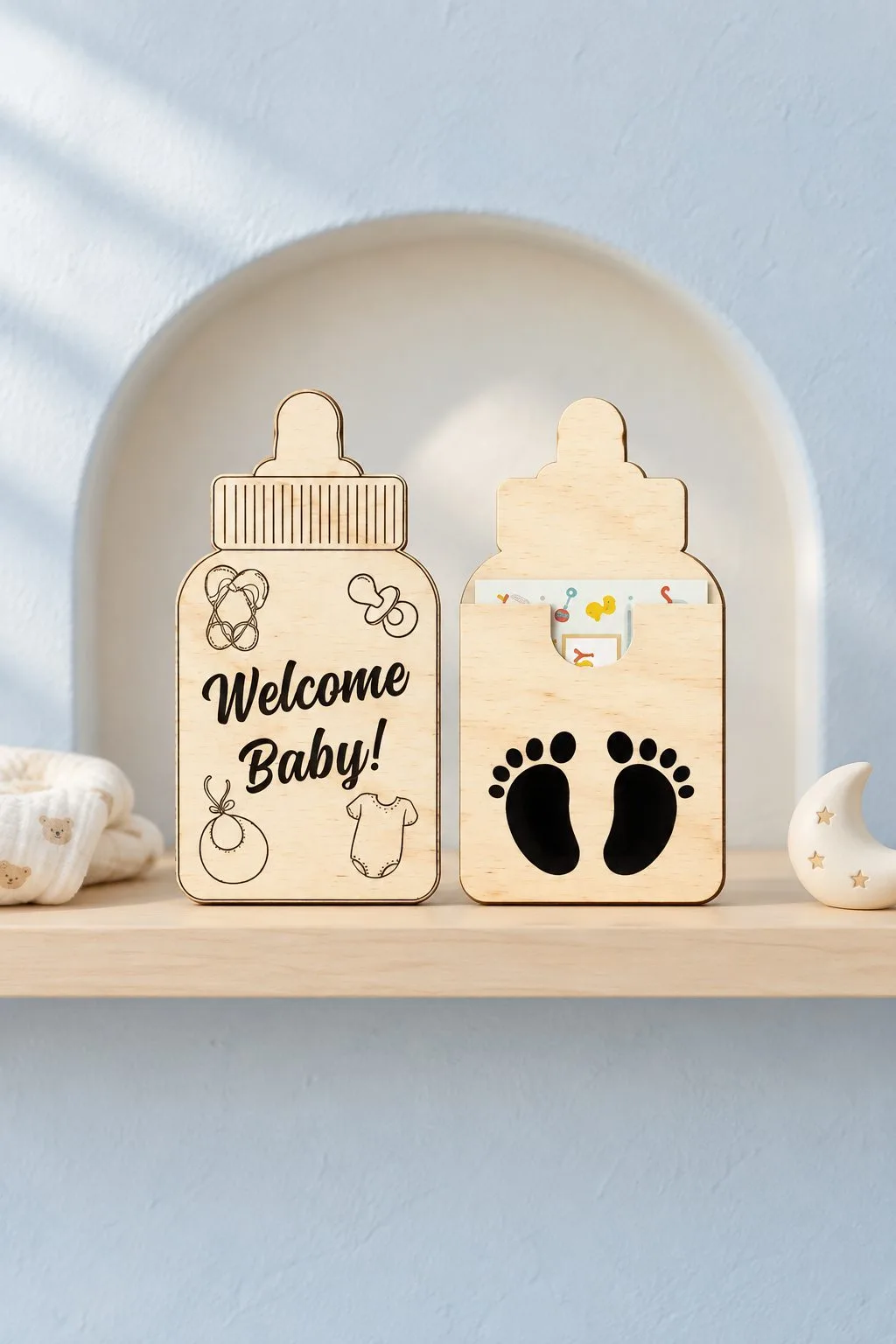
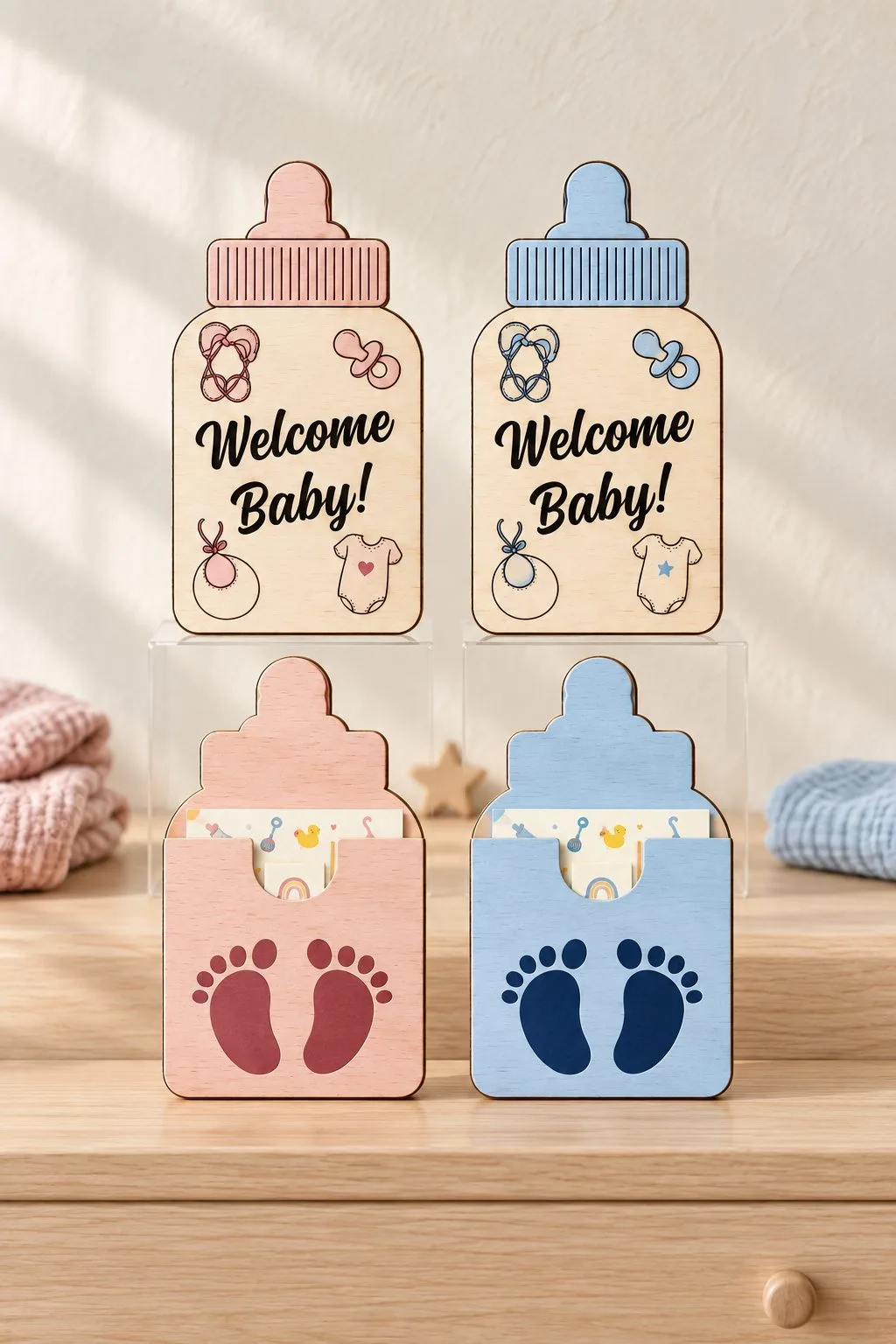
The maker of Welcome Baby Bottle Gift Card Holder describes one file in each format, with transparent PNG; the maker warns that the mostly one-piece artwork may need laser editing; the supplied formats are SVG, JPG, PNG, EPS. However, the description gives no pocket dimensions and material thickness.
For a baby shower, put the card and your note inside their intended envelope first. Then compare that whole arrangement with the bottle outline. Also identify what holds the contents in place, because a familiar baby-bottle shape tells you the occasion rather than the dimensions of its holder.
Laser cut gift card holder: for a card on the christmas tree
A Christmas holder can become part of the decoration after the card comes out. First decide whether the gift will hang, stand or travel in a parcel. Then rehearse its opening in that position, so the recipient can find the card without guessing which piece of the ornament needs moving.
Santa Gift Card Christmas Ornament
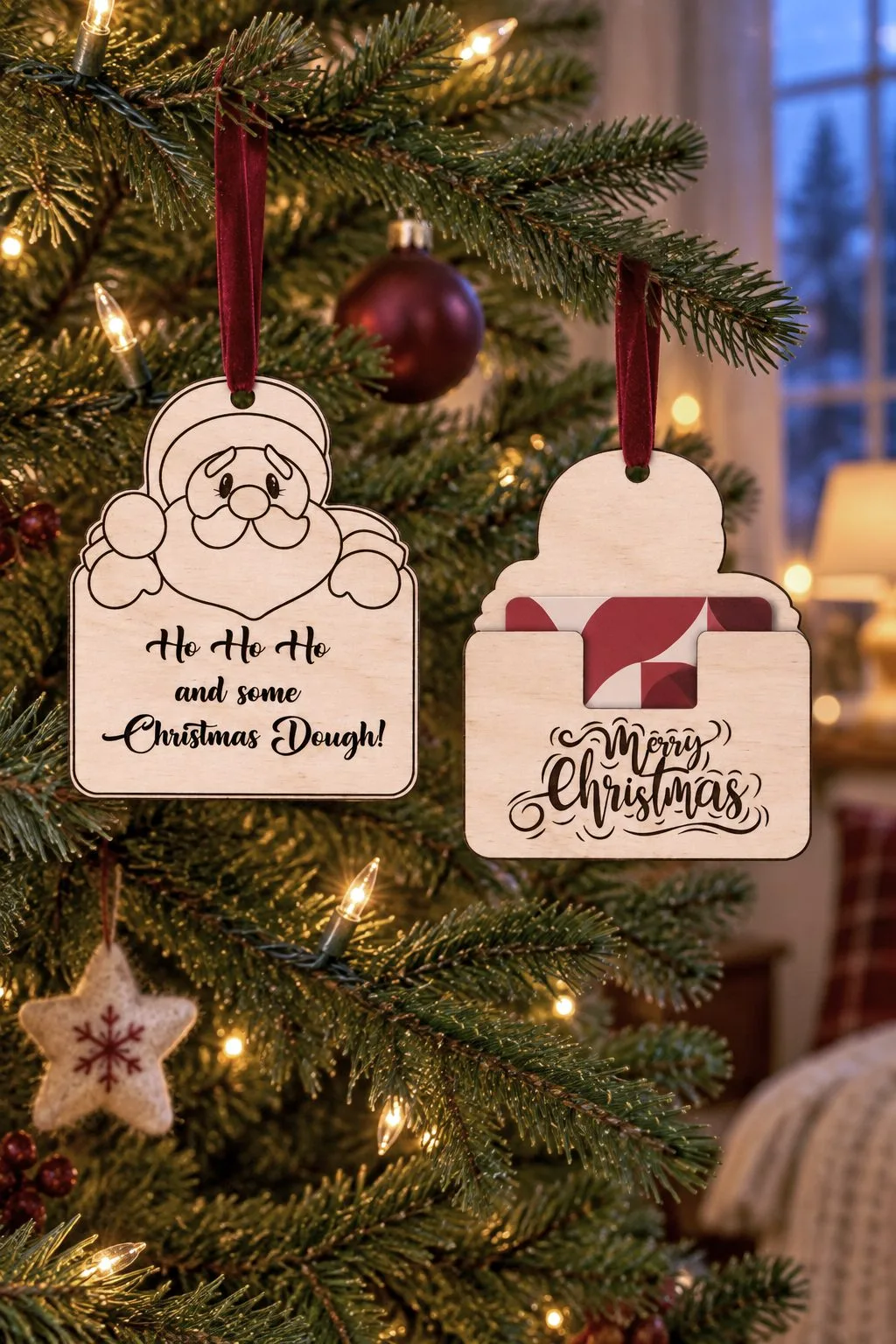
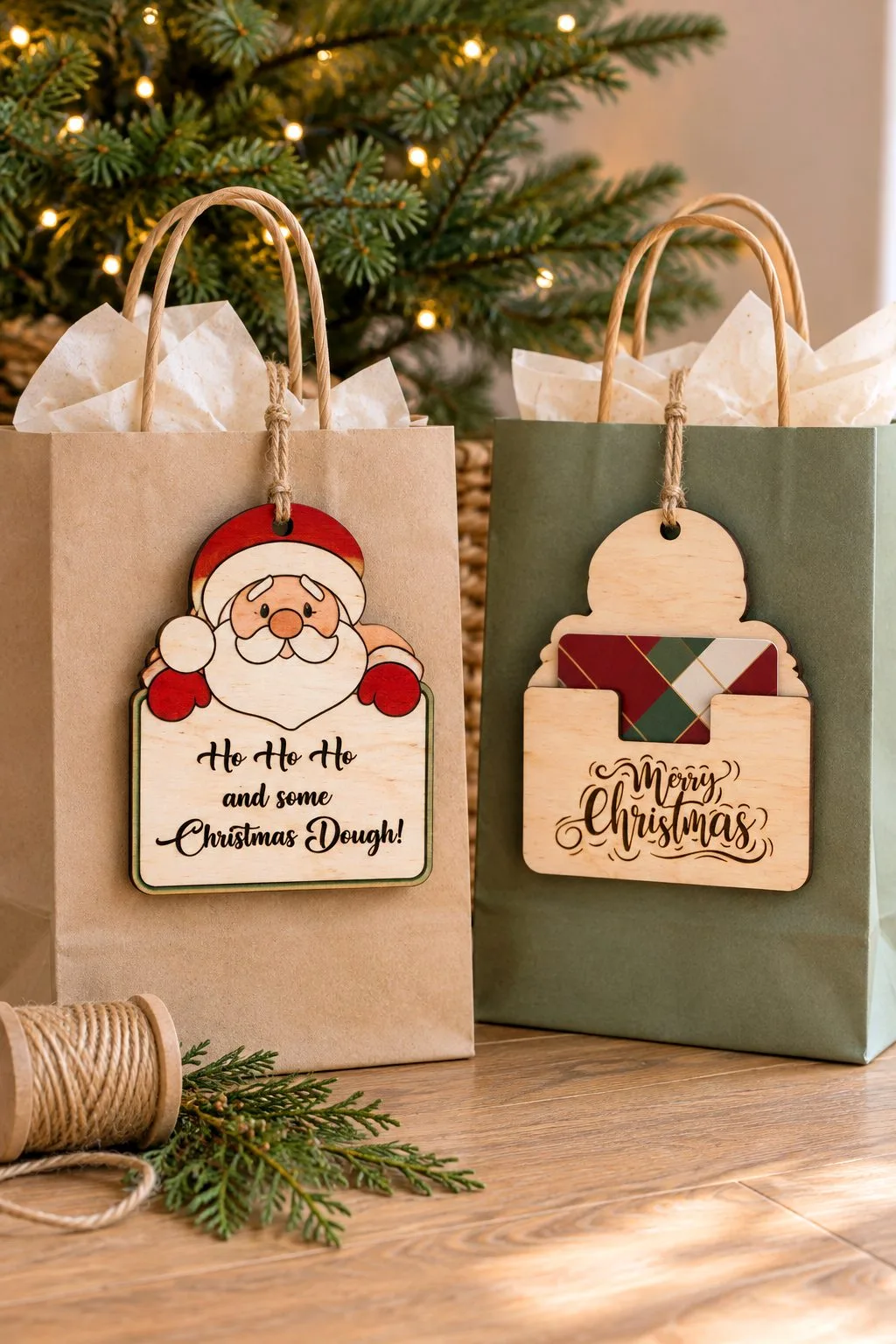
Santa Gift Card Christmas Ornament offers one SVG for cutting, one JPG for printing and one EPS; a Santa gift-card ornament, with SVG, JPG, EPS files. However, you will need to confirm the card pocket size, material and thickness, because those details are absent from the maker’s text.
Next, decide whether Santa will hang on a tree or travel inside wrapping. Try the card’s removal movement in that position, then inspect the retaining feature. Keep the printed reference separate from the cutting file, because the maker assigns different uses to the SVG and JPG.
Gas Can Gift Card Christmas Ornament
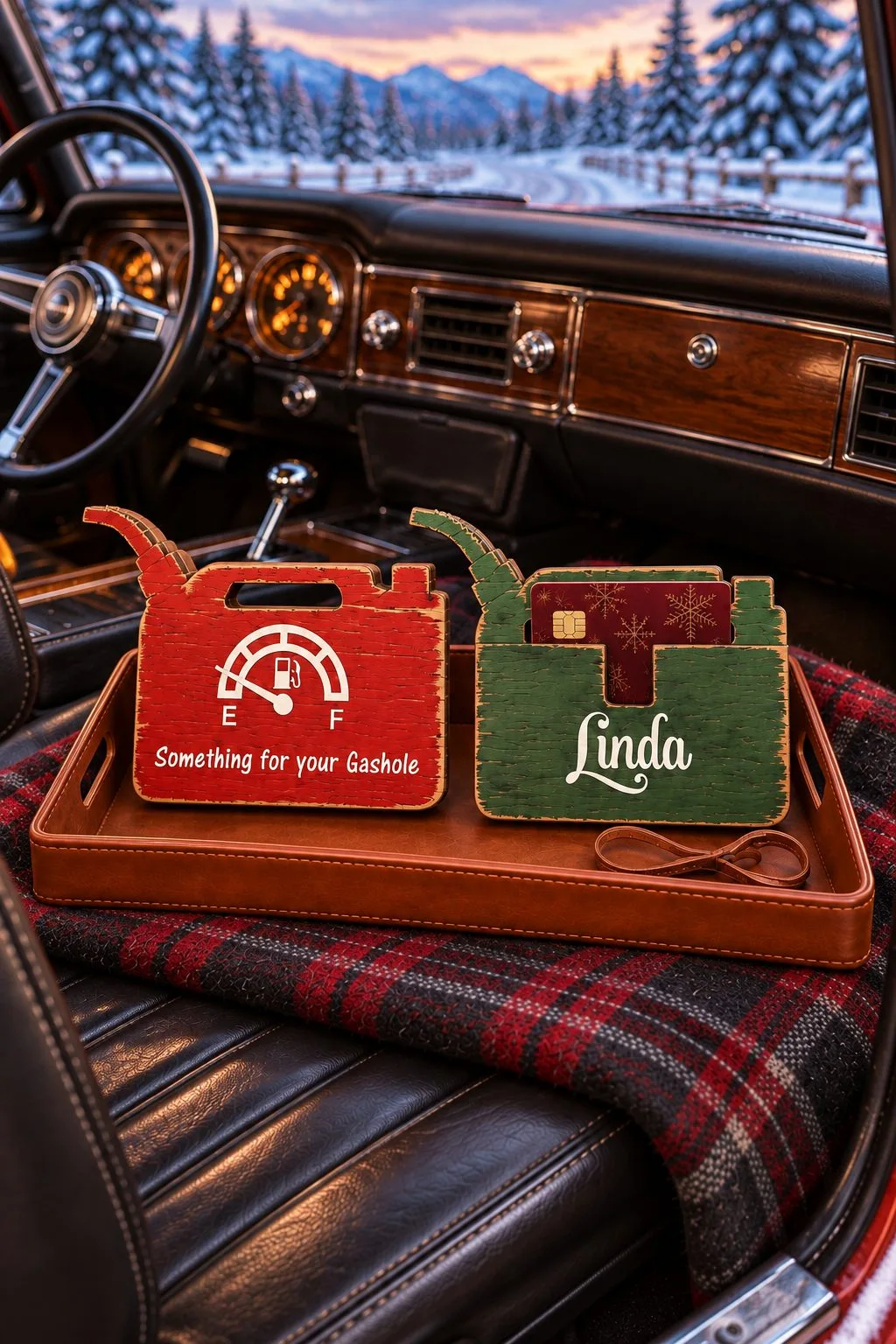
For this choice, Gas Can Gift Card Christmas Ornament lists mostly one-piece artwork that may need editing; the file-count line lists one SVG, one JPEG and one EPS, while the general format list also mentions PNG, with SVG, JPG, EPS; PNG is mentioned separately files. The maker gives no pocket dimensions, thickness and an unambiguous PNG file count, so resolve those before committing to the construction.
For the gas-can ornament, open the supplied archive and resolve the PNG discrepancy before planning any printed insert. Then measure the gift card against the selected drawing. Also review the mostly one-piece artwork for your intended operation, since the maker explicitly leaves possible laser editing to the user.
Rudolph Gift Card Holder Ornament
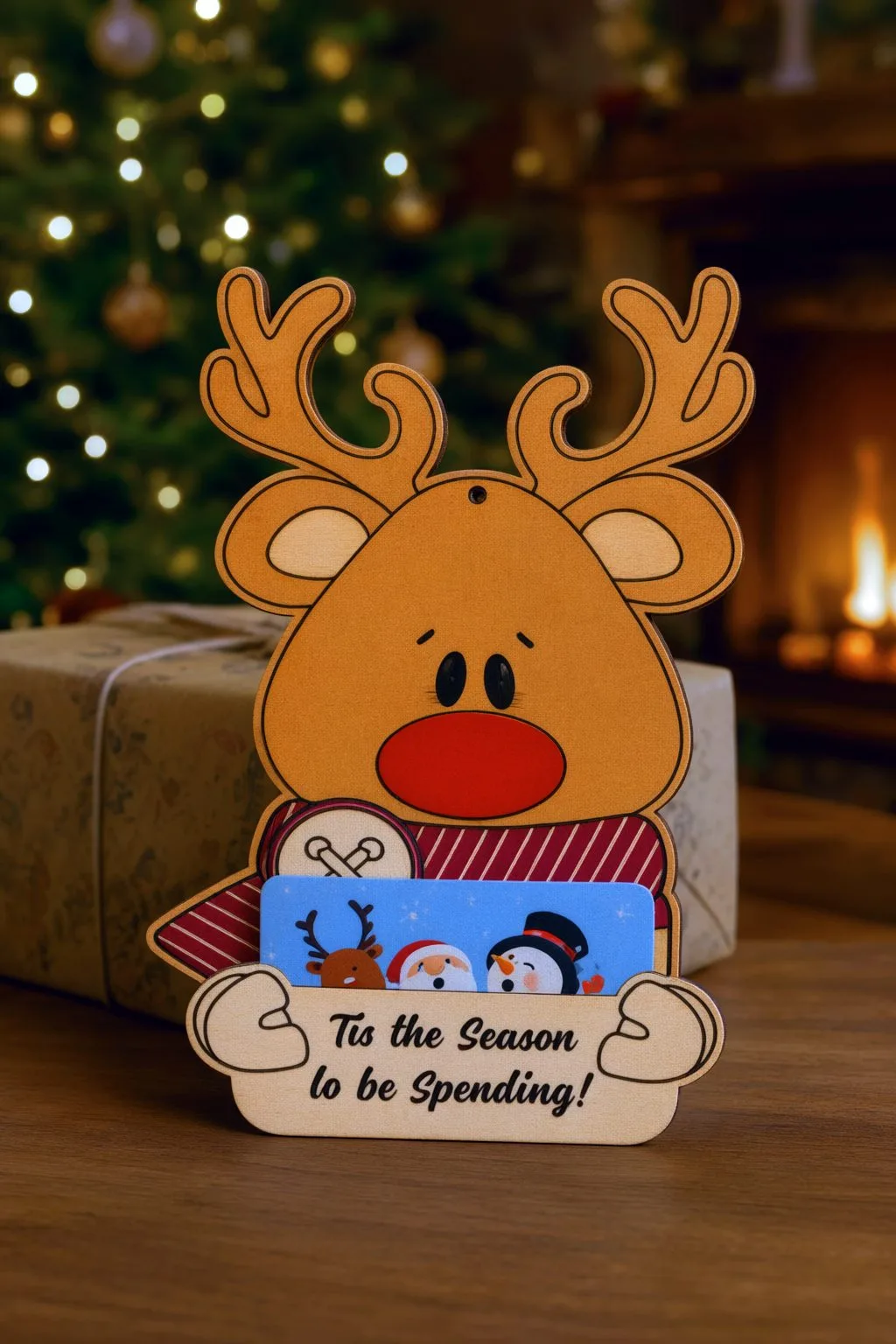
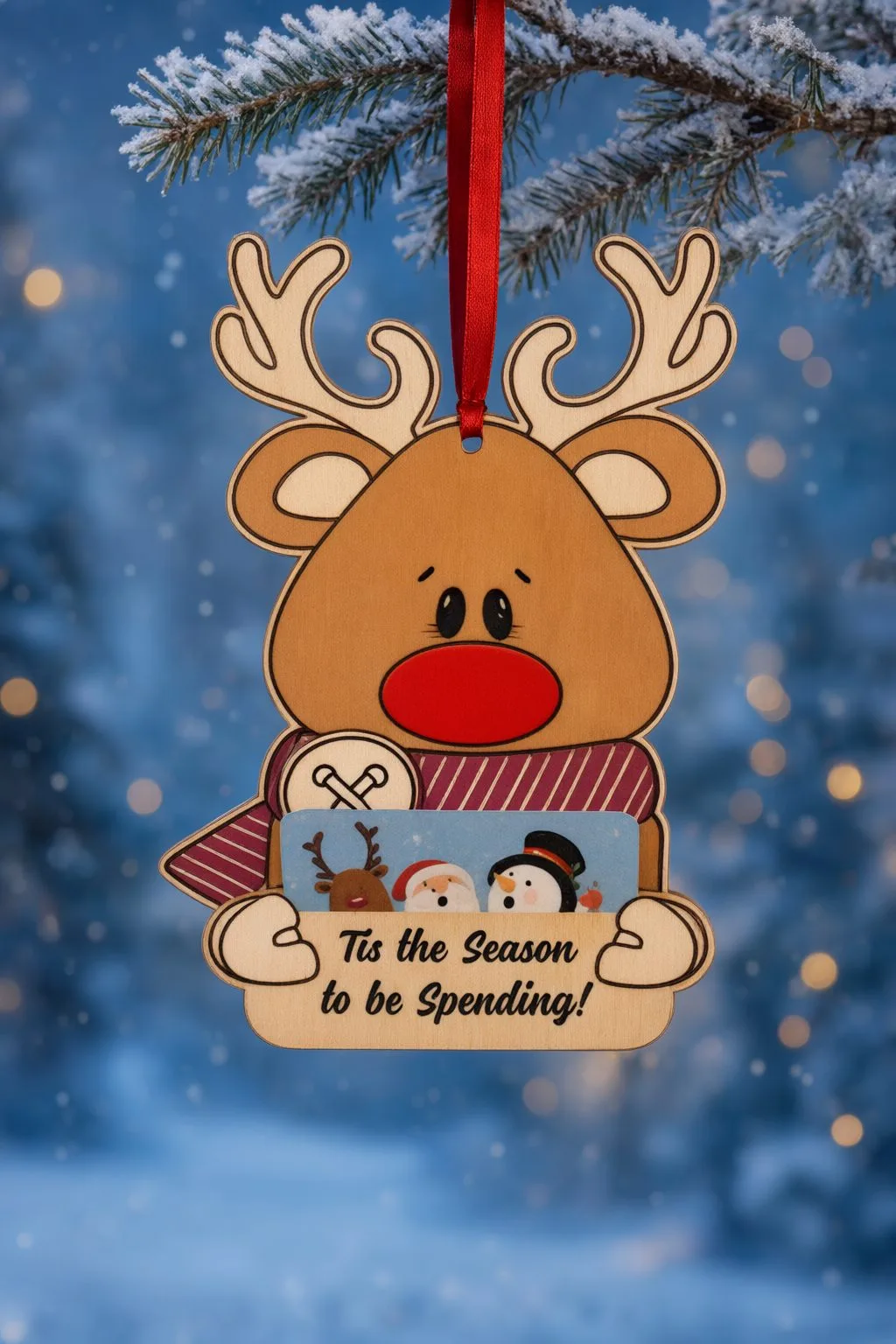
Rudolph Gift Card Holder Ornament comes in SVG, JPG, EPS, PNG, and the maker specifies one SVG, one JPEG, one EPS and one PNG; mostly one-piece artwork that may need laser editing. However, the pocket dimensions and sheet thickness are not given in this description.
For Rudolph, trace the complete holder and compare it with the actual card sleeve. Then check where fingers enter while the ornament stands in its handover position. A file count helps you choose the working format, but it does not describe the pocket opening or how snugly the sleeve will sit.
Laser cut gift card holder: for a wedding or an open desk presentation
A wedding money holder presents a greeting, while an open desktop stand displays a card for repeated access. Choose the action you want the recipient to take, then measure the actual contents against that construction. The business-card dimensions are useful here, but they describe a different job from a fitted gift pocket.
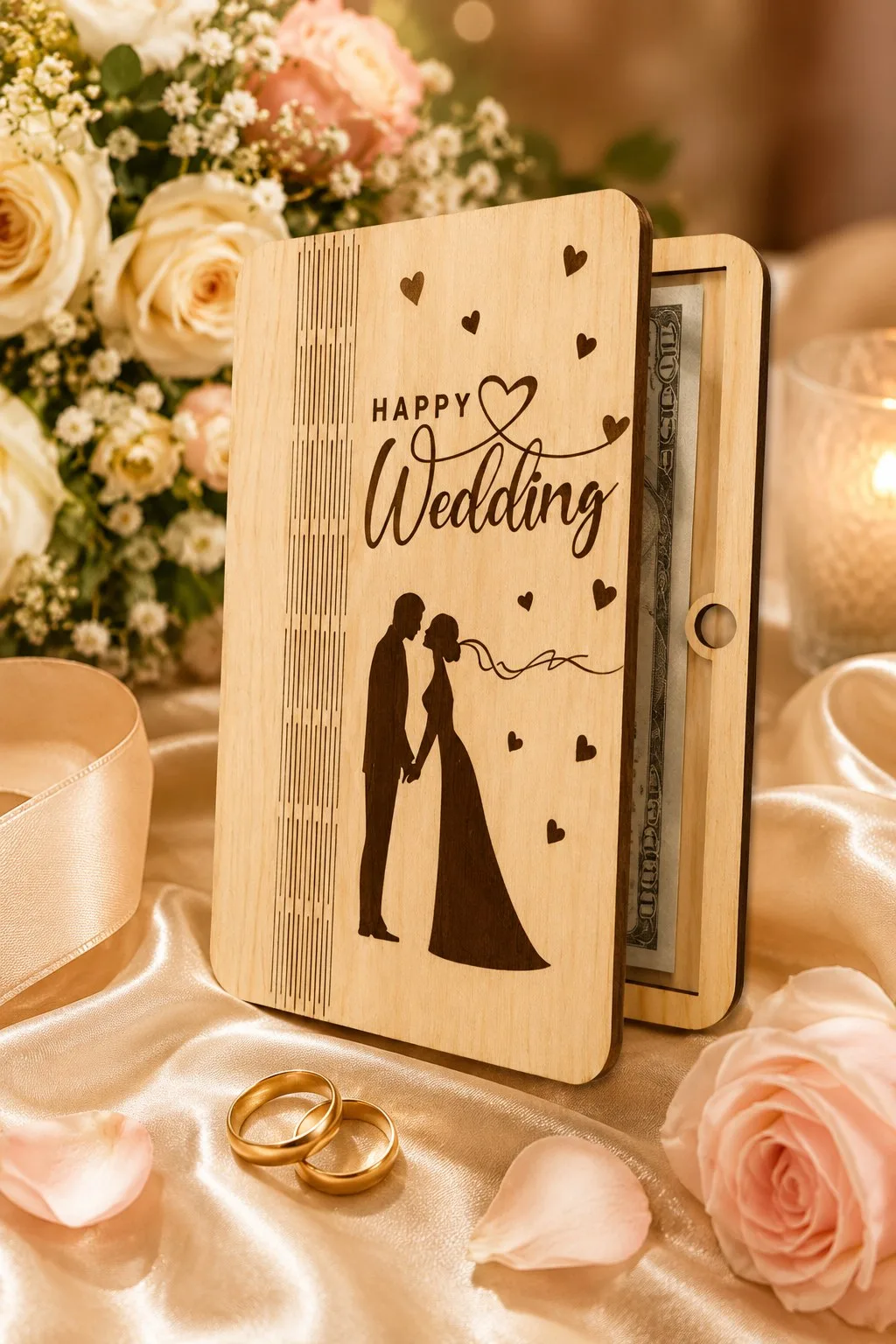
Happy Wedding Money Holder
The description for Happy Wedding Money Holder names a 7-inch-high wooden wedding money or gift-card holder; red cuts and blue engraves; Glowforge is named; its formats are SVG, AI, DWG, EPS, DXF, PDF. Also check sheet thickness and a measured card pocket, which the maker does not give here.
First, proof both wedding names beside the 7-inch outline and check the card’s removal route. Also keep the red cutting paths apart from the blue engraved greeting. If you change the height, return to the holding area afterwards, because the recipient still needs to remove the same physical card.
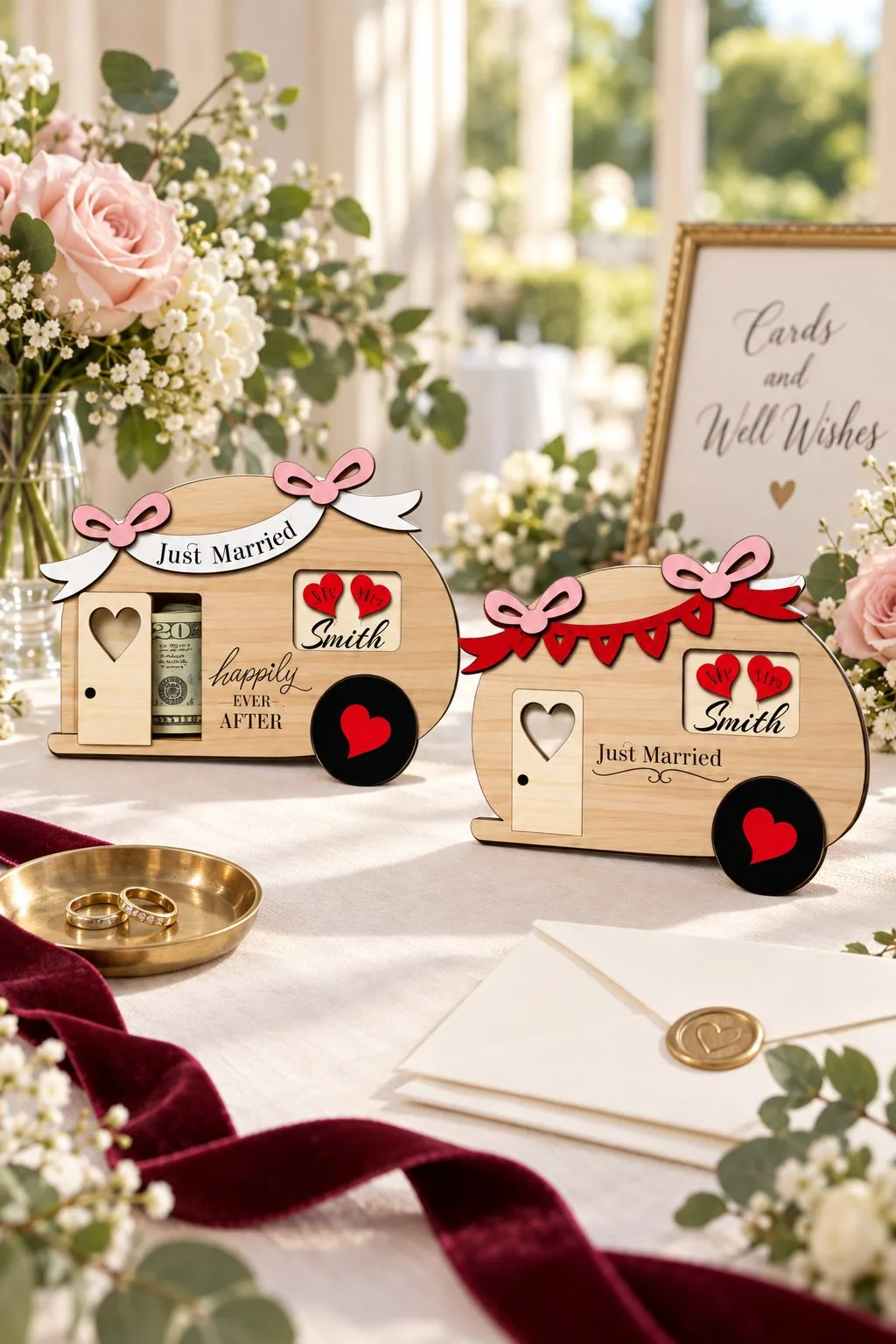
Camper Wedding Money Holder
A little camper van that keeps the money inside. A pocket between the layers takes a folded bill, and the front can read Just Married or Happily Ever After. It is about 15.7 × 11.5 cm, so it fits a hand and a wedding table.
The files are SVG, DXF, AI, PDF and CDR for plywood, MDF, HDF, wood or acrylic. The maker uses their own colour code: blue is engraving, yellow is a score, black is cut and red is information only. Names are not part of the file, so you add them yourself, which is worth testing on a scrap first.
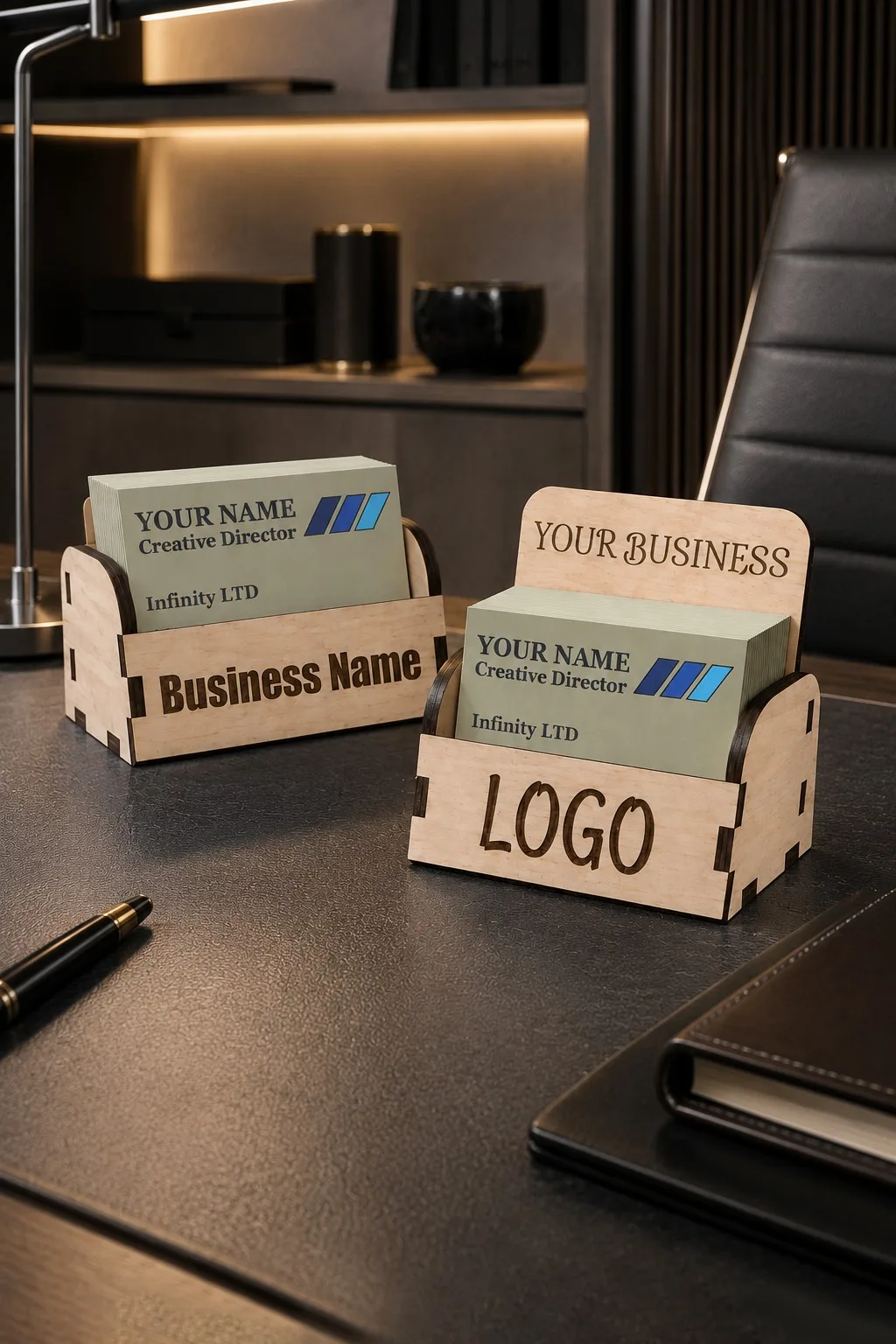
Business Card Holder You Engrave With Your Name
Business Card Holder You Engrave With Your Name offers two back-height variants, about 10 cm wide and 5.5 cm deep, with heights of 5 or 8.5 cm; for 8.5 × 5.5 cm business cards; 3, 3.2 or 4 mm wood, plywood, MDF or acrylic, with AI, EPS, DXF, SVG files. However, you will need to confirm a fitted retail gift-card pocket, because those details are absent from the maker’s text.
Finally, use the business-card stand only for an open desktop presentation that suits your real card. First, compare the card with its stated 8.5 × 5.5 cm target. A desk stand does not provide a fitted gift pocket, so make the difference clear when deciding how to wrap the present.
Laser cut gift card holder: for a letter to Santa
Then there are the Christmas envelopes. Each can hold a card with the letter, and one hangs on the tree.
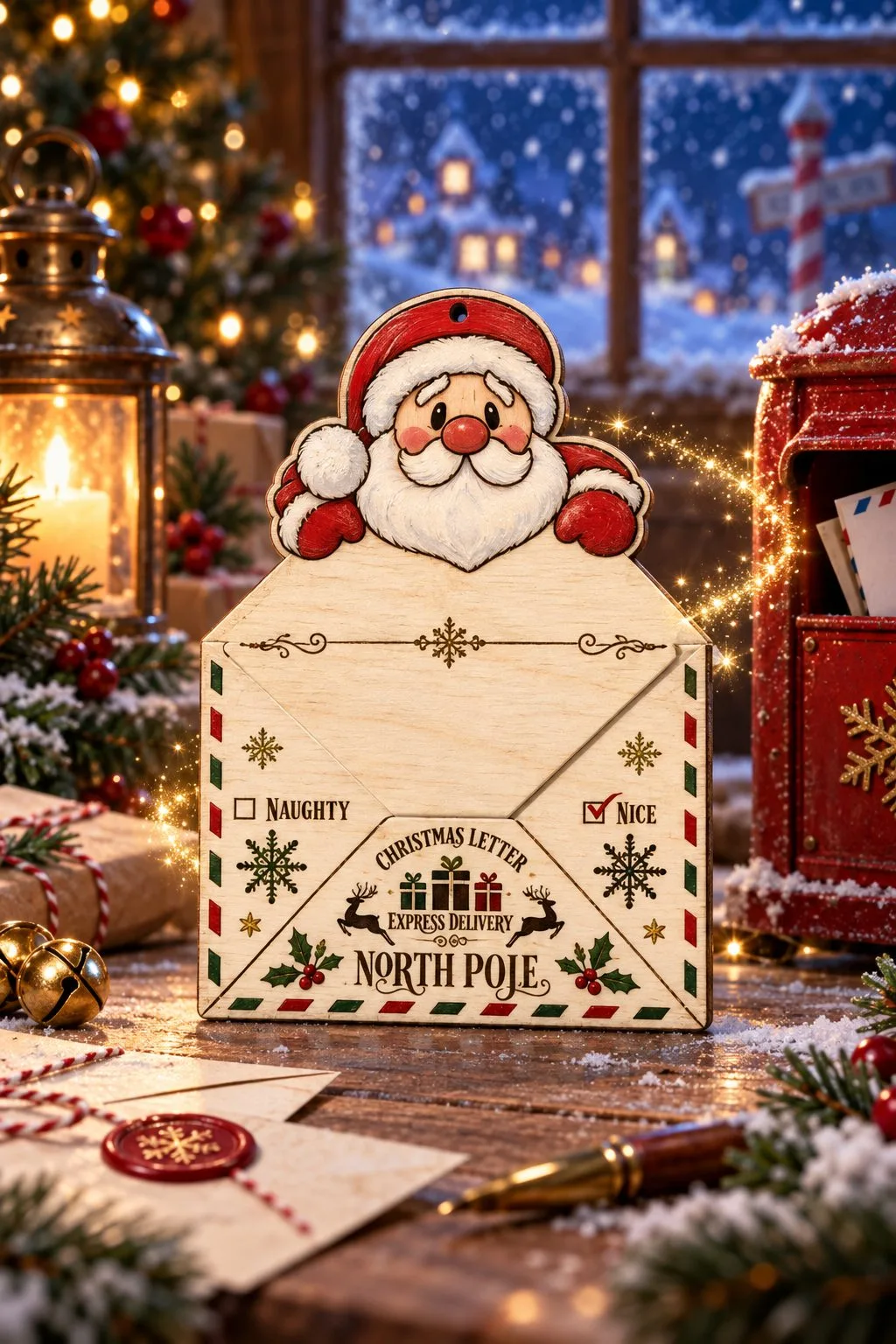
Dear Santa Envelope V2
Children write to Santa every December, and this file gives the letter an envelope. Santa peeks over the top flap, and the front is addressed to the North Pole with the words Christmas Letter, Express Delivery and two boxes to tick, Naughty and Nice. A gift card folded into the letter makes it a present as well as a tradition.
The download has an SVG cut file, printable JPG and PNG versions and an EPS, with the maker’s note that some editing may be needed for your laser. Since the pocket must hold the letter and the card, fold both first and check the fit.
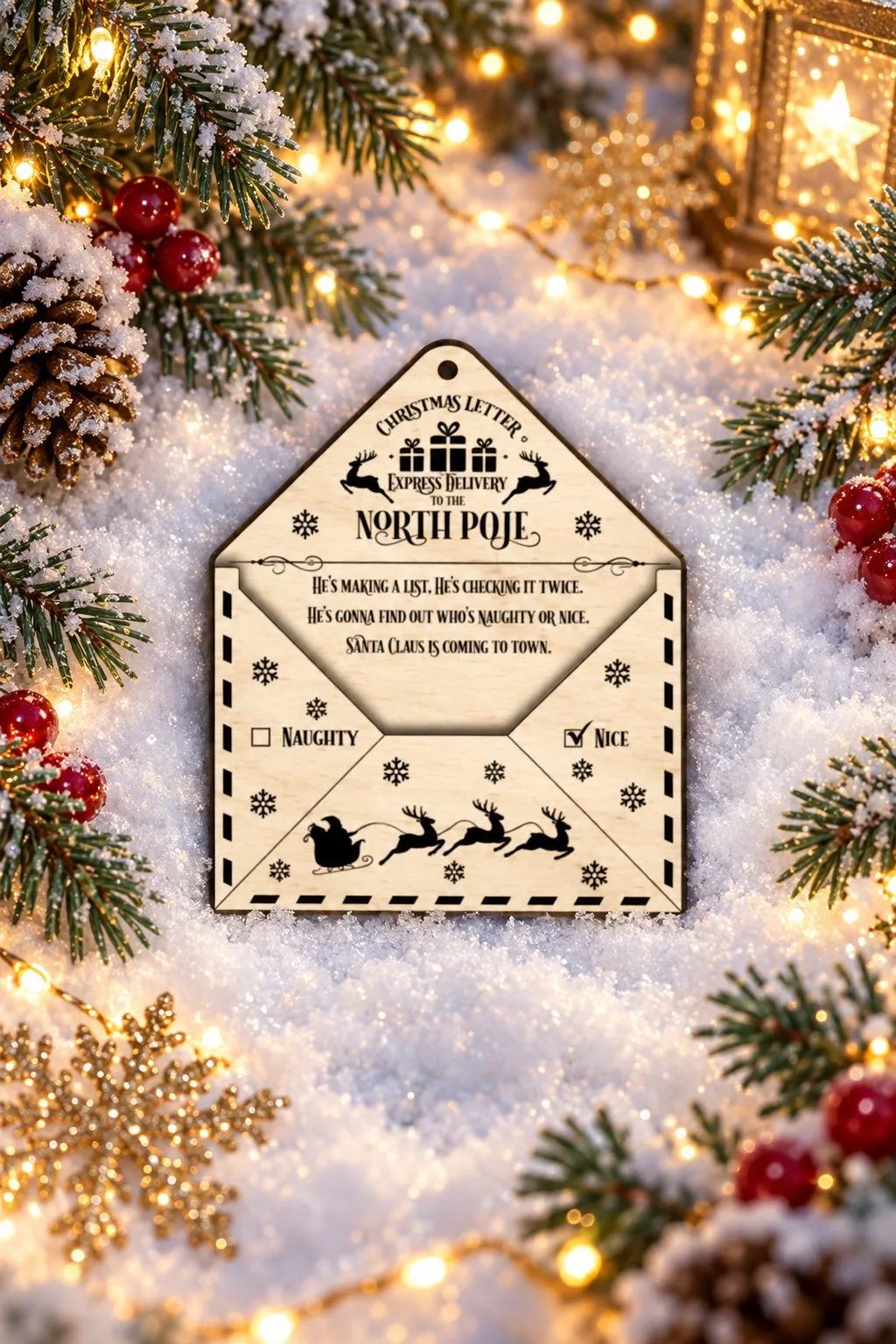
Santa Letter Envelope Holder
A flatter envelope addressed the same way, Christmas Letter, Express Delivery to the North Pole. It adds a verse from Santa Claus Is Coming to Town on the inner flap, the Naughty and Nice boxes and Santa’s sleigh with reindeer along the bottom. A hole at the top lets it hang on the tree with a card tucked inside until Christmas Eve.
The verse is the longest line of text in this guide, so check its spacing on a sample sheet before you commit to the final one. The product page lists the file formats.
Laser cut gift card holder: more money holders to cut
Eight more money and gift card holders from makers on Creative Fabrica, all released in 2025 and 2026. Most hold a folded or rolled bill, and the book-style cards also take a gift card. The sizes and files below come from the makers.
Happy Birthday Money Holder
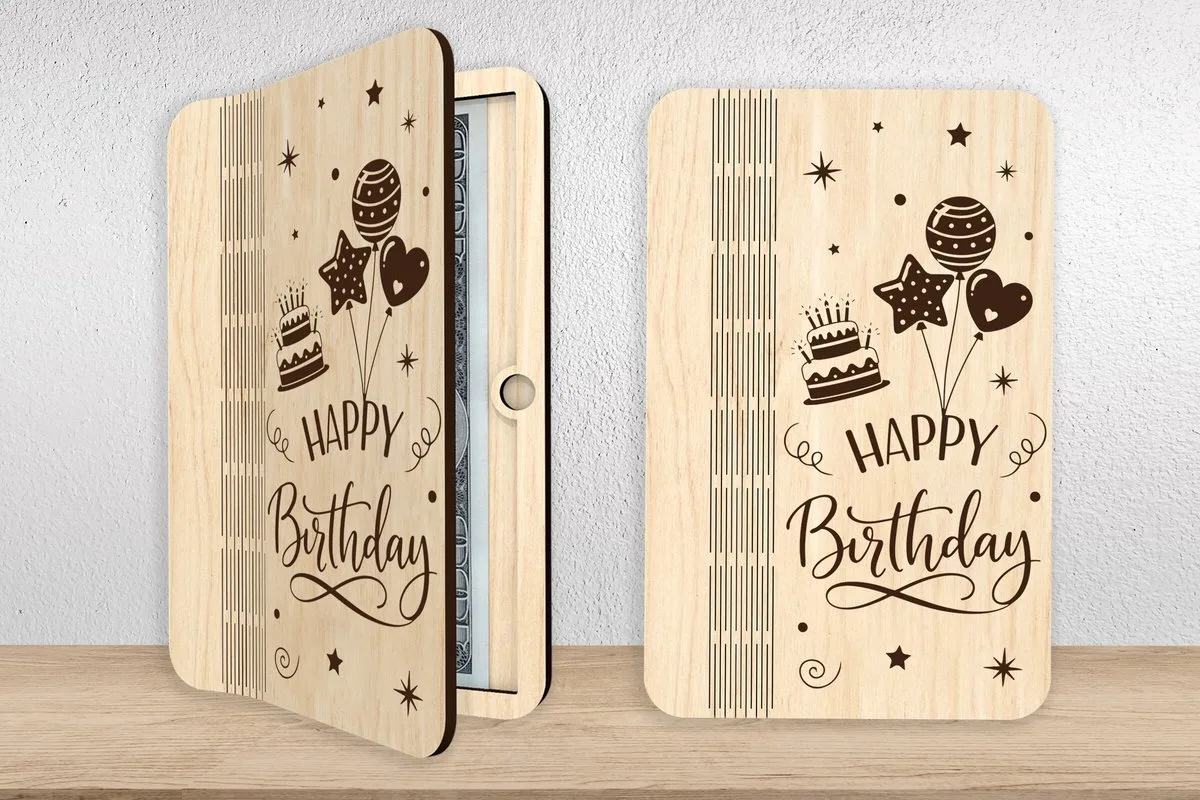
A wooden birthday card that opens like a book and holds cash or a gift card inside. The front is engraved with script lettering, a cake, balloons and stars, so it works for kids and adults alike.
The maker gives a design size of 7 inches tall, easy to change. The zip holds SVG, AI, DWG, EPS, DXF and PDF; blue lines engrave and red lines cut.
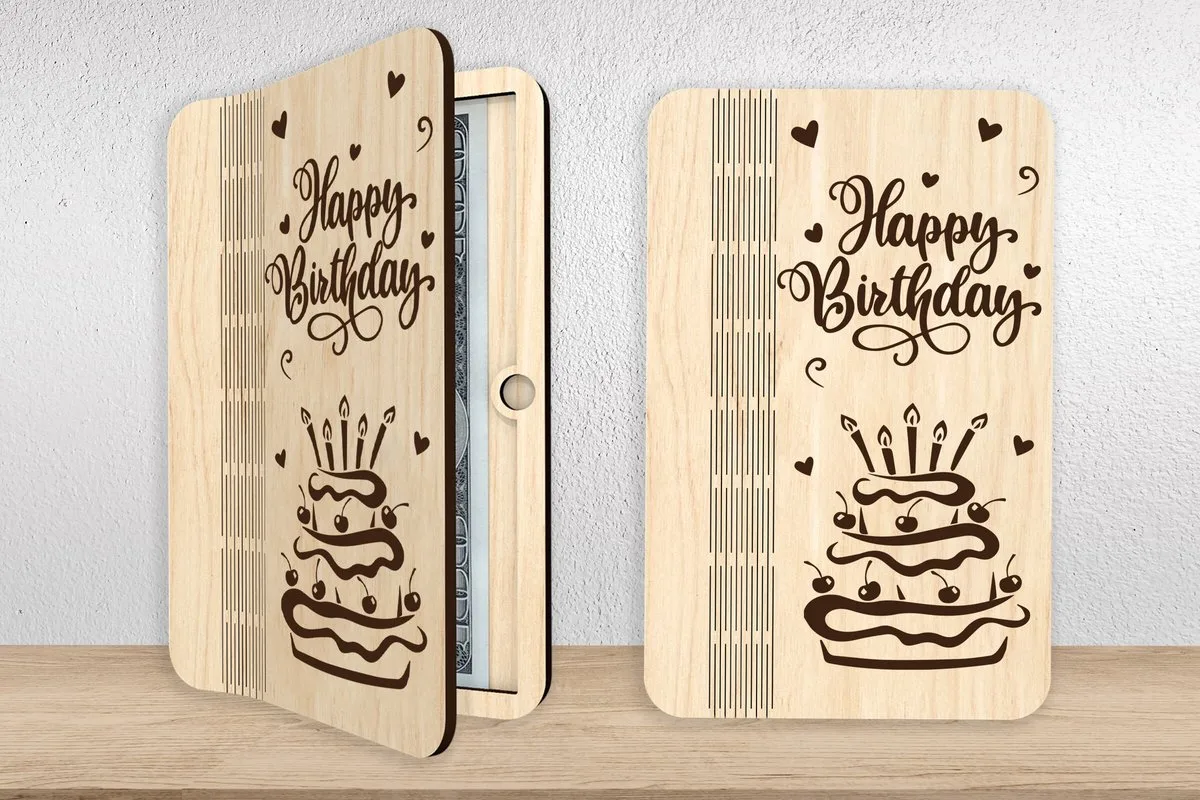
A second card from the same maker: the same book shape, with a cake with candles, script lettering and small hearts on the cover.
Size and files match its pair, 7 inches tall and SVG, AI, DWG, EPS, DXF and PDF. Because the hinge side is the same, you can cut both covers from one test setup.
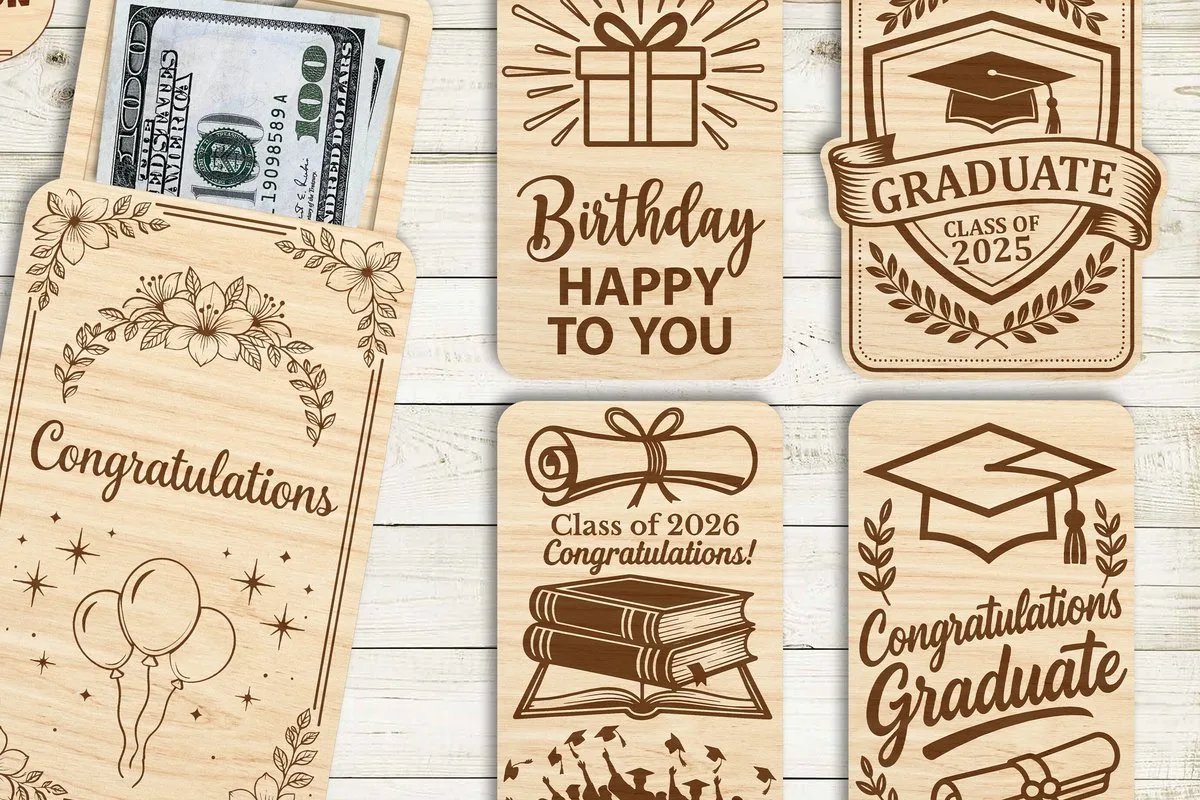
Graduation Money Holder Bundle
A bundle of flat wooden holders with a slot for a folded bill or a gift card. The layouts include “Congratulations Graduate”, a “Class of” design, “Happy Birthday”, a diploma, balloons and floral frames.
The maker names wood or acrylic and Glowforge, xTool, diode and CO₂ lasers. The files are SVG, DXF, EPS, AI, PDF and DWG. The class year is engraved, so change it before each season.
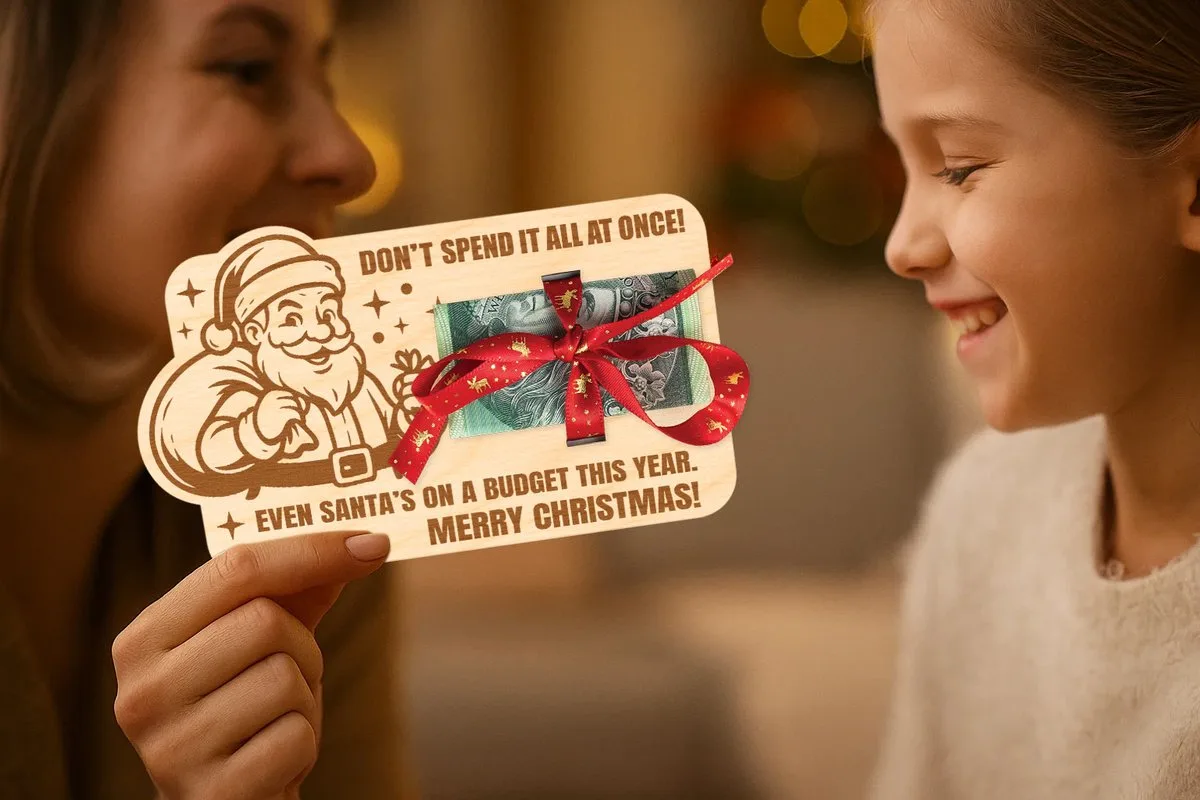
Christmas Santa Money Holder
A flat Santa card with the line “Don’t spend it all at once!”. Folded money goes through a slot and is tied with a ribbon, and no glue is needed.
The size is 16 × 9.5 cm for 3 mm birch, MDF or plywood. The download holds SVG, DXF, AI, PDF and LBRN2; black lines cut and green lines engrave.
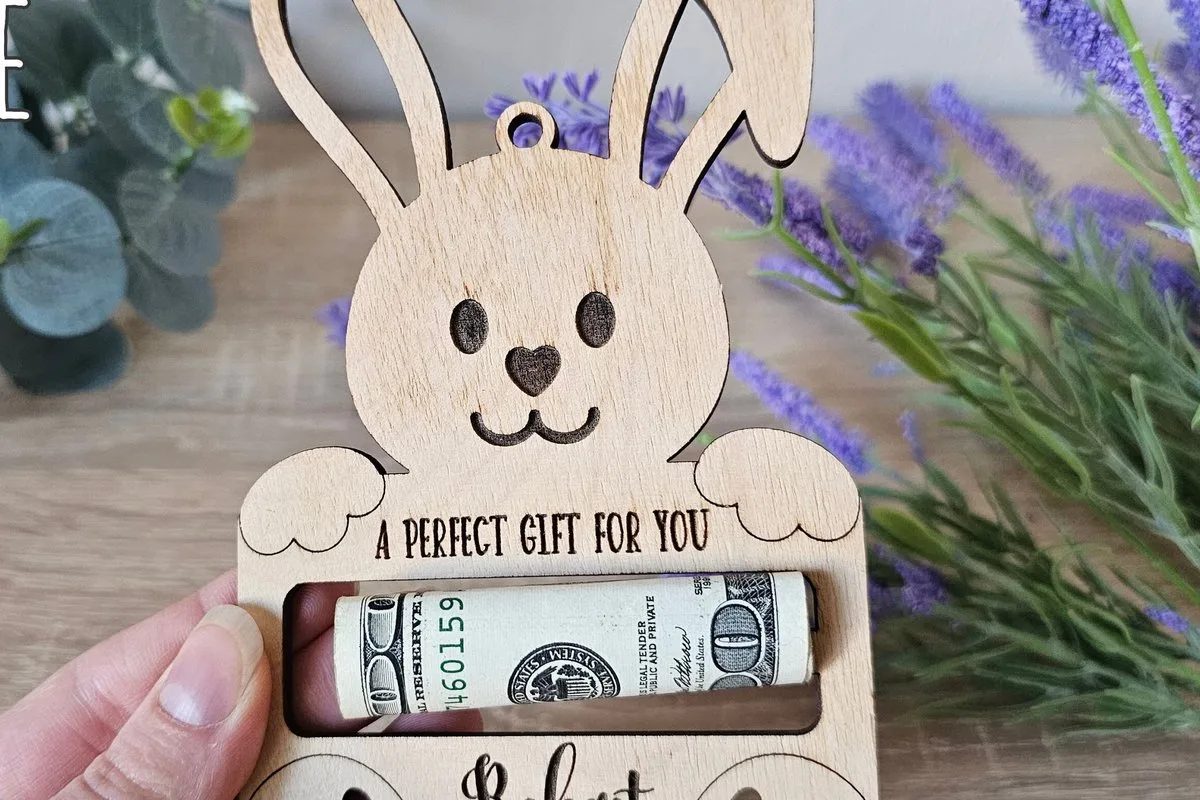
Easter Bunny Money Holder
A bunny that holds a rolled bill between its paws, with a name engraved on the front. The maker shows it in an Easter basket, but it works as a small cash gift for a child at any time.
The files are SVG, DXF, AI, PDF and CDR. The fonts are not included, so pick a font with thick strokes for the name.
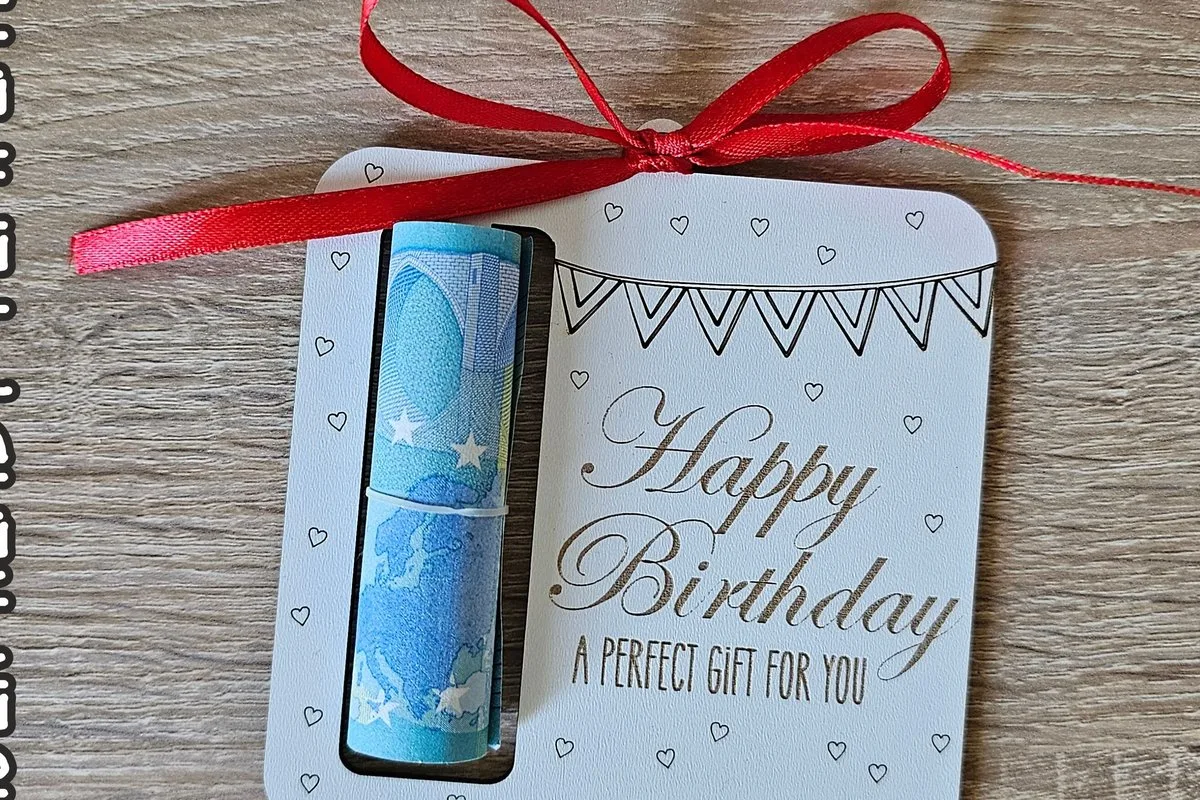
Birthday Money Holder
A white square card with a rolled bill in a pocket and “Happy Birthday, A Perfect Gift for You” engraved on the face. The maker suggests it for a friend, a coworker, a family member or a teacher.
It is made for 3 mm MDF or plywood, and the files are SVG, DXF and PDF. Because there are only three formats, check that your software opens one of them before you buy.
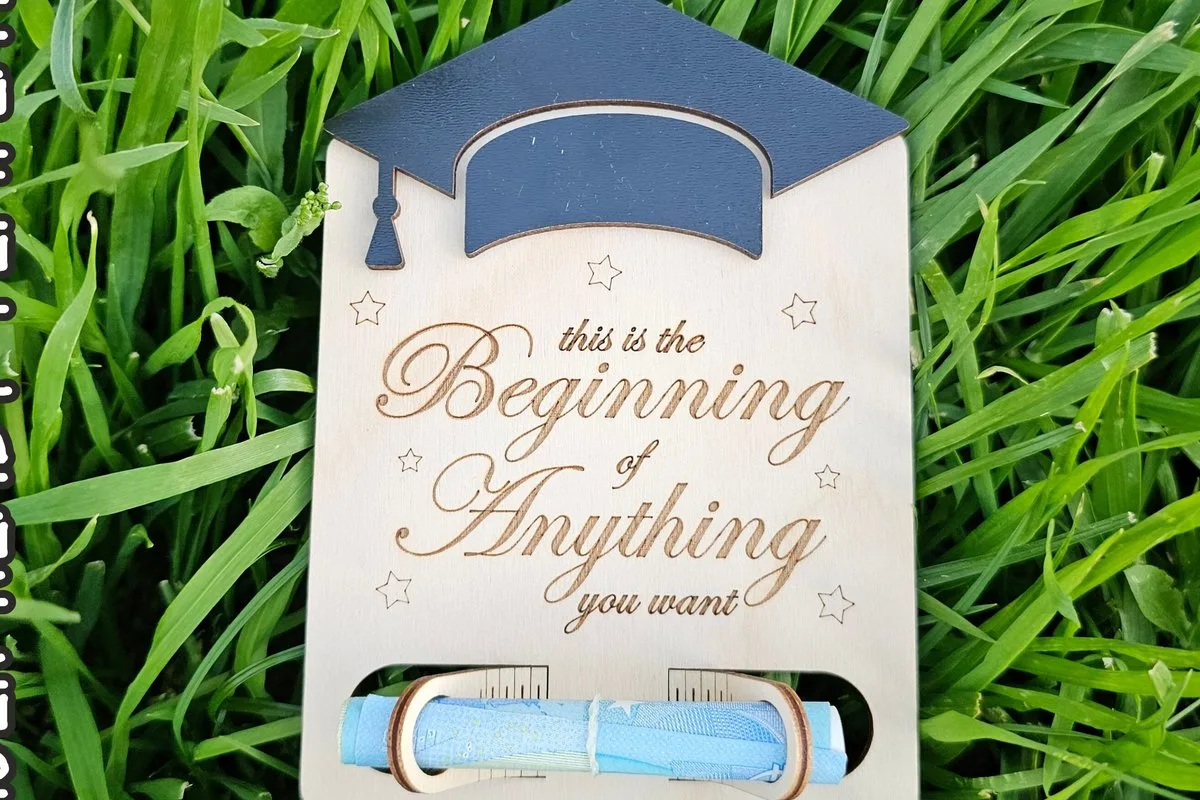
Graduation Money Holder
A graduation cap on top and the quote “This is the beginning of anything you want” below, with a rolled bill held at the bottom.
Like its birthday sister, it is built for 3 mm plywood, MDF or acrylic and comes as SVG, DXF and PDF. Fonts are not included, so the quote is already in the file.
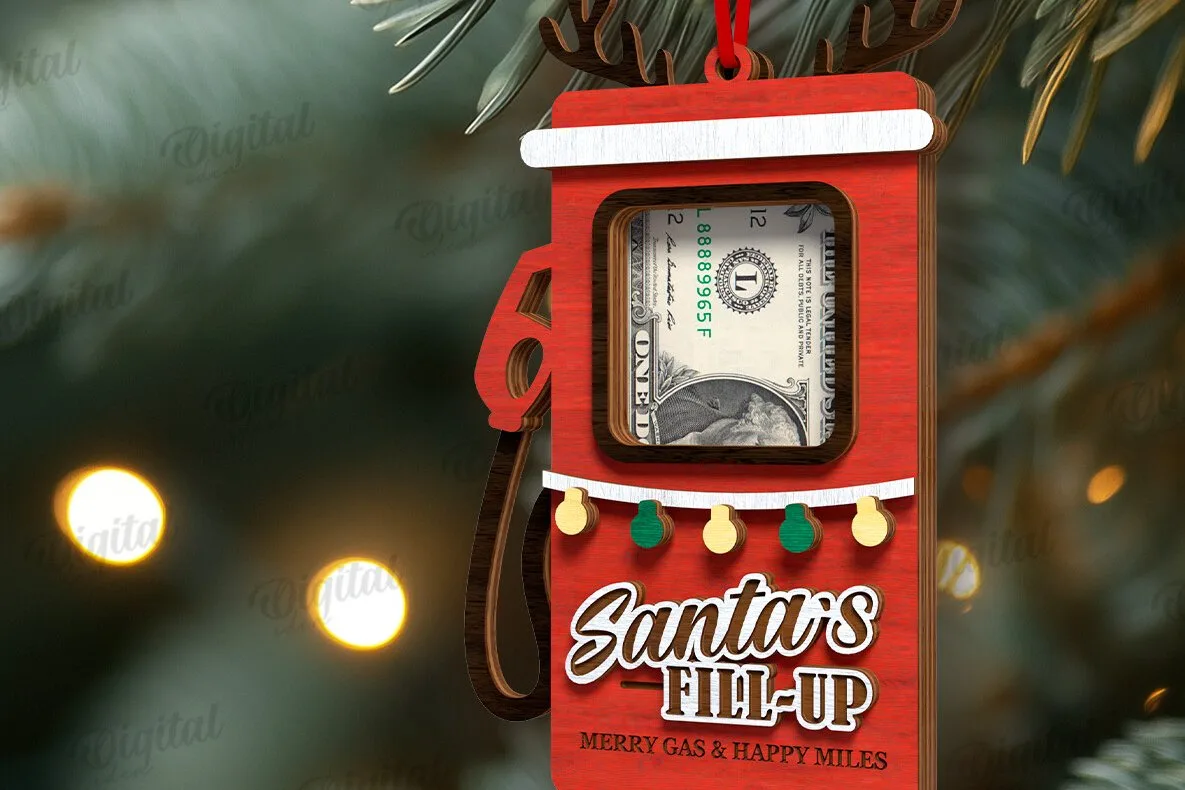
Christmas Money Holder
A red fuel pump ornament that reads “Santa’s Fill-Up”, with a window for a folded bill. It hangs on the tree like a toy, so the money is the last surprise.
The zip holds one design in SVG, DXF, EPS, PDF, JPEG and PNG. The maker gives no size, so measure the bill window against a folded note first.
Laser cut gift card holder: display and envelope options
| Actual product | What the maker gives | Formats | Detail still needed |
|---|---|---|---|
| Camper Wedding Money Holder | Camper van money pocket, Just Married or Happily Ever After; about 15.7 × 11.5 cm | SVG, DXF, AI, PDF, CDR | Names are not in the file |
| Dear Santa Envelope V2 | Santa-letter envelope with addressed lettering and Naughty/Nice boxes | SVG, JPG, PNG, EPS | How small lettering engraves |
| Santa Letter Envelope Holder | Envelope with a verse on the inner flap, sleigh and reindeer, hole for the tree | See product page | Spacing of the long verse |
Laser cut gift card holder choices at a glance
Match the real card and sleeve to the selected holding area before comparing the occasion. These rows include gift holders, money holders and one explicitly separate business-card stand. Then inspect the particular drawing for a retaining feature, because a familiar birthday or Christmas outline does not provide a pocket measurement.
Laser cut gift card holder: first options
| Actual product | What the maker gives | Formats | Detail still needed |
|---|---|---|---|
| Money Gift Card Laser Cut | Gift card comparison: a ZIP package for money cards, envelopes and personalized gift-card holders | PDF, PNG, SVG, EPS | Ask for gift card: a confirmed design count |
| Happy Birthday Cake Gift Card Holder | Gift card comparison: one file in each format | JPG, PNG, SVG, EPS | Ask for gift card: card pocket dimensions |
| Welcome Baby Bottle Gift Card Holder | Gift card comparison: one file in each format, with transparent PNG | JPG, PNG, SVG, EPS | Ask for gift card: the pocket dimensions and material thickness |
| Santa Gift Card Christmas Ornament | Gift card comparison: one SVG for cutting, one JPG for printing and one EPS | SVG, JPG, EPS | Ask for gift card: the card pocket size |
| Gas Can Gift Card Christmas Ornament | Gift card comparison: one SVG/JPEG/EPS; PNG appears in the general format list | SVG, JPG, EPS; PNG is mentioned separately | Ask for gift card: pocket dimensions |
Laser cut gift card holder: further choices
| Actual product | What the maker gives | Formats | Detail still needed |
|---|---|---|---|
| Rudolph Gift Card Holder Ornament | Gift card comparison: one SVG, one JPEG, one EPS and one PNG | JPG, EPS, SVG, PNG | Ask for gift card: the pocket dimensions and sheet thickness |
| Happy Wedding Money Holder | Gift card comparison: a 7-inch-high wooden wedding money or gift-card holder | SVG, AI, EPS, DXF, DWG, PDF | Ask for gift card: sheet thickness and a measured card pocket |
| Business Card Holder You Engrave With Your Name | Gift card comparison: two variants; 10 × 5.5 cm footprint; 5 or 8.5 cm high | EPS, DXF, AI, SVG | Ask for gift card: a fitted retail gift-card pocket |
Start with the card you will hand over
A contents measurement includes everything that enters the holder, rather than the bare plastic card alone. Also, put the card inside its intended sleeve and add the note. Next, measure the widest and tallest edges of that arrangement. Then check its thickness where folded paper overlaps, because that is what the holder must accept.
Also, keep the store’s packaging if you plan to give it that way. A folded header or paper edge may occupy more room than the card beneath it. Also check whether the recipient needs to read anything on that packaging.
If you intend cash instead, make the fold you will actually use. Do not transfer the gift-card measurement to folded notes simply because both look flat.
For a container around a larger present, browse our gift boxes and useful desk pieces. A card holder solves a smaller presentation problem; choose it when that is the object you want to give.
Trace the entrance for the laser cut gift card holder
An entrance check follows the card from your hand into its final position. Next, mark that route on a paper copy of the drawing, including any narrow edge or retaining part. First, compare the entire contents with the entrance as well as the pocket. A wide interior still needs a usable way to reach it.
Slide the real sleeve along the paper route. Where would its folded corner meet the decoration? Circle that contact before deciding whether a piece needs changing.
If the design uses assembled layers, identify the order from its notes. A front layer can cover part of an opening, so include it when planning the passage.
Then, keep the entrance check with the original outline. Afterwards, compare any personalization copy with that outline. A moved name panel should not silently move the edge that guides the card.
Give your friend an edge to grasp
A removal check lets the recipient find and lift the card without dismantling the gift. First, put a paper mockup in the handover position and try the intended opening. Find where fingers reach the card or sleeve. If that access is missing, review the chosen construction before making its pocket wider.
Hold the mockup upright if that is how you plan to present it. Then lay it on the table and try again. Those two positions can reveal different access problems.
Also try the folded note in its final place. If the note covers the card edge, move the note first. You may solve the difficulty through packing without touching the drawing.
Also, leave a short opening hint with the gift if its construction is unfamiliar. A friendly instruction inside the wrapping can be clearer than adding another decorative arrow to the face.
Proof laser cut gift card holder names together
A message proof combines the exact wording with the real holding outline. Keep the recipient’s name, occasion and any date in a plain-text reference, then place them on the drawing. Read both side by side before cutting. A polished font cannot correct a misspelled name or a date copied from the wrong message.
For a wedding gift, confirm both names from the invitation or another approved reference. Then check the line breaks at holder size. The money-card maker mentions weddings, but the occasion does not change its missing pocket measurement.
Use our wedding project guide for presentation ideas. Keep this holder’s contents and opening decisions tied to the selected drawing.
If you need another lettering arrangement, explore it with the name sign maker. Review that lettering inside the holder outline before replacing the approved proof.
Keep engraved words on the face
A message operation should match the way you want the letters to appear: as marks on the surface or as part of the cut shape. Identify that intention before assigning the paths. In LightBurn, line and fill modes describe different processing approaches; their settings still determine the result. Preview the whole holder with its message.
LightBurn documents line processing along vector paths and fill processing inside suitable closed shapes. LightBurn Line Mode and LightBurn Fill Mode
Look for a word that accidentally shares the cutting operation with the outer edge. Then inspect any temporary boundary you drew around the message. Keep that planning boundary out of the job if it should not appear on the holder.
For a group of names, inspect the longest name and any unfamiliar character separately. Also compare the retained card space after each layout change, since that area needs to remain useful.
Try the finish with the actual sleeve
A finished-holder check includes the material, assembly and surface treatment you intend to give away. Confirm the selected designer’s material first, then prepare one complete holding area with its decorative front. We have not cut these holders ourselves. Test your card and sleeve after following the chosen finish instructions, rather than judging an empty shell.
If the fit changes after assembly, locate the new contact. A shifted layer can affect the opening differently from a thick fold in the sleeve. Compare those parts before enlarging the outer design.
Where the maker supplies a reference dimension, check it after import. LightBurn provides separate controls for SVG scale and DXF units. LightBurn settings Use the supplied reference, not a guessed card standard, to review the drawing.
Finally, give the sample to someone with the intended contents inside. Watch where they look for the opening, then revise the handover note or packing if needed.
Diagnose a card that catches or stays hidden
A card-fit diagnosis compares the contents, entrance and removal area separately. Find the exact point that catches, then use the matching check below. The possible cause may be a sleeve fold or decoration rather than the overall holder size. Change the relevant part only after comparing it with the original drawing.
| Symptom | Possible cause | Next check |
|---|---|---|
| The bare card enters but its sleeve stops. | A folded sleeve edge exceeds the entrance space. | Measure that fold and trace its route through the opening. |
| The card sits inside but nobody can grasp it. | The front covers the useful removal edge. | Try the complete front in the handover position. |
| A note disappears behind the retained card. | The planned greeting position is too low or crowded. | Move the paper note in the mockup before changing a layer. |
| A personalized word cuts through the face. | Its paths share the through-cut operation. | Compare the letter group with the intended surface mark. |
| The sleeve catches only after assembly. | A layer moved into the entry route. | Inspect the assembled opening against the original layer order. |
| A wedding name extends over the pocket. | The approved wording needs another line arrangement. | Reflow the name inside its separate message area. |
Before you cut the laser cut gift card holder
Prepare the holder when its drawing, material and complete contents match your handover plan. Confirm missing pocket and thickness information with the designer, then check the entrance and grasping edge. Proof the exact message beside the original outline. Use one finished holder to review those decisions together before making a set of personalized copies.
Keep the actual card or a measured contents reference with your sample. If you change the sleeve, repeat the opening check. A different folded edge can matter even when the plastic card stays the same.
For several gifts, keep names paired with their approved proofs. Then pack each holder with its intended card and note, so the construction work ends with the right message in the right hands.
FAQ
Will a laser cut gift card holder fit any store card?
The selected descriptions give no universal pocket size. Measure your specific card and sleeve, then compare them with the chosen drawing. Also check the entrance and space for removal.
Does the birthday design give a material thickness?
The maker gives formats and one design without a thickness or card measurement. Ask about its intended construction before preparing material. The SVG may need editing for laser use.
Can I add money and a note beside the card?
Check the complete folded arrangement before choosing the holder. Added paper changes the space the contents need. Then try insertion and removal with every piece in place.
Is the business-card stand a gift envelope?
The maker describes a desktop card holder with two back versions. Use it for a display project if that suits the recipient. A closed gift envelope needs a different construction check.
Why does my laser cut gift card holder need a finished sample?
A finished sample includes the front, assembly and surface treatment that meet the card. An empty outline leaves those contacts out. Test the actual sleeve and message in that complete arrangement.
Can’t find the design you need?
Describe your idea in a few words and generate your own SVG design with AI.
Good to know: the files in this guide are hosted on Creative Fabrica. Downloading is free with their free trial: a payment card is needed to start it, and you can cancel the subscription at any time.