Laser Cut Display Stand: Shelves, Reach and Packing Space
A laser cut display stand is a fitted structure that presents cards, jewelry or packaged objects on a table. Picture setting yours out at a craft fair. The front row looks good, but you also need to reach the back, replace an empty space and pack the stand when the day ends.
Those ordinary movements belong in the design choice. A wide shelf may suit the products yet leave little counter space for your hands. A glued stand can work well all day, then need a larger transport box than its flat parts suggested.
Lay out your actual items before choosing the stand. Include the bags, cards and labels people will see. Then measure the table and the place where the stand will travel home.
Short answer
First, choose a laser cut display stand by its real shelves, product access and transport method. The gift-card stand offers three widths and flat-pack construction, while the four-tier stand uses glue in assembly. Also, compare those facts with your packaged items before resizing a drawing. Then review one complete assembly on the intended table and in its planned packed form.
Want to compare every design side by side? Jump to the comparison table with the files and the first thing to check for each one.
Laser cut display stand: for postcards, gift cards and shelves
Cards, postcards and small goods are the classic job for a stand: they need to stand up, show their faces and fit on a table. Here are the two card stands side by side, then two more shelves.
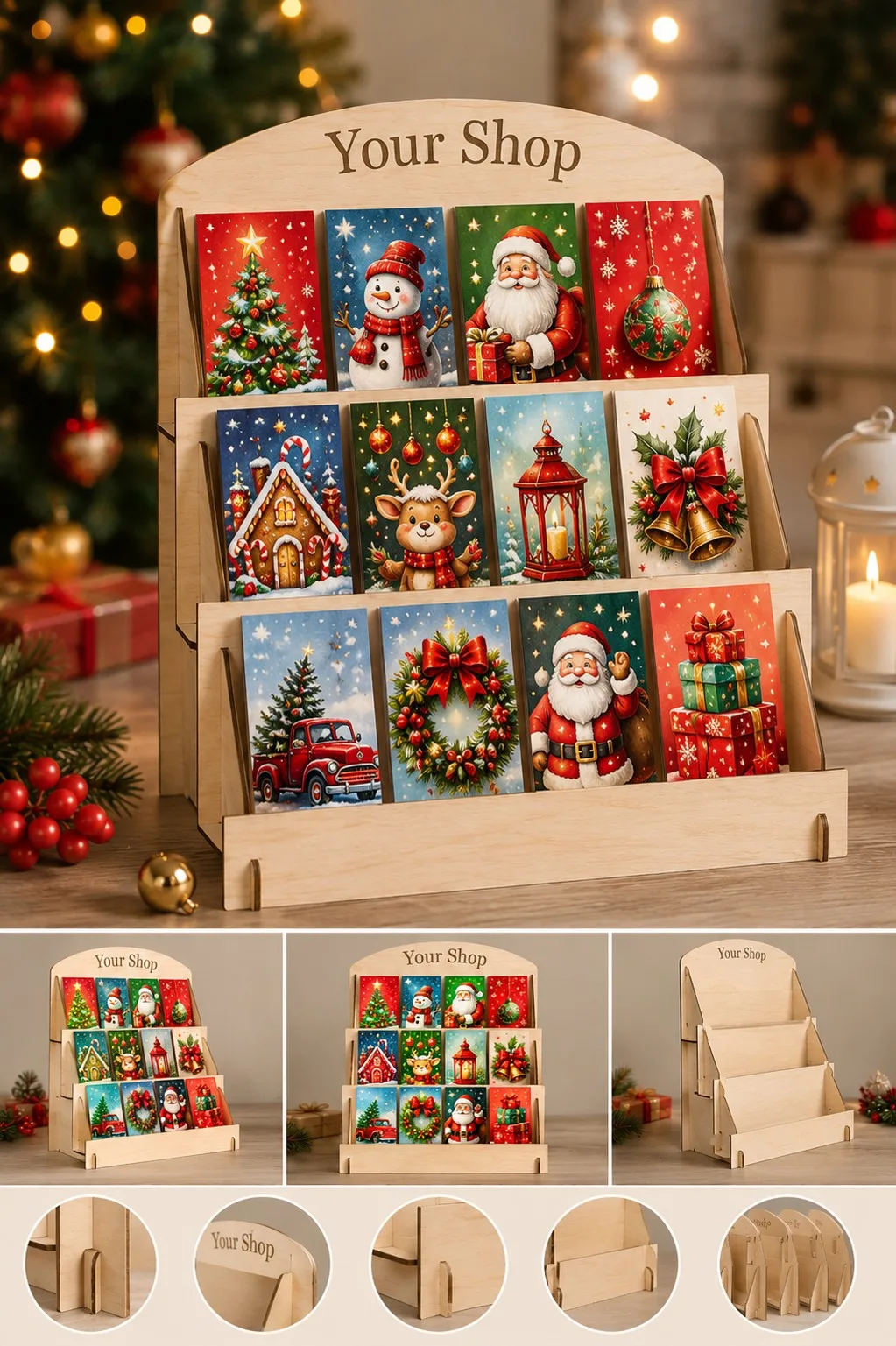
Laser Cut Gift Card Display Stand
Cards sell when you can see their faces, and this stand is built for that. Three sloped shelves with a lip hold each card at an angle, so the whole picture shows from the aisle. The maker gives three widths on one height and one depth: 15 × 20 × 34 cm, 23 × 20 × 34 cm and 33 × 20 × 34 cm, with shelves 12, 20 and 30 cm wide and 5.6 cm deep.
The maker calls it flat pack. It comes apart, travels flat and goes together again, which is why it is described for fairs and pop-up tables. The product photos show the finished stand from three sides and then its separate pieces laid out in a row. In short, you can see before you buy how few parts there are.
Gift cards are only one use. The maker also names jewelry, earrings, books and houseplants, and mentions personalising it with a name or a shop mark. The thickness is 3, 3.2 (1/8 inch) or 4 mm in wood, MDF or acrylic, and the files are AI, EPS, DXF, PDF and SVG. LightBurn, LaserCut and RDWorks are listed as software, and Glowforge, OMTech, xTool and Thunder Laser as machines.
First, put your real card package on the shelf outline on paper. Then pick the width by how many cards must stand side by side, and cut the smallest one first as a test.
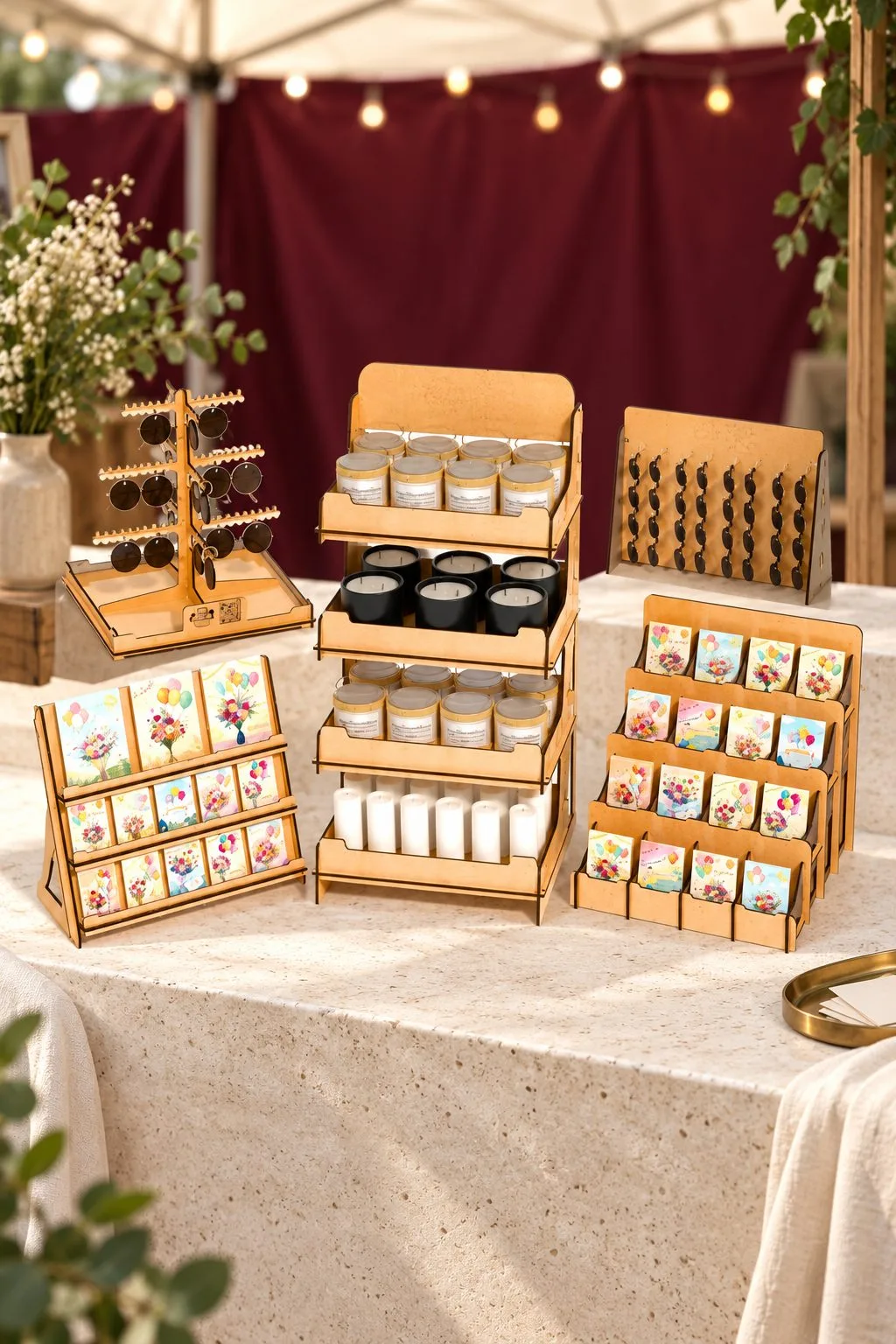
Display Stand Laser Cut Bundle Craft
Five stands for the table at a craft fair. The archive holds five files of each type: SVG, EPS, PNG, PDF and DXF, so there are five different designs, not one stand in five formats. The product photo shows several of them at once on a market table: a ramp for cards, tiers for jars and candles, and a small tree for hanging pieces.
The maker gives one warning that matters here. In LightBurn the SVG files can change their size, so use the DXF for this set. Because the pieces are meant to be shown together, set the DXF of each stand to the same scale before you cut any of them.
Overall sizes, thickness and load limits are not stated. So decide first what each stand must carry, a stack of cards or a heavy jar, and cut one stand from your own sheet before you commit to the set.
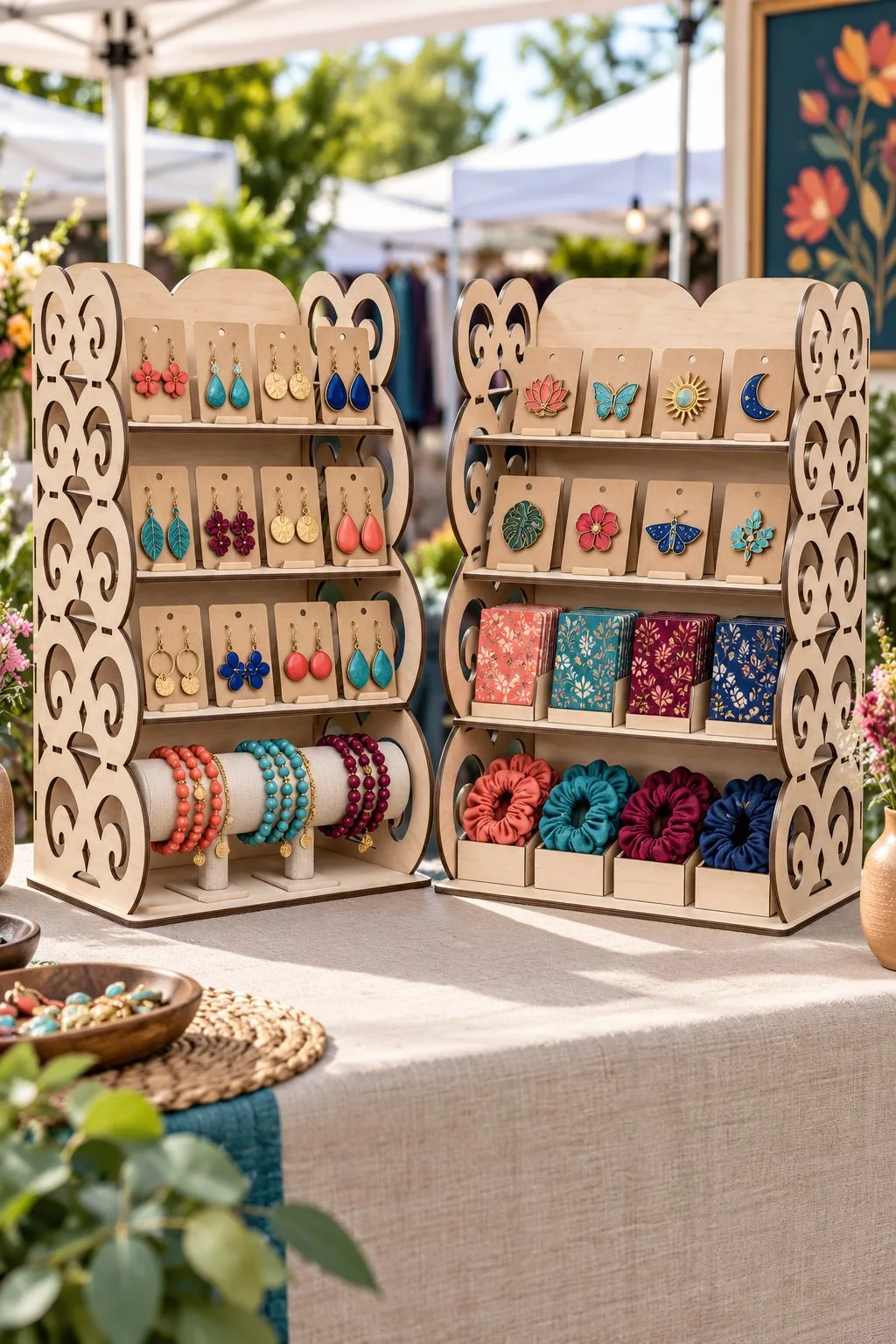
Laser Cut 4 Tier Shelving Display Stand
Laser Cut 4 Tier Shelving Display Stand is one choice to inspect for a usable product display: the maker lists four shelves; widths of 20 or 30 cm; 40 cm high and 20 cm deep; shelf depths 12–15 cm and gaps 7–9 cm; 3, 3.2 or 4 mm wood, plywood, MDF or acrylic; glued assembly, supplied in AI, EPS, DXF, PDF, SVG. Also obtain a maximum shelf load before assigning this display a place and load on your counter.
For the four-tier unit, try the tallest product beside the documented shelf gaps. Next, identify which shelf you might omit, then compare the assembled arrangement with your counter footprint.
Laser Cut Triangle Easel Stand Backs
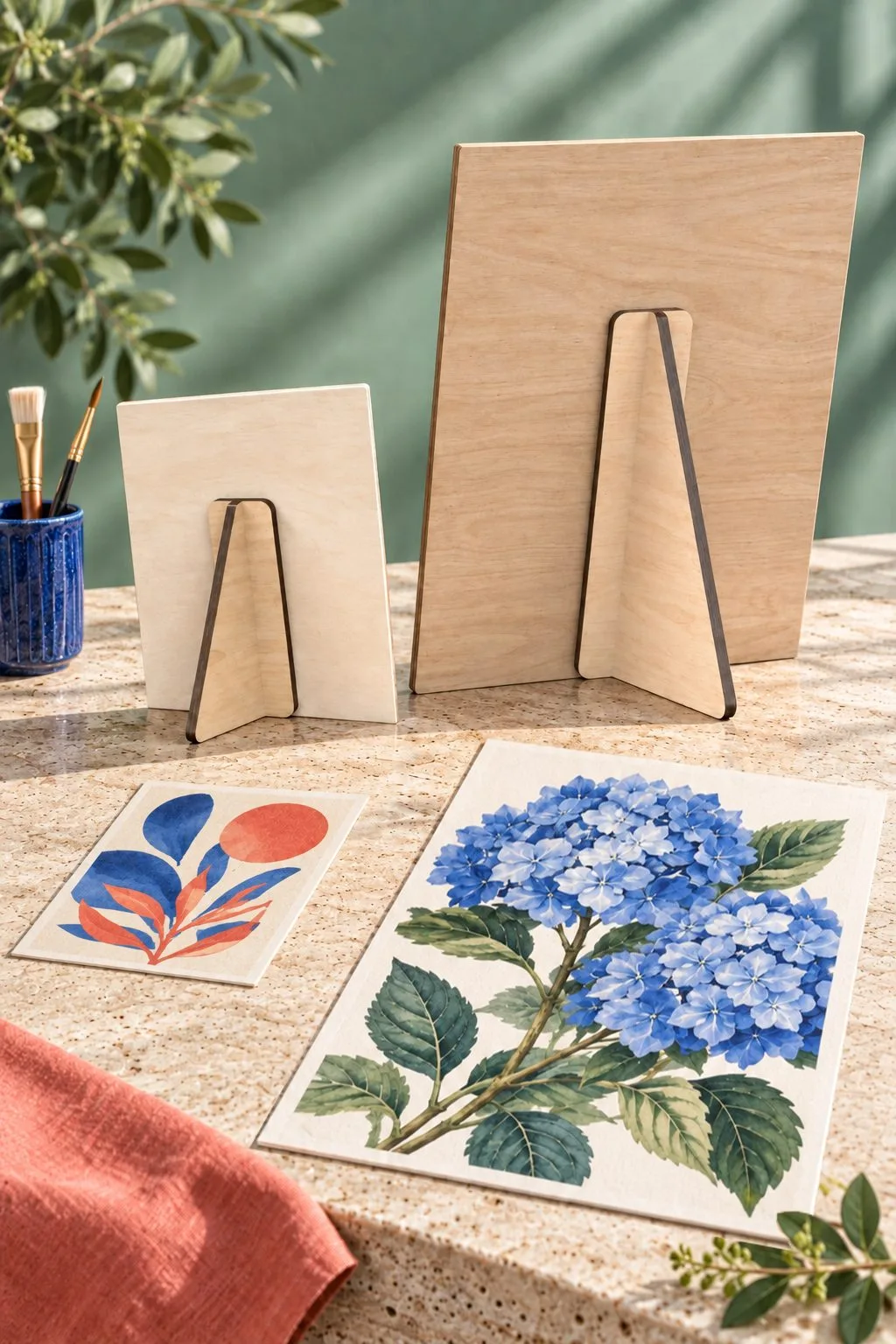


When comparing a usable product display, Laser Cut Triangle Easel Stand Backs provides fourteen easel-back heights from 4 to 30 cm in 2 cm steps; a two-part support attached by glue or double-sided tape; 3, 3.2 or 4 mm wood, plywood, MDF or acrylic, with AI, EPS, DXF, SVG files. Also obtain a maximum supported sign weight before assigning this display a place and load on your counter.
For one tabletop sign, compare the fourteen support heights with the sign’s own outline. Next, identify the bracket’s attachment surface, then check the mounting materials before choosing glue or tape.
Laser cut display stand: for a portable booth
A booth is a series of levels. This modular set is made to be carried and rebuilt.
Modular Stand Retail Display Laser Set
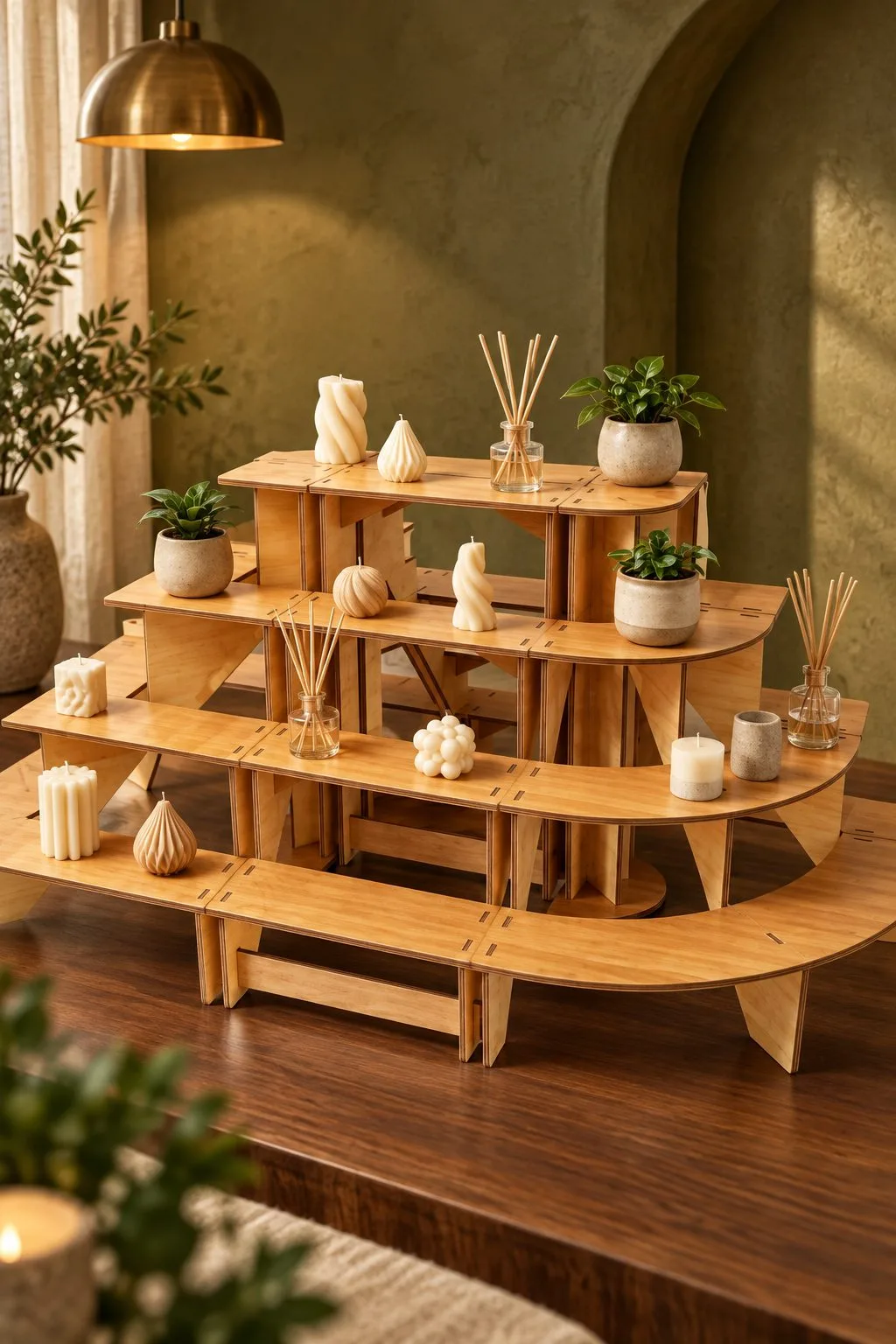
A retail shelf that comes apart. The listing title reads like a shopping list of uses: market shelves, a vendor booth, a portable craft fair tiered countertop riser, a plywood expo showcase, a multi-layer tabletop product display and a collapsible wooden merchandise rack. The maker also names retail shops and bakeries.
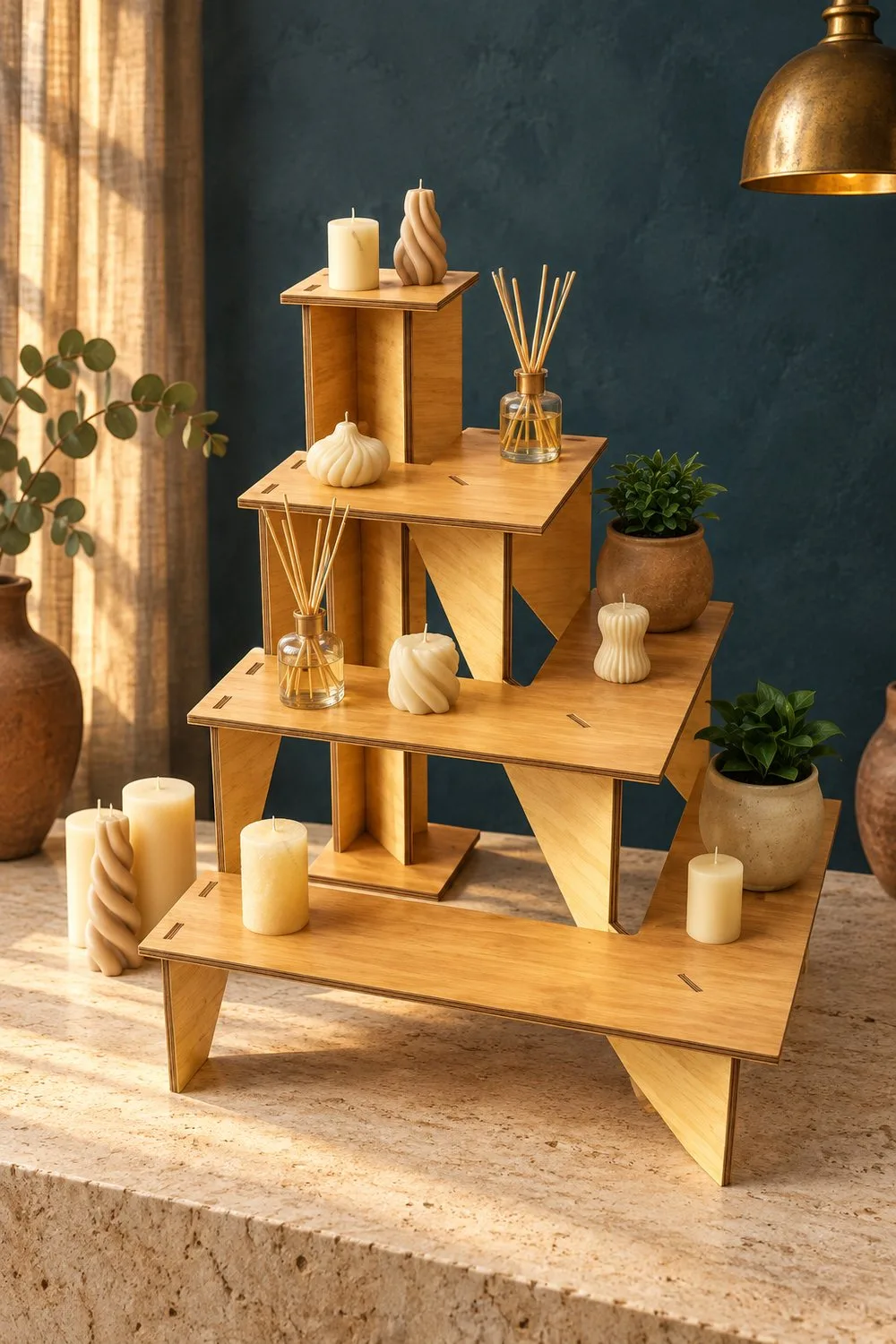
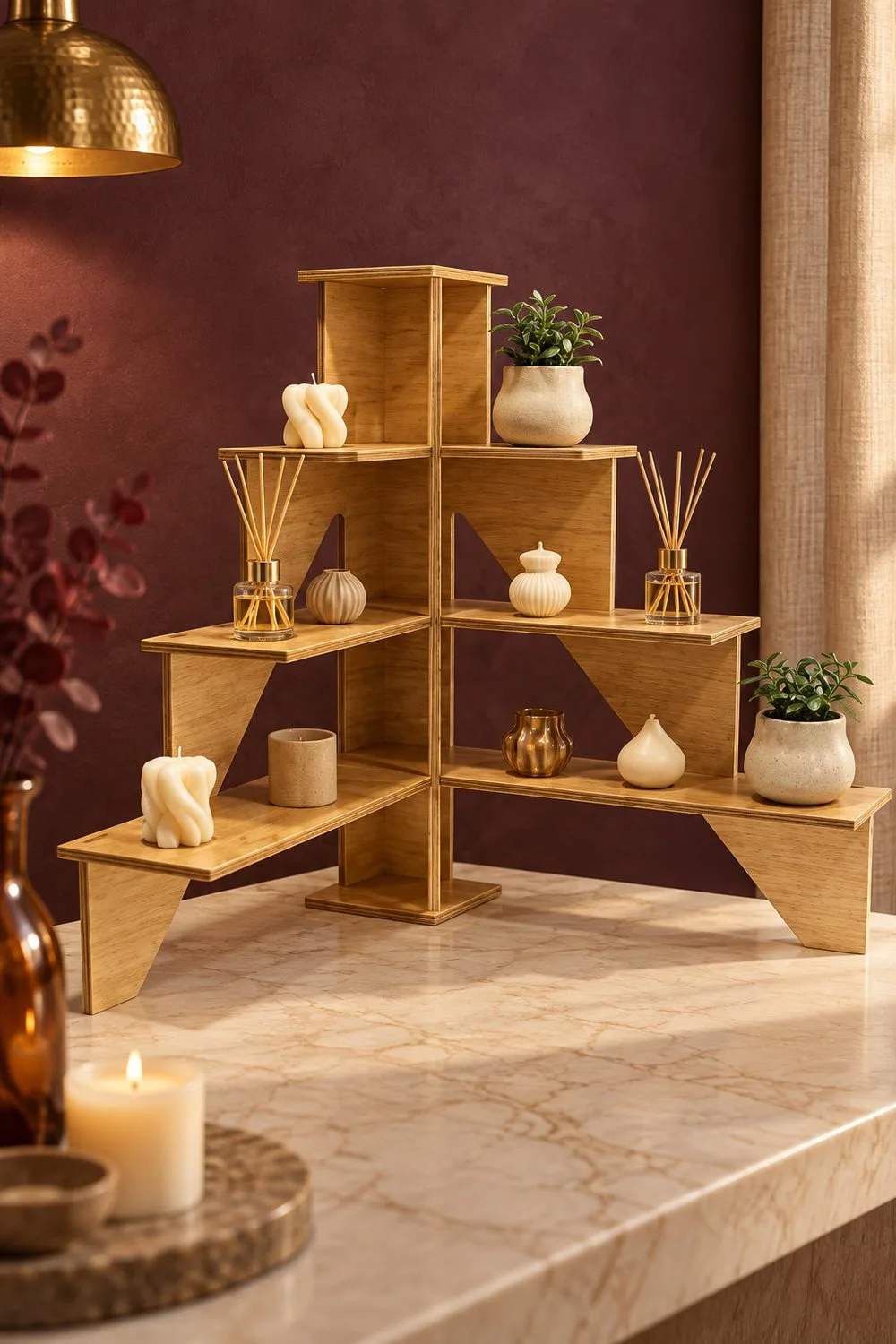
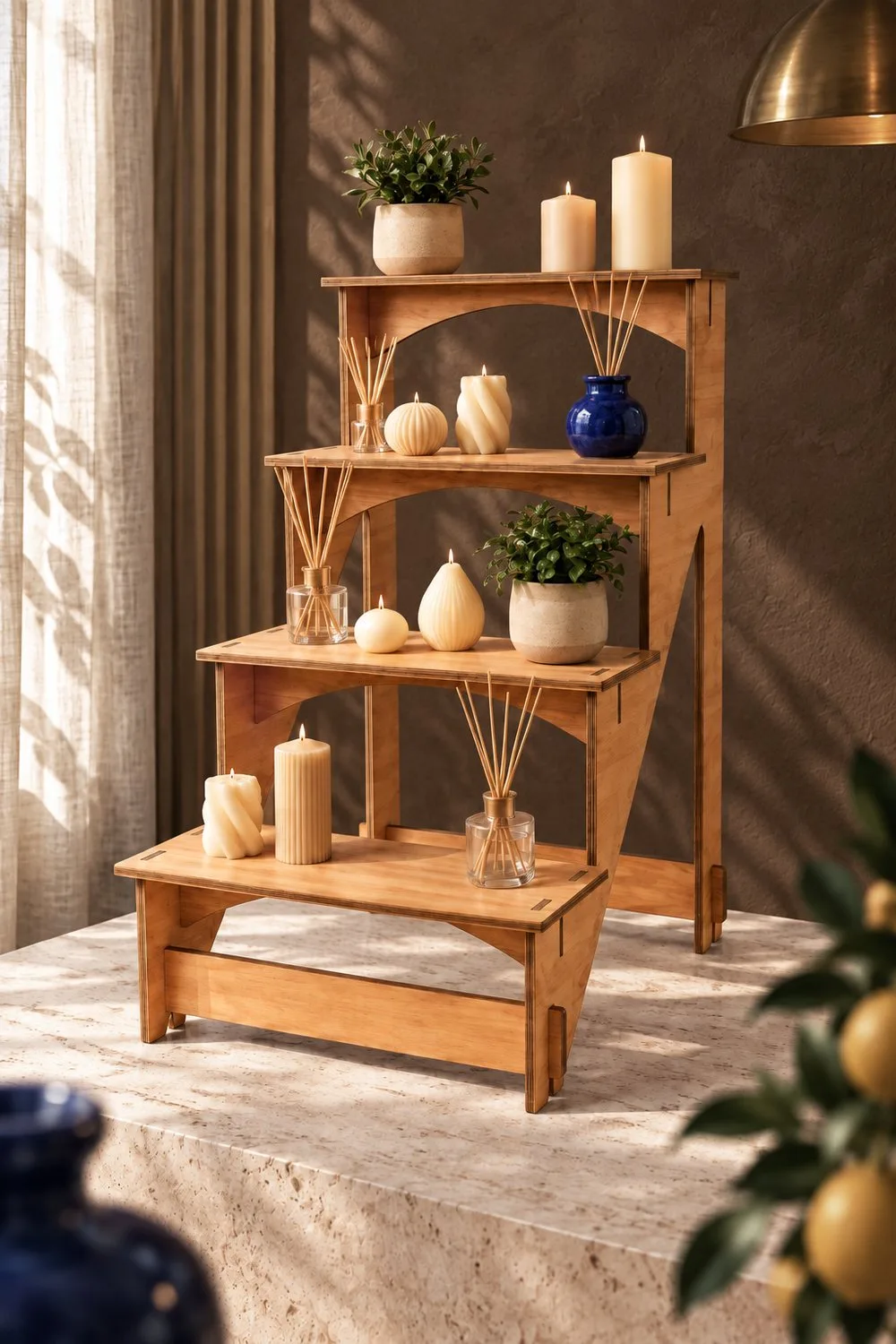
The photo shows the idea clearly: tiers that step up like a small amphitheatre, with candles, diffusers and plants set on each level. The tiers curve, so each row sits a little higher than the one in front and every product stays visible.
The download holds five designs, with five SVG, five EPS, five PNG, five PDF and five DXF files. Red lines are cuts and black lines are engraving, and the maker offers another file type or a different PNG colour and size on request. Overall dimensions and thickness are not stated.
Since the size is missing, start from your products. Put the largest jar or candle on a paper circle, check how much depth one tier needs, and then cut a single tier from your sheet. If the pieces slot together as designed, make the rest.
The same set builds in more than one shape. These four photos show a stepped square, a corner unit, a tall arched rack and a round tier, so you can see how the parts combine before you cut.

Laser cut display stand: for earrings and necklaces
Jewelry needs a place to hang that is not a drawer. The two stands below show earrings and necklaces in two different ways.
Laser Cut Folding Earring Display Stand
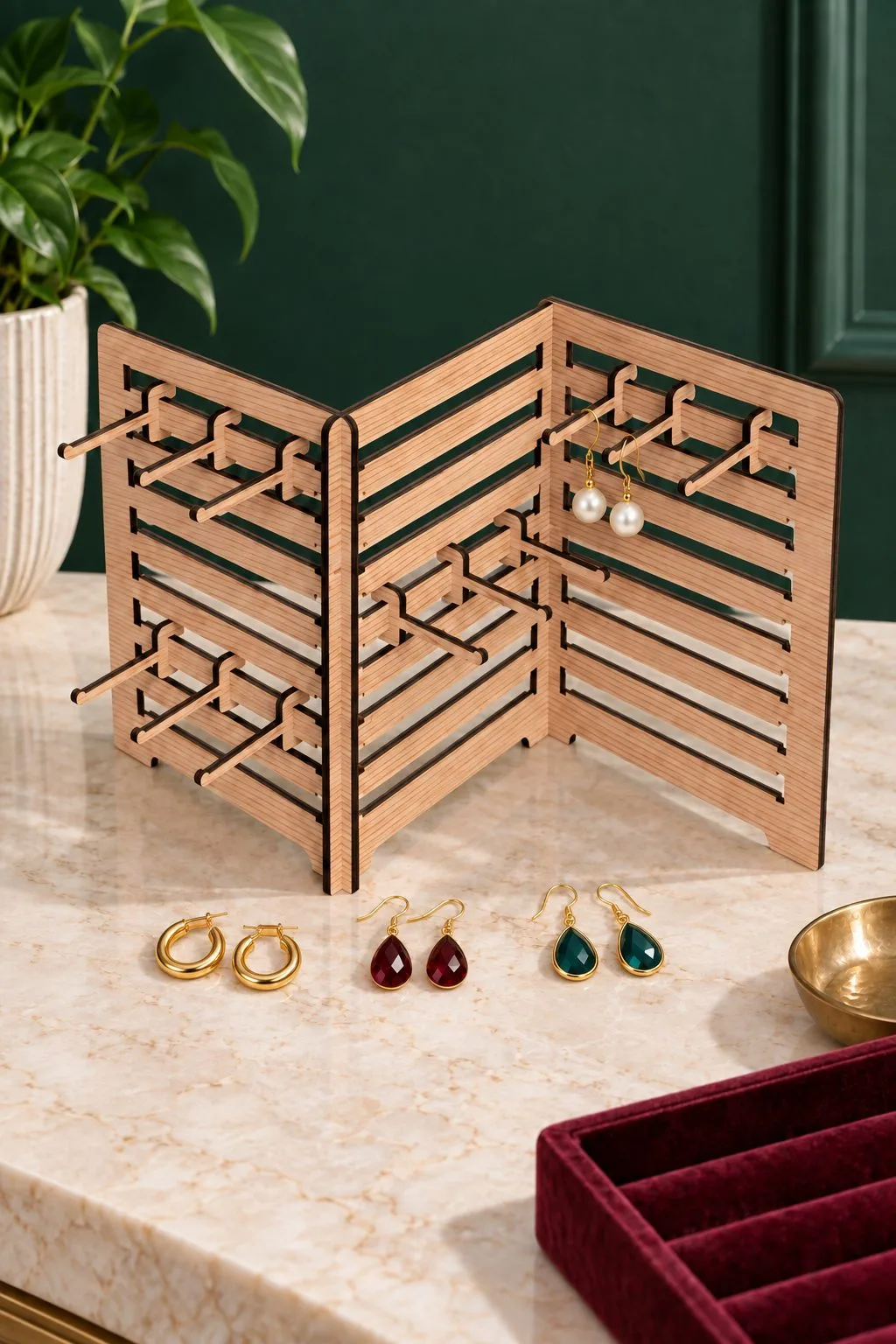
When comparing a usable product display, Laser Cut Folding Earring Display Stand provides two jewelry-display sizes, 480 × 250 mm and 350 × 250 mm; files for 3, 4, 5, 6 mm, 1/8 inch and 1/4 inch; the maker recommends at least 4 mm, with CDR, SVG, DXF, PDF, EPS, AI files. Also obtain a maximum supported weight and the material type before assigning this display a place and load on your counter.
Next, hang one complete packaged pair on a paper display layout. Keep the maker’s minimum-thickness recommendation visible while comparing the two sizes, so the larger silhouette does not distract from the construction requirement.
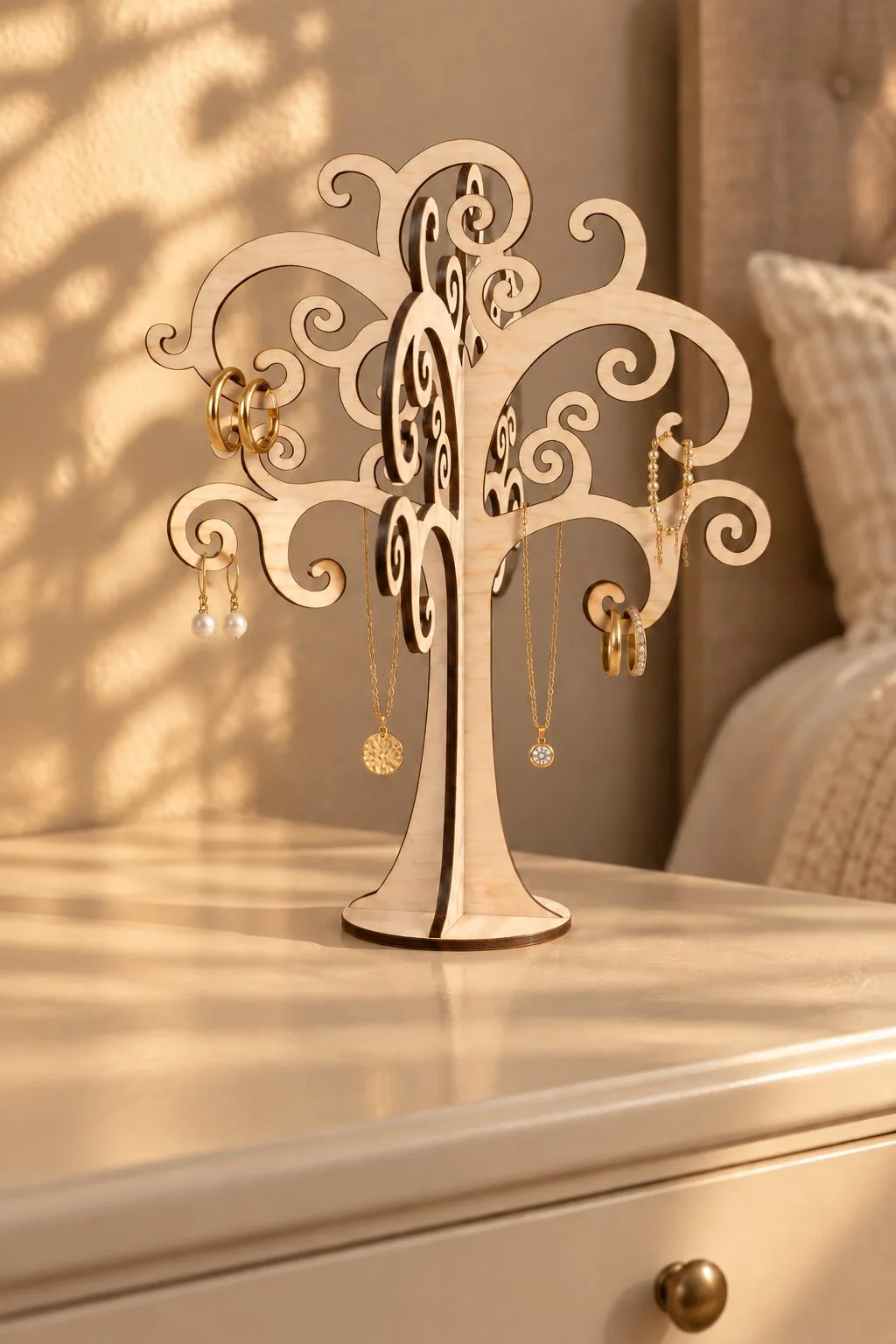
Laser Cut Jewellery Tree
For a usable product display, the maker of Laser Cut Jewellery Tree describes a freestanding jewelry tree for 3, 3.2 or 4 mm plywood, MDF or acrylic; Glowforge, OMTech, xTool and Thunder Laser are named; the supplied formats are AI, EPS, PDF, DXF, SVG. Also obtain the branch dimensions and maximum load before assigning this display a place and load on your counter.
Next, place the real necklace or earring card against the jewelry-tree drawing. Compare where each item hangs, then check the base in your counter layout without assuming a branch load from its decorative curl.
Laser cut display stand: for headphones on a desk or a wall
Headphones need a place off the desk, and two ways to give it: one on a stand and one on the wall.
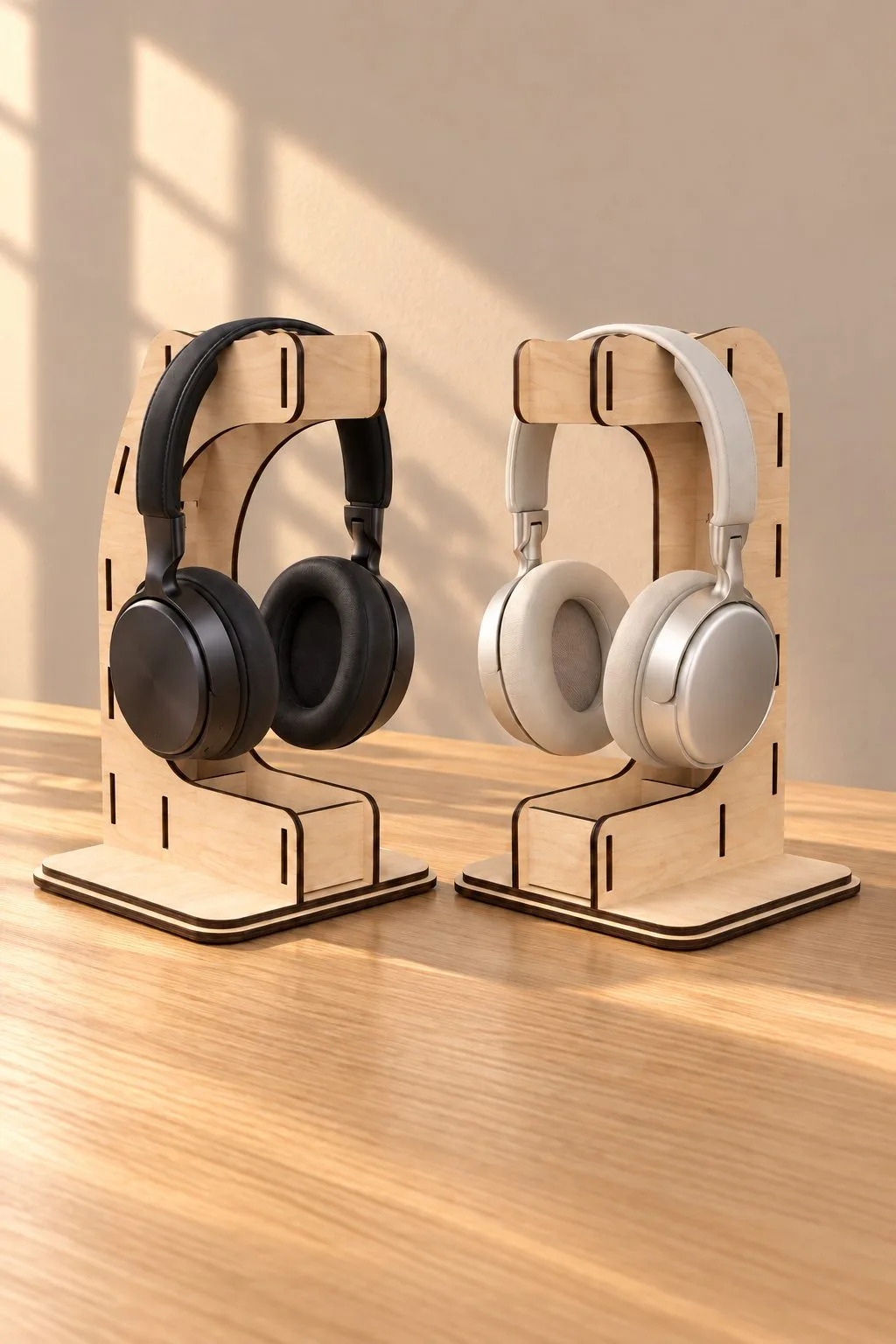
Laser Cut Headphone Stand
Laser Cut Headphone Stand is one choice to inspect for a usable product display: the maker lists two headphone-stand designs for 3–4 mm wood, plywood, MDF or acrylic; glue and slots are used, supplied in AI, EPS, DXF, PDF, SVG. Also obtain the finished height and supported headset dimensions before assigning this display a place and load on your counter.
Finally, trace the headset stand beside the actual headphones. Also review the glue-and-slot assembly, so this single-accessory support stays distinct from a shelf intended to display several retail products.
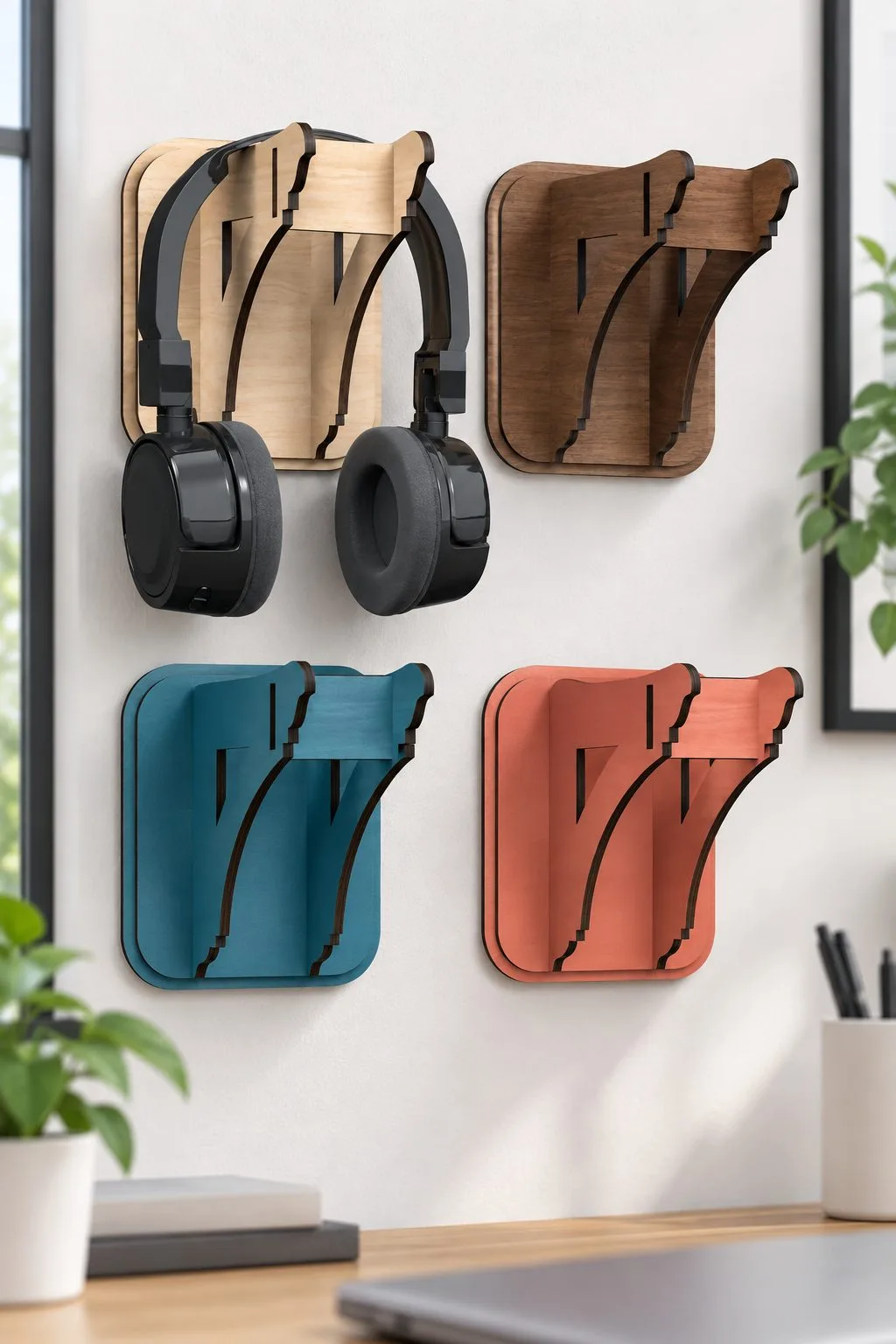
Wall Headphone Bracket
Headphones need a place that is not the desk. Also, this bracket measures 13.5 × 11 × 11 cm and mounts on the wall, and the maker offers four ways to fix it: glue, double-sided tape, screws or a cord like a picture. Besides, it is cut from 3, 3.2 or 4 mm wood, plywood, MDF or acrylic.
Files are AI, EPS, DXF and SVG. Because a wall bracket carries weight, choose the fixing before you choose the sheet, and try the headphones on a cardboard copy first.
Laser cut display stand: for dollhouse scenes and a knitter’s table
To finish, three small pieces for miniature scenes and a knitter’s table.
Miniature 1:12 Scale Bookshelf
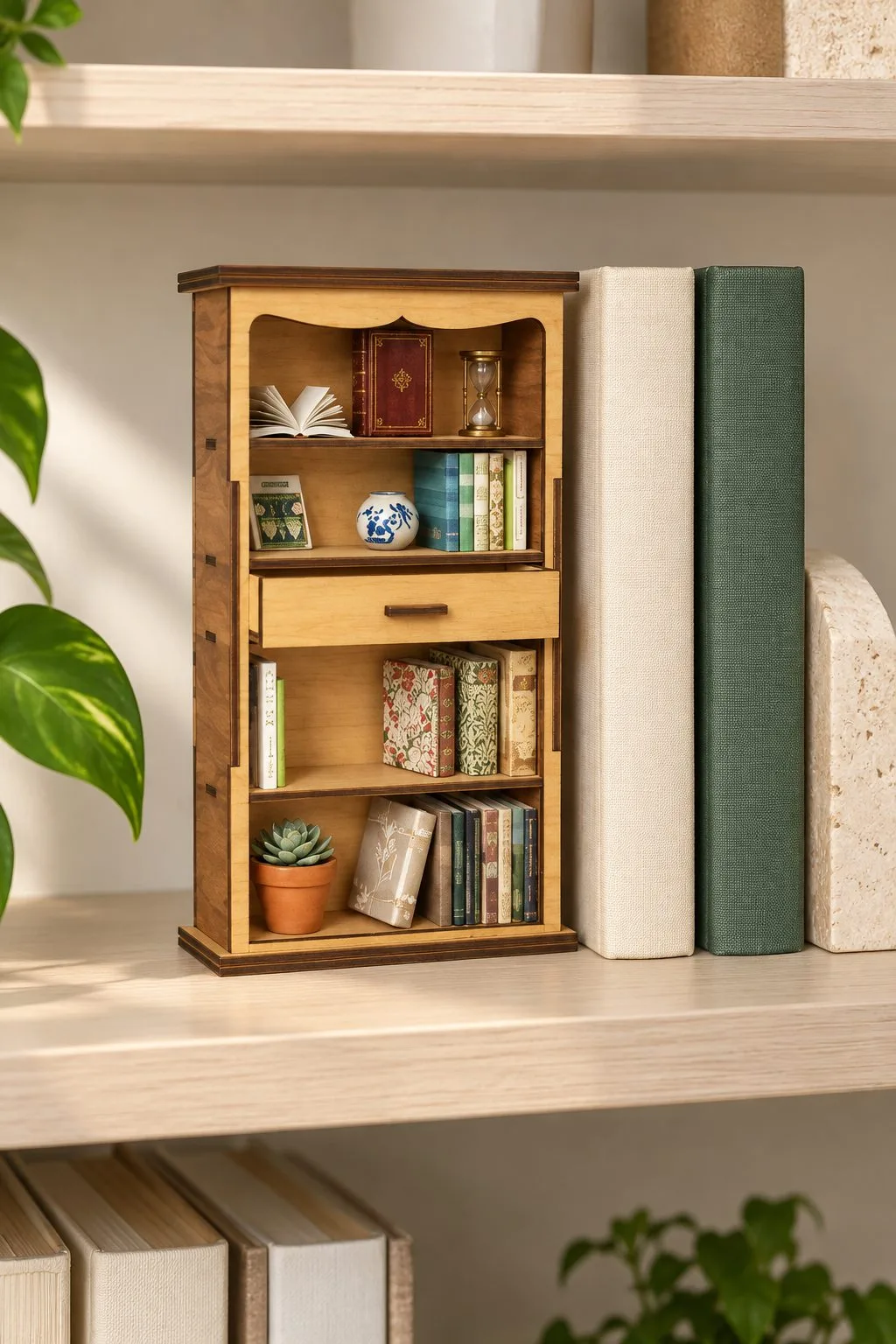
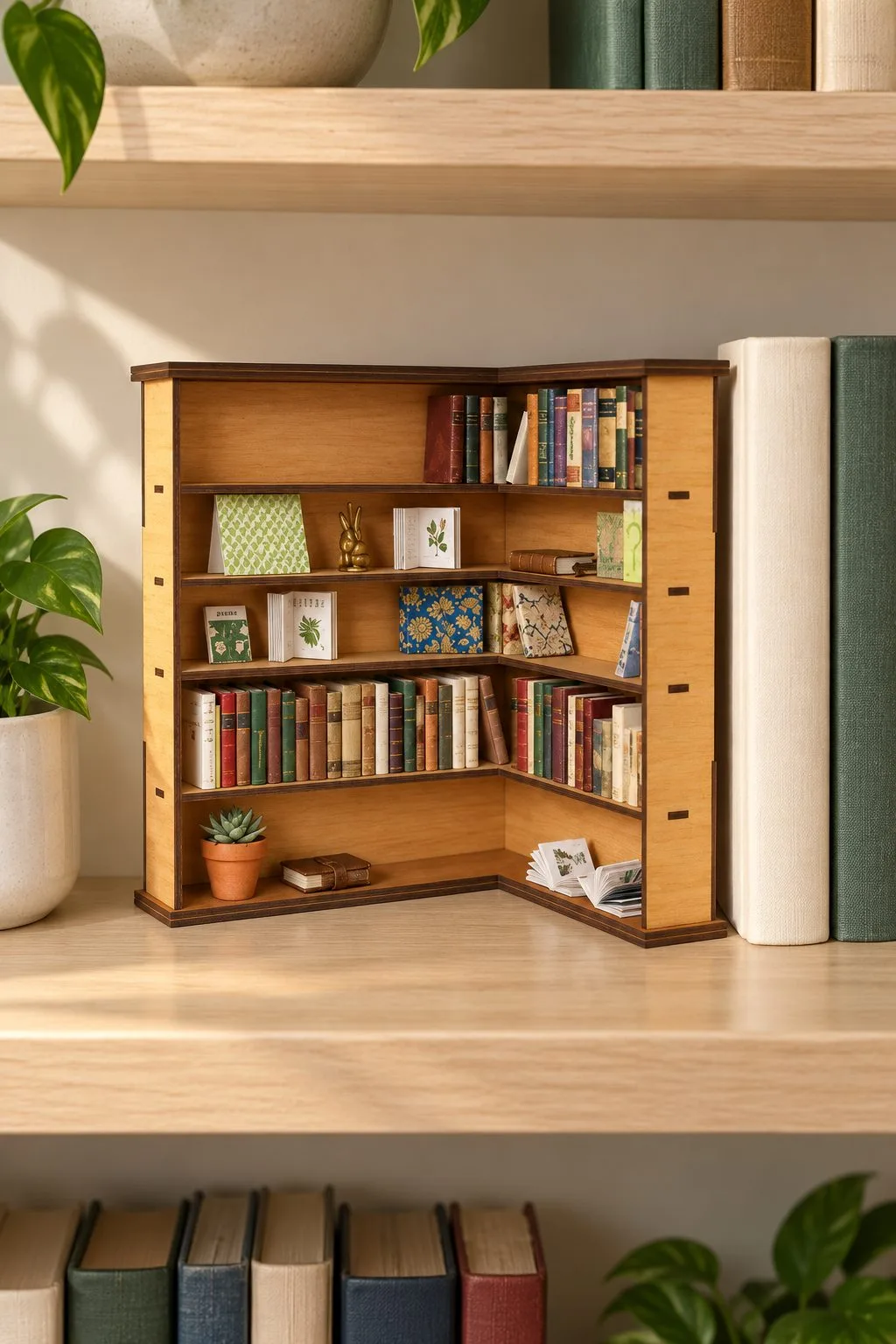
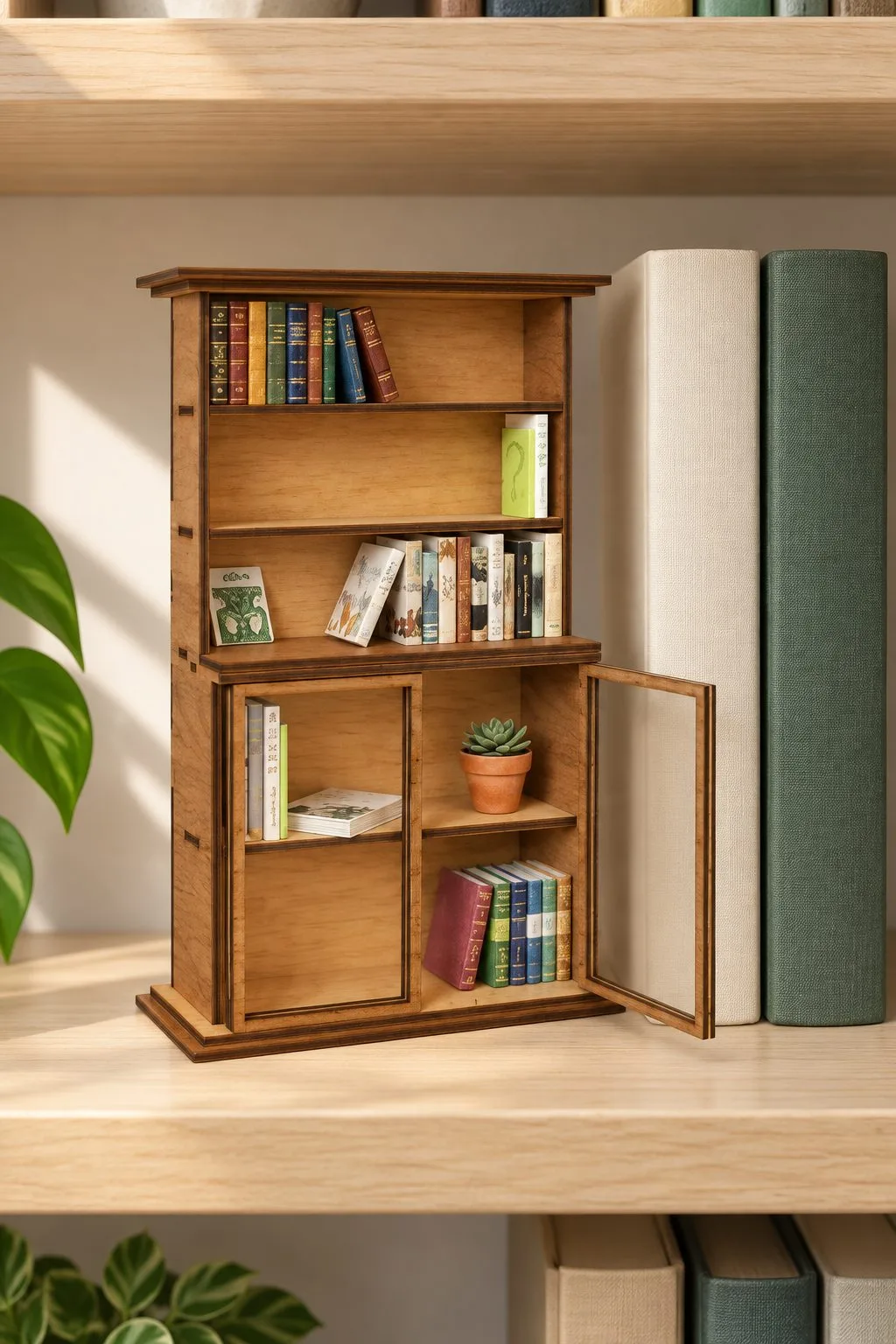
A bookshelf for a dollhouse, or for a book-nook diorama. In addition, the scale is 1:12, which means one centimetre of the model stands for twelve of the real thing, so a shelf of about 30 cm in life becomes roughly 2.5 cm.
The archive holds ten files of each type: SVG, EPS, PNG, PDF and DXF. Thickness is not stated. Check whether your laser can hold tiny parts, and cut one shelf in scrap before the whole set.
Dollhouse Bookshelf Display Case
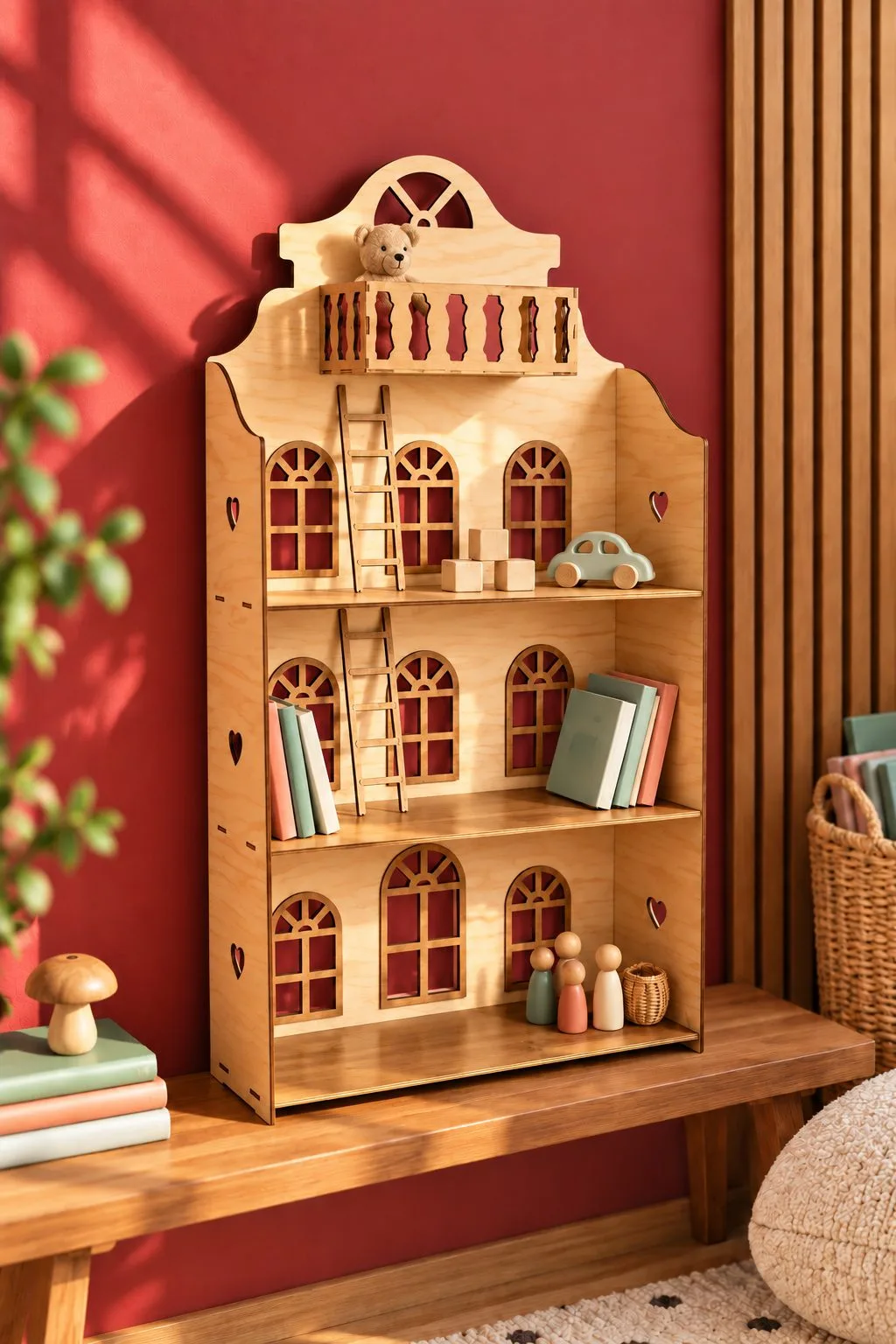
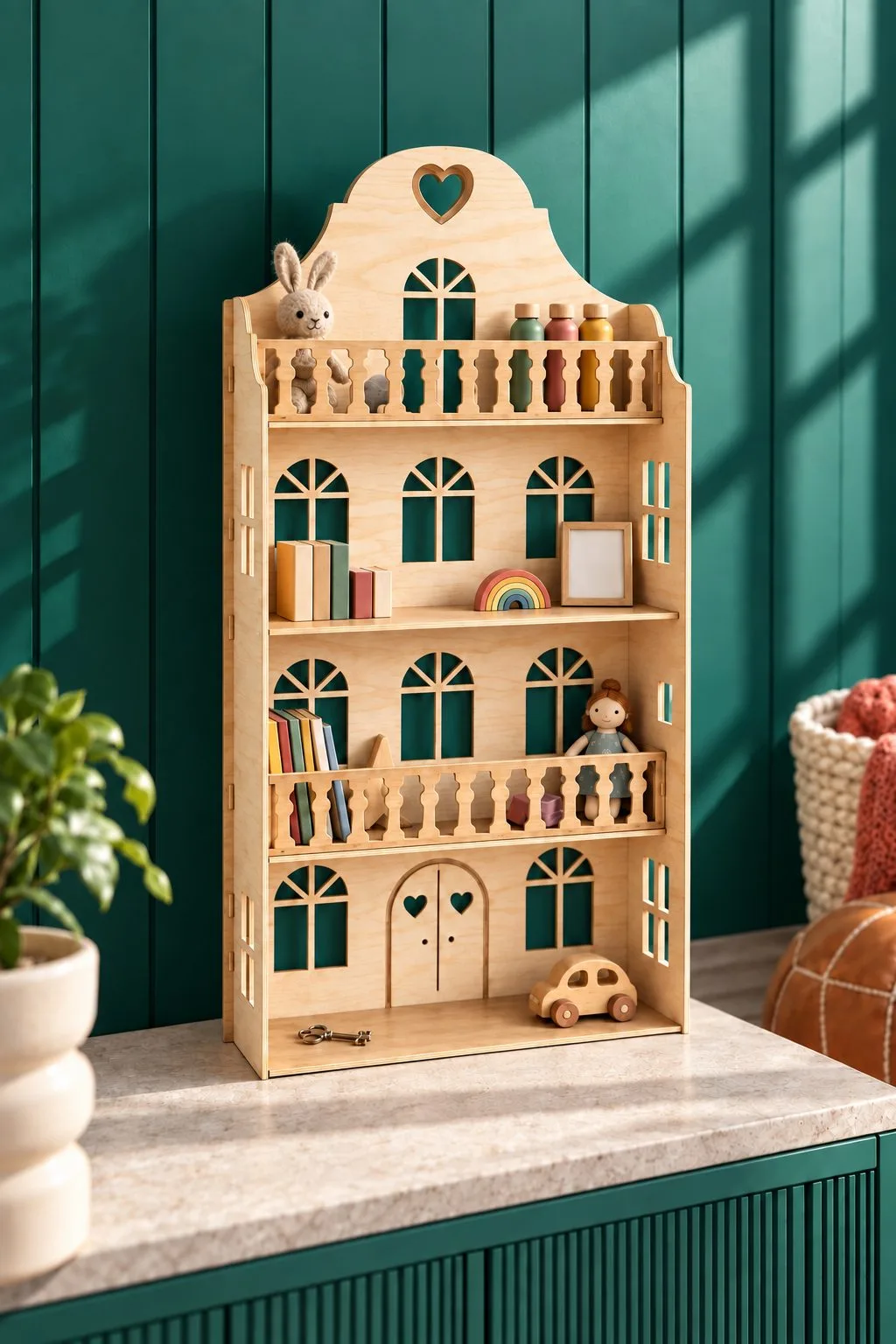
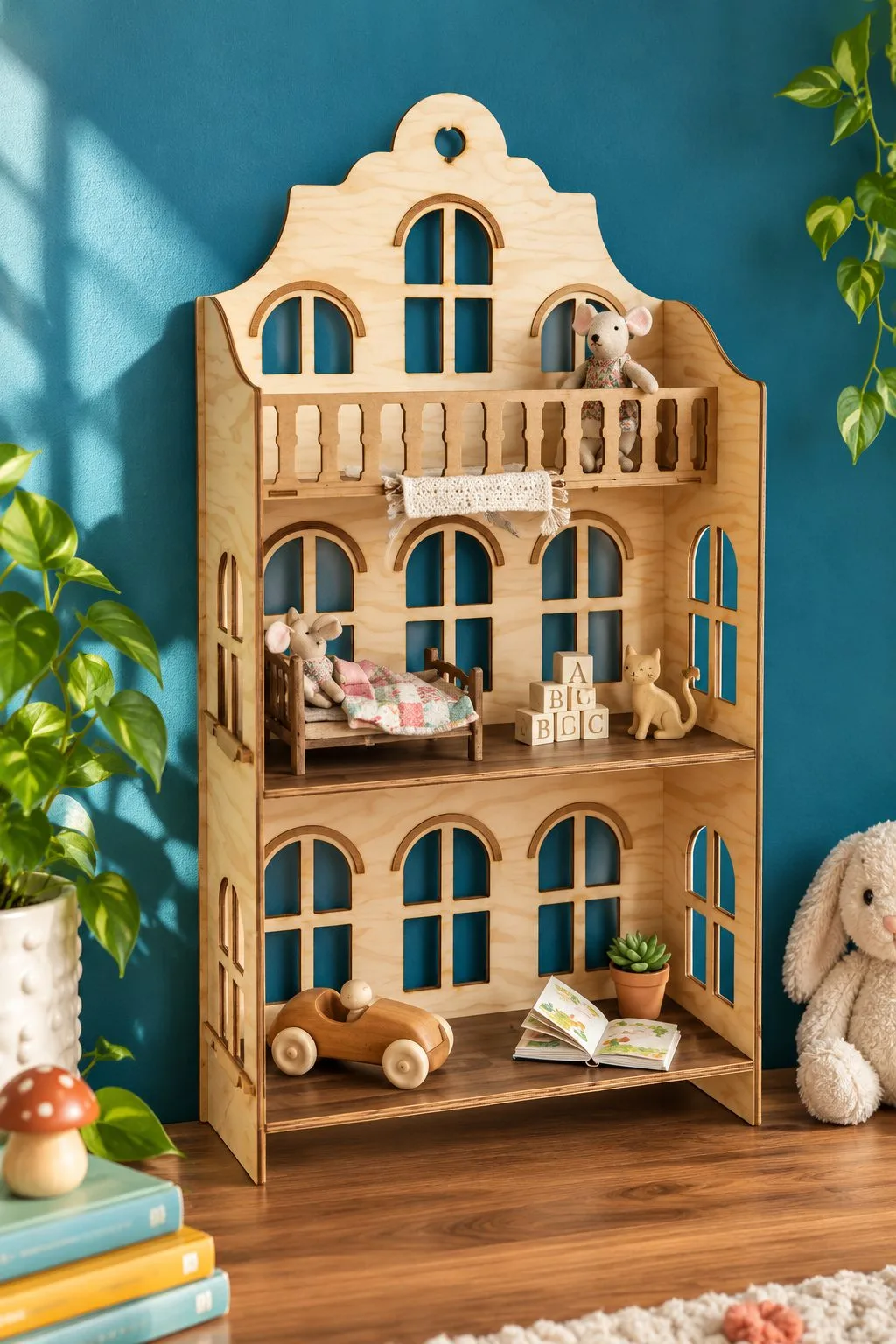
A dollhouse bookshelf that doubles as a display case, with miniature furniture on its shelves. However, the description also mentions a shelf for a child’s room, so it can hold small toys or finished miniatures.
You receive one file in each format: SVG, EPS, PNG, PDF and DXF. Thickness is not stated, so decide what the case must hold and compare it with the shelf depth after your test cut.
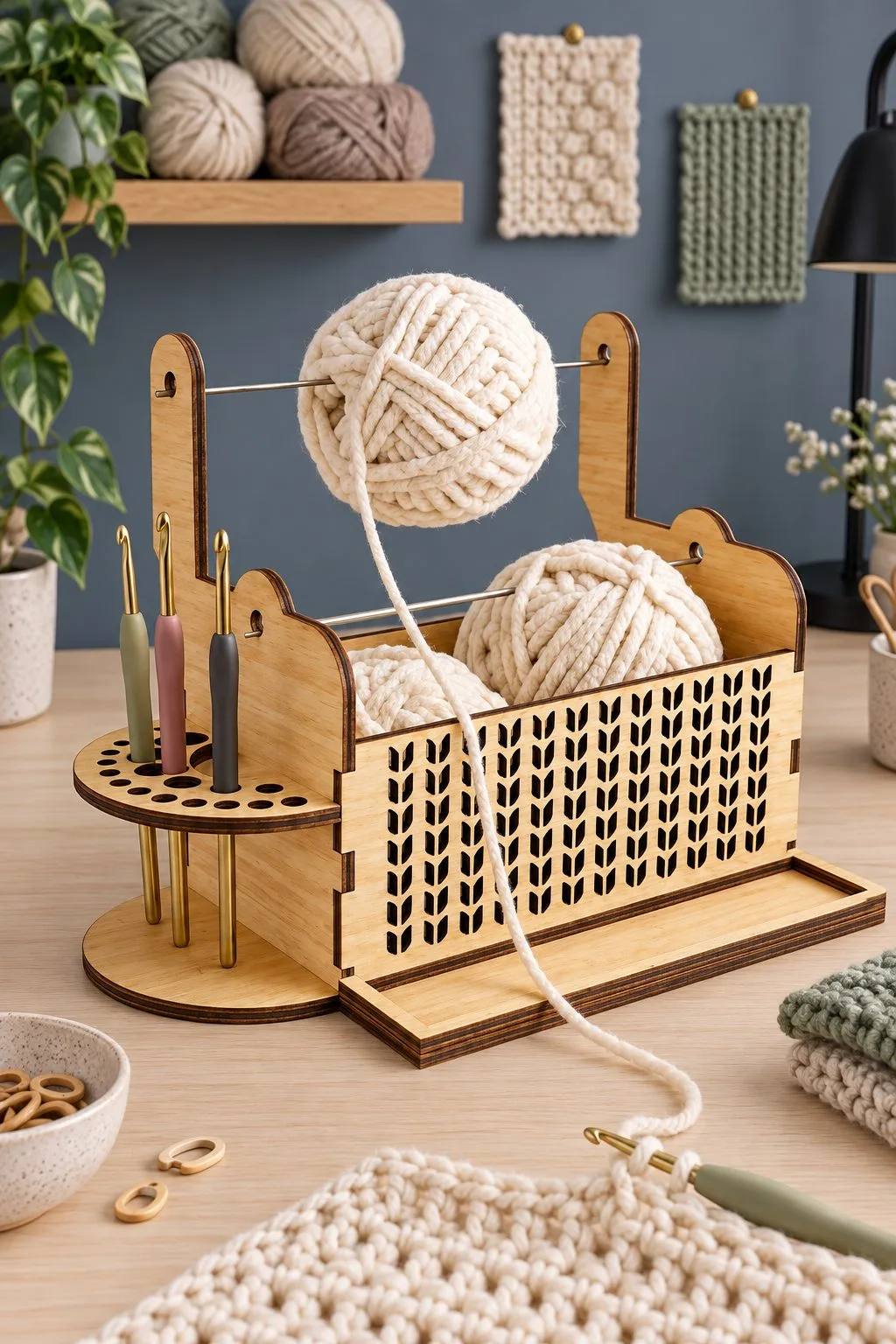
Knitting Stand and Yarn Holder
Here is a stand for a knitter’s table. By the maker’s own names it is a yarn dispenser and bowl stand, a place for hooks and needles, a phone stand and a desk organizer in one, so the ball turns without running away and a pattern video stays in view. Red lines cut and black lines engrave.
It is one design in plywood, with SVG, EPS, PNG, PDF and DXF files. Thickness is not stated, so measure your yarn ball and your phone before you pick the sheet.
Laser cut display stand: wall, miniature and craft-table options
| Actual product | What the maker gives | Formats | Detail still needed |
|---|---|---|---|
| Wall Headphone Bracket | Wall headphone bracket 13.5 × 11 × 11 cm; four ways to fix it | AI, EPS, DXF, SVG | Fixing and weight |
| Knitting Stand and Yarn Holder | Yarn bowl stand with hook and needle storage and a phone stand | SVG, EPS, PNG, PDF, DXF | Thickness is not stated |
| Miniature 1:12 Scale Bookshelf | Miniature bookshelf, scale 1:12, ten files of each type | SVG, EPS, PNG, PDF, DXF | Thickness is not stated |
| Dollhouse Bookshelf Display Case | Dollhouse bookshelf that works as a display case | SVG, EPS, PNG, PDF, DXF | Thickness is not stated |
Laser cut display stand choices at a glance
Also, compare these files around a usable product display. The laser cut display stand comparison keeps each maker’s dimensions and material notes beside the actual product, so your choice can follow the particular drawing. Then inspect the information still missing before committing to the laser cut display stand you want to make.
Laser cut display stand: first options
| Actual product | What the maker gives | Formats | Detail still needed |
|---|---|---|---|
| Three-Tier Card Display Stand That Packs Flat | Display comparison: widths 15, 23 or 33 cm; depth 20 cm; height 34 cm | AI, DXF, EPS, PDF, SVG | Ask for display: a maximum supported load |
| Laser Cut 4 Tier Shelving Display Stand | Display comparison: four shelves; widths 20 or 30 cm; height 40 cm | AI, DXF, EPS, PDF, SVG | Ask for display: a maximum shelf load |
| Laser Cut Folding Earring Display Stand | Display comparison: 480 × 250 or 350 × 250 mm; minimum 4 mm recommended | CDR, SVG, PDF, DXF, EPS, AI | Ask for display: a maximum supported weight and the material type |
| Modular Stand Retail Display Laser Set | Display comparison: five files in each format | SVG, PNG, EPS, PDF, DXF | Ask for display: sheet thickness |
Laser cut display stand: further choices
| Actual product | What the maker gives | Formats | Detail still needed |
|---|---|---|---|
| Display Stand Laser Cut Bundle Craft | Display comparison: five files in each format for craft-fair display stands | SVG, PNG, EPS, PDF, DXF | Ask for display: finished sizes |
| Laser Cut Triangle Easel Stand Backs | Display comparison: fourteen easel-back heights from 4 to 30 cm in 2 cm steps | EPS, AI, DXF, SVG | Ask for display: a maximum supported sign weight |
| Laser Cut Jewellery Tree | Display comparison: a freestanding jewelry tree for 3, 3.2 or 4 mm plywood, MDF or acrylic | AI, PDF, EPS, DXF, SVG | Ask for display: the branch dimensions and maximum load |
| Laser Cut Headphone Stand | Display comparison: two headphone-stand designs for 3–4 mm wood, plywood, MDF or acrylic | AI, DXF, EPS, PDF, SVG | Ask for display: the finished height and supported headset dimensions |
Arrange the products before your laser cut display stand
A product layout starts with the things people will pick up, including their packaging. Next, put them in the proposed rows and mark the shelf fronts with paper. Then look from the customer’s side of the table. Then, choose the face you want visible and leave room for your hand to replace an item behind the front row.
Next, use the full bag or display card in that arrangement. A packaged pair of earrings can occupy a different width from the cut shapes alone. Also keep the price or information label where you expect it to remain readable.
Next, measure the table area after placing the other things you will bring. The payment space, wrapping materials and your personal items still need their places.
Our projects for selling guide gives broader planning context. Here, the useful decision is the physical display and setup you can describe clearly.
Match the card shelves to the actual packages
A shelf-width choice compares the maker’s usable shelf dimensions with the complete packaged item. The gift-card stand offers three outside widths and corresponding shelves. Then, check those supplied options before scaling the structure. A wider front might solve the row layout while leaving its depth and product access as separate questions.
Three-Tier Card Display Stand That Packs Flat measures 15 × 20 × 34, 23 × 20 × 34 or 33 × 20 × 34 cm. Its shelves are 12, 20 or 30 cm wide, each 5.6 cm deep.
The maker describes flat-pack construction and 3, 3.2 or 4 mm variants in wood, MDF or acrylic. Formats include AI, EPS, DXF, PDF and SVG. The description gives no load capacity.
Also, mark a 5.6 cm shelf depth on paper and place the real package there. Then check whether its base and folded header fit the intended position. First, measure the package itself before deciding which supplied width suits a row.
Give four tiers room to show their contents
A tier-spacing check considers what the front product hides behind it. Then, use the actual packaged height and the stand’s shelf arrangement to compare the rows. The four-tier maker gives shelf depths and spacing as well as the outside size. Next, keep those measurements in the paper layout before deciding how many rows you want to fill.
Laser Cut 4 Tier Shelving Display Stand comes in 20 or 30 cm widths, with 40 cm height and 20 cm depth. The maker gives shelf depths of 15 cm at the bottom and 12 cm at the top, with spacing from 9 to 7 cm.
Wood, plywood, MDF and acrylic appear in 3, 3.2 or 4 mm variants. The formats are AI, EPS, DXF, PDF and SVG. Assembly uses cutting and glue, so plan its transport as a completed object unless the actual instructions say otherwise.
Next, place your tallest package in the front-row mockup. Then check which part of the row behind remains visible. Changing the product order may solve that before you consider changing the stand.
Choose a laser cut display stand for hanging pairs
A hanging layout considers the complete jewelry or keychain, its fitting and any packaging around it. Arrange those items on paper at the stand’s intended dimensions, then leave room to remove one without disturbing the next. The selected jewelry stand supplies two sizes and thickness variants. Its title does not settle how the finished assembly folds for travel.
Laser Cut Folding Earring Display Stand lists 480 × 250 and 350 × 250 mm sizes. The options cover 3, 4, 5 and 6 mm, plus 1/8 and 1/4 inch; the maker recommends at least 4 mm.
The formats are CDR, SVG, DXF, PDF, EPS and AI. First, open the chosen drawing and identify its actual hanging arrangement. Next, compare that arrangement with the complete pairs and cards.
See our earring designs for objects you may display. Keep each pair’s final findings in the stand layout so that the plan reflects what a customer will lift away.
Read the modular pieces before planning a wall of products
A modular plan identifies which actual pieces connect and what arrangement the maker intends. The retail set lists five files in each format and a cut-and-engrave color rule. It leaves material thickness and overall dimensions open. Open the archive notes, then ask about those gaps before choosing a large repeated display arrangement.
Modular Stand Retail Display Laser Set contains SVG, EPS, PNG, PDF and DXF files. The maker marks cuts red and engraving black. Five files per format do not identify five complete stands.
Sketch the specific modules you intend to join, using names from the drawing. Also mark which edge meets another unit. If you cannot identify that connection, ask the designer with the edge indicated.
Choose a first arrangement small enough to review completely. You need the actual size, material and assembly method before planning how it occupies your counter or travels in a case.
Reach behind the laser cut display stand front row
A restocking check follows your hand from the seller’s side to the item you need to replace. First, put the shelf mockup on the intended table and place the packaged objects in their rows. Then practice reaching the back. A clear customer view can still leave an awkward restocking route behind a tall sign or upper tier.
First, try replacing one item while the others stay in place. If your hand meets the row in front, review the arrangement before changing a shelf connection.
Also decide which side you will normally stand on. A stand against a wall can offer different access from the same stand in the middle of a table.
Also, keep wrapping materials out of that route in the table plan. The display should still work after someone picks up an object and you begin packing their purchase nearby.
Put the shop name above the useful space
A sign proof shows the exact wording on the stand’s intended name area without occupying shelf or hanging space. Choose the actual stand version, then place the business name at its final size. Also, read it from the customer’s position. A long name needs another lettering layout before it needs a wider structural panel.
Use the name sign maker to explore the words, then return the result to the selected drawing. Also, keep its fitted edges and shelf connections visible while you place the lettering.
If you want a removable sign, confirm that construction in the file notes. An engraving area alone does not describe a detachable panel.
Next, put the products below the proof and look from across the table. First, check whether the sign and labels serve different jobs rather than trying to make one small panel carry every message.
Seat the shelves on the intended thickness
A shelf-joint check compares the actual sheet with the chosen drawing before you assemble the whole stand. Also, select the maker’s thickness variant and identify the mating shelf and support. Test that connection with enough surrounding material to seat it normally. A loose tab alone leaves the shelf’s working position unanswered.
For a known dimension, verify the imported size before reviewing the joint. LightBurn documents separate DXF units and SVG scale settings. LightBurn settings Use a listed stand width rather than estimating from a styled display.
If you adapt the thickness, inspect the affected shelf connections. LightBurn’s Resize Slots tool has limits for the geometry it can change. LightBurn Resize Slots Review each result in this stand’s drawing.
First, keep kerf as another question. LightBurn’s compensation changes the cutting path for material removed during processing. LightBurn kerf guide It cannot select the correct shelf arrangement or replace a thickness decision.
Pack the stand the way it actually travels
A transport plan measures the finished glued object or the documented flat-pack form. Next, read the assembly method before choosing a storage case. Then practice the intended setup sequence and identify the matching pieces. The footprint of loose cut parts cannot describe the travel space of a glued four-tier stand.
For the flat-pack card stand, follow the maker’s assembly notes when reviewing dismantling and setup. Label parts on a packing diagram if similar shelves are easy to confuse.
For a glued construction, measure the assembled height, depth and width with its packing protection. Then try that outline in the place where you will store it.
We have not assembled or load-tested these stands ourselves. Also, use the maker’s use guidance and resolve missing capacity information before planning the contents; this transport check gives no weight rating.
Diagnose the display by the row that fails
A display diagnosis starts with the affected shelf, hanging position or setup step. Compare it with the product layout and actual drawing before adjusting the complete structure. The possible causes below lead to different checks. A hidden label may need another product order, while a poor joint needs attention to the variant and assembly.
| Symptom | Possible cause | Next check |
|---|---|---|
| Back-row labels disappear. | The packages in front are taller than the layout allowed. | Compare the actual heights with the stated tier spacing. |
| Your hand catches the sign while restocking. | The seller’s access route crosses the name panel. | Try replacing one item from the normal working position. |
| A shelf will not seat against its support. | The sheet or mating part differs from the chosen variant. | Compare that shelf joint with the thickness drawing. |
| Hanging pairs overlap their neighbors. | The layout omitted fittings or packaging width. | Arrange the complete pairs on a full-size paper plan. |
| The glued stand does not fit its case. | Transport space came from loose parts rather than the assembly. | Measure the finished object with its packing protection. |
| Two flat-pack shelves become hard to identify. | Similar parts lack a matching assembly reference. | Label their positions on the packing diagram. |
Before you cut the laser cut display stand
Prepare the stand when its shelves or hanging arrangement suit the complete products and available table. Confirm the material variant, assembly method and any missing use guidance. Then review one whole structure with the chosen layout. Include restocking, sign visibility and transport in that review, because those actions matter after the first front-facing photograph.
After approving the geometry, use our sheet planner to arrange parts. Keep each shelf with its correct support group in the cut list, then review the actual job layout in the laser program.
Finally, save a packing diagram with the stand. The next fair should begin with matching parts and a familiar setup rather than another search for the shelf that belongs at the top.
FAQ
Which laser cut display stand here packs flat?
The gift-card display maker explicitly describes flat-pack construction. Follow that file’s assembly notes when practicing setup and dismantling. The four-tier stand uses glue and needs a different transport plan.
How deep are the gift-card display shelves?
The maker gives 5.6 cm depth for each of the three shelf widths. Compare your complete package with that measurement. Also check whether you can grasp it from the intended row.
Can I use the jewelry stand with 3 mm sheet?
The file lists a 3 mm option, while the maker recommends at least 4 mm. Read that guidance with the intended construction before choosing material. Ask about your planned use if the recommendation leaves it unclear.
Does the modular set give a finished overall size?
The available description gives formats and a color rule without an overall size or thickness. Confirm those details for the arrangement you want. Five files per format do not supply that measurement.
What makes a laser cut display stand ready for a fair?
A complete review should cover the packaged products, customer view and your restocking route. Then check the actual transport form. Keep the assembly and packing notes with the approved stand.
Can’t find the design you need?
Describe your idea in a few words and generate your own SVG design with AI.
Good to know: the files in this guide are hosted on Creative Fabrica. Downloading is free with their free trial: a payment card is needed to start it, and you can cancel the subscription at any time.