Laser Cut Acrylic: Ideas, Files and Checks Before Cutting
Laser cut acrylic is acrylic sheet shaped with a suitable laser into panels, boxes, stands or smaller objects. Picture a card stand on a bright counter. You can see the name on its back, the cards sit within reach, and the joints look tidy from either side. The sheet choice belongs in that picture too.
Before choosing a color, decide what the object will do. A display stand must hold your packaged items. Your jewelry box needs a lid that opens. A light panel has to meet its particular base. Those jobs can lead to different drawings even when all the previews look clear and glossy.
So start with the useful object, then read what its maker says about acrylic. That material word is your first filter, rather than permission to cut any transparent sheet on any machine.
Short answer
Next, choose laser cut acrylic projects whose makers explicitly include acrylic and a suitable thickness variant. The card holder, gift-card display and jewelry boxes below each list acrylic in 3, 3.2 or 4 mm options. Match the actual sheet with your exact machine’s guidance before preparing the construction. Then test the useful connection or moving part, not just a decorative outline.
Want to compare every design side by side? Jump to the comparison table with the files and the first thing to check for each one.
Laser cut acrylic: for a counter and its cards
The choices below concern a counter and its cards, with their own material and construction requirements. First, compare the selected drawings with a supported acrylic construction. Then use the particular laser cut acrylic maker’s numbers, because another file’s description cannot supply the missing dimensions for the object you have chosen.
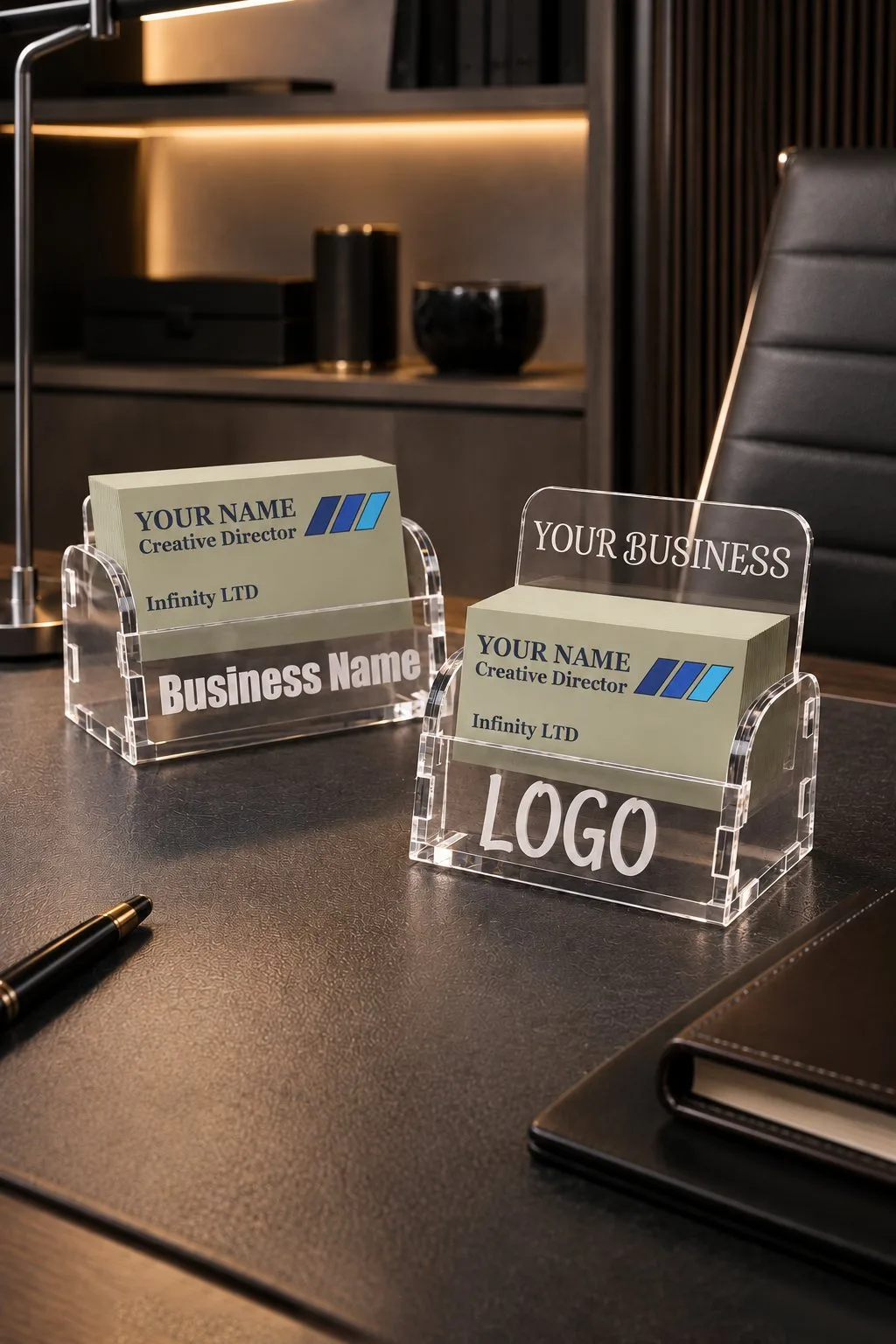
Business Card Holder You Engrave With Your Name
For a supported acrylic construction, the maker of Business Card Holder You Engrave With Your Name describes two back-height variants, about 10 cm wide and 5.5 cm deep, with heights of 5 or 8.5 cm; for 8.5 × 5.5 cm business cards; 3, 3.2 or 4 mm wood, plywood, MDF or acrylic; the supplied formats are AI, EPS, DXF, SVG. For the acrylic version, confirm a fitted retail gift-card pocket separately; the maker does not supply those details.
First, choose the acrylic thickness variant that matches your supported sheet. Then compare the business-card outline with the holder, because the listed material does not remove the need to check its joints.
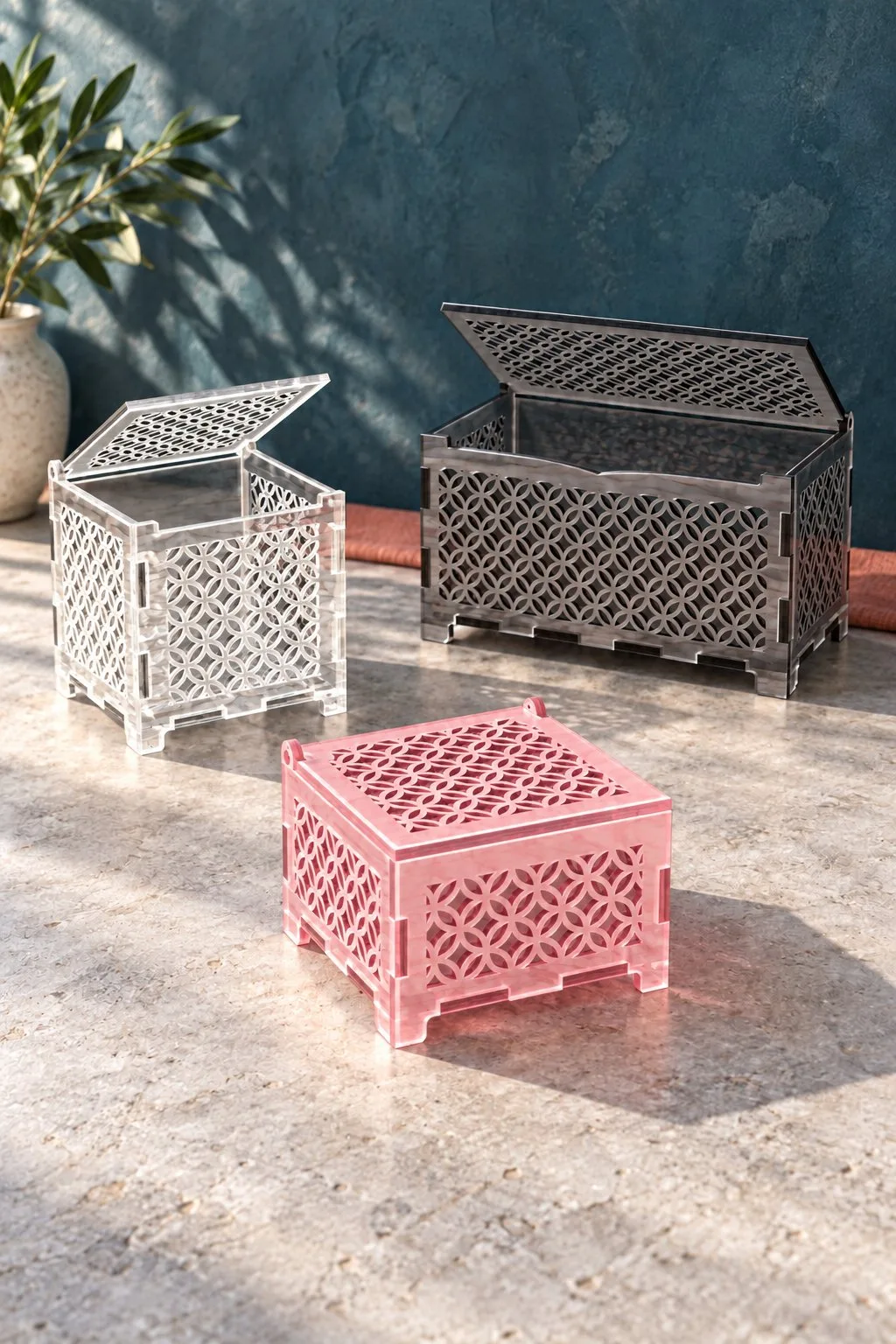
Laser Cut Jewelry Box
When comparing a supported acrylic construction, Laser Cut Jewelry Box provides three flip-lid jewelry boxes: 200 × 100 × 100, 100 × 100 × 100 and 100 × 100 × 64 mm; 3, 3.2 or 4 mm wood, plywood, MDF or acrylic, with AI, EPS, DXF, SVG files. For the acrylic version, confirm usable compartment dimensions separately; the maker does not supply those details.
Next, compare the three box sizes with the item you intend to store. Keep the acrylic sheet choice with the matching drawing, then inspect the lid’s travel before arranging the carved decoration.
Laser cut acrylic: for a cup or illuminated panel
The choices below concern a cup or illuminated panel, with their own material and construction requirements. First, compare the selected drawings with a supported acrylic construction. Then use the particular laser cut acrylic maker’s numbers, because another file’s description cannot supply the missing dimensions for the object you have chosen.
Mermaid Shell Night Light
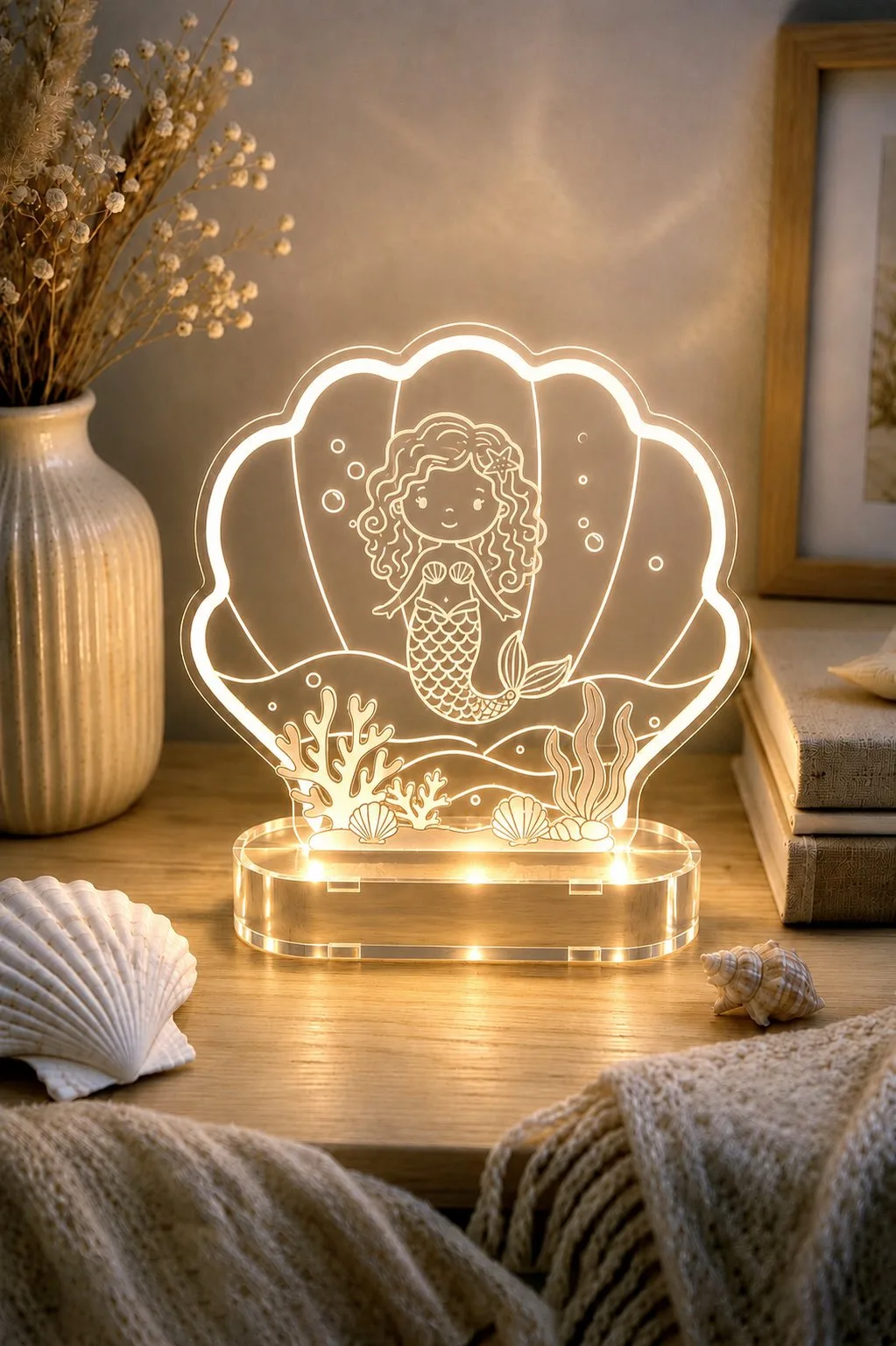
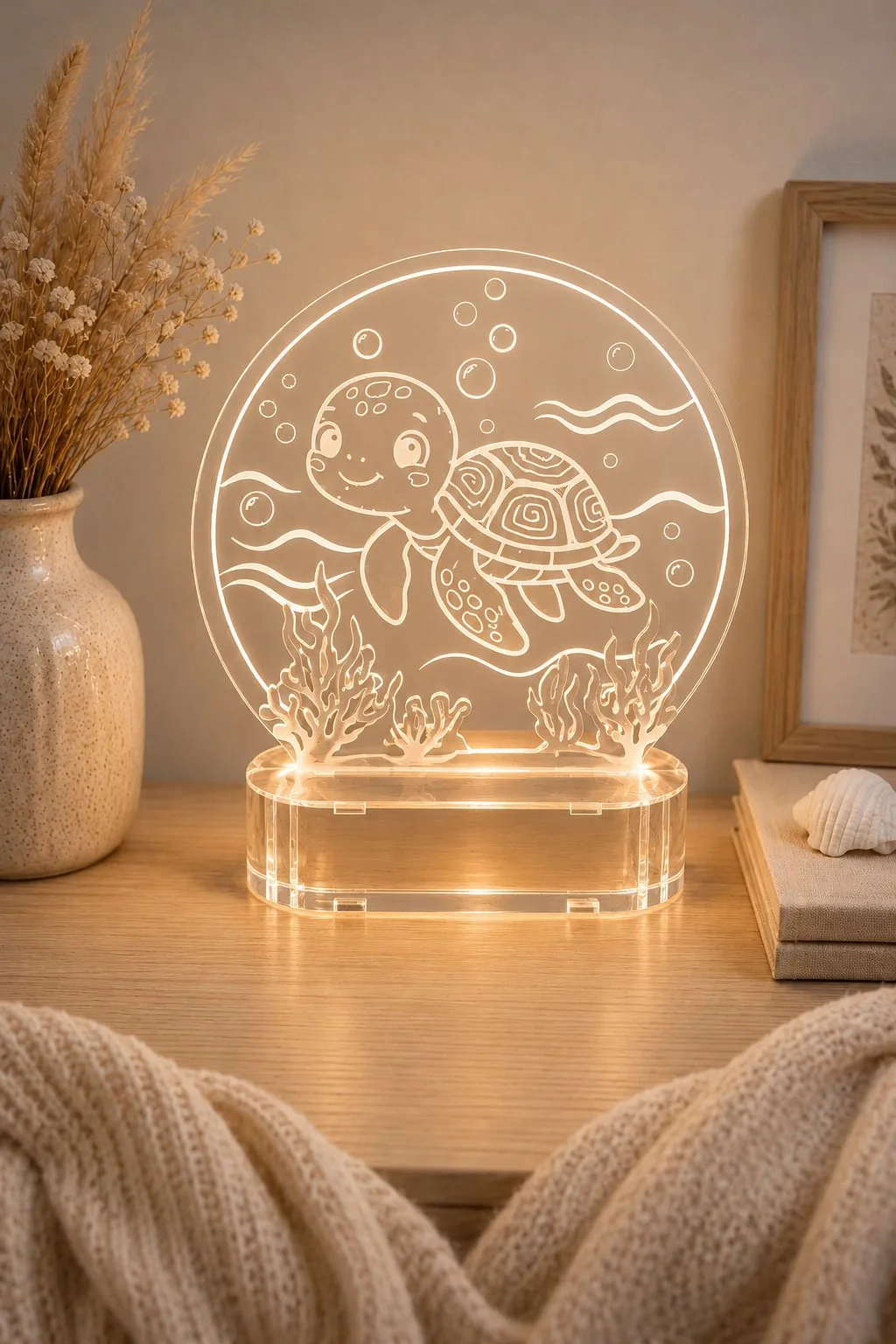
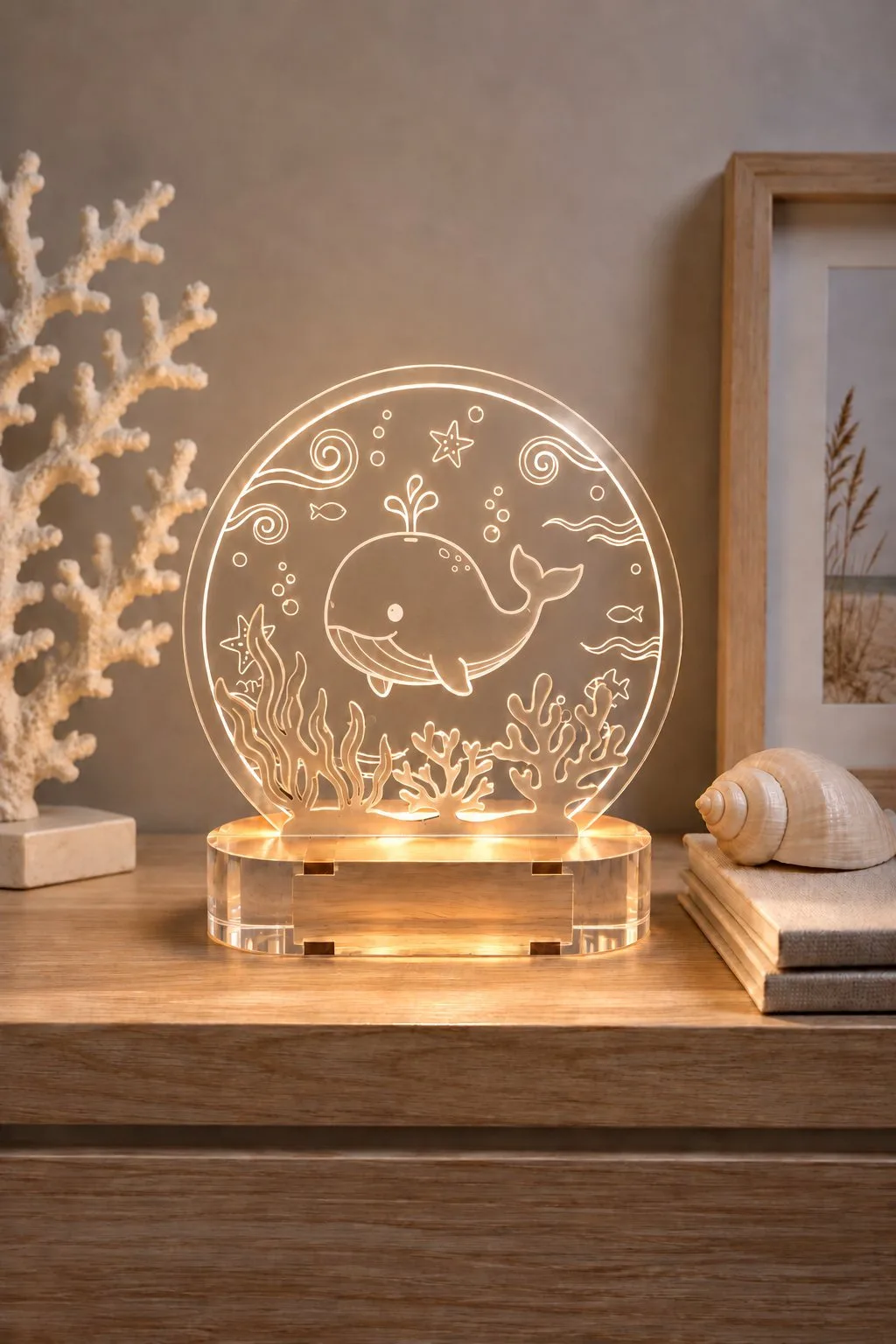
Mermaid Shell Night Light is one choice to inspect for a supported acrylic construction: the maker lists 3 mm plywood and 3 mm clear or frosted acrylic; the maker names Glowforge, xTool and OMTech, supplied in SVG, EPS, DXF, PDF, DWG. For the acrylic version, confirm finished dimensions and the electrical installation separately; the maker does not supply those details.
First, compare clear or frosted acrylic with your machine’s material instructions. Then check the intended lighting base, so the ocean outline and the sheet choice belong to the same supported arrangement.
Laser Cut Wedding Card Box
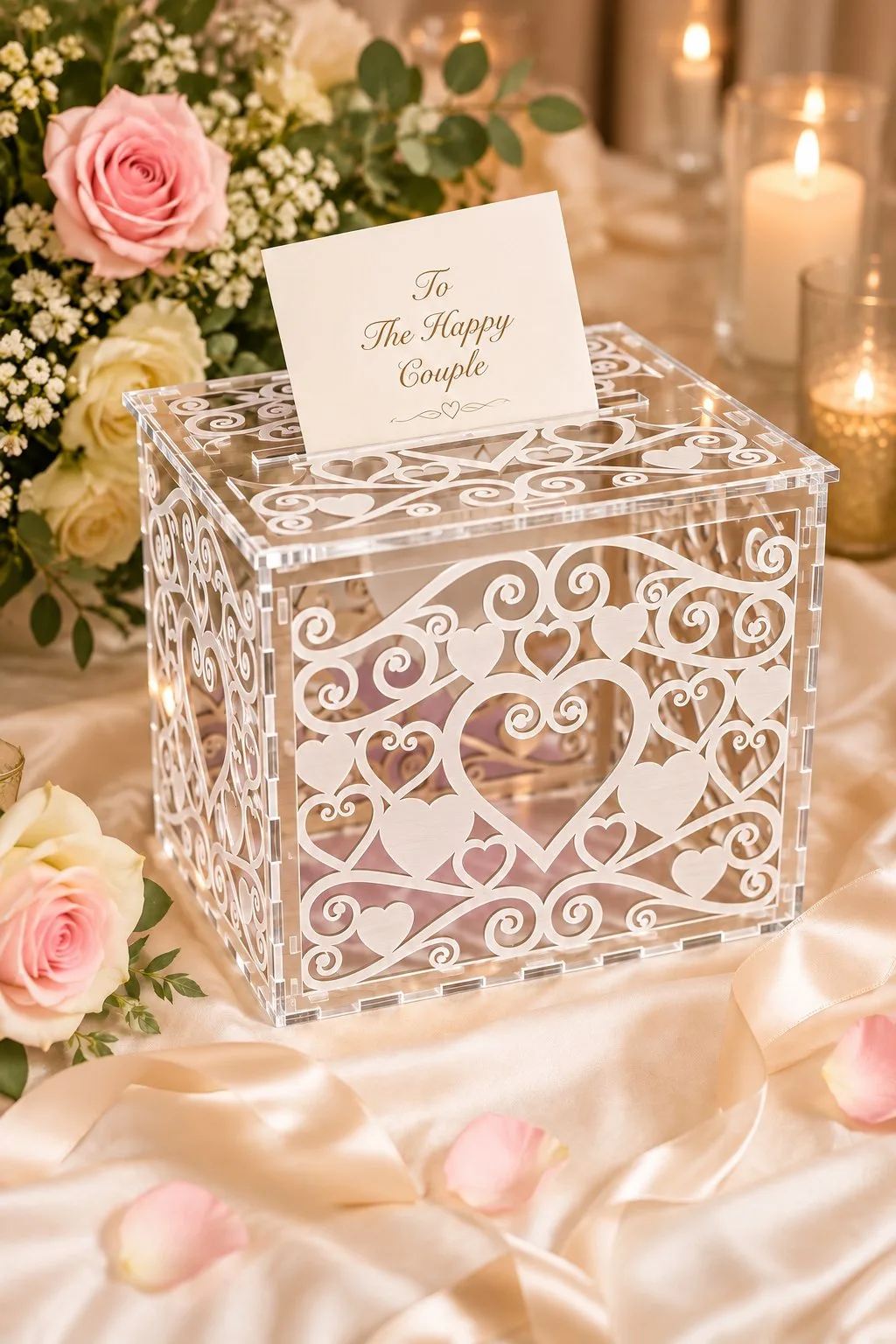
When comparing a supported acrylic construction, Laser Cut Wedding Card Box provides a 30 × 25 cm card box with a flip-up lid; wood or acrylic in 3, 3.2 or 4 mm; LightBurn, LaserCut and RDWorks are named, with AI, EPS, DXF, SVG files. For the acrylic version, confirm the third overall dimension and usable interior measurements separately; the maker does not supply those details.
For wedding envelopes, rehearse the whole collection action with a paper opening. Next, check the acrylic thickness variant rather than borrowing a wood file simply because the outline looks identical.
Laser cut acrylic: for a celebration with several pieces
The choices below concern a celebration with several pieces, with their own material and construction requirements. First, compare the selected drawings with a supported acrylic construction. Then use the particular laser cut acrylic maker’s numbers, because another file’s description cannot supply the missing dimensions for the object you have chosen.
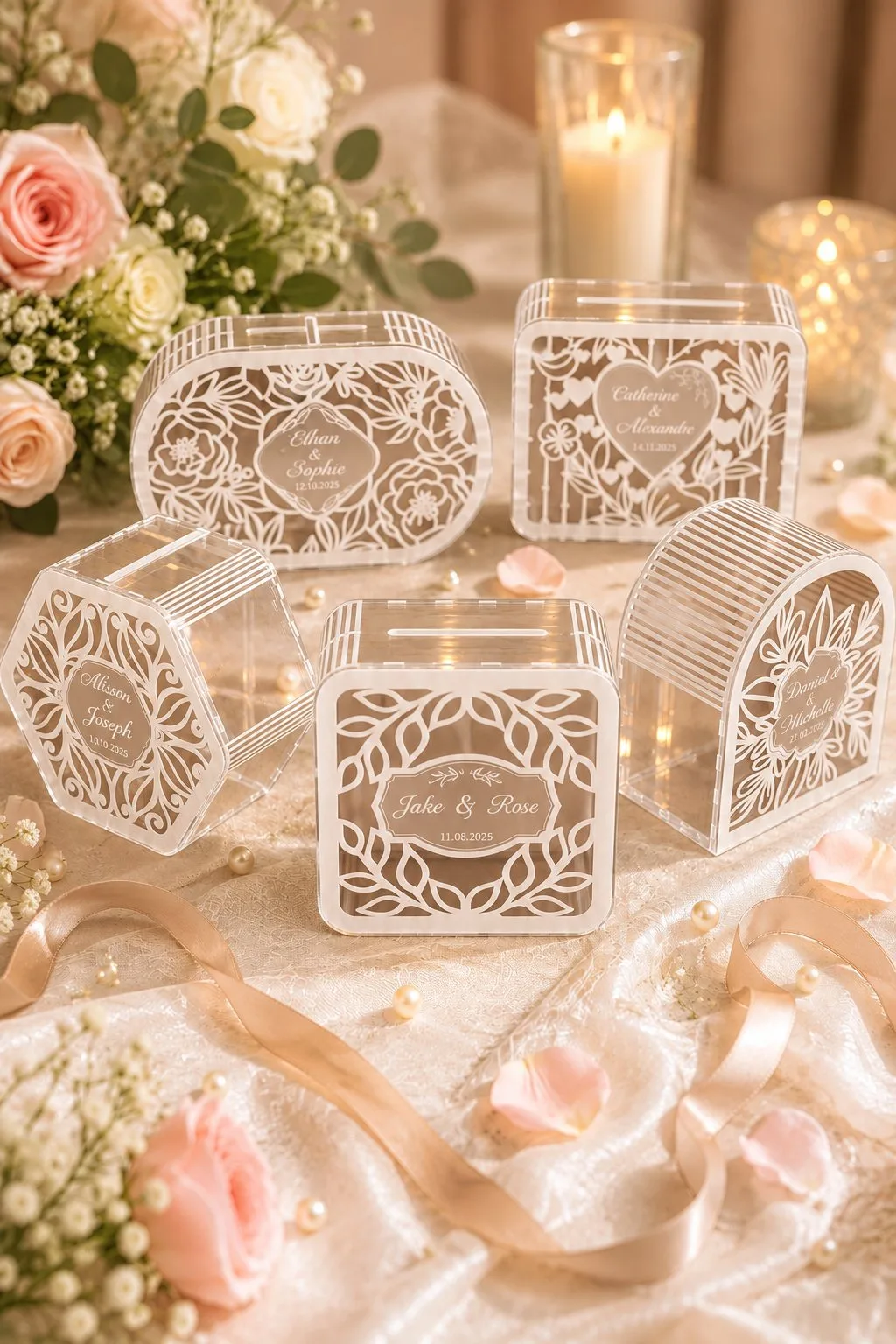
Elegant Wedding Card Boxes
For a supported acrylic construction, the maker of Elegant Wedding Card Boxes describes five wedding boxes; a finished size of 12 × 11 × 6 inches; 3 mm plywood, MDF, acrylic or wood; the supplied formats are AI, SVG, DXF, DWG, CDR, EPS, PDF. For the acrylic version, confirm the usable interior and slot dimensions separately; the maker does not supply those details.
Next, mark the 12 × 11 inch footprint on the receiving table. Compare its height with the available display space, then inspect the chosen box’s entry slot and closing method.
Layered Christmas Lantern Arch
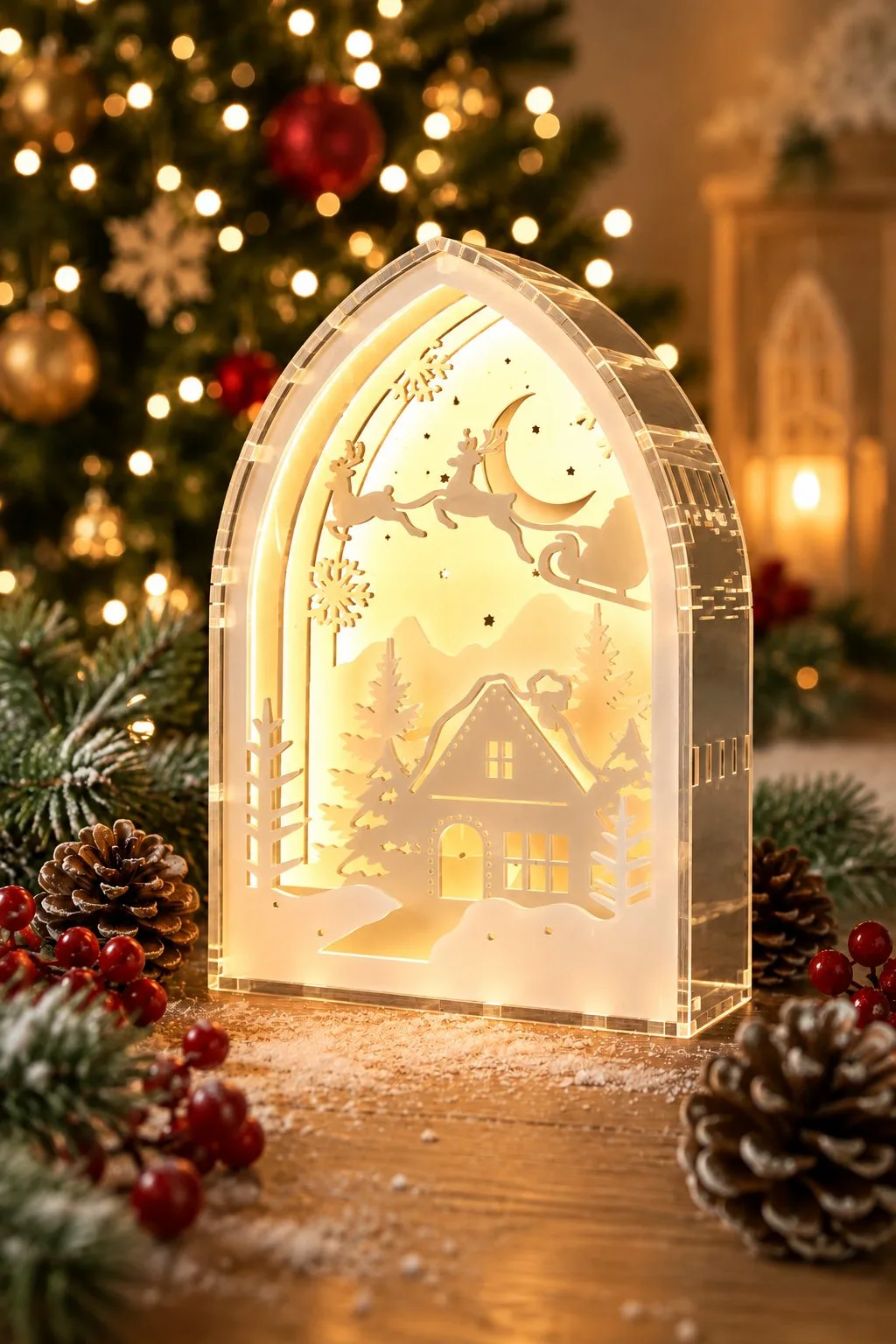
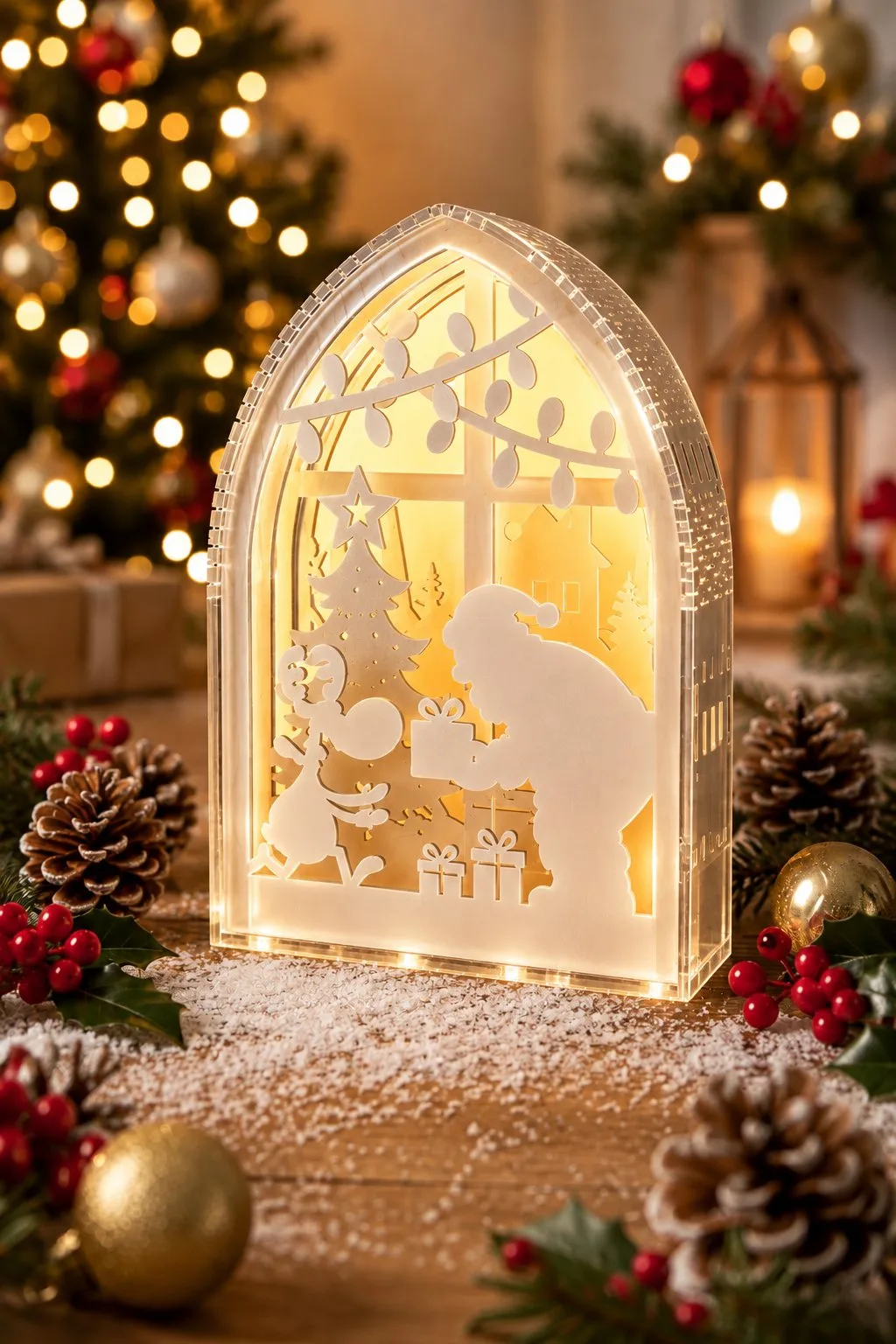
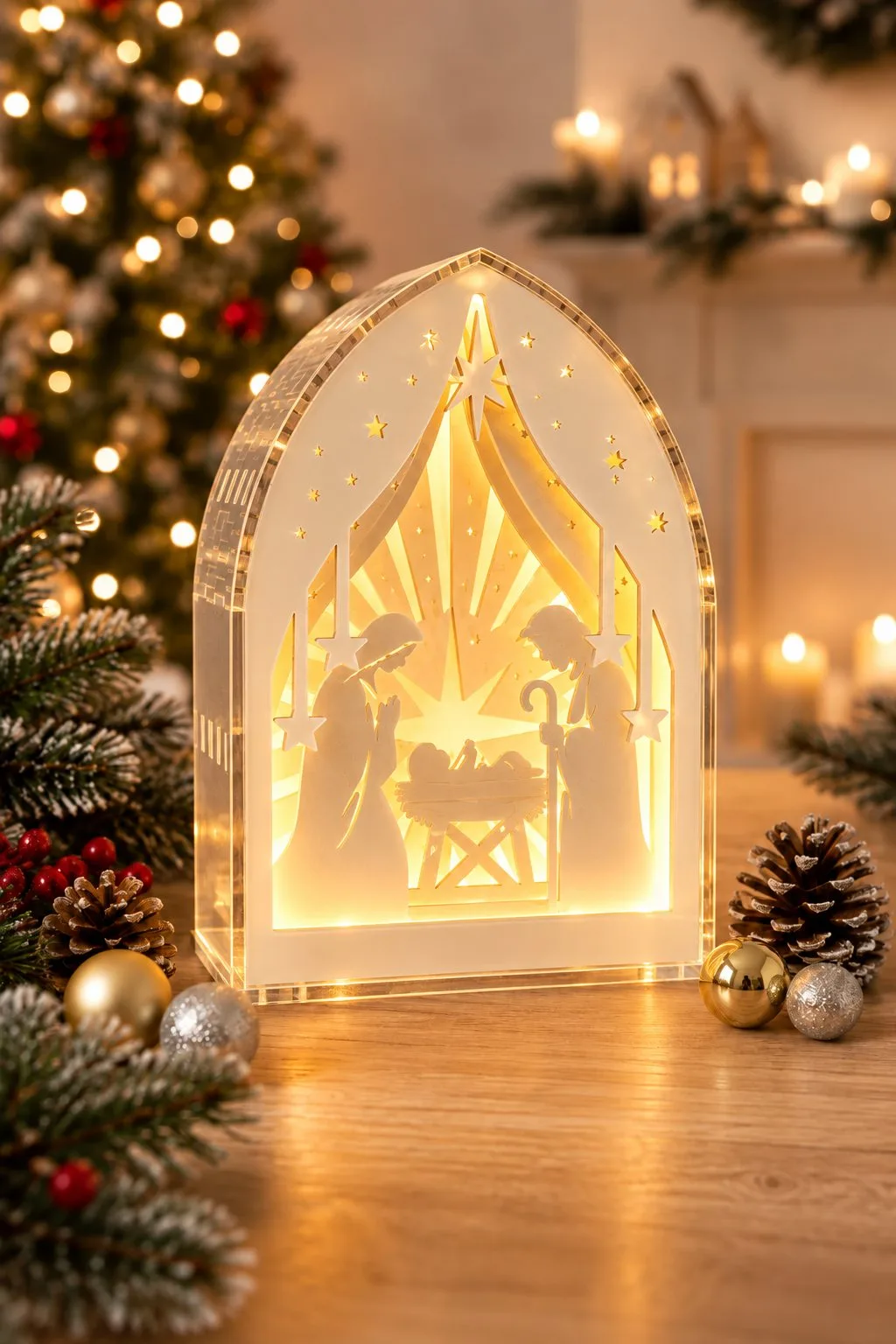
When comparing a supported acrylic construction, Layered Christmas Lantern Arch provides a layered Christmas lantern for 3 mm plywood, MDF or acrylic; LED lighting is optional; Glowforge, xTool and Thunder Laser are named, with SVG, EPS, DXF, PDF, DWG files. For the acrylic version, confirm finished dimensions and the lighting hardware separately; the maker does not supply those details.
Finally, inspect the lantern arch’s layered arrangement before choosing illumination. Keep the acrylic requirement beside the light instructions, then verify the entrance you will use when the light needs attention.
Laser cut acrylic: for boxes, a post box, a shelf and two headphone holders
Clear and tinted sheets show their edges, so a box or a stand is a good place to start. Each of these makers names acrylic in the list of materials.
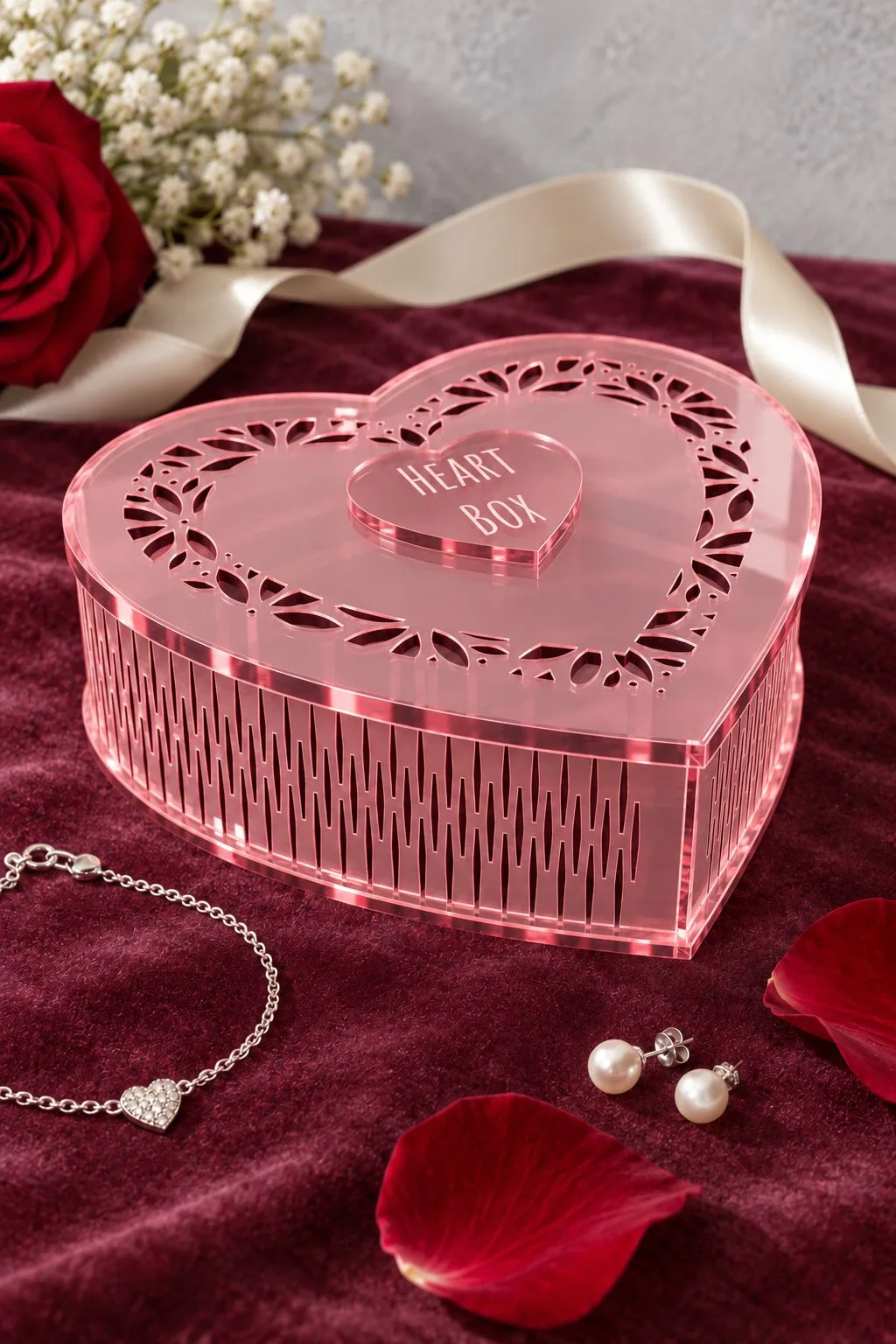
Heart Shaped Keepsake Box
A heart is a gift before anything goes inside it. Also, this one measures 19.5 cm wide, 18.5 cm high and 6 cm deep, and the maker gives you two lids: a smooth one for an engraved name or message, and one with a floral pattern. Besides, acrylic is listed beside wood, plywood and MDF, and the uses named are Valentine’s Day, Mother’s Day, birthdays and anniversaries.
The files are AI, EPS, DXF and SVG for 3, 3.2 or 4 mm sheet. In short, a smooth acrylic lid shows engraving as a frosted line, so test the message on a scrap before you cut the heart.
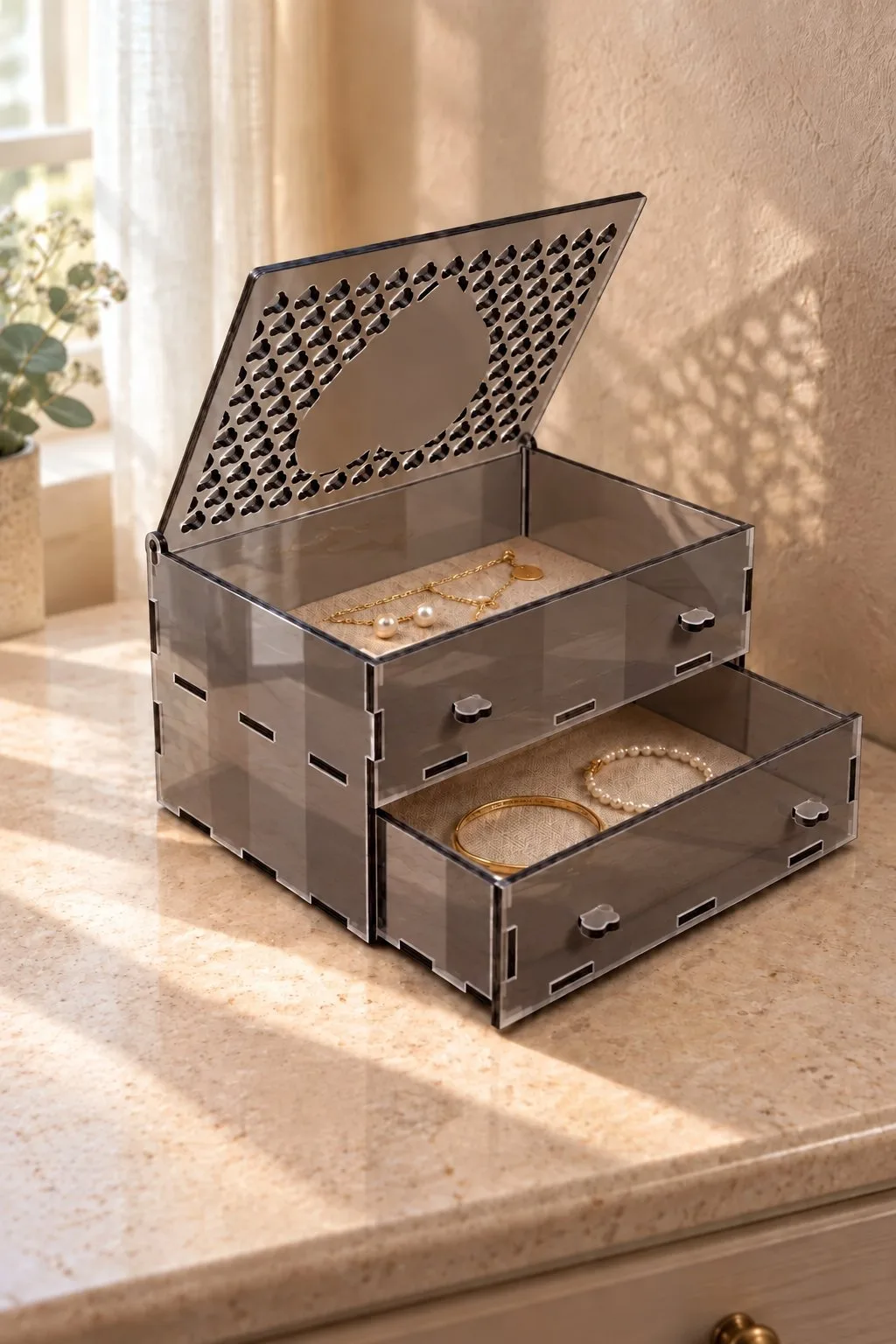
Jewelry Box with Drawer
A flip lid on top and a drawer below make this a box with two ways in. In addition, it measures 25 cm wide, 13 cm high and 16 cm deep, and the lid is the place to engrave a name, a date or a few warm words. However, acrylic is on the list of materials, which suits a keepsake that should look clean on a shelf.
It is one design, in AI, EPS, PDF, DXF and SVG for 3, 3.2 or 4 mm material. Then the drawer interior is not described, so measure what you plan to store and compare it with the finished box.
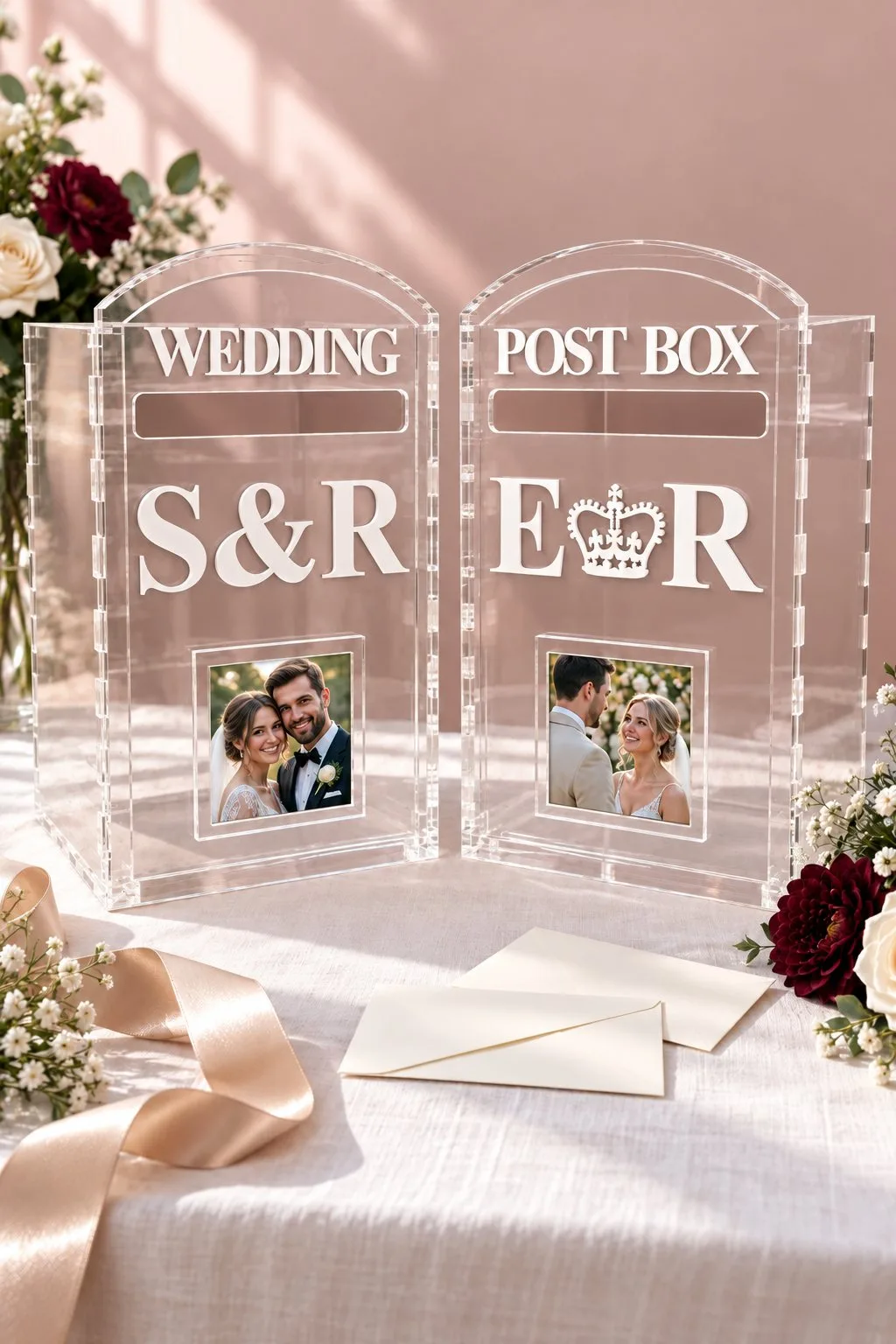
Wedding Card Post Box
A box for the cards guests bring. Next, it stands 20 × 20 cm at the base, and the front wall is 39 cm high. Also, the top lettering is your choice: Wedding, Post Box, Birthday or your own initials, and the front leaves space for a photo or an emblem. Engagement parties, birthdays and baby showers are listed alongside weddings.
Files come as AI, EPS, DXF, PDF and SVG for 3, 3.2 or 4 mm wood, plywood, MDF or acrylic. Check how wide the opening is against the envelopes you expect, and test the top lettering before the large front panels are cut.
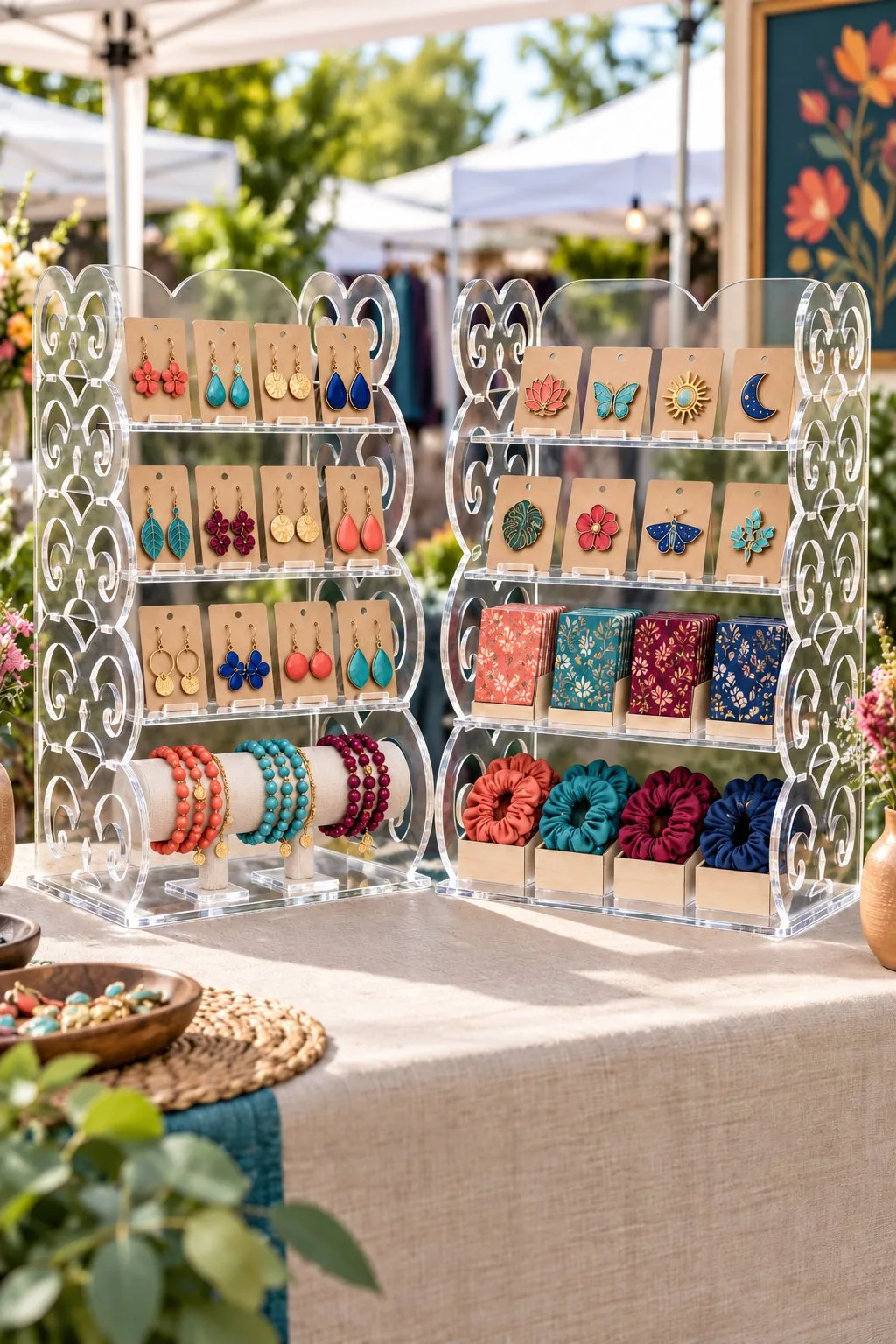
Four Tier Display Stand
A shop display with four tiers, in two widths: 20 cm or 30 cm. Besides, it is 40 cm high and 20 cm deep, the shelves run from 15 cm deep at the bottom to 12 cm at the top, and the gap between shelves shrinks from 9 cm to 7 cm. You may skip a shelf when a tall item needs the room.
The parts are cut and glued, in 3, 3.2 or 4 mm wood, plywood, MDF or acrylic, with AI, EPS, DXF, PDF and SVG files. As the maker designed it for fairs, windows and shops, measure the tallest product first and then choose the width.
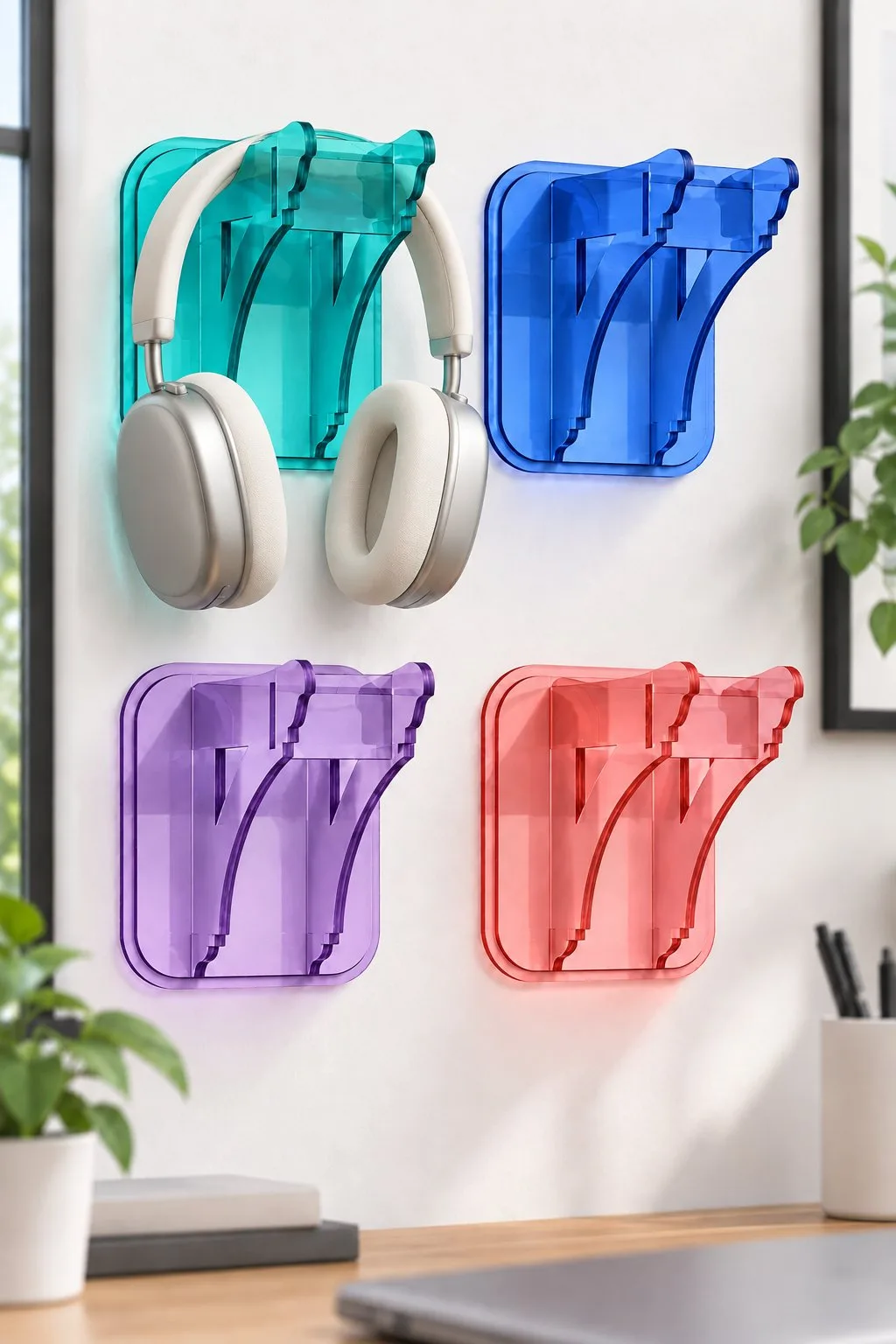
Wall Headphone Bracket
Headphones need a place that is not the desk. In addition, this bracket measures 13.5 × 11 × 11 cm and mounts on the wall, and the maker offers four ways to fix it: glue, double-sided tape, screws or a cord like a picture. However, it is cut from 3, 3.2 or 4 mm wood, plywood, MDF or acrylic.
Files are AI, EPS, DXF and SVG. Because a wall bracket carries weight, choose the fixing before you choose the sheet, and try the headphones on a cardboard copy first.
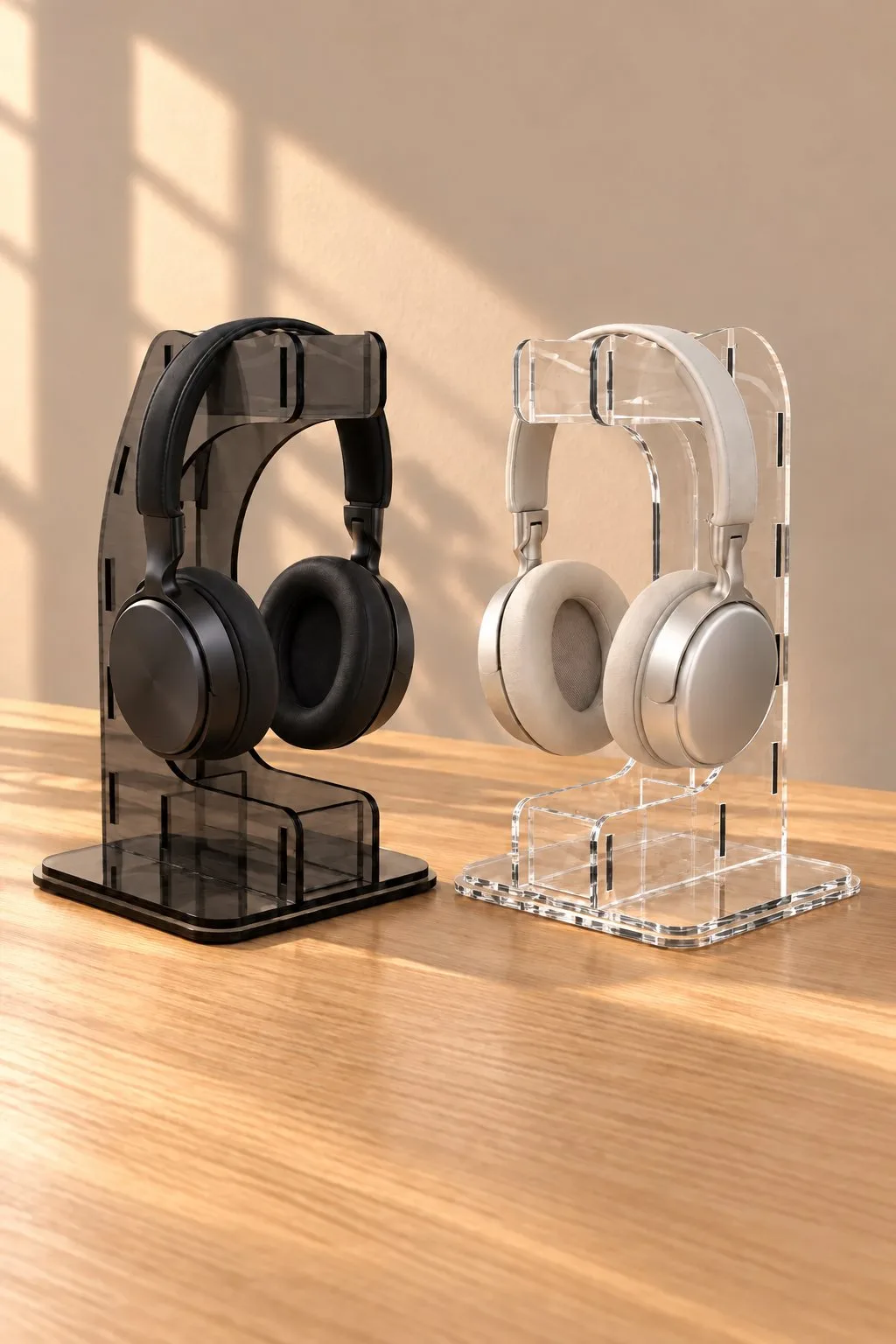
Headphone Stand
Headphones off the desk. There are two designs, a classic stand and an angular futuristic one, and the base is square or round. Then the stand is about 26 cm high on a 15 × 15 cm base, and the maker adds picture instructions.
It is cut from 3 or 4 mm wood, plywood, MDF or acrylic, in AI, EPS, DXF, PDF and SVG, and put together with glue and slots. Choose the base shape first, then the tint of the sheet.
Laser cut acrylic: boxes, stands and headphone holders at a glance
| Actual product | What the maker gives | Formats | Detail still needed |
|---|---|---|---|
| Heart Shaped Keepsake Box | Heart box with a smooth engraving lid or a floral lid; 19.5 × 18.5 × 6 cm | AI, EPS, DXF, SVG | Length of the message |
| Jewelry Box with Drawer | Flip lid for engraving and a drawer below; 25 × 13 × 16 cm | AI, EPS, PDF, DXF, SVG | Drawer interior is not described |
| Wedding Card Post Box | Post box 20 × 20 cm, front 39 cm high, lettering of your choice | AI, EPS, DXF, PDF, SVG | Opening against envelope size |
| Four Tier Display Stand | Four-tier display, 20 or 30 cm wide, 40 cm high | AI, EPS, DXF, PDF, SVG | Height of your tallest product |
| Wall Headphone Bracket | Wall headphone bracket 13.5 × 11 × 11 cm; four ways to fix it | AI, EPS, DXF, SVG | Fixing and weight |
| Headphone Stand | Headphone stand in two designs, about 26 cm high | AI, EPS, DXF, PDF, SVG | Base shape |
Laser cut acrylic: for lights, frames, butterflies, a wall piece and jewelry stands
Then pieces where acrylic does something wood cannot: let light through, reflect it, or catch it on a polished edge. The jewelry stands come last.
Wood and Acrylic Lantern Houses Bundle
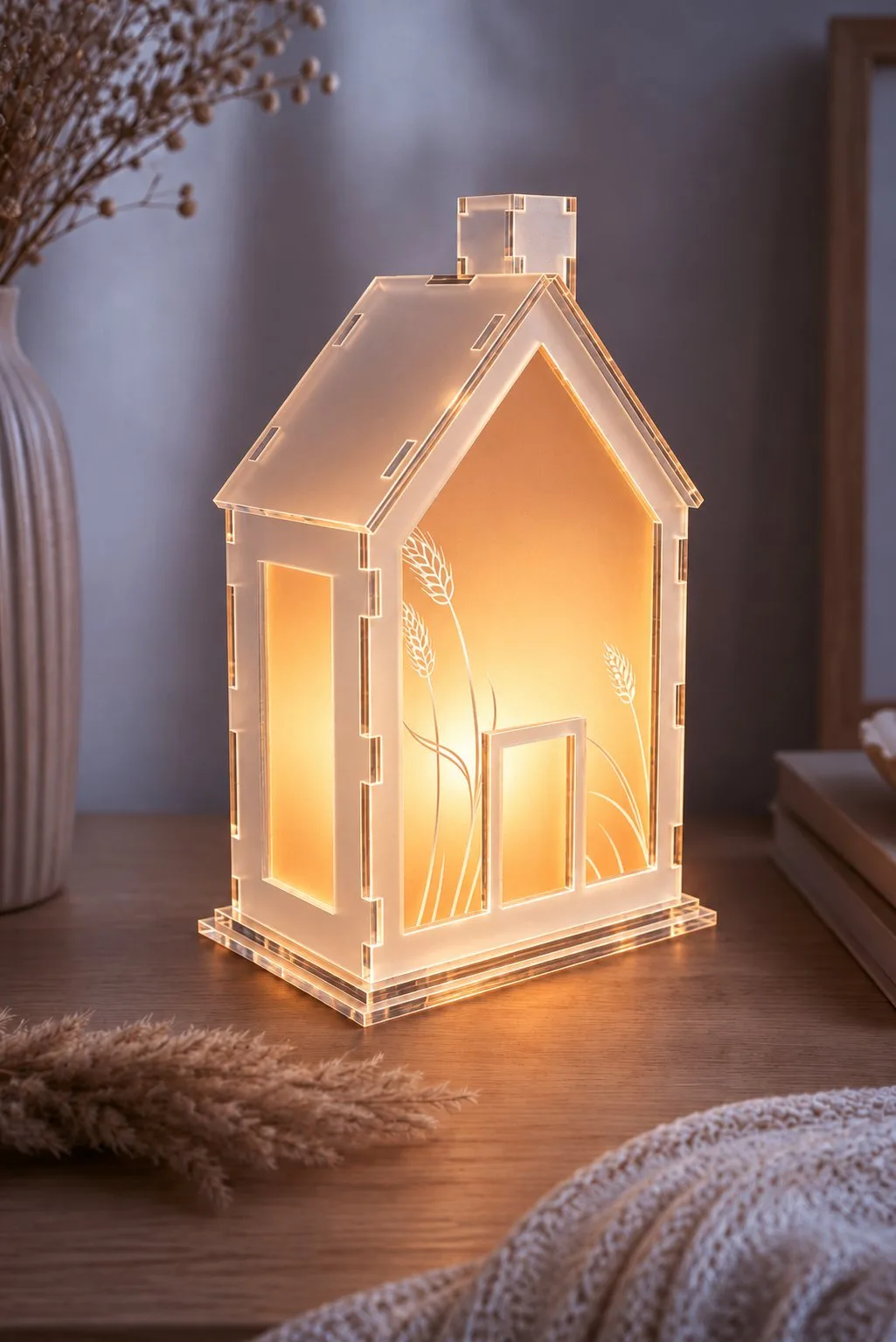
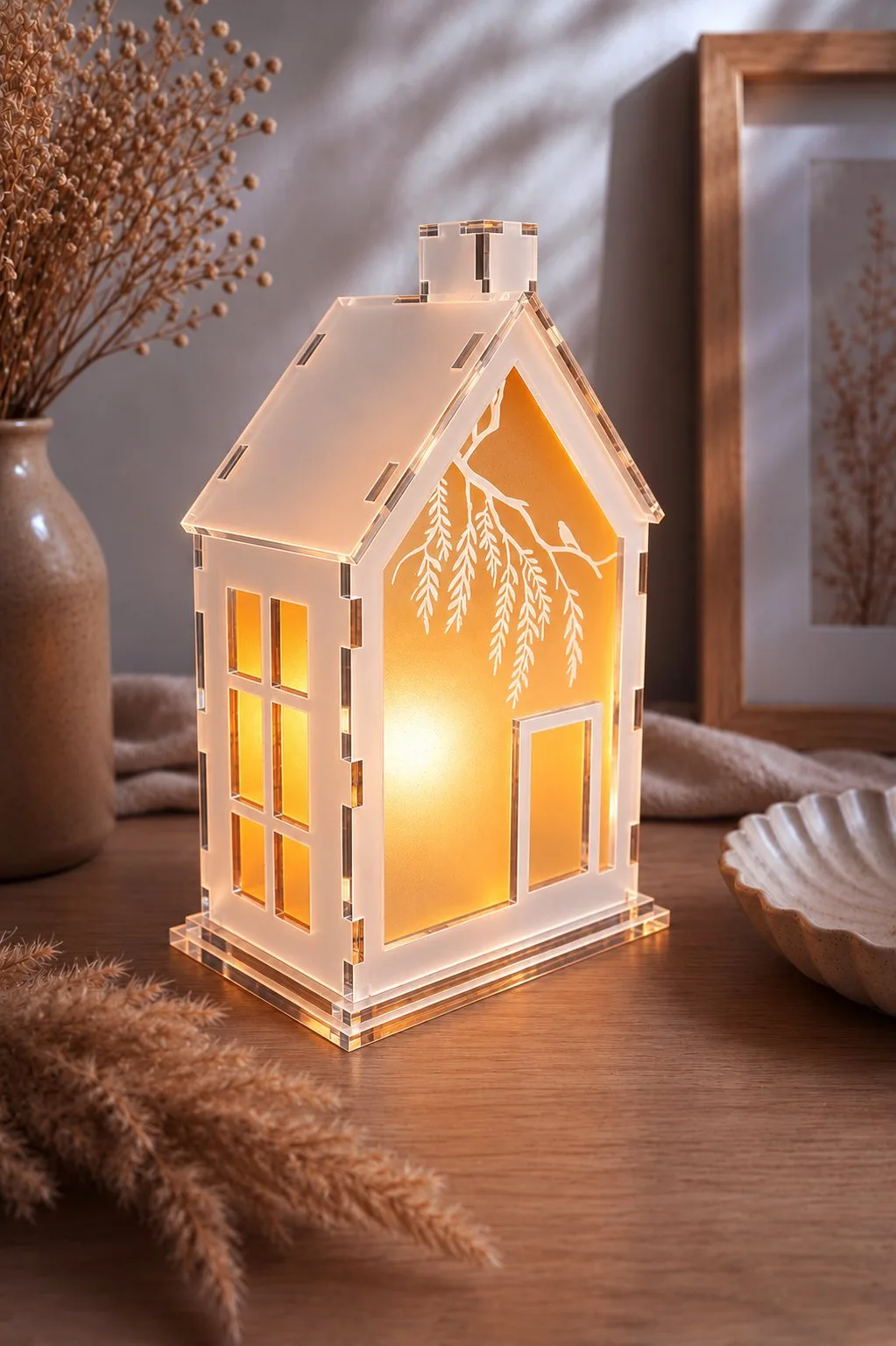
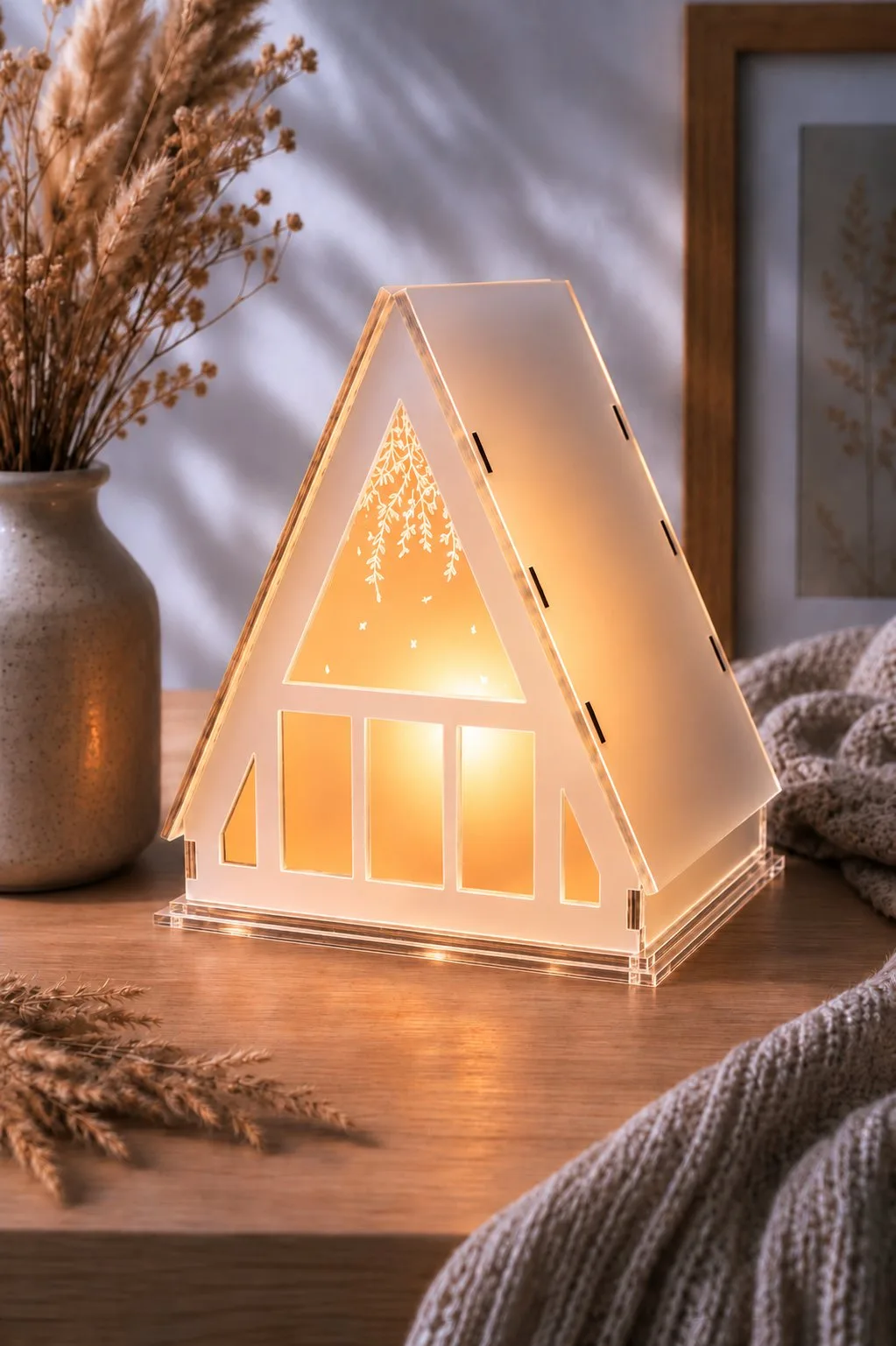
Ten lantern houses in one bundle, and the title itself says wood and acrylic. Next, the maker describes them as botanical and nature miniature houses, among them an A-frame and a cottage, made as night lights and tabletop lanterns. Red lines cut and black lines engrave, and the title names 3 mm plywood.
The archive holds ten files of each type: SVG, EPS, PNG, PDF and DXF. Also, the maker warns that LightBurn sometimes distorts the size of SVG files and advises the DXF there. Because the walls glow, a frosted acrylic wall will spread the light, so test one house with your light first.
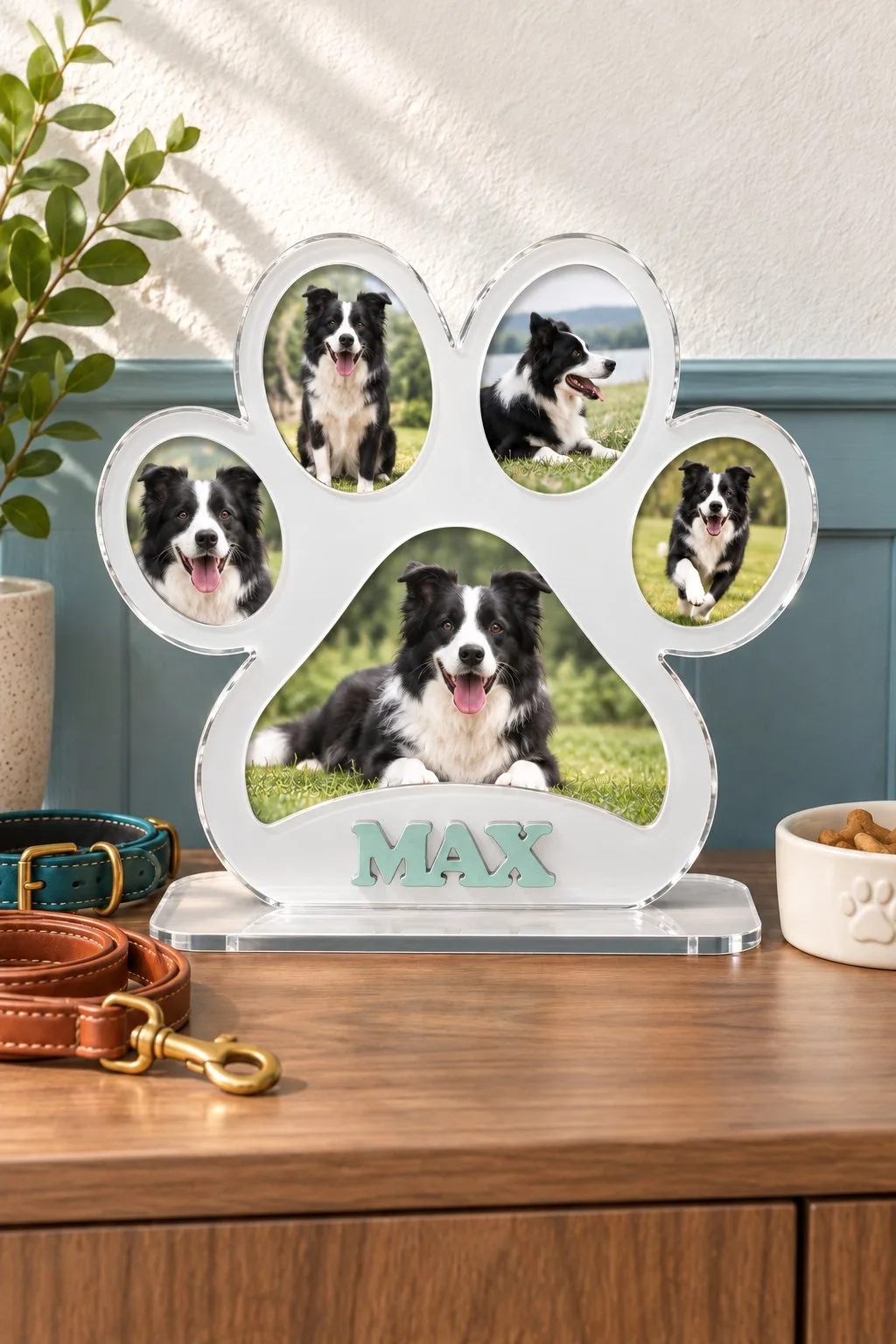
Dog Paw Photo Frame on a Base
A frame for the dog in the family. Two layers give it depth: the front, shaped like a paw print with cut-outs, slides into a stable base, and the layers are glued along the edge. Besides, it stands on a shelf instead of hanging.
The files are AI, PDF, EPS, DXF and SVG for 3, 3.2 or 4 mm wood, acrylic or plywood. Check your photo against the opening before you glue, since the layers fix the size.
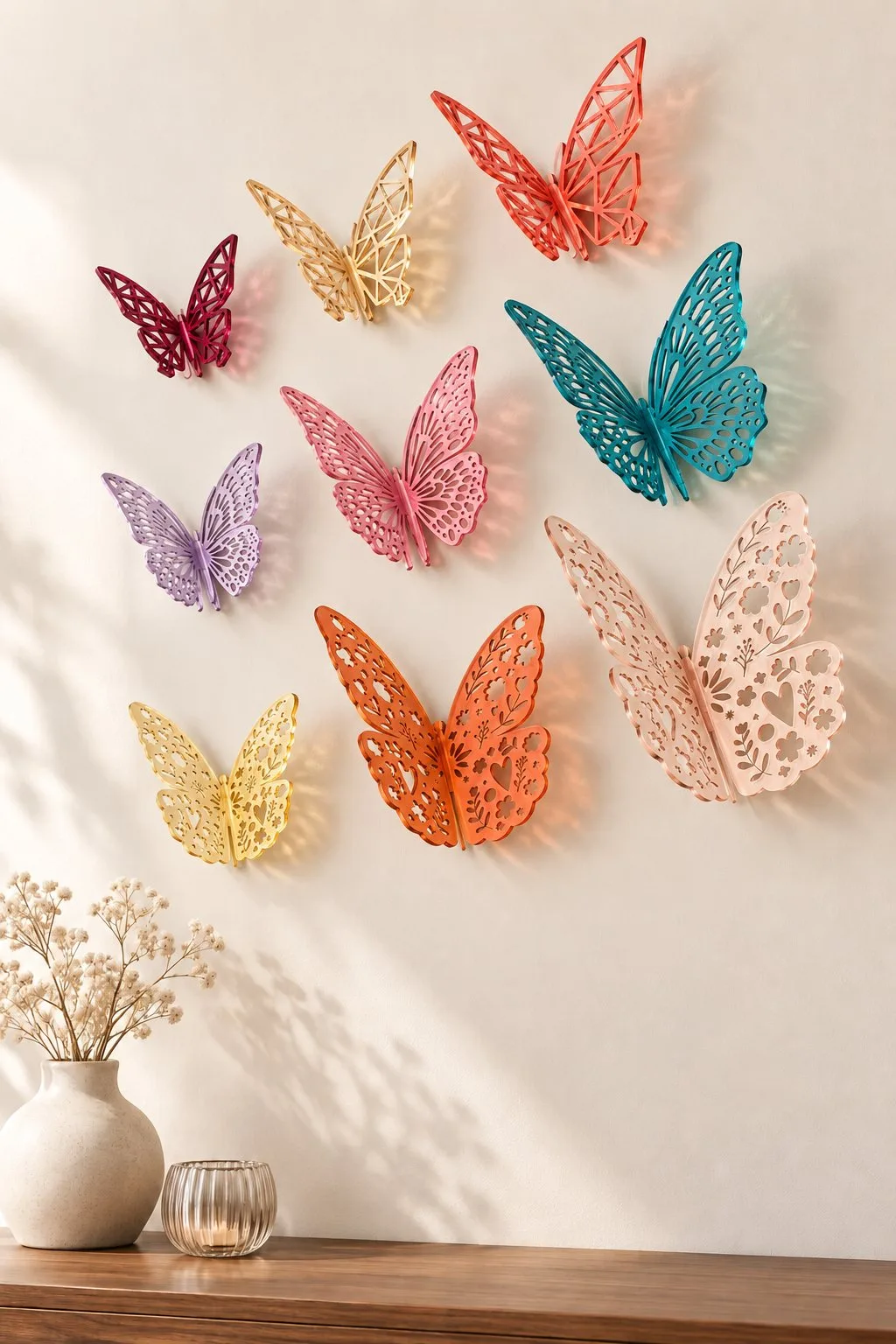
3D Butterflies in Three Sizes
Butterflies built from two halves that slot into each other, in three styles, geometric, floral and classic, and three widths of about 100, 150 and 200 mm. Cut a few sizes and the wings fill a wall or a window.
The maker names 3, 3.2 and 4 mm plywood, acrylic or MDF, with AI, EPS, DXF and SVG files. Because the halves slot together, cut one pair first and see whether the slot fits your sheet.
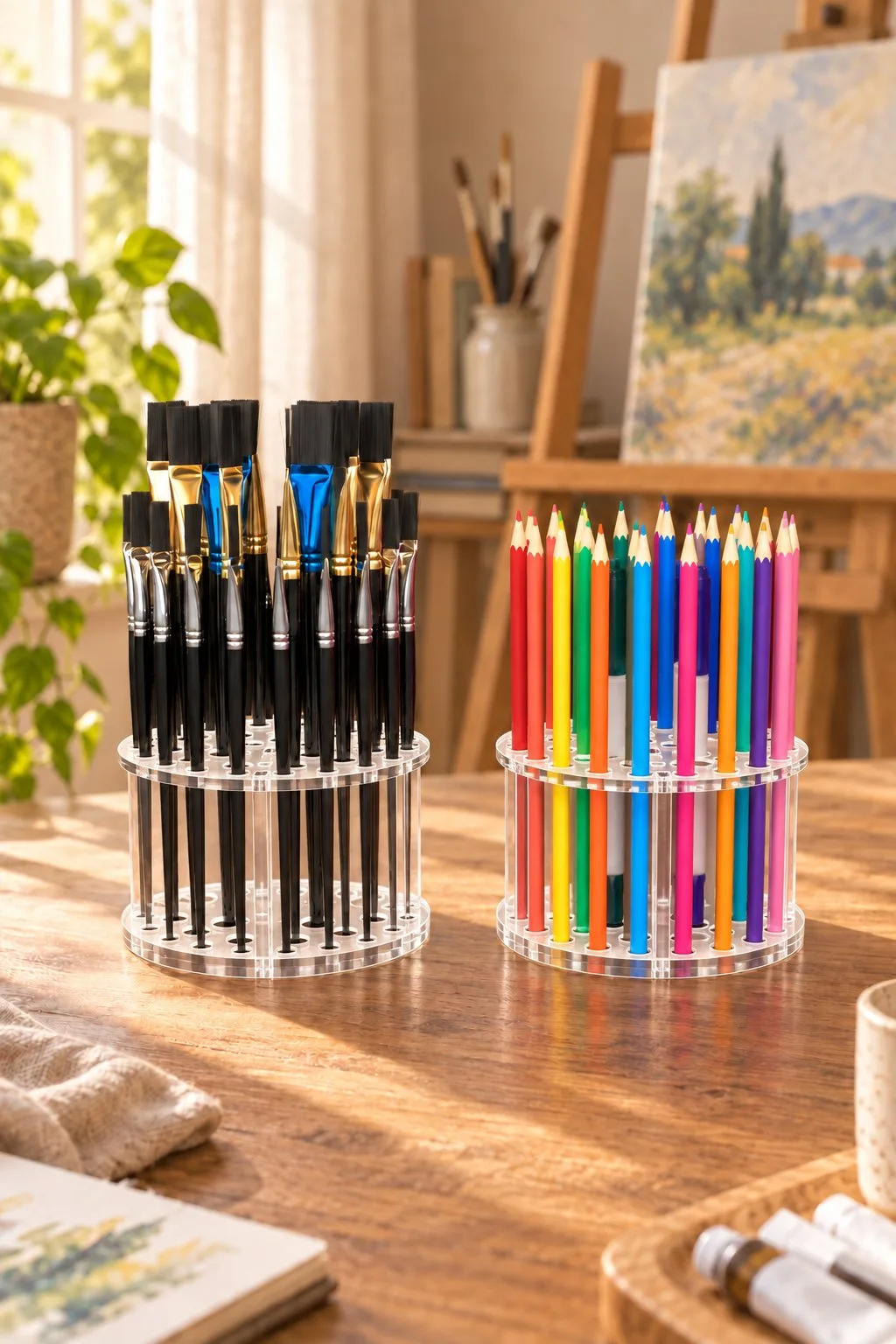
Brush and Pen Holder Duo
Two holders in one file: one for brushes and one for pens and pencils. In addition, the brush version has 20 slots of 6.25 mm, 12 of 10 mm and 4 of 14 mm; the pen version has 20 slots of 9 mm on the rim, 12 of 9 mm in the middle and 4 of 14 mm in the centre. However, it is 15 cm across and 9.2 cm high.
The maker names natural wood, veneer, MDF and acrylic at 3, 3.2 or 4 mm, with AI, EPS, DXF and SVG files. So choose the version by what you hold, and measure your thickest brush against the 14 mm slots first.
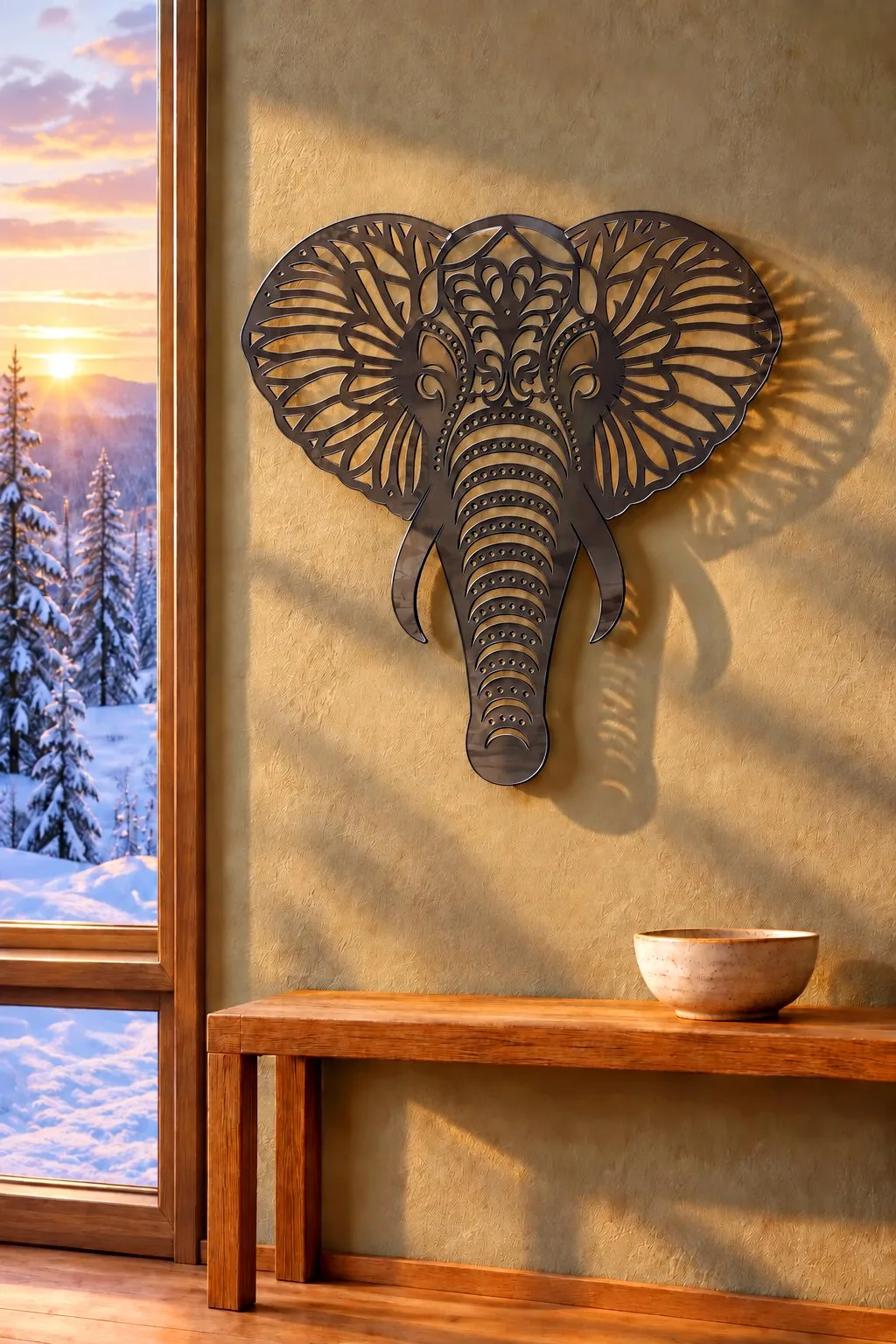
Elephant Mandala Wall Art
An elephant head built inside a geometric mandala, 30 cm across. Then the maker suggests it for a minimalist room, a nursery or an elephant-themed baby shower, and notes that MDF gives a vintage look, plywood a natural one and acrylic a modern shine.
It is one design, with AI, EPS, PDF, DXF and SVG files that scale, and the maker lists LightBurn, Lasercut, RDWorks, Glowforge, OMTech, xTool and Thunder Laser. Pick the material first, because it sets the whole mood.
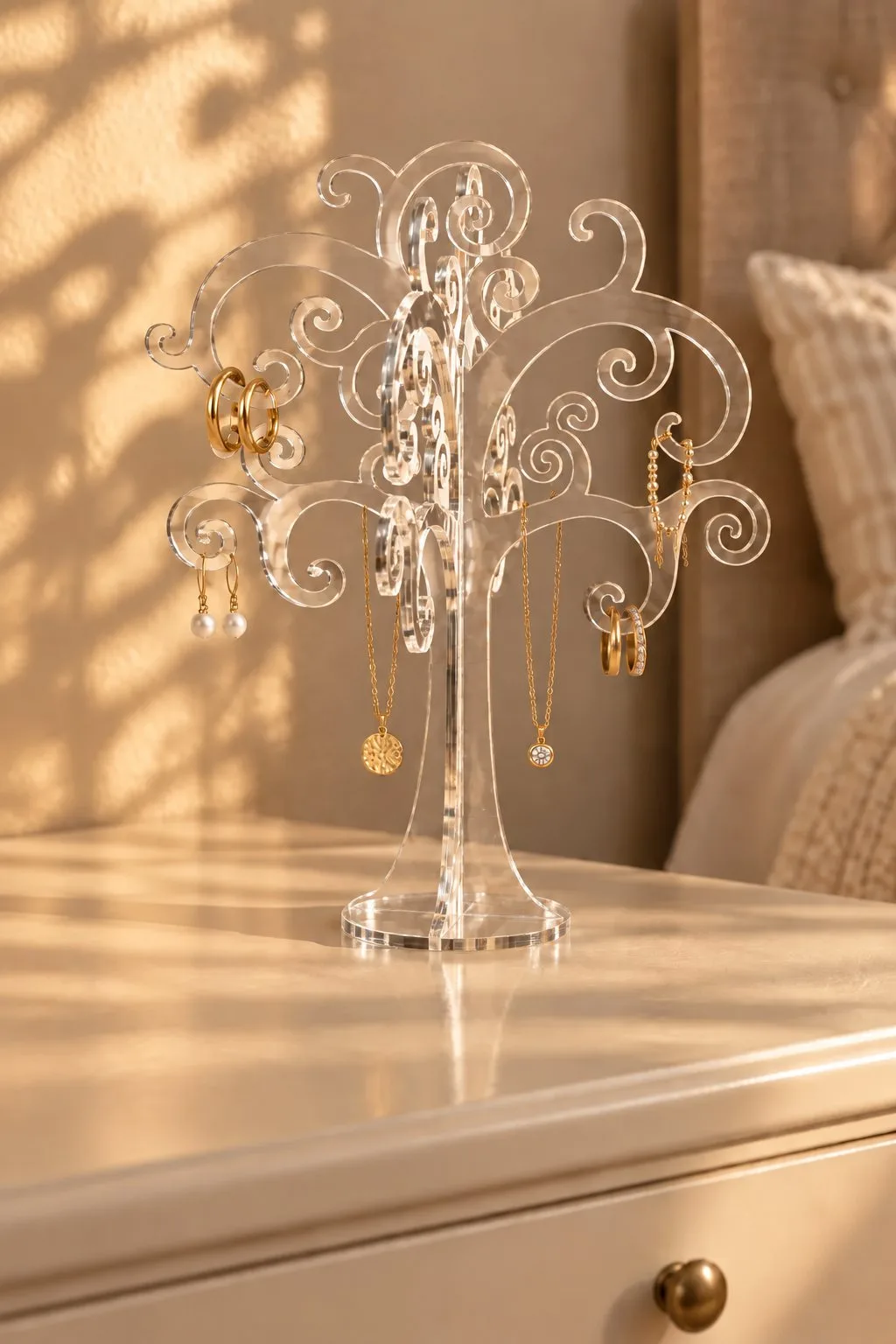
Curly Tree Jewelry Stand
A tree with curled branches that holds jewelry on its twigs, and a gift that is also a display. Next, the maker names jewelry shops, boutiques and craft fairs, because the stand shows the pieces well and saves counter space. Also, it stands on its own.
The thickness is 3, 3.2 or 4 mm plywood, MDF or acrylic, with AI, EPS, PDF, DXF and SVG files, and the maker lists LightBurn, Lasercut, RDWorks, Glowforge, OMTech, xTool and Thunder Laser. Clear acrylic keeps the branches light, so check the thin curls on your sheet.
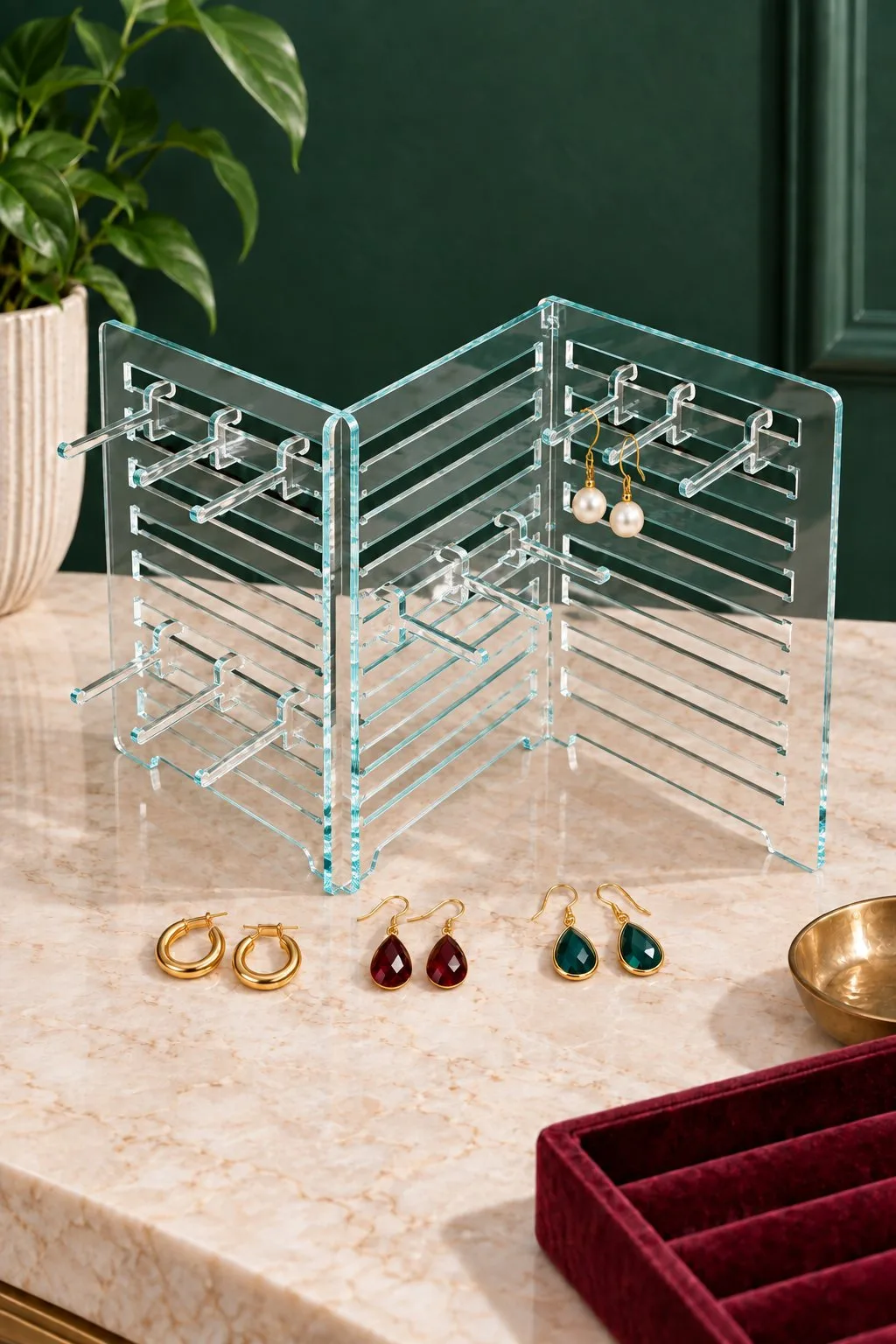
Keychain and Jewelry Display Stand
One stand for the small things that get lost: keychains, earrings and other jewelry. Besides, it comes in two sizes, 480 × 250 mm and 350 × 250 mm, and the maker names 3, 4, 5 or 6 mm and 1/8 or 1/4 inch material with a recommended minimum of 4 mm.
The files are CDR, SVG, DXF, PDF, EPS and AI. In addition, the advice about 4 mm matters here because a stand holds hooks and weight, so cut a sample of the thinnest part from your sheet before the full stand.
Laser cut acrylic: lights, frames and jewelry stands at a glance
| Actual product | What the maker gives | Formats | Detail still needed |
|---|---|---|---|
| Wood and Acrylic Lantern Houses Bundle | Ten lantern houses, wood and acrylic, 3 mm plywood in the title | SVG, EPS, PNG, PDF, DXF | Use DXF in LightBurn |
| Dog Paw Photo Frame on a Base | Paw-print photo frame on a stable base, two glued layers | AI, PDF, EPS, DXF, SVG | Photo against the opening |
| 3D Butterflies in Three Sizes | Slot-together butterflies in three styles and three widths | AI, EPS, DXF, SVG | Which width you want |
| Brush and Pen Holder Duo | Brush and pen holders, 15 cm across and 9.2 cm high | AI, EPS, DXF, SVG | Brush width against the slot |
| Elephant Mandala Wall Art | Geometric elephant mandala, 30 cm | AI, EPS, PDF, DXF, SVG | Material for the mood |
| Curly Tree Jewelry Stand | Curly tree jewelry stand for shops and fairs | AI, EPS, PDF, DXF, SVG | Thin curls on your sheet |
| Keychain and Jewelry Display Stand | Keychain and jewelry stand, 480 × 250 or 350 × 250 mm | CDR, SVG, DXF, PDF, EPS, AI | Minimum 4 mm is advised |
Laser cut acrylic choices at a glance
Then, compare these files around a supported acrylic construction. The laser cut acrylic comparison keeps each maker’s dimensions and material notes beside the actual product, so your choice can follow the particular drawing. Then inspect the information still missing before committing to the laser cut acrylic you want to make.
Laser cut acrylic: first options
| Actual product | What the maker gives | Formats | Detail still needed |
|---|---|---|---|
| Business Card Holder You Engrave With Your Name | Acrylic comparison: two variants; 10 × 5.5 cm footprint; 5 or 8.5 cm high | AI, EPS, SVG, DXF | Ask for acrylic: a fitted retail gift-card pocket |
| Laser Cut Jewelry Box | Acrylic comparison: three flip-lid boxes: 200 × 100 × 100, 100 × 100 × 100 or 100 × 100 × 64 mm | AI, EPS, SVG, DXF | Ask for acrylic: usable compartment dimensions |
| Mermaid Shell Night Light | Acrylic comparison: 3 mm plywood and 3 mm clear or frosted acrylic | SVG, EPS, DXF, DWG, PDF | Ask for acrylic: finished dimensions and the electrical installation |
Laser cut acrylic: further choices
| Actual product | What the maker gives | Formats | Detail still needed |
|---|---|---|---|
| Laser Cut Wedding Card Box | Acrylic comparison: a 30 × 25 cm card box with a flip-up lid | AI, EPS, SVG, DXF | Ask for acrylic: the third overall dimension and usable interior measurements |
| Elegant Wedding Card Boxes | Acrylic comparison: five wedding boxes | AI, SVG, DXF, DWG, CDR, PDF, EPS | Ask for acrylic: the usable interior and slot dimensions |
| Layered Christmas Lantern Arch | Acrylic comparison: a layered Christmas lantern for 3 mm plywood, MDF or acrylic | SVG, EPS, DXF, DWG, PDF | Ask for acrylic: finished dimensions and the lighting hardware |
Choose laser cut acrylic ideas by their useful edge
A useful edge is the part that connects the object to its everyday job. On a card holder, that may be a fitted corner. On a light panel, it is the part that enters the base. Identify that area before choosing decoration, then look for a file with material and dimensions that answer its particular question.
If you want jewelry instead, browse our earring design collection. First, keep its material descriptions separate from the acrylic constructions here; an attractive shape needs its own documented sheet choice.
Find the exact sheet your machine supports
A sheet choice includes its material identity, thickness and suitability for your laser source. Also, read the machine manufacturer’s guidance for that exact material before processing it. A file’s acrylic option describes the design, while the equipment instructions describe your machine’s material use. You need both answers before preparing a cutting job.
Clear acrylic deserves a specific check if you use a diode laser. xTool explains limitations for transparent acrylic in its material guidance. xTool acrylic guidance Do not choose a clear sheet solely because the drawing lists acrylic.
Next, keep the supplier’s sheet information with your project notes. Then measure the thickness and choose the matching maker-supplied variant. A nominal label alone can leave the fitted edge unanswered.
Decide how engraving should look on laser cut acrylic
An engraving choice concerns the visible mark as well as the cut outline. Compare your intended artwork with the sheet type and manufacturer guidance, then test the important lettering. Trotec distinguishes the engraving appearance of cast and extruded acrylic. That difference matters when a business name is the main feature on an otherwise simple stand.
Trotec describes a white engraving effect on cast acrylic and a grayer result on extruded acrylic. Trotec acrylic guidance
Make the card holder fit the cards first
A card-holder check compares the selected back version and usable card area with the actual cards. The maker gives a target size of 8.5 × 5.5 cm and two back heights. Also, choose that version before laying out a name. Then check the cards and engraving area together rather than treating the stand as an empty sculpture.
Business Card Holder You Engrave With Your Name has an approximate 10 cm width and 5.5 cm depth. Its back heights are 5 or 8.5 cm. The maker lists wood, plywood, MDF and acrylic for the three thickness options above.
The higher-back version provides space for a business name, with a front area for a logo or sign. Next, put the real cards against a paper plan of that version. Next, check what remains visible when the holder contains its intended cards.
The smallest construction worth testing includes the mating corner that holds this card area. Keep the actual sheet and chosen variant together, then review the assembled holder before repeating its parts.
Compare laser cut acrylic box interiors and lids
A box check needs the contents, usable interior and opening method in one plan. The jewelry-box maker gives three exterior sizes and acrylic variants, but those numbers do not measure your insert. First, open the selected drawing and inspect the lid connection. Then compare the contents with the interior and the way they pass through the opening.
Laser Cut Jewelry Box includes 200 × 100 × 100 mm, 100 × 100 × 100 mm and 100 × 100 × 64 mm flip-lid boxes. Wood, plywood and MDF appear alongside acrylic in the material list.
First, choose the size before planning a jewelry tray or lining. Next, make a paper outline of the contents with that proposed insert. Also, leave the space needed to lift a small ring or necklace card out.
Then, read the actual hinge instructions before changing the sheet. A flip-up lid can use different connections, so its name alone cannot settle the construction method.
Keep the acrylic lamp panel with its intended base
A light-panel plan starts with the base manufacturer’s supported panel specification. First, compare its insertion dimensions and material guidance with the chosen panel drawing before adding a name. The source needs to explicitly describe acrylic for that design. Otherwise choose a documented panel rather than turning an unspecified night-light pattern into an acrylic recommendation.
First, use the night-light project guide to explore decorative directions. Then return to the exact material and connection facts for the file you select.
Then, keep the insertion portion distinct from the visible artwork in your working copy. If you change the size of the decoration, check whether the connection changed with it.
A small fitting test should include that insertion area and the nearby edge. Follow the base instructions when evaluating it, then keep the approved connection with later name layouts.
Review small laser cut acrylic pieces with their fittings
A small attached piece needs the intended hardware checked against its final outline. For a keychain, that means the ring and hole; for an earring, the attachment and hanging direction matter. Confirm acrylic in the selected maker’s notes first, then inspect the finished-size drawing with the hardware you will actually use.
Hold the ring beside the paper hole and rotate it through the proposed movement. A wire that passes through an opening can still meet an awkward edge when it turns.
For earrings, include both pieces and their fittings in the plan. The material list from another earring design does not transfer to the acrylic shape you want.
We have not cut these acrylic projects ourselves. Use the proposed checks to choose your sample, then evaluate the completed piece rather than relying on the styled preview.
Test the joint without changing the whole object
A joint test includes the actual mating parts from your chosen thickness variant. Also, compare the measured sheet and drawing before adjusting anything. If the contact is wrong, mark its location and review that connection. Enlarging the entire object to loosen one corner also changes every other measurement.
LightBurn explains that kerf compensation changes the cutting path according to material removed in processing. LightBurn kerf guide It addresses a different question from choosing a new thickness variant.
Where a listed dimension is available, verify it after import. LightBurn documents separate SVG scale and DXF unit controls. LightBurn settings For the display stand, use a known outside width before testing shelf connections.
After that joint check, assemble the complete useful unit. Try the cards, lid or intended base connection so that a successful small fit leads to the object you planned.
Diagnose the acrylic project by the affected part
An acrylic-project diagnosis starts with the feature that differs from your plan: lettering, a fitted edge or the usable space. Next, compare that feature with its drawing and material notes before revising other parts. The possible causes below lead to specific checks, helping you preserve the connections that already suit the chosen construction.
| Symptom | Possible cause | Next check |
|---|---|---|
| The intended engraving appearance differs. | The sheet type or processing result differs from the plan. | Identify the actual acrylic type and compare a lettering sample. |
| A card stand’s corner resists assembly. | Its variant does not suit the measured sheet or cut. | Check the mating edges from the selected thickness drawing. |
| The package overhangs the display shelf. | Its complete wrapper needs more depth. | Lay the real package against the stated 5.6 cm shelf depth. |
| The box insert prevents closing. | The interior plan omitted the lining or contents height. | Compare the complete packing with the selected lid opening. |
| A key ring turns against the edge. | The hole position leaves inadequate movement for that fitting. | Review the actual ring through the finished-size attachment area. |
| A lamp panel no longer fits after resizing. | Whole-panel scaling changed its insertion geometry. | Compare the working connection with the base specification. |
Before you cut laser cut acrylic
Prepare an acrylic project when the actual sheet, machine guidance and chosen file variant agree. Also, confirm the useful dimensions, intended visible face and connection that matters most. Then test that feature and assemble one complete object. Keep the material result with the same drawing instead of transferring a different project’s thickness or fitting assumptions.
Only arrange repeated parts after approving their dimensions. Our laser cut sheet planner helps with that layout; check the final spacing and operations in your laser software.
Finally, keep the acrylic sheet information with the sample notes. A later color or type change should begin with a clear comparison, even when you keep the same name and silhouette.
FAQ
Can my diode machine cut clear laser cut acrylic?
Also, check its manufacturer’s guidance for the exact sheet and laser source. xTool’s acrylic guidance describes transparent-acrylic limitations for diode lasers. A design’s material list cannot answer that equipment question.
Which files here explicitly mention acrylic?
The business-card holder, jewelry boxes and heart box list acrylic. They each offer 3, 3.2 and 4 mm variants. Also, compare your measured sheet with the selected construction before cutting.
Are the jewelry-box sizes interior measurements?
The listed sizes describe the boxes’ exteriors. Next, inspect the chosen drawing for usable interior space. Then include your lining and contents in the lid check.
What should a first laser cut acrylic sample answer?
Test the feature that makes your chosen object useful, such as a joint or panel connection. Include important lettering when its appearance matters. Then complete one object with the actual cards, contents or fitting.
Can’t find the design you need?
Describe your idea in a few words and generate your own SVG design with AI.
Good to know: the files in this guide are hosted on Creative Fabrica. Downloading is free with their free trial: a payment card is needed to start it, and you can cancel the subscription at any time.