Laser Cut Animals: Choose Puzzles, Layers and Shelf Shapes
Laser cut animals are animal-shaped cut pieces used in puzzles, layered decoration or another documented construction. Picture a penguin group on a shelf, then picture an animal puzzle spread across the table. You may like both outlines, but you will build and use them differently.
Then, choose that job before choosing the animal. Should the shape stand, hang, form a layered picture or come apart as a puzzle? Its ears, paws or wings make it recognizable, while the actual drawing tells you how those details connect.
This guide compares two documented puzzle directions, then helps you inspect the selected animal as a complete object. Next, keep decoration and play-use decisions separate until the maker’s material and assembly notes answer them.
Short answer
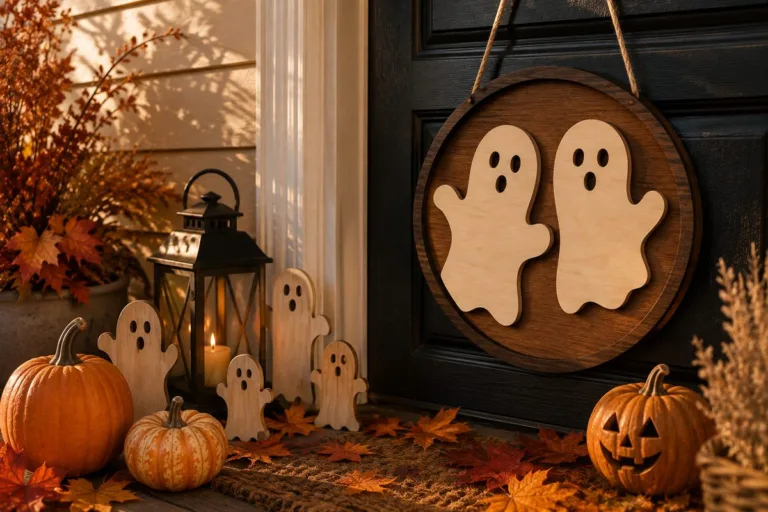
Choose laser cut animals by the construction you want to handle or display. Fall Woodland Animal Shelf Sitters describes four animals with a freestanding base and dangling boots. Then inspect the particular puzzle or layered drawing’s pieces before choosing its sheet, assembly method or intended recipient.
Want to compare every design side by side? Jump to the comparison table with the files and the first thing to check for each one.
Laser cut animals: for animal puzzles at the table
The choices below concern animal puzzles at the table, with their own material and construction requirements. First, compare the selected drawings with an animal decoration with identifiable pieces. Then use the particular laser cut animals maker’s numbers, because another file’s description cannot supply the missing dimensions for the object you have chosen.
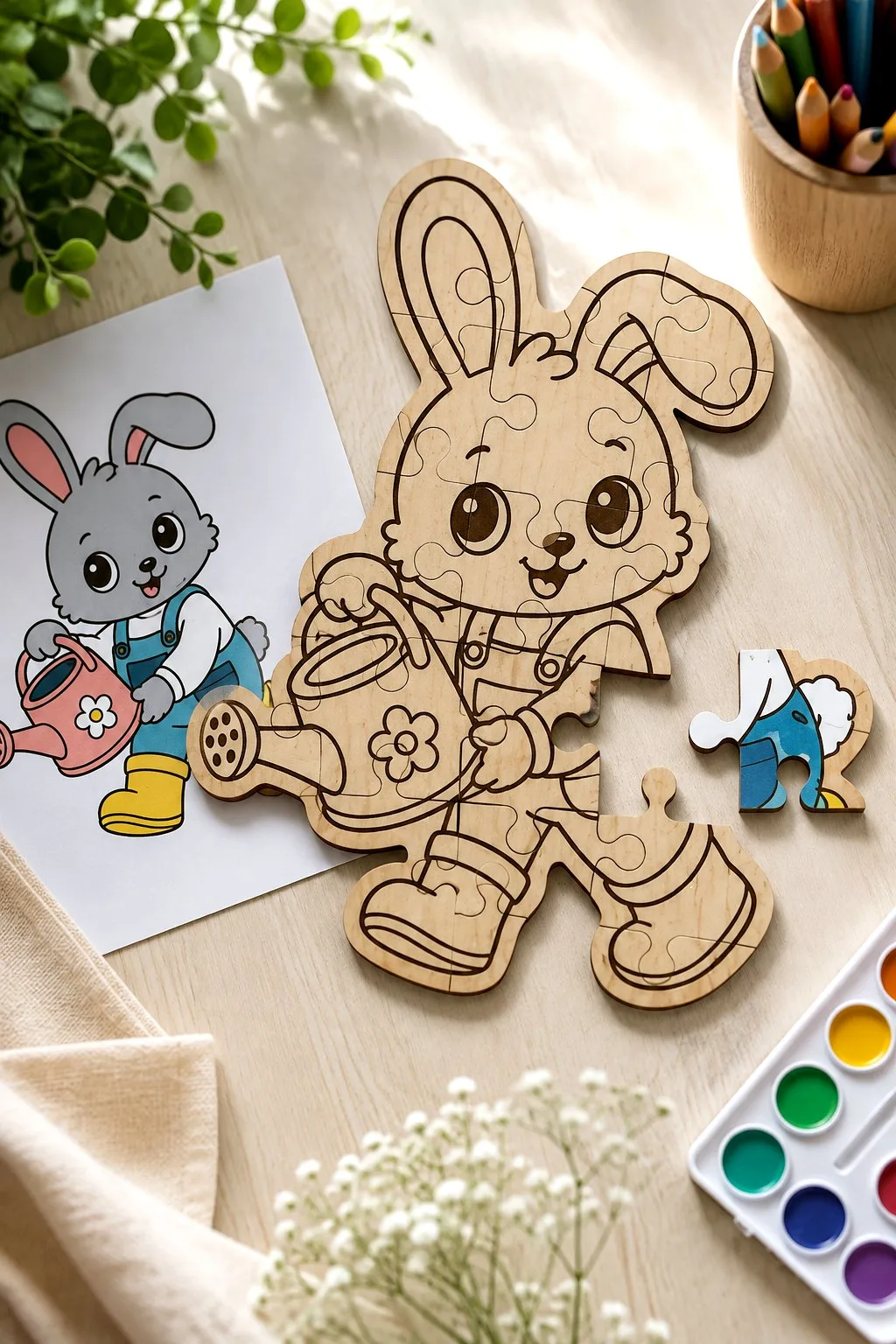
Kids Animal Puzzle Laser Cut Bundle
For an animal decoration with identifiable pieces, the maker of Kids Animal Puzzle Laser Cut Bundle describes a plywood animal puzzle described as a coloring and learning activity; red cuts and black engraves; the supplied formats are SVG, EPS, PNG, PDF, DXF. For the selected animal, confirm sheet thickness, finished dimensions and an age-specific suitability assessment rather than borrowing details from another animal file.
First, choose one animal and identify the pieces that lift from its board. Then resolve the plywood thickness, because the red and black operation guide does not give the dimensions of those loose parts.
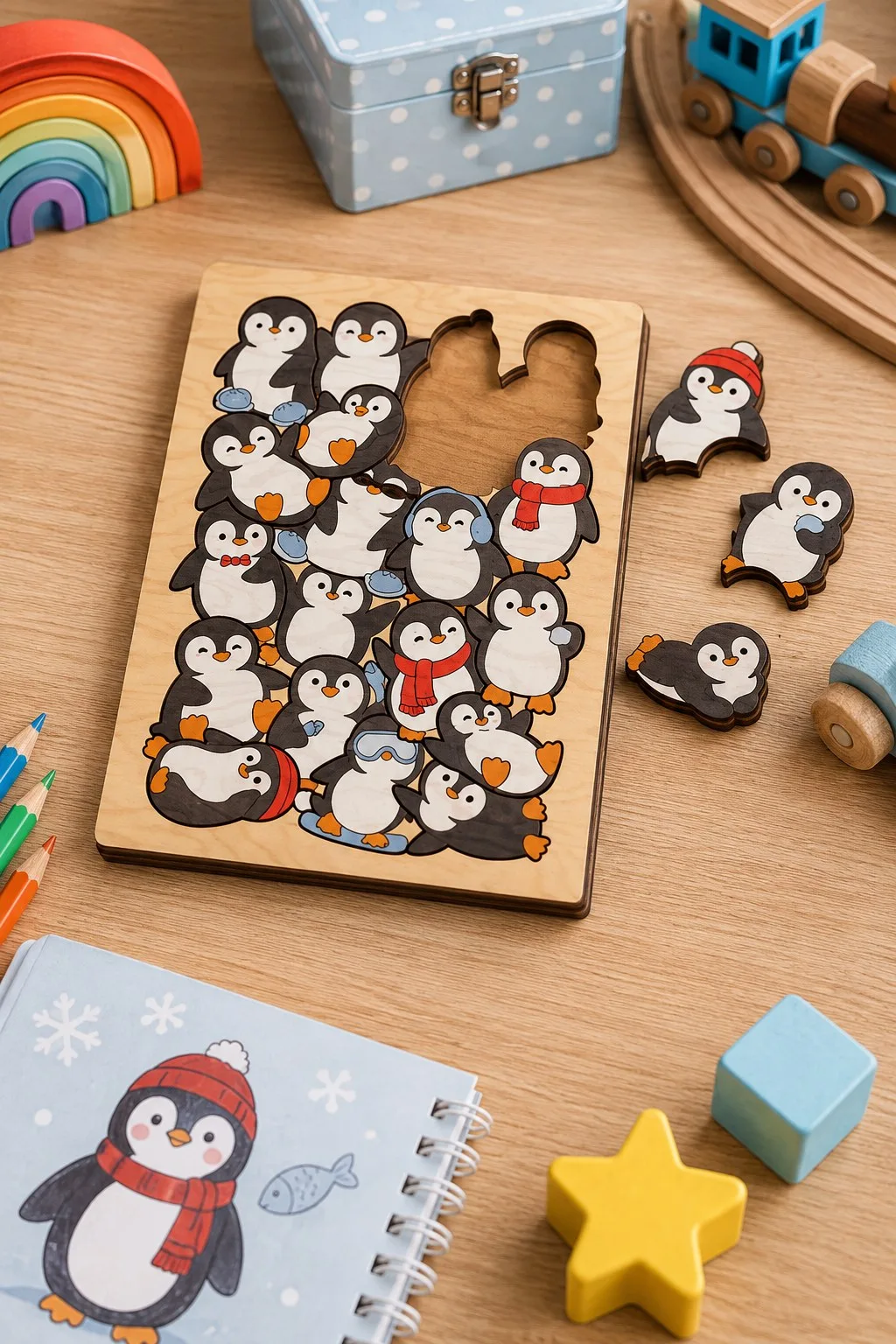
Penguin Crowd Puzzle From a Six-Design Bundle
Penguin Crowd Puzzle From a Six-Design Bundle is one choice to inspect for an animal decoration with identifiable pieces: the maker lists a 3D animal-puzzle file; the cover says it suits any material thickness; the photos are for inspiration, supplied in SVG, DXF, EPS, PDF, JPEG, PNG. For the selected animal, confirm finished dimensions, a layer count and specific joint measurements rather than borrowing details from another animal file.
For a 3D animal, identify the first connecting parts in the actual drawing. Also confirm the intended construction before choosing a sheet, so the cover’s thickness wording does not replace a joint check.
8 Kids Puzzles Laser Cut Template
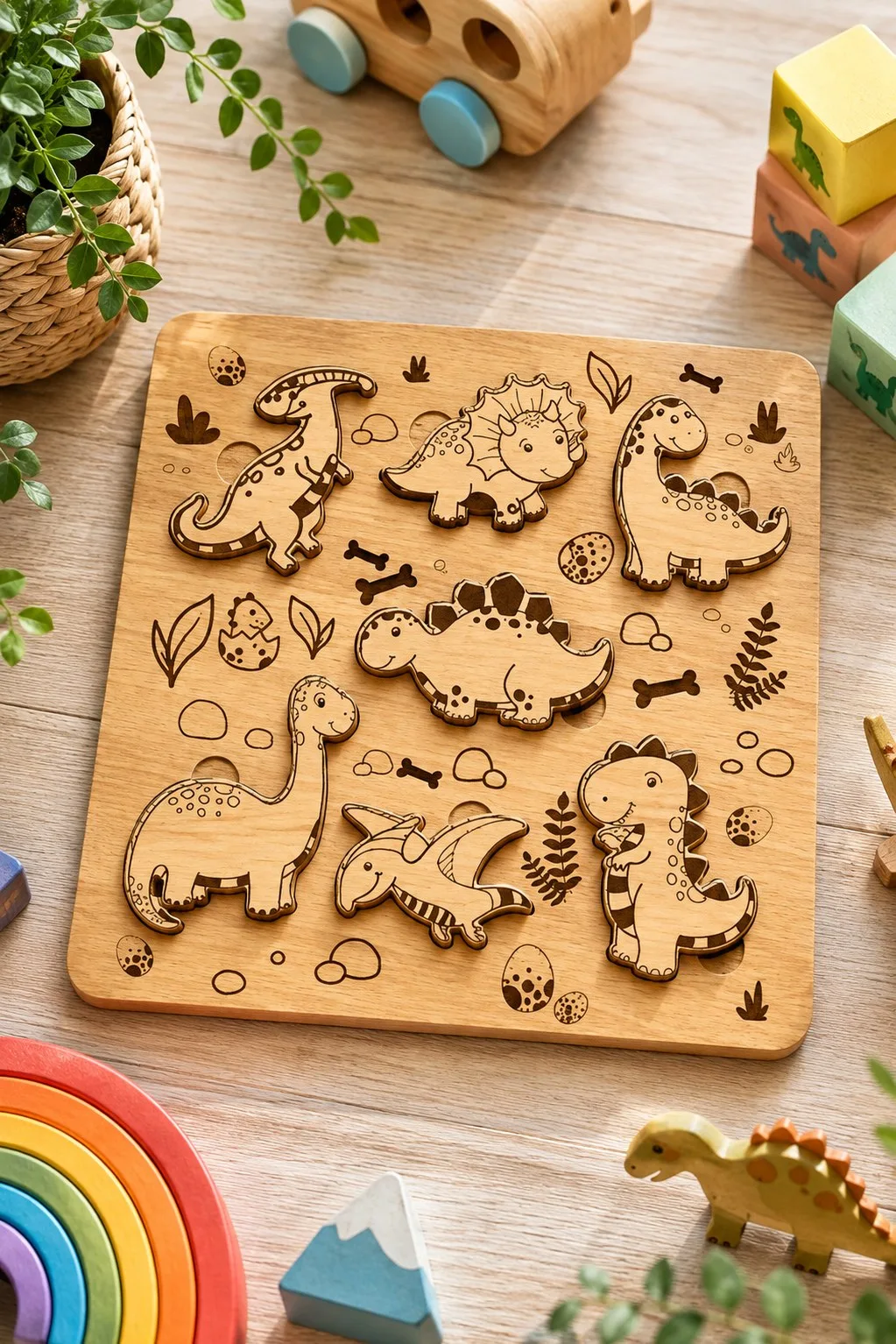
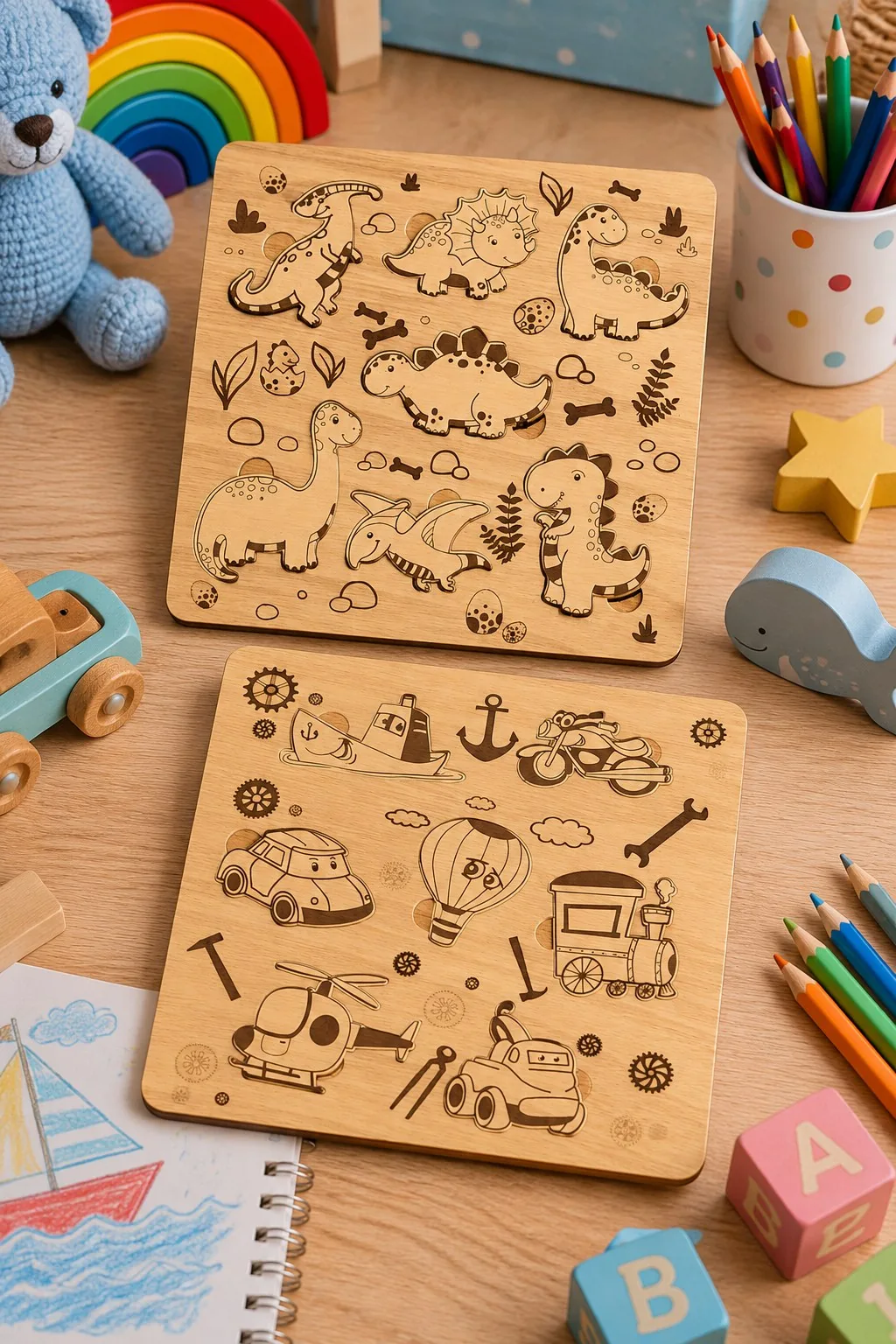
When comparing an animal decoration with identifiable pieces, 8 Kids Puzzles Laser Cut Template provides a 12 × 12 inch two-layer puzzle board; 3–6 mm material; layers are glued and the maker asks for painting before gluing; reducing size requires care around thin parts, with AI, SVG, DXF, DWG, CDR, EPS, PDF files. For the selected animal, confirm an age-specific assessment and the dimensions of each loose piece rather than borrowing details from another animal file.
Next, place the 12-inch board footprint on the activity table. Keep the two layers separate during the painting plan, then inspect the smallest elements before reducing the design.
Safari Animal Puzzle Board for Toddlers
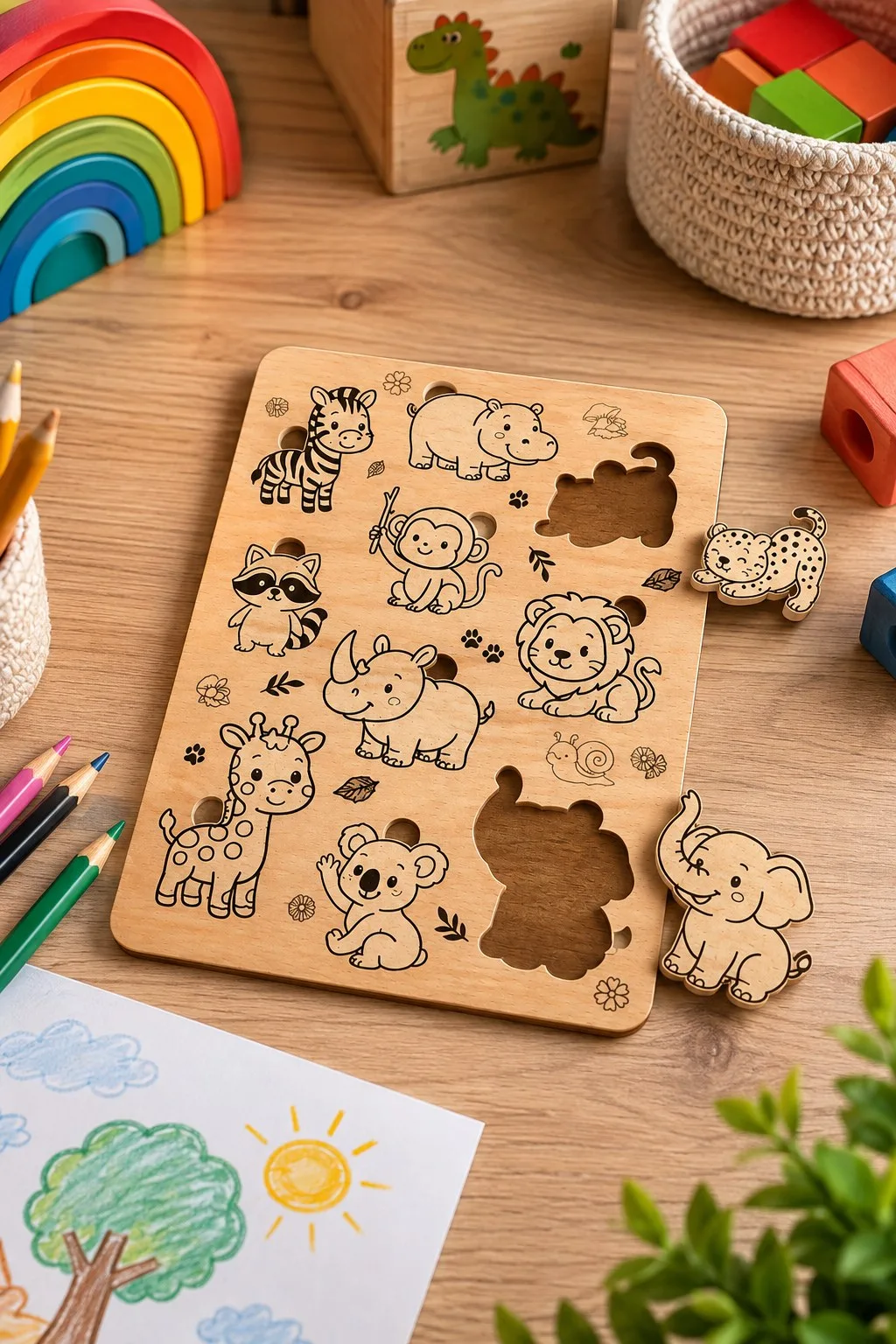
For an animal decoration with identifiable pieces, the maker of Safari Animal Puzzle Board for Toddlers describes a safari puzzle file with a general description of cutting and software compatibility; the supplied formats are SVG, DXF, EPS, PDF, DWG. Also, for the selected animal, confirm finished dimensions, thickness and a layer count rather than borrowing details from another animal file.
For a safari puzzle, count the loose pieces in the selected file. Then ask for the missing thickness and layer information, because the generic compatibility statement does not identify the board’s construction.
Dinosaur Puzzle Board for Toddlers Template
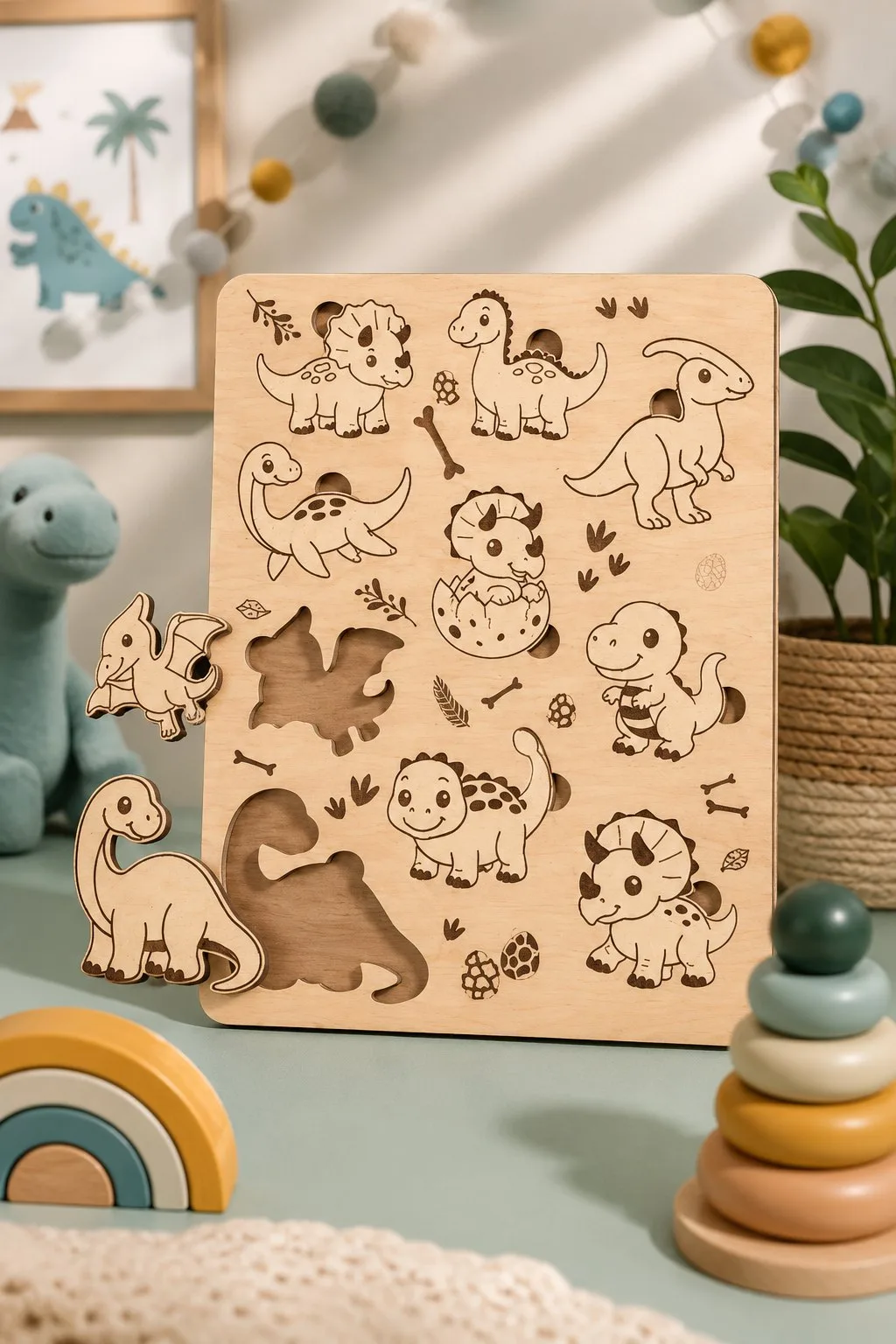
Dinosaur Puzzle Board for Toddlers Template is one choice to inspect for an animal decoration with identifiable pieces: the maker lists a dinosaur-puzzle file with a general statement of cutting-machine compatibility, supplied in SVG, DXF, EPS, PDF, DWG. For the selected animal, confirm material thickness, dimensions and a figure count rather than borrowing details from another animal file.
First, inspect the dinosaur outline and every removable figure. Then confirm the dimensions and intended material with the maker rather than transferring the specifications from another puzzle in this comparison.
Laser cut animals: for layered animals on a wall or shelf
The choices below concern layered animals on a wall or shelf, with their own material and construction requirements. First, compare the selected drawings with an animal decoration with identifiable pieces. Then use the particular laser cut animals maker’s numbers, because another file’s description cannot supply the missing dimensions for the object you have chosen.
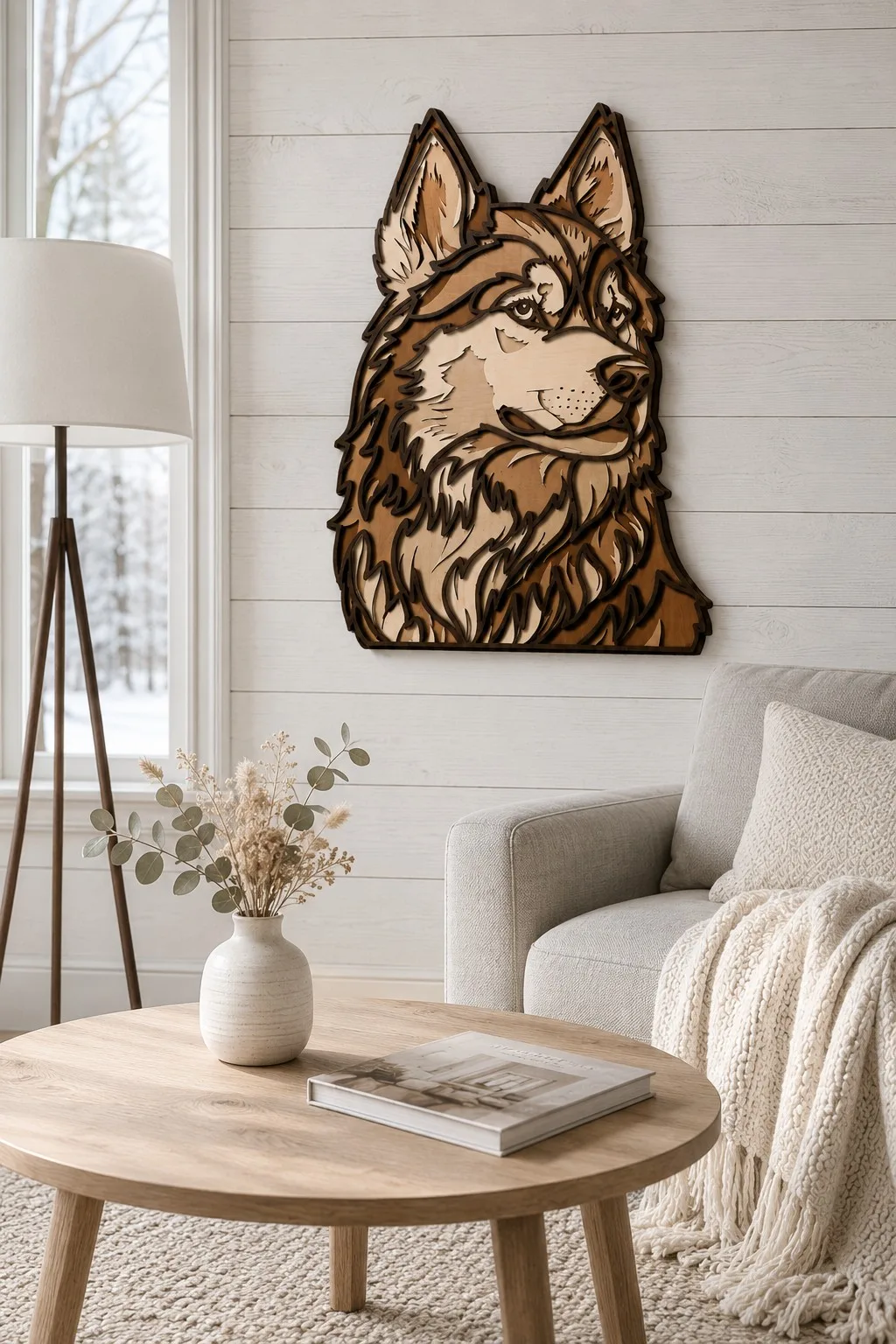
3D Layered Husky Dog Laser Cut File
When comparing an animal decoration with identifiable pieces, 3D Layered Husky Dog Laser Cut File provides a layered husky or wolf mandala; Glowforge is named and basic software skills are required, with SVG, AI, DWG, EPS, DXF, PDF files. For the selected animal, confirm finished dimensions, thickness and a layer count rather than borrowing details from another animal file.
For a wall animal, select the husky or wolf reading you prefer and inspect its actual layers. Also compare the whole footprint with your wall, so a software-ready mandala does not become an assumed hanging specification.
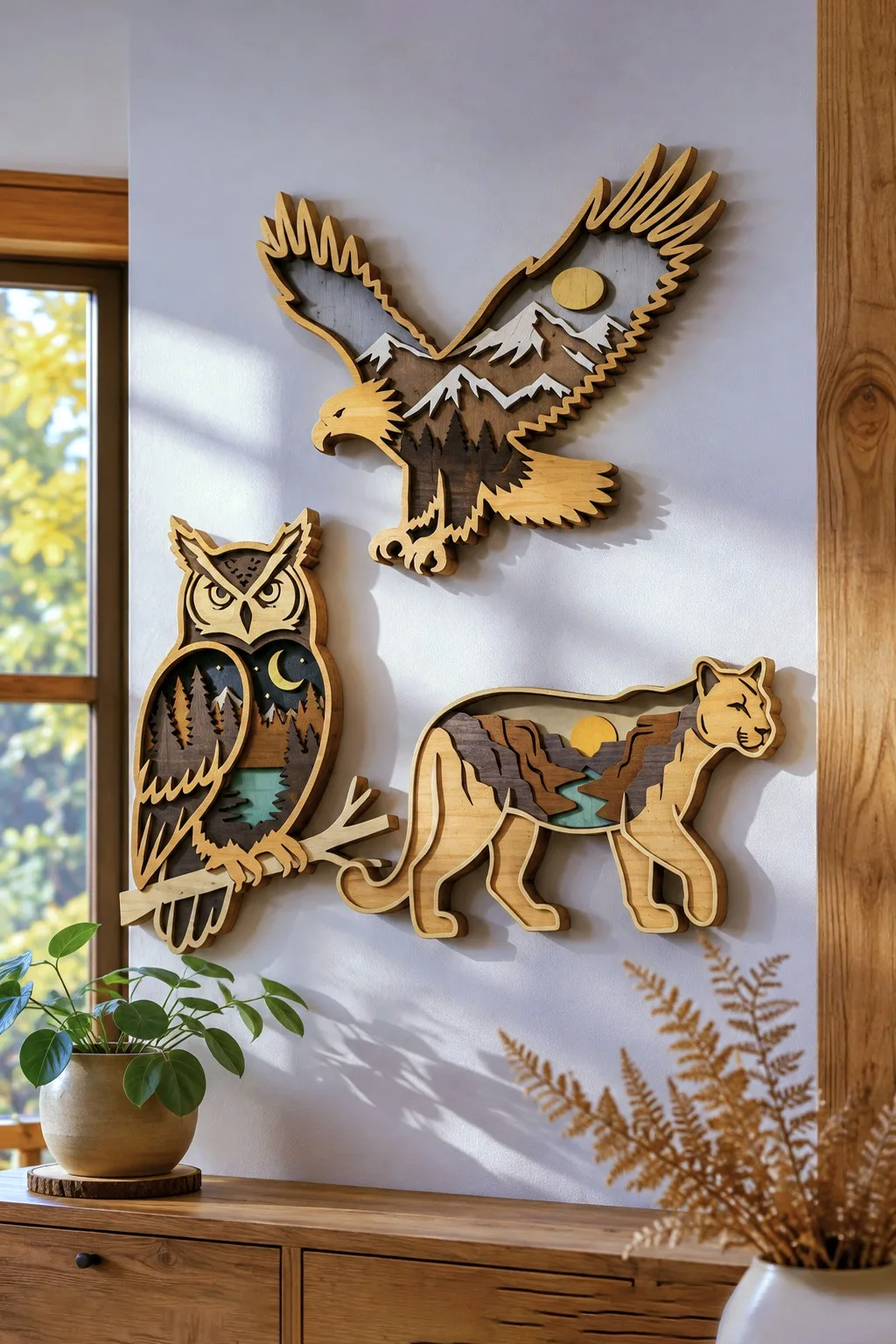
Wildlife Layered Animal Bundle
For an animal decoration with identifiable pieces, the maker of Wildlife Layered Animal Bundle describes five layered animals with mountain and forest scenes; Glowforge, xTool, LightBurn, OMTech, Thunder Laser and CNC are named; the supplied formats are formats not given in the description. For the selected animal, confirm formats, sheet thickness and finished dimensions rather than borrowing details from another animal file.
Next, choose one landscape animal and ask for its file formats before planning the import. Compare the layered drawing with the intended wall position, then resolve the thickness that the description leaves open.
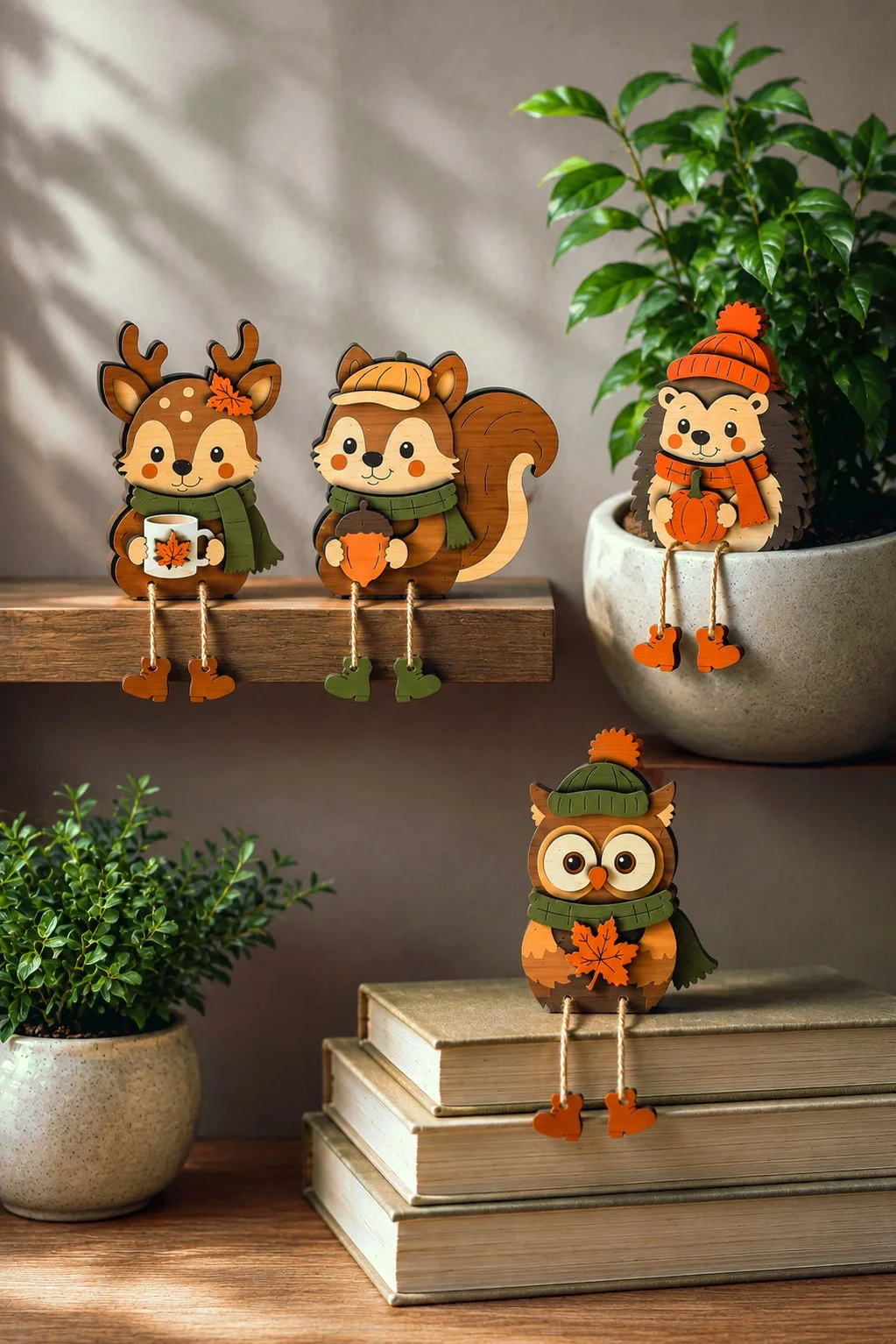
Fall Woodland Animal Shelf Sitters
Fall Woodland Animal Shelf Sitters is one choice to inspect for an animal decoration with identifiable pieces: the maker lists four woodland animals: deer, squirrel, hedgehog and owl; dangling decorative boots and a freestanding base; wood, MDF or acrylic, supplied in SVG, DXF, EPS, AI, PDF, DWG. For the selected animal, confirm material thickness and finished dimensions rather than borrowing details from another animal file.
For the woodland shelf figures, rehearse the base and hanging boots in a paper arrangement. Then compare the deer or owl with the real ledge, because the themed clothing gives no finished height.
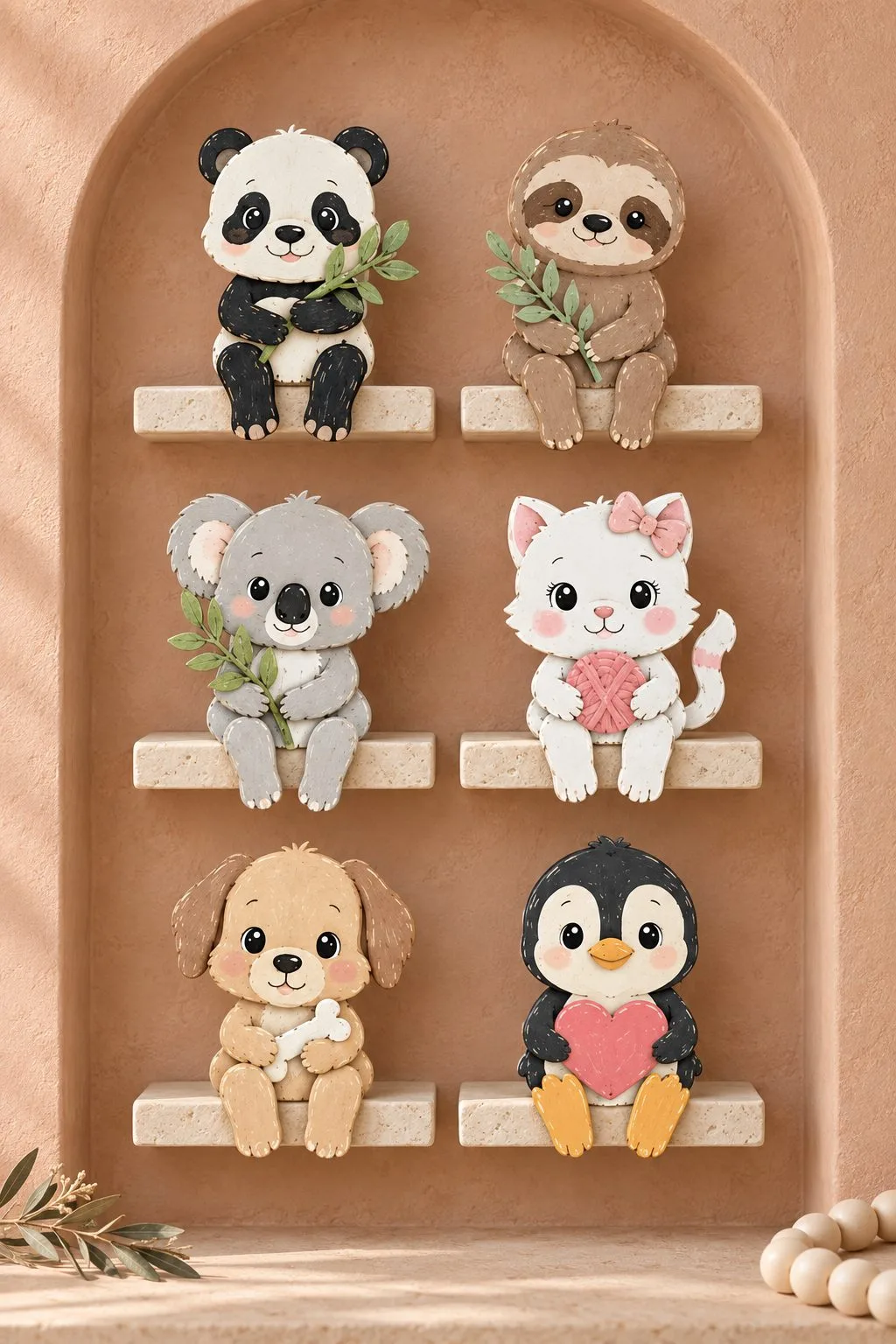
Layered Animal Shelf Sitter Bundle
Twelve baby animals sit on the edge of a shelf with their legs hanging down. The set holds a giraffe, an elephant, a raccoon, a hedgehog, a panda, a sloth, a koala, a pig, a dinosaur, a kitten, a puppy and a penguin, and each one holds a small flower, leaf, heart or star.
The maker lists 12 designs in layers for wood, plywood, MDF or acrylic, with SVG, AI, EPS, PDF, DXF and DWG files. Thickness is not stated, so test one animal first. Then check how the legs hang over your own shelf edge.
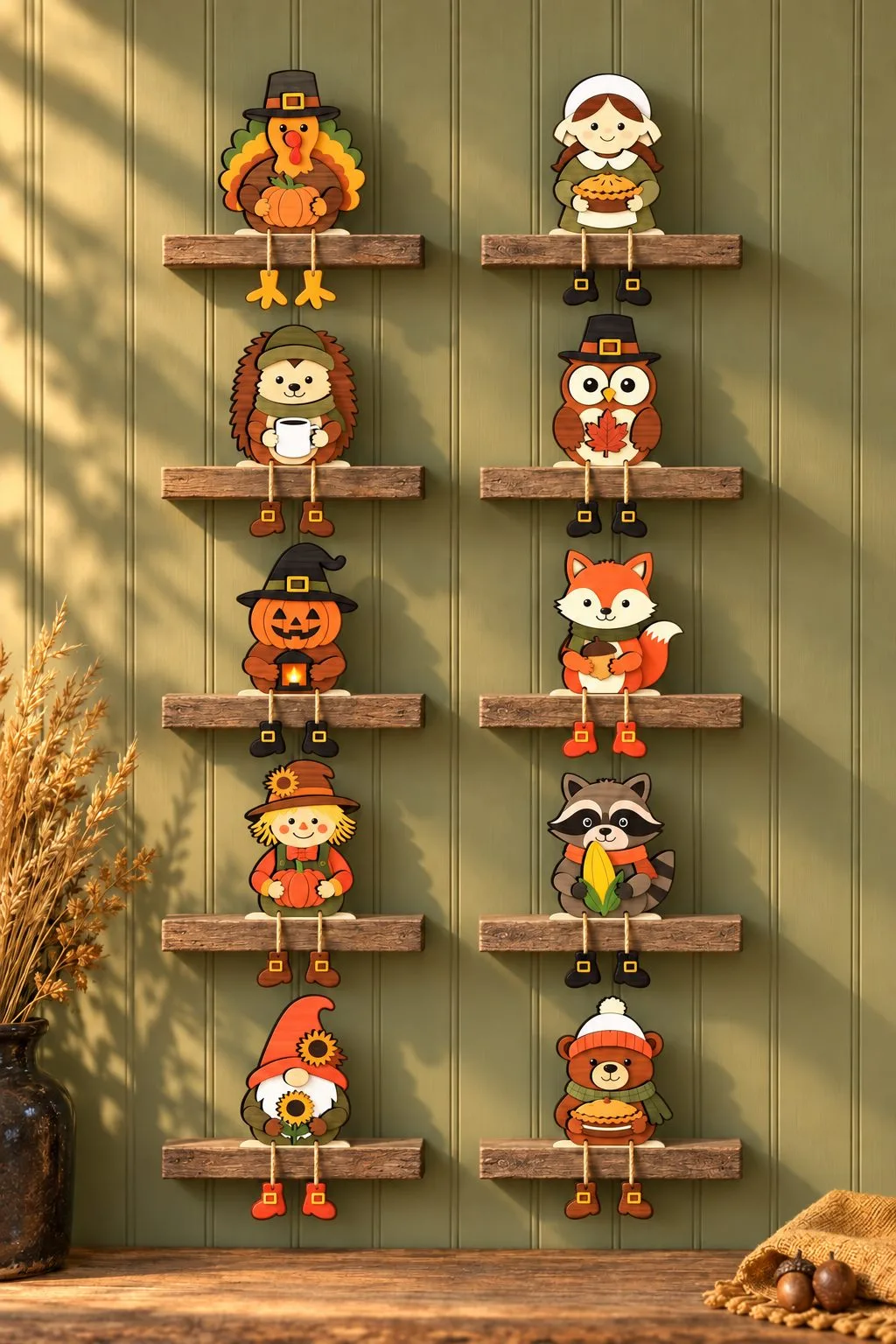
Thanksgiving Shelf Sitter Bundle
Ten autumn characters with dangling legs and stands, so they can sit on a shelf or stand on a table. The animals are a hedgehog with a coffee cup, a pilgrim owl with a leaf, a fox, a raccoon and a bear, next to a turkey, a pilgrim girl, a scarecrow, a gnome and a pumpkin with a lantern.
The maker lists 10 designs with separate layers, and says they are easy for beginners. The files are SVG, DXF, AI, EPS, PDF and DWG, and thickness is not stated. Also, plan the stand and the legs together, because they decide how the figure sits.
Autumn Swing Shelf Sitter Bundle
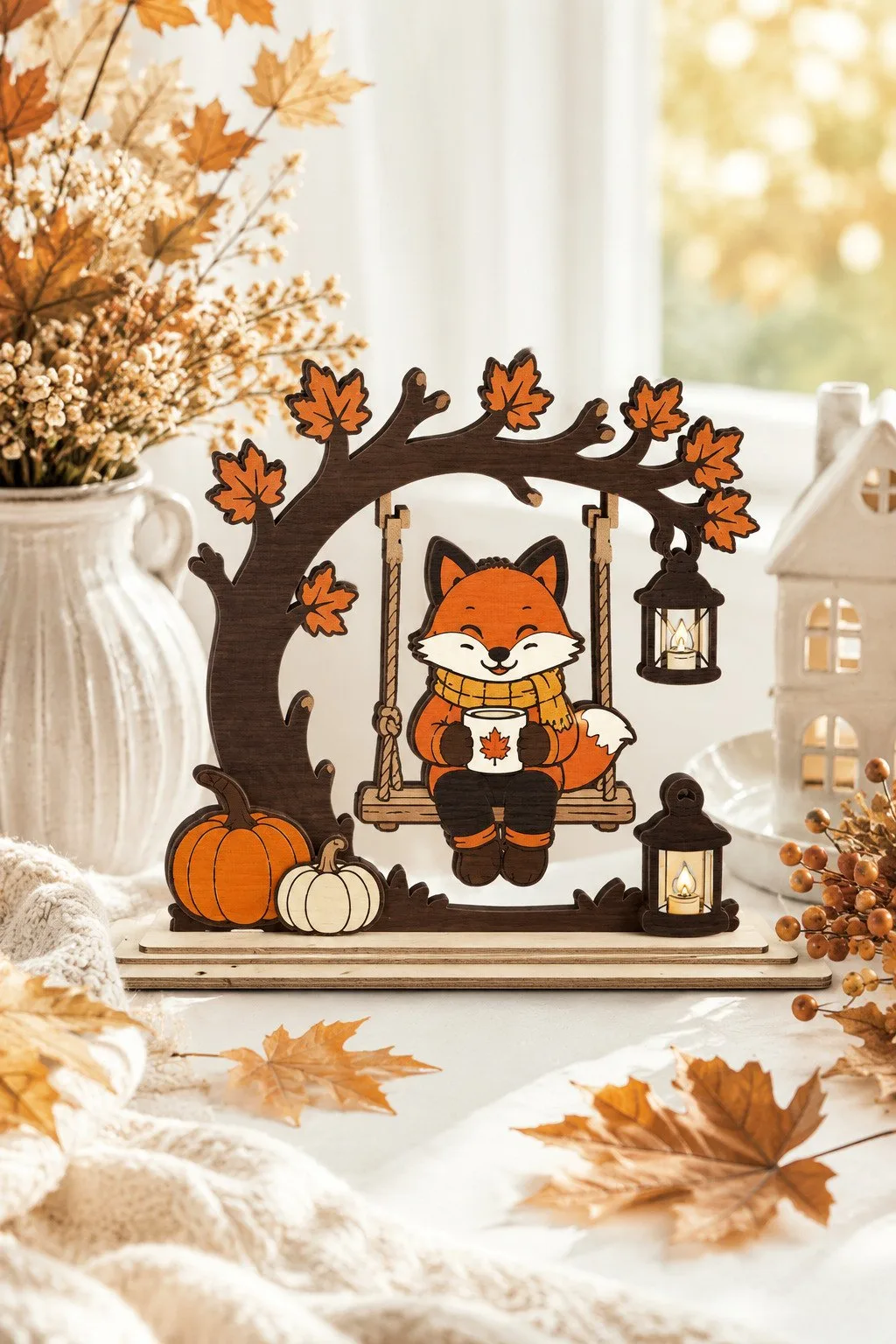
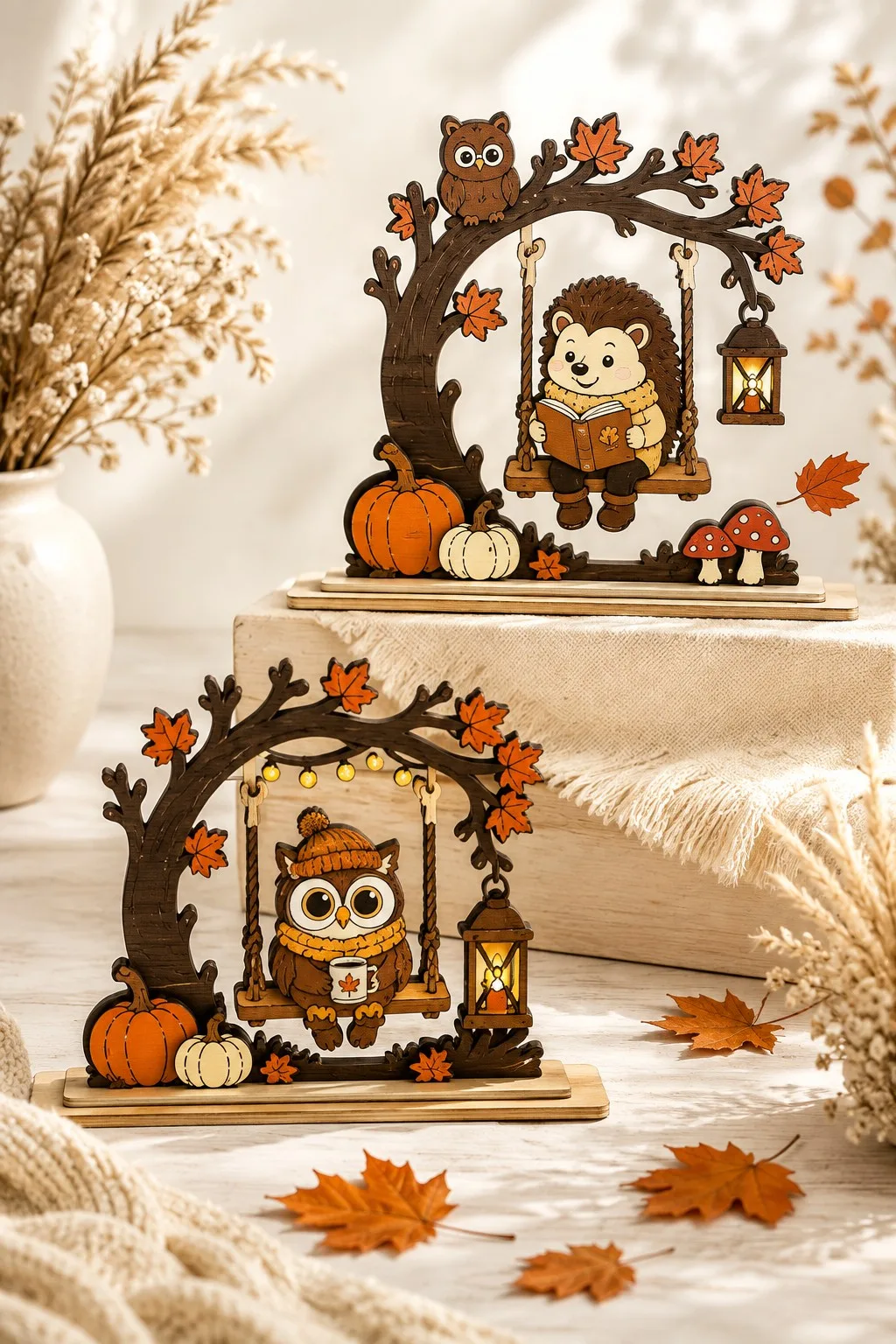
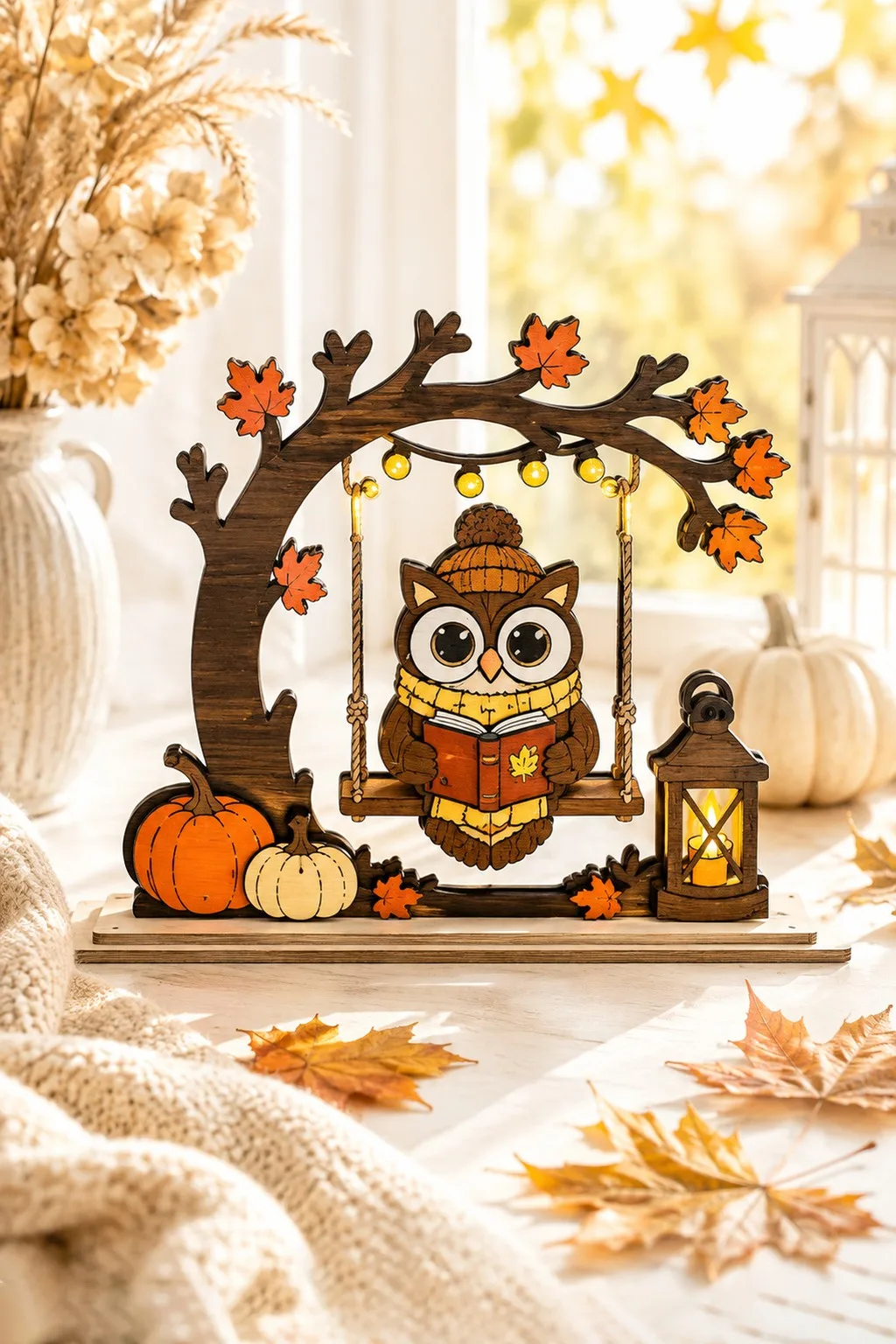
Six layered figures sit on swings under an autumn tree: a scarecrow, a bear, a fox, a hedgehog with a book, an owl and a raccoon. Around them you see pumpkins, lanterns, leaves, mushrooms, birds and acorns. The stand is built in, so each scene stands on its own.
The maker lists SVG, DXF, AI, EPS, PDF and DWG files, with separate layers that a beginner can follow. Thickness and size are not stated. So cut the tree and one swing first, because the rope and the seat decide how the animal sits.
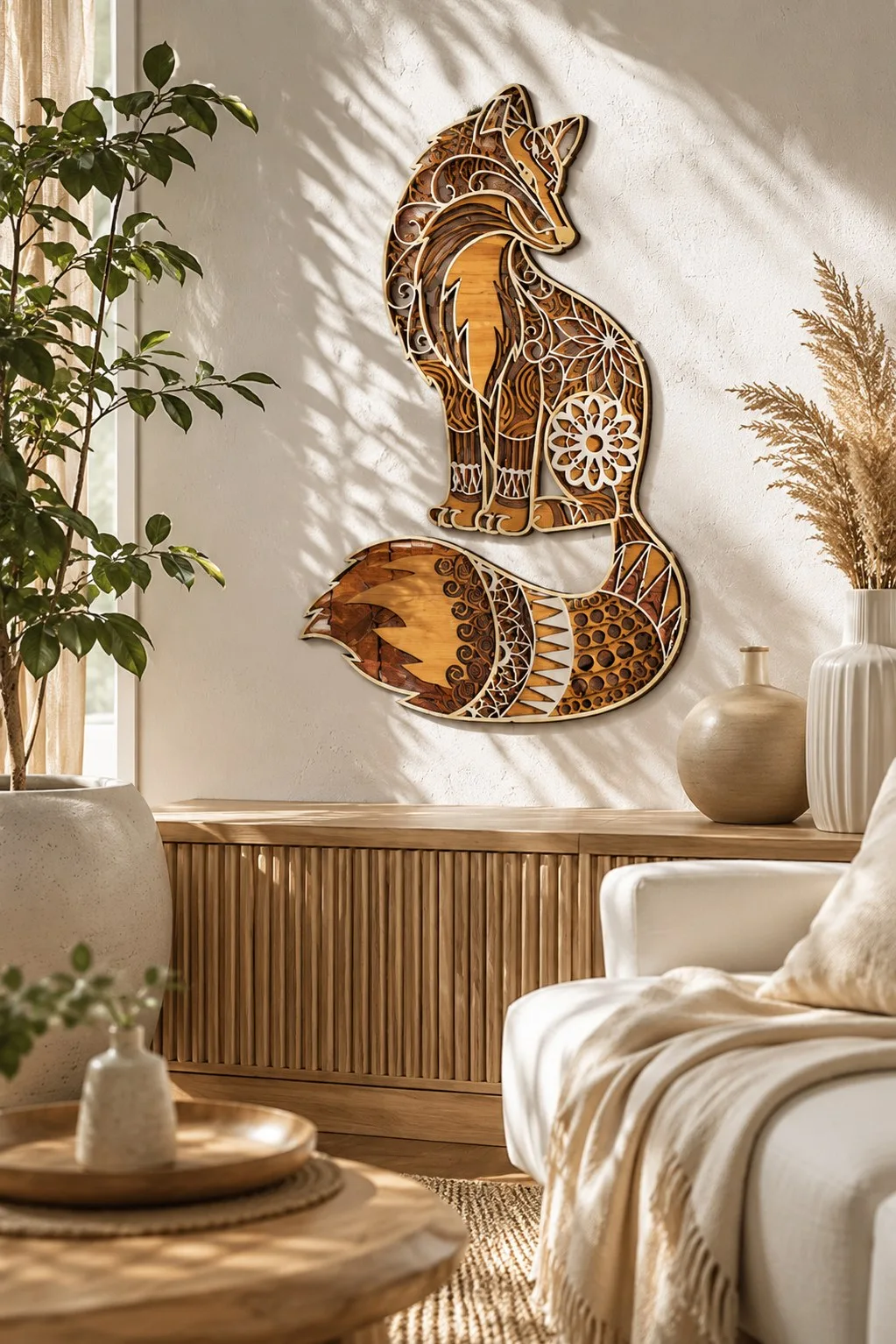
Layered Fox Mandala Wall Art
A wall panel with a fox built from stacked wood layers. The layers stack so the tail reads separately from the body, and the shadow between them shifts as the sun crosses the room. The mandala pattern puts the fine detail in the file, not in your hands.
The maker gives five layers and a finished size of about 12.8 × 20 inches, for 3–6 mm wood, with AI, SVG, DXF, DWG, CDR, EPS and PDF files. Hang it straight on the wall or set it in a timber frame. You can scale it up; if you scale it down, watch the thin parts, and cut the tail layer first as a test.
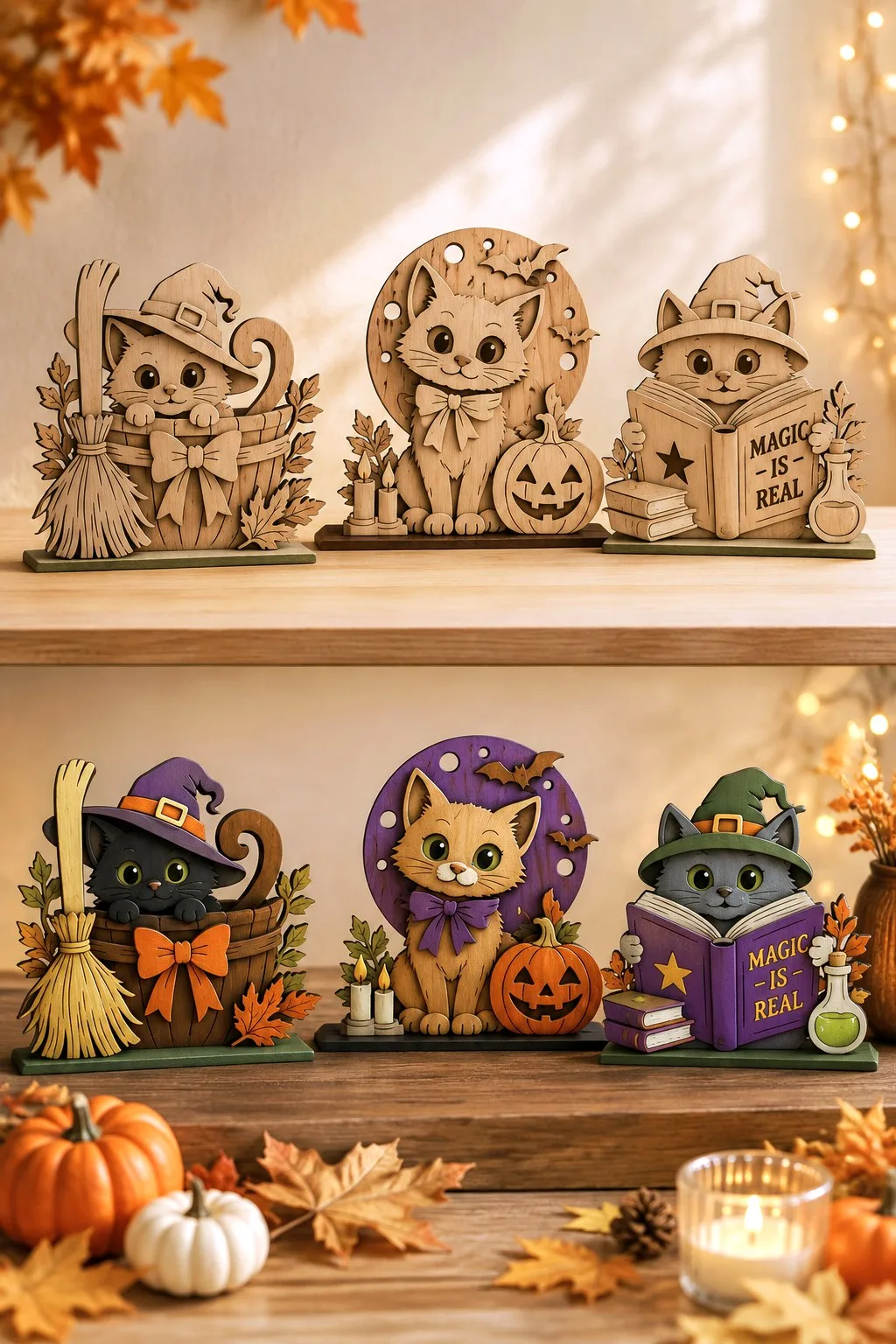
Witch Cat Shelf Figures
Three cats for a shelf: one settles into a basket by a broom, one guards a jack-o-lantern and one reads a spell book. Each figure stands on its own base, so you need no stand.
They work bare or painted. Plain plywood suits a neutral room, while paint turns the same cuts into bright shelf toys. Also, the cats are cute rather than scary.
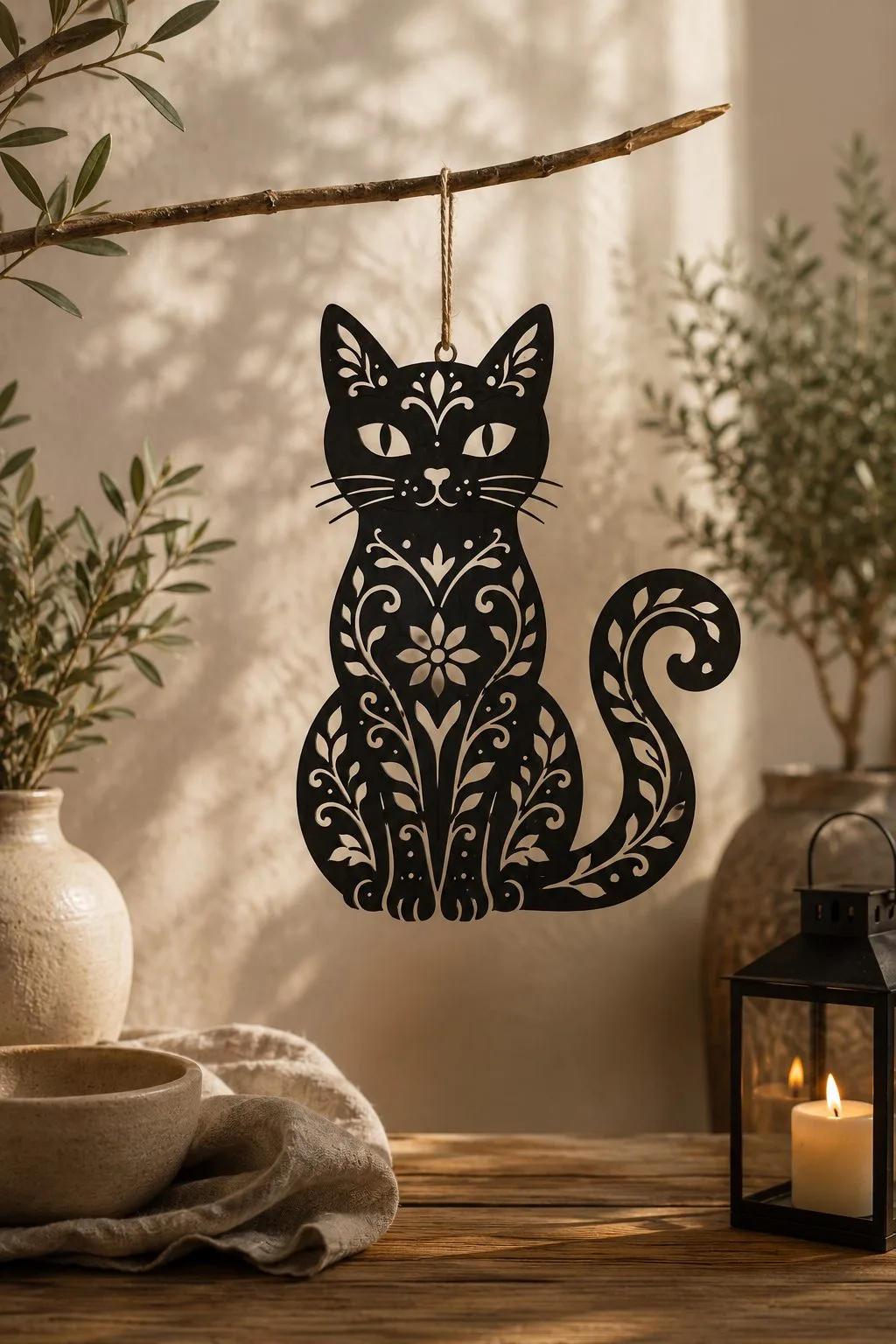
Floral Cat Ornament
A sitting cat with a lace-like pattern of vines, leaves and a flower cut through the body, so whatever stands behind shows through the openings. A hole between the ears takes a cord.
Hang it from a branch, a hook or a window latch. The maker made it for Halloween as an ornament or a small wall piece; red lines are cuts, and the files come as SVG, DXF, EPS, PDF and PNG.
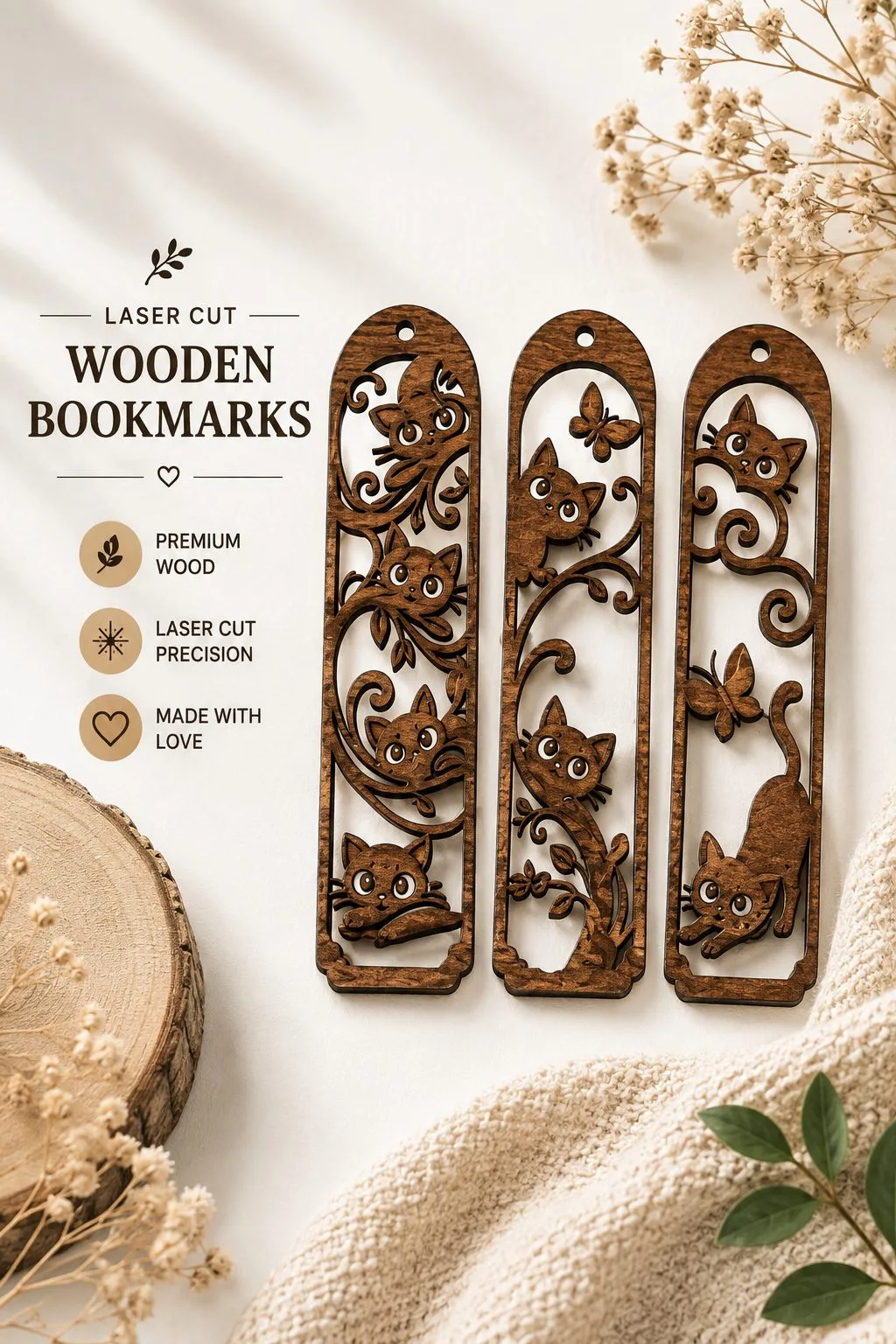
Wooden Cat Bookmarks
Three tall bookmarks, each with cats climbing through curling vines. One cat peers over the top, one hangs off a branch and one stretches along the bottom edge. A butterfly appears on two of them.
They are small, flat and quick to cut, so they suit several gifts at once. The maker lists faux leather, wood, canvas, paper and fabric as materials. Then give one to each friend in a book club.
For more cats, see our guide to cat decor ideas and the cat designs for Halloween and year-round.
Laser cut animals: for an ornament or hanging charm
The choices below concern an ornament or hanging charm, with their own material and construction requirements. First, compare the selected drawings with an animal decoration with identifiable pieces. Then use the particular laser cut animals maker’s numbers, because another file’s description cannot supply the missing dimensions for the object you have chosen.
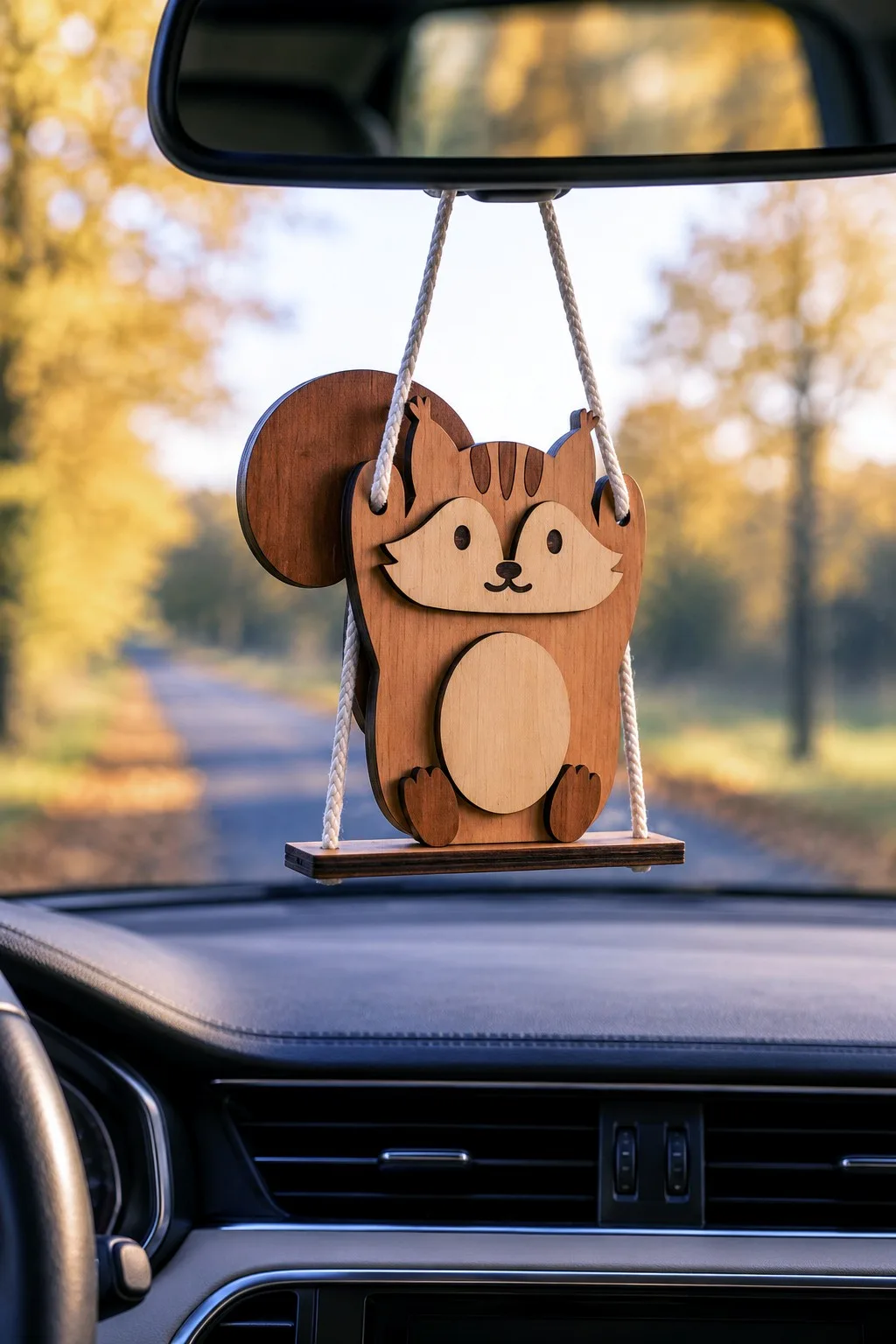
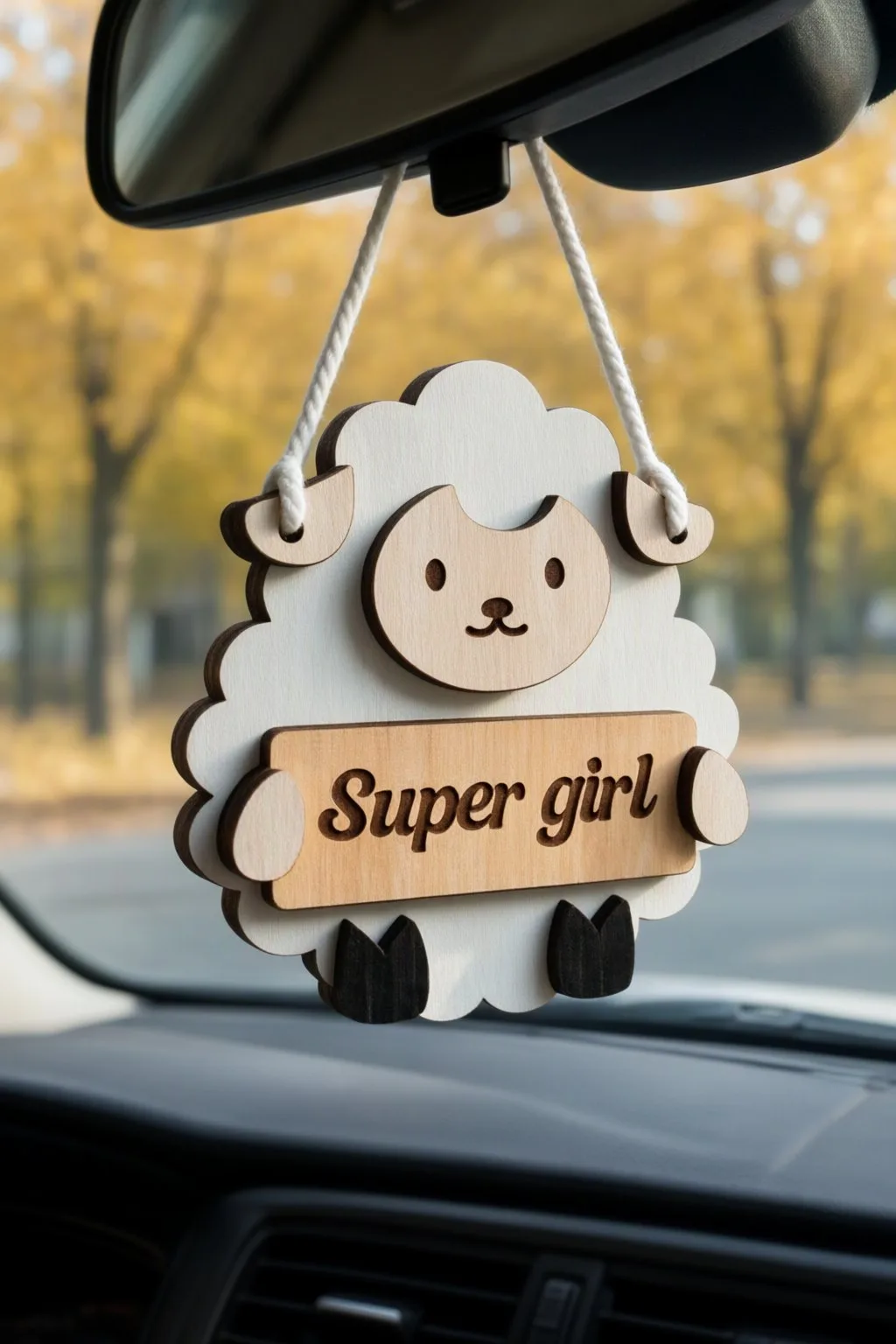
3D Animal Car Charms Bundle Laser Cut
When comparing an animal decoration with identifiable pieces, 3D Animal Car Charms Bundle Laser Cut provides ten animal car-charm designs for 3 mm material, shown here as a squirrel and a sheep with a name plate; the files come in a ZIP archive, with SVG, DXF, EPS, PDF, JPEG, PNG files. For the selected animal, confirm finished dimensions and the material type rather than borrowing details from another animal file.
Next, keep the car charm’s 3 mm drawing with its own connecting pieces. Confirm the hanging arrangement separately, then compare its footprint with the intended display rather than calling it a keychain.
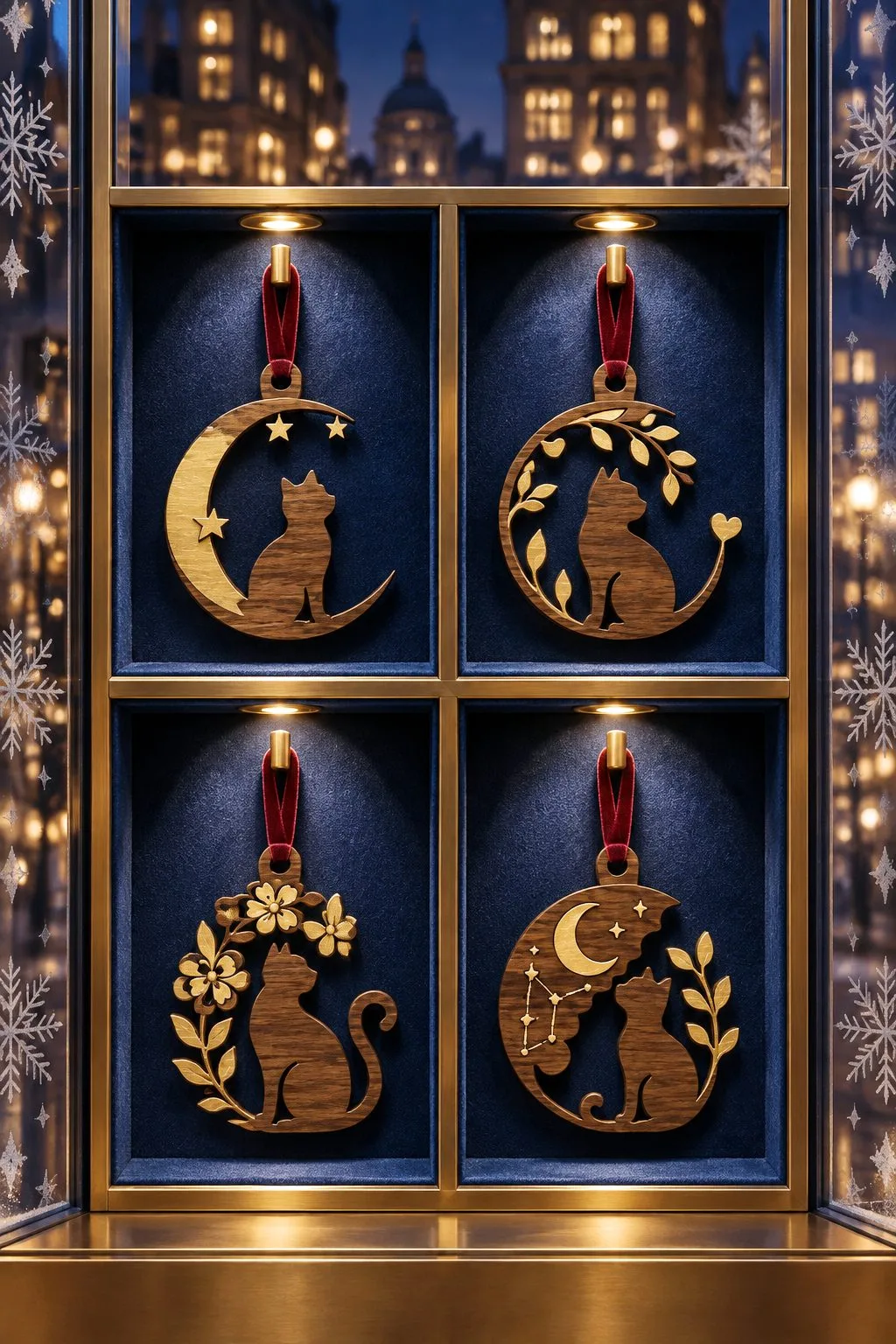
Wooden Cat Ornament Laser Cut Bundle
For an animal decoration with identifiable pieces, the maker of Wooden Cat Ornament Laser Cut Bundle describes eight cat ornament designs; wood, MDF, acrylic, faux leather, leather, paper, card, fabric or canvas; transparent PNG is 300 dpi; the supplied formats are SVG, DXF, EPS, PNG. For the selected animal, confirm sheet thickness and each design’s finished size rather than borrowing details from another animal file.
Finally, select one of the eight cat ornaments and inspect its actual outline. Also compare the intended hanging point with the material you have confirmed, so the broad list of possible crafts does not decide the finished construction.
Laser cut animals: for butterflies, bees and a paw print
Small animals suit a window, a wall or a shelf of photos, and the maker of each one describes the parts.
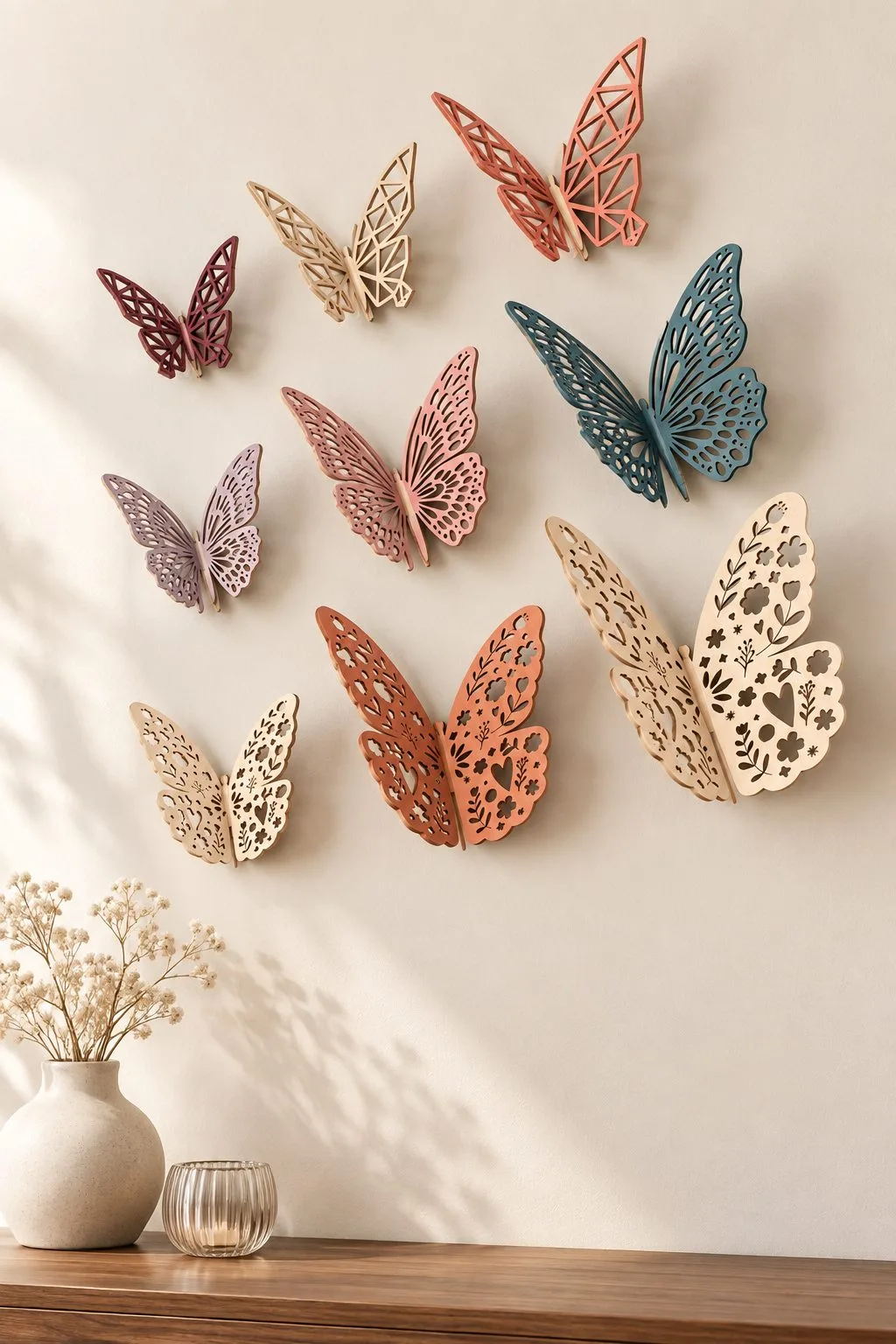
3D Butterflies in Three Sizes
Butterflies that stand up. Also, each one is two halves that slot into each other, in three styles, geometric, floral and classic, and three widths of about 100, 150 and 200 mm. Cut a few sizes and the wings fill a wall or a window.
The maker names 3, 3.2 and 4 mm plywood, acrylic or MDF, with AI, EPS, DXF and SVG files. Because the halves slot together, cut one pair first and see whether the slot fits your sheet.
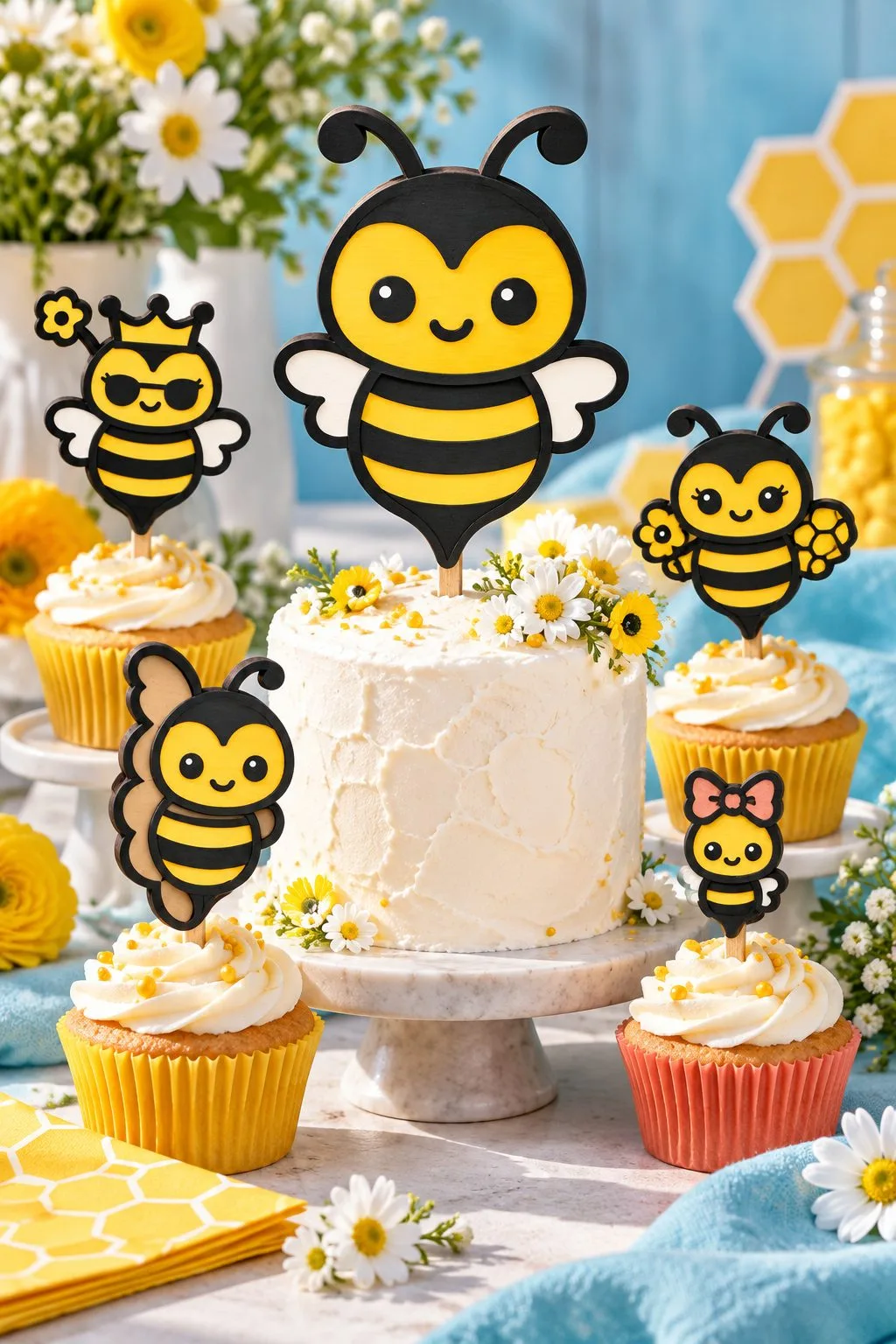
Eight Layered Bees
Eight bees, each with its own character: a classic one, a queen, one with a flower, one in glasses, one in profile, a baby, one with a bow and a round one with little legs. Besides, the layers are neat, and solid backs make them easy to glue.
Every design comes as SVG, PNG at 300 dpi, DXF, AI, EPS and PDF. Wood, acrylic, cardboard, foam board and MDF are listed, and thickness is not stated, so match the glue and layer count to your sheet.
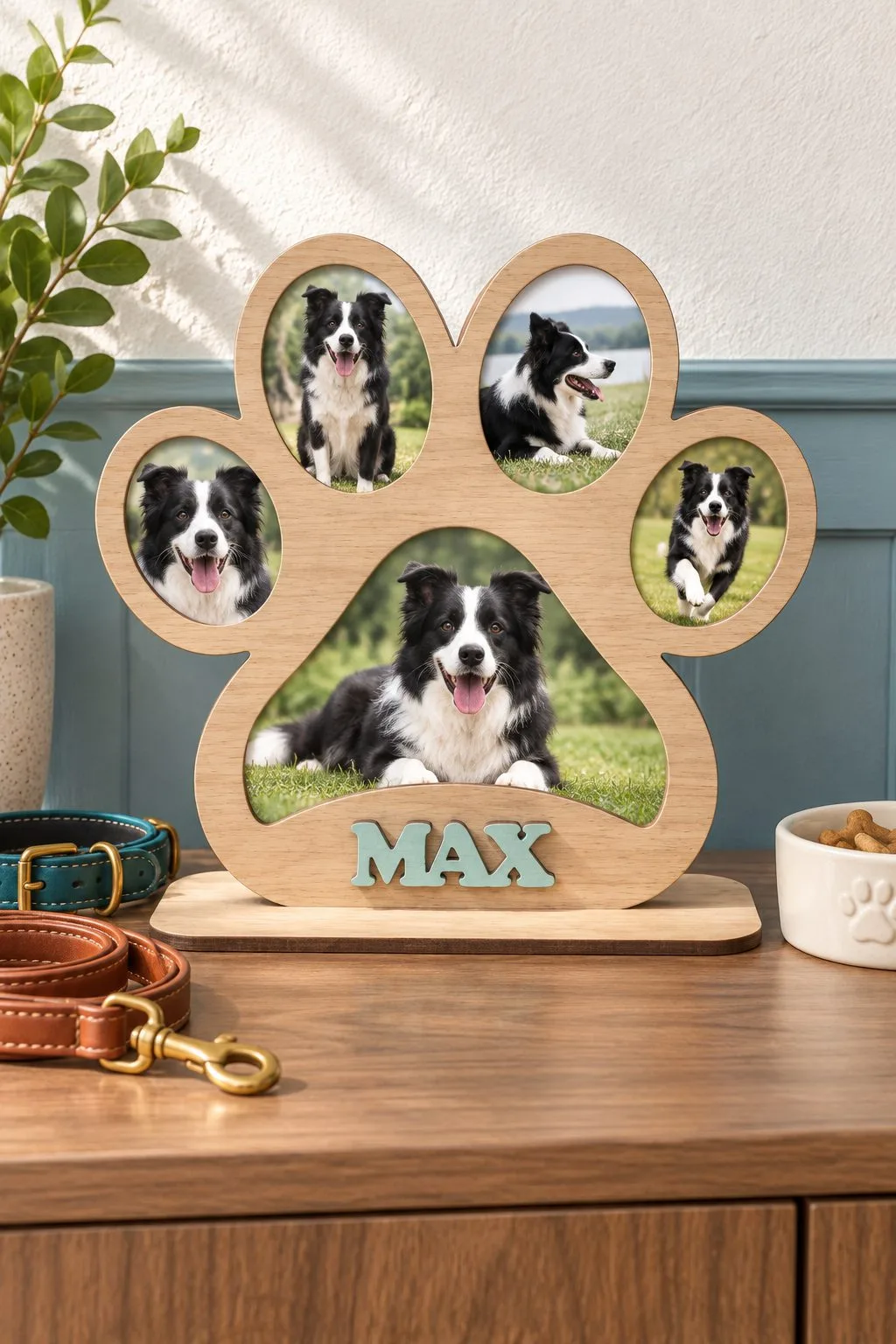
Dog Paw Photo Frame on a Base
A frame for the dog in the family. Two layers give it depth: the front, shaped like a paw print with cut-outs, slides into a stable base, and the layers are glued along the edge. In addition, it stands on a shelf instead of hanging.
The files are AI, PDF, EPS, DXF and SVG for 3, 3.2 or 4 mm wood, acrylic or plywood. Check your photo against the opening before you glue, since the layers fix the size.
Laser cut animals: for a large owl, an elephant and a farm duck
Then three bigger animals, to be made as wall art or as a shelf figure, and a giraffe for a nursery.
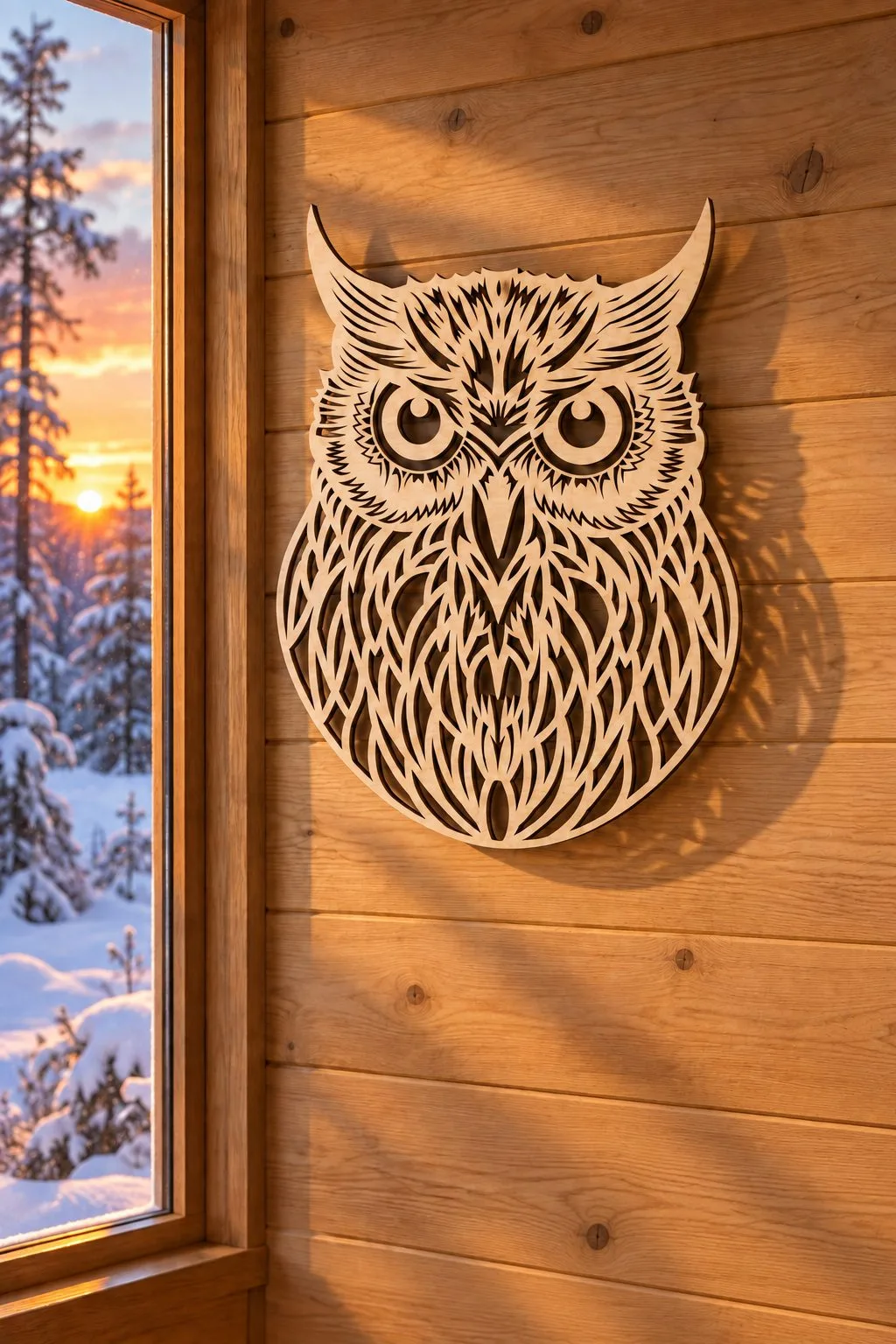
Owl Silhouette Wall Art
A carved owl for a wall, about 30 cm high. However, it reads as a silhouette, so the forest mood comes from the outline rather than from small detail, and the file scales to a larger or smaller bird.
The maker allows any thickness of wood, plywood, MDF or acrylic, with AI, EPS, DXF and SVG files. Then a plain silhouette suits a dark backing board, so test the contrast on a scrap.
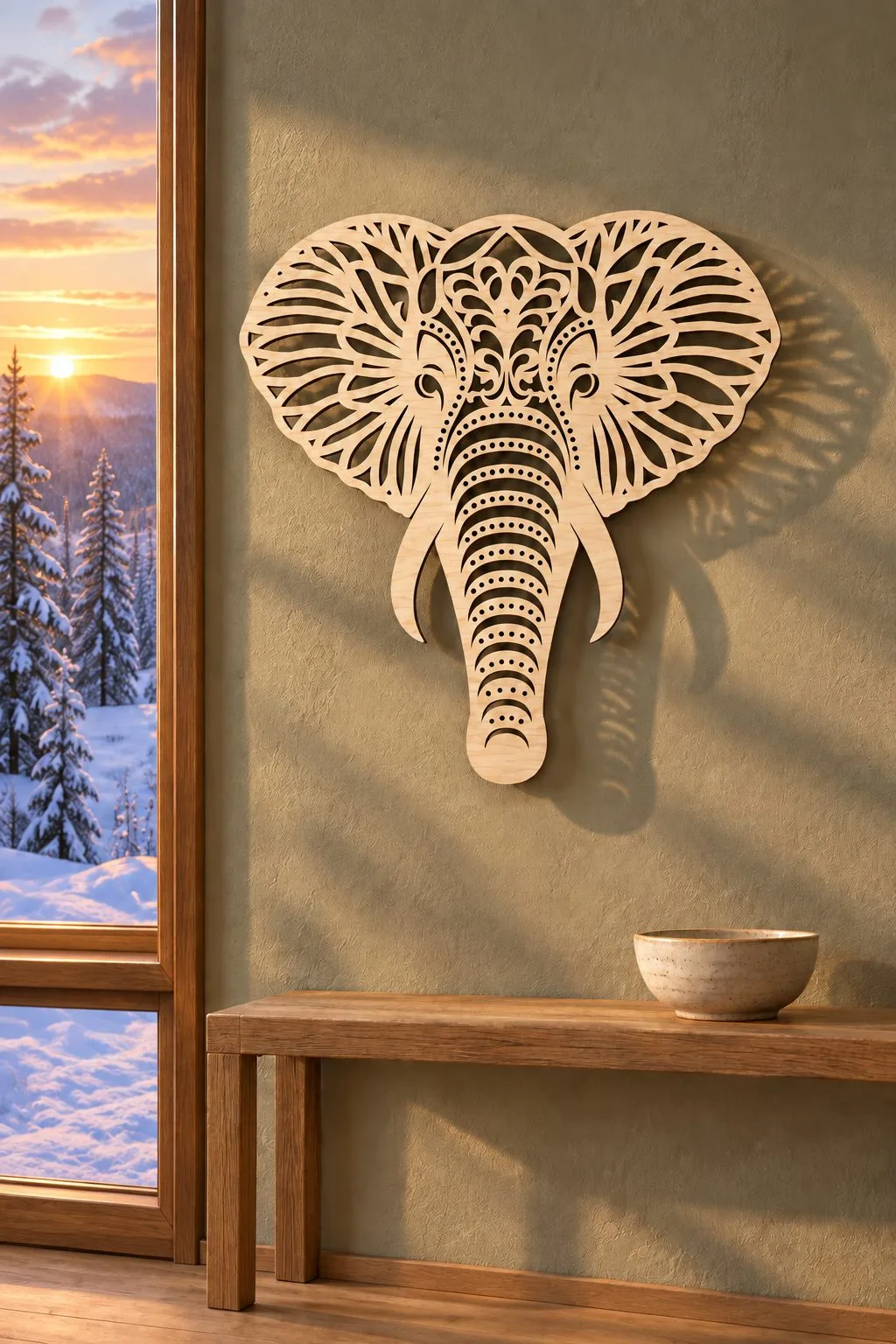
Elephant Mandala Wall Art
An elephant head built inside a geometric mandala, 30 cm across. Next, the maker suggests it for a minimalist room, a nursery or an elephant-themed baby shower, and notes that MDF gives a vintage look, plywood a natural one and acrylic a modern shine.
It is one design, with AI, EPS, PDF, DXF and SVG files that scale, and the maker lists LightBurn, Lasercut, RDWorks, Glowforge, OMTech, xTool and Thunder Laser. Pick the material first, because it sets the whole mood.
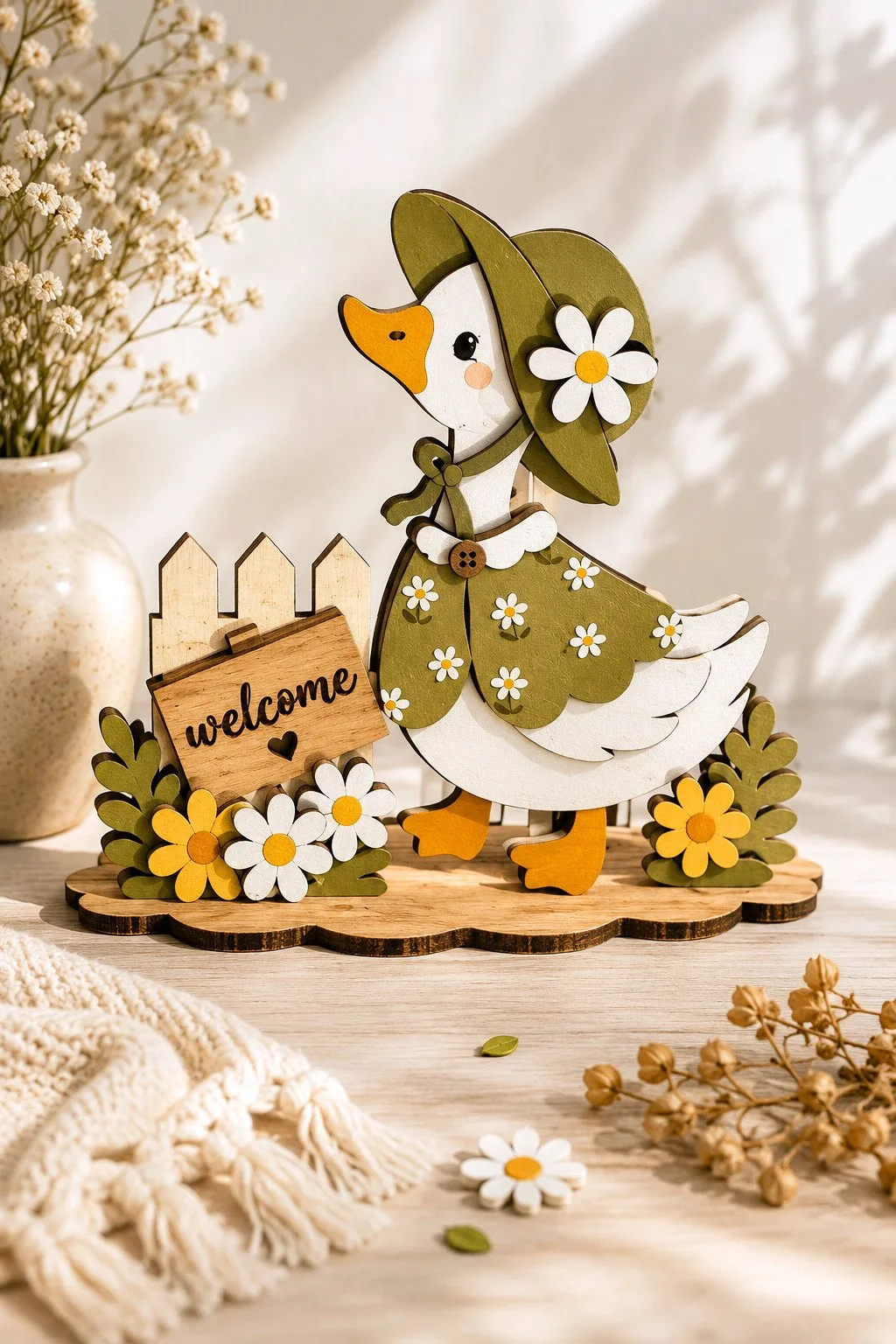
Welcome Duck Layered Laser Cut File
A layered duck in a wide-brimmed hat with a daisy, standing in front of a picket fence and a small sign that says welcome with a heart. Also, the maker lists the parts, the body layers, the hat, the fence, the sign, the daisies and leaves and a base to stand on, and calls it suitable for spring, a farmhouse shelf, a tiered tray or a gift.
The thickness is 3 mm, or 1/8 inch, in plywood, MDF, basswood or acrylic, with SVG, DXF, EPS, AI, PDF and DWG files. Besides, the lettering is engraved rather than glued, so test the word on a scrap.
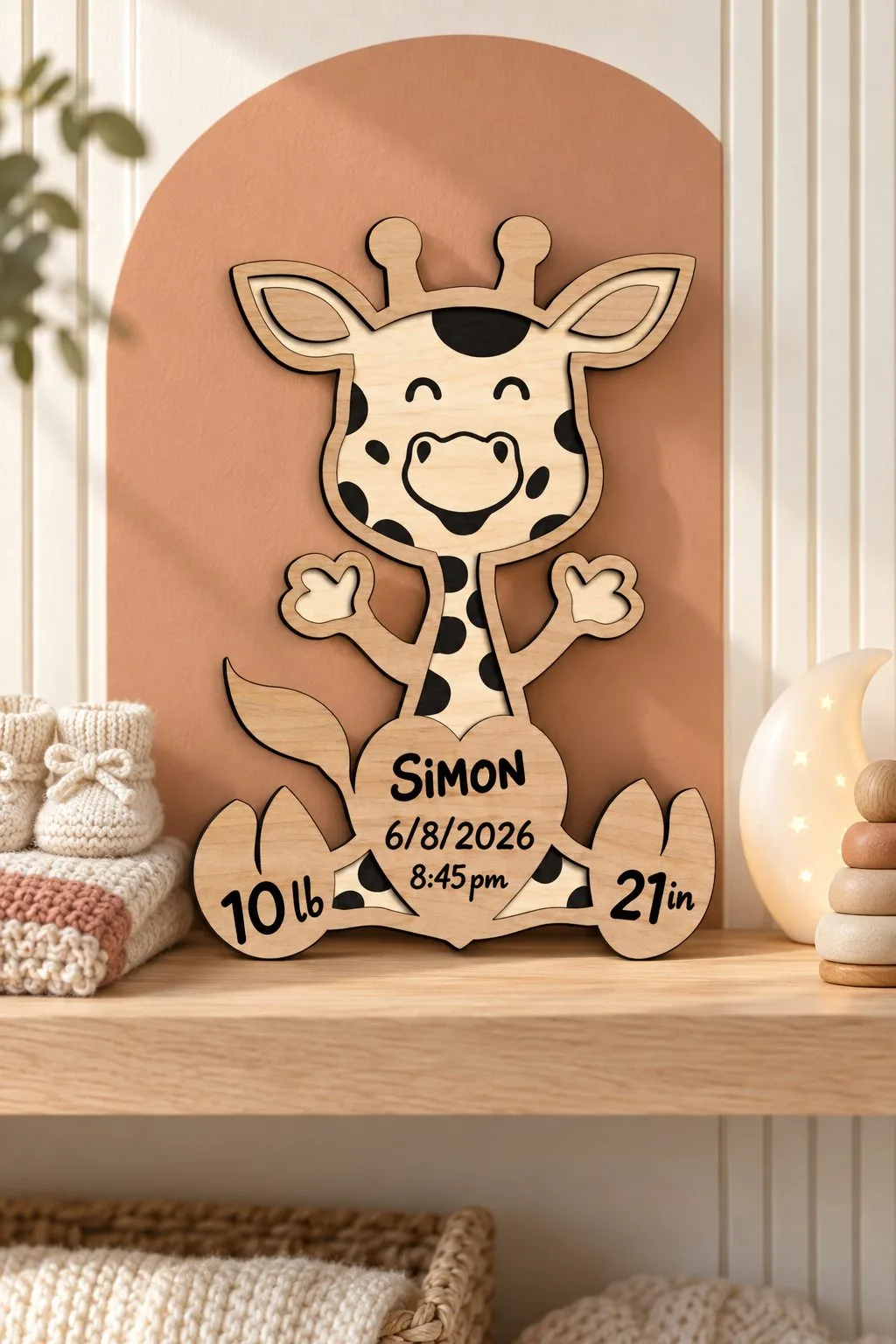
Giraffe Birth Announcement Board
A giraffe for a nursery wall. In addition, the board leaves room for the baby’s name, date, time of birth, height and weight, and it measures about 15.1 × 20.9 cm. However, it is layered, so glue is needed.
The maker uses their own colour code: blue is engraving, black is cut and red is information only. Letters and names are not in the file, so you add them yourself in plywood, MDF, HDF, wood or acrylic.
Laser cut animals: wall and shelf options
| Actual product | What the maker gives | Formats | Detail still needed |
|---|---|---|---|
| 3D Butterflies in Three Sizes | Slot-together 3D butterflies in three styles and three widths | AI, EPS, DXF, SVG | Which width you want |
| Eight Layered Bees | Eight layered bees with solid backs | SVG, PNG, DXF, AI, EPS, PDF | Thickness is not stated |
| Dog Paw Photo Frame on a Base | Paw-print photo frame on a stable base, two glued layers | AI, PDF, EPS, DXF, SVG | Photo against the opening |
| Owl Silhouette Wall Art | Owl silhouette, about 30 cm, any thickness | AI, EPS, DXF, SVG | Contrast with the wall |
| Elephant Mandala Wall Art | Geometric elephant mandala, 30 cm | AI, EPS, PDF, DXF, SVG | Material for the mood |
| Welcome Duck Layered Laser Cut File | Layered duck with a hat, fence and an engraved welcome sign; 3 mm | SVG, DXF, EPS, AI, PDF, DWG | Test the engraved word |
| Giraffe Birth Announcement Board | Giraffe birth board, about 15.1 × 20.9 cm, layered | SVG, DXF, AI, PDF, CDR | Names are not in the file |
Laser cut animals choices at a glance
Also, compare these files around an animal decoration with identifiable pieces. The laser cut animals comparison keeps each maker’s dimensions and material notes beside the actual product, so your choice can follow the particular drawing. Then inspect the information still missing before committing to the laser cut animals you want to make.
Laser cut animals: first options
| Actual product | What the maker gives | Formats | Detail still needed |
|---|---|---|---|
| Kids Animal Puzzle Laser Cut Bundle | Animal comparison: a plywood animal puzzle described as a coloring and learning activity | EPS, SVG, PDF, PNG, DXF | Ask for animal: sheet thickness |
| 3D Animal Puzzles Bundle Laser Cut | Animal comparison: a 3D animal-puzzle file | SVG, EPS, DXF, JPEG, PDF, PNG | Ask for animal: finished dimensions |
| 8 Kids Puzzles Laser Cut Template | Animal comparison: 12 × 12 inch board; two layers; 3–6 mm | AI, SVG, DWG, DXF, EPS, CDR, PDF | Ask for animal: an age-specific assessment and the dimensions of each loose piece |
| Safari Animal Puzzle Board for Toddlers | Animal comparison: a safari puzzle file with a general description of cutting and software compatibility | DXF, SVG, PDF, EPS, DWG | Ask for animal: finished dimensions |
| Dinosaur Puzzle Board for Toddlers Template | Animal comparison: a dinosaur-puzzle file with a general statement of cutting-machine compatibility | DXF, SVG, PDF, EPS, DWG | Ask for animal: material thickness |
Laser cut animals: further choices
| Actual product | What the maker gives | Formats | Detail still needed |
|---|---|---|---|
| 3D Layered Husky Dog Laser Cut File | Animal comparison: a layered husky or wolf mandala | SVG, DWG, AI, DXF, EPS, PDF | Ask for animal: finished dimensions |
| Wildlife Layered Animal Bundle | Animal comparison: five layered animals with mountain and forest scenes | formats not given in the description | Ask for animal: formats |
| Fall Woodland Animal Shelf Sitters | Animal comparison: four woodland animals: deer, squirrel, hedgehog and owl | SVG, EPS, DXF, PDF, AI, DWG | Ask for animal: material thickness and finished dimensions |
| Layered Animal Shelf Sitter Bundle | Twelve baby animals with hanging legs, in layers | SVG, AI, EPS, PDF, DXF, DWG | Thickness and shelf edge |
| Thanksgiving Shelf Sitter Bundle | Ten autumn characters with legs and stands | SVG, DXF, AI, EPS, PDF, DWG | Stand and legs together |
| Autumn Swing Shelf Sitter Bundle | Six figures on swings under a tree, with a built-in stand | SVG, DXF, AI, EPS, PDF, DWG | Rope and seat together |
| Layered Fox Mandala Wall Art | Fox wall panel in five layers, about 12.8 × 20 in finished, for 3–6 mm wood | AI, SVG, DXF, DWG, CDR, EPS, PDF | Cut the tail layer first |
| Witch Cat Shelf Figures | Three shelf cats: a witch cat in a basket, a pumpkin cat and a reading cat | SVG, AI, DWG, EPS, DXF, PDF | Paint or bare plywood |
| Floral Cat Ornament | Sitting cat with a lace-like pattern and a cord hole | EPS, PNG, PDF, DXF, SVG | Cord hole between the ears |
| Wooden Cat Bookmarks | Three tall bookmarks with cats on vines | SVG, DXF, PNG, EPS | Flat parts, quick to cut |
| 3D Animal Car Charms Bundle Laser Cut | Animal comparison: ten animal car-charm designs for 3 mm material | SVG, EPS, DXF, JPEG, PDF, PNG | Ask for animal: finished dimensions and the material type |
| Wooden Cat Ornament Laser Cut Bundle | Animal comparison: eight cat ornament designs | SVG, DXF, EPS, PNG | Ask for animal: sheet thickness and each design’s finished size |
Decide what the laser cut animals should do
An animal’s project role tells you which parts to inspect first. A puzzle needs its actual piece arrangement, while a shelf decoration needs a documented way to stand. A layered wall picture has another assembly and mounting question. Choose one role, then look for a file whose description and notes support that construction.
Our toys and games collection gives more puzzle directions. First, read each selected maker’s intended-use information rather than applying the same construction assumptions to every animal.
Read ten plywood puzzle designs without guessing the pieces
The plywood puzzle description lists ten designs, with ten files in each format and a cut-and-engrave color rule. Those counts describe the bundle, while the selected puzzle’s actual pieces still need inspection. Next, confirm thickness and finished dimensions before preparing a sheet. The animal theme does not supply an assembly plan or an age recommendation.
The maker includes SVG, EPS, PNG, PDF and DXF, marking cut paths red and engraving black. Next, choose one actual animal from the archive and identify the shapes that belong to it.
Open the six-design 3D bundle before choosing a method
A 3D puzzle review identifies how the selected drawing becomes its finished animal. The maker gives six formats, while dimensions, thickness and a layer count remain open. Also, open the actual construction notes before calling it a slotted model, layered board or another assembly. A three-dimensional title describes a direction while leaving the joining method to confirm.
The formats are SVG, DXF, EPS, PDF, JPEG and PNG. The maker says the photos are for inspiration, so use the drawing and instructions for structural details.
Keep ears, tails and paws attached to laser cut animals
A recognizable-outline check follows the connected shape from its body into the small details. First, inspect that route at final size, especially around ears, tails and narrow legs. Include those features in the material sample. A broad animal silhouette can remain intact while a reduced detail changes the connection you wanted to keep.
Name the pieces by their real assembly job
A parts map identifies the actual pieces from the selected file and records how they belong together. Use names supported by the drawing or instructions, then keep similar shapes grouped with their intended animal. A puzzle with several small parts needs that map before nesting, because a page of outlines can hide a missing piece or a mixed design.
Our layered project ideas explain another decorative direction. Next, confirm that the selected animal actually uses layers before transferring that assembly idea into your parts map.
Match plywood to the selected animal drawing
A plywood decision needs the designer’s intended thickness and your exact equipment’s material guidance. The ten-design bundle names plywood, but its description gives no thickness. Obtain that information before preparing fitted parts. Then measure your sheet and keep it identified with the selected animal file rather than a result from a different puzzle.
Trotec explains that wood structure affects laser processing. Trotec wood guidance Use the actual sheet for the animal’s important cut details.
Put the engraving where the selected animal shows it
A surface-detail plan identifies which paths separate pieces and which leave the animal’s features on the face. For the plywood bundle, the maker’s red-cut and black-engrave rule supplies the intended roles. Then, check how those paths arrive in your software. Imported color needs to agree with the assigned operation before you run the job.
First, look at the animal’s face and body together in the preview. A line that defines an eye may serve another role from the outline around the head. Also, use the maker’s instructions rather than guessing from visual importance.
Then, keep any temporary labels or assembly guides out of the output unless the notes explicitly call for them. Then compare the preview with the parts map.
If you add a name, place it in a separate working group away from fitted edges and narrow details. The personal message should not change which pieces remain connected.
Test a puzzle connection with its matching part
A connection test uses the actual mating pieces from the confirmed construction. Then, identify them in the drawing, choose the intended sheet and inspect their seating together. A plain slot test is useful only if the chosen animal really uses that geometry. Next, keep the test related to this design rather than assuming a joining method from the 3D title.
LightBurn describes kerf as dependent on material and cutting conditions, with compensation changing the cut path. LightBurn kerf guide Compare that with the specific connection you are reviewing.
If a part resists, mark the contact on the animal’s assembly map. Next, compare the sheet and drawing before adjusting a whole group of pieces.
After the connection review, assemble one complete animal through its documented method. A successful local joint still leaves its support and full piece arrangement to inspect.
Check the laser cut animals size before arranging a scene
A size check compares a reference from the designer with the actual imported drawing. These descriptions leave full dimensions open, so request the relevant measurement before assuming the intended scale. Then compare the confirmed outline with your shelf or table space. A recognizable animal in a preview does not describe its finished footprint.
LightBurn documents SVG scale and DXF unit settings separately. LightBurn settings Review those settings if the imported reference and designer’s measurement differ.
For a group display, mark each confirmed footprint on paper before placing several animals together. Also leave space for the handling or assembly action you intend.
Keep play-use information apart from decoration
A use plan records whether the finished animal is decoration or a puzzle intended for handling. Read the designer’s information relevant to that role, then obtain missing guidance before making a suitability claim. Neither an animal theme nor the word kids supplies a safety certification, age range or material-use result for the piece you construct.
Also, choose materials, finish and assembly using their applicable instructions. Also keep the selected animal’s construction notes with those choices.
We have not cut, assembled or tested these puzzles for play. Your project review can describe its parts and fit, while any intended-use statement still needs its proper supporting information.
Pack all the pieces with one animal map
A packing plan keeps the complete selected animal with the reference needed to identify its parts. Follow the construction’s intended storage method, then compare the packed contents with your parts map. Loose puzzle pieces and an assembled display object need different packing arrangements. First, choose the route that belongs to the file you actually made.
For loose pieces, keep the count and design name with their container. Next, compare the contents before closing the pack, so another animal’s similar piece does not end up inside.
For an assembled object, review protection around its narrow decoration. Also measure the packed form rather than using the original flat drawing’s footprint.
If you give it away, include the designer’s applicable assembly and use notes. A small animal becomes a more understandable gift when the recipient can identify what belongs together.
Diagnose the animal by the changed detail
An animal-project diagnosis begins with the affected outline, piece connection or assembly step. Next, compare that feature with the selected drawing and parts map before recutting a full scene. The possible causes below suggest focused checks. A lost ear detail and a confused mating part do not call for the same change in material or scale.
| Symptom | Possible cause | Next check |
|---|---|---|
| A small ear or tail differs after reduction. | Scaling changed a narrow connected feature. | Inspect that location beside the original outline. |
| Two pieces will not meet as shown. | Their design group or material variant differs. | Match both parts with the selected animal’s assembly map. |
| An eye detail becomes an opening unexpectedly. | Its operation differs from the maker’s surface role. | Review the red-cut and black-engrave assignments. |
| The shelf scene needs more space than planned. | Finished footprints came from an assumed scale. | Confirm a reference measurement for each actual animal. |
| A package contains a similar but wrong piece. | Parts from two designs were mixed. | Compare the complete contents with the single-animal count. |
| A play-use claim lacks support. | A decorative or bundle title was treated as suitability information. | Obtain the relevant intended-use guidance before describing the finished item. |
Before you cut laser cut animals
Prepare the animal when its selected design, material and construction method are clear. Confirm missing thickness and dimensions, then identify the actual pieces and operations. Test the important connected feature or documented joint before assembling one complete animal. Include its intended display or handling role and its packing arrangement in the review before making more designs.
Also, keep each animal’s drawing and parts count together. Then another shape from the same bundle begins with its own construction review, rather than inheriting an unexplained assembly assumption.
Finally, return to the role you chose at the start. The useful animal is the one that stands, hangs or comes apart according to a documented plan you can follow.
FAQ
Do the laser cut animals bundles give a thickness?
Both selected descriptions leave thickness open. The ten-design bundle names plywood, while the six-design construction needs its own material confirmation. First, ask about the actual design before preparing the sheet.
Is every 3D animal a slotted model?
The title alone does not establish that joining method. Then, inspect the real drawing and assembly notes. Then identify the connection the selected animal actually uses.
How many designs are in each puzzle bundle?
The plywood bundle gives ten designs, and the 3D animal bundle gives six. Next, inspect each selected design for its actual pieces. Design counts do not supply a universal piece count or finished size.
Can I make a smaller animal for a shelf?
Confirm the original scale, then review all changed connections after resizing. Small ears, tails and fitted parts change with the outline. Also, keep the adapted animal’s parts separate from the original set.
Are these laser cut animals certified toys?
No certification is supplied in the selected descriptions. Obtain the intended-use information relevant to your construction before making that claim. First, keep a decorative display role distinct from play use.
Can’t find the design you need?
Describe your idea in a few words and generate your own SVG design with AI.
Good to know: the files in this guide are hosted on Creative Fabrica. Downloading is free with their free trial: a payment card is needed to start it, and you can cancel the subscription at any time.