Laser Cut Toys and Games: Puzzle & Tabletop SVG Files
These laser cut toys and games include a paintable bunny jigsaw, dinosaur inlay puzzles and two tabletop games. Compare how the pieces fit, which material details the maker supplies and what needs testing before you cut. The selection shows three puzzle projects and two games, rather than a collection of finished toys ready for every age.
Start with a jigsaw if you want a project to paint together. Choose an inlay board when matching shapes is the main activity, or an assembled basketball hoop or bowling lane for a tabletop challenge. For more slot-together models, explore our 30 laser cut 3D puzzle templates.
Choose a laser cut toy or game
| Project | What makes it different | Check before cutting |
|---|---|---|
| Bunny jigsaw | Separate pieces with engraved details to paint | The cut and engrave colours, piece size and material version |
| Dinosaur inlay board | Lift-out shapes return to matching pockets | Fit between the cut-out piece and its opening |
| Eight two-layer puzzle boards | A solid backing keeps shapes in their pockets | Cutting area, thin parts and layer alignment |
| Mini basketball hoop | A standing assembly for tabletop play | Slot fit, base stability and the separate ball |
| Tabletop bowling lane | A lane, pins and launcher to assemble | Square assembly, moving clearances and the separate balls |
The product previews show design and finishing ideas. They do not establish an age rating or prove that a finished toy has been tested. Choose the project for its intended user, then inspect a complete sample before making a batch.
Three puzzles, three different jobs
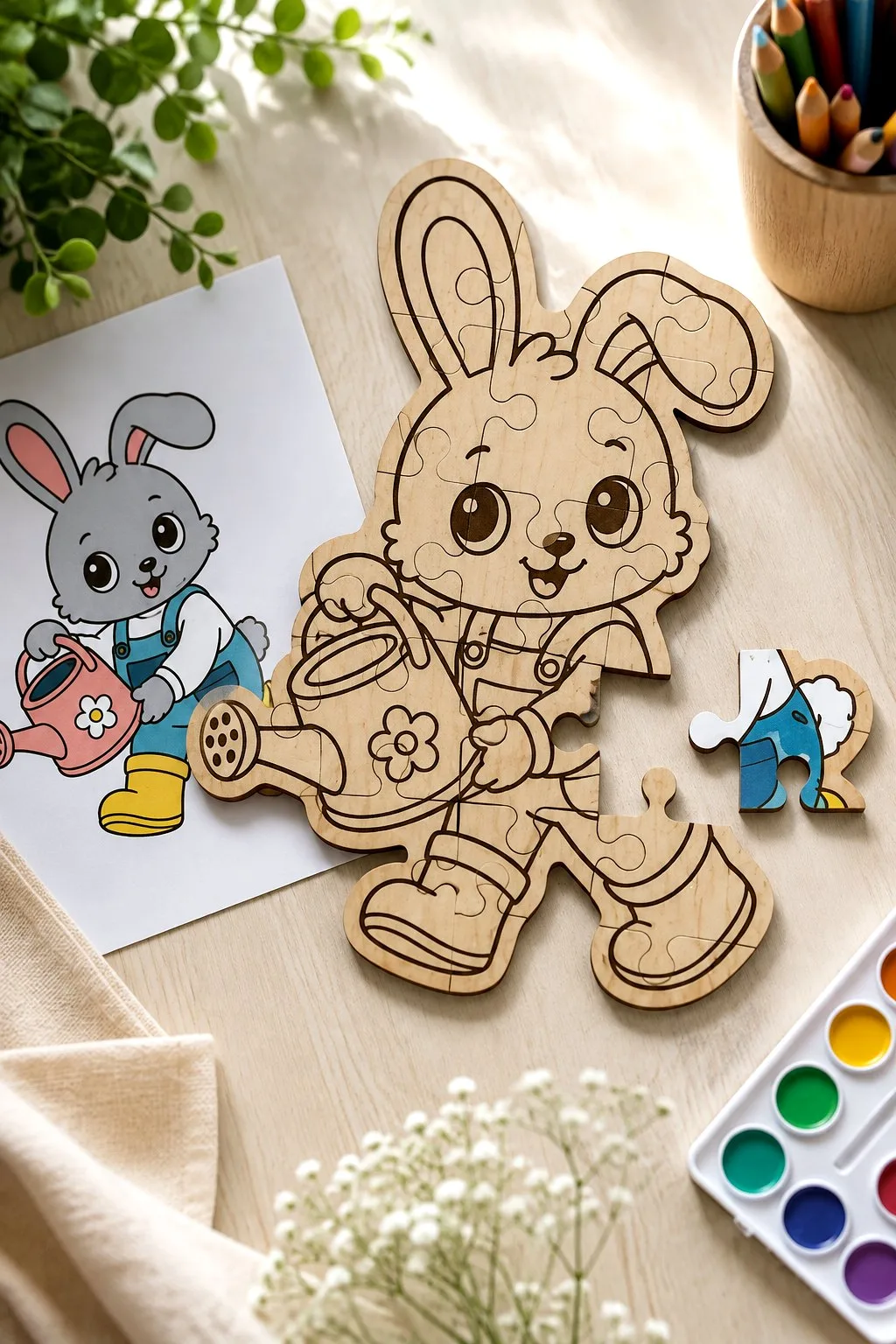
The bunny jigsaw is the one that is not finished when it comes off the machine, and that is the point. The outline is cut, the fur, the dungarees and the watering can are engraved, and the whole figure is divided into large pieces along wavy lines. It leaves the bed as bare plywood. Painting it is half the toy — the photograph shows a printed card of the same bunny in colour sitting beside it, so a child has something to copy.
That changes what you are selling, if you cut these for a fair: not an ornament, an afternoon.
The maker is unusually precise about the file itself: the red line is the cut, the black line is the engraving. Most listings leave you to work that out. Ten designs in the bundle — the count is stated, ten files of each format: SVG, EPS, PNG, PDF and DXF. Plywood is named as the material; the thickness is not.
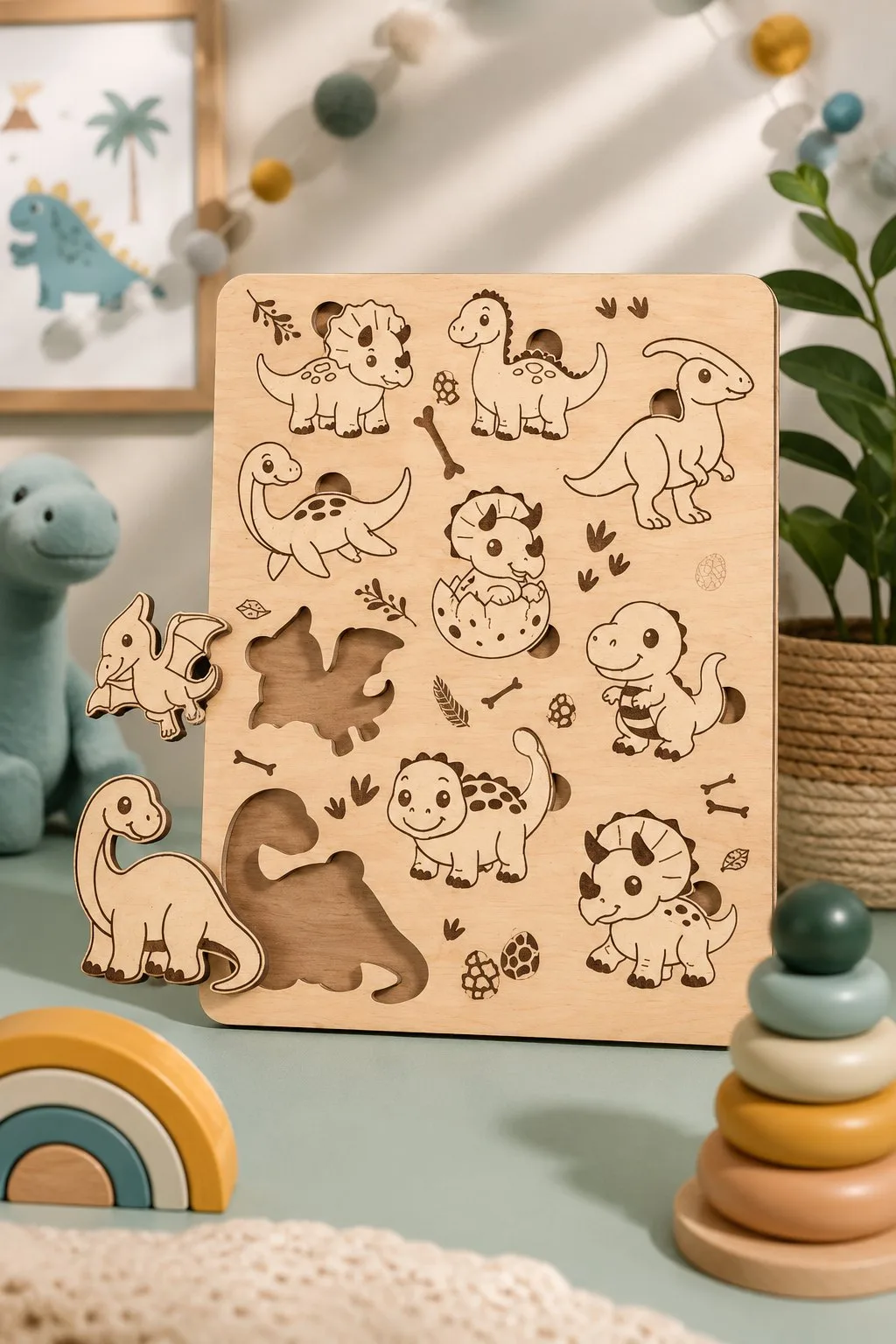
The dinosaur board is a different kind of puzzle: an inlay tray. Ten dinosaurs are engraved into one board along with bones, footprints and speckled eggs filling the gaps, and two of the shapes are cut clean through so a small hand can lift them out and drop them back. Nothing here needs paint at all — the whole design is line work, and it is finished the moment the machine stops.
Two things worth stealing from it. The engraved detail sits around the cut-out shapes, so the board still reads as a picture when the pieces are out — an empty inlay tray usually looks broken, this one does not. And it stands upright against a wall, which is why it can live on a shelf as decor when nobody is playing.
The maker gives SVG, DXF, EPS, PDF and DWG, and says the file suits most cutting machines. Thickness, board size and the number of lift-out pieces are not stated, so measure your own sheet and check the drawing before you cut.
Where the two differ in practice: the jigsaw is forgiving. Its pieces interlock, and if your kerf runs a little wide they simply sit looser. The inlay board is not — a lift-out shape that comes out 0.3 mm small rattles in its hole, and one cut 0.3 mm large will not go back in at all. If you have never compensated for kerf, cut the jigsaw first.
The third: eight boards in two layers
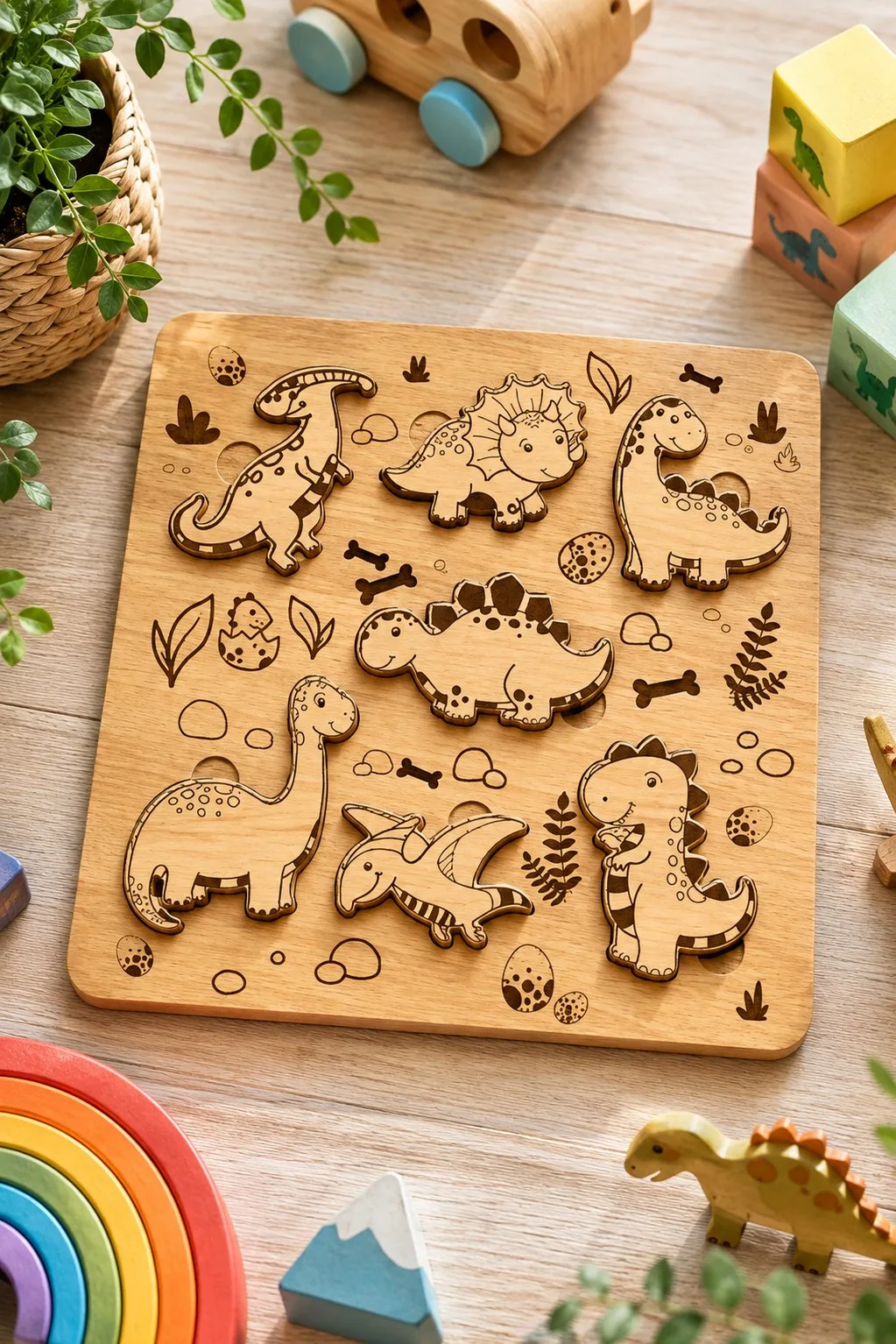
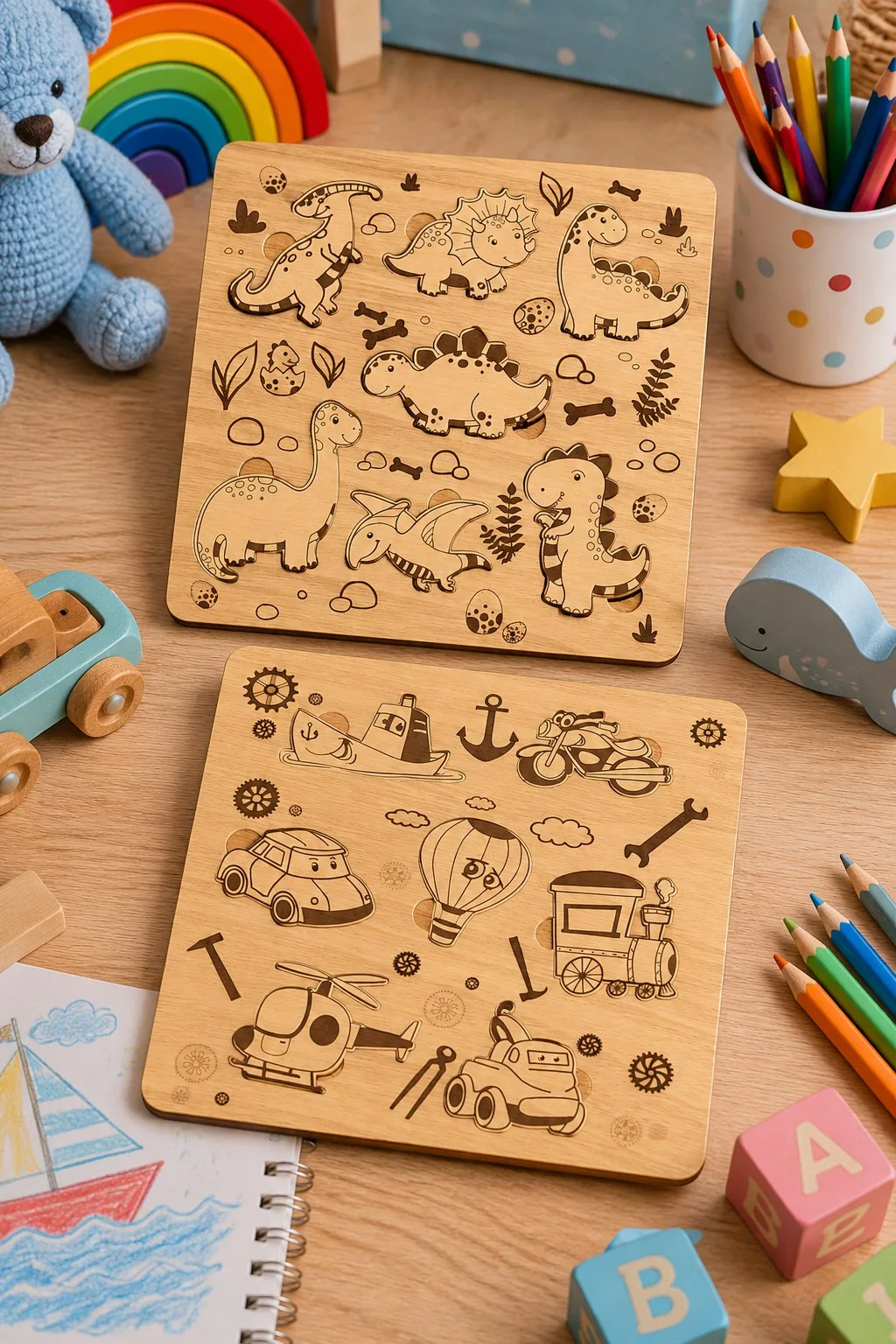
The only puzzle file here where the maker gives a size: eight boards of 12 by 12 inches, about 30 by 30 cm. Each board is two layers. The top one carries the drawing and the cut-outs, dinosaurs on one board, cars, a helicopter, a train and a hot air balloon on another, and the bottom one is solid, so every shape sits in its own pocket instead of falling through.
Engraved extras sit around the holes without being cut: footprints, bones and ferns on the dinosaur board, clouds and an anchor on the vehicle one. They tell a small child which picture belongs where. Two instructions from the maker are worth reading before you start: paint the layers before you glue them together, and scale the design up as much as you like, but if you scale it down, watch the thin parts. The maker lists 3 to 6 mm plywood, MDF, acrylic, plexiglass, metal, cardboard or paper, with AI, SVG, DXF, DWG, CDR, EPS and PDF files.
Eight boards in the bundle.
Two games that actually work
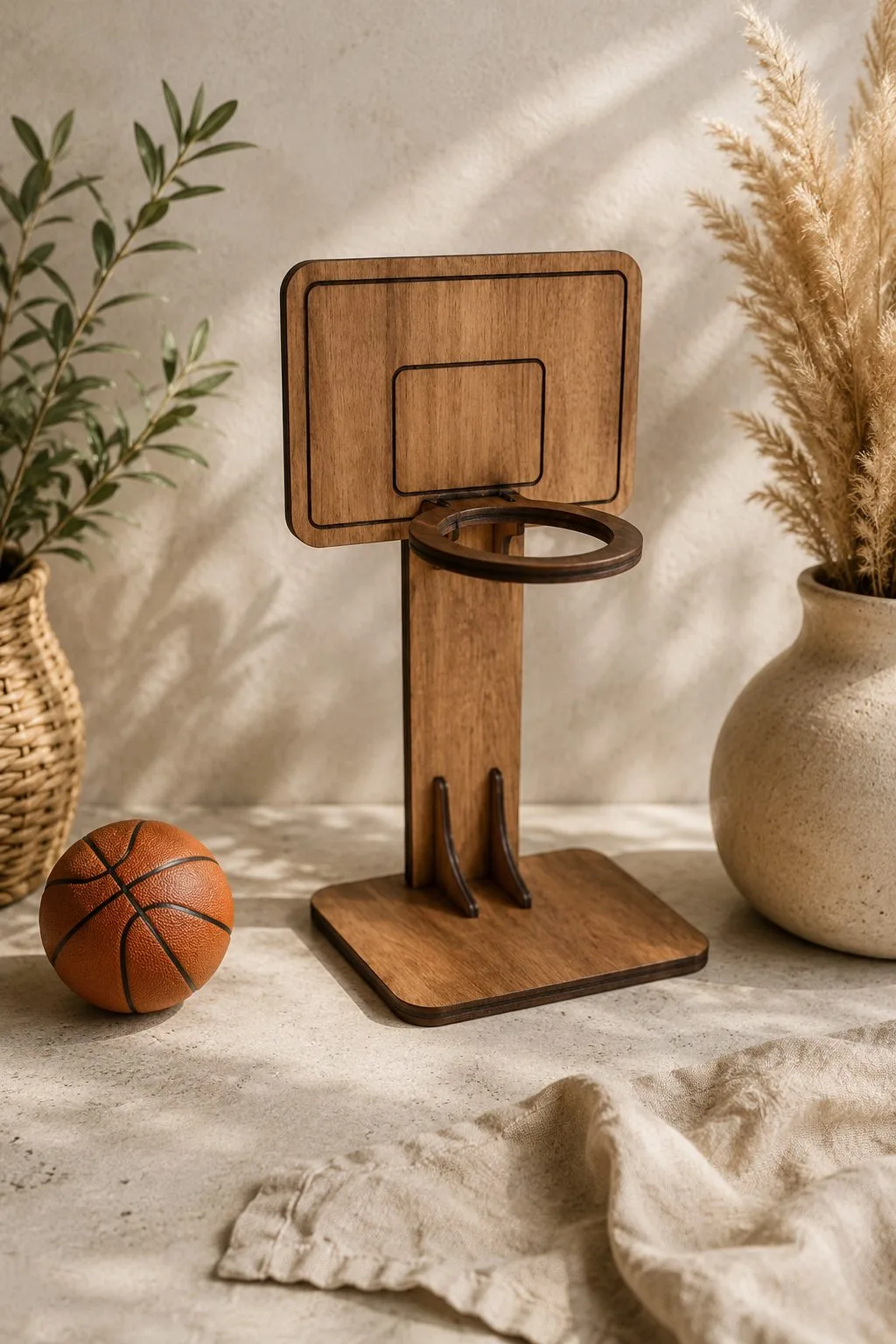
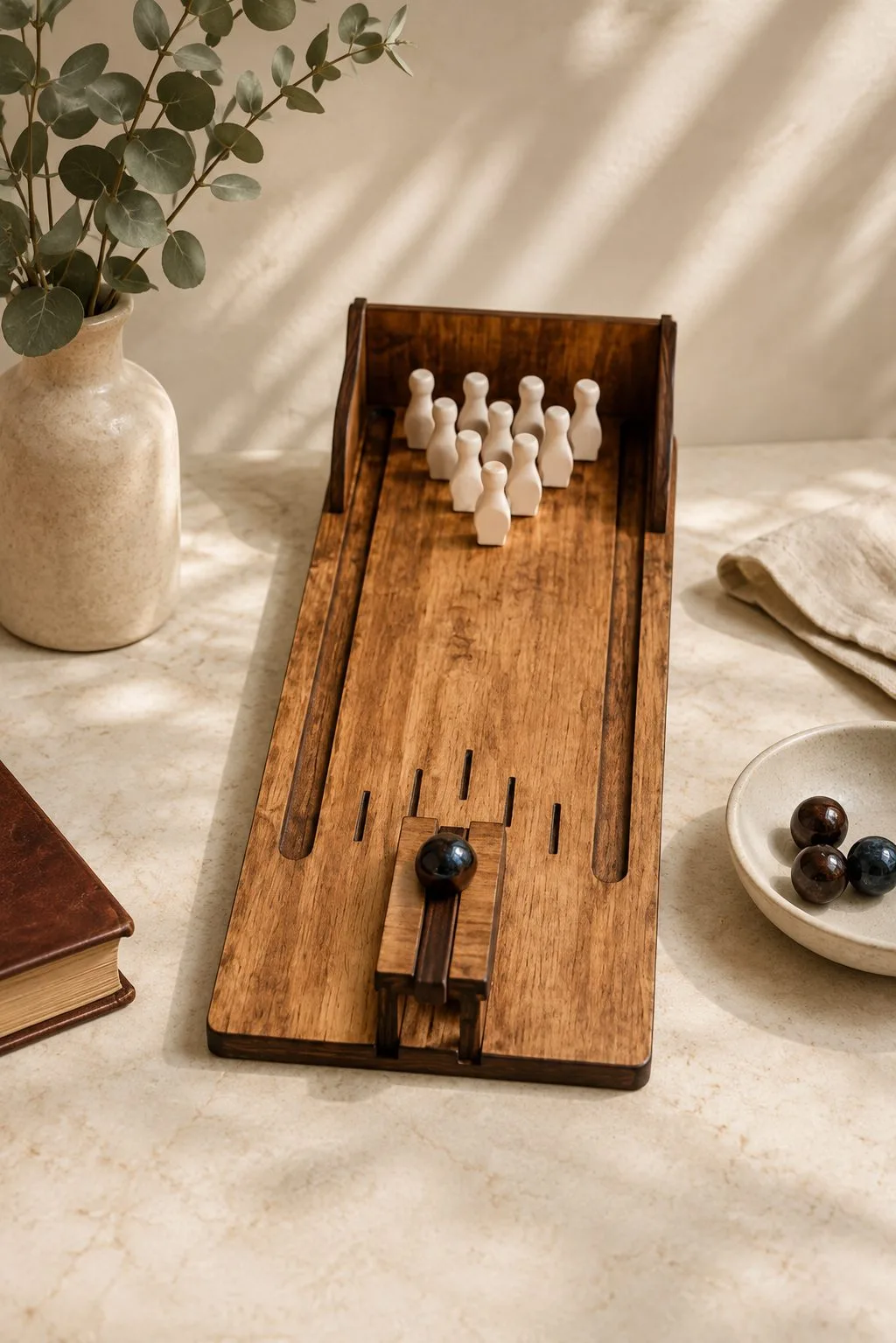
Both of these come out of the same bundle, and both are assemblies rather than flat cut-outs — which is the interesting part, because it means the file has to get slot widths right, not just outlines.
The basketball hoop is four kinds of part: a backboard, a ring, a curved upright and a foot. The upright slots into the base and the backboard slots onto the upright, so the whole thing stands without glue if the slots are cut to your actual sheet. It is small — the ball beside it in the photograph is a desk toy, not a real one — which makes it a good candidate for offcuts.
The bowling lane is the more ambitious build: a long tray with raised side rails, ten turned-looking pins standing at the far end, and a launcher at the near edge with a knob on it. Everything you see is plywood except the balls. This is the one where slot fit stops being cosmetic — a lane that is not square will send every ball into the rail.
The maker states the important number outright: 3 mm material. That is not a suggestion here. Every slot in an assembled design is drawn for one specific thickness, and plywood thickness wanders — so measure the sheet with callipers, and if it comes out at 2.8 or 3.2, adjust the slots before you cut rather than sanding parts afterwards.
Ten designs in the bundle, stated, with SVG, DXF, EPS, PDF, JPEG and PNG for each. The maker also says plainly that the photographs are for inspiration — treat the finish you see as one possibility, not a promise.
What to know before you cut a toy
Match the slots to your actual sheet. The standing pieces rely on a close fit. Measure the material and cut a small slot test in the same sheet before preparing all the parts. A nominal thickness on a label does not establish the fit after cutting.
Test the fit of one puzzle piece. Kerf varies with the machine, material and cutting settings. A lift-out shape and its pocket may need different compensation. Test one shape and adjust the layout before cutting the full board.
Check every surface that will be handled. Remove loose char and smooth rough edges using a finishing method suitable for the material. Inspect both faces, the small openings and the finished joints. Follow the finish manufacturer’s drying and use instructions.
Check small parts and moving pieces. Inspect loose shapes, balls, pins and narrow sections before giving the project to its intended user. During cutting, use your machine manufacturer’s supervision, ventilation and fire precautions for the whole job.
Choose material for the intended use. Use stock that your machine manufacturer permits for laser cutting. A plywood emissions grade alone does not establish that the finished object is suitable for a child or for mouthing. Check the relevant material and finish guidance; our plywood cutting guide explains how to plan a material test.
More free files
The product buttons open the designers’ listings on Creative Fabrica. Check the current download offer and licence on each listing. For a wider selection, browse our laser cut craft files for wood and kids and nursery design collection.
And if the nursery is what you are actually kitting out, the night lights are the other half of the job: night light and lantern SVG files, including the cloud lamps with a child’s name across them.
Can’t find the design you need?
Describe your idea in a few words and generate your own SVG design with AI.
Good to know: the files in this guide are hosted on Creative Fabrica. Downloading is free with their free trial: a payment card is needed to start it, and you can cancel the subscription at any time.