Wood Laser Engraving: Names, Labels and Clear Surface Marks
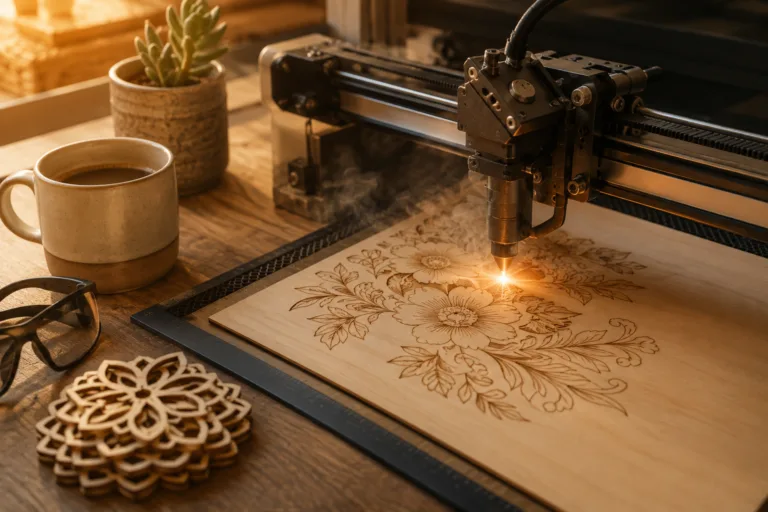
Wood laser engraving is a way to mark lettering or artwork on a wooden surface with a laser. Picture a name on the back of a card stand. Someone walks up to the desk, reads it, and takes a card. The engraving has done its job without drawing attention away from the object.
Start with that reading moment. A small box label needs to make sense at arm’s length. Your business name on a stand should read from the front of the desk. A wedding message belongs where the couple will see it when they open the gift.
Then choose the wording, panel and material together. A long name on a tiny face creates a layout problem before it creates a machine-setting problem. Solve the drawing at its real size first.
Short answer
Plan wood laser engraving around a readable name, label or message on the intended face. The card holder, storage box and money-gift design below offer three different places to consider. Also, identify surface lines, filled areas and through cuts before running the job. Afterwards, compare a material sample with the full-size text proof and the object’s normal viewing position.
Want to compare every design side by side? Jump to the comparison table with the files and the first thing to check for each one.
Wood laser engraving: a business name people read at the counter
A business name people read at the counter begins with the actual object and the action you want it to support. First, compare the selected drawings with readable wood lettering. Then use the maker’s particular numbers below, because the description for one construction cannot supply the missing dimensions of another.
Business Card Holder You Engrave With Your Name
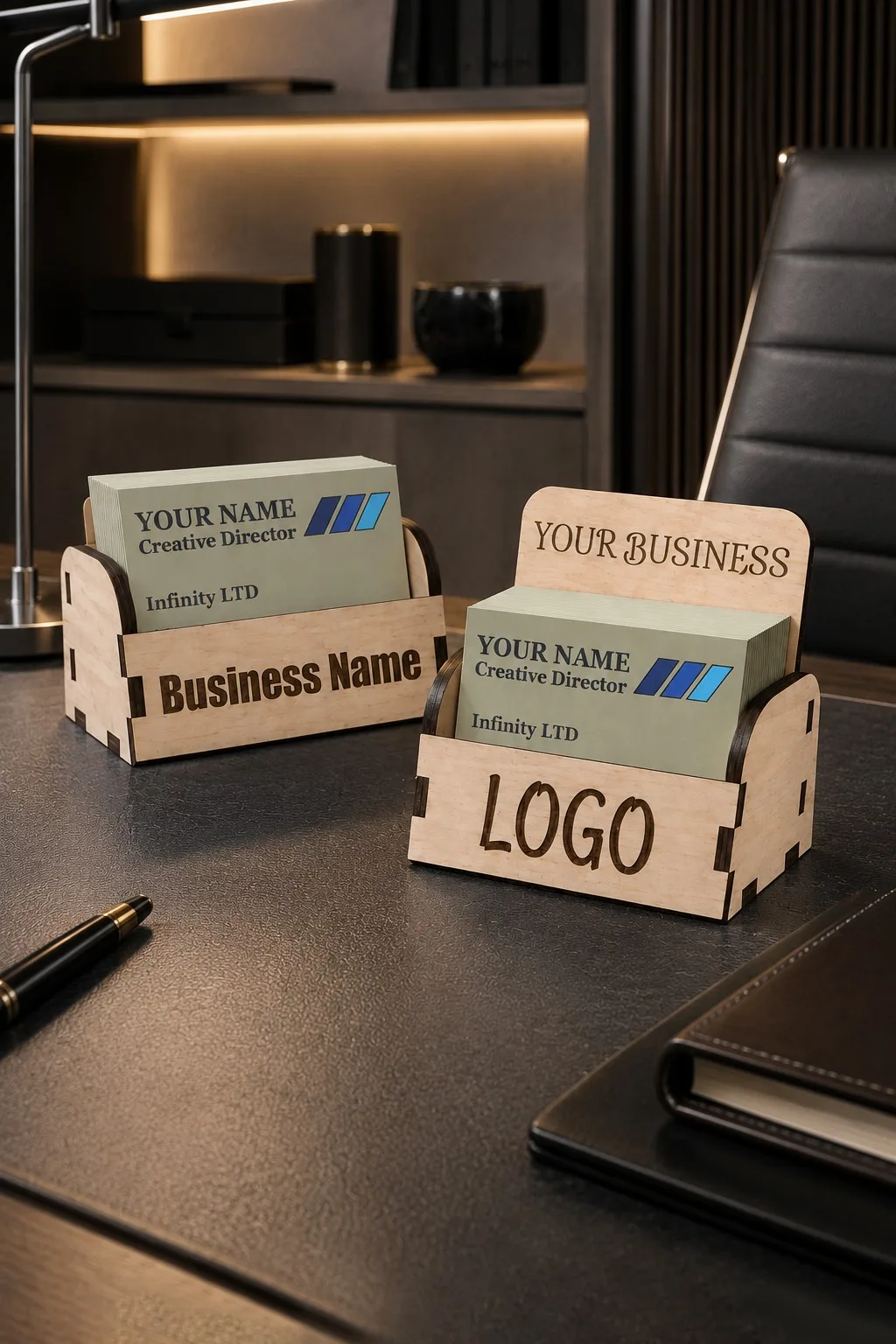
For readable wood lettering, the maker of Business Card Holder You Engrave With Your Name describes two back-height variants, about 10 cm wide and 5.5 cm deep, with heights of 5 or 8.5 cm; for 8.5 × 5.5 cm business cards; 3, 3.2 or 4 mm wood, plywood, MDF or acrylic; the supplied formats are AI, EPS, DXF, SVG. However, the wood-marking description leaves a fitted retail gift-card pocket open, so obtain those details before choosing a finished part.
First, print the company name at the stand’s real width. Then read it from the visitor’s side of the counter and check that the stack of cards does not hide the mark.
Laser Cut Stackable Storage Box
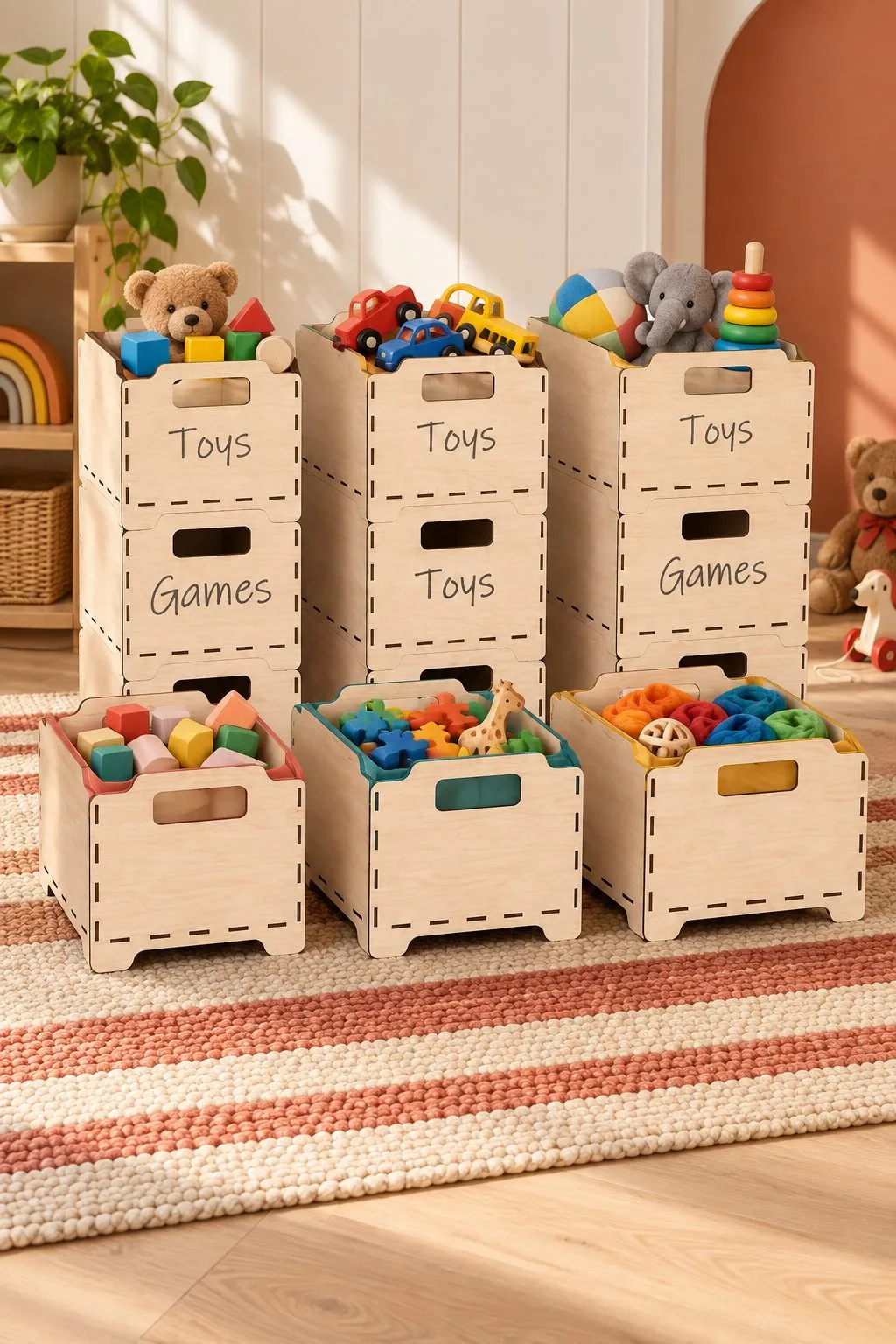
Laser Cut Stackable Storage Box is one choice to inspect for readable wood lettering: the maker lists three stackable crate sizes: 30 × 22.5 × 20, 35 × 25 × 20 and 40 × 30 × 20 cm; end handles and an engraving-label area; 3, 3.2 or 4 mm wood, plywood, MDF or acrylic, supplied in AI, EPS, DXF, PDF, SVG. However, the wood-marking description leaves a stacking load rating open, so obtain those details before choosing a finished part.
For storage labels, put the proposed word on the actual end panel. Then view the crate in its intended stack, because the next crate may change which part of the label remains visible.
Mystical Notebook Cover Laser Cut Bundle
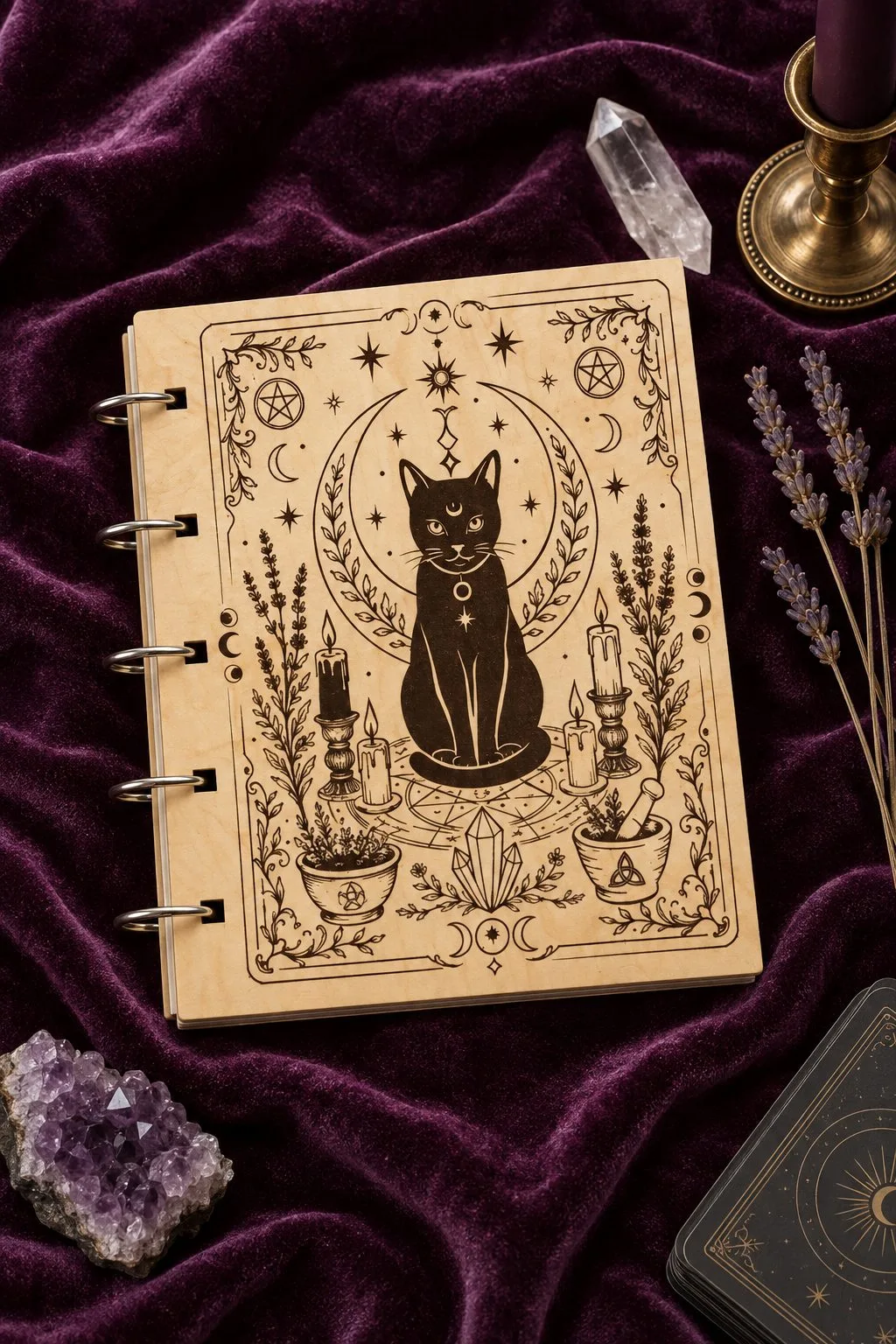
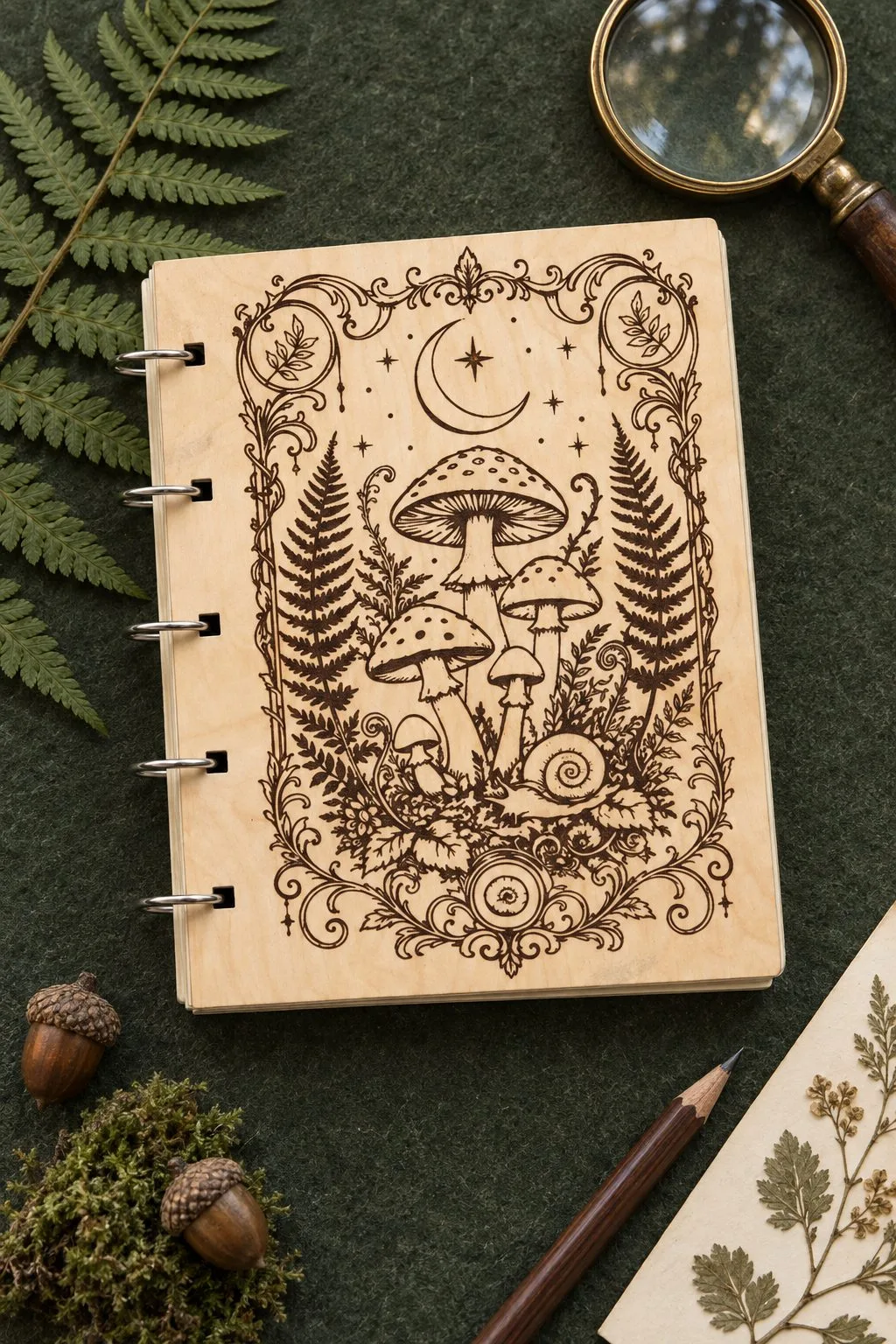
When comparing readable wood lettering, Mystical Notebook Cover Laser Cut Bundle provides ten plywood notebook-cover designs; ten files in each format; red cuts and black engraves, with SVG, EPS, PNG, PDF, DXF files. However, the wood-marking description leaves sheet thickness, cover dimensions and binding hardware open, so obtain those details before choosing a finished part.
Next, place the journal title beside the binding edge on a full-size cover proof. Keep the smallest decorative mark visible while you check the text, so the cover and lettering can share the space.
Wood laser engraving: labels for storage and a notebook
Labels for storage and a notebook begins with the actual object and the action you want it to support. First, compare the selected drawings with readable wood lettering. Then use the maker’s particular numbers below, because the description for one construction cannot supply the missing dimensions of another.
Laser Cut Dads Garage Sign
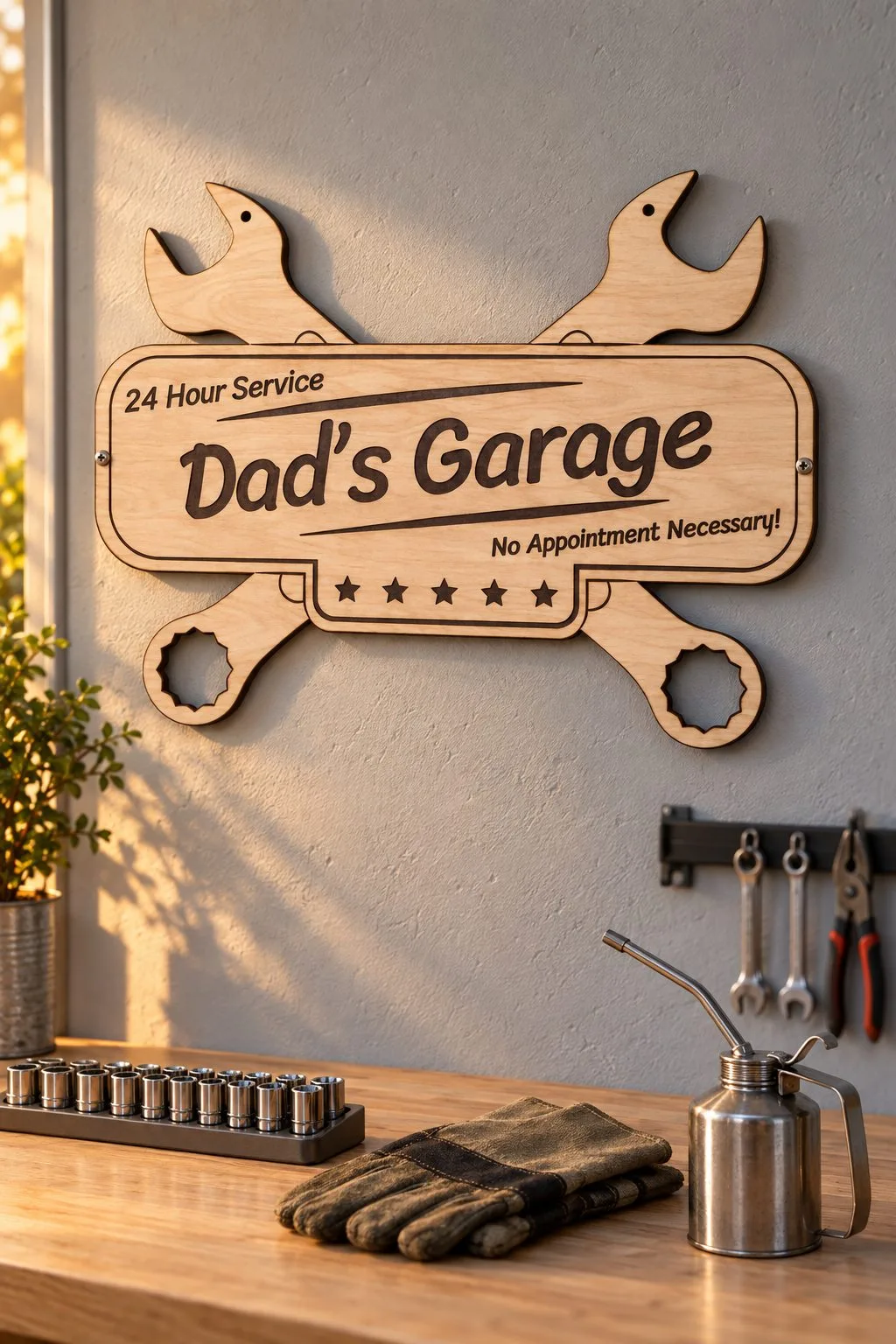
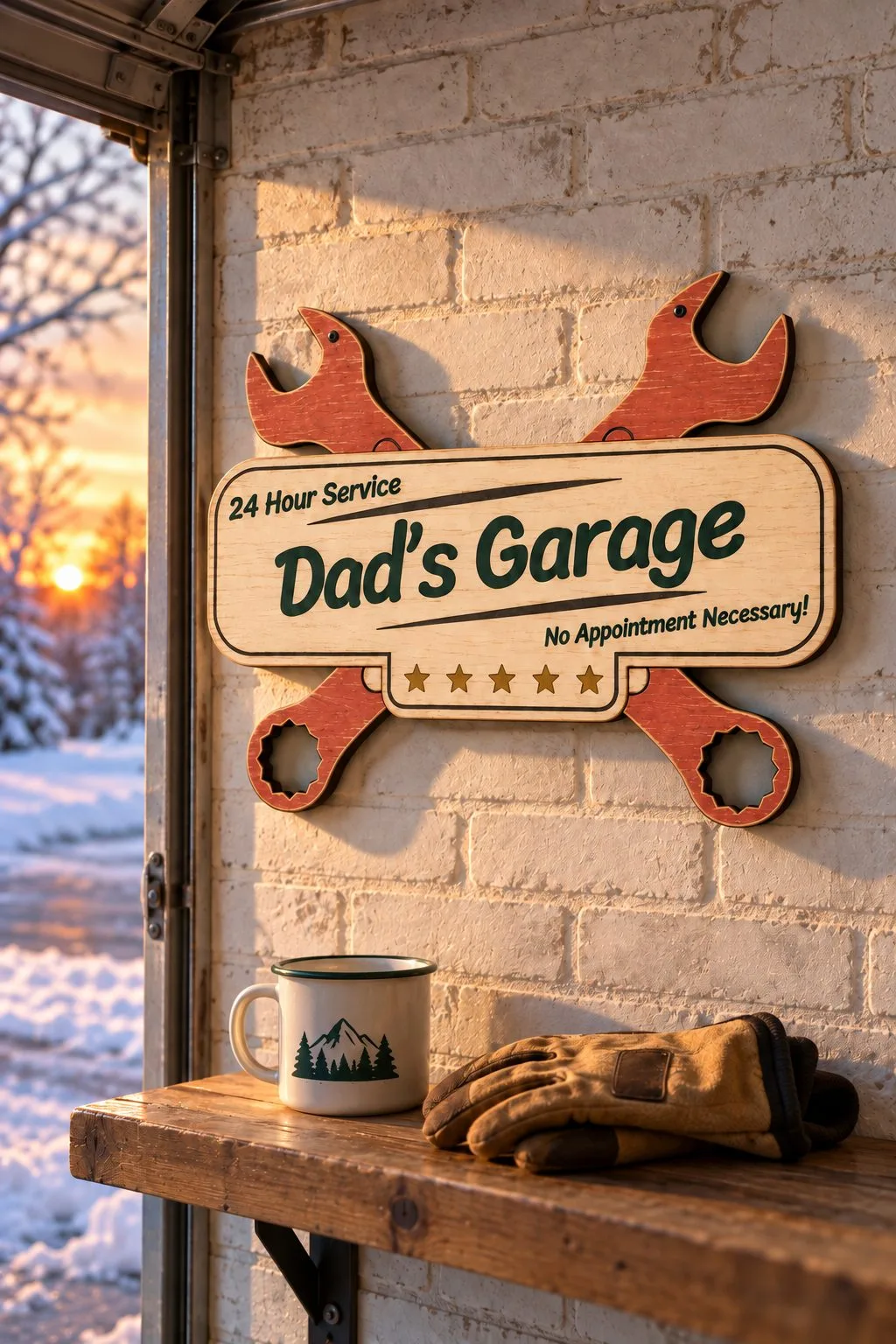
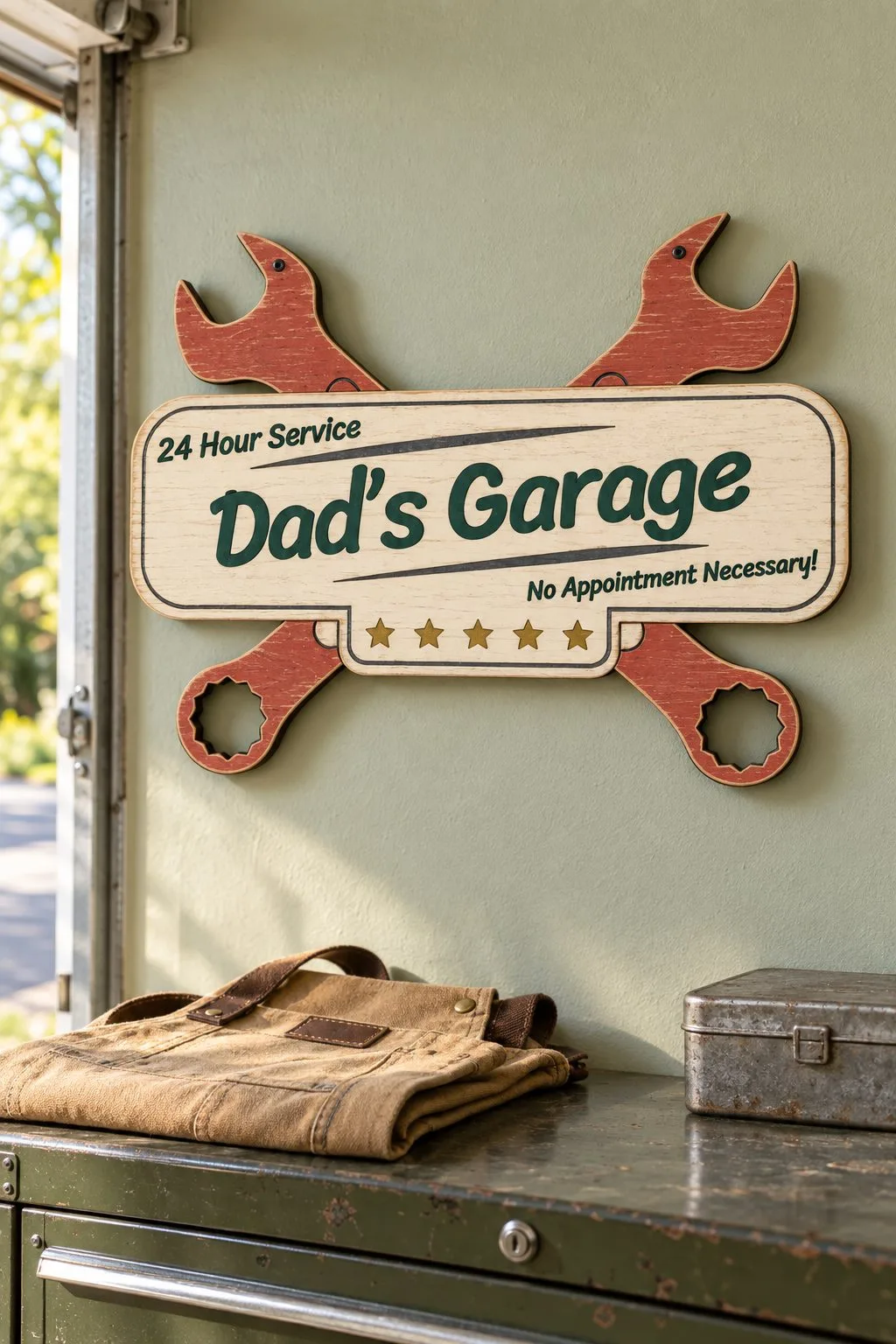
For readable wood lettering, the maker of Laser Cut Dads Garage Sign describes a garage sign about 30 × 22 cm; wood, plywood, MDF or acrylic; LightBurn, LaserCut, RDWorks, Glowforge, OMTech, xTool and Thunder Laser are named; the supplied formats are AI, EPS, PDF, DXF, SVG. However, the wood-marking description leaves material thickness and a mounting specification open, so obtain those details before choosing a finished part.
For the garage sign, confirm the exact name before fitting it into the artwork. Also read the paper proof from the planned doorway, because workshop lettering has to work at that viewing distance.
Dog Ornament with Spot for Name
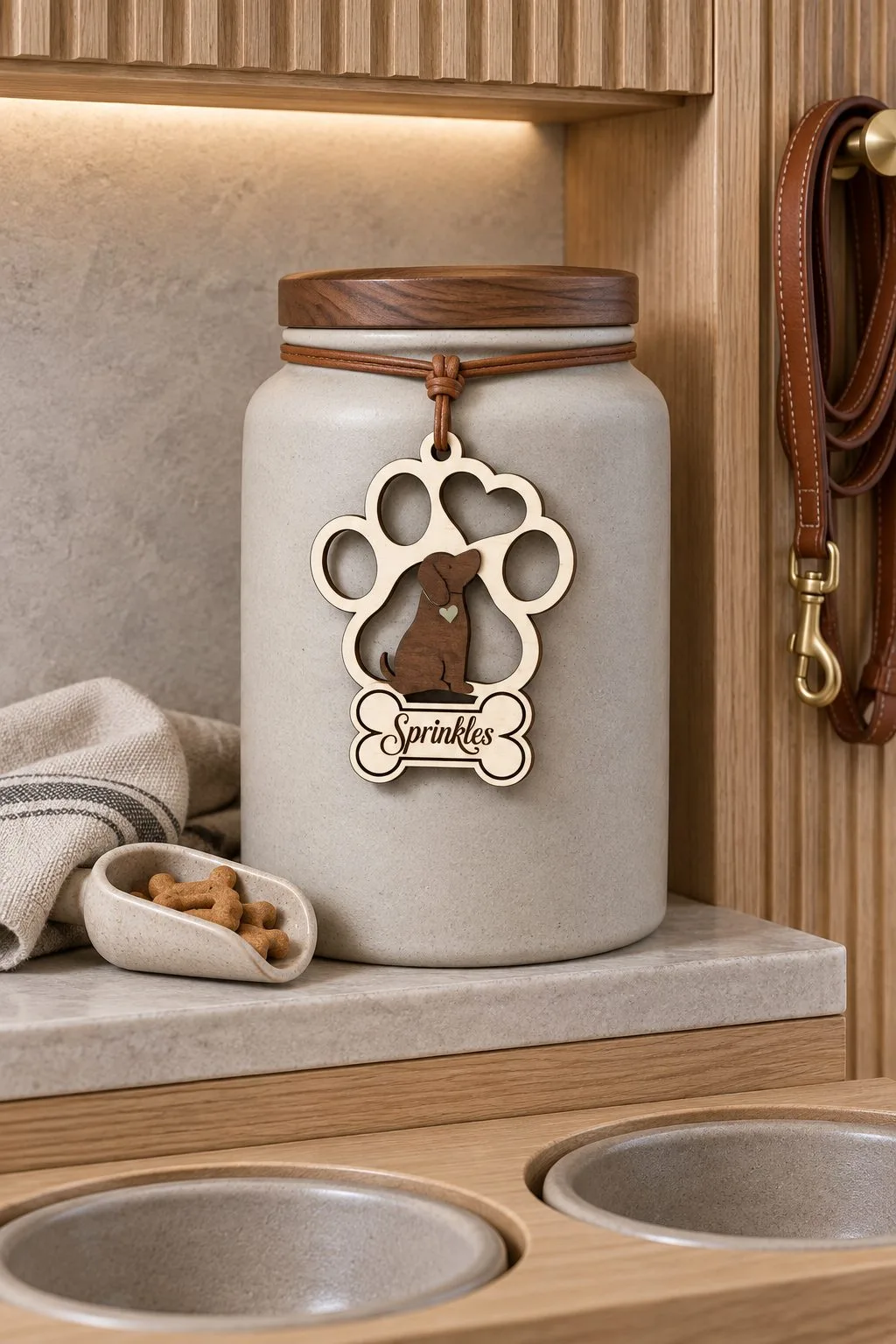
Dog Ornament with Spot for Name is one choice to inspect for readable wood lettering: the maker lists one SVG, one JPEG and one EPS in the stated file count; mostly one-piece dog ornament artwork with room for a name; PNG is also mentioned in the general format list, supplied in SVG, JPEG, EPS; inspect PNG for the wood-marking project. However, the wood-marking description leaves sheet thickness and an unambiguous PNG file count open, so obtain those details before choosing a finished part.
First, write the dog’s name from an approved reference rather than memory. Then check it inside the ornament’s allotted space and inspect the archive for the PNG ambiguity before planning printed duplicates.
Wood laser engraving: names for pets and children
Names are where engraving earns its place: a pet’s name on a bone, a child’s name on a stroller, a couple’s names and a date on a holder, a few words on a letter to Santa. Each mark has to read at a glance, so the files below are ones where engraving is part of the design. More names and letters for children are in our baby and kids guide.
Christmas Dog Bone Ornament Bundle
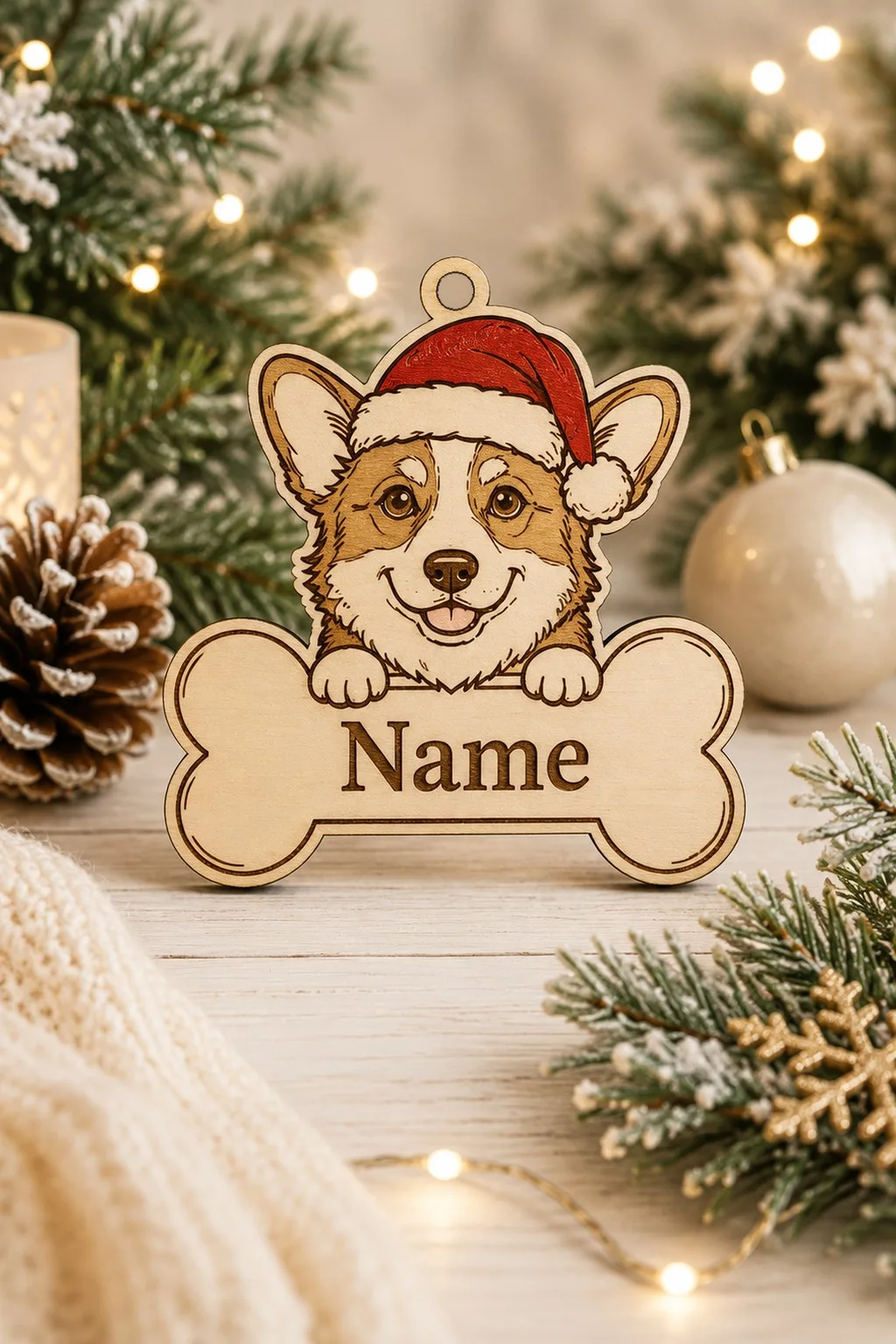
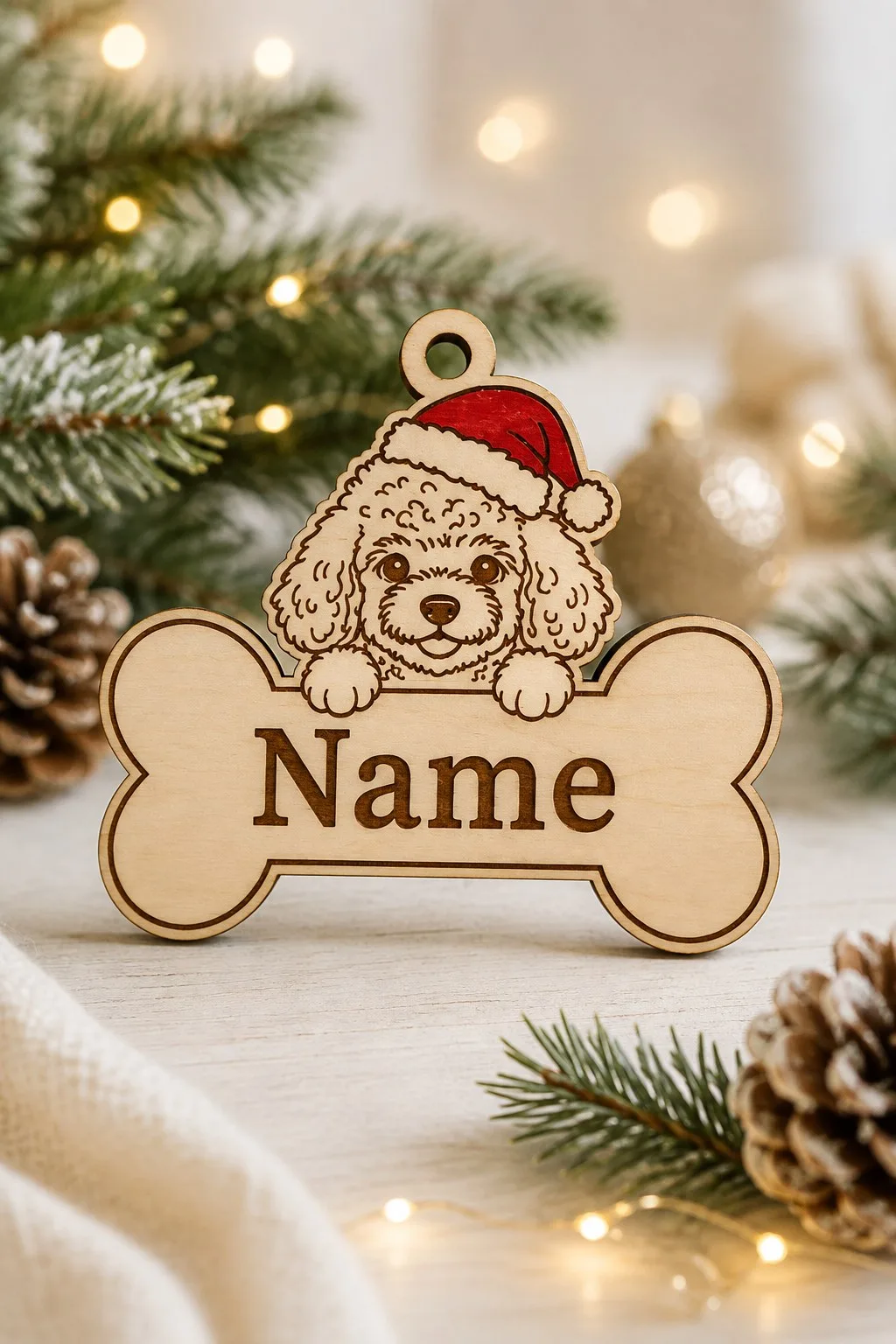
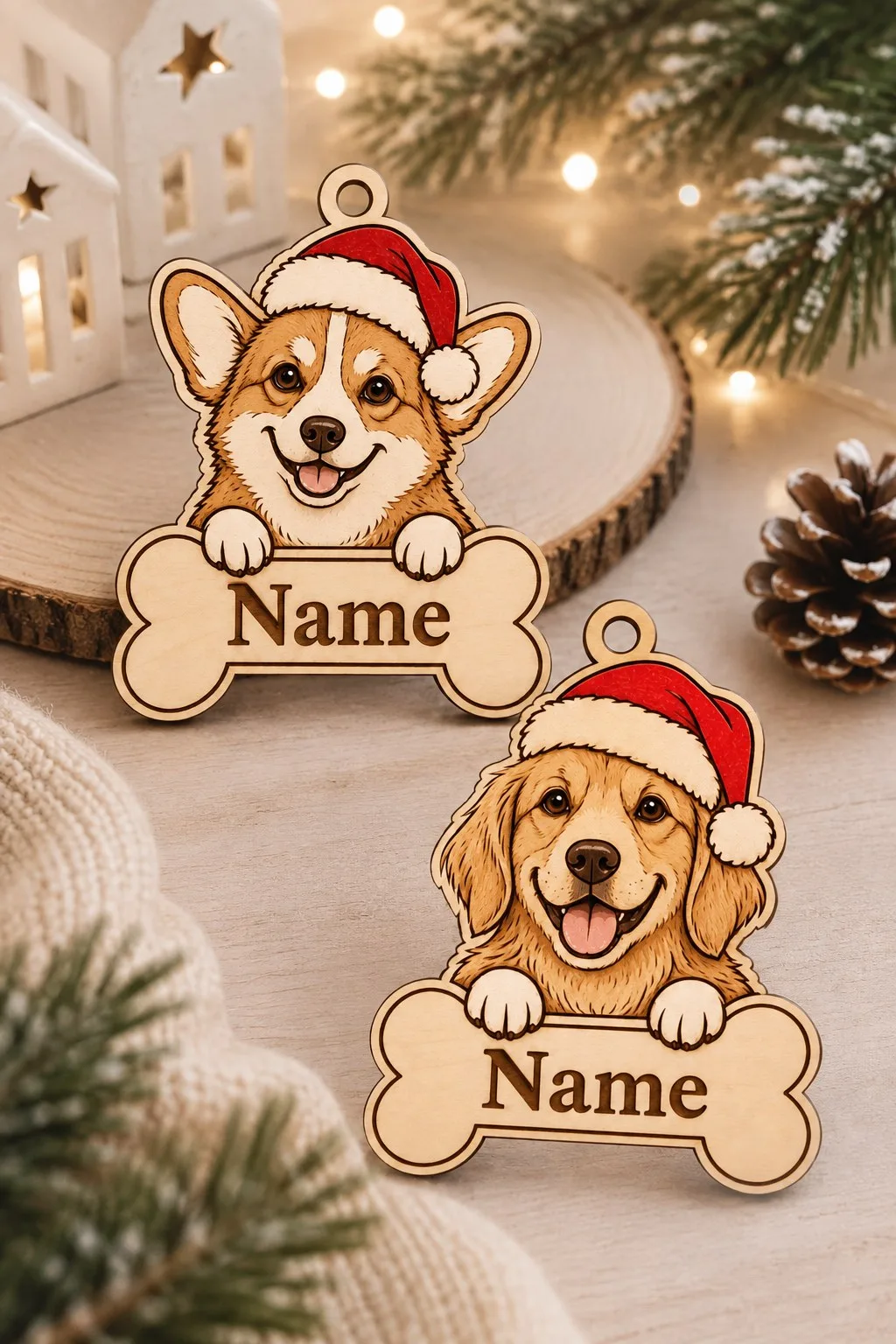
This dog is engraved rather than cut. As the maker describes it, a pup in a Santa hat looks over a bone, with a field on the bone for the pet’s name. Fur, eyes and jowls are drawn in fine engraved lines, so it suits a machine that handles tidy engraving. Three uses are suggested: a tree ornament, a collar tag and a gift for a dog lover.
The files come as SVG, DXF, PDF, EPS and DWG, for wood, acrylic or MDF, and the maker names Glowforge, xTool and LightBurn among the machines. Size and thickness are not stated, so measure your blank before you set a long name on the bone.
Forty Custom Dog Breed Ornaments
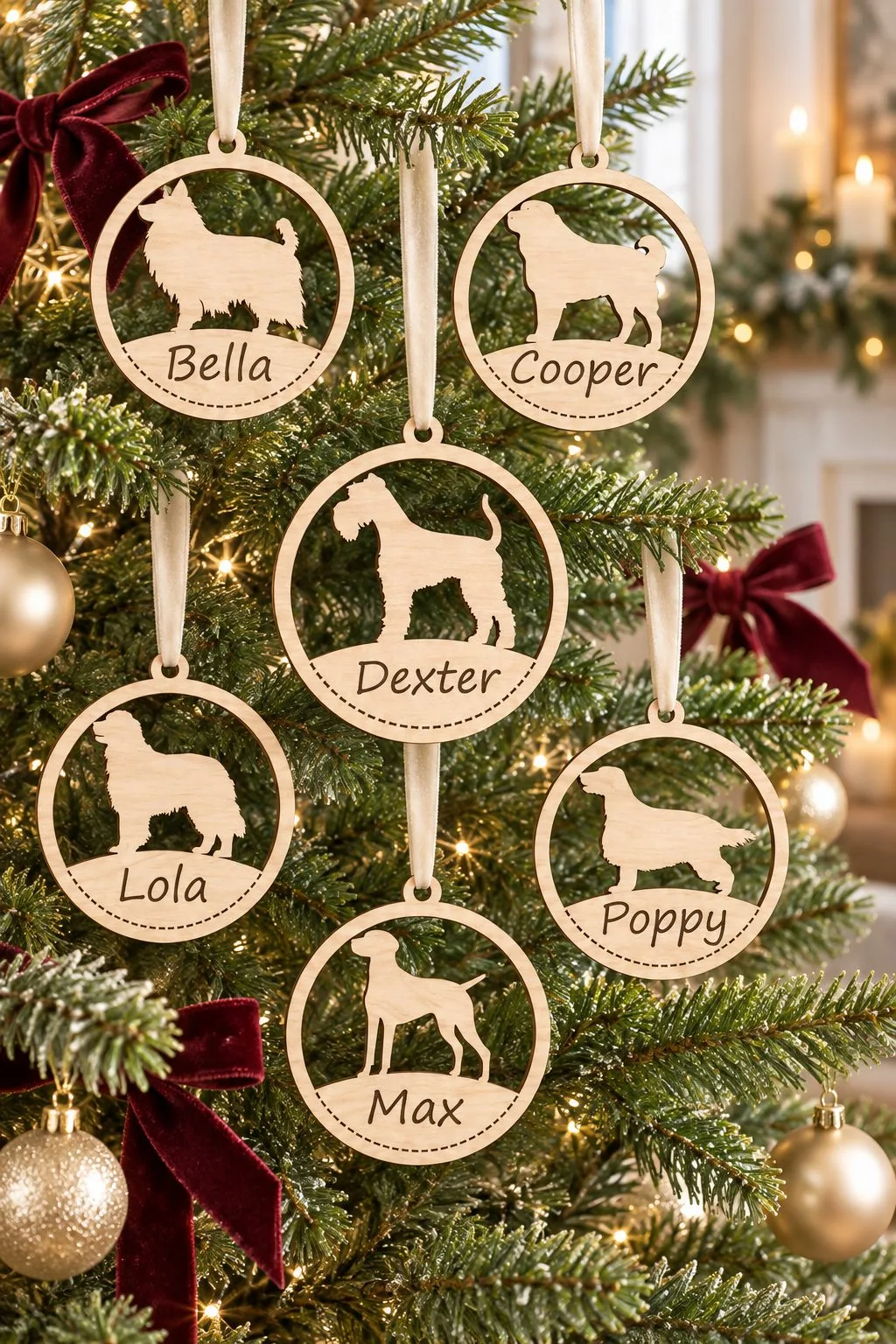
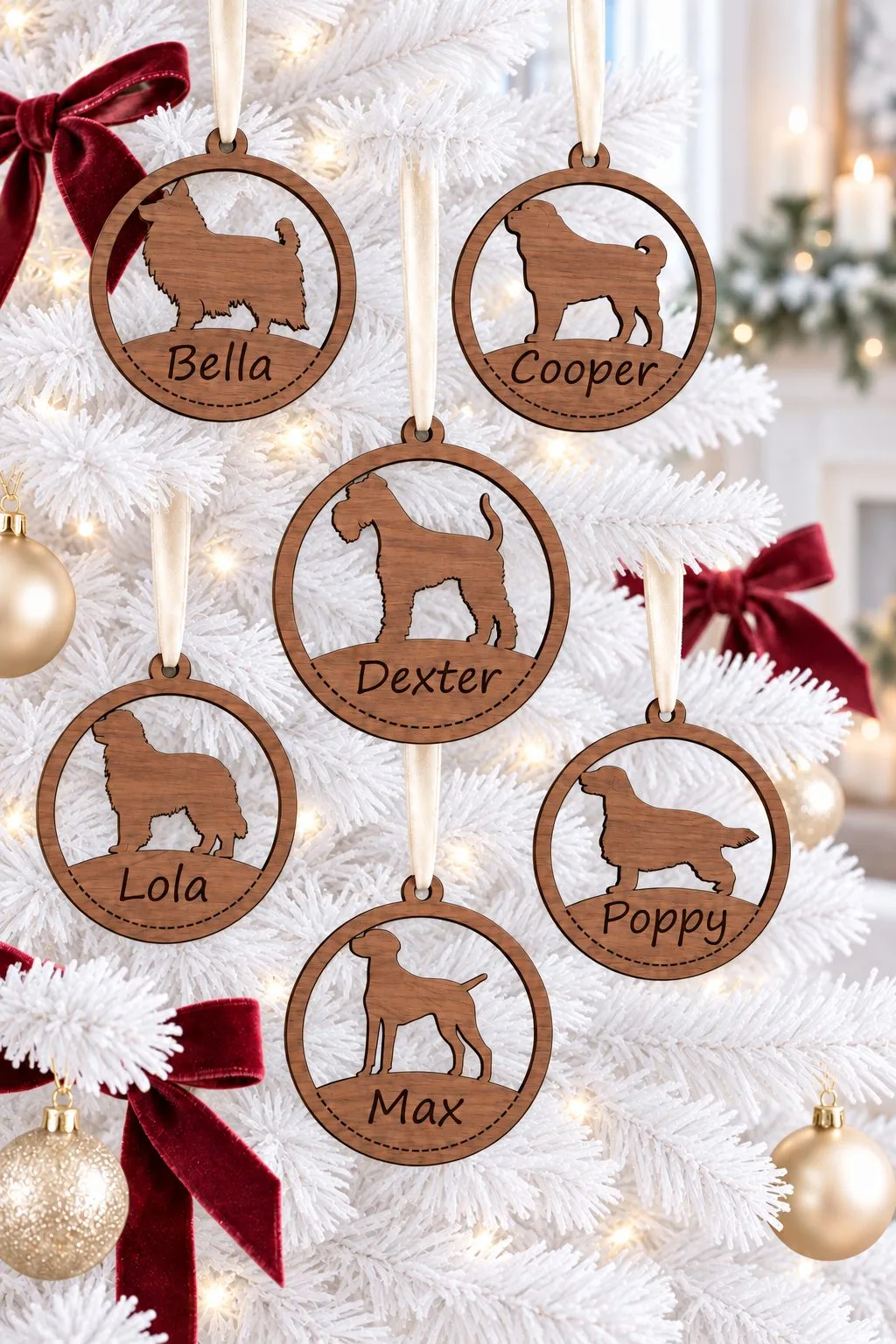
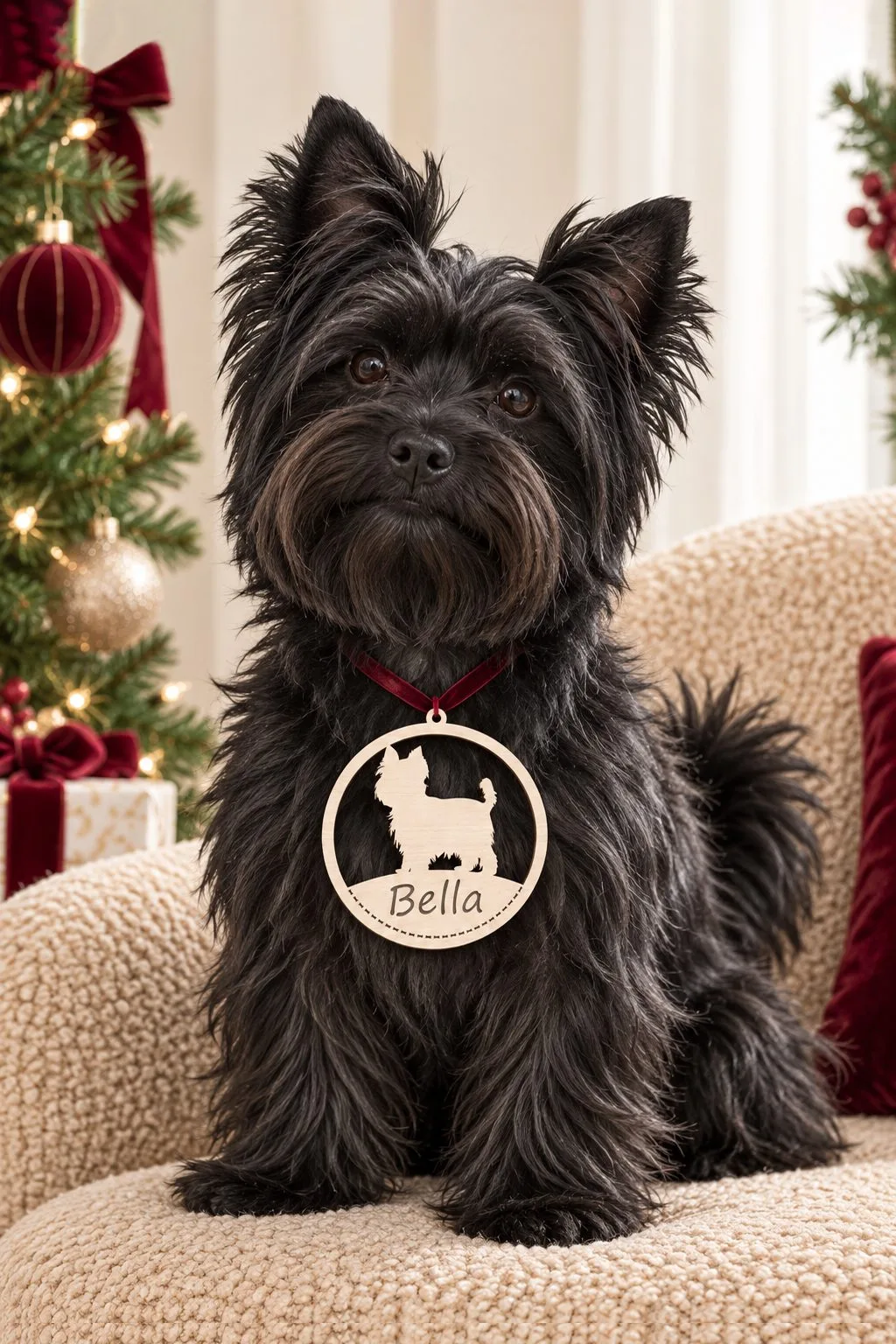
Forty round ornaments, one for each dog breed. The maker lists Bernese Mountain Dog, Yorkshire Terrier, Saint Bernard, Samoyed and Lhasa Apso among them. Every ornament leaves space for a name along the bottom, framed by a border of bones, and the files combine engraving with cutting.
The diameter is about 10 cm: roomy for a name, short for a sentence. Wood, veneer, MDF and acrylic of any thickness are listed, in AI, EPS, DXF, PDF and SVG. Choose the breed first, then test the name on the actual round before you cut a batch.
Personalized Animal Star Ornaments
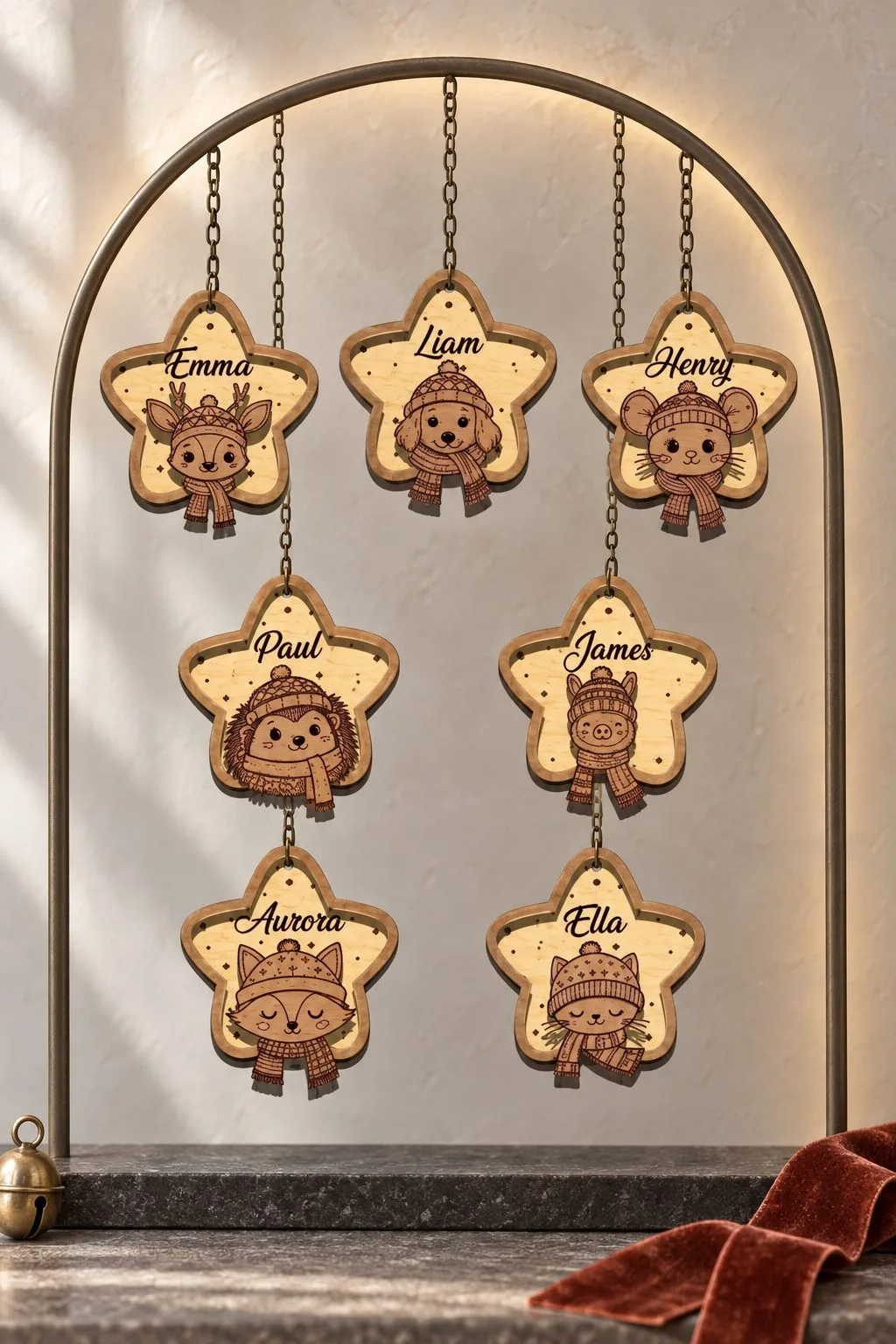
Seven stars, each with a woodland animal: a fox, a deer, a puppy, a mouse and a hedgehog among them. Every star carries the name engraved on it, and the engraving zone can be edited, so one file serves a child, a pet or each person at the table. Craft fairs, stocking stuffers and name ornaments for pets are the uses the maker points to.
Plywood, MDF, solid wood or acrylic in 2.5–4 mm is recommended. Files are SVG, DXF, AI, EPS and PDF, and the maker names Glowforge, xTool, OMTech, Aeon and LightBurn. Put the longest name into the zone first, and if it feels tight, shorten the name before you shrink the lettering.
Baby Stroller
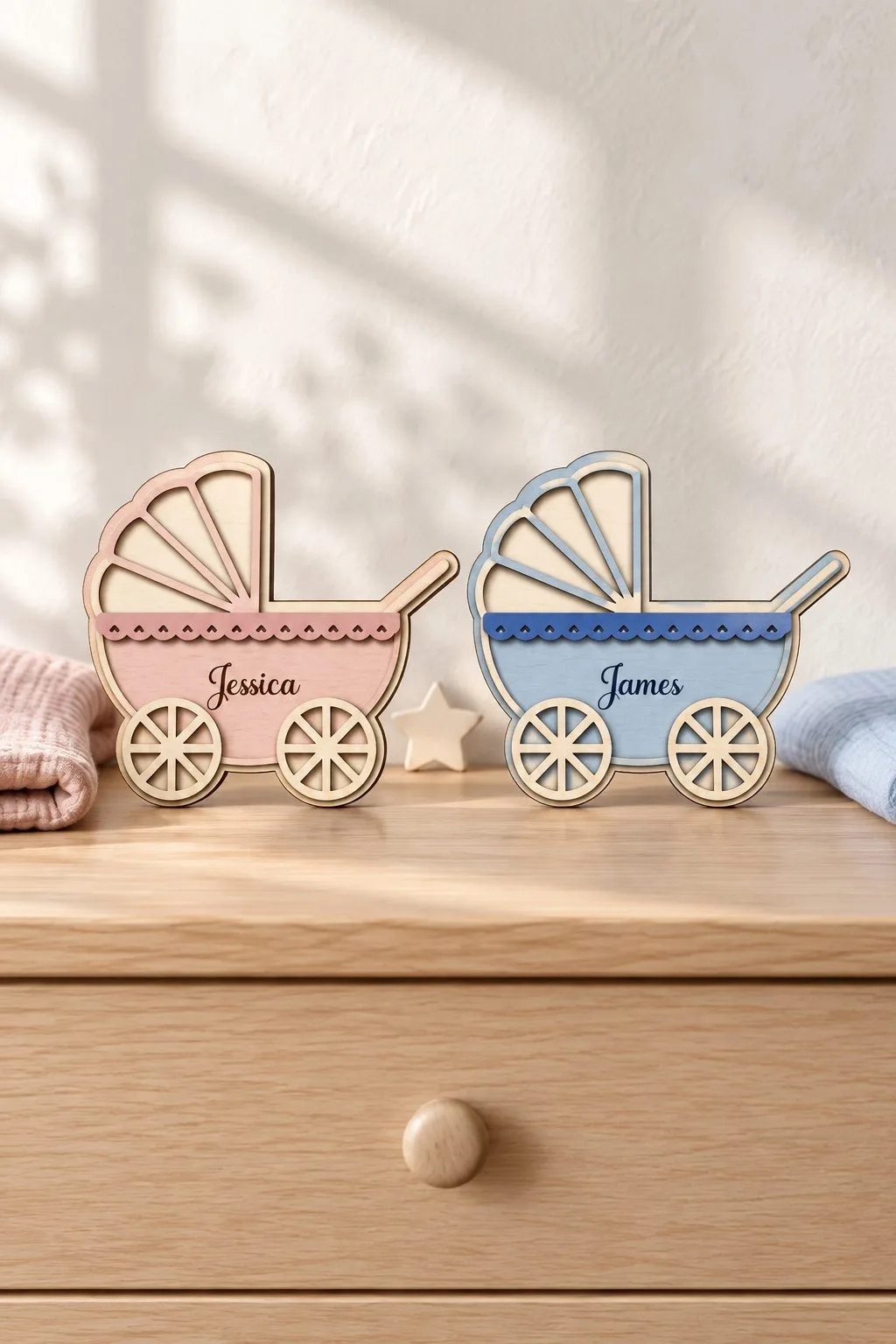
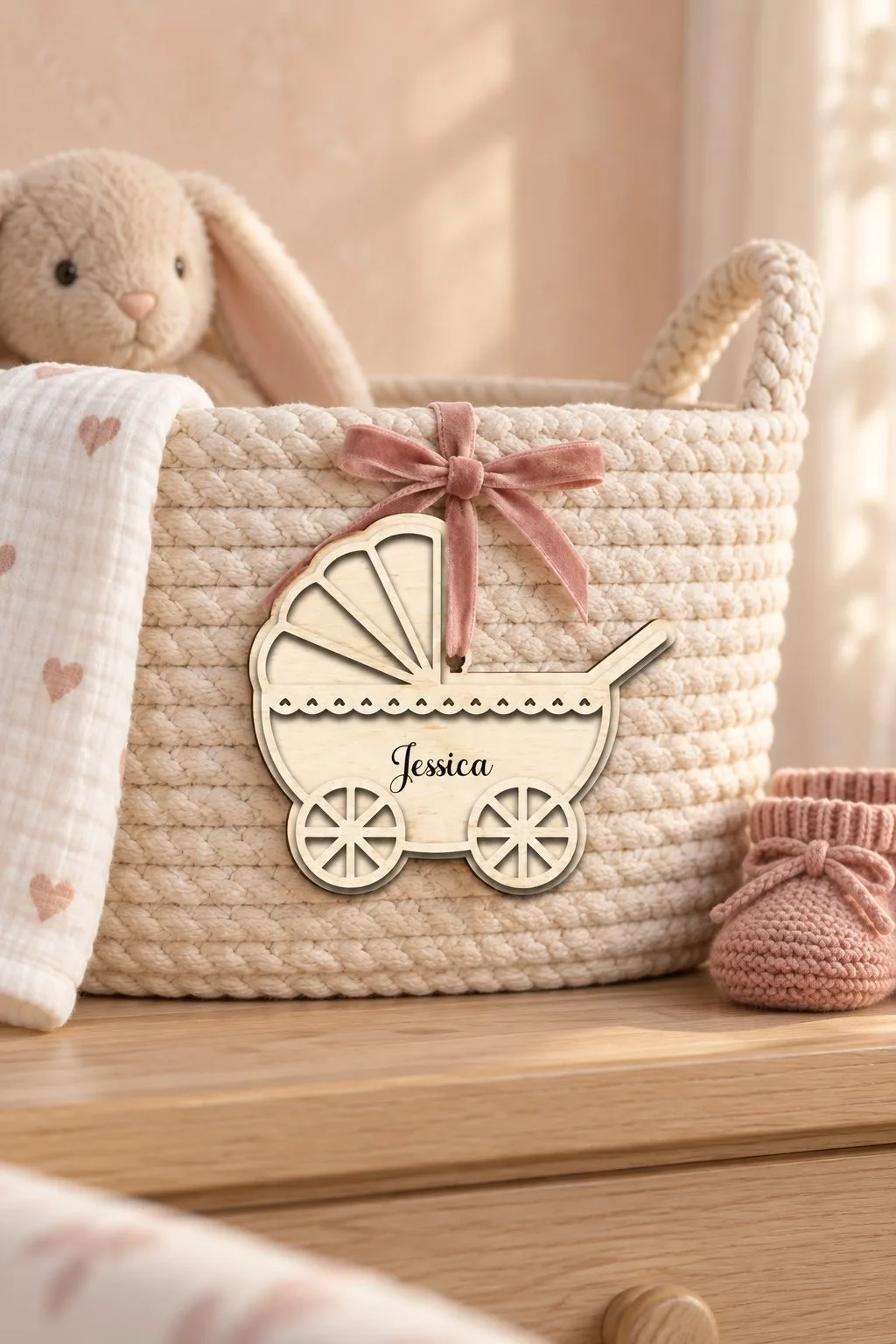
An old-fashioned pram with a hood and big spoked wheels, and a band across the body for the baby’s name. Cut it, engrave the name, and it works as a shelf sign for the nursery, a tag tied to a gift basket or a keepsake from the shower. The photos show it standing on a dresser and tied with a ribbon to a woven basket.
The download has an SVG cut file, printable JPG and PNG versions and an EPS, with the maker’s note that some editing may be needed for your laser. Thickness is not stated, so choose the sheet first and check how much of the band your child’s name needs.
Welcome Baby Bottle Gift Card Holder
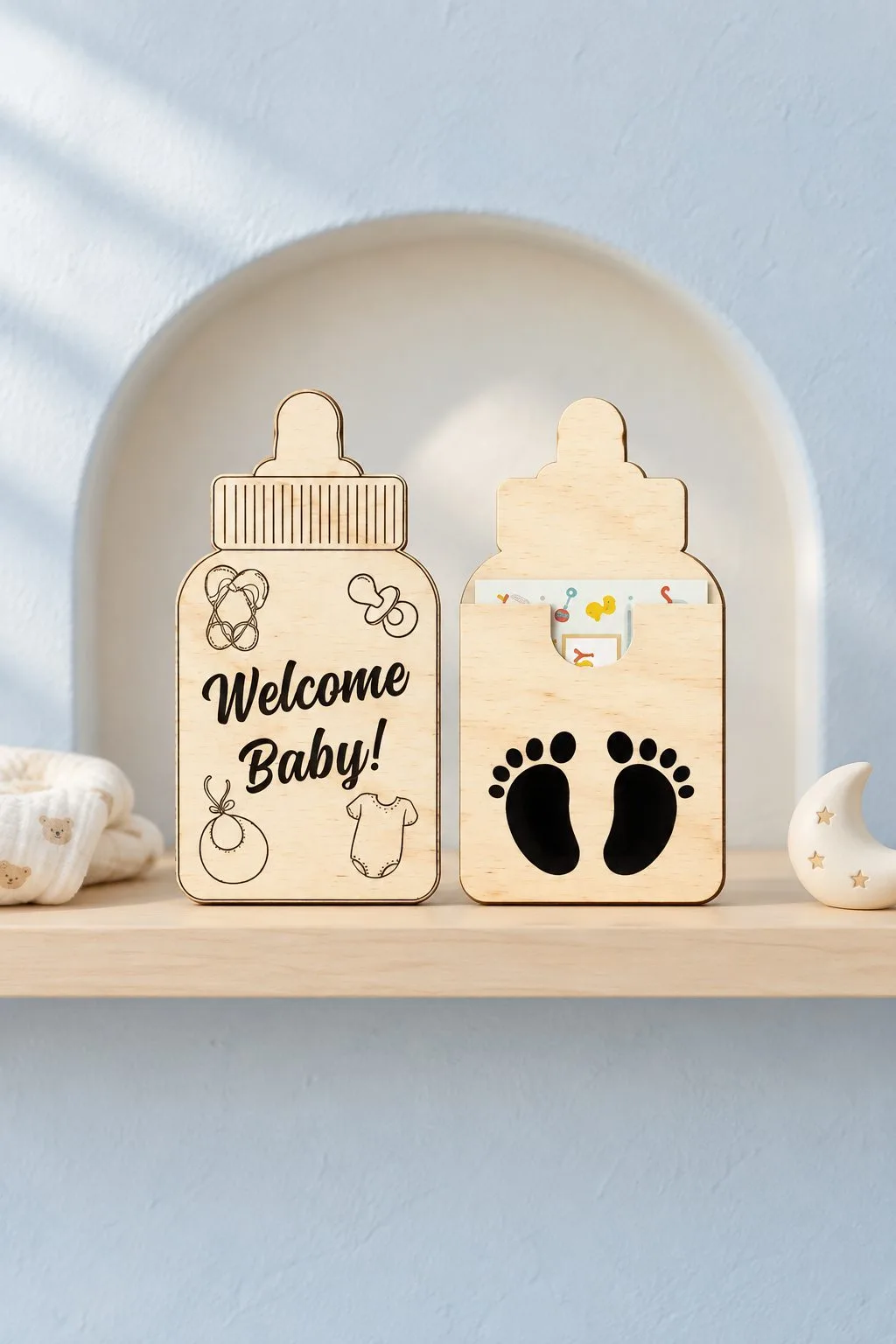
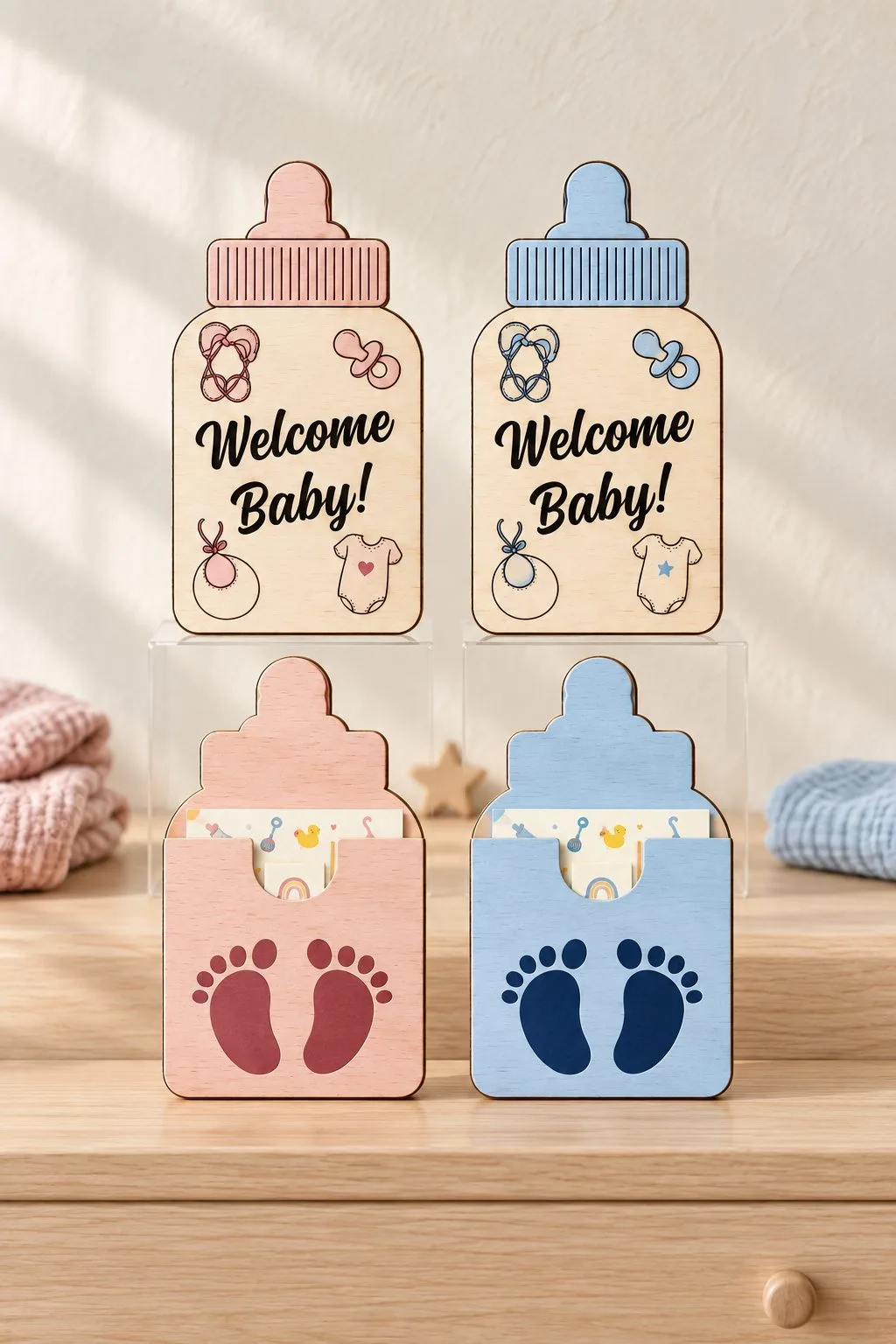
A baby bottle in two pieces. The front says Welcome Baby! with a bib, a pacifier, a onesie and a rattle engraved around the words, and a pocket shaped like the same bottle, with two little footprints, holds a gift card or cash. Cut one set for a girl and one for a boy and you have a matching pair for twins.
You get an SVG cut file, a printable JPG, a PNG with a clear background and an EPS. A note from the maker says the artwork is joined into as few pieces as possible and some editing may be needed. Since the engraved pictures are small, run a sample of the bib and the rattle on your sheet before you cut the whole set.
Dear Santa Envelope V2
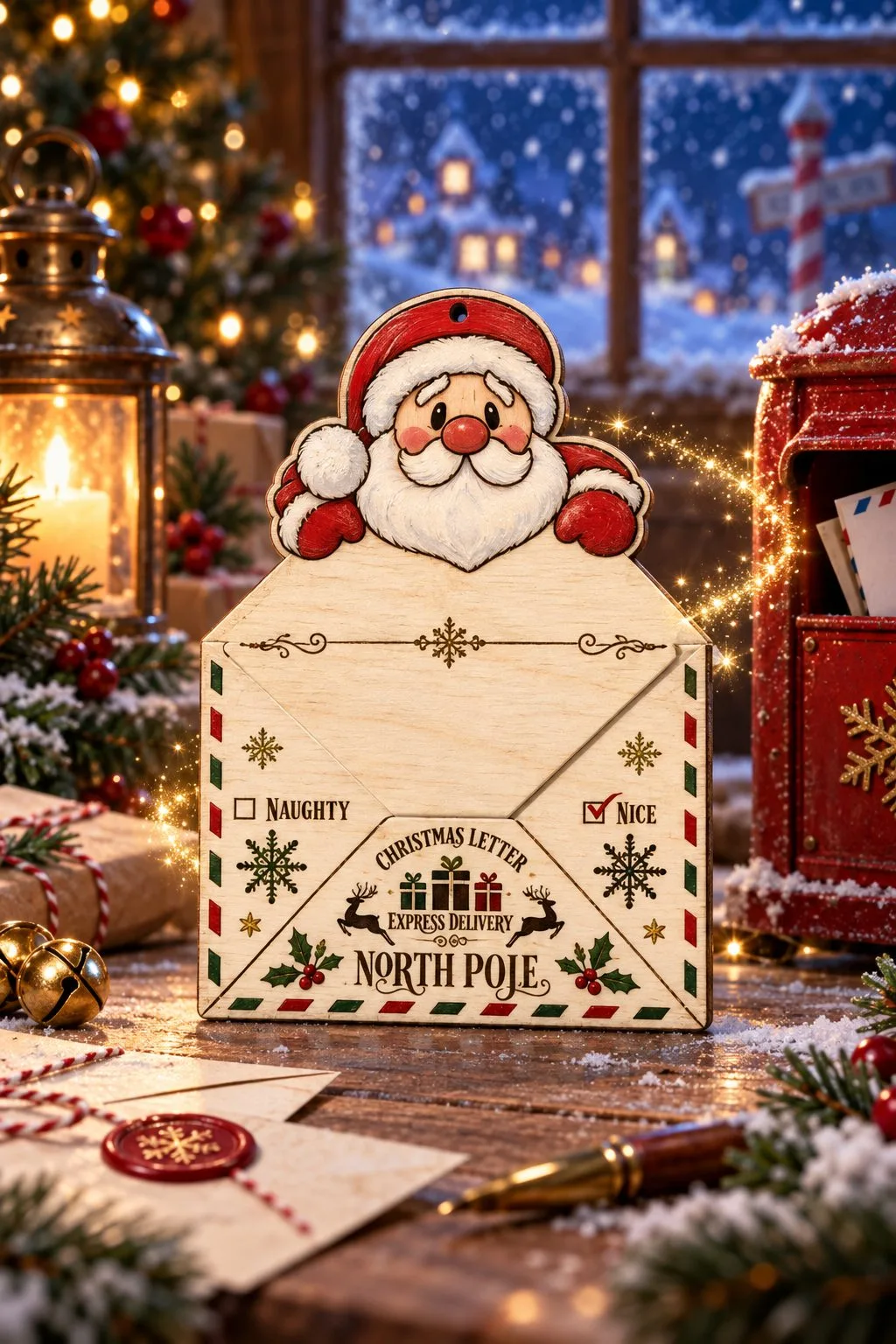
Children write to Santa every December, and this file gives the letter an envelope. Santa peeks over the top flap, and the front is addressed to the North Pole with the words Christmas Letter, Express Delivery and two boxes to tick, Naughty and Nice. The lettering is small, which makes this a useful test of how clean your engraving stays at a small size.
The download has an SVG cut file, printable JPG and PNG versions and an EPS, with the maker’s note that some editing may be needed for your laser. Fold a paper letter first, because the pocket has to fit it.
Santa Letter Envelope Holder
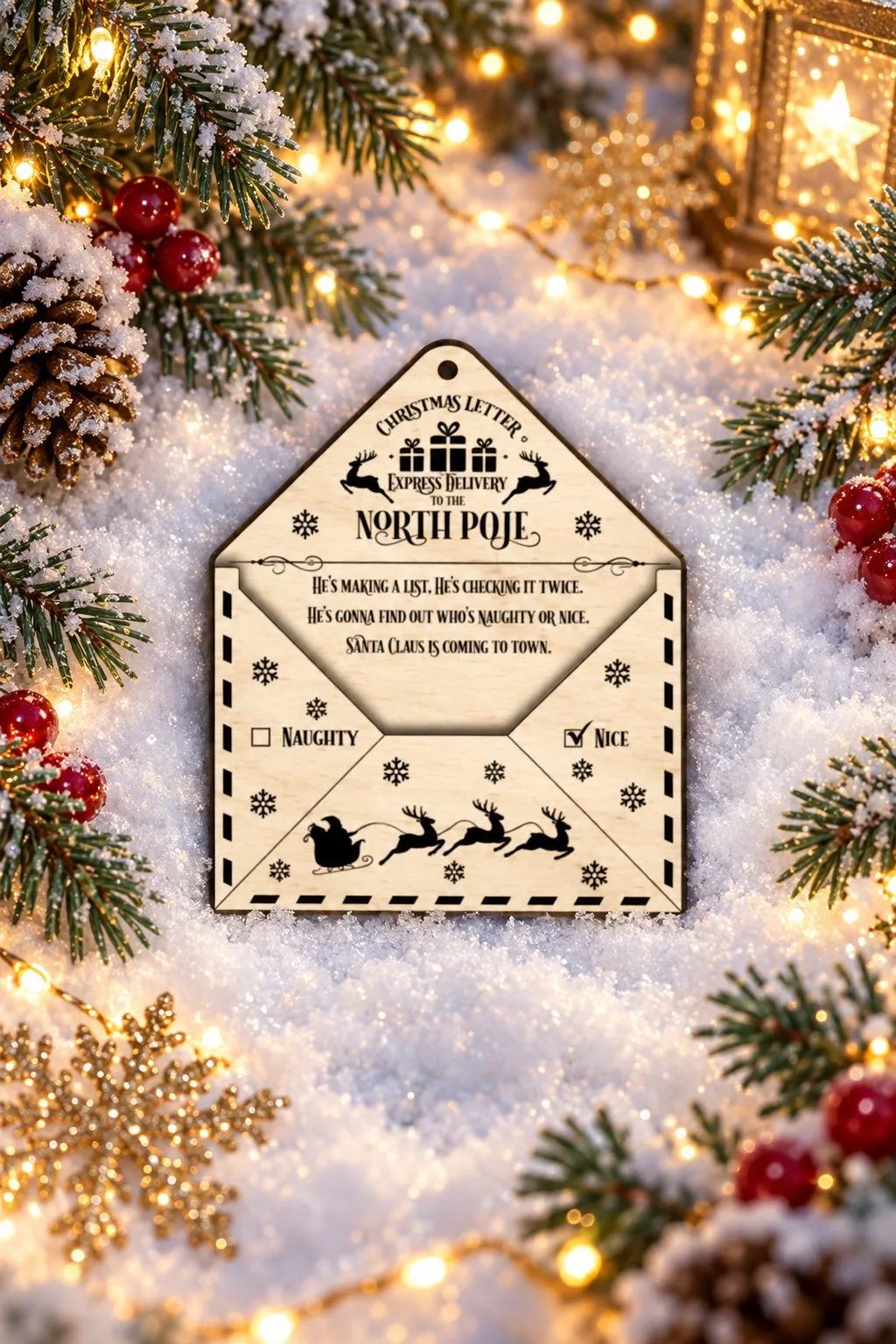
A flatter envelope addressed the same way, Christmas Letter, Express Delivery to the North Pole. It adds a verse from Santa Claus Is Coming to Town on the inner flap, the Naughty and Nice boxes and Santa’s sleigh with reindeer along the bottom. A hole at the top lets it hang on the tree with a letter tucked inside until Christmas Eve.
The verse is the longest line of text in this guide, so check its spacing on a sample sheet before you commit to the final one. The product page lists the file formats.
Wood laser engraving: messages on gifts and a wedding
A message is easier to engrave when you can see where it goes. These three gifts each leave a clear place for words: a badge on a caddy, a blank front panel on a box, a quote on a board.
Wooden Beer and Treats Holders Bundle
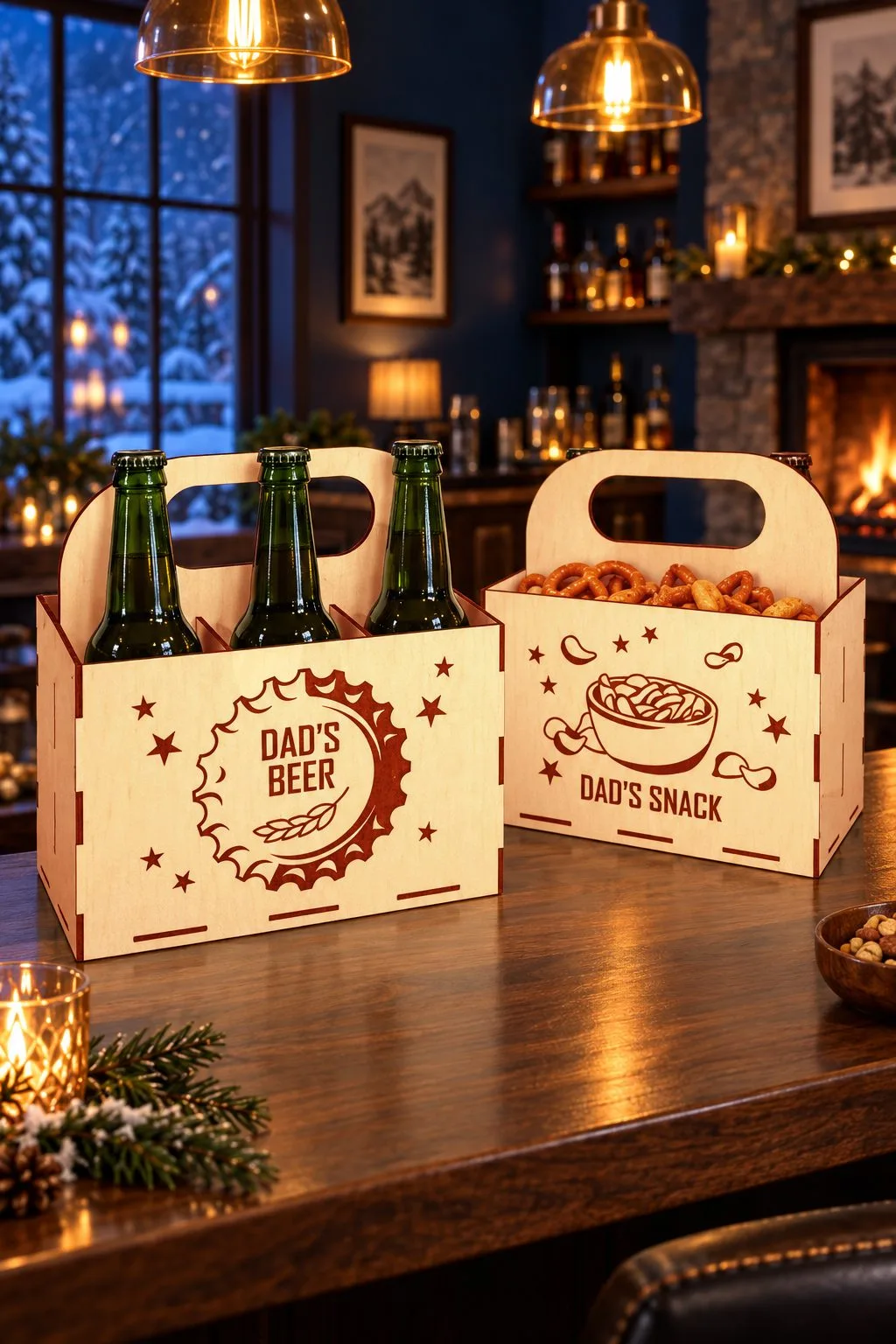
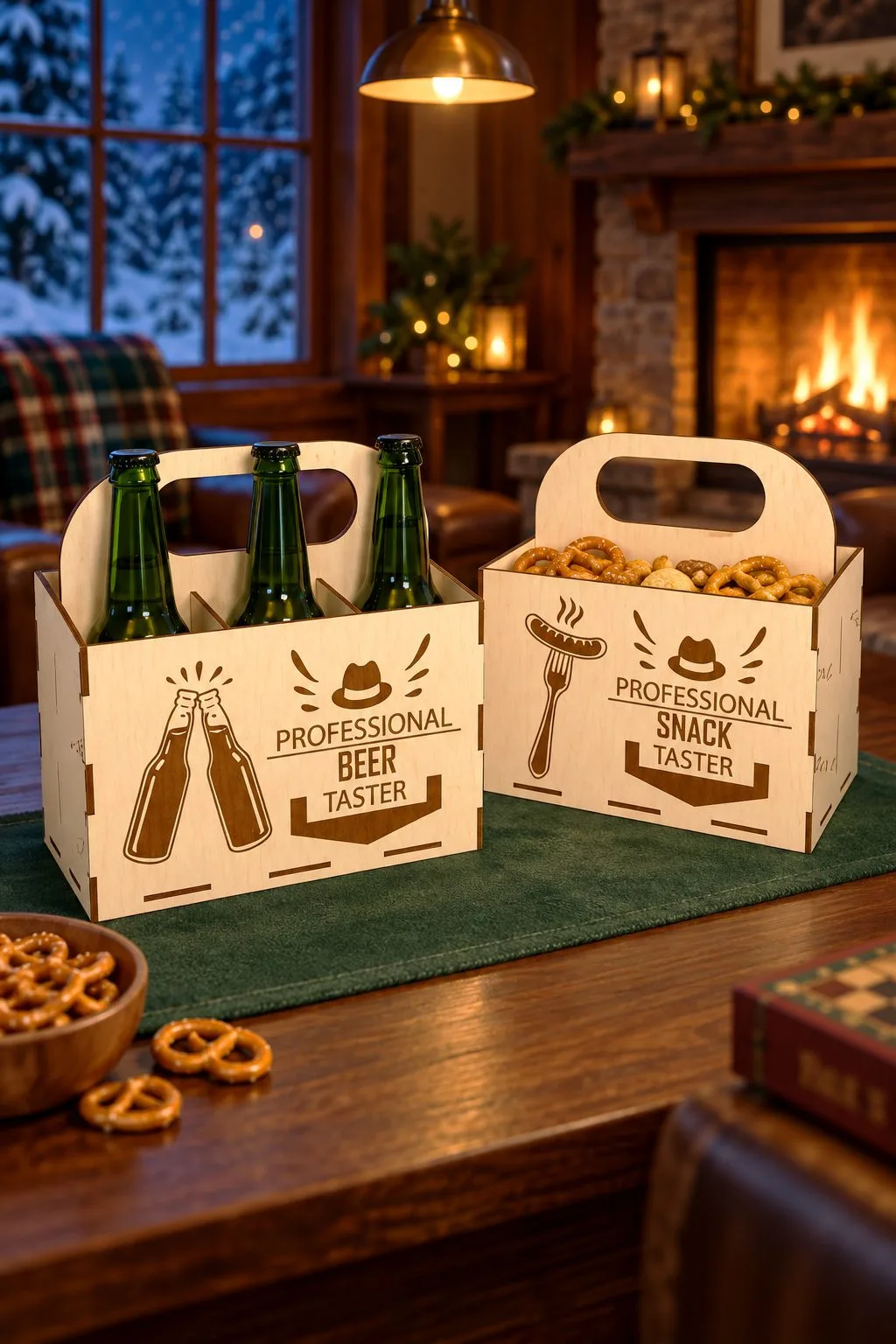
The engravings are what make this one a gift. One caddy says “Dad’s Beer” inside a big bottle cap, and its partner, an open snack box, says “Dad’s Snack”. In the other version the pair reads “Professional Beer Taster” and “Professional Snack Taster” under a gentleman’s hat. Ten designs are included, so the wording can change for Father’s Day, a birthday or a game night.
The files are SVG, DXF, EPS, PDF, JPEG and PNG, and the maker designed the project for 3 mm material. Because each line of lettering sits inside a drawn badge, check a new name against the badge size before you swap it in.
Laser Cut Beer and Wine Box
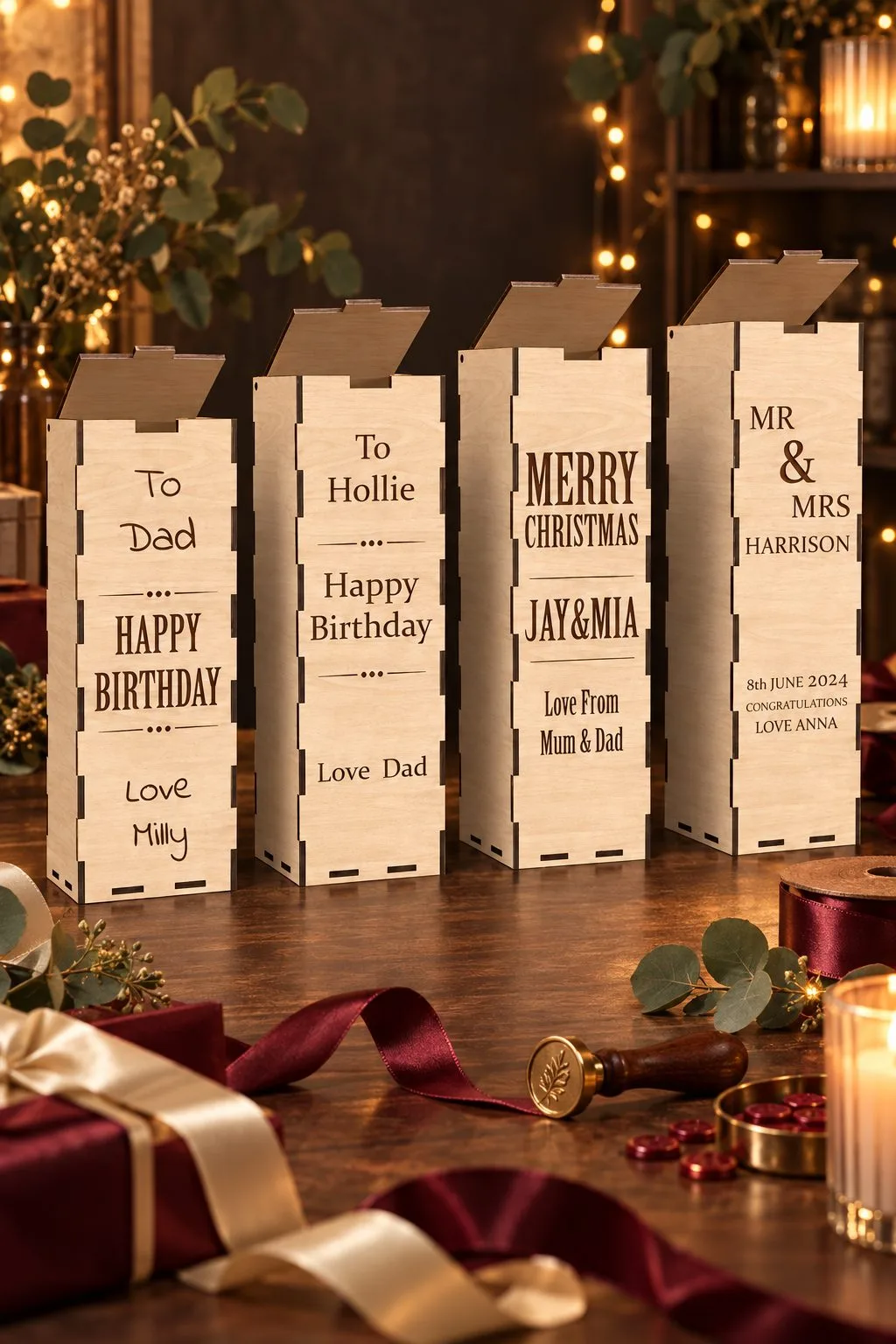
A bottle in an engraved wooden box becomes a keepsake. This set gives you a tall box with a lid that slides up, and the front is a blank panel for your message: “To Dad, Happy Birthday”, a “Merry Christmas” from parents to a couple, or a wedding version for Mr and Mrs. The beer box is 10 cm wide and deep and 30 cm high; three wine boxes are the same width at 33, 35 and 37 cm.
The files are AI, EPS, DXF, PDF and SVG for 3 mm, 3.2 mm (1/8 inch) and 4 mm material. Write the whole message first and test it on the front panel, because that panel is the only place the words can go.
Beer Bottle Opener Laser Cut Bundle
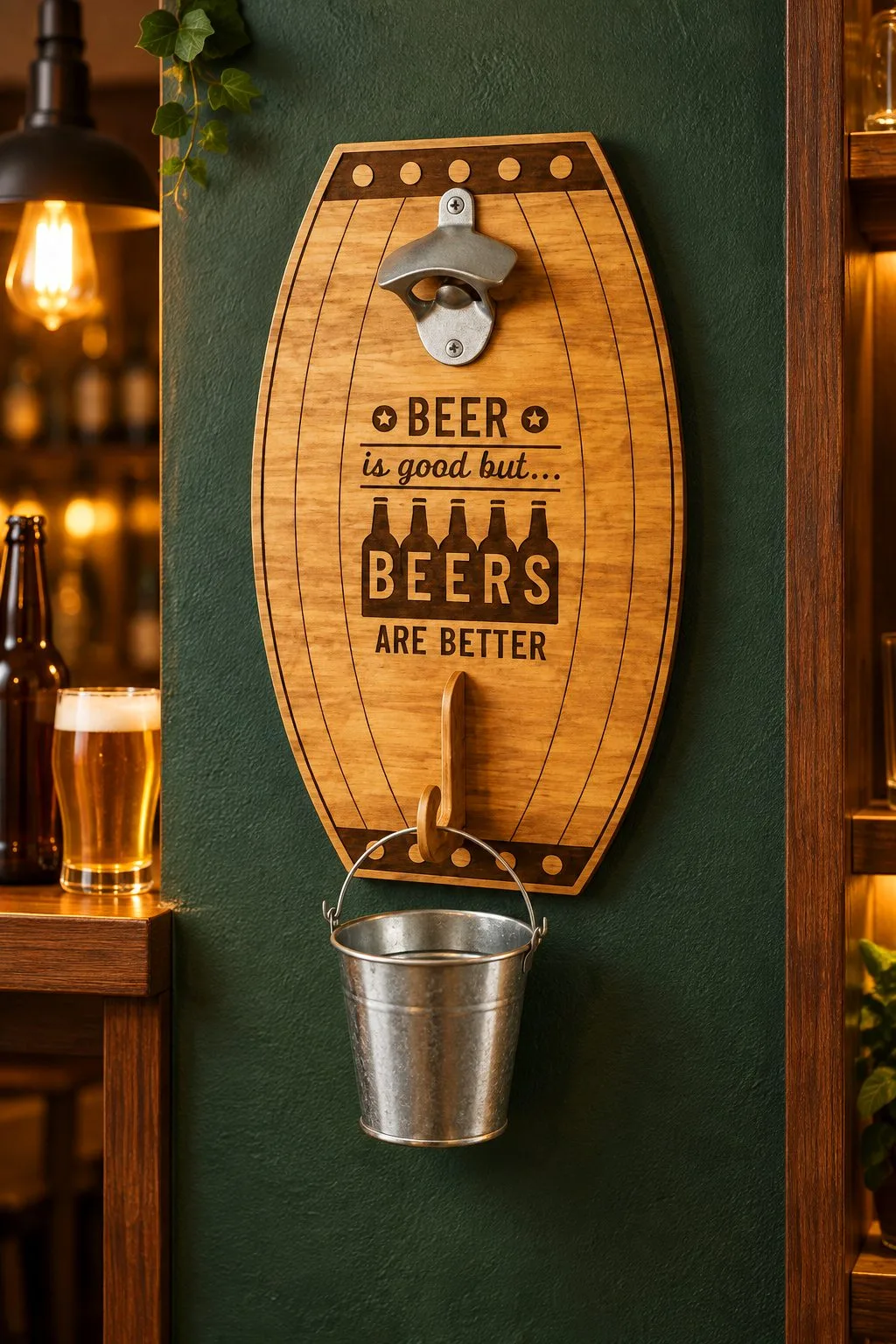
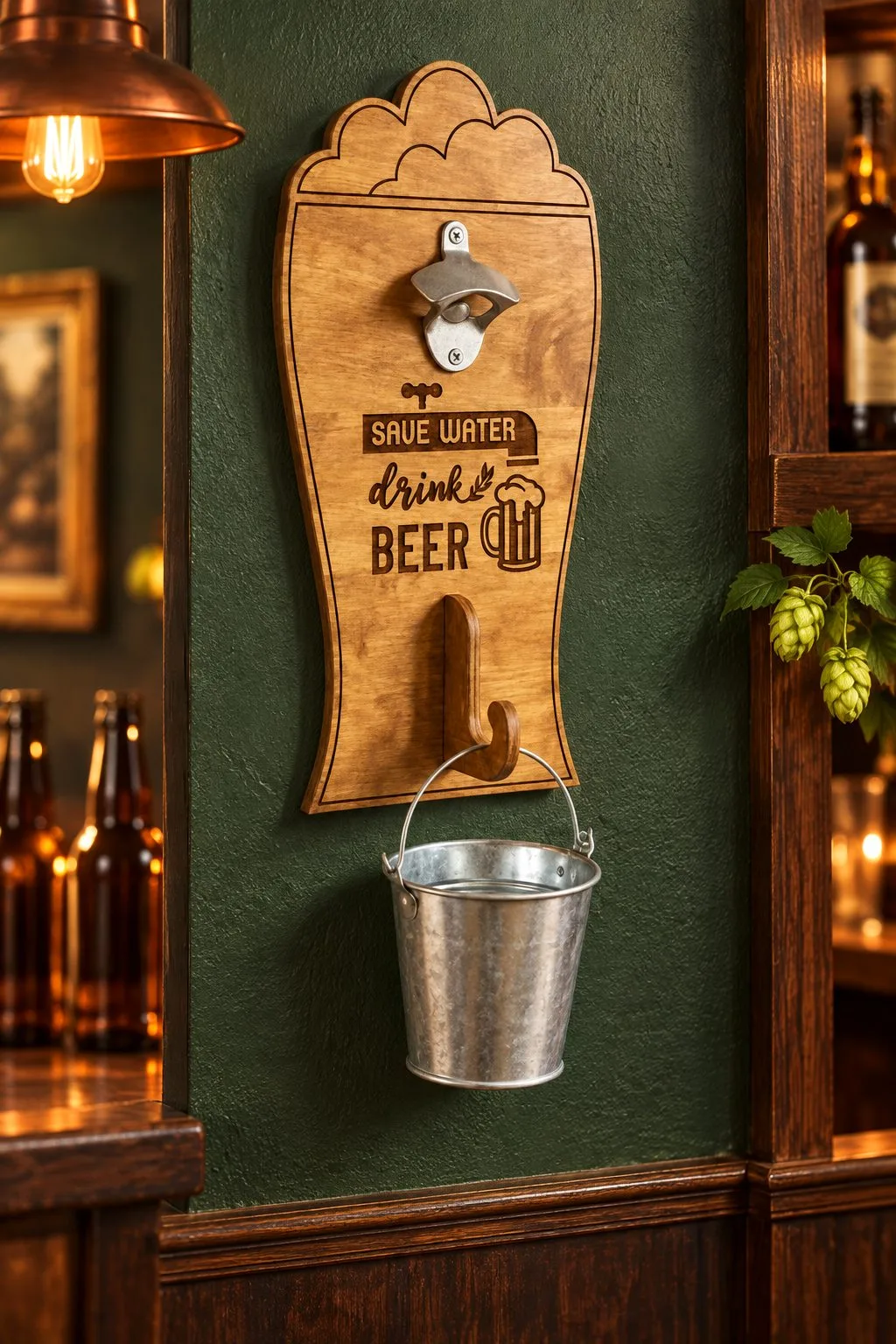
A metal opener is screwed to the top of an engraved board, with a hook below for a small bucket that catches the caps. The quote changes from design to design: a barrel with “Beer is good but… Beers are better”, or a tall glass with “Save water, drink beer”. The maker suggests them as personalised beer gifts, and a name or a birthday date fits beside the quote.
Ten designs are included as SVG, EPS, PNG, PDF and DXF. For LightBurn the maker recommends the DXF files, since SVG sizes can change there. Try the quote on a scrap first and check that the lettering still reads next to the opener hardware.
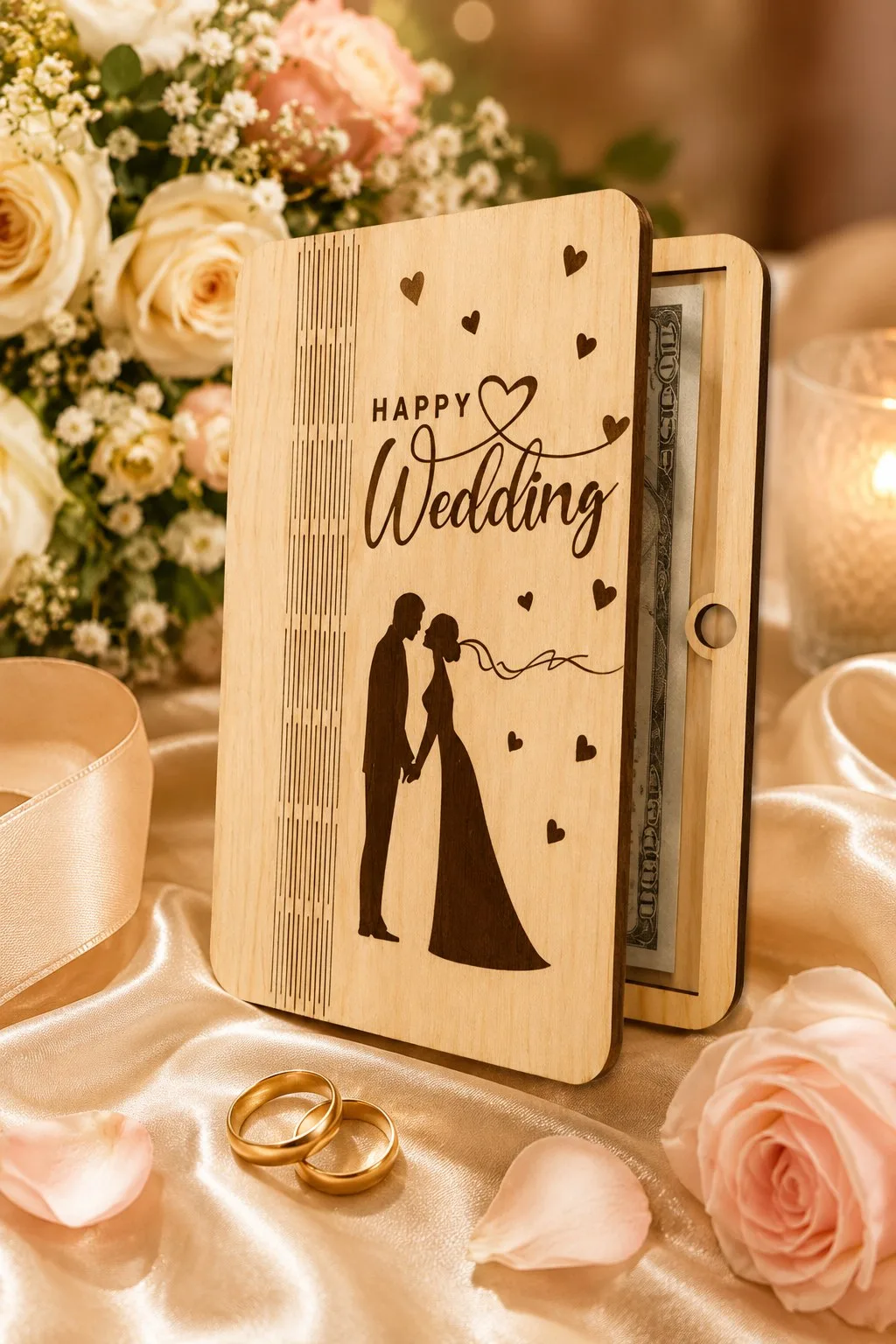
Happy Wedding Money Holder
Happy Wedding Money Holder is one choice to inspect for readable wood lettering: the maker lists a 7-inch-high wooden wedding money or gift-card holder; red cuts and blue engraves; Glowforge is named, supplied in SVG, AI, DWG, EPS, DXF, PDF. However, the wood-marking description leaves sheet thickness and a measured card pocket open, so obtain those details before choosing a finished part.
For a wedding money holder, keep both names and the date in a separate proof. Then compare the blue engraving layer with that proof before adding any personal message to the red-cut outline.
Three more wedding pieces are built around words and a date. In each one the engraving is the part you personalise, so decide the names before you pick a file.
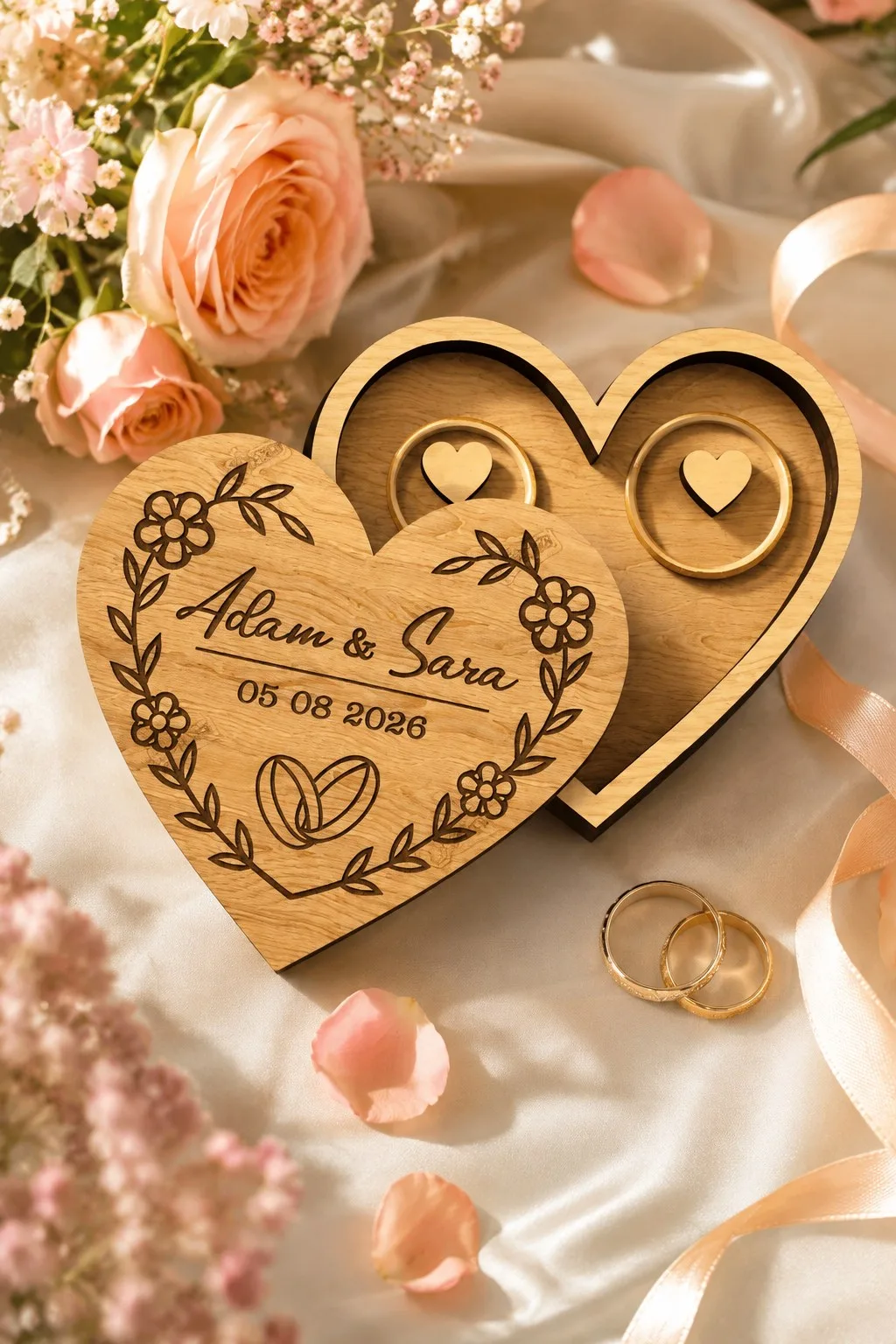
Wedding Ring Box Laser Cut Jewelry Box
Two wooden hearts make one ring box: the lower heart is a tray with two round seats for the rings, each with a small heart holder, and the upper heart is the lid. The lid carries the engraving: two names, a date and a pair of linked rings inside a wreath of small flowers and leaves.
The archive holds SVG, EPS, PNG, PDF and DXF files. The maker warns that LightBurn can distort sizes in SVG and advises using DXF there. Sheet thickness and measurements are not stated, so check them before you buy. Fit your own names into the wreath on a scrap first, because long names leave little room beside the rings.
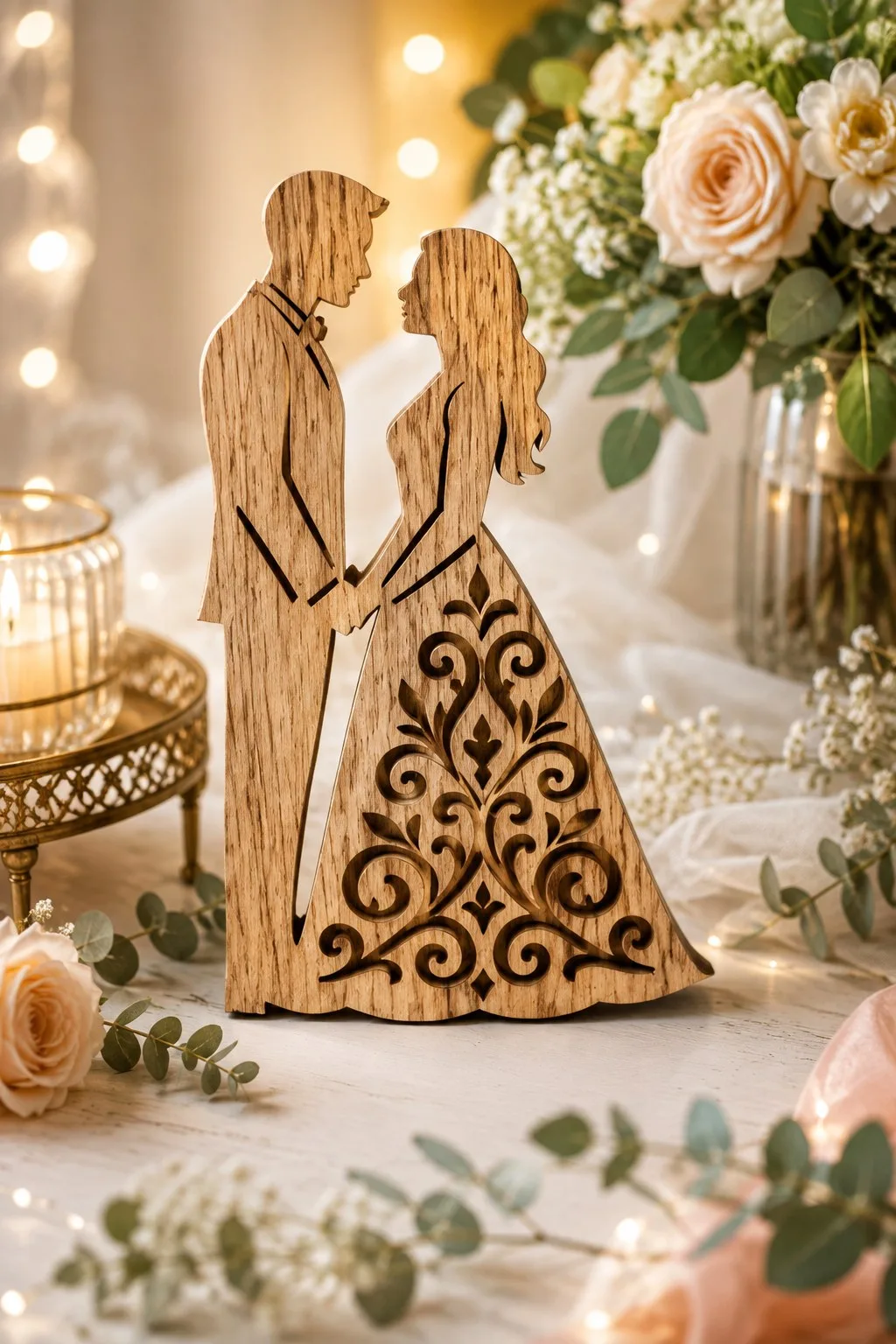
Standing Bride and Groom Silhouette
Five designs of a couple holding hands, each cut as one piece that can stand on its own. In the version shown the groom is smooth and the bride’s skirt is filled with a pierced pattern of scrolls and leaves. The maker suggests them as welcome signs, decor, keepsakes, a stand-in for a guest book or wall panels.
The files are SVG, DXF, EPS and PDF, for Cricut, Silhouette, Glowforge, xTool and CNC routers, in wood, acrylic, MDF or cardboard. Names and a date are not part of the listing, so decide where yours will be engraved before you cut.
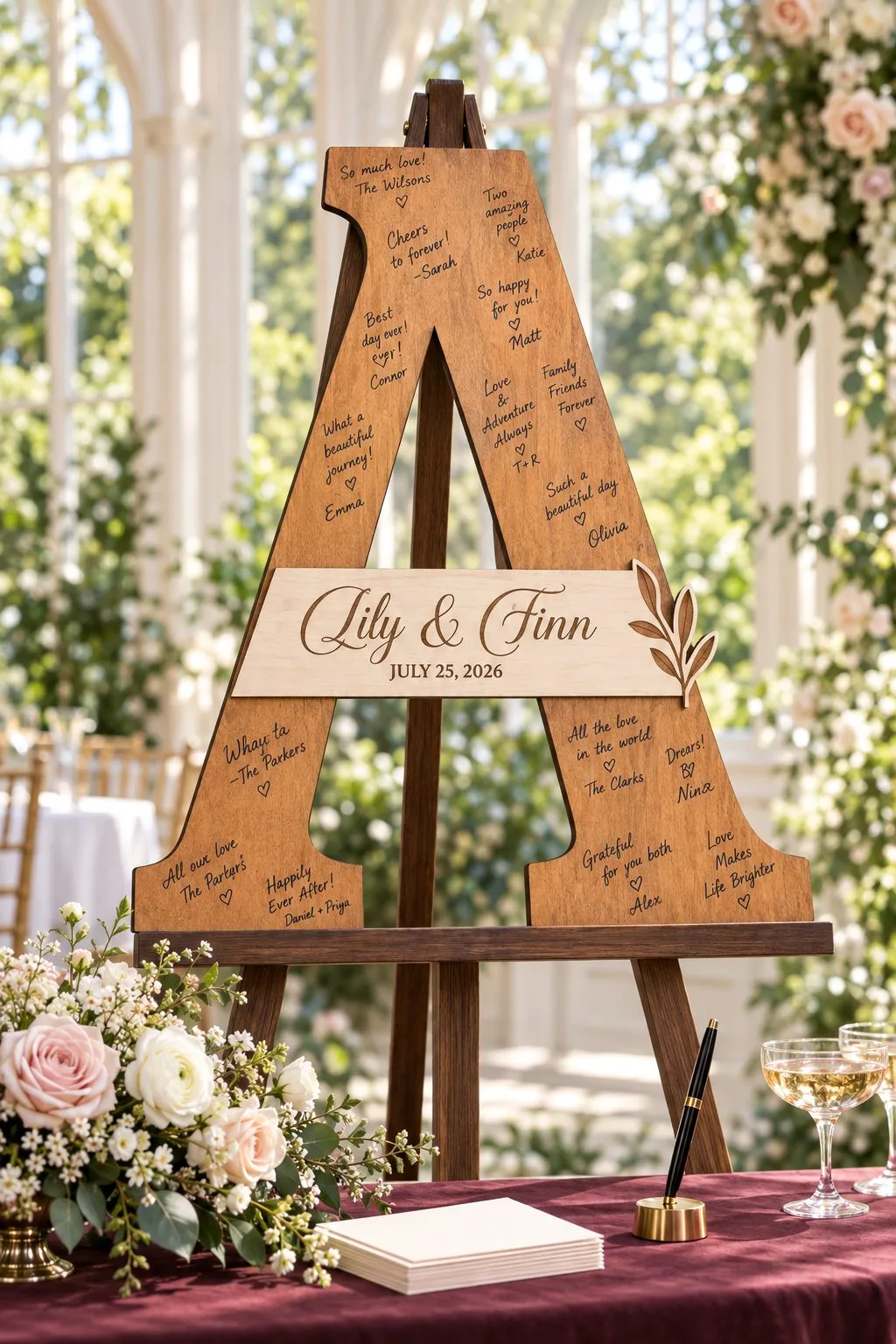
Wedding Guest Book Letters Signs Bundle
Ten designs of signs and big letters for a guest book that is signed on the wood itself. The couple’s initial or a plaque with the names and the wedding date is yours to engrave; the guests then write their wishes by hand around it.
The files are SVG, DXF, EPS, PDF, JPEG and PNG. Sizes and thickness are not given, and the maker says the picture in the listing is only for inspiration, so look at the file preview rather than the photo to see what you are getting. Leave the largest flat area free for the guests’ handwriting.
Wood laser engraving choices at a glance
Also, compare these files around readable wood lettering. The maker’s dimensions and material notes remain beside each actual product, so you can choose a drawing without borrowing measurements from a neighboring row. Then inspect the information still missing before committing to the wood laser engraving you want to make.
Wood laser engraving: first options
| Actual product | What the maker gives | Formats | Detail still needed |
|---|---|---|---|
| Business Card Holder You Engrave With Your Name | Wood marking comparison: two variants; 10 × 5.5 cm footprint; 5 or 8.5 cm high | EPS, SVG, AI, DXF | Ask for wood marking: a fitted retail gift-card pocket |
| Laser Cut Stackable Storage Box | Wood marking comparison: three crate sizes, 30/35/40 cm wide; 3, 3.2 or 4 mm | AI, DXF, SVG, EPS, PDF | Ask for wood marking: a stacking load rating |
| Mystical Notebook Cover Laser Cut Bundle | Wood marking comparison: ten plywood notebook-cover designs | SVG, PNG, DXF, EPS, PDF | Ask for wood marking: sheet thickness |
| Laser Cut Dads Garage Sign | Wood marking comparison: a garage sign about 30 × 22 cm | AI, PDF, SVG, EPS, DXF | Ask for wood marking: material thickness and a mounting specification |
Wood laser engraving: further choices
| Actual product | What the maker gives | Formats | Detail still needed |
|---|---|---|---|
| Dog Ornament with Spot for Name | Wood marking comparison: one SVG/JPEG/EPS; PNG also mentioned in the general list | SVG, JPEG, EPS; inspect PNG for the wood-marking project | Ask for wood marking: sheet thickness and an unambiguous PNG file count |
| Happy Wedding Money Holder | Wood marking comparison: a 7-inch-high wooden wedding money or gift-card holder | SVG, AI, EPS, PDF, DWG, DXF | Ask for wood marking: sheet thickness and a measured card pocket |
Wood laser engraving: names and letters for pets and children
| Actual product | What the maker gives | Formats | Detail still needed |
|---|---|---|---|
| Christmas Dog Bone Ornament Bundle | A dog in a Santa hat engraved above a bone with a name field; ornament, collar tag or gift | SVG, DXF, PDF, EPS, DWG | Size and thickness are not stated |
| Forty Custom Dog Breed Ornaments | Forty breed ornaments, about 10 cm round, name space and a bone border; engraving plus cutting | AI, EPS, DXF, PDF, SVG | Which breeds you need |
| Personalized Animal Star Ornaments | Seven stars with woodland animals and an editable engraved name zone; 2.5–4 mm | SVG, DXF, AI, EPS, PDF | Your longest name in the zone |
| Baby Stroller | A pram with a band for the baby’s name; nursery sign, gift tag or keepsake | SVG, JPG, PNG, EPS | Thickness is not stated |
| Welcome Baby Bottle Gift Card Holder | Two-piece baby bottle with engraved bib, pacifier, onesie and rattle around Welcome Baby!, plus a card pocket | SVG, JPG, PNG, EPS | Test the small engraved pictures |
| Dear Santa Envelope V2 | Santa-letter envelope with addressed lettering and Naughty/Nice boxes | SVG, JPG, PNG, EPS | How small lettering engraves on your sheet |
| Santa Letter Envelope Holder | Envelope with a verse on the inner flap, sleigh and reindeer, hole for the tree | See product page | Spacing of the long verse |
Wood laser engraving: messages on gifts
| Actual product | What the maker gives | Formats | Detail still needed |
|---|---|---|---|
| Wooden Beer and Treats Holders Bundle | Beer caddy and snack box pair with engraved “Dad’s” or “Professional Taster” lettering; 10 designs | SVG, DXF, EPS, PDF, JPEG, PNG | Name against the badge size |
| Laser Cut Beer and Wine Box | Tall gift box with a blank front panel for an engraved message; beer and three wine sizes | AI, EPS, DXF, PDF, SVG | Your full message on the panel |
| Beer Bottle Opener Laser Cut Bundle | Wall bottle openers on engraved boards with beer quotes; 10 designs | SVG, EPS, PNG, PDF, DXF | Quote beside the opener hardware |
Write the words before choosing the font
A wording proof gives you an exact reference for every later lettering change. Write the name, label or date in plain text, then confirm it with the intended recipient or approved source. First, keep that reference beside the artwork. A graceful font can change the appearance of a letter, but it cannot settle what the message should say.
For a business stand, decide whether the face needs a name, logo or both. Then read the wording aloud. A short label often gives you more useful room than a slogan spread across several narrow lines.
For a storage box, choose the label people will look for. The word should help them find the contents, rather than explain how you made the container.
Our name sign maker helps you explore lettering. Bring the chosen layout back to the object’s actual panel before treating it as an engraving job.
Put wood laser engraving on the useful face
A useful engraving face remains visible when the object does its normal job. Identify that face in the selected drawing, then place the proof where the reader will see it. Then, keep joints, openings and handles outside the lettering area. The assembled object should carry the message without hiding it behind cards or contents.
Choose line marks or filled letters deliberately
An engraving operation should match the mark you intend to leave. A surface line follows a path, while filled lettering processes an area within suitable shapes. Through cutting separates the object. Assign those roles to the actual artwork groups before previewing, because the file extension and imported colors do not decide the result for you.
LightBurn describes line processing along vector paths and fill processing inside closed shapes. The operation’s settings still matter to the result. LightBurn Line Mode and LightBurn Fill Mode
Next, write a short intention beside each group in your job notes. For example, the holder outline separates a part, while the business name stays on its face. Then, keep any temporary placement rectangle out of the output.
Next, inspect the whole object rather than just the lettering. A name can sit correctly on the screen while its layer uses the same through-cut operation as the outer contour.
Check the small spaces inside the letters
A lettering check looks at the exact name at final size, including the spaces inside and between its characters. Print the proof without enlarging it, then read it from the intended distance. If the words crowd the panel, change the layout before changing processing settings. The drawing should give the material test a sensible starting point.
Next, try another line break if the name is too long. Also compare a shorter approved version, where appropriate, rather than squeezing every letter into a narrow strip.
First, look closely at the smallest word or date. If that detail matters, include it in the material sample. Testing a large initial alone leaves the tiny line unanswered.
For a set of recipients, inspect the longest name and any unusual punctuation separately. Those are the proofs most likely to need a different arrangement on the same panel.
Test wood laser engraving on the actual sheet
A wood sample connects the drawing with the sheet you will process. Identify the material and surface preparation, then use your machine’s supported workflow for that material. Then, keep the same important lettering in the sample. A result from another board can guide a question, but your intended sheet supplies the useful comparison.
Trotec explains that wood structure and material differences affect laser processing. That is why a box label should accompany its own sheet record rather than inherit another project’s result. Trotec wood guidance
Then, write the material name, thickness and supplier information available to you. Then keep the test piece with the job notes. You can compare a later label against a physical reference instead of recalling how dark the first one looked.
We have not engraved these selected objects ourselves. The maker supplies their construction facts; your sample will show how the chosen wording appears on your sheet.
Does masking belong in your engraving workflow?
A masking decision depends on the sheet, tape and intended processing instructions. xTool discusses masking in its plywood troubleshooting guidance for reducing surrounding marks. Use that guidance in its stated context, then confirm the exact materials for your job. A tape useful in one cutting setup is not automatically suitable for a small engraved name.
xTool plywood troubleshooting gives the material-workflow context. Also, keep the tape supplier’s instructions beside it before preparing a test.
Include tape removal in your sample review. Then inspect the lettering and surrounding face separately. If the letters are readable but the nearby surface looks wrong, investigate that surface workflow before redrawing the name.
Also use the finish you intend for the object when reviewing its final appearance. Follow the finish instructions, then read the label in normal room lighting instead of judging only the fresh mark on the bench.
Keep wedding names with their approved date
A wedding proof keeps the couple’s names and date together through every artwork revision. Check those words against the approved reference, then place them on the selected gift design. Next, read the message at the object’s intended size before planning the operation. A changed line break should preserve both spelling and the functional holding area.
Money Gift Card Laser Cut mentions wedding and engraving uses among its gifting directions. The maker lists SVG and refers to PDF, PNG and EPS, while leaving material, thickness and pocket dimensions open.
Next, confirm those construction details before choosing a wooden holder around the message. Then inspect where the engraving belongs in the actual drawing. A wedding theme does not tell you which panel carries the card.
Our wedding laser projects give presentation context. Then, use the chosen file’s notes for the construction and the couple’s approved wording for the greeting.
Align the mark with the piece you will assemble
A placement check identifies the actual panel and visible side before you process its message. Find that piece in the drawing, then compare its orientation with the assembled object. First, keep the lettering on a working copy of that same panel. Correct text can still end up upside down or hidden if you confuse similar parts.
For a card holder, sketch the taller back beside the front. Then mark which face shows the business name. Then, keep that map with the cut parts until assembly.
If the maker gives a reference dimension, compare it after import. LightBurn documents SVG scale controls and DXF unit settings. LightBurn settings An incorrectly sized panel needs attention before you center its label.
Next, preview the engraving relative to the complete cut outline. Also, look for a word across a tab or handle area, and compare its position with the approved paper proof.
Make one useful wood laser engraving record
A useful sample record tells you what question you tested and which setup produced the result. Choose a question such as smallest-text readability, panel placement or surrounding surface marks. Keep the file version, material and settings with that sample. Then compare the result with the question before preparing a complete personalized object.
Record settings with their units as your software shows them. Also keep the approved wording reference. Otherwise a later spelling revision can make two samples look different even when the material setup stayed the same.
Photograph the sample in the position where someone will read it. Then add a plain observation: which word reads clearly, which space seems crowded, or where the label sits.
After that focused test, assemble one complete object. A surface test answers the lettering question, while the finished card stand or box shows how the message works in use.
Find the problem in the engraving, not the whole project
An engraving diagnosis starts with what you can see: an unreadable word, a misplaced label or an unintended opening. Compare that symptom with the proof and preview before changing the setup. The possible causes below point to different checks. Keep the first sample nearby so that the next revision answers a specific question.
| Symptom | Possible cause | Next check |
|---|---|---|
| The name becomes a hole in the panel. | Its artwork uses a through-cut assignment. | Compare the letter group’s operation with the intended surface mark. |
| A small date reads poorly at arm’s length. | The layout or material result crowds its details. | Compare the final-size proof with that exact date on a sample. |
| Cards hide the business name. | The message sits too low on the selected back. | Place the target cards against the chosen version’s paper proof. |
| The box label faces the wall on the shelf. | The visible panel was mistaken during layout. | Sketch the assembled container in its intended orientation. |
| The surrounding face has unwanted marks. | The material preparation needs review. | Compare the surface workflow with supplier and machine instructions. |
| A later name differs from the approved spelling. | The artwork revision changed the wording. | Read the plain-text reference beside the final job copy. |
Before you cut or run wood laser engraving
Prepare the job when the exact words, visible panel and intended operations agree. Confirm the material and construction facts for the selected object, then review the smallest important lettering at final size. Check the preview with the whole outline visible. Use a material sample for the mark and a complete object for the placement.
If you plan several names, keep each approved proof paired with its working copy. Compare the long and short layouts before arranging repeated parts.
For the wider planning around personalized products, see our laser projects for selling. Keep the practical promise precise: an approved message on a useful object, with its sample and construction decisions recorded.
FAQ
Is wood laser engraving the same as cutting out letters?
Engraving leaves the intended mark on the surface, while through cuts separate material. Check each artwork group’s operation and settings. Then compare the preview with the result you want on the panel.
Should a storage label use lines or filled lettering?
Choose the appearance you want, then inspect the suitable operation for that artwork. A filled word and an outlined word use different processing approaches. Test the chosen lettering on your actual sheet.
Can I copy a result from another wood board?
Use it as a reference question, then test the sheet for this object. Wood structure affects processing. Keep each material identified with its own sample and job notes.
When should I approve a personalized name?
Approve the wording before preparing the final operation, and read it again after layout changes. Keep a plain-text reference beside the artwork. That comparison helps catch a spelling change hidden by a decorative font.
What should my first wood laser engraving test contain?
Include the smallest important word or detail on the intended material. Decide which question the sample should answer before running it. Afterwards, assemble one object to check the message in its normal position.
Can’t find the design you need?
Describe your idea in a few words and generate your own SVG design with AI.
Good to know: the files in this guide are hosted on Creative Fabrica. Downloading is free with their free trial: a payment card is needed to start it, and you can cancel the subscription at any time.