Laser Cut Advent Calendar: Drawers, Boxes and Base Fit
A laser cut advent calendar is a small piece of furniture with a job to do: it has to open on the first of December, and again on the twenty-fourth, and every day in between. A pretty front does not help if a drawer sticks once the glue is dry. So the real choice is the layout, not the decoration.
Do you want a cabinet of drawers, a row of boxes, or a train that rolls across the shelf? Each one opens in a different way, and each one needs a different space around it. This guide shows what two makers say about their files, and then walks you through the checks that save a sheet of plywood.
Short answer
A laser cut advent calendar works when every drawer or box still opens after assembly and finishing. Pick the layout first, then cut one complete compartment as a test before you cut the rest. For a drawer cabinet, look at Advent Calendar Bases Bundle Laser Cut: the maker lists ten designs and 6 mm material. For a train, look at Christmas Train Advent Calendar CNC: the maker lists five files in each format and recommends DXF for LightBurn. For a tree of 25 numbered houses, compare Christmas Advent Calendar Tree and Advent Calendar Laser Cut 25 Houses below.
Want to compare every design side by side? Jump to the comparison table with the files and the first thing to check for each one.
Choose a laser cut advent calendar layout before the decoration
Think about the morning. Will you pull a drawer, lift a lid, or open a little door on a train car? Each choice needs room around the finished calendar, so decide it before you pick a file.
Next, decide what goes inside. A folded note fits a shallow space. A wrapped chocolate needs more. Measure the wrapped gift itself, not the gift you see in a shop photo.
Then think about where the open drawers will sit while you fill them. If a drawer slides out completely, you need a clear spot on the table for all of them. A lid you lift off needs its own place too.
For a calendar with a Santa theme, our Santa advent calendar guide shows more seasonal designs. The checks below work for any of them.
Advent Calendar Bases Bundle Laser Cut
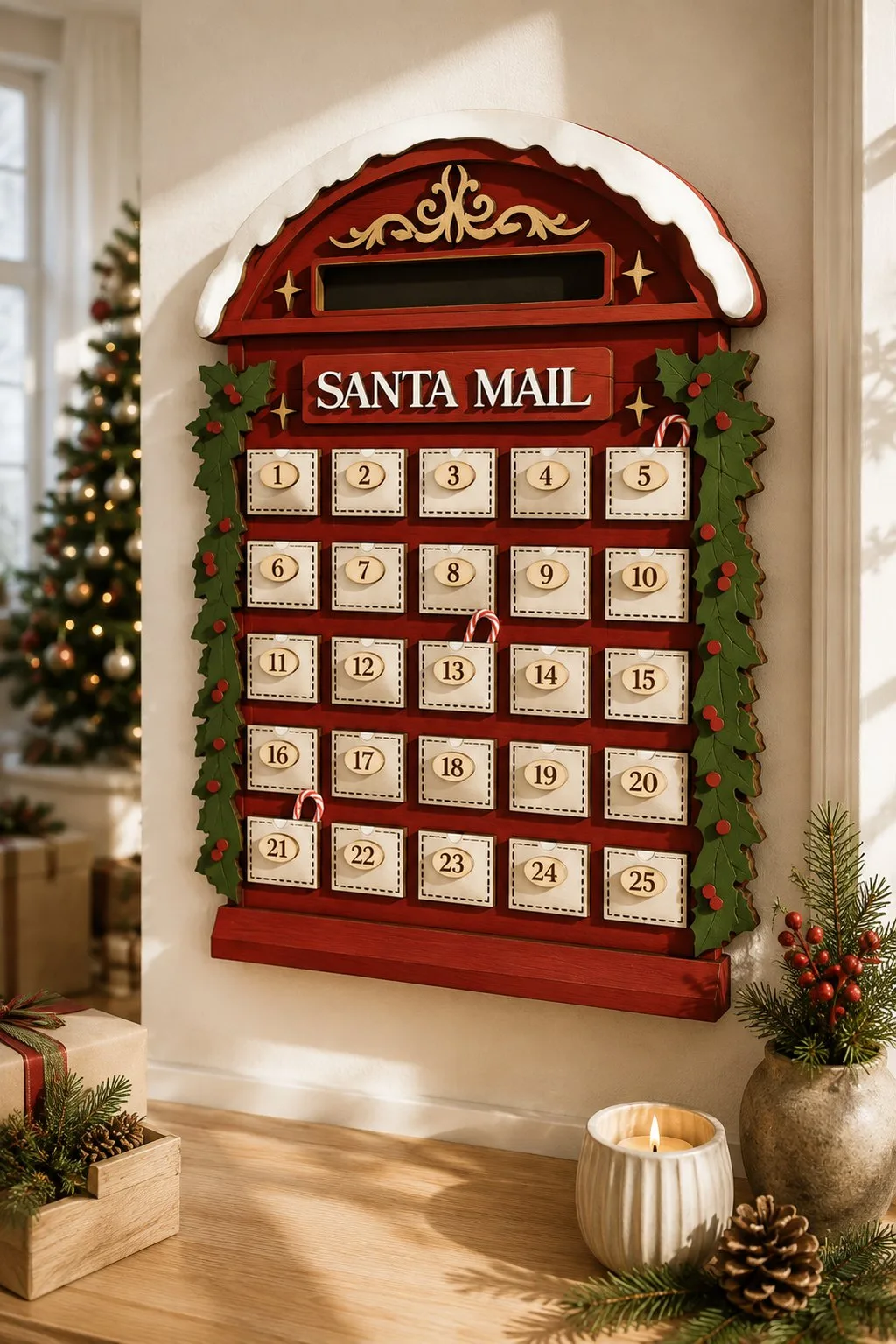
The maker of Advent Calendar Bases Bundle Laser Cut lists ten designs and 6 mm material. The saved description does not name the material type or give an overall size. It also says the photographs are for inspiration, so do not count on the preview alone.
That leaves two jobs for you. First, confirm which sheet the file was drawn for and match it to your machine’s guidance. Second, open the design you like and count its real openings. Ten designs in a bundle does not mean ten calendars with the same layout.
Christmas Train Advent Calendar CNC
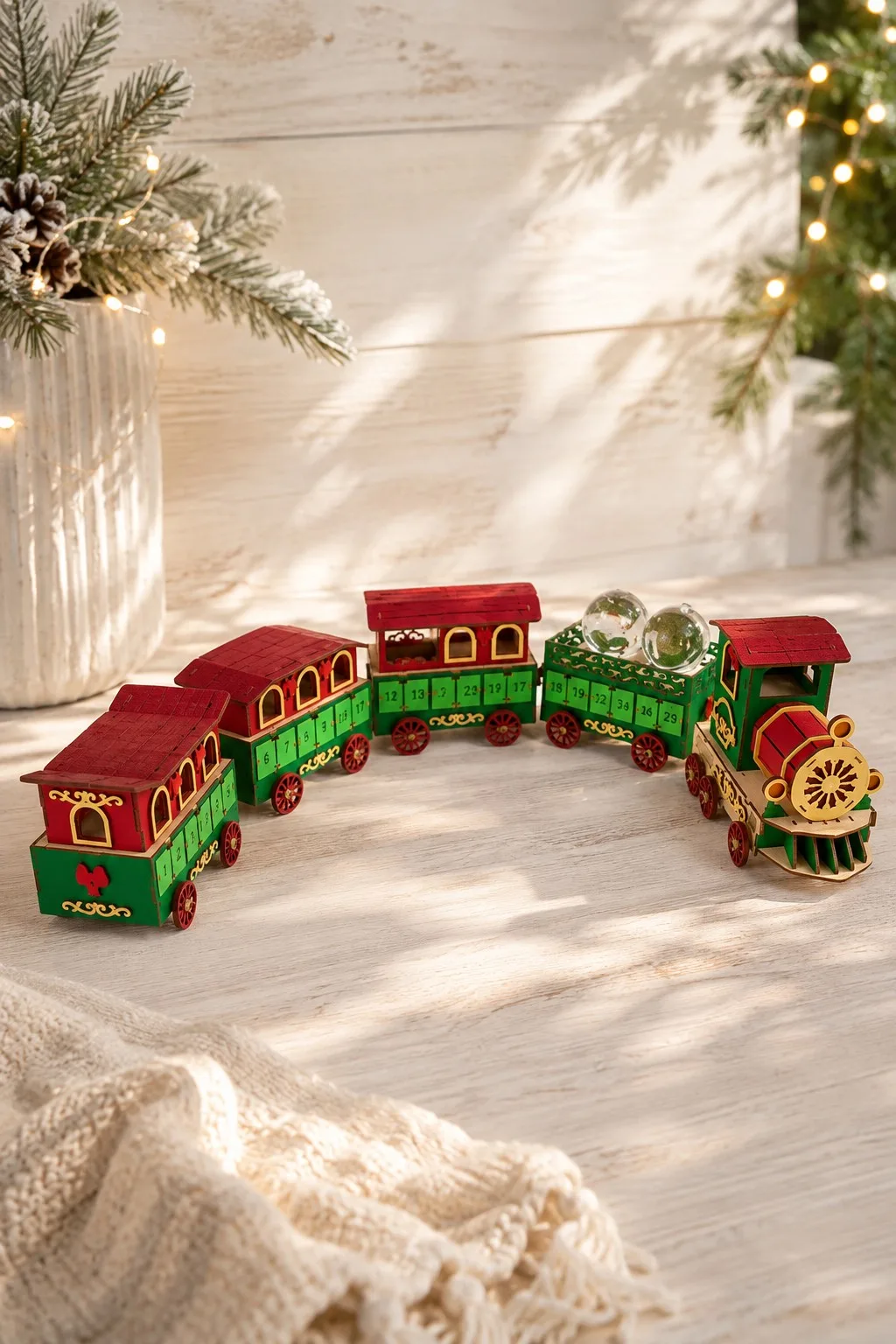
The listing for Christmas Train Advent Calendar CNC has five files in SVG, EPS, PNG, PDF and DXF. Red lines are for cutting and black lines are for engraving. Material, thickness and finished size are not stated.
The maker recommends DXF for LightBurn, because SVG may import at the wrong size. That is the maker’s advice for this file. LightBurn also documents separate import settings for SVG and DXF, so check the size after import either way. LightBurn settings
Five files per format are not five trains, and they do not tell you how many compartments the train has. Count them in the file before you plan your daily gifts.
Compare laser cut advent calendar designs with 25 houses
A tree-shaped laser cut advent calendar stacks small numbered houses into a Christmas tree, so each day has its own little box. Three listings on our shelf work this way, and they are close relatives. However, they differ in size, in what the makers list, and in how much room the pieces need on your bed.
Christmas Advent Calendar Tree
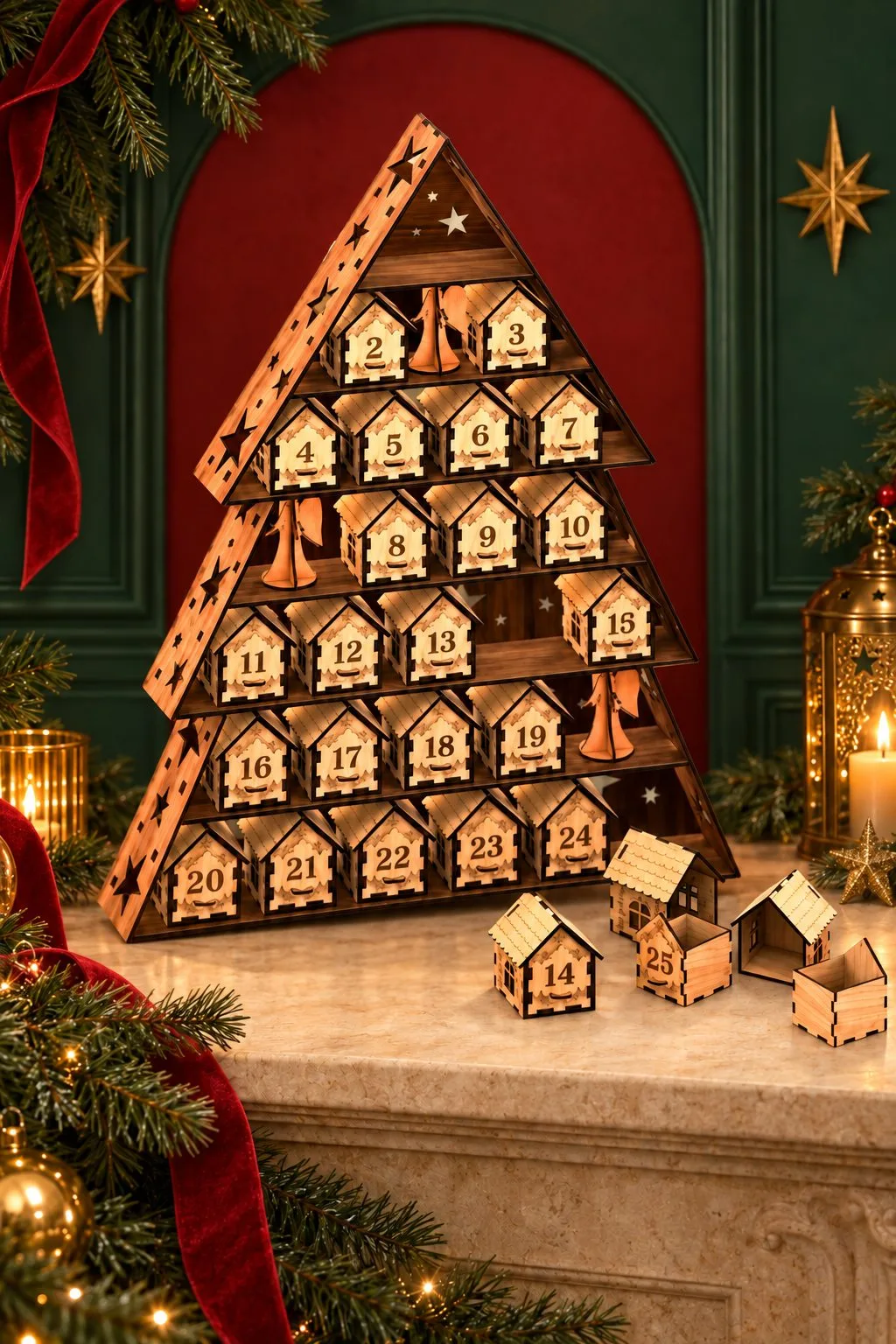
The maker of Christmas Advent Calendar Tree describes 25 numbered mini houses that assemble into a tree, with engraved stars and angels. Each house measures 53 × 56 × 70 mm. However, the largest single part is 227 × 322 mm, and the finished tree measures 663 × 450 mm. Also, the file is drawn for 3 mm plywood, MDF or acrylic, and it comes as SVG, DXF, AI, CDR, PDF, EPS and DWG. According to the maker, the slot-fit structure needs no glue.
So check the 227 × 322 mm part against your bed first. Then lay a paper outline of 663 × 450 mm on the table where the tree will stand. Most shelves are smaller than that centrepiece.
Advent Calendar Laser Cut 25 Houses
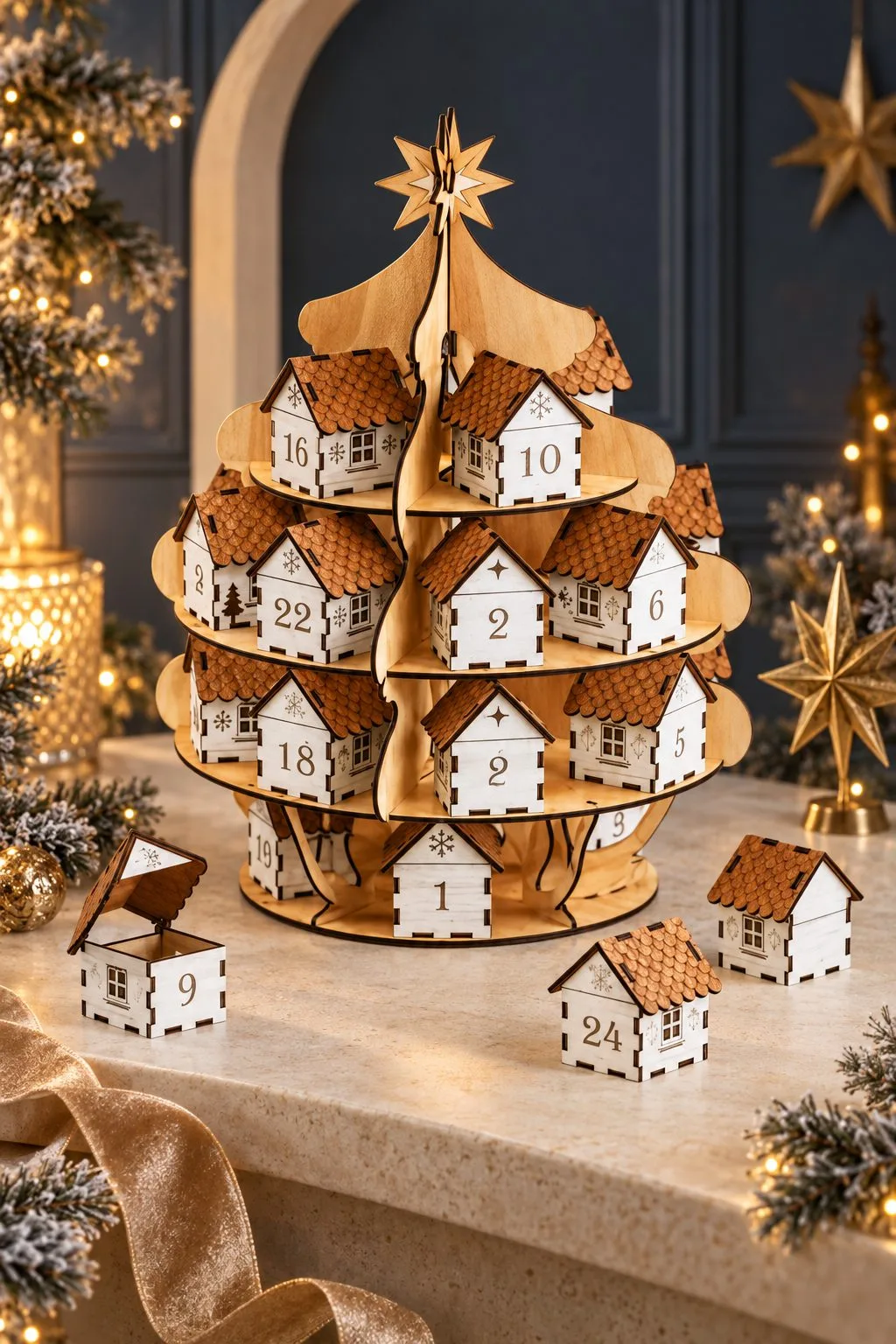
The listing for Advent Calendar Laser Cut 25 Houses also builds a tree from 25 houses and a stand, topped with a star. A single finished house measures 70 × 75 × 65 mm, so it is noticeably larger than the tree above. Besides that, the maker names plywood, MDF, acrylic and other 3 mm materials, and says the slot-fit design needs no glue, with kerf compensation included.
The largest parts are the tree side panels at 174 × 353 mm and the round shelf layers at 319 × 319 mm. Because of that, the maker asks you to confirm that your cutting area is large enough before you start. Do it first, since a bed that is too small stops the project at the first sheet.
Christmas Advent Calendar
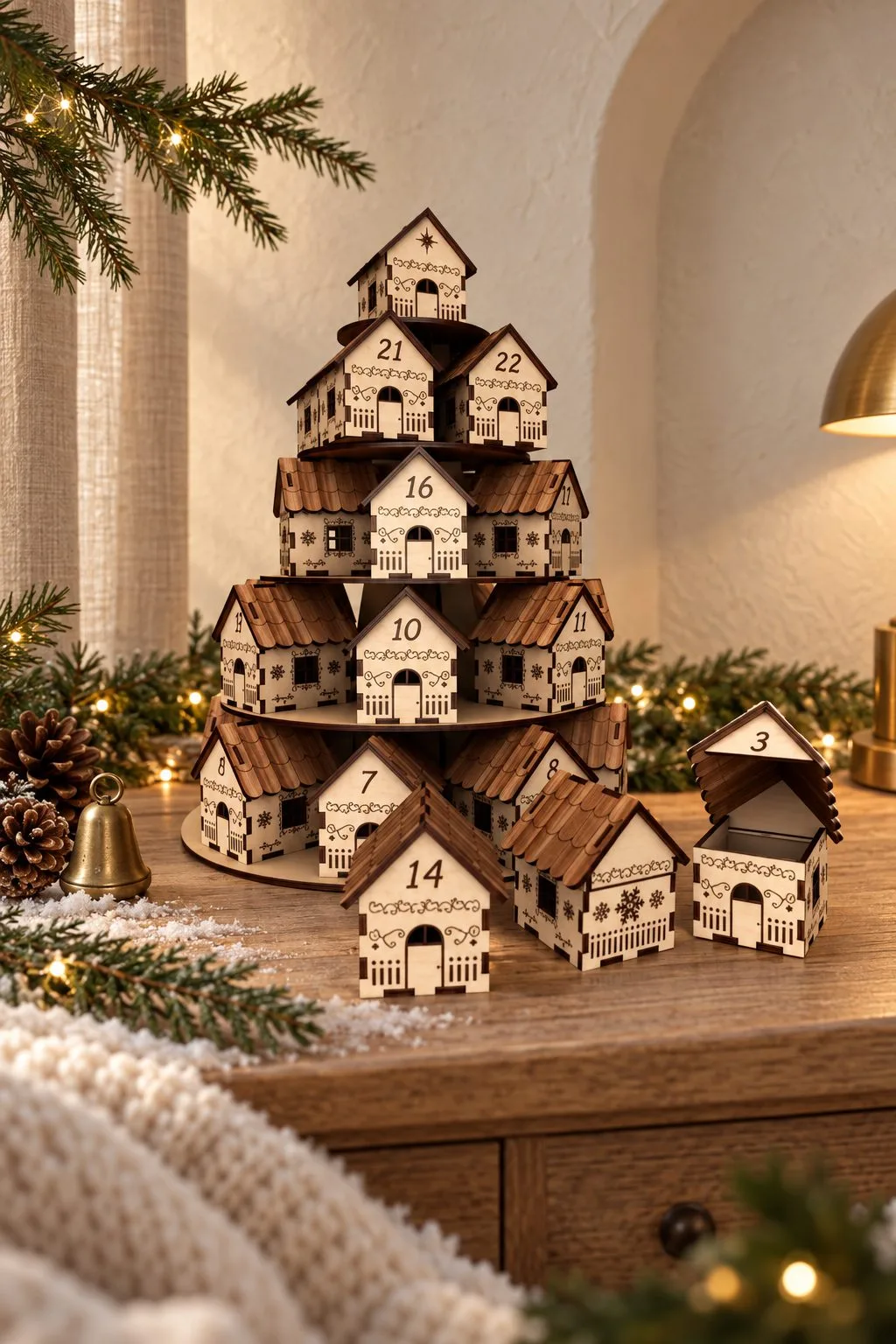
Christmas Advent Calendar is the simplest of the three to read. The maker gives one number, 70 × 75 × 65 mm for a single finished house, and says the design has engraving. Also, the recommended material is plywood, MDF, acrylic or wood at 3 mm, in AI, SVG, DXF, DWG, CDR, EPS and PDF.
However, the listing gives no overall size and no count of houses. So open the drawing and count the numbered compartments before you plan the daily gifts. One house per day is the idea, but the file itself tells you how many there are.
Festive Christmas Train Advent Calendar
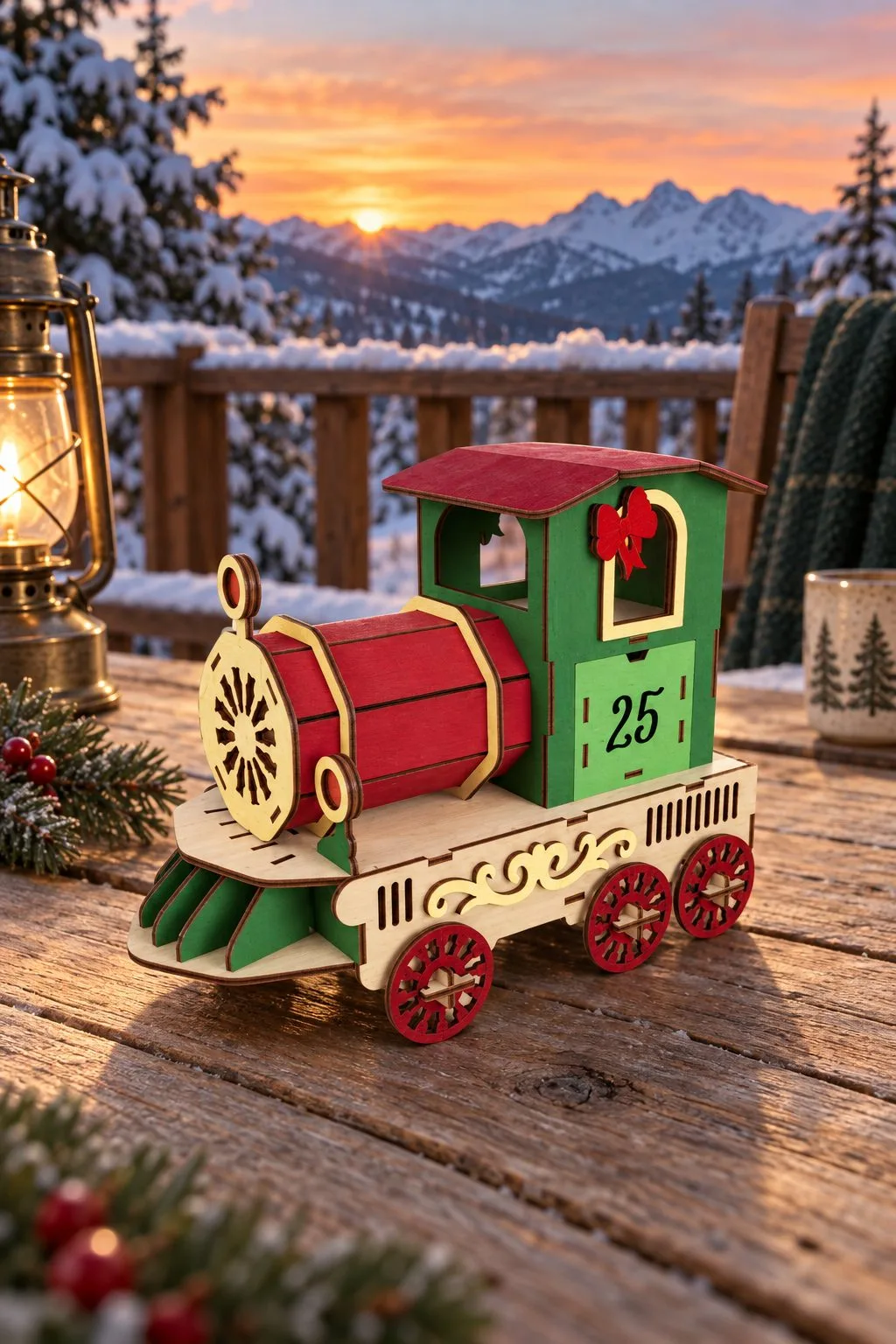
The maker of Festive Christmas Train Advent Calendar marks red lines for cutting and black lines for engraving, and lists one SVG, EPS, PNG, PDF and DXF. Like the other train, it comes with the advice to use DXF in LightBurn, because SVG may distort the dimensions.
Material, thickness and size are not given. Also, the photos show a locomotive and carriages with numbered drawers, but the description does not say how many pieces the archive builds. So ask the designer or check the file before you plan a countdown.
Laser cut advent calendar designs at a glance
Only the first six rows are real files. The other rows are the layouts you will compare when you choose.
| What it is | What the maker states | File formats | Good for |
|---|---|---|---|
| Advent Calendar Bases Bundle Laser Cut | 10 designs; 6 mm; material type and overall size not given | SVG, DXF, EPS, PDF, JPEG, PNG | Comparing base designs for drawers or boxes |
| Christmas Train Advent Calendar CNC | Red lines cut, black lines engrave; material, thickness and size not given | SVG, EPS, PNG, PDF, DXF (five files each) | A train-shaped countdown on a shelf |
| Christmas Advent Calendar Tree | 25 houses; house 53 × 56 × 70 mm; tree 663 × 450 mm; 3 mm | SVG, DXF, AI, CDR, PDF, EPS, DWG | A tree-shaped countdown, no glue |
| Advent Calendar Laser Cut 25 Houses | 25 houses and a stand; house 70 × 75 × 65 mm; 3 mm | SVG, DXF, AI, CDR, EPS, DWG, PDF | A larger tree with roomier houses |
| Christmas Advent Calendar | House 70 × 75 × 65 mm; engraved; 3 mm | AI, SVG, DXF, DWG, CDR, EPS, PDF | A simple row of houses |
| Festive Christmas Train Advent Calendar | Red cuts, black engraves; size not given | SVG, EPS, PNG, PDF, DXF | A train-shaped countdown |
| Drawer cabinet | Measure what goes inside | Depends on the file | A countdown you open one drawer at a time |
| Row of boxes | Check how each lid or door opens | Depends on the file | Small gifts with a lid to lift |
| Shelf footprint | Measure your own shelf | Depends on the file | Keeping the calendar within easy reach |
Plan laser cut advent calendar drawers, boxes and bases separately
A drawer is two parts that must work together: the container and the opening it slides into. A neat container proves nothing until you have tried it in its opening.
Boxes are different. Here the lid or door matters most. Check that decoration beside a box does not block the way it opens. Think about next December too, because you will refill the calendar and want it to open easily.
The base decides where everything sits. Cut a paper outline of the footprint and put it on the shelf. It costs nothing, and it shows at once whether the calendar fits.
Height matters as well. A tall front can hide the lower compartments when you look down from standing height. So check the calendar from the spot where someone will actually open it.
Planning a whole Christmas display? Our Christmas ornament projects match well, as long as nothing stands in front of a moving part.
Check the laser cut advent calendar file before you resize it
Save a working copy first and keep the original beside it, with the designer’s notes. Then every later part comes from the same geometry.
Do not shrink the whole design just to fit your laser bed. Scaling changes the joints along with the size. LightBurn separates this thickness change from kerf compensation, and its Resize Slots tool has geometry limits. Look at the result instead of assuming every joint moved correctly. LightBurn Resize Slots
Then sort the cut and engrave groups. The train’s colour rule, red for cutting and black for engraving, belongs to that file. Confirm how your software read those colours before you send the job.
Build a parts map
Name each group by what it does: drawer front, side, bottom, divider, decorative panel. Use only names you can see in the file. Keep similar parts apart until you know their role, because two pieces that look the same on screen can have different tabs.
Count the parts for one complete compartment before you nest anything. Compare that count with the design you chose. It catches missing pieces while the project is still on the screen.
Test one laser cut advent calendar drawer in its opening
Choose a typical drawer. Cut it together with its opening, the dividers around it, and any front detail that touches the travel path. A loose tab test checks the joint and nothing else.
Measure your sheet in the places you will use. Write down where the sample sat and which way the grain ran. Use the same settings for the sample and for the final parts.
Now assemble the sample dry, without glue. Does the box sit square? Does it enter the opening without force? Slide it all the way through. These are our suggested checks, not test results: we have not cut these calendars ourselves.
If the fit is poor, mark where it catches on a paper drawing. A front corner that rubs is a different problem from a drawer that is simply too wide.
Separate joint fit from moving clearance
A corner joint may need to be firm, while the finished drawer needs room to move. One adjustment will not fix both, so look at each on its own.
LightBurn explains that kerf depends on the material and on your cutting conditions. Kerf compensation changes the cutting path, but it does not pick the right sheet thickness. LightBurn kerf guide
So work in this order. Confirm the sheet and the file variant. Test the joint. Last, test the assembled drawer in its opening, and keep those notes apart.
Check the finished sample too
Finish the sample the way you will finish the calendar, and follow the finish maker’s instructions. Wait until it is ready before you test the movement. Unfinished parts can feel different from finished ones.
Pay attention to where the finish goes. If a surface must slide, keep it clear and write that in your assembly notes. Also try the pull with the gift inside. A drawer that opens easily when empty can be awkward to grasp on the shelf.
Diagnose a laser cut advent calendar symptom before you recut
These causes are hypotheses. Compare your sample with the original drawing before you change several things at once.
| Symptom | Possible cause | Next check |
|---|---|---|
| All drawers resist entering | Wrong file variant or overall fit | Compare the measured sheet, file notes and opening |
| One corner catches | Drawer assembled out of square | Compare the diagonals and find the contact |
| Drawer moves only before finishing | Finish or assembly changed the contact surfaces | Compare finished and unfinished samples |
| Front catches on nearby trim | Decoration crosses the travel path | Check the full opening with the trim in place |
| Similar drawers fit differently | Parts mixed up or sheet varies | Match labels and measure the parts |
| Contents stop the drawer closing | Usable space is smaller than expected | Test with the real wrapped gift |
Change one cause at a time and save each revision under a new working name. Cut the affected sample again afterwards, because an old sample cannot confirm a new fit. If the designer’s thickness is unknown, ask for it. Guessing costs more sheets than one polite message.
Cut a laser cut advent calendar in an organised session
After one full sample works, make a cut list by type of part. Keep fronts, drawer bodies and dividers easy to tell apart, and check that each batch has the right number of matching pieces.
Our laser cut sheet planner helps you plan how the parts use each sheet. Then confirm the layout in your laser software, because a packing plan does not prove cutting clearance.
During assembly, compare every new drawer with the approved sample. If a batch behaves differently, stop and check the material and the file version before you continue.
Before you cut a laser cut advent calendar
Confirm the maker’s intended material and thickness. The bases bundle gives a thickness, and the train does not. Neither description is enough to promise a finished compartment size.
Check the import, the cut and engrave groups, the part count and any assembly notes. Prepare one complete moving unit with its surrounding structure and finish it the way you plan to finish the rest.
Write the fill plan apart from the cut plan. Count the real compartments in your chosen design, then match them with notes or gifts. Finally, keep a short record of the sample: file, measured sheet, joint result, drawer movement and fit of the contents. It will make next December much easier.
FAQ
Can I use thinner material for a calendar drawn for 6 mm?
Not as a straight swap. Look at how the file is built and ask the designer about another thickness. If you adapt it, check every affected joint and make a complete sample before you repeat any part.
Does the train bundle show a full countdown?
The saved description lists five files per format. It does not state how many usable compartments the train has. Count them in the real design and read the assembly notes before you plan the daily gifts.
Should I use SVG or DXF in LightBurn?
For the train, the maker recommends DXF. Follow that advice, then check the scale after import. A format name alone does not confirm size or operation settings.
Why test a finished drawer and not just a tab?
A tab test checks one joint. A finished drawer checks the box shape, the opening, the front and the movement together, and those answer different questions.
Can I make the calendar smaller for a narrow shelf?
Measure the shelf first and look for a design that fits it. If you scale a design, recheck the joints and the space for the contents. A smaller outline does not prove the original material or gifts still fit.
Can’t find the design you need?
Describe your idea in a few words and generate your own SVG design with AI.
Good to know: the files in this guide are hosted on Creative Fabrica. Downloading is free with their free trial: a payment card is needed to start it, and you can cancel the subscription at any time.