Laser Cut Christmas Decorations: Village, Trains and Ornaments
Some Christmas decorations hang on the tree, and some build a whole little world around it. This guide is about the second kind. It starts with villages of wooden houses, from a ring around the base of the tree to little scenes that glow on a windowsill. Then come trains of every kind, from a 3D steam engine to gingerbread and penguin trains. Two trains of little wagons count the days to Christmas, and ornaments fill the branches above them. All of them are laser cut Christmas decorations you can make from a download.
Together they make a scene rather than a set of separate objects. The village stands on the floor, the trains run along a shelf or a sideboard, and the ornaments tie everything to the tree. Each file works on its own. However, cut two or three of them and the room starts to look like a small railway town in the snow.
Below you will find each design in turn: what the download includes, how it goes together and where it looks best. At the end there are a few practical notes for bigger projects like these. You will also find links to the rest of our Christmas laser cut designs.
Short answer: for the base of the tree, the village tree skirt. For a windowsill that glows, the lighted villages. For a countdown to Christmas, the North Pole Express or the advent train built wagon by wagon. To fill the tree itself, the bundle of 102 ornaments. All nine designs side by side: jump to the comparison table.
File details are based on the designers’ product descriptions on Creative Fabrica.
Laser Cut Christmas Village Tree Skirt
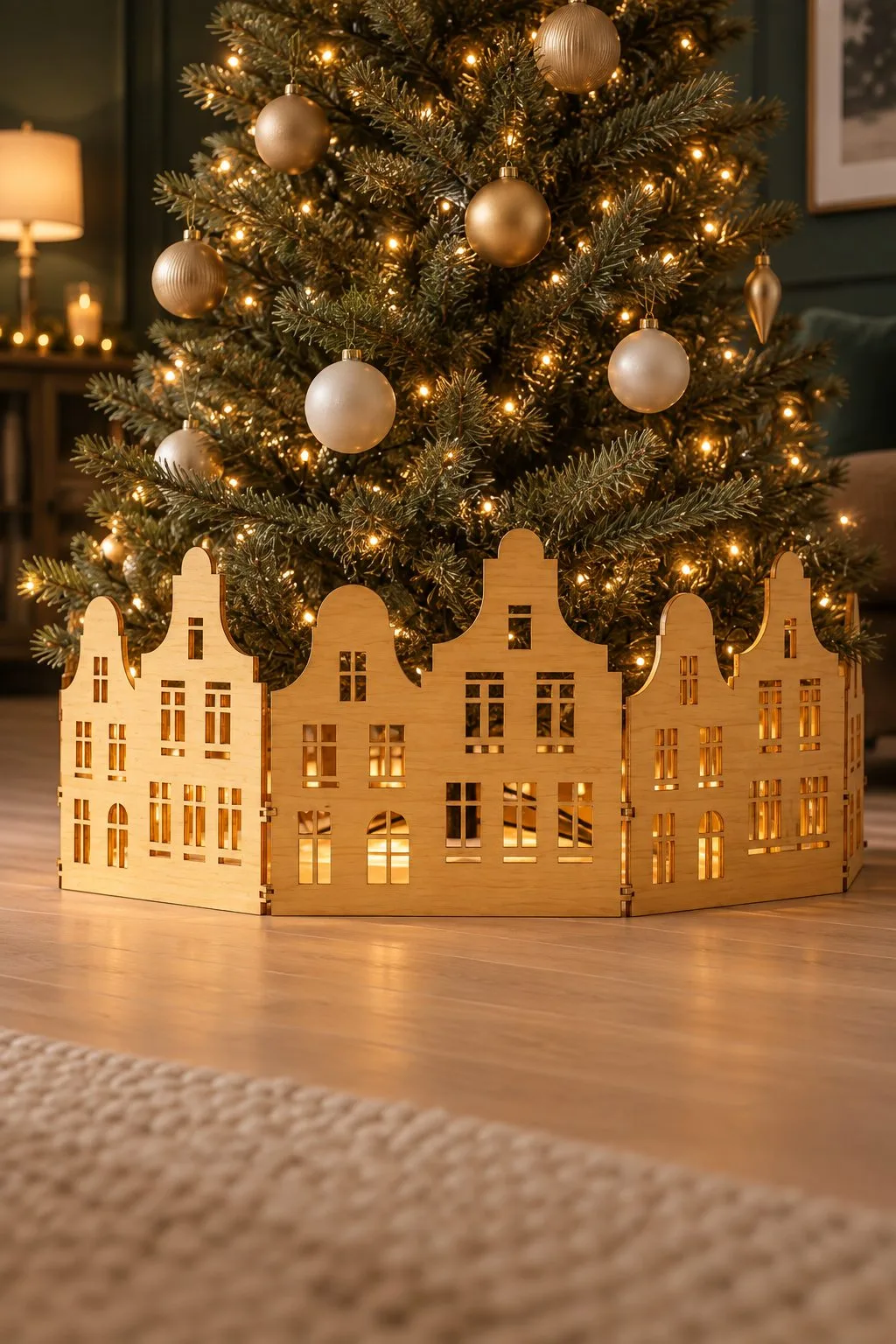
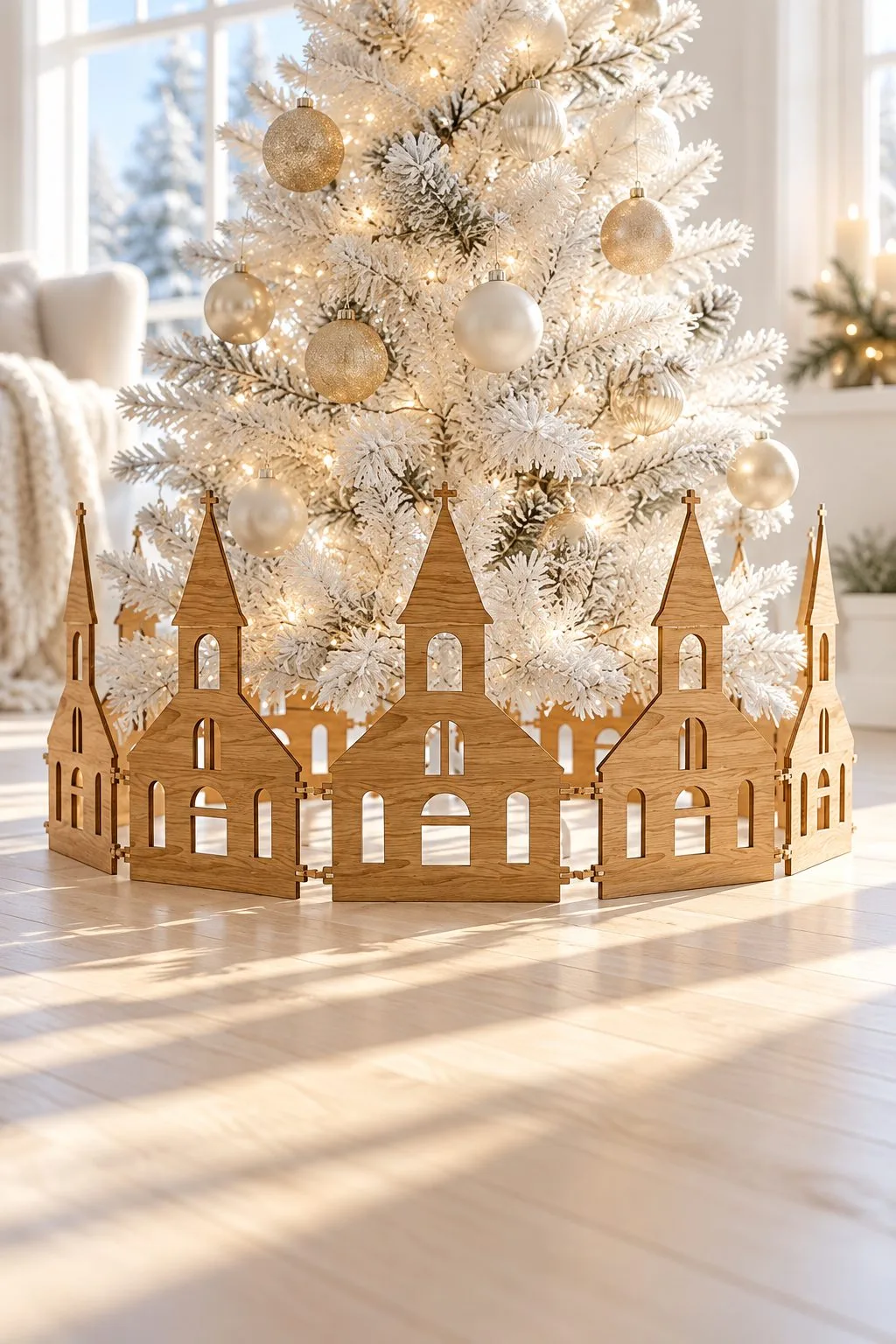
A tree skirt usually means fabric. This one is a street. The bundle is a set of house silhouettes joined into panels that stand in a ring around the base of the tree. There are gabled town houses with rows of windows and, on another variant, tall church spires with arched openings. With the tree lights behind them, every window glows, and the bare stand and the cables disappear behind a row of little homes.
The maker describes the panels as interchangeable. That is the useful part. You can mix the houses in a different order every year and make the ring bigger for a large tree or smaller for a tabletop one. You can also add a church to the street when you want a village square instead of a row of houses. The two photos show two moods from the same idea. One has warm town houses around a classic green tree. By contrast, the other is a quieter white-and-wood village with spires around a flocked white one.
This is a project for people who decorate with a theme. It suits a Scandinavian or natural wood Christmas and a family that already collects village houses. Anyone who wants the tree to look finished right down to the floor will like it too. It also works away from the tree. For example, a half ring on a windowsill or a straight row along the mantel becomes a winter street on its own.
What you get: a zip archive with 10 SVG files, 10 EPS files, 10 PNG files, 10 PDF files and 10 DXF files. Red lines are for cutting and black lines for engraving. The maker notes that LightBurn can sometimes change the size of SVG files and suggests using the DXF version there. The listing names Christmas tree skirts, village house designs, house silhouettes, interchangeable panels, Christmas tree accessories and festive home décor.
Lighted Christmas Villages to Build
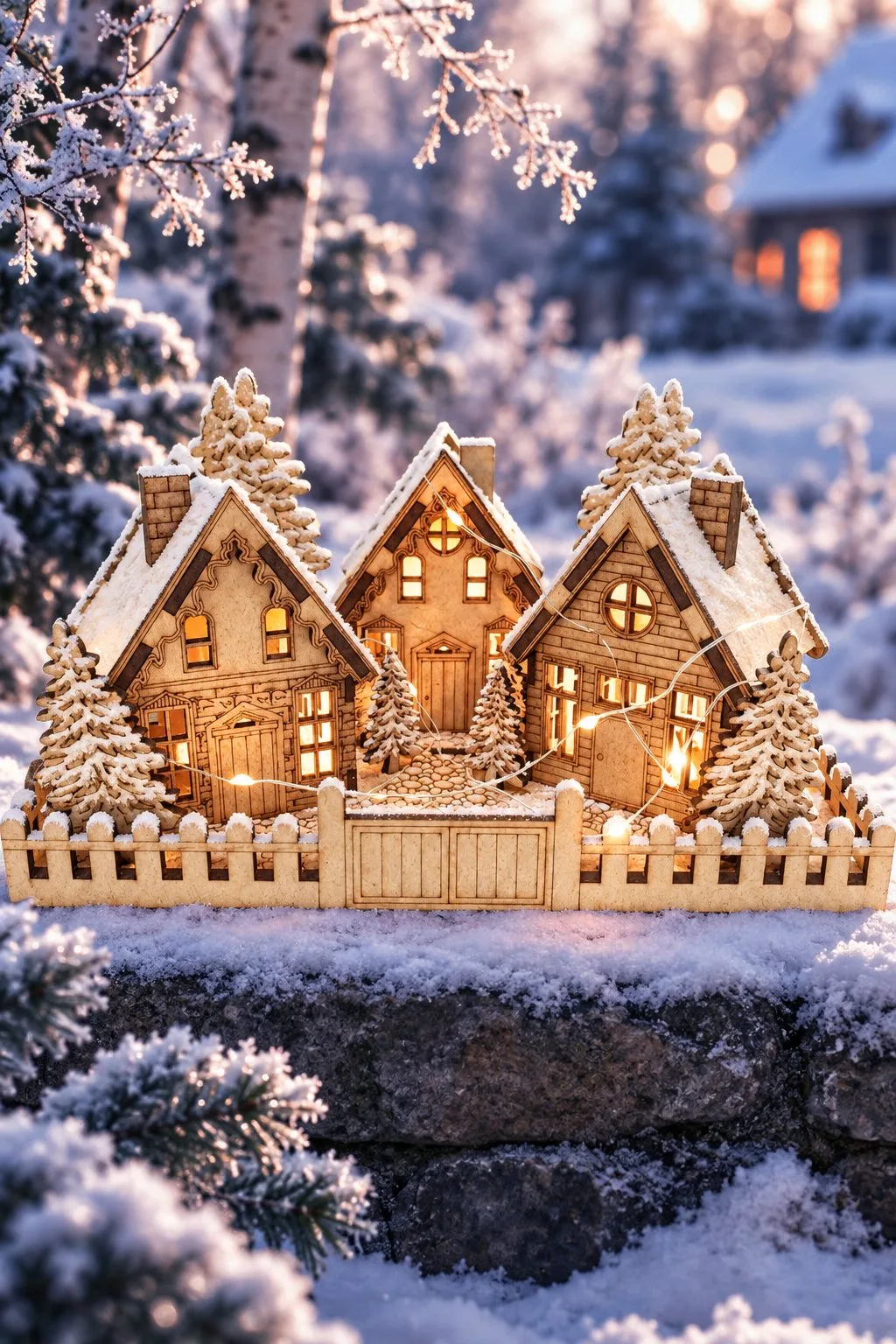
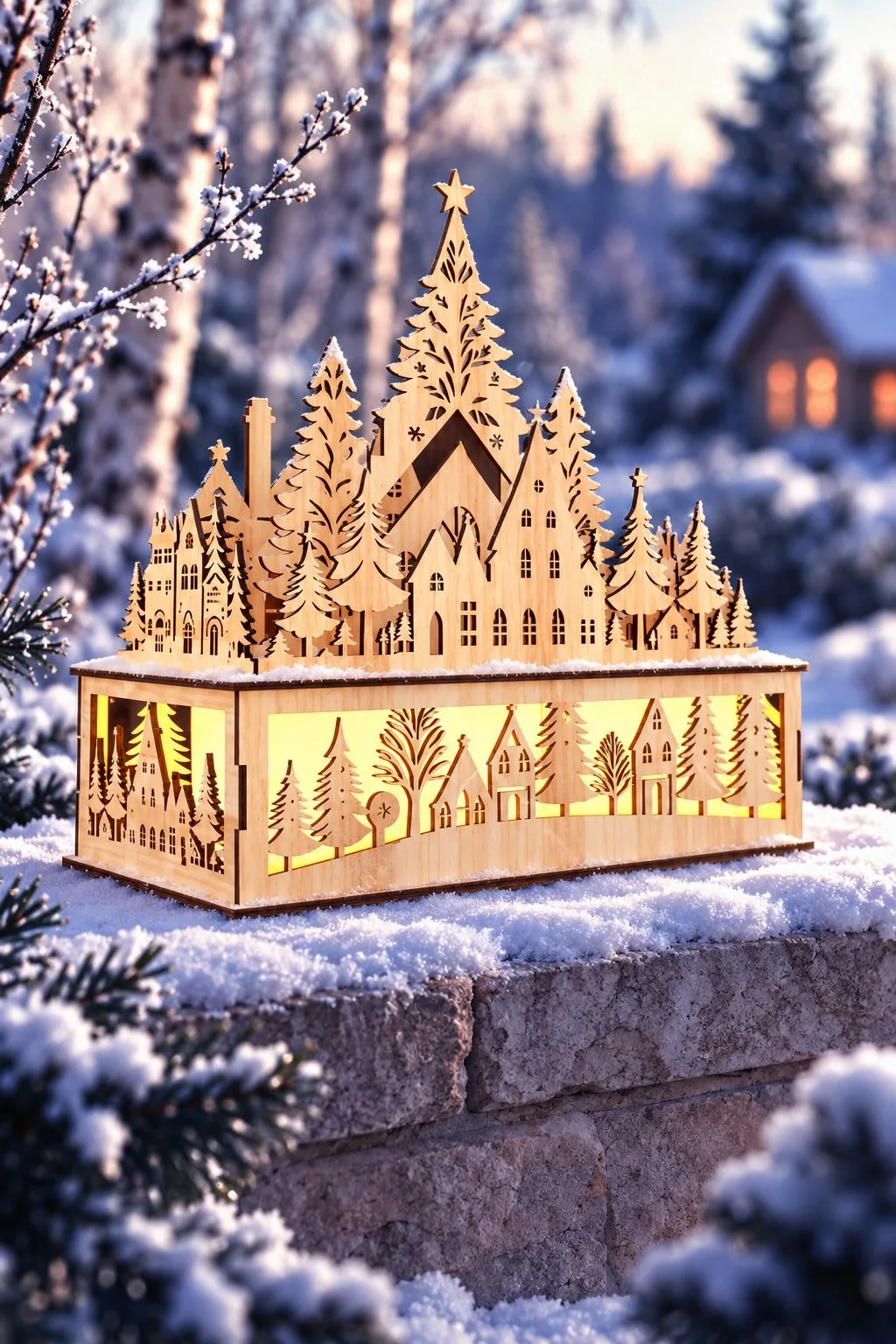
Two villages that come alive with a light inside, and look beautiful side by side.
The first is the Miniature Village, a little scene you can hold in your hands. Three houses with steep roofs stand among pine trees, behind a low picket fence with a gate. The maker calls it a detailed Three Houses with Pine Trees design and describes it as a diorama for Christmas décor or for display all year round. At 12.27 × 23.4 × 15.21 cm, the finished model fits on a windowsill, a bookshelf or a mantel. The listing shows it lit from inside with small LED lights: every window glows, and the snowy roofs look like a village at dusk. It comes as a DXF file for laser cutting machines and an SVG file for Cricut, Glowforge and other cutting software. In addition, a setup and assembly guide is included.
The second is the Christmas Laser Cut Wooden Village Scene, a village in layers. Rows of house silhouettes, fir trees and a church spire rise one behind another above a box base. The walls of the box are also cut with more houses and trees. Put a light inside, and the base glows while the layers above catch the light at different depths. The maker describes it as a Christmas table decoration with reindeer and a winter forest and a gift for the home. It works as a centerpiece on the dining table, as a night light on a sideboard or as the glowing heart of a winter windowsill. The design can be scaled, and it comes as EPS, SVG, DXF, AI, PNG, JPG and PDF files.
Christmas Village 3D Decor
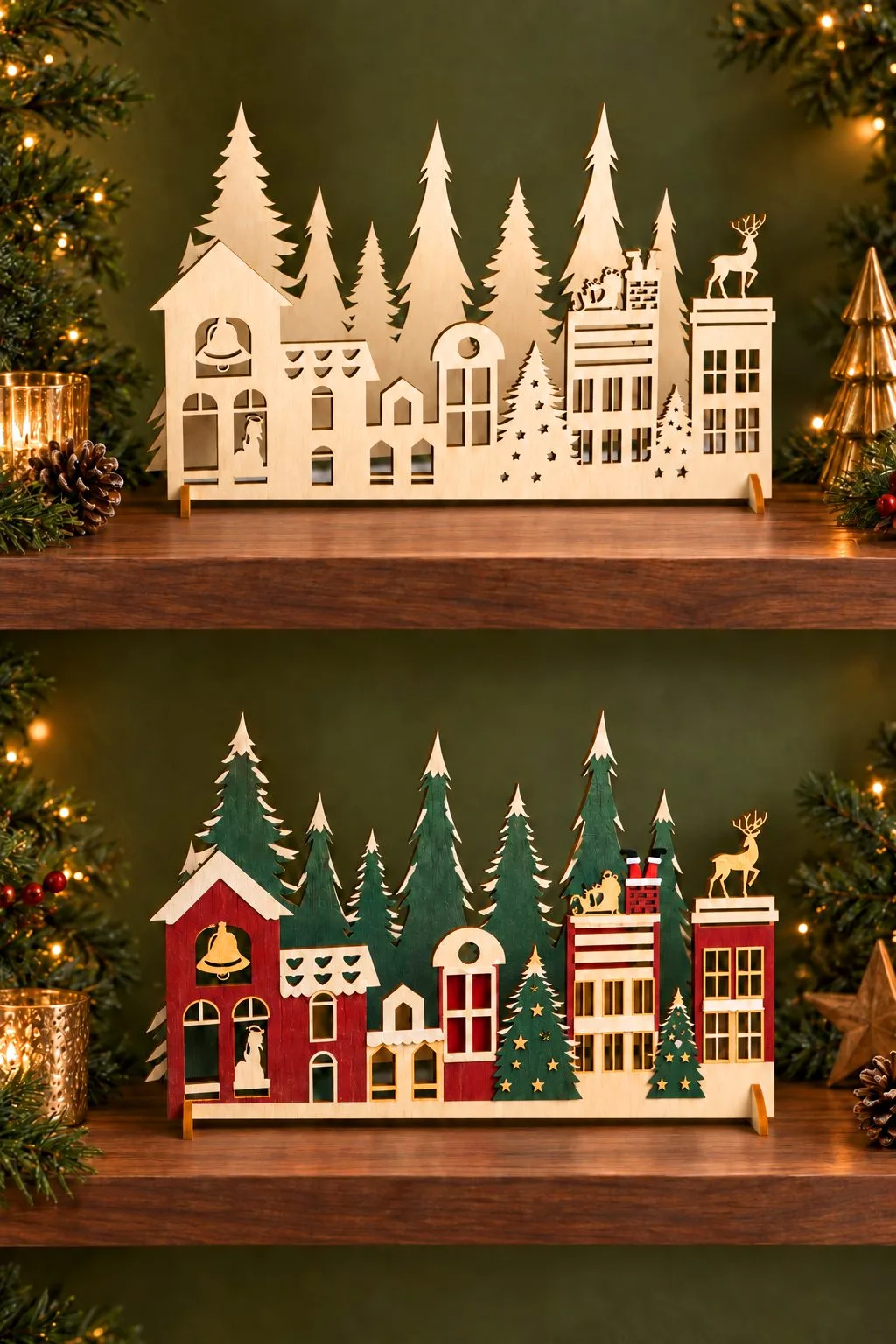
The simplest village in this guide and one of the most versatile. A single panel of houses, fir trees and a reindeer on a rooftop stands upright on a stand, like a skyline of a small winter town. The photo shows two ways to finish it. Plain light wood looks calm and Scandinavian, while red, green and white turn it into a bright holiday street.
A flat standing village fits where deeper models do not: a narrow shelf, a window ledge, the top of a piano or a mantel crowded with candles. It also makes a good backdrop behind the trains in this guide.
What you get: SVG, DXF, EPS, PDF, JPEG and PNG files in one zip folder.
Christmas Trains: a 3D Model and an Advent Calendar
3D Christmas Train
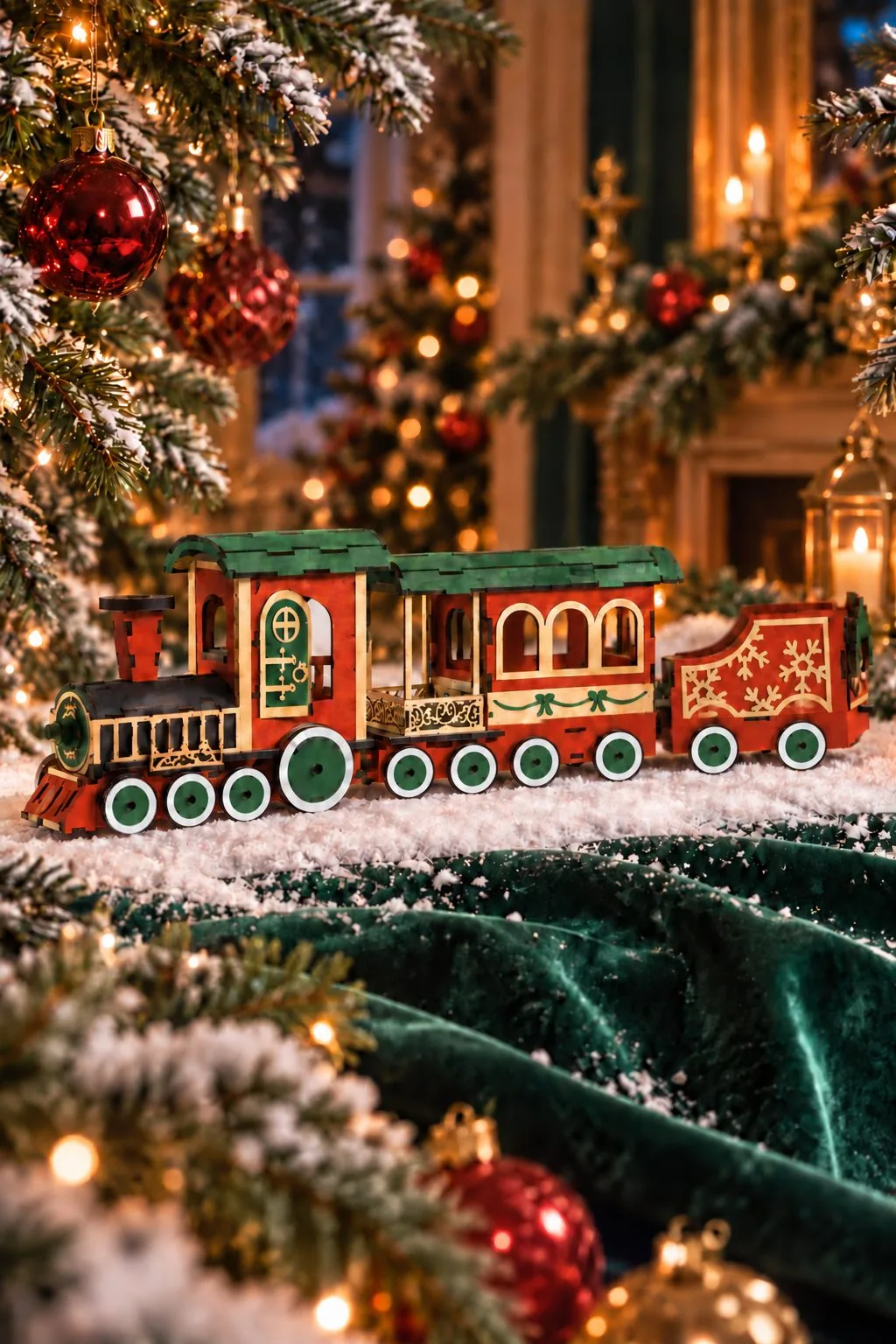
This is a real three-dimensional model rather than a flat silhouette. It has a steam locomotive with a tall chimney and a cab and a passenger car with arched windows. An open wagon decorated with snowflakes follows, and everything stands on round wheels. According to the maker, the download includes two trains in two different sizes plus assembly instructions. As a result, one can stand on the mantel and a smaller one on a shelf or in a child’s room.
Left as natural wood it looks like a vintage toy. In red, green and white it becomes the bright centerpiece of the holiday table and a thoughtful gift for a railway fan. More models to build are in our laser cut toys and games.
What you get: one zip folder with two Christmas trains in two sizes, plus instructions.
Christmas Train Advent Calendar
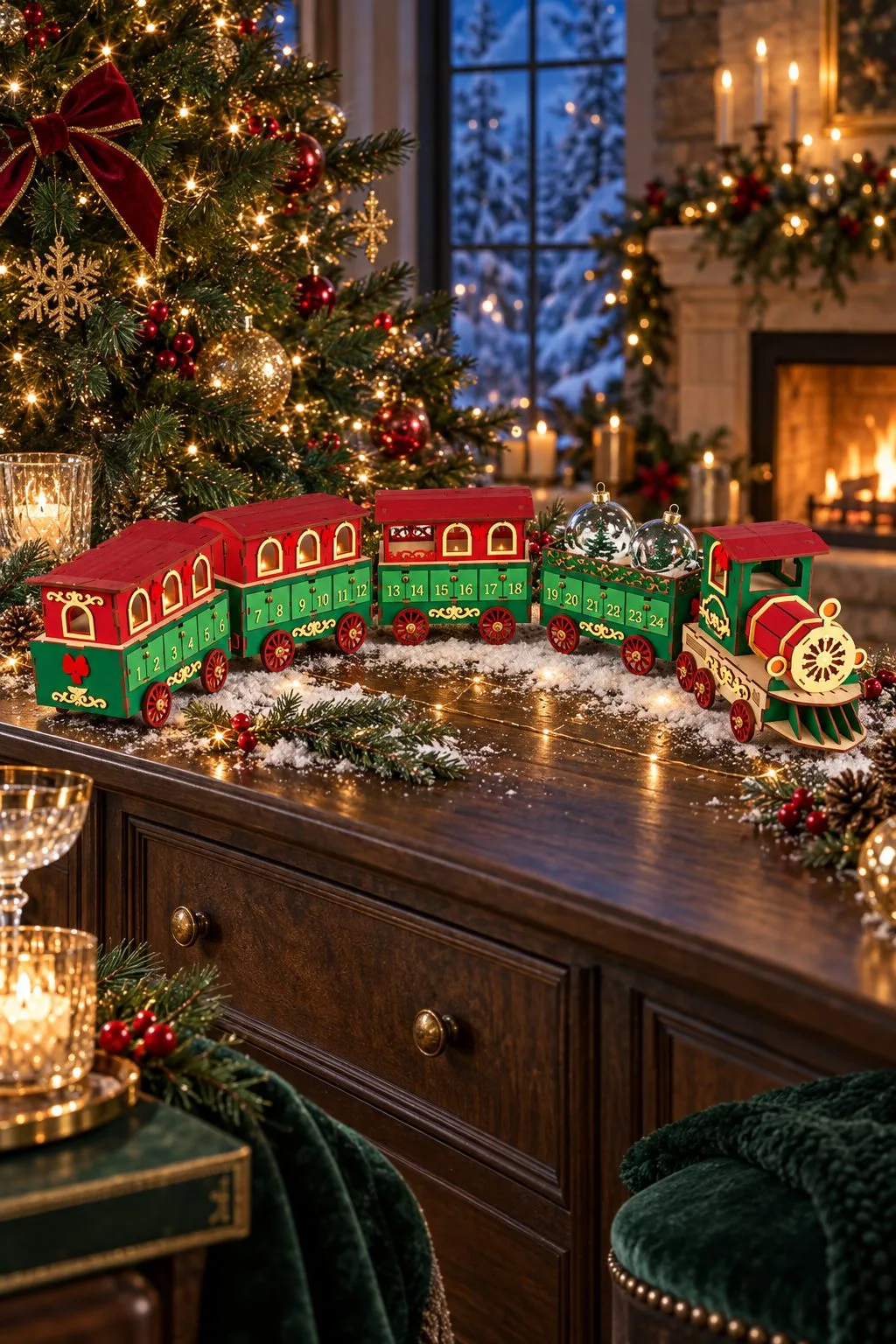
A train that counts the days. The maker calls it the North Pole Express: a locomotive leads a line of wagons, and each wagon is a small box with numbered doors, so every morning in December one door opens and a sweet or a tiny toy comes out. Long and low, it fits along a mantel, on a sideboard or on a wide windowsill. After Christmas it stays as a decoration until next December.
It pairs naturally with the 3D train: one for decoration, one for the countdown. For more calendars, see our Santa and advent calendar guide.
What you get: 5 SVG, 5 EPS, 5 transparent PNG, 5 PDF and 5 DXF files. Red lines cut, black lines engrave; for LightBurn the maker recommends DXF.
Festive Christmas Train Advent Calendar
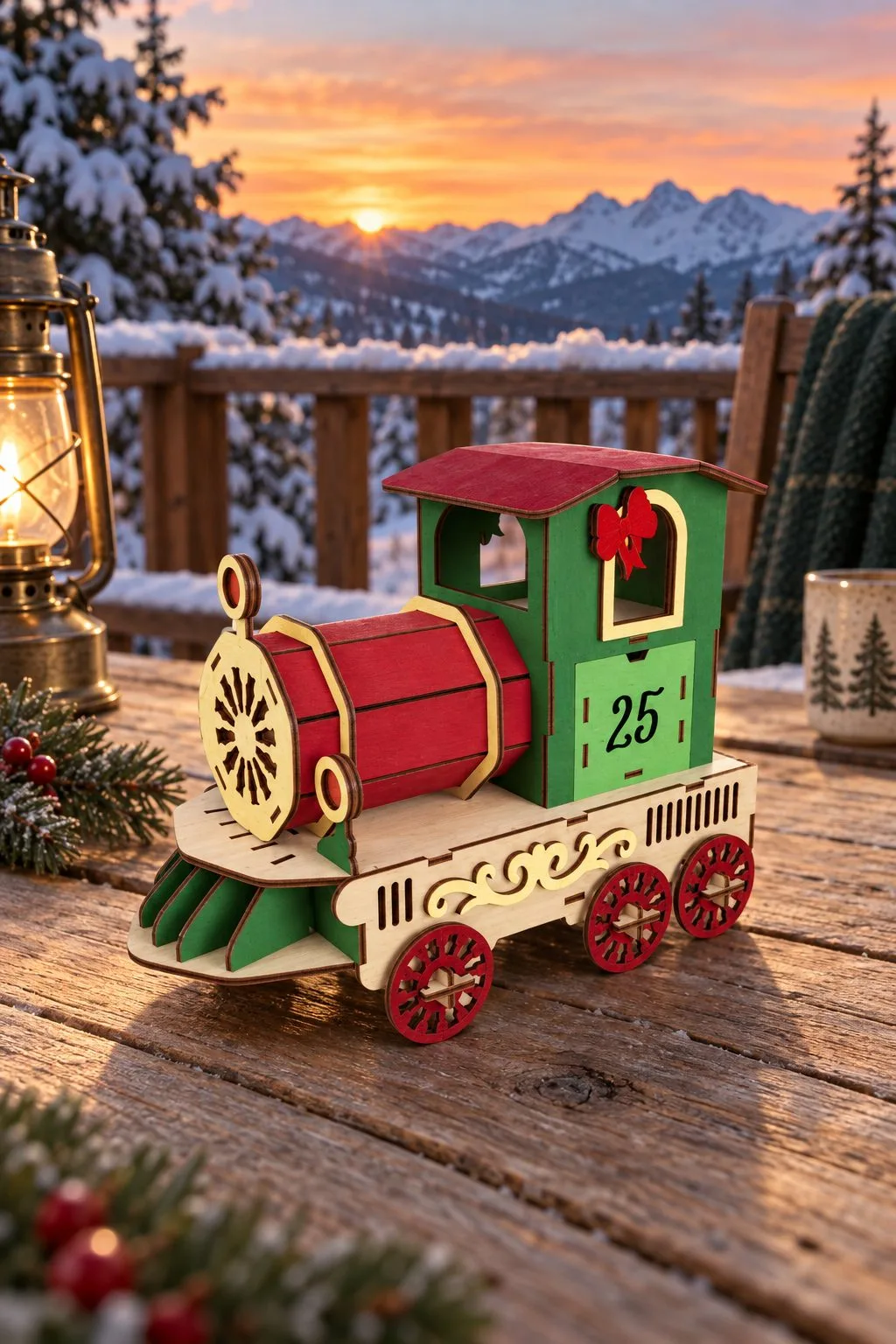
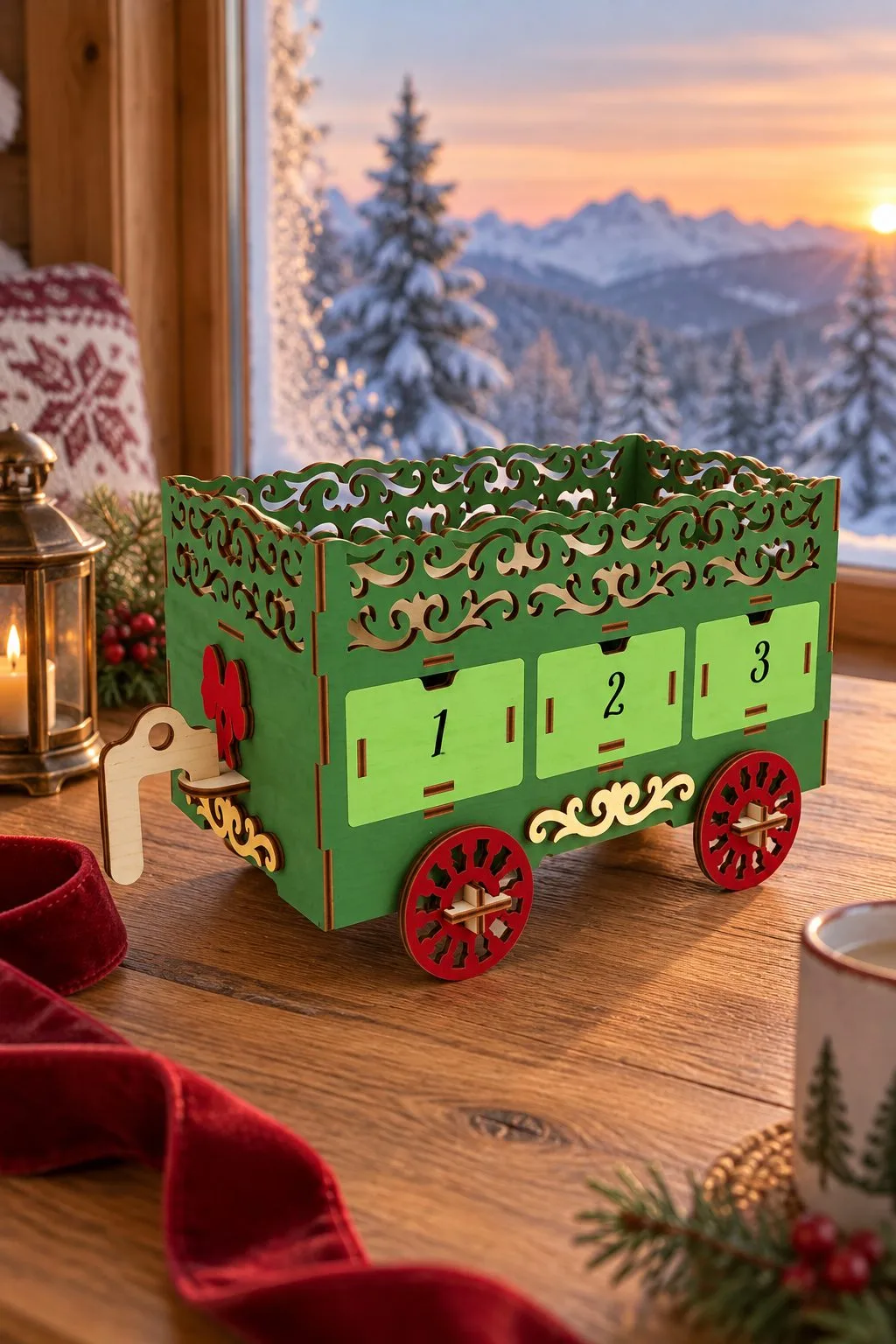
A second advent train, this time built as a set of separate files. The locomotive and each wagon are sold as their own designs, so you can build the train piece by piece. On its cab the engine carries the number 25 for Christmas Day. Each wagon also has three little drawers, numbered in order along the train. The maker calls it the North Pole Express, a festive Christmas train with railway carriages.
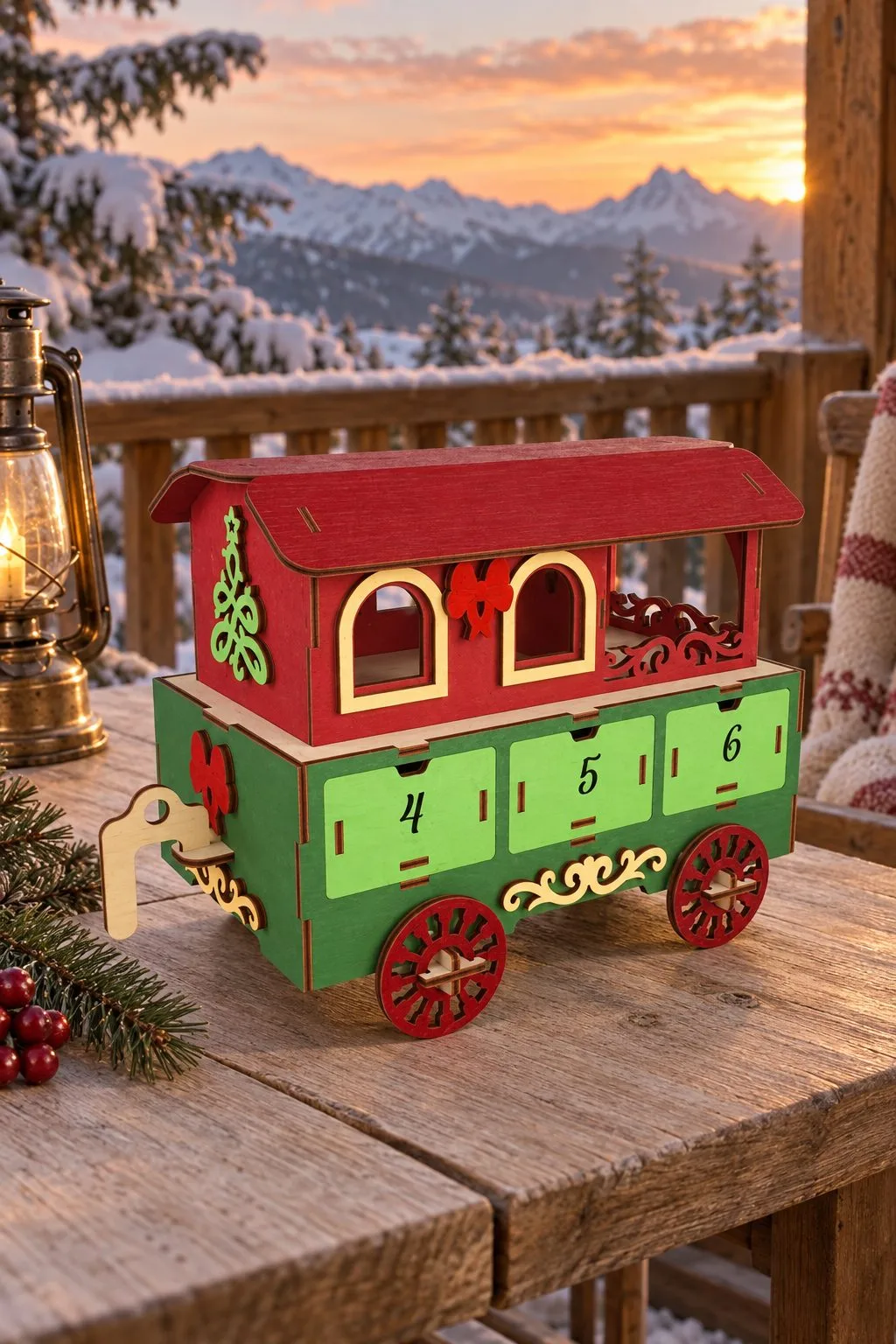
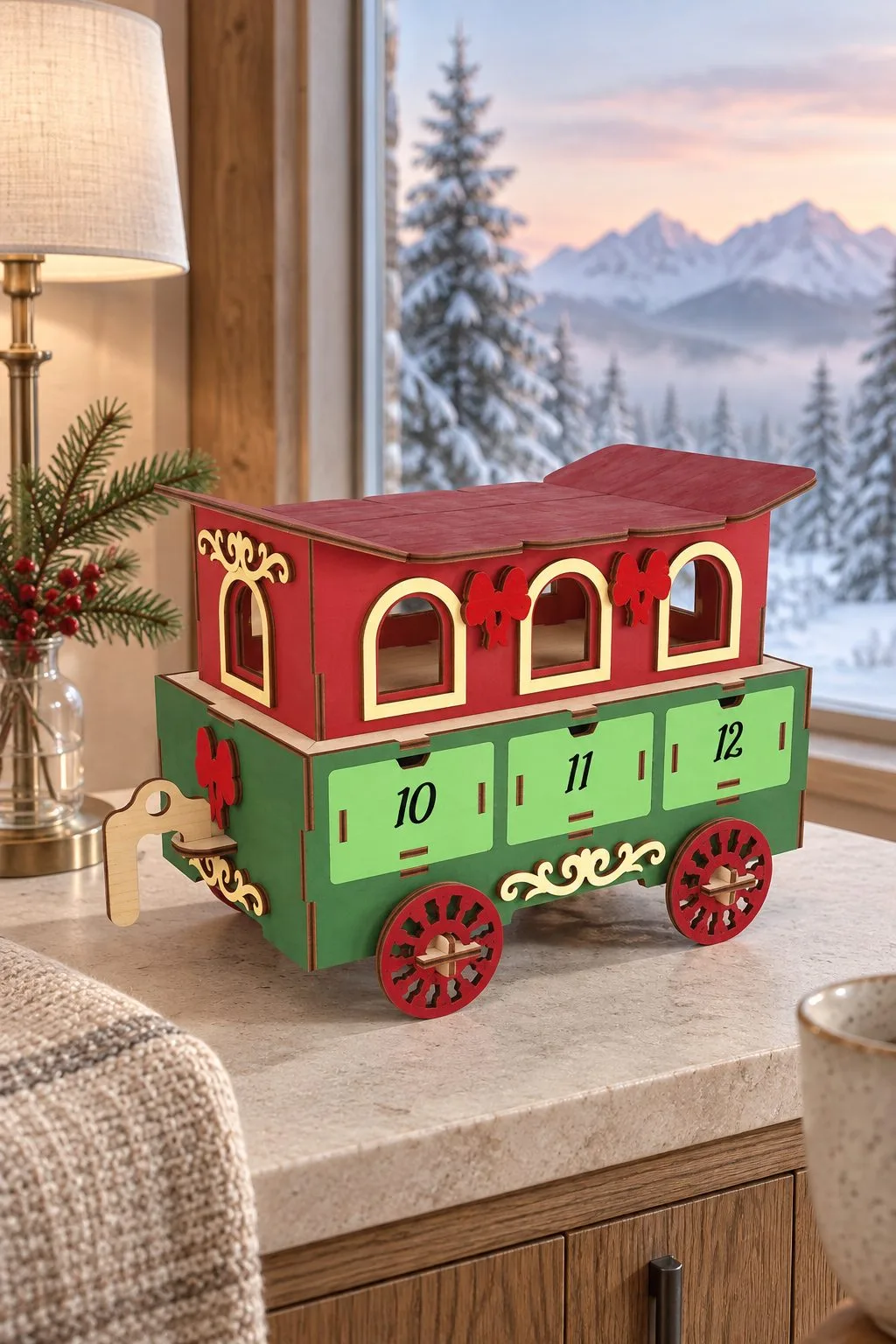
Because every part is its own file, the calendar grows as you want. Cut the engine and one wagon for a short countdown, or the whole train for all the days of December. The open wagon with the lacy rail can hold small gifts on top, while the passenger wagons with arched windows hide theirs in the drawers. In every file red lines are for cutting and black lines for engraving.
What you get in each file: 1 SVG, 1 EPS, 1 transparent PNG, 1 PDF and 1 DXF file. For LightBurn the maker recommends the DXF version, since SVG sizes can change there.
Santa’s Christmas Train
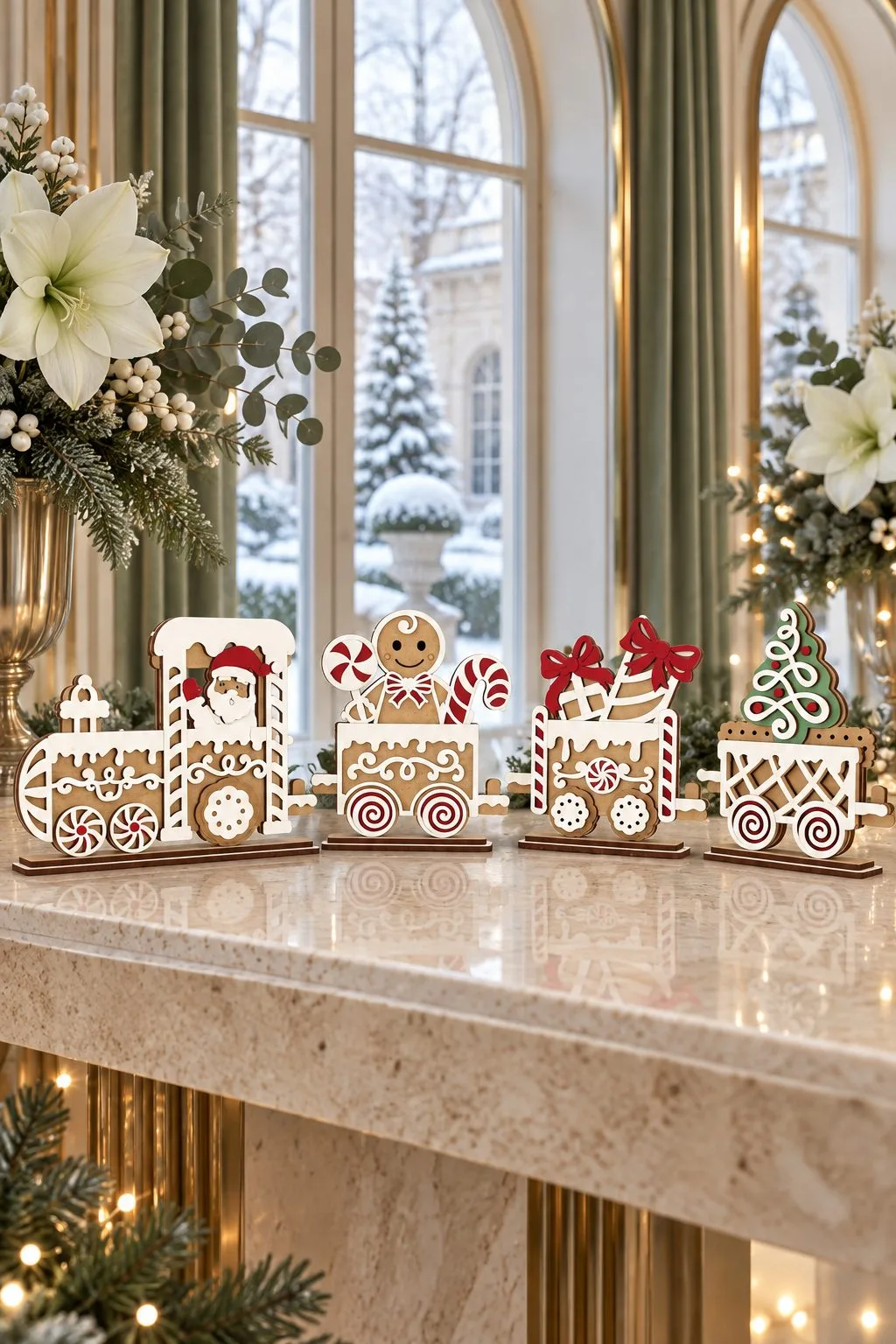

A train that looks like it came out of a bakery. Both versions are standing panels in a gingerbread style, with white icing lines, candy canes and lollipop swirls. In the first, Santa drives the engine and the wagons carry a gingerbread man, wrapped gifts and a little Christmas tree. The second has a «Merry Christmas» sign on the engine, a tree and a gingerbread house among the wagons.
The maker describes it as a Christmas decoration and a Christmas gift idea. It is a natural fit for the kitchen. Put it on the counter, on top of the cookie jar shelf or in the middle of the table where the holiday baking is set out. Red lines are for cutting and black lines for engraving.
What you get in each file: 1 SVG, 1 EPS, 1 PNG, 1 PDF and 1 DXF file, with the same LightBurn tip as above.
Christmas Wooden Train
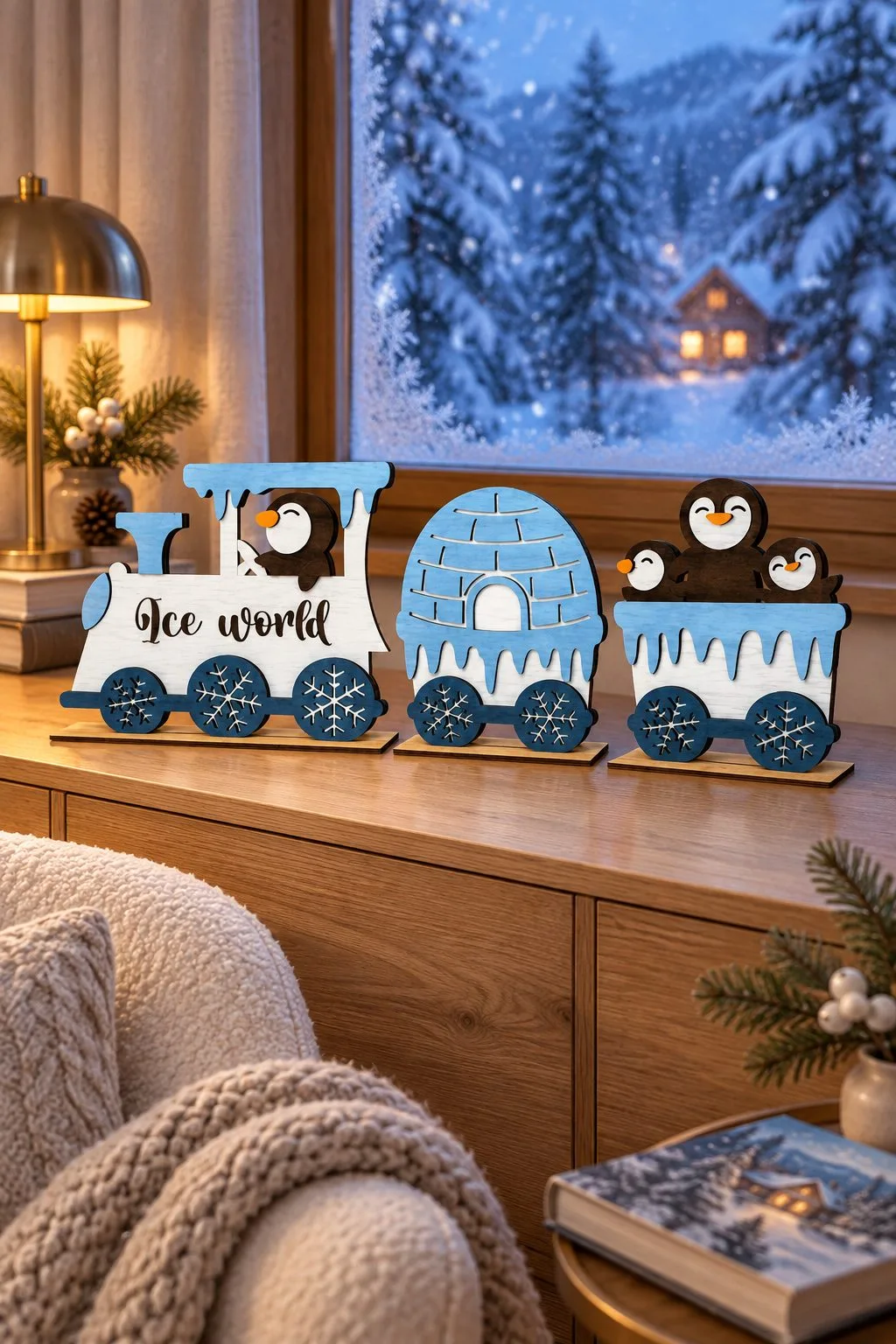
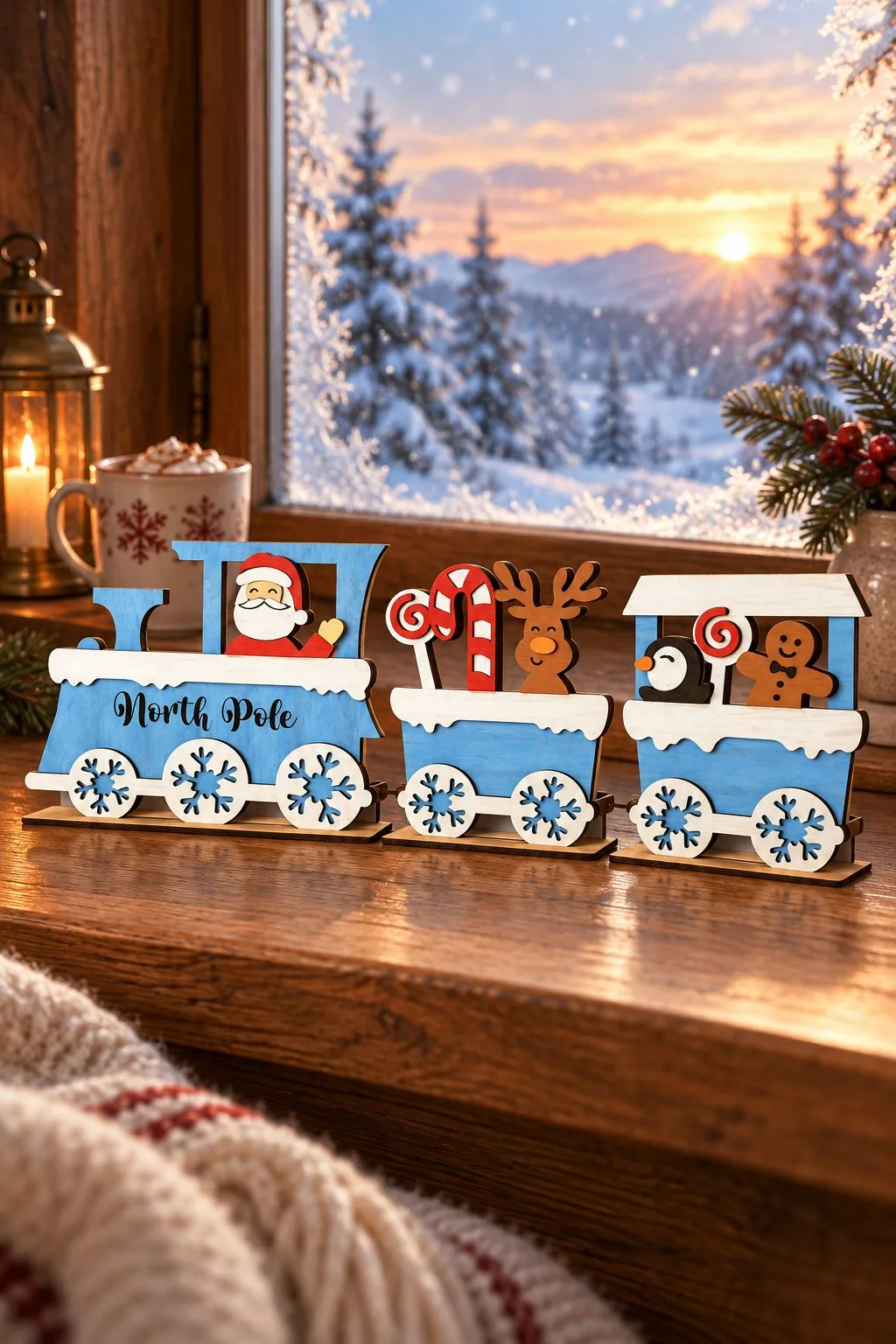
Two cheerful standing trains in white and icy blue, with snowflakes on the wheels. «Ice world» carries a penguin in the engine, an igloo and a wagon full of penguins. «North Pole» is Santa’s version, with a reindeer holding a candy cane, a penguin and a gingerbread man riding behind him.
The flat standing shape makes them easy to cut and quick to assemble. Therefore they suit a child’s room or a winter shelf as much as the Christmas table. The penguin train, with no Santa in it, can stay out all winter. The maker describes the design as an original piece for the home or the office.
What you get in each file: SVG, DXF, EPS, PDF, JPEG and PNG files in one zip folder. The maker notes that the photos are for inspiration.
Steam Train Christmas Ornament
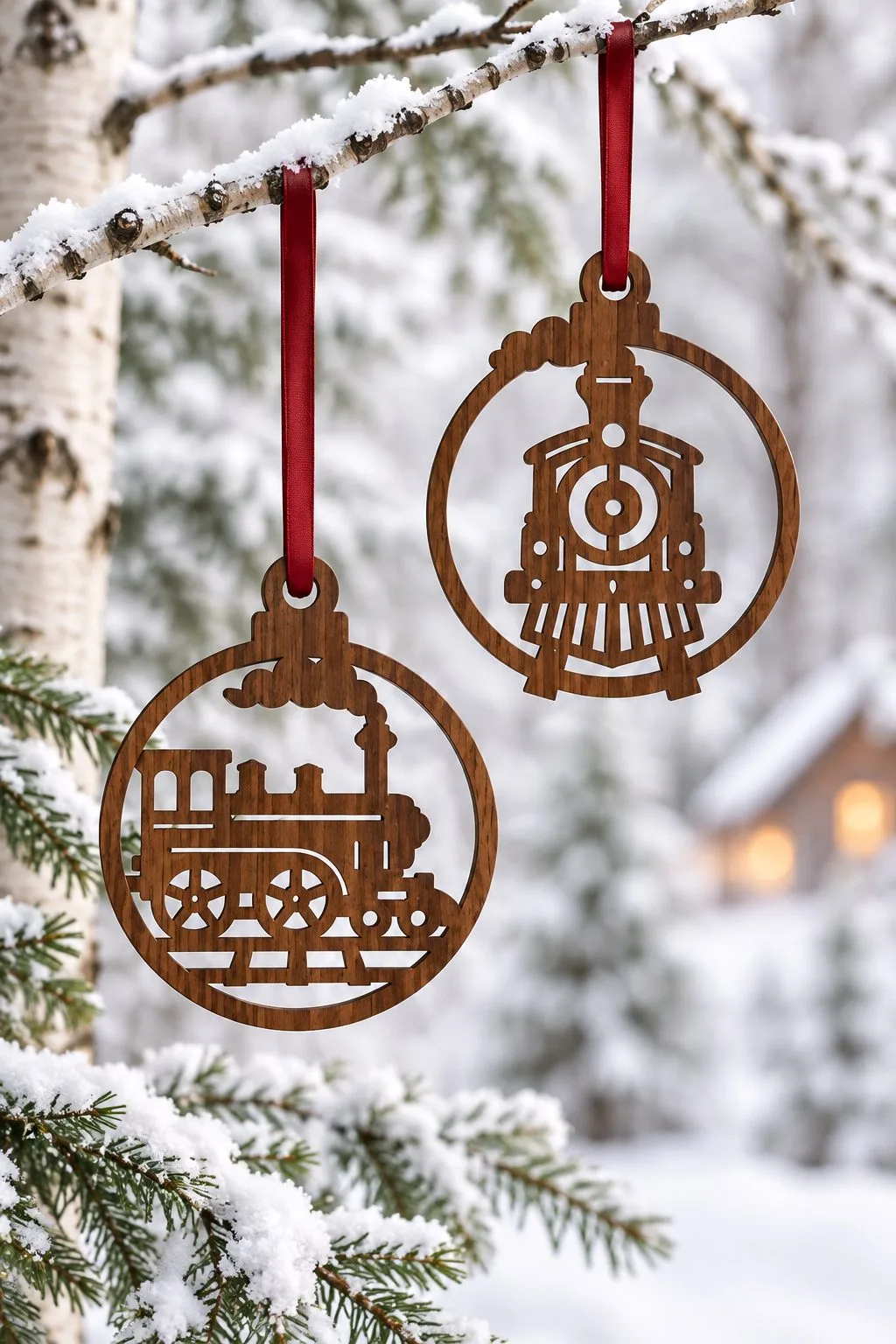
For the tree above all these trains. Two round ornaments with a steam locomotive cut inside a ring. One shows the engine from the side, with its wheels and smokestack. The other shows it head-on, with the round front and the lamp. The maker designed them 9 cm (3.5 inches) wide, a classic size for a tree ornament.
They are a small, quick project and a natural gift for a railway fan. They also tie the tree to the trains running below it. For another steam train in an openwork bauble, see the woodland ornament guide.
What you get: SVG, DXF, AI and CDR files in one zip folder, ready to import into your laser software.
Christmas Ornaments Laser Cut Bundle
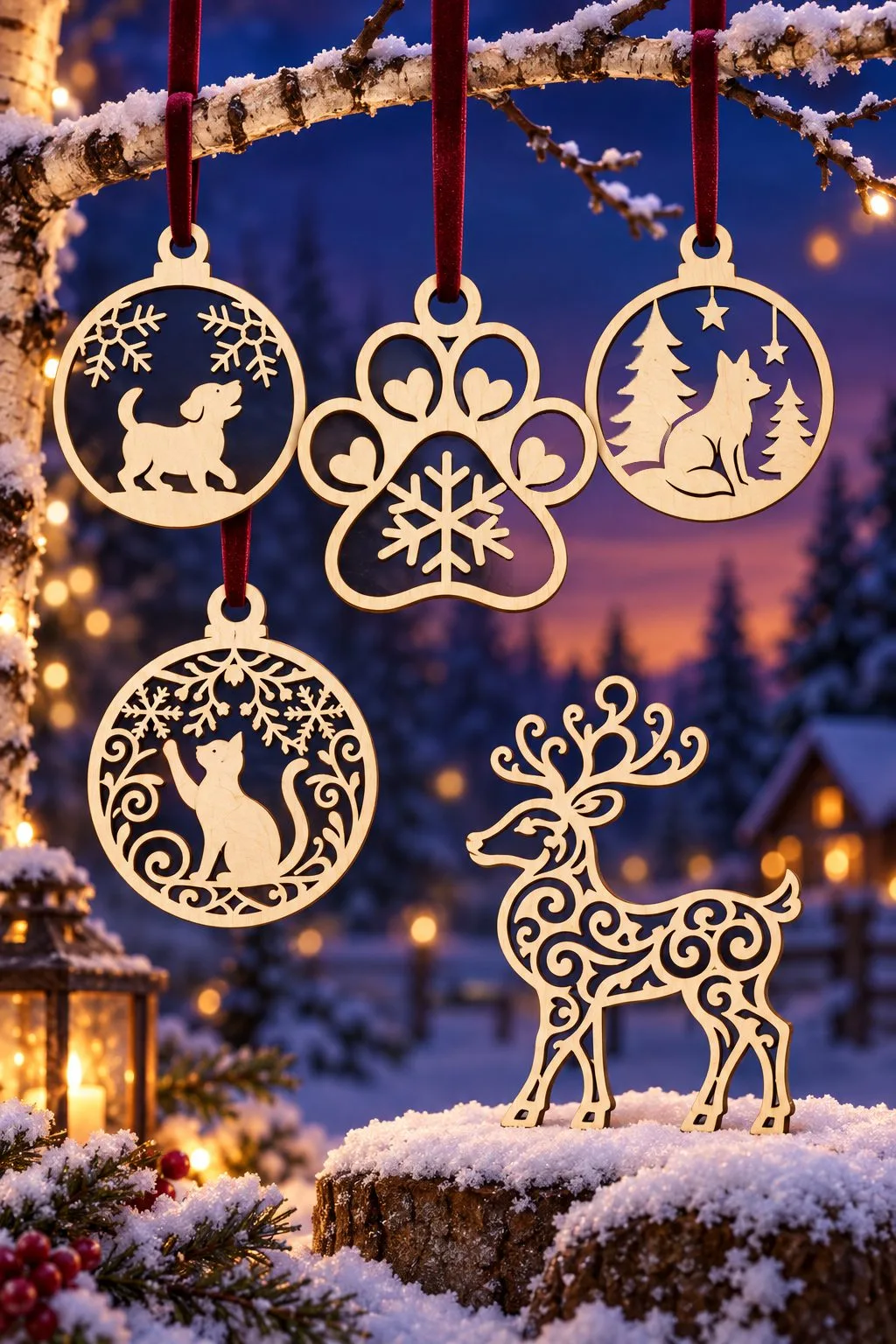

A village and two trains need a tree above them, and this bundle fills it. It is a large collection of 102 Christmas ornament designs. The photos show a small part of the range. There are round baubles with a puppy, a wolf under the stars and a cat reaching for a snowflake. Others carry a paw print with a snowflake in the middle, a bell with a cat under a street lamp and a pair of bells with a bow. A free-standing reindeer drawn in swirls, a bear and a deer in the forest and a cottage in the snow are in the photos too.
With so many designs in one download, the bundle works for more than one tree. Pet lovers will find dogs, cats and paws. Similarly, nature lovers will find deer, bears and winter landscapes. In addition, the village and cottage designs match the tree skirt above. For craft fairs and small shops it is a ready product line. For example, the maker lists personalized ornaments, holiday gifts, gift tags, door decorations, party favors, craft fairs and small business products among the uses.
The maker also notes that the designs are made for clean, smooth cuts and suit wood, acrylic, MDF, cardstock and leather. They also work on laser and CNC machines as well as Cricut and Silhouette. For more openwork baubles in one style, see our woodland ornament guide, and for cheerful characters, the Rudolph and snowman ornaments.
What you get: 102 SVG, 102 EPS, 102 PNG at 300 DPI, 102 DXF, 102 PDF and 102 AI files, fully editable in Adobe Illustrator.
Laser cut Christmas decorations at a glance
| Design | What it is | Where it works best |
|---|---|---|
| Laser Cut Christmas Village Tree Skirt | Interchangeable house and church panels that stand in a ring | Around the base of the tree, lit from behind |
| Lighted Christmas Villages to Build | Two villages with a light inside: a three-house miniature and a layered scene on a box base | A windowsill or a shelf in the evening |
| Christmas Village 3D Decor | One standing panel of houses, fir trees and a reindeer on a rooftop | A narrow shelf, a mantel, a backdrop for the trains |
| Christmas Trains: a 3D Model and an Advent Calendar | A 3D steam train in two sizes with instructions, and a train of wagons with numbered doors | A mantel or a sideboard; the countdown through December |
| Festive Christmas Train Advent Calendar | An engine and wagons as separate files, three drawers in each wagon | A countdown as long as you want to build it |
| Santa’s Christmas Train | Two standing gingerbread-style trains | The kitchen and the baking table |
| Christmas Wooden Train | Two standing trains in white and icy blue: penguins and the North Pole | A child’s room, all winter |
| Steam Train Christmas Ornament | Two round ornaments with a locomotive inside a ring, 9 cm wide | The tree, or a gift for a railway fan |
| Christmas Ornaments Laser Cut Bundle | 102 ornament designs in one download | Filling a whole tree, craft fairs |
How to build a Christmas village scene with laser cut decorations
These files are strongest when they share one space. A few simple ways to put them together:
Around the tree. Stand the village ring at the base of the tree. Then park the 3D train in front of the houses as if it has just arrived at the station. Finally, hang ornaments from the bundle on the lower branches, at the same eye level as the village.
On the mantel. Alternatively, run the advent calendar train along the mantel, with a few village houses standing behind it as a backdrop and a fir garland on top. Every morning a wagon opens, and the scene stays full until Christmas Eve.
On a windowsill. Use half of the village panels in a straight row and put the smaller 3D train in front. From the street, the windows of the houses glow in the evening, like a real winter town.
For a gift. The advent calendar train is a present in itself, filled with sweets and given at the end of November. Add a few ornaments from the bundle with the family’s pets or favorite animals, and the gift covers the whole season.
A few practical notes before you cut
Use the DXF files in LightBurn. The makers of both the village and the advent calendar warn that SVG sizes can change in LightBurn. This matters especially for projects where parts must fit together.
Read the colors of the lines. In the village and the advent train, red lines are cuts and black lines are engraving. Set up the layers in your software before you start, so the window frames and details are engraved and not cut out.
Cut a test panel first. On big sets like the village or the train, cut one house or one wagon, check the fit, and only then cut the rest.
Plan the light. The village is designed to glow. Put the tree lights or a battery string behind the panels, never an open flame near wooden decorations.
More free Christmas laser cut decorations
These designs are part of our larger collection of free Christmas laser cut files, with more villages, lanterns, ornaments and advent calendars. For mantel signs, centerpieces and table décor, see our Christmas décor guide, and for snowmen and winter pieces that stay up all season, the winter collection. Each card links to a free download on Creative Fabrica.
Can’t find the design you need?
Describe your idea in a few words and generate your own SVG design with AI.
Good to know: the files in this guide are hosted on Creative Fabrica. Downloading is free with their free trial: a payment card is needed to start it, and you can cancel the subscription at any time.