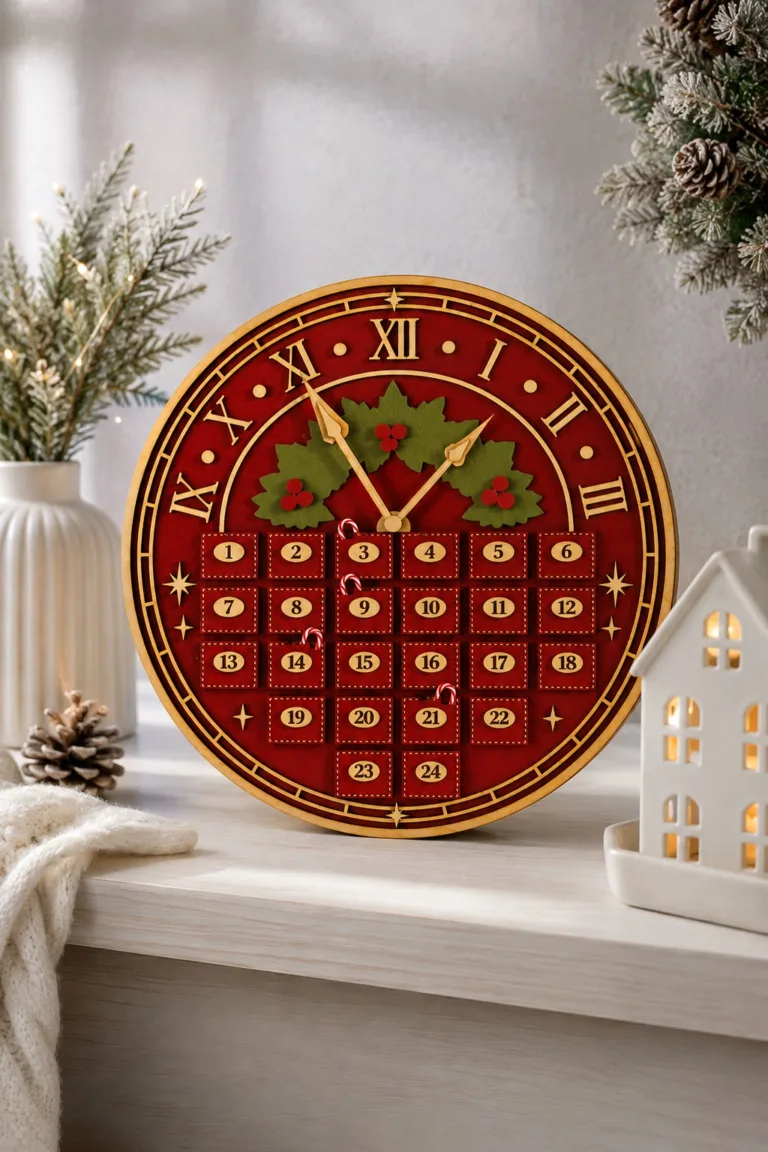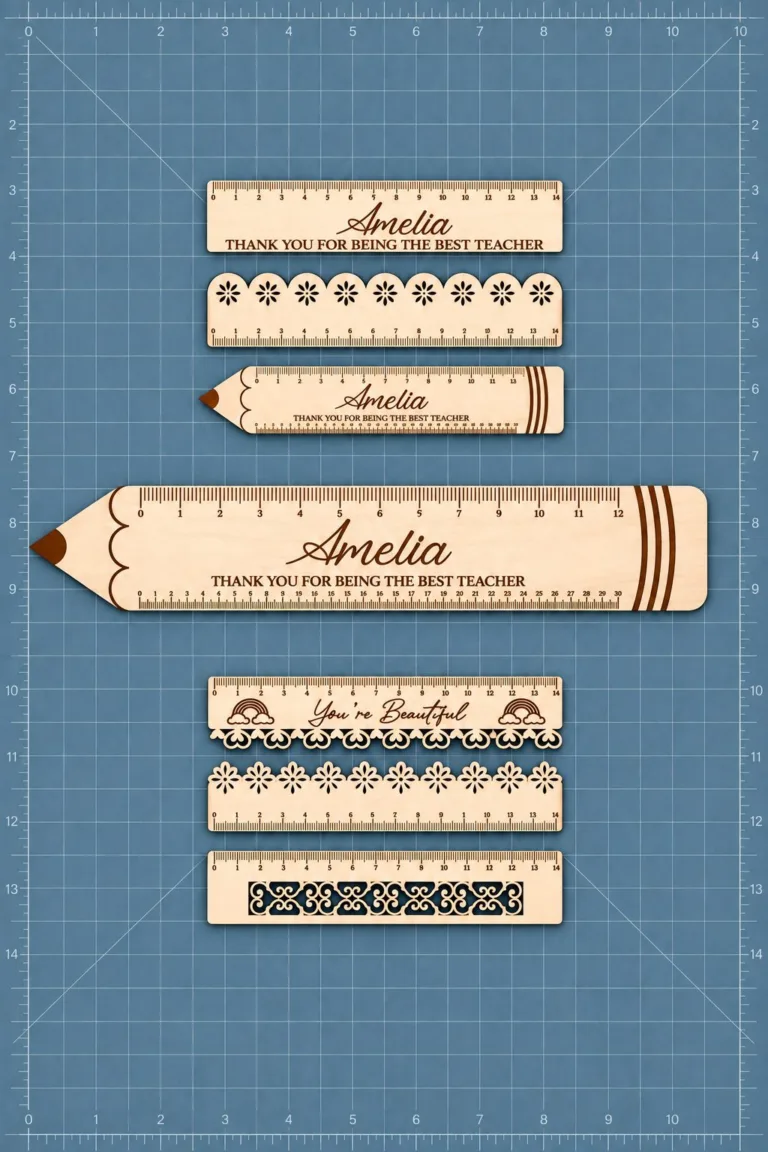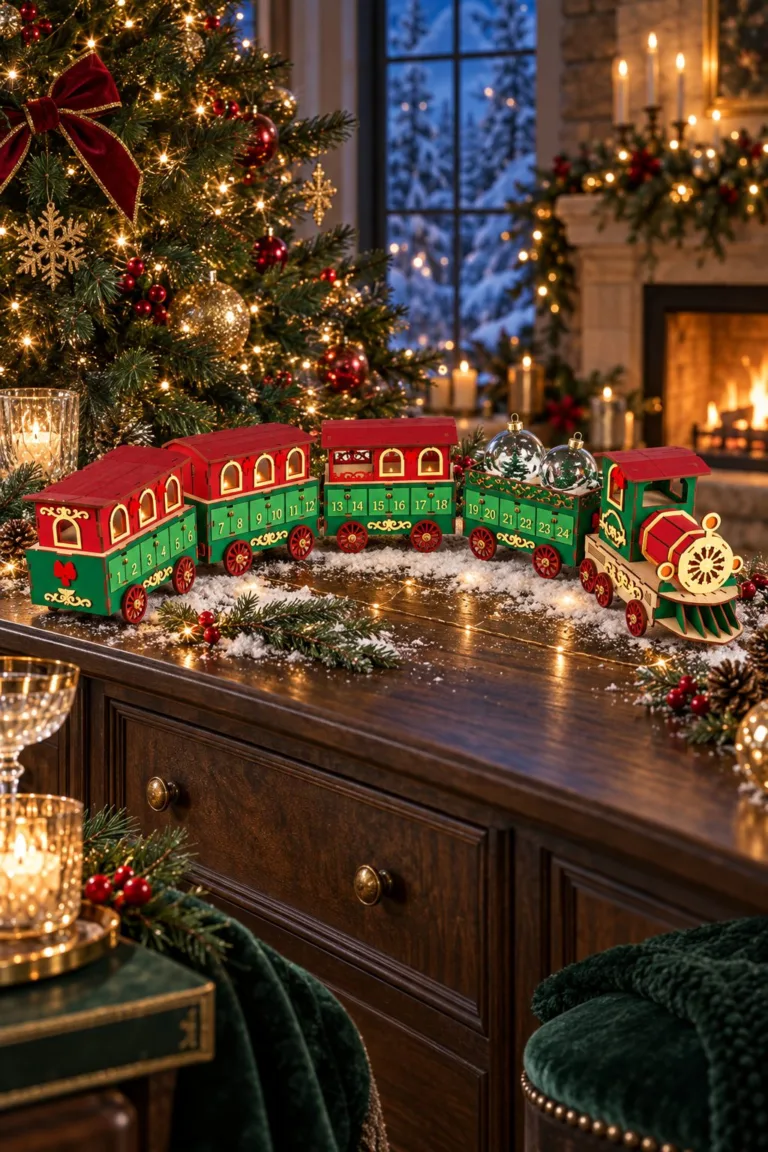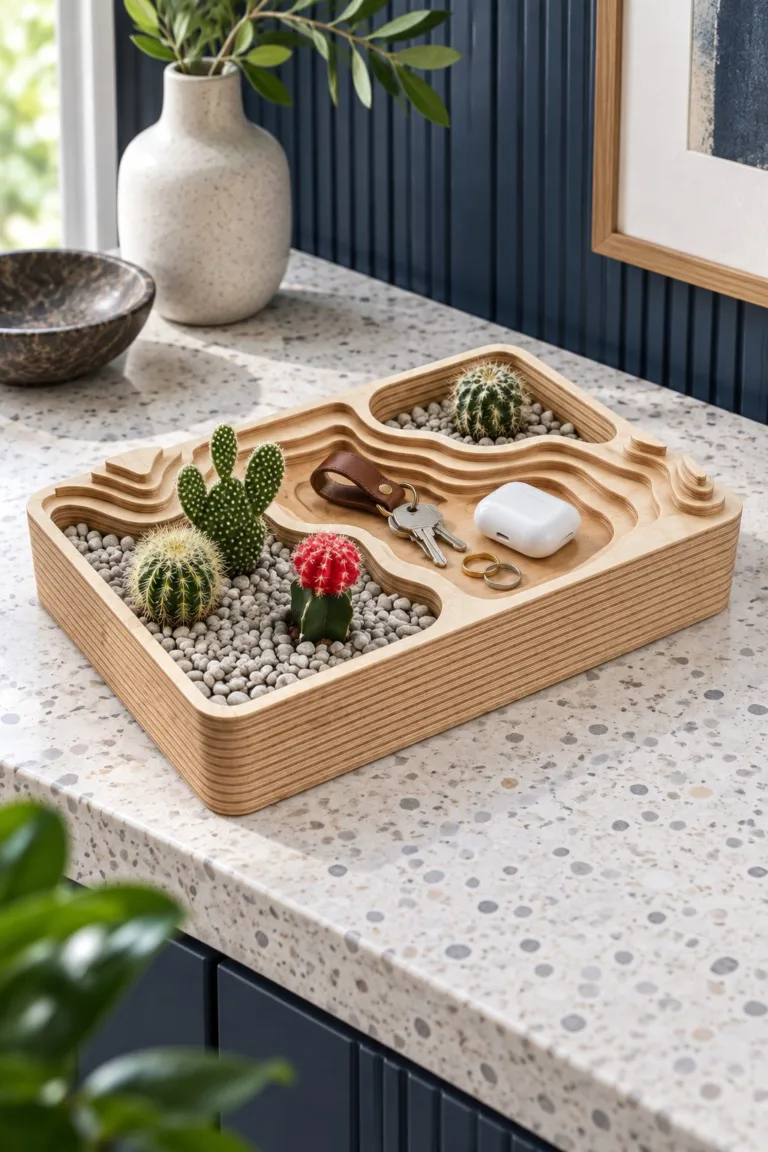

Laser Cut Box Files: 30 Gift, Keepsake and Storage Designs
These laser cut box files turn a small gift into something worth keeping. A wooden box might hold a handwritten letter, keep embroidery thread in order or sit on a dressing table with everyday jewellery inside. Choose a shape that suits both the contents and the person who will use it.
These 30 laser cut box files range from ornate keepsake chests to plain storage cubes, book-shaped drawers and useful hobby cases. Our styled scenes are based on specific designs in the makers’ collections. Each entry explains the listed contents, materials and formats, with an idea for making the design your own.
This article contains affiliate links. If you purchase through them, svgdiy.com may earn a commission at no extra cost to you.
Which laser cut box should you choose?
Start with what goes inside. For letters and a thin notebook, the book box by fv3digital has stated internal dimensions. The rainbow drawer box, meanwhile, separates small accessories on a dressing table. If you want a simple starting shape, compare the plain flip-lid cubes and sliding-lid boxes. A gift carrier is a better match when you want the bottle or wrapped present to remain visible.
Then check the material version, largest cutting part and opening mechanism. A beautiful preview cannot tell you whether your sheet fits the slots or whether your gift clears the lid. The product notes below keep stated measurements separate from details that the maker has not supplied.
Jewelry boxes and decorative keepsakes
1. Rainbow Jewelry Box Laser Cut SVG
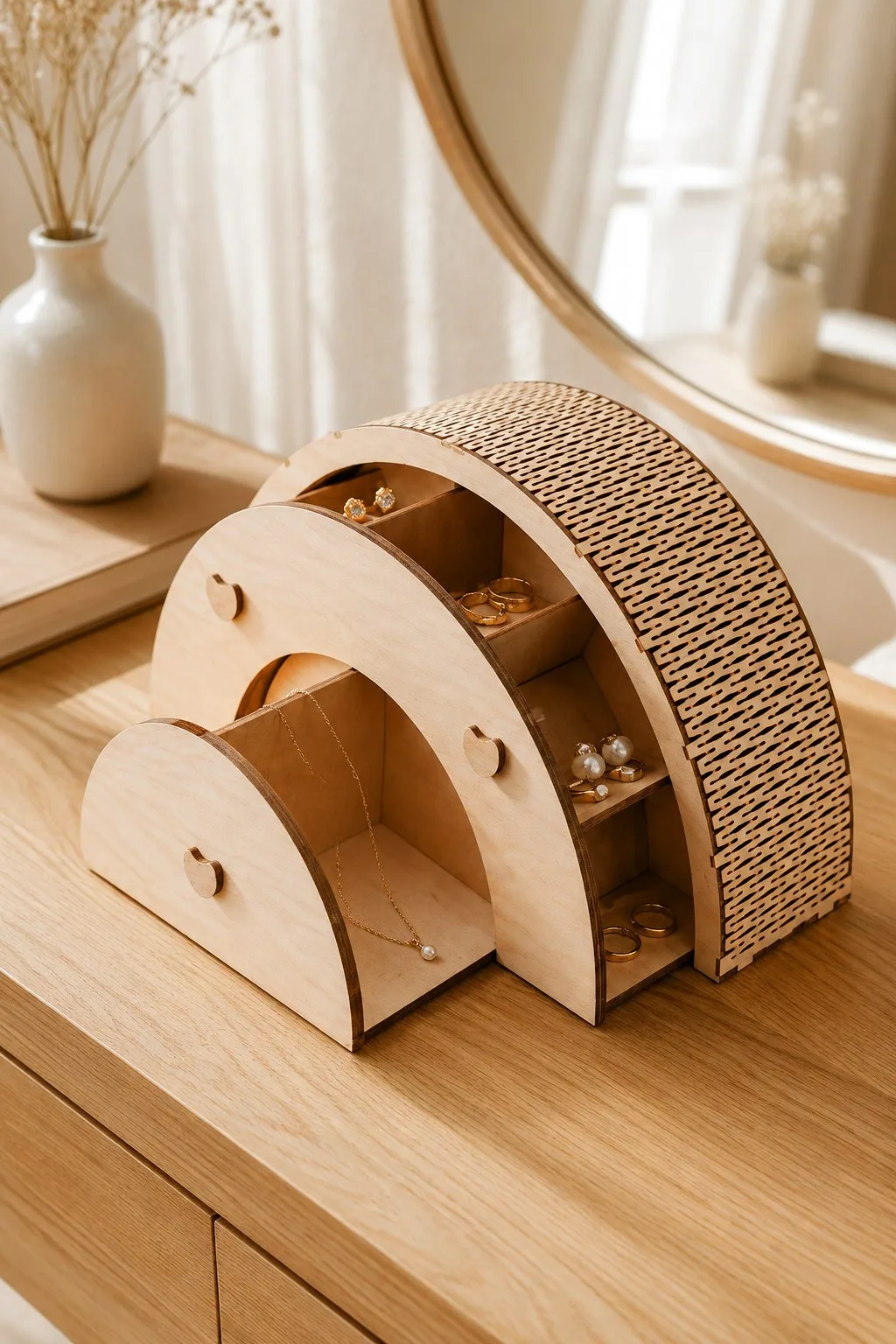
A little set of drawers can feel like a piece of furniture. This rainbow-shaped organizer by Laser Cut Creations has curved arches, several sliding compartments and a flexible living-hinge back. Its rounded outline makes a lovely focal point on a dressing table, while the separate drawers help keep small accessories apart.
The maker specifies 3 mm plywood or MDF and includes SVG, DXF, EPS, PDF and DWG files. The description names rings, earrings and necklaces as possible contents. Overall dimensions are not stated, so compare the drawer layout with the pieces you want to store.
For a thoughtful gift, give each drawer a job: everyday earrings, occasional rings and small keepsakes. Before finishing the wood, dry-fit the moving parts and check that each drawer travels freely. Paint on a sliding surface can change the fit.
2. Laser Cut Casket, Ornate Memory Box
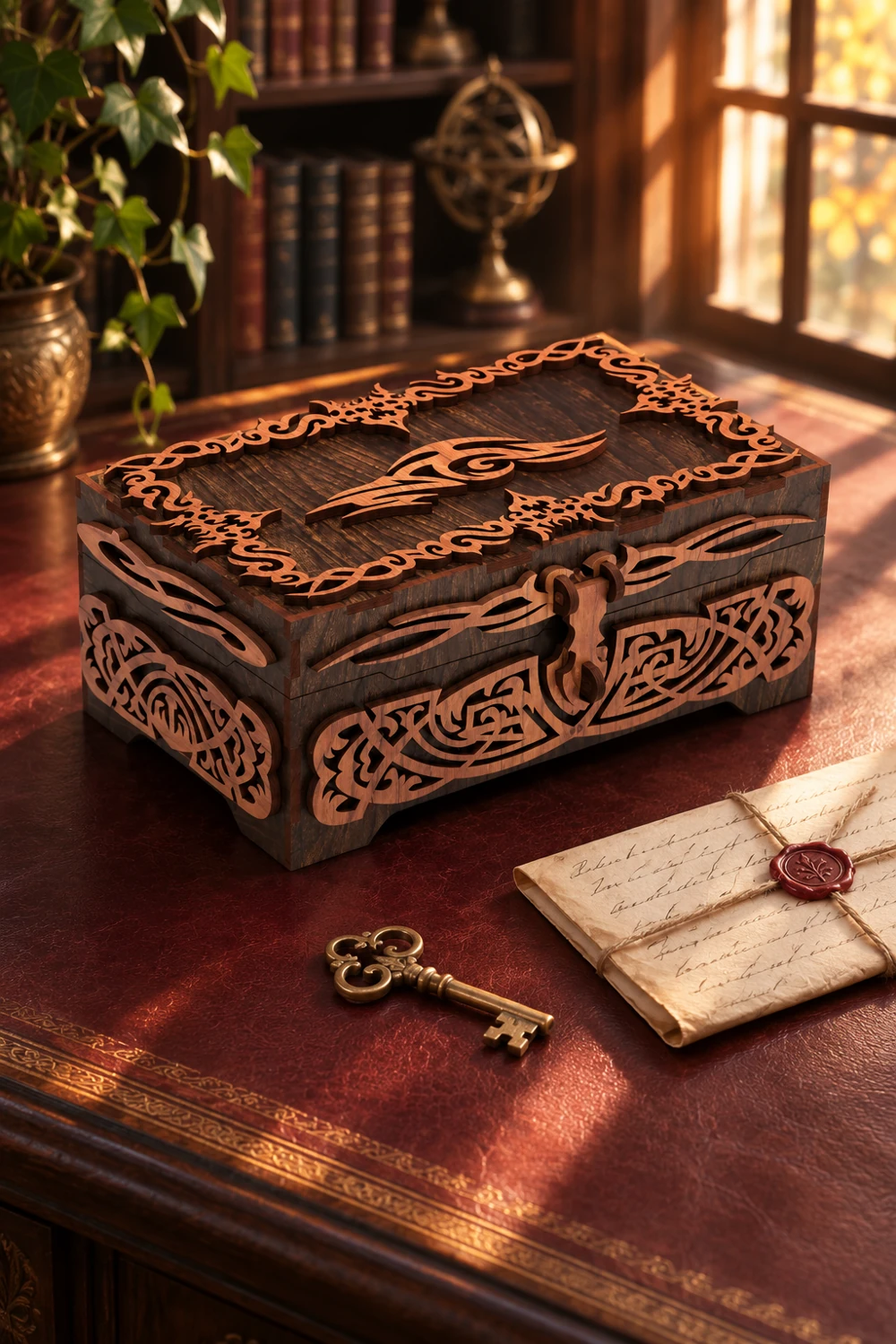
Sedov Laser Patterns gives this keepsake box an ornate lid, patterned sides and a front fastening. The dark finish in the preview brings out the lighter cut edges, but the detailed shape also offers room for a more restrained finish. It is a box worth leaving on display.
The maker lists 250 × 150 × 100 mm and templates for 3 mm, 4 mm and 1/8-inch material. The ZIP contains SVG, DXF, CDR and PDF formats. Use the millimetre dimensions when planning your project; the listing’s accompanying inch figures are not exact conversions.
Fill it with letters, photographs or mementos from one trip rather than a mixture of unrelated things. Check the opening and usable interior before making dividers or a liner. The listed overall size alone does not tell you how much space remains inside.
3. Ornamental Pattern Laser Cut Wooden Box
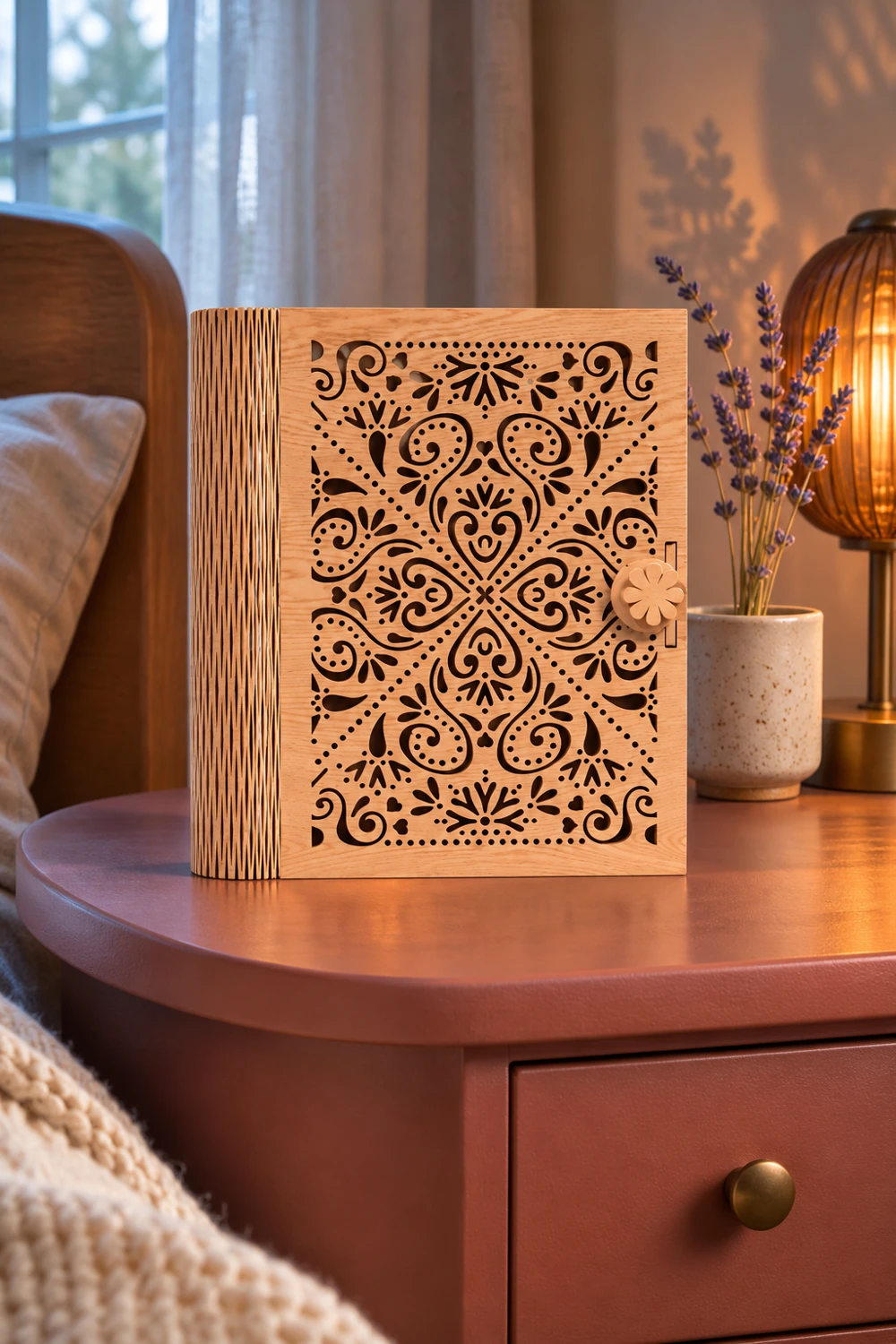
This MEGAMO design uses a denser ornamental pattern across the face of a book-style box. Its openwork has a different character from the clear central circle of the mandala version in the book-box section. Choose it when you want the pattern itself to be the main decoration.
The maker recommends 3 mm wood and lists SVG, DXF, EPS, DWG, PNG, AI and PDF. No finished size is stated. Although the two listings share similar descriptions, their gallery images show different cut patterns; choose from the actual preview rather than the product name alone.
Try a quiet, even finish that keeps the fine openings readable. If you want to add a fabric or paper lining, test how it looks behind the pattern before gluing it in place. A busy lining could compete with all that cut detail.
4. Mystical Wooden Box Laser Cut Bundle
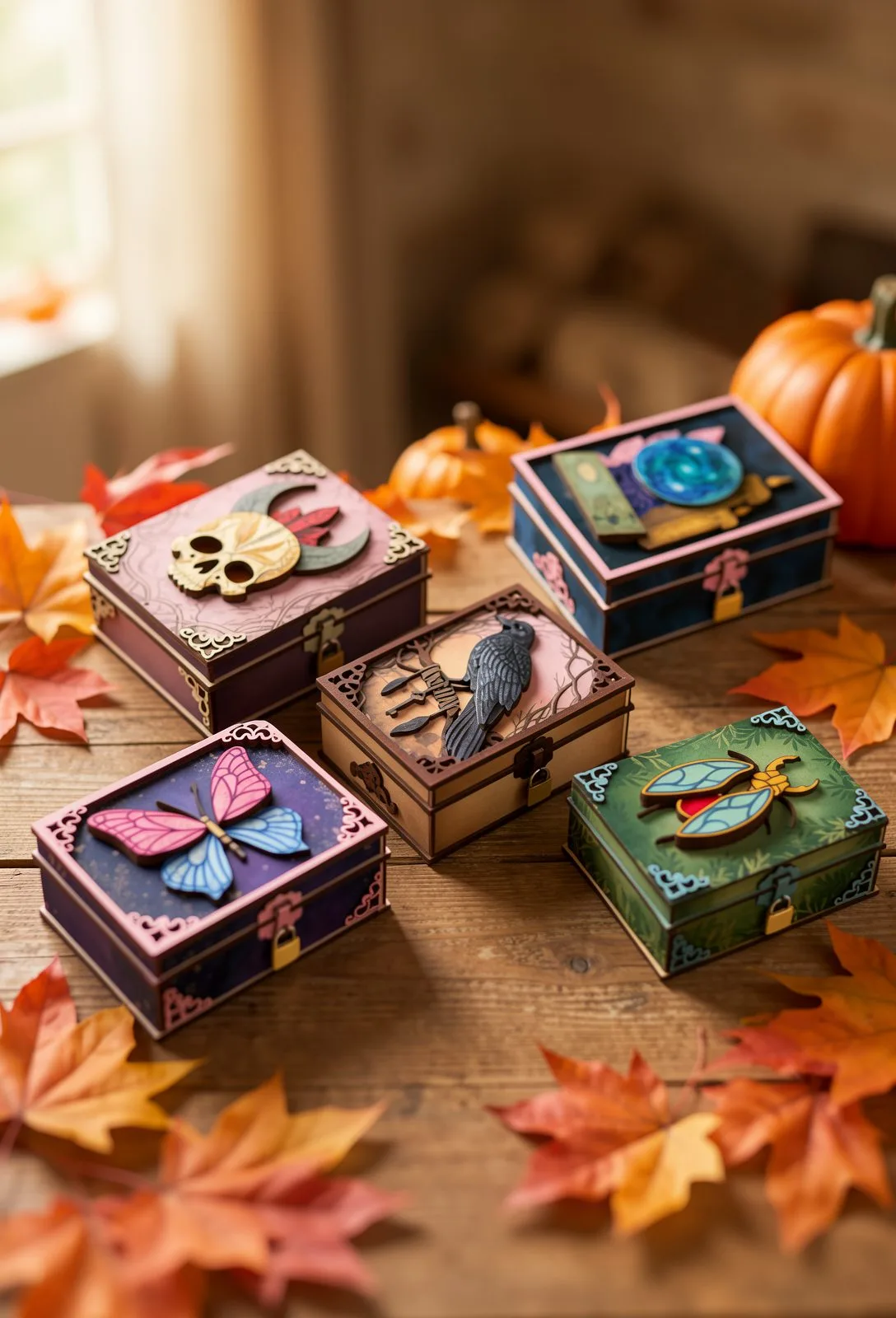
Ravens, skulls, butterflies and crystals give these five boxes by flydesignsvg a rich fantasy mood. The preview combines wooden construction with colourful lid artwork. It is a good direction for someone whose keepsakes belong beside a reading chair or a collection of unusual objects.
The archive lists five files in each of SVG, EPS, PNG, PDF and DXF. The description explicitly mentions sublimation and engraving, so the colourful result should not be treated as something a cutting pass alone will produce. The preview labels 3 mm material; finished dimensions are not stated in the text.
Choose one motif for the recipient rather than mixing all five styles into one gift. Plan the colour process separately from the cut and assembly. If you only intend to engrave, decide how the artwork will read in a single tone before preparing a batch.
5. Gift Jewelry Box, Storage Boxes Template
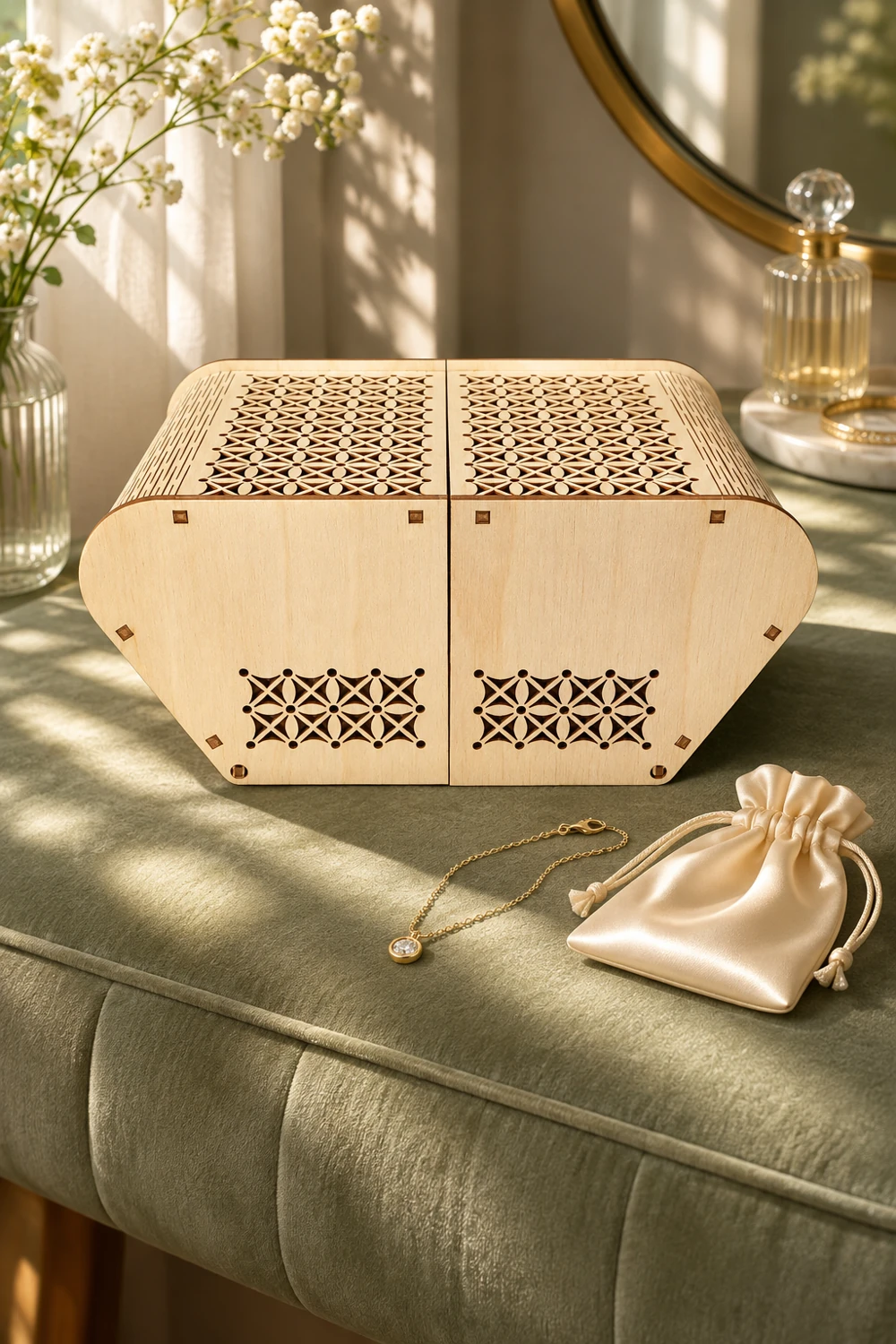
VectorBY’s storage box opens into an unusually sculptural shape, with curved side profiles and a patterned top. Its curved profile makes the opening part of the design. That makes it an interesting alternative to a familiar rectangular hinged box.
The listing specifies 3 mm material and outside dimensions of 179 × 116 × 85 mm. Its largest cutting part is stated as 158 × 116 mm, and glue is required. Six formats are supplied: SVG, PDF, CDR, AI (CS5), EPS and DXF.
Consider it for a small collection of jewellery or a carefully wrapped present. The outside measurements are not an interior capacity, so lay the intended contents against the file first. Leave enough room around the opening for fingers to reach in comfortably.
6. Gift Jewelry Box, Design Laser Cutting
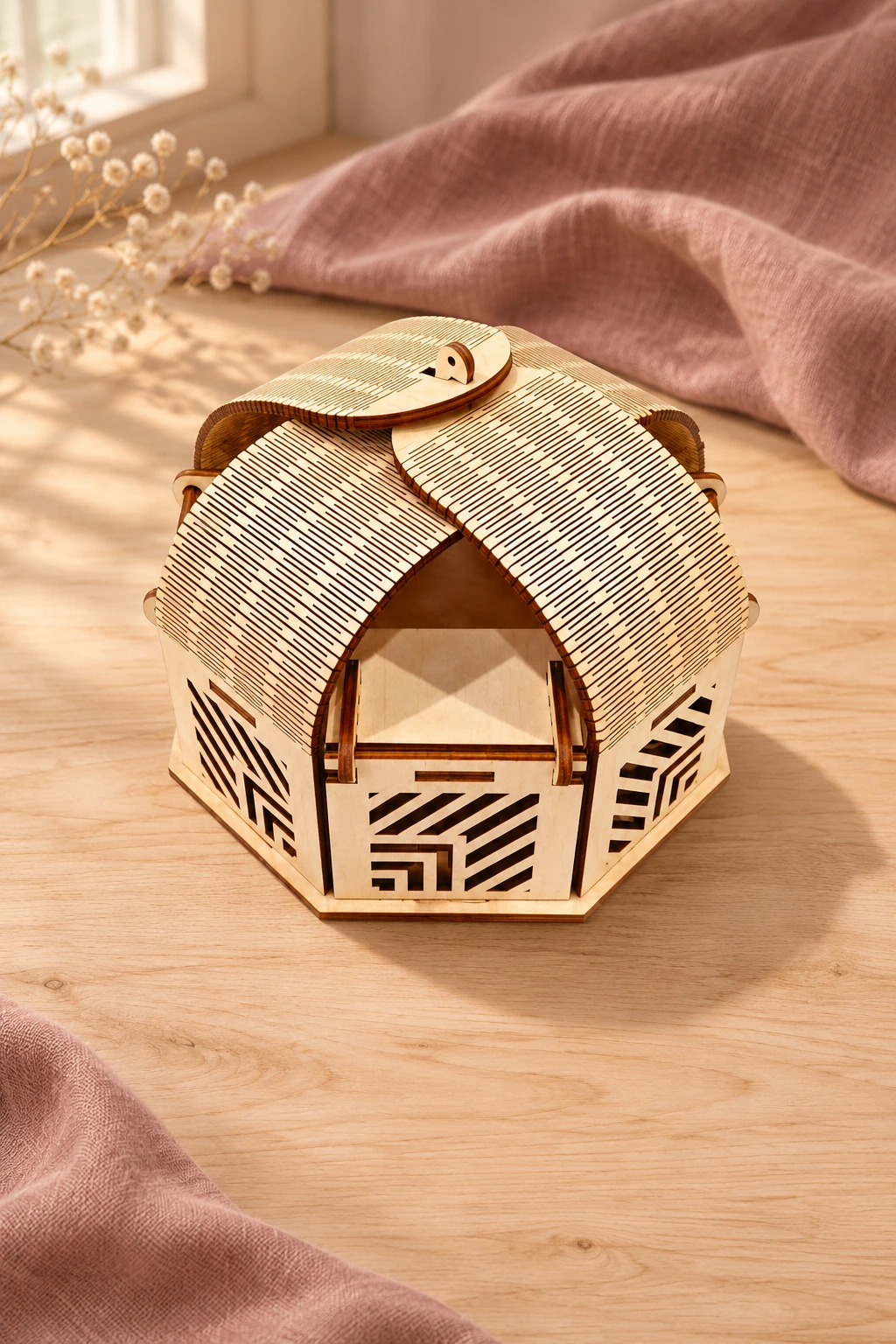
Four curved sections open like petals on this compact VectorBY gift box. Closed, the slotted sides make a rounded enclosure; open, they reveal the centre from several directions. The movement becomes part of presenting the gift.
The maker states 3 mm material, an outside footprint of 133 × 133 mm and a closed height of 80 mm. Height when open is listed as 132 mm. The largest part measures 133 × 133 mm. Files come in SVG, PDF, CDR, AI (CS5), EPS and DXF.
Use a simple insert so the opening sides remain the main event. Check the clearance around every moving section during dry assembly. If you personalise the centre, make sure the message is readable when the box is fully open rather than only in a flat layout.
Book boxes for letters and hidden treasures
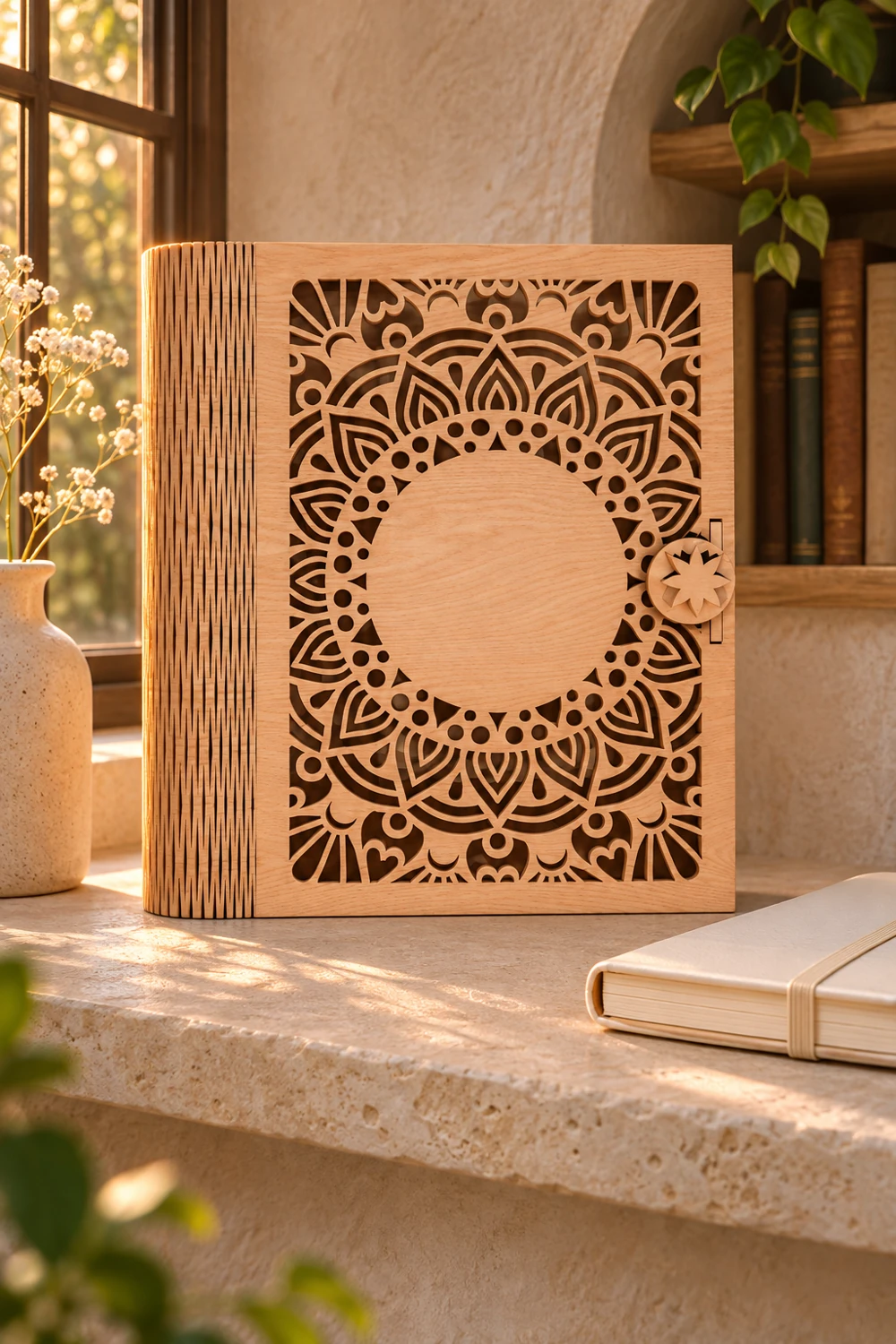
7. Mandala Pattern Laser Cut Wooden Box SVG
A circular mandala sits at the centre of this book-like wooden box by MEGAMO. Fine cutwork surrounds a plain central area, giving the lid a strong focal point without filling every part with detail. The patterned front and slotted spine give it the appearance of a wooden book.
MEGAMO recommends 0.3 cm wood, equivalent to 3 mm. The stated formats are SVG, DXF, EPS, DWG, PNG, AI and PDF. Finished dimensions are not given in the description; check the vector layout before deciding what the box will hold.
This would make a pleasing home for a small journal or a collection of handwritten notes. Keep any added lettering short enough to sit comfortably within the central area, and cut a sample of the narrow pattern before committing to the whole lid.
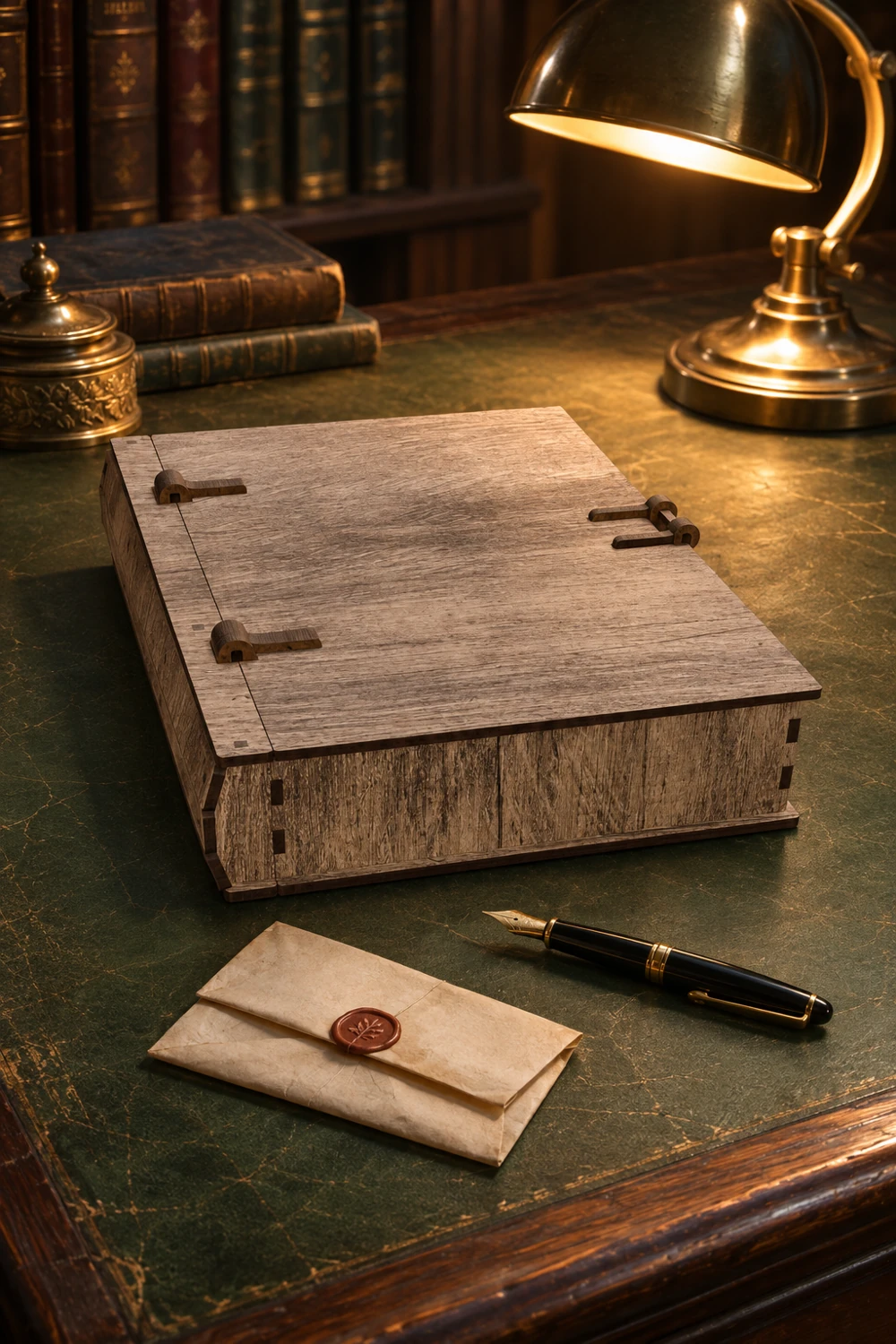
8. Laser Cut Files to Create a Book Box
This wooden book box by fv3digital has a broad cover, visible hinge details and the quiet appearance of a substantial old volume. It can sit among books without needing a complicated decorative front. The maker now includes detailed step-by-step assembly instructions.
Internal dimensions are stated as 180 mm wide, 270 mm high and 58 mm deep. Slot versions cover 3 mm, 4 mm and 1/8-inch wood. The download lists SVG, AI, DXF, EPS, PDF, LIGHTBURN and AFDESIGN, a useful range if you prefer to work in a familiar application.
The stated interior makes this one easier to plan for letters, a thin notebook or a set of prints. Measure your contents first, then choose the correct thickness version. If your sheet differs from the listed thickness, the maker specifically says to adjust the slots.
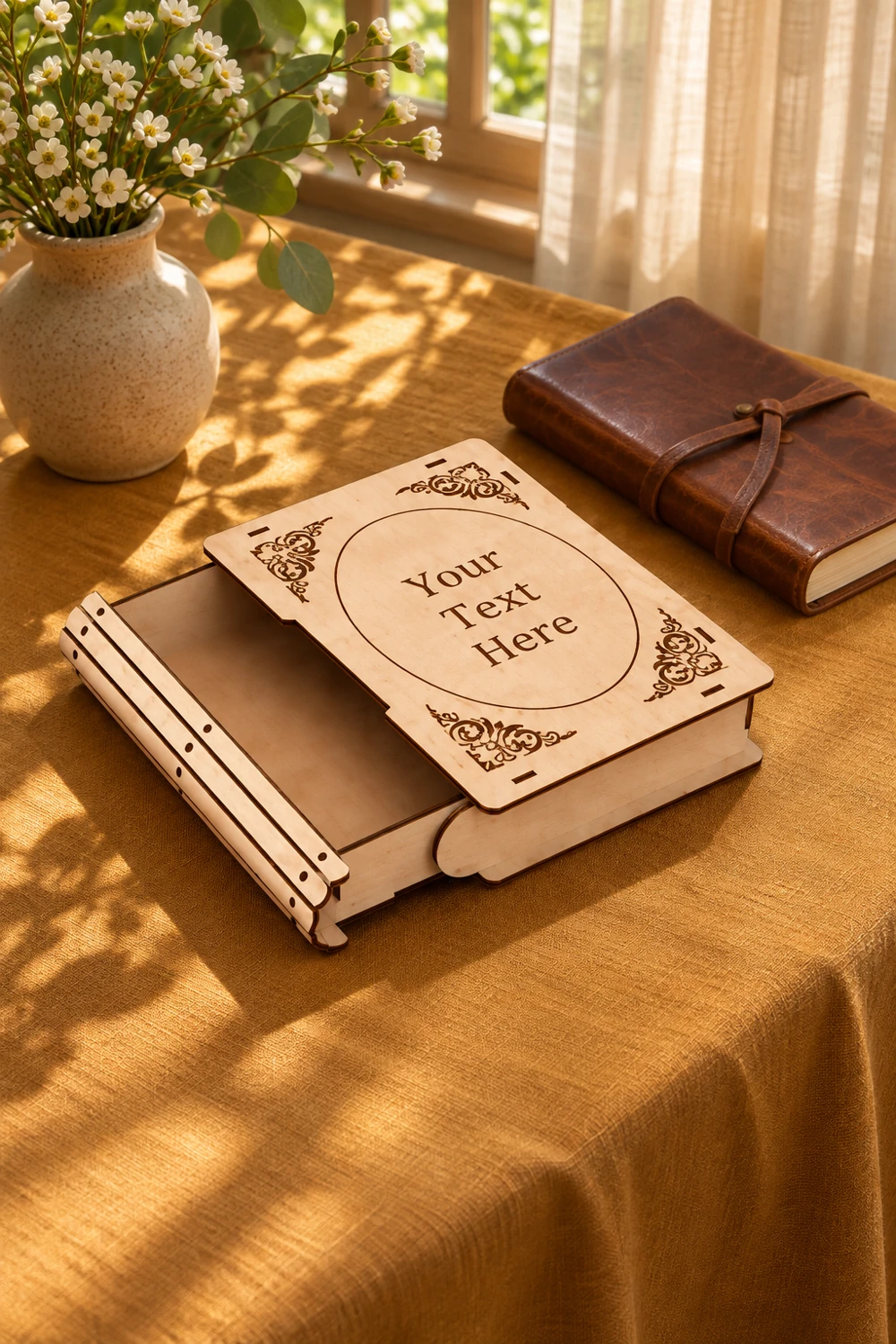
9. Book Box, Storage Box, Gift Box, Drawer
A drawer slides out of a book-shaped cover in this Vector Area design. The opening action is different from a hinged book box: the cover stays together while the hidden tray comes forward. It suits a small present that deserves a little ceremony.
Two sizes are listed: 149 × 127 × 34 mm and 225 × 190 × 50 mm. The design is for 3 mm material and needs glue; the maker warns that it will not hold together on its own. The listing recommends DXF for LightBurn users.
Make it a letter box with a note laid across the top of the contents. Check the assembled drawer clearance before lining it, and allow space for any ribbon pull or added decoration. A beautiful cover is less useful if the tray catches when someone opens it.
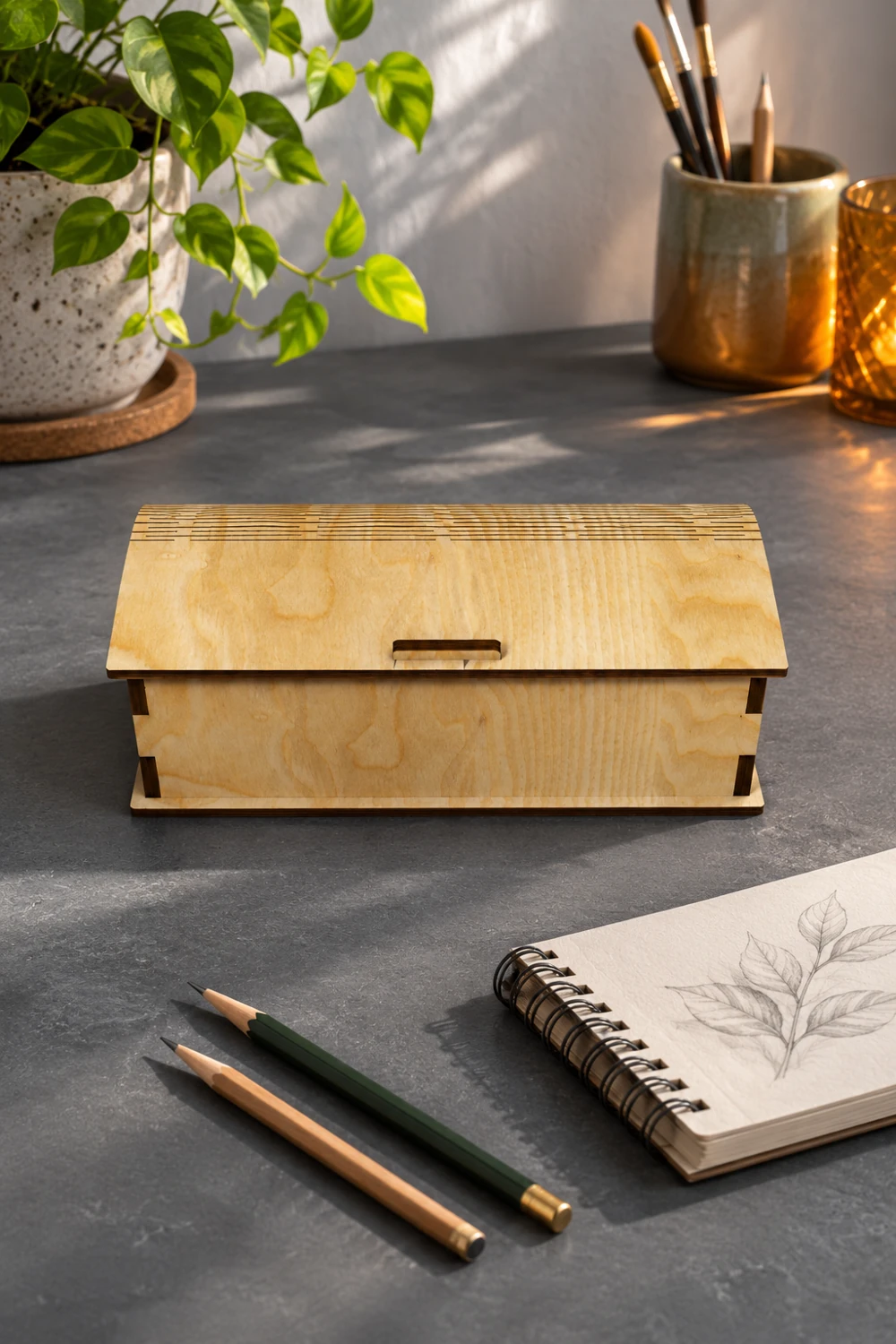
10. Wooden Book Box Set of 3
LaserBuildLAB offers three plain book boxes that leave the decoration to you. The curved spines and simple covers give them a consistent family resemblance, while the different proportions suit different small gifts. A row of them could become a personal keepsake library.
Finished sizes are 130 × 70 × 40 mm, 130 × 100 × 40 mm and 130 × 130 × 80 mm. The description provides versions for 3 mm, 3.2 mm and 4 mm plywood or MDF. SVG is explicitly named; a complete list of other included formats is not stated.
Give each box one purpose: travel tickets, family notes or little sewing accessories. Add the title after you have chosen which edge will face out on the shelf. Keep the spine readable so the boxes can be found without opening every one.
Plain boxes, sliding lids and practical storage
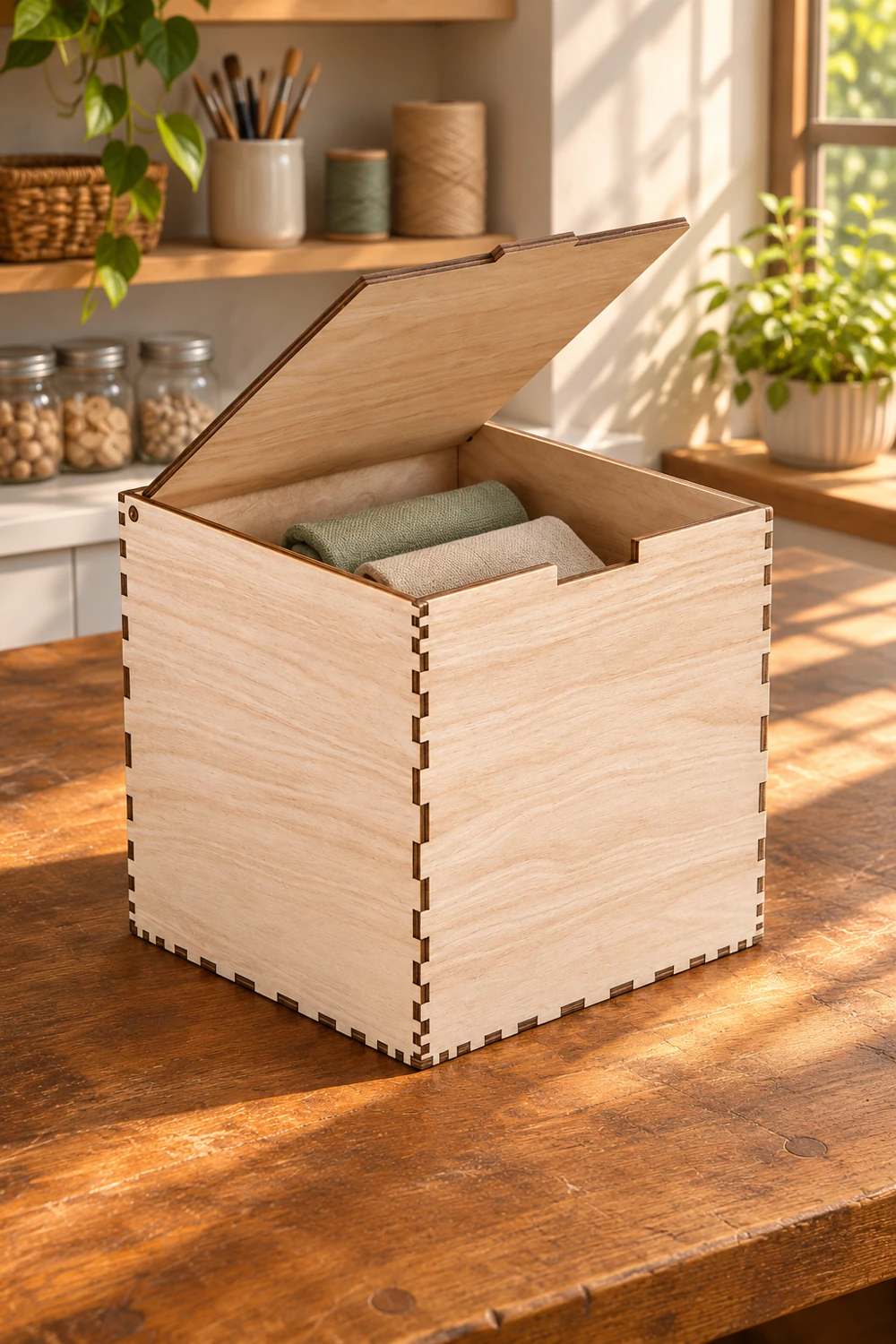
11. Laser Cut Box with Flip Lid
A plain box is often the most adaptable file in a workshop. FlexModel’s flip-lid collection offers 25 cube sizes, so you can choose a ready-made size before thinking about decorative panels. The visible finger joints give the simple shape its character.
The listed cubes run from 50 × 50 × 50 mm to 300 × 300 × 300 mm. Files are supplied as DXF and SVG, with versions for 3, 4, 5 and 6 mm, plus 1/8 and 1/4 inch. Choose the actual matching version rather than assuming a nearby thickness is equivalent.
Use a small cube for a personal gift and a larger one for workshop storage. Check your laser bed against the largest individual panel, not just the assembled cube. A box can fit on a shelf while one of its parts is too large for your cutter.
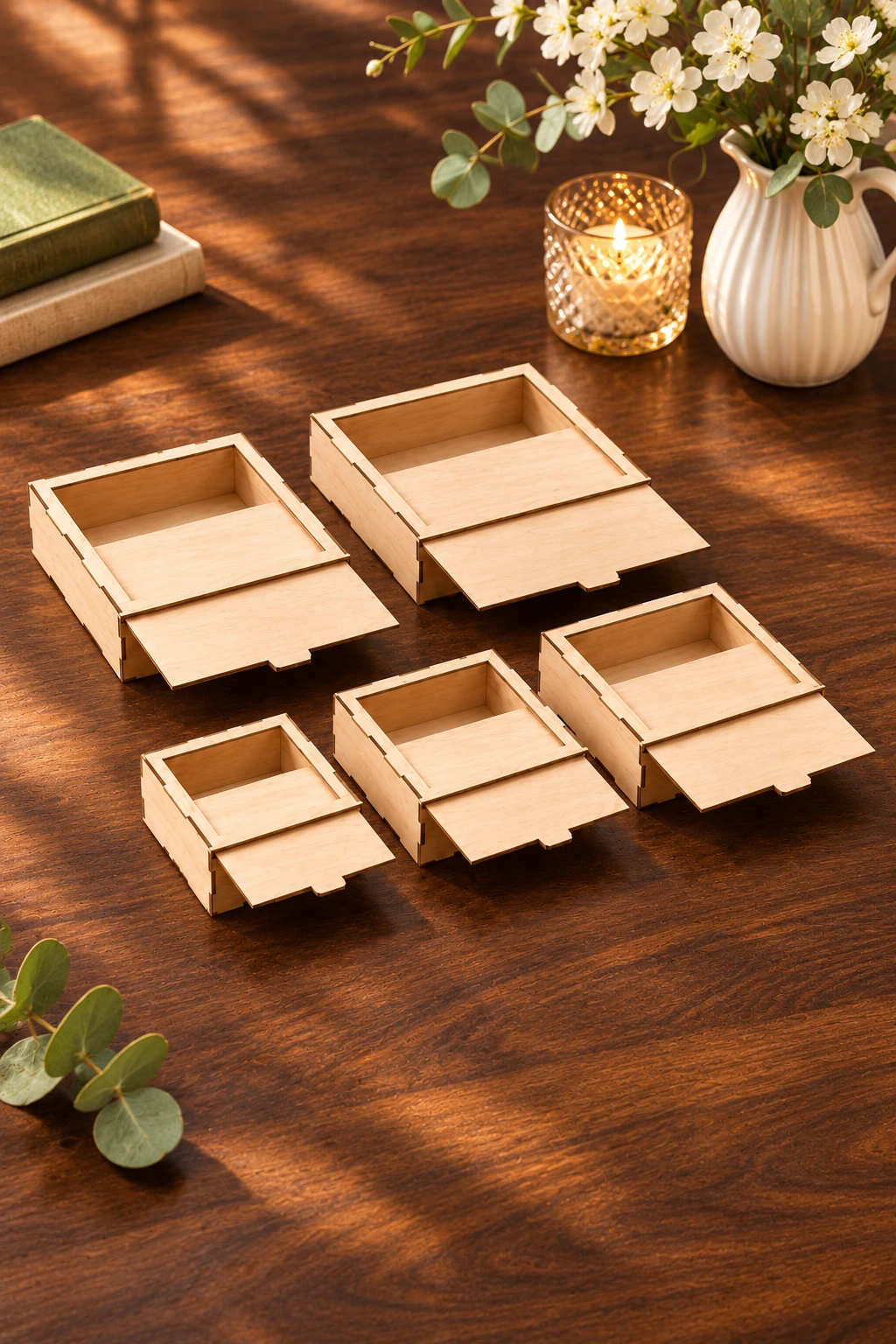
12. Slide Lid Box Laser Cut File
Sliding lids keep the front of a box uncluttered. This Vector Area collection has five square footprints, all with the same listed height, and suits shallow gifts or small supplies. The gallery shows how the lid moves away from the opening.
The design is for 3 mm material. Sizes are 100, 125, 150, 175 and 200 mm square, each 50 mm high. The maker recommends importing the DXF file when using LightBurn. The product is a digital template, with SVG named in the description as well.
For a matching gift set, choose the size around the contents and repeat one short engraved label across the lids. Test the sliding fit before adding paint or a lining. A little finish inside the running channel can make a once-loose lid surprisingly tight.
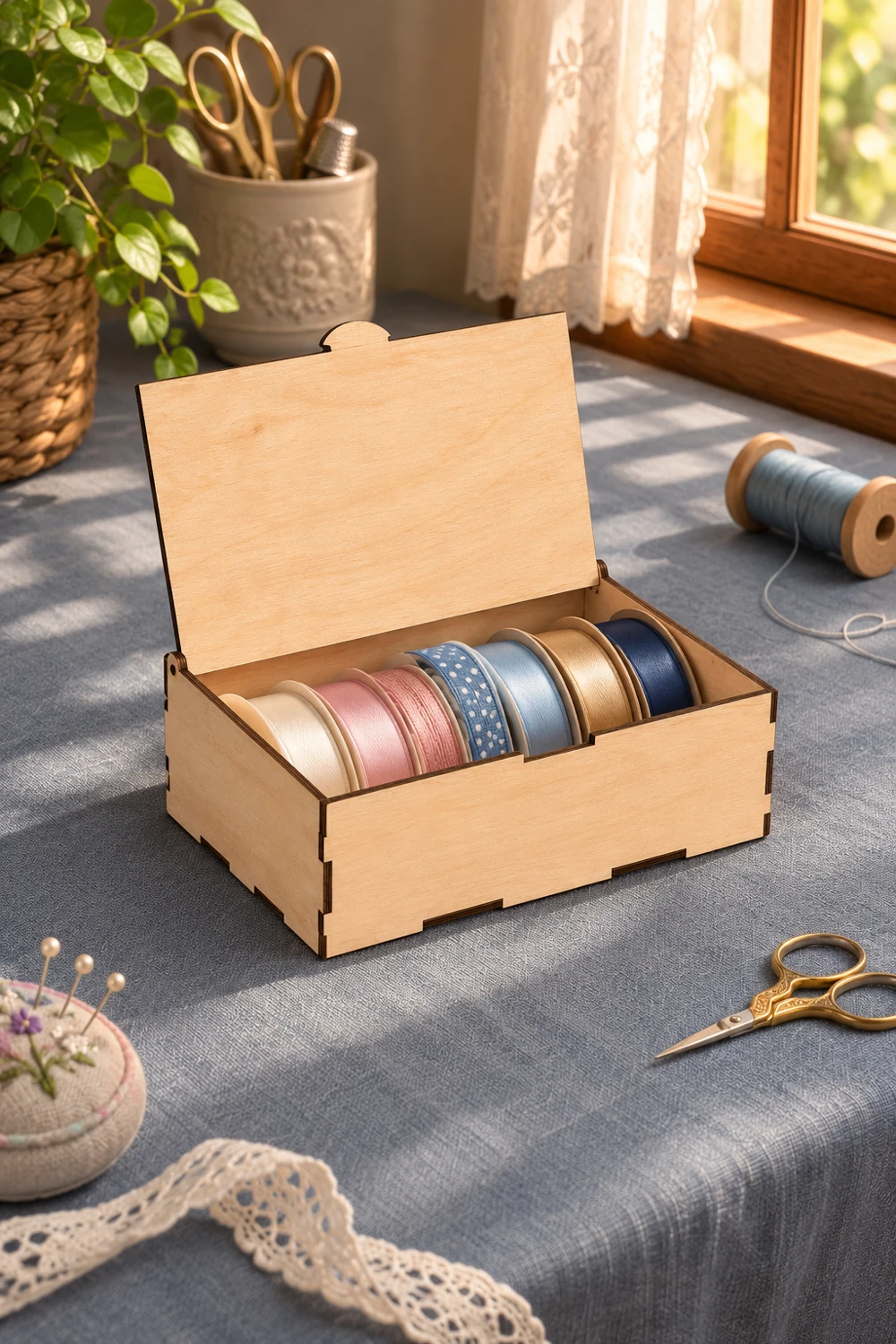
13. Flip Up Lid Box Bundle Laser File
These low rectangular boxes by Vector Area are useful when the gift should be visible as soon as the lid lifts. Three footprints and three heights give you a choice of nine proportions, from a shallow tray-like box to a deeper container.
The footprints are 100 × 100, 100 × 150 and 100 × 200 mm; each is offered at 30, 50 and 70 mm high. The description states compatibility with 3 mm and 4 mm material and recommends DXF for LightBurn. SVG is named in the template description.
A shallow version could present a small set of handmade accessories, while a taller version leaves more room for wrapping. Check whether the maker’s dimensions are sufficient for the actual interior you need before cutting an insert. Do not resize only one axis to make an awkward gift fit.
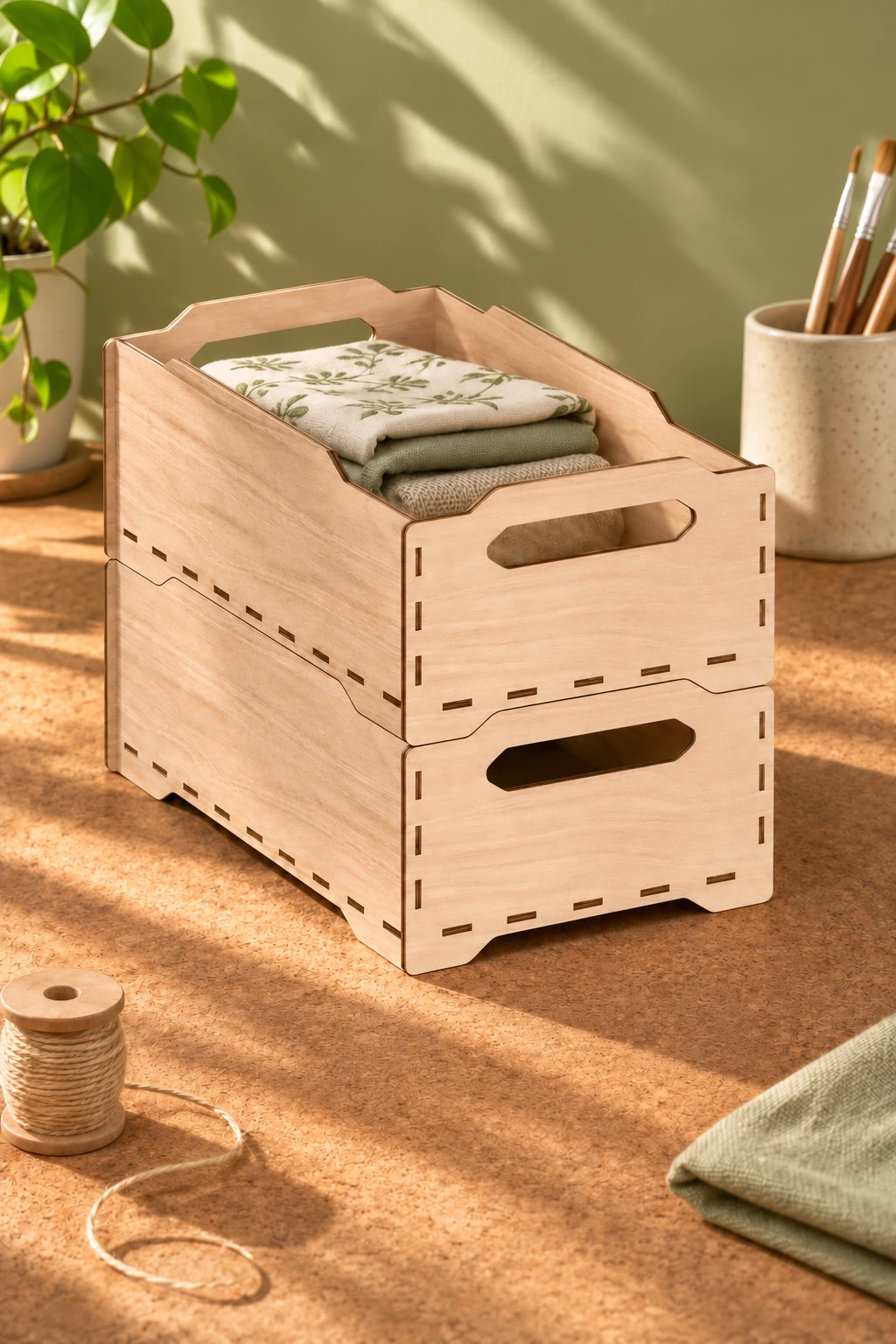
14. Laser Cut Stackable Storage Box Files
Open fronts and handholds give FlexModel’s stackable boxes a practical workshop feel. The design is meant for things you reach for often, rather than treasures you hide under a lid. Matching boxes can make a mixed shelf look more orderly.
Twelve sizes are listed, from 150 × 100 × 120 mm to 500 × 300 × 120 mm. Every listed box is 120 mm high. SVG and DXF are supplied for 3, 4, 5 and 6 mm, plus 1/8 and 1/4 inch. The maker asks LightBurn users to import DXF.
Sort lightweight craft supplies by task so a whole box can move to the table. Test how the finished units sit together before building a tall stack, and keep heavy contents low. The listing gives sizes and construction files, not a tested load rating.
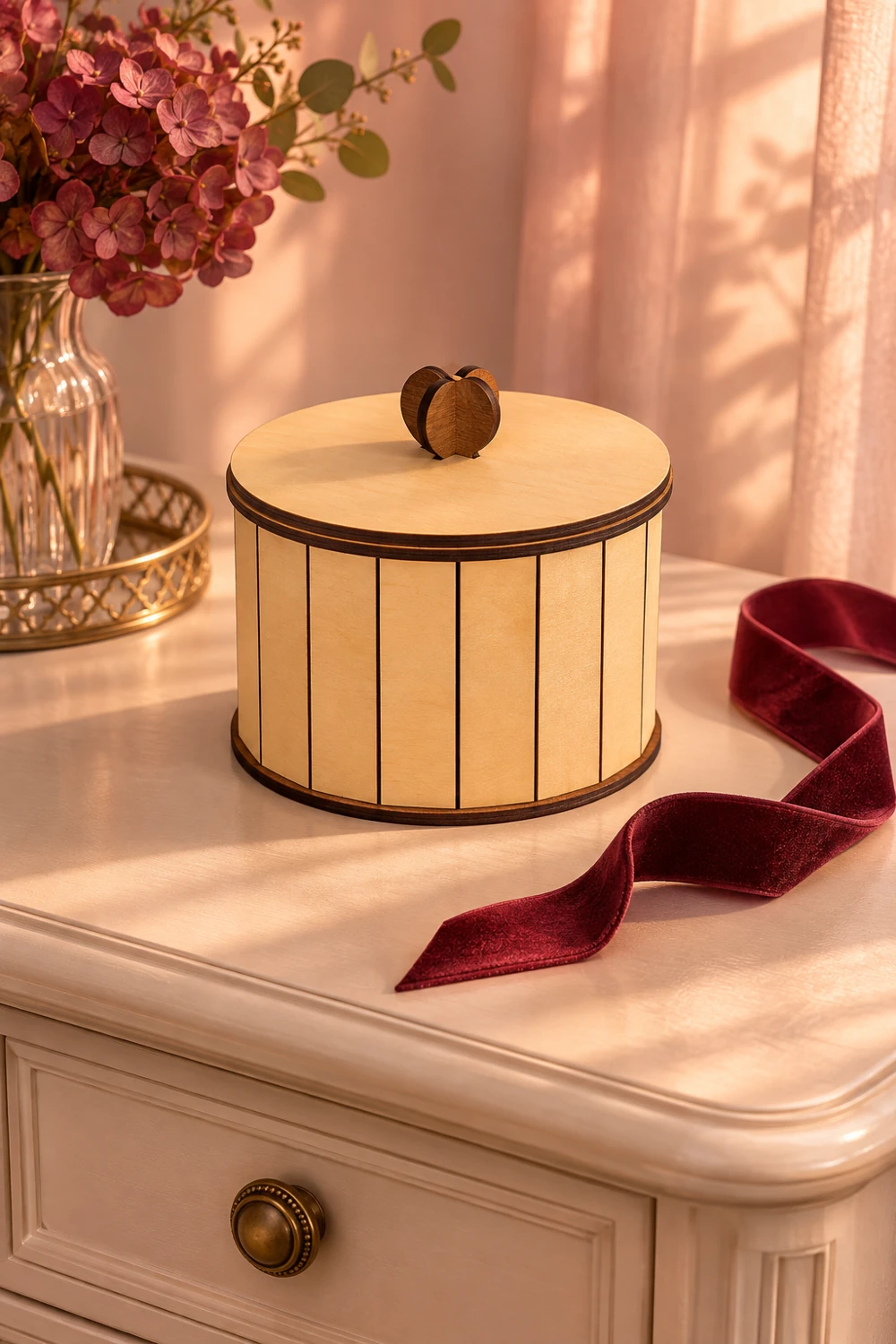
15. 15 Size Round Box Bundle Laser Cut Files
Round boxes have a softer outline than a row of rectangular containers. St Sublimation Design offers 15 size combinations, using five widths and three heights. The previews show the same cylindrical family in shallow and taller versions.
The listed widths are 100, 125, 150, 175 and 200 mm, paired with heights of 60, 90 and 120 mm. Included formats are CDR, DXF, PDF and SVG. The gallery labels versions for 3 mm and 4 mm material; the text description itself focuses on the dimensions.
Choose a shallow box for small keepsakes and a taller one when the contents need more depth. Inspect the curved wall layout before cutting and follow the supplied construction. Plan the finish before assembly so narrow slots do not fill with a thick coat of paint.
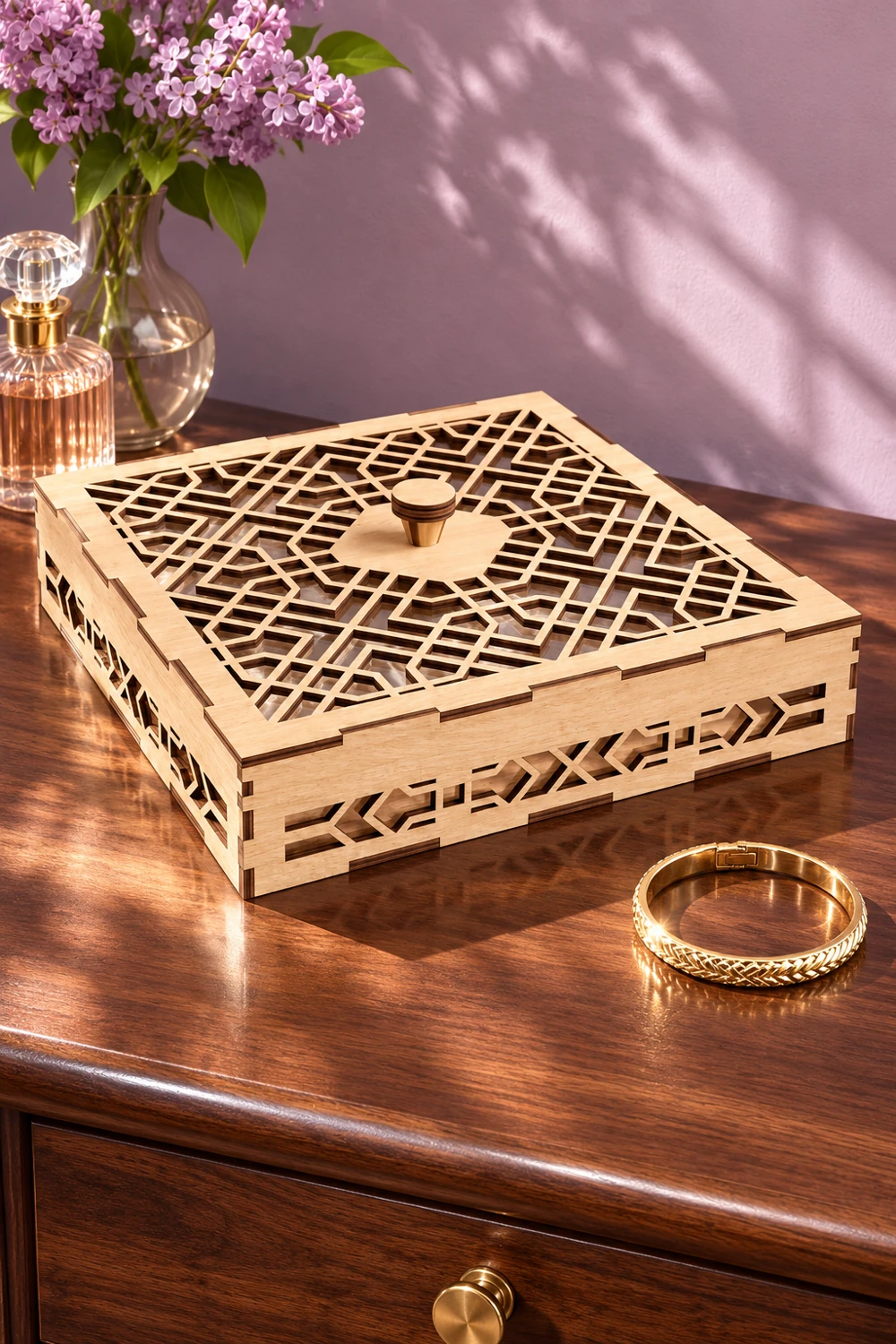
16. Wooden and Acrylic Box Laser Cut Bundle
Clear sections let you see what is inside without lifting a lid. The T Store Design combines ornamental woodwork with acrylic in ten decorative box designs, including round and angular shapes. This is the set to browse when ordinary opaque storage feels too heavy.
The archive lists ten files in each of SVG, EPS, PNG, PDF and DXF. The description assigns red to cutting and black to engraving. The preview identifies 3 mm material and provides additional colour guidance for the mixed-material layout; check the instructions for your chosen design.
Use a transparent lid to show a neatly arranged collection rather than filling the box to the top. Confirm which pieces are wood and which are acrylic before assigning operations. The two materials need their own cutting process, and the finished fit still deserves a test.
Gift boxes for people and occasions
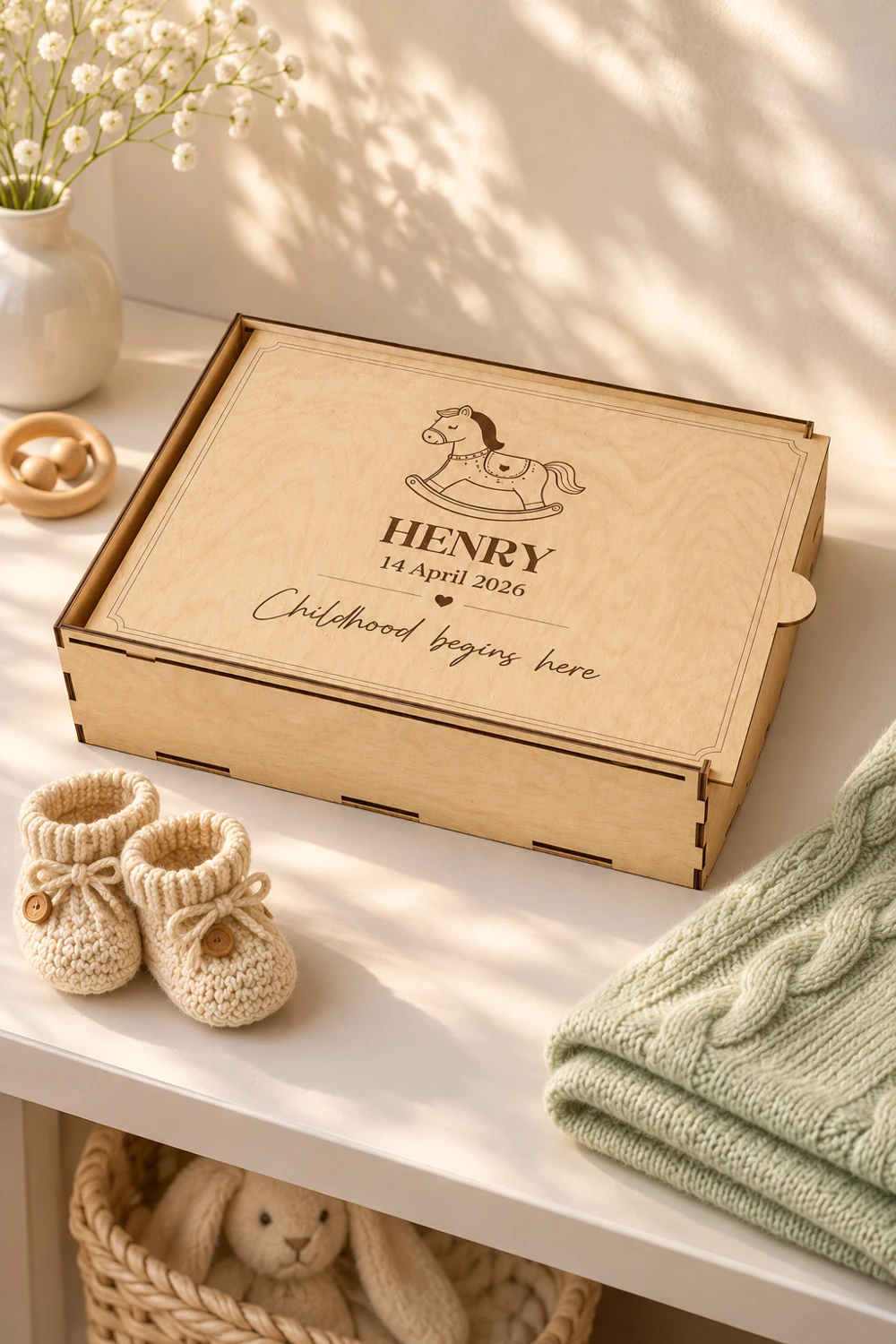
17. Baby Keepsake Memory Box Laser Bundle
A baby’s name and birth details turn a simple container into a family keepsake. This ten-design bundle by The T Store Design includes layered personalised fronts and lids. The preview gives several approaches rather than one repeated layout.
The ZIP lists ten SVG, ten EPS, ten PNG, ten PDF and ten DXF files. Red lines are for cutting and black lines for engraving. The preview labels 3 mm material; the description does not provide an overall finished size or say which fonts are included.
Decide what the family will store before choosing the box size: photographs, cards and a first outfit need different depths. Proofread the name, date and other details in the actual layout before engraving. A paper proof is easier to replace than a personalised wooden lid.
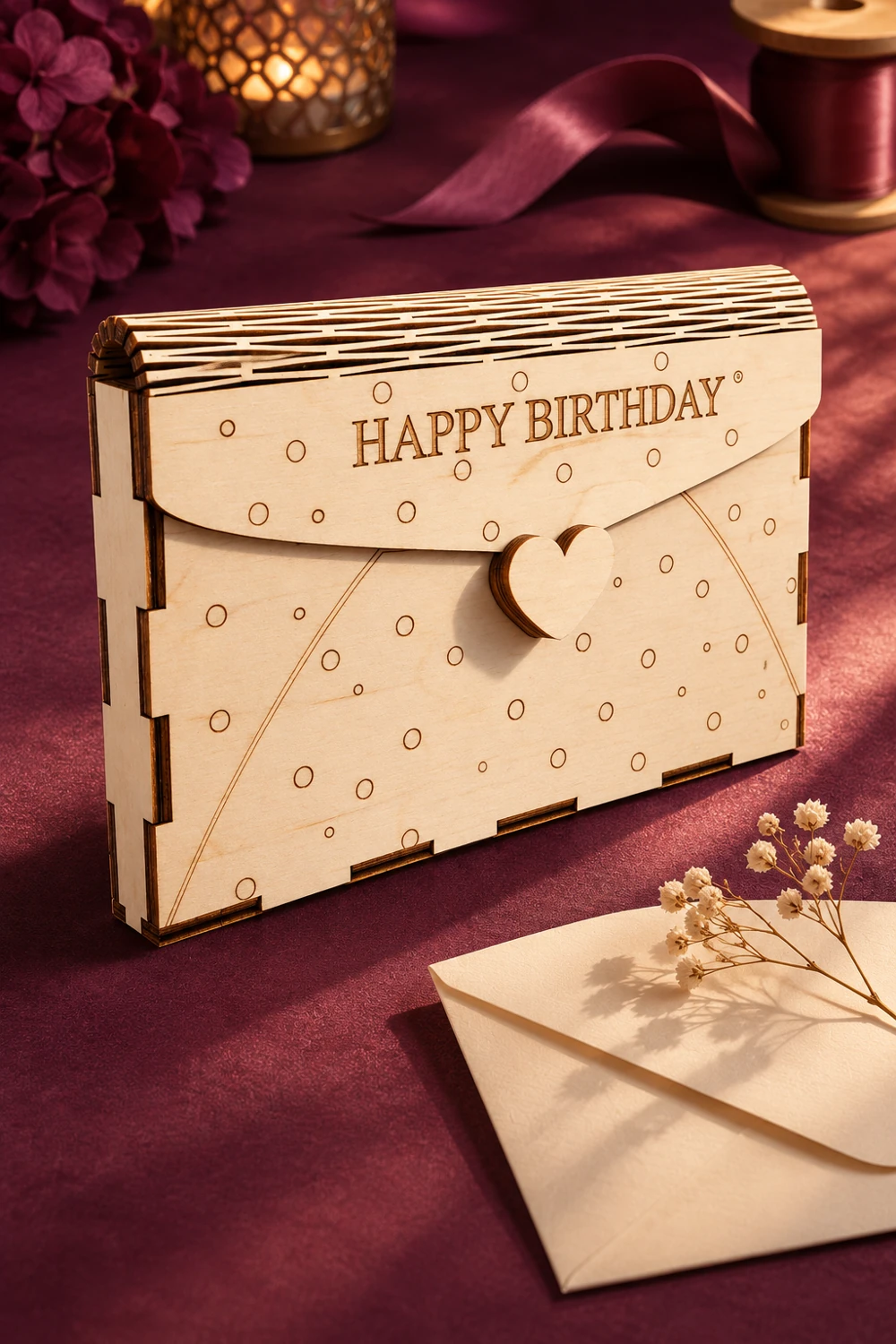
18. Wood Envelope Gift Box SVG
Tiny Fox Store’s wooden envelope makes a note or money gift feel more substantial. It keeps the familiar folded-envelope shape but turns it into a reusable object. A small heart-shaped fastening completes the envelope outline.
The maker specifies 3 mm plywood or MDF and supplies SVG, DXF, AI, PDF and CDR. Fonts are not included, and the displayed colours are examples. The description suggests money, letters and small notes; it does not give finished dimensions.
Write a short message first, then choose a font you already have permission to use. Check the usable width against the folded note or currency you plan to enclose. Keep added decoration clear of the closure so the envelope still opens comfortably.
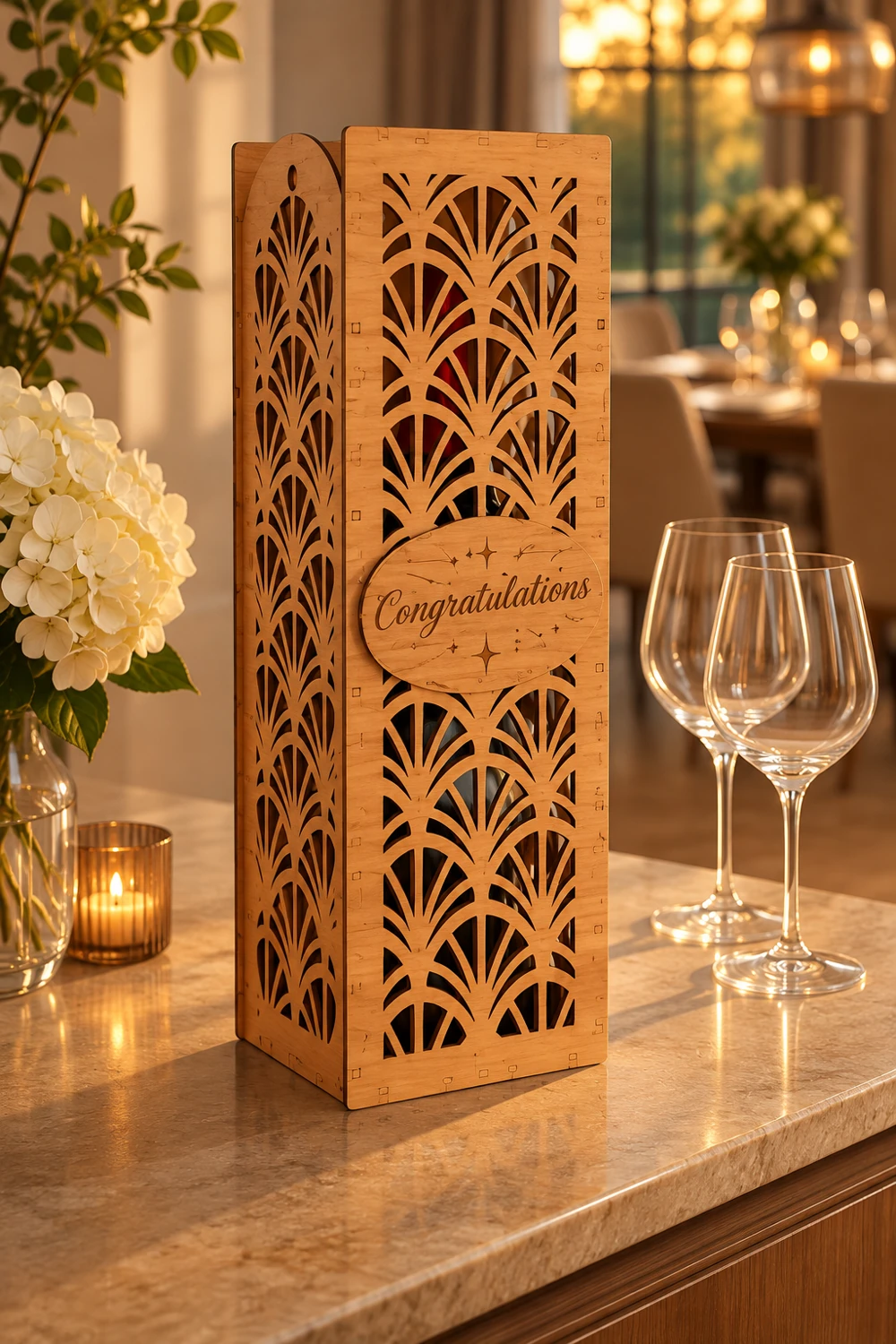
19. Wine Bottle Gift Boxes Laser Cut Bundle
A bottle box can become part of the gift rather than disposable wrapping. flydesignsvg’s ten-design collection includes decorative wine carriers with different cut patterns. The upright forms give you room for a name or occasion on a visible front panel.
The archive includes ten files in each of SVG, EPS, PNG, PDF and DXF. Red indicates cutting and black indicates engraving. The preview labels 3 mm material. Because bottle shapes vary, use the dimensions and parts of the particular design rather than assuming every bottle fits.
Measure the bottle’s widest point, height and neck before cutting. For a wedding or anniversary, repeat one small motif on a matching tag. Assemble and test the carrier with the intended bottle before trusting the handle, especially when giving it to someone else.
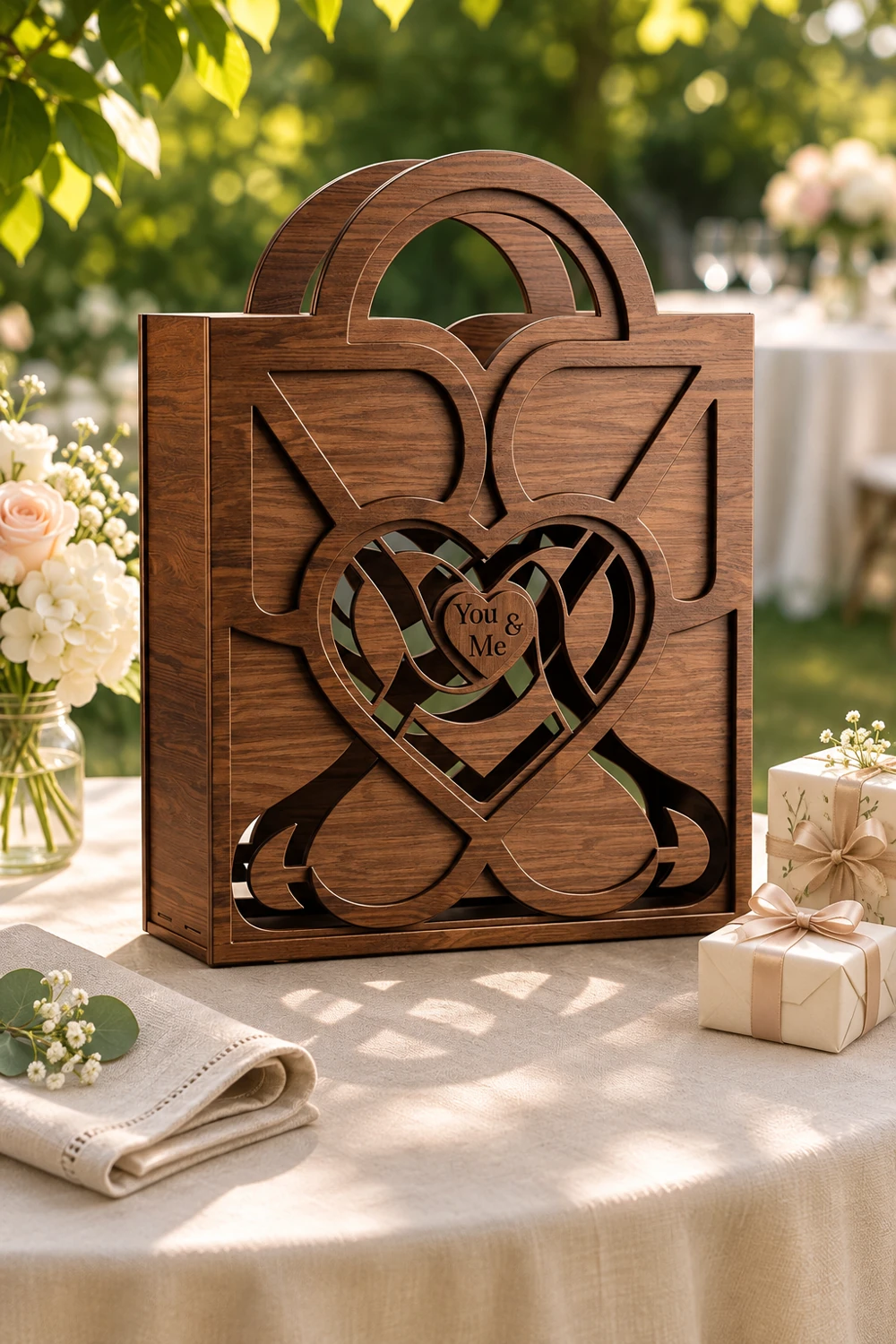
20. 15 Laser Cut Box Bundle: SVG DXF AI
Mango Design Studio brings together 15 decorative box and carrier designs with floral, geometric, animal and heart themes. Several are open gift carriers rather than closed keepsake boxes. That variety is useful when the contents should remain part of the display.
The maker specifies 3 mm plywood, MDF, acrylic or wood and lists SVG, DXF, AI, PDF and DWG. The description warns that changing the scale requires attention to the slots. A vector can remain sharp after resizing while its joints stop matching your sheet.
Choose one design around the recipient and the shape of the gift. Use the actual cutting layout to confirm the opening and handle space before buying decorative filling. An open carrier looks best when its contents are arranged deliberately rather than hidden under too much tissue.
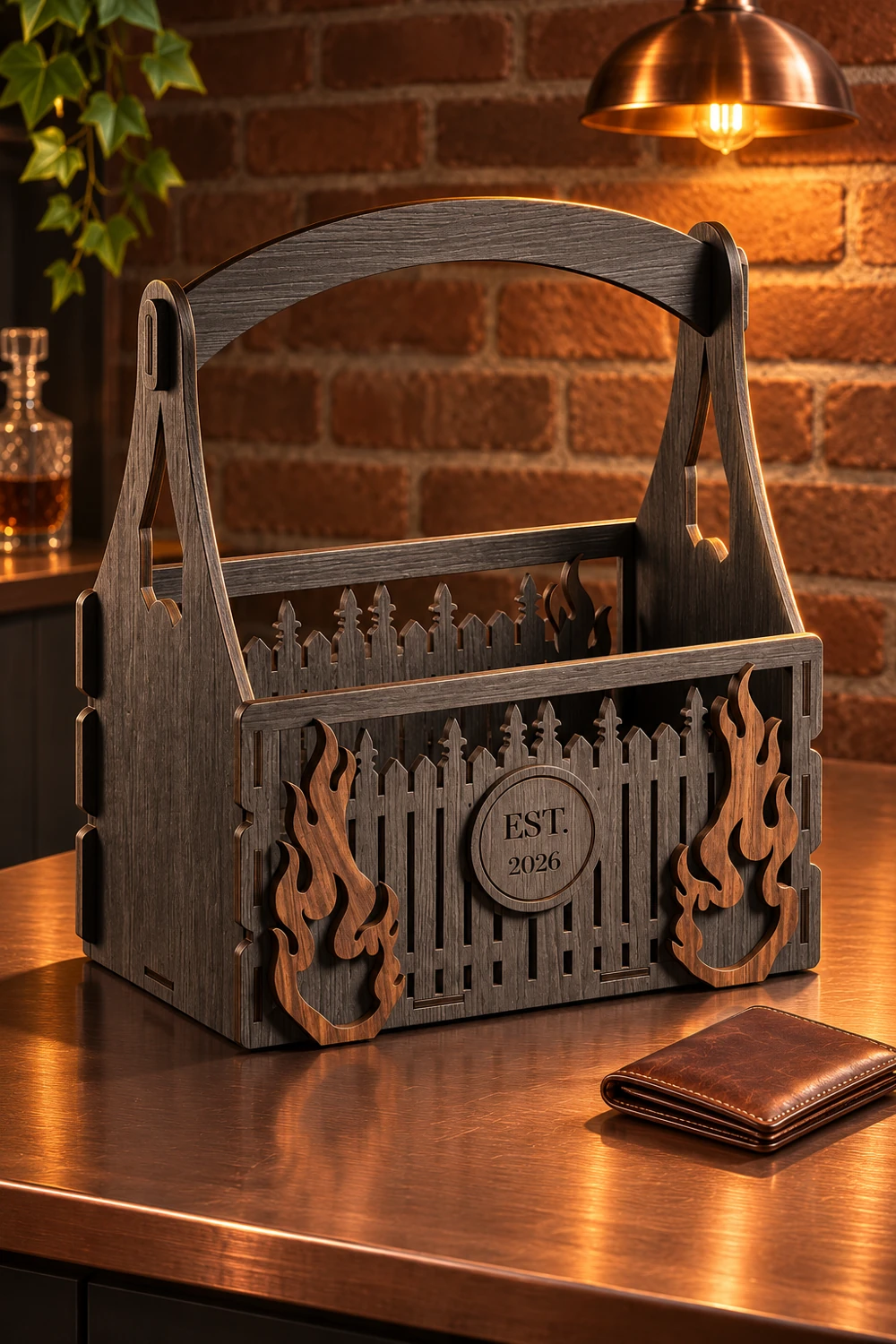
21. Fire Flame Wooden Gift Box Laser Cut SVG
Flame overlays and a tall central handle give this Mango Design Studio caddy a bold outline. A circular area on the front leaves room for personalisation. The layered front gives an otherwise practical carrier a strong decorative face.
The description lists AI, SVG, DXF, PDF and DWG and describes tab-and-slot assembly. It names 3 mm / 1/8-inch material, but those measurements are not identical: check the supplied version against your sheet. Overall dimensions are not stated.
Use it to present a coordinated gift set, with taller items behind and smaller ones visible at the front. Treat the flame colours as finishing inspiration, not proof of separate physical materials. Test the handle and balance with the actual contents before carrying it.
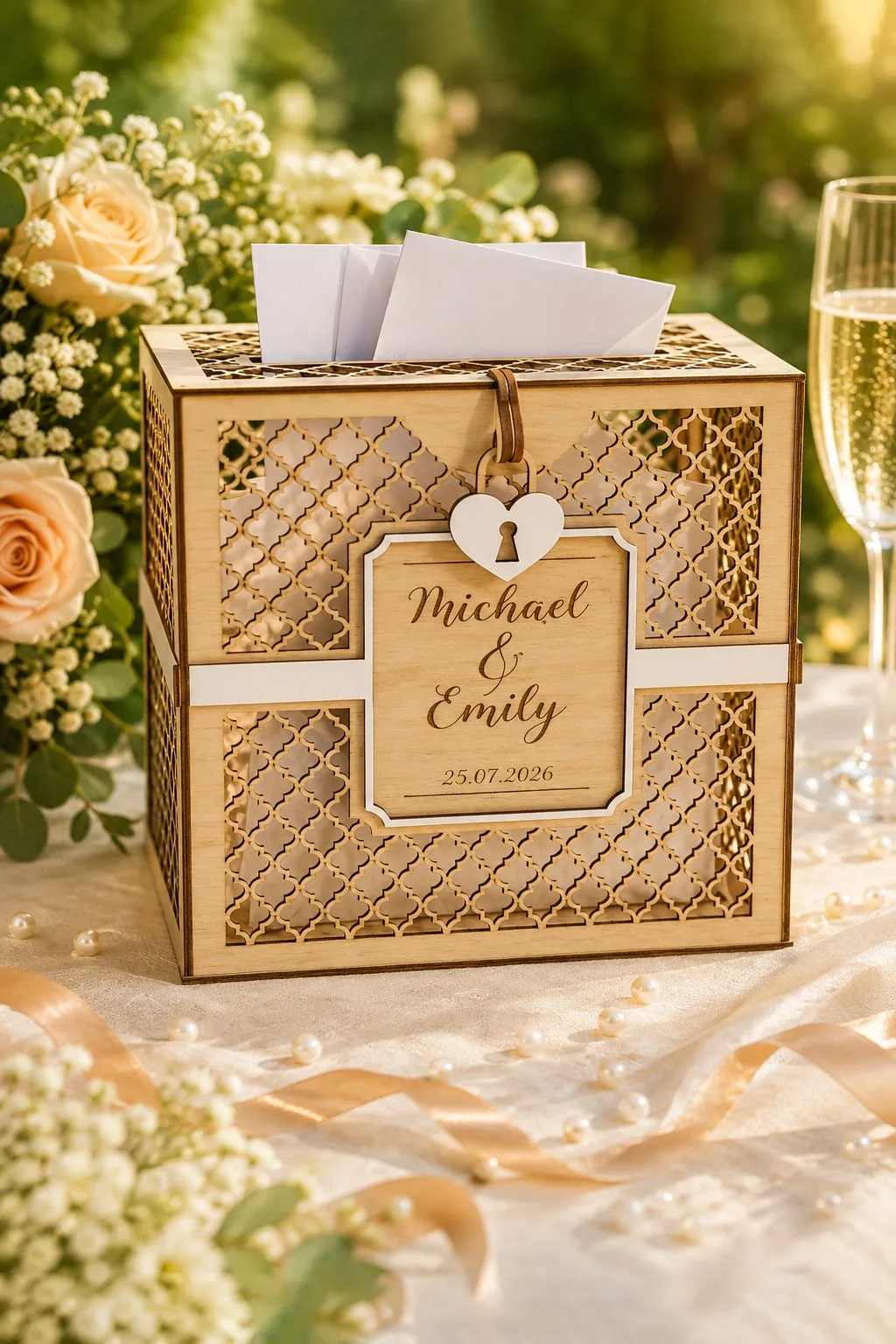
22. Wedding Card Box Laser Cut Bundle | CNC
A wedding card box needs to look inviting and accept envelopes easily. This flydesignsvg bundle has ten decorative approaches, from floral cutwork to personalised fronts. After the reception, the same box can keep cards and small reminders of the day together.
The archive lists ten SVG, ten EPS, ten PNG, ten PDF and ten DXF files. Red is assigned to cutting and black to engraving. The gallery labels 3 mm material. The text does not state finished dimensions, so check the selected layout and envelope opening.
Try the largest expected envelope through a paper version of the slot before cutting. Make sure you can retrieve the contents afterwards, and decide who will look after the box during the event. For more coordinated pieces, see our wedding laser cut guide.
Hobby boxes and useful everyday cases
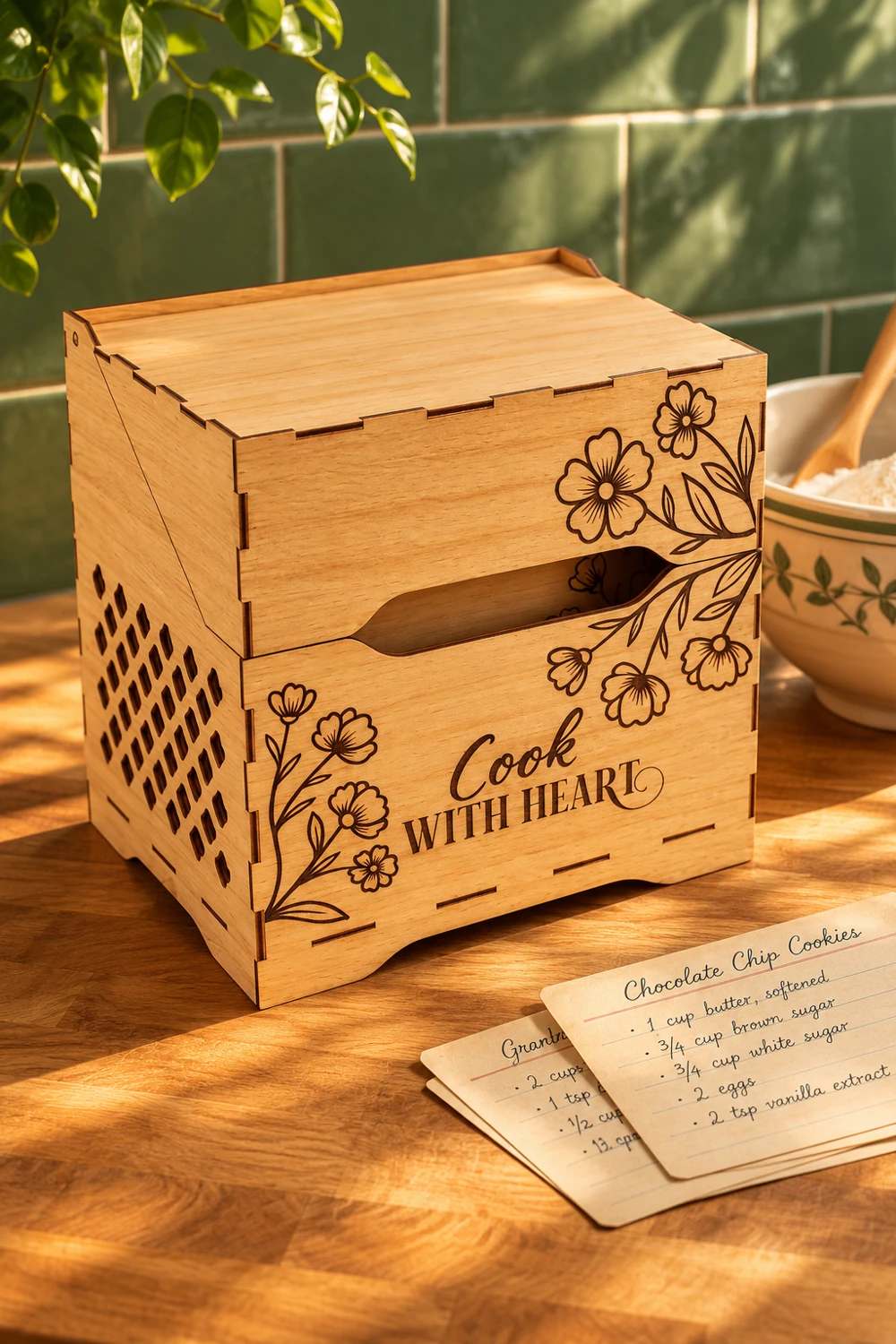
23. Wooden Recipe Boxes Laser Cut Bundle SVG
A box of handwritten recipes earns its place on a kitchen shelf. The T Store Design offers ten recipe-box designs with decorative fronts, card storage and divider ideas. A personalised lid can make a practical organiser feel like a family gift.
The ZIP includes ten files in each of SVG, EPS, PNG, PDF and DXF. The description assigns red to cutting and black to engraving; the preview labels 3 mm material. It does not give a finished size or promise compatibility with a particular recipe-card format.
Choose your card size first and check the usable compartment against it. Leave enough room above the cards for divider tabs. For a meaningful gift, add a few favourite recipes in your own handwriting and let the recipient build the collection over time.
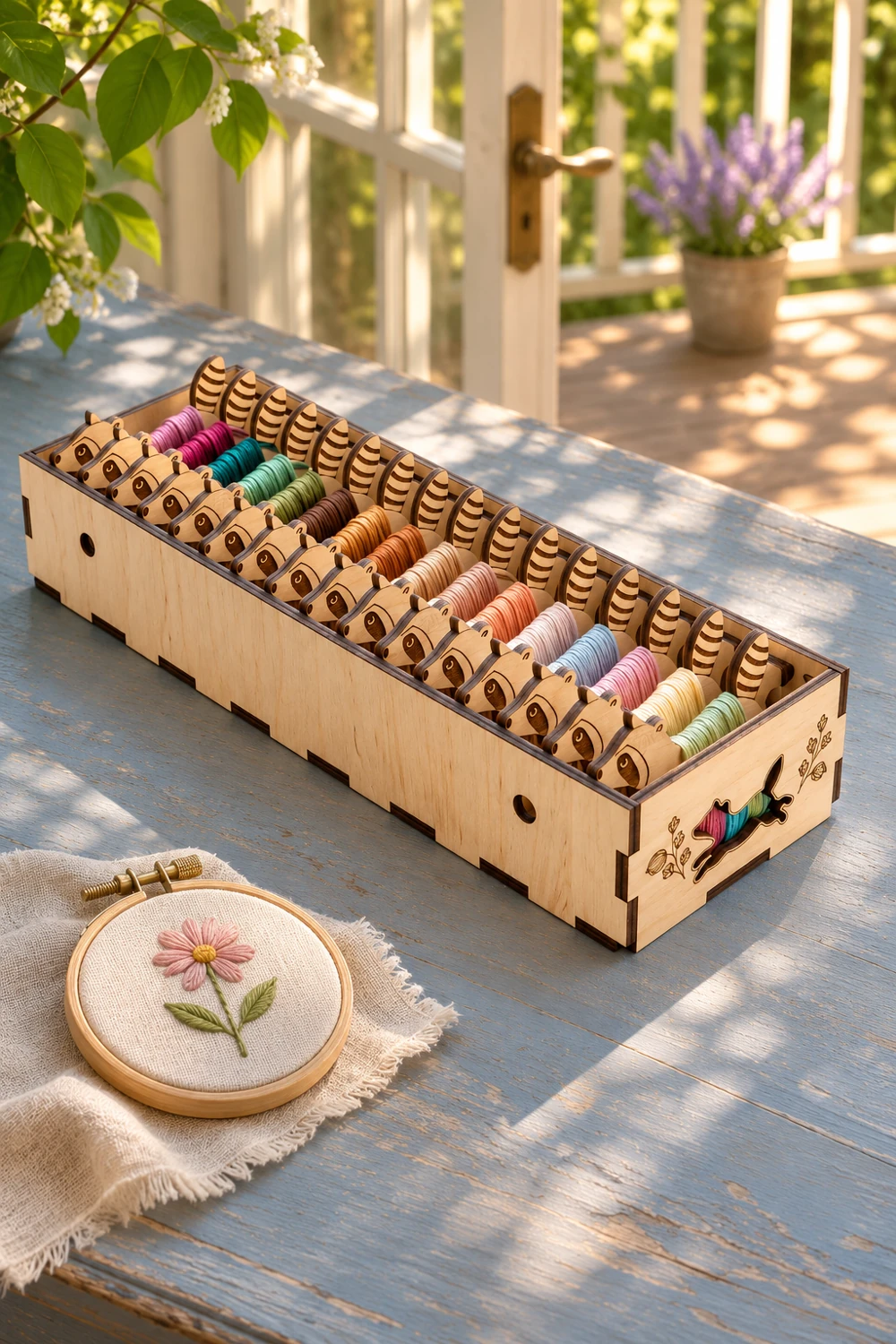
24. Floss Organizer Box Laser Cut Bundle
Embroidery thread is easier to use when the colours can be seen at a glance. This flydesignsvg bundle combines storage boxes with animal-shaped thread bobbins, including sheep, bears, llamas and bunnies. The finished arrangement is playful without losing its practical purpose.
Ten SVG, ten EPS, ten PNG, ten PDF and ten DXF files are listed. The preview specifies 3 mm material, and the description uses red for cutting and black for engraving. Overall dimensions and the capacity of each box are not stated.
Group threads for one embroidery project rather than trying to fit a whole collection into a small container. Check the bobbin edges for roughness before winding thread, and leave space to lift each one out. Our embroidery organiser guide has more storage ideas for a craft table.
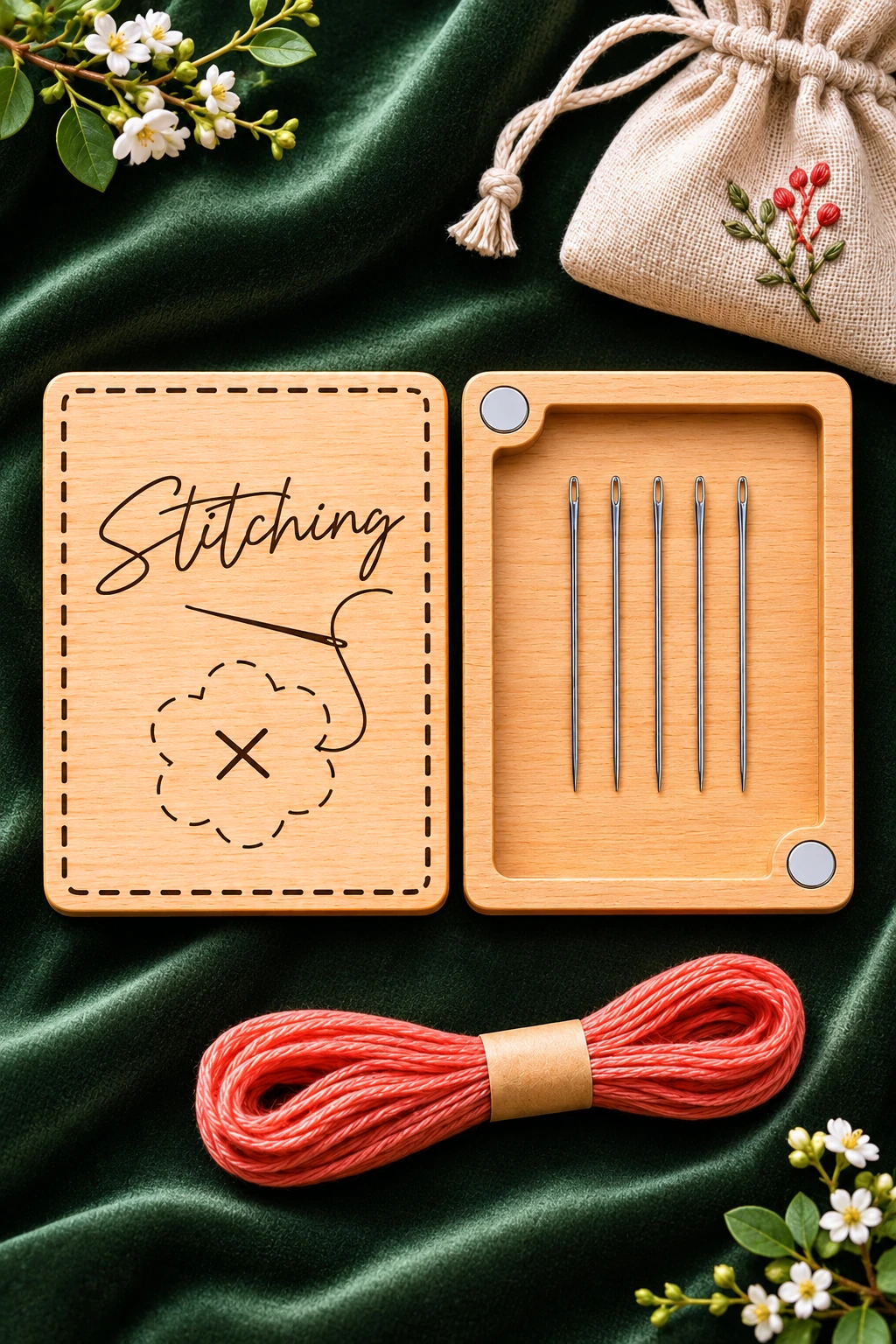
25. Needle Holder Laser Cut | Sewing Box SVG
A compact needle case can travel with a sewing project instead of taking up a whole drawer. flydesignsvg pairs an engraved front with a small storage area for needles. The description calls it a magnetic needle case, so plan the hardware as well as the wooden parts.
The archive lists one SVG, EPS, PNG, PDF and DXF. Red indicates cutting and black engraving. The maker recommends DXF for LightBurn because SVG imports can change dimensions. The text does not specify magnet size, quantity or material thickness; inspect the supplied layout before sourcing parts.
Make this a companion to a project bag and keep the exterior message short. Test that the needles stay held when the case is gently moved and that the closure remains secure. Do not assume a decorative preview proves the hardware you choose will work.
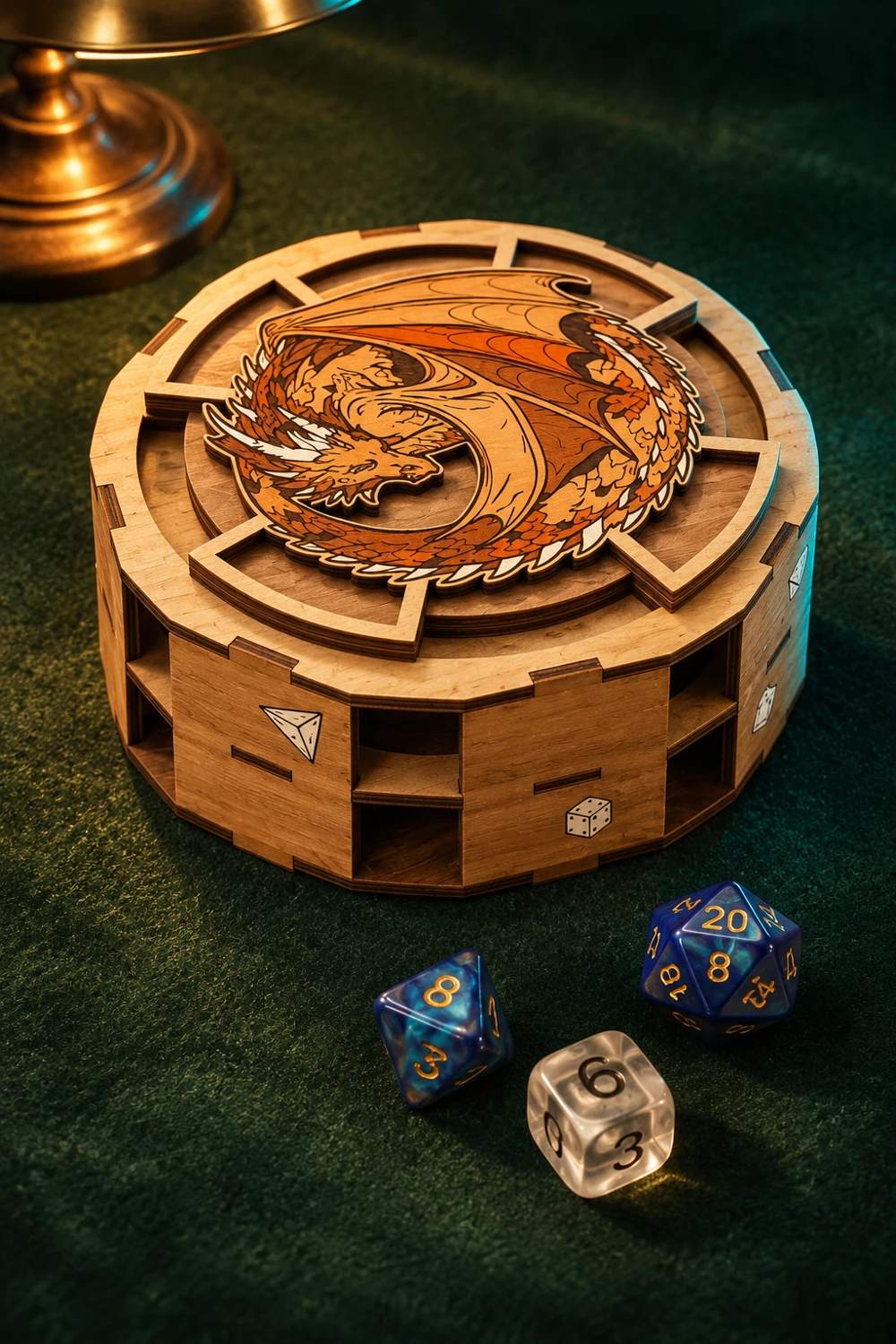
26. Wooden Dice Box Laser Cut Bundle | CNC
A dice box makes a game-night gift useful between sessions. These five designs by The T Store Design include hexagonal and rectangular storage with dragon, skull and compass themes. The different outlines give you a choice between a display piece and something that packs more neatly.
The ZIP contains five SVG, five EPS, five PNG, five PDF and five DXF files. The description identifies 3 mm plywood and assigns red to cutting and black to engraving. It does not give an interior capacity or a specific set of dice dimensions.
Lay out the recipient’s actual dice before choosing a design. Check whether compartments leave room for larger dice, and add a removable lining only after testing the fit. Keep decoration clear of the closing surfaces so the lid can seat properly.
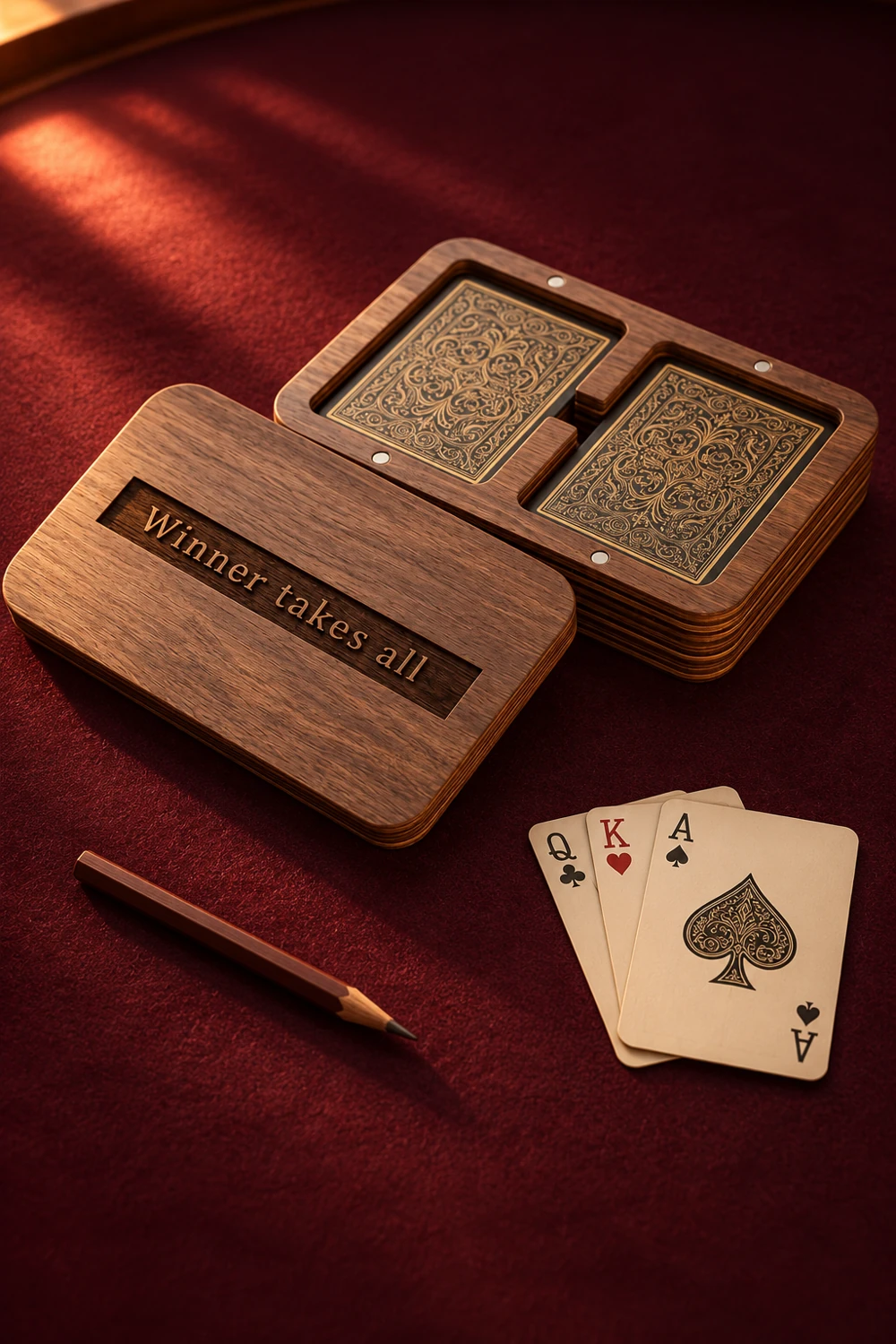
27. Playing Card Box Laser Cut | Card Case
This low card case by flydesignsvg gives a playing-card deck its own wooden home. The personalised lid gives this compact case its own identity. Its restrained shape is easy to pair with a favourite deck as a birthday or host gift.
One SVG, EPS, PNG, PDF and DXF file is listed. The description assigns red to cutting and black to engraving. It does not state the usable interior dimensions or material thickness in the text, so check those in the file before choosing plywood.
Measure the deck in its sleeve or retail box if that is how it will be stored. Leave enough finger space to remove the cards without bending them. A name or a short game-night phrase on the lid will usually be more readable than a crowded design.
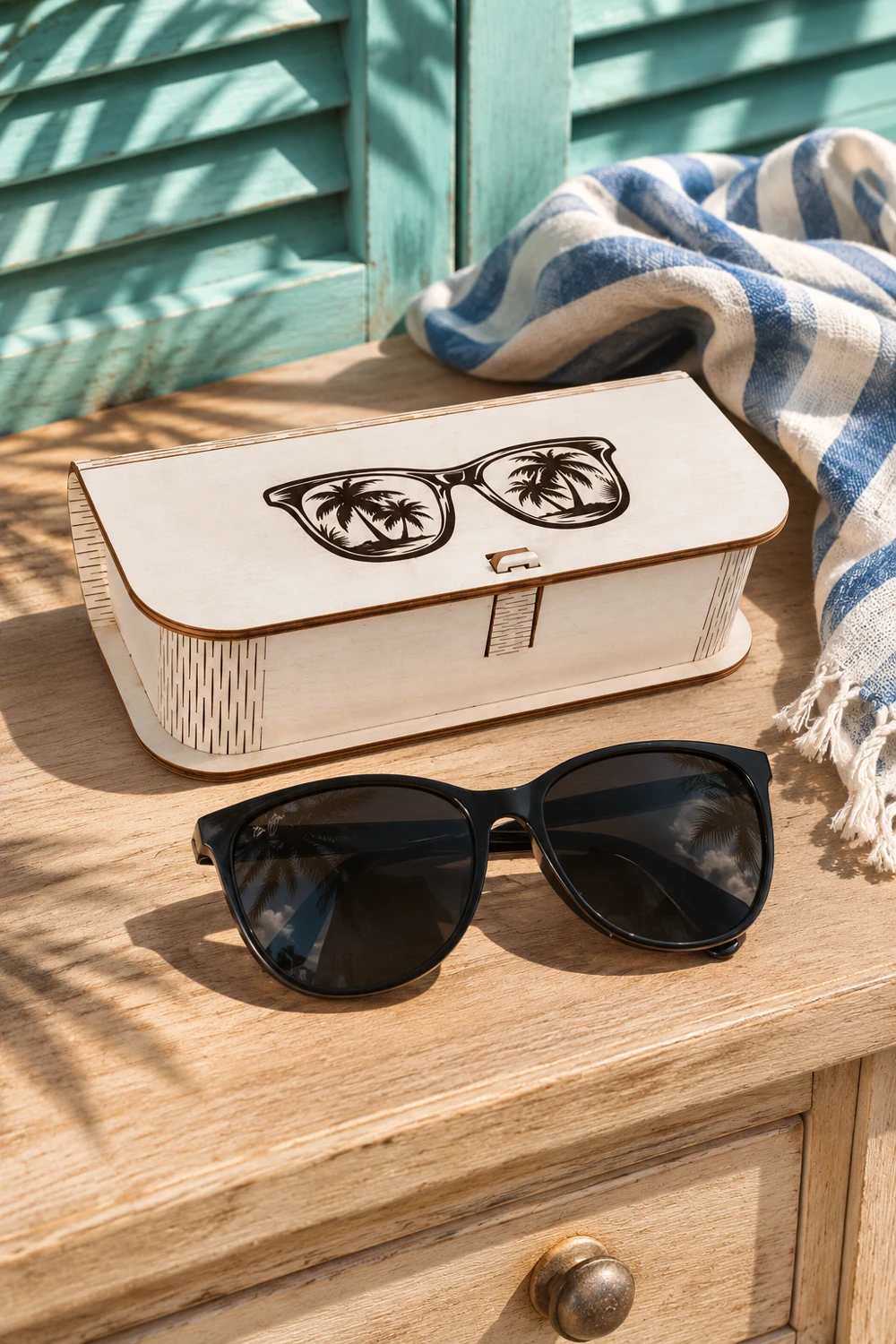
28. Sunglasses Case Box Laser Cut
A living hinge lets this Constantine Laser Shop case curve around the back instead of relying on separate metal hinges. The lid carries a sunglasses-and-palm-tree engraving. The compact format is intended to hold glasses between uses.
The maker used 3 mm plywood, describes a snap latch and says glue is optional. SVG, DXF, CDR and PDF are clearly named; an additional format is written as EPF in the description, so confirm that with the seller if you need it. Finished dimensions are not stated.
Check the closed glasses against the layout before cutting. If you change the scale, review the slots and hinge pattern rather than treating the case like a flat decorative silhouette. Smooth the interior carefully and consider a suitable soft lining to keep rough wood away from lenses.
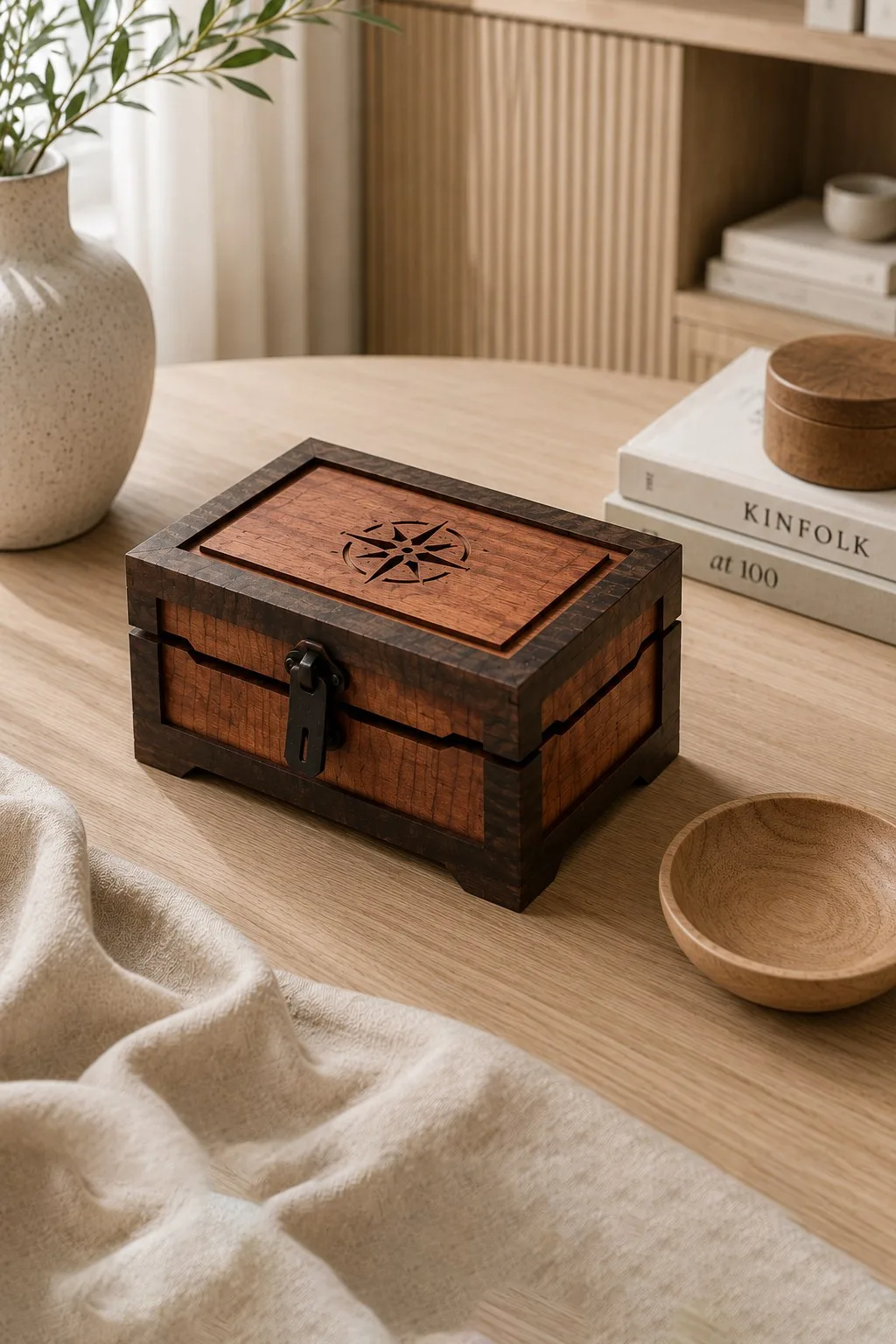
29. Laser Cut Treasure Box – Pirate Style
A compass rose, reinforced-looking edges and a front latch give Sedov Laser Patterns’ treasure box a satisfying storybook character. The rectangular shape is practical enough for everyday keepsakes, while the decoration suits a pirate-themed gift or a collection of travel mementos.
The maker gives dimensions of 254 × 146 × 130 mm and versions for 3 mm, 4 mm and 1/8-inch material. The archive contains CDR, SVG, DXF and PDF. Use the stated millimetres when planning; the accompanying inch figures in the description are not precise conversions.
Make the contents part of the story: maps, a letter or small souvenirs from a shared trip. Check the latch in a dry assembly before finishing the box. The decorative fastening gives the chest its character, but the listing does not establish a security rating.
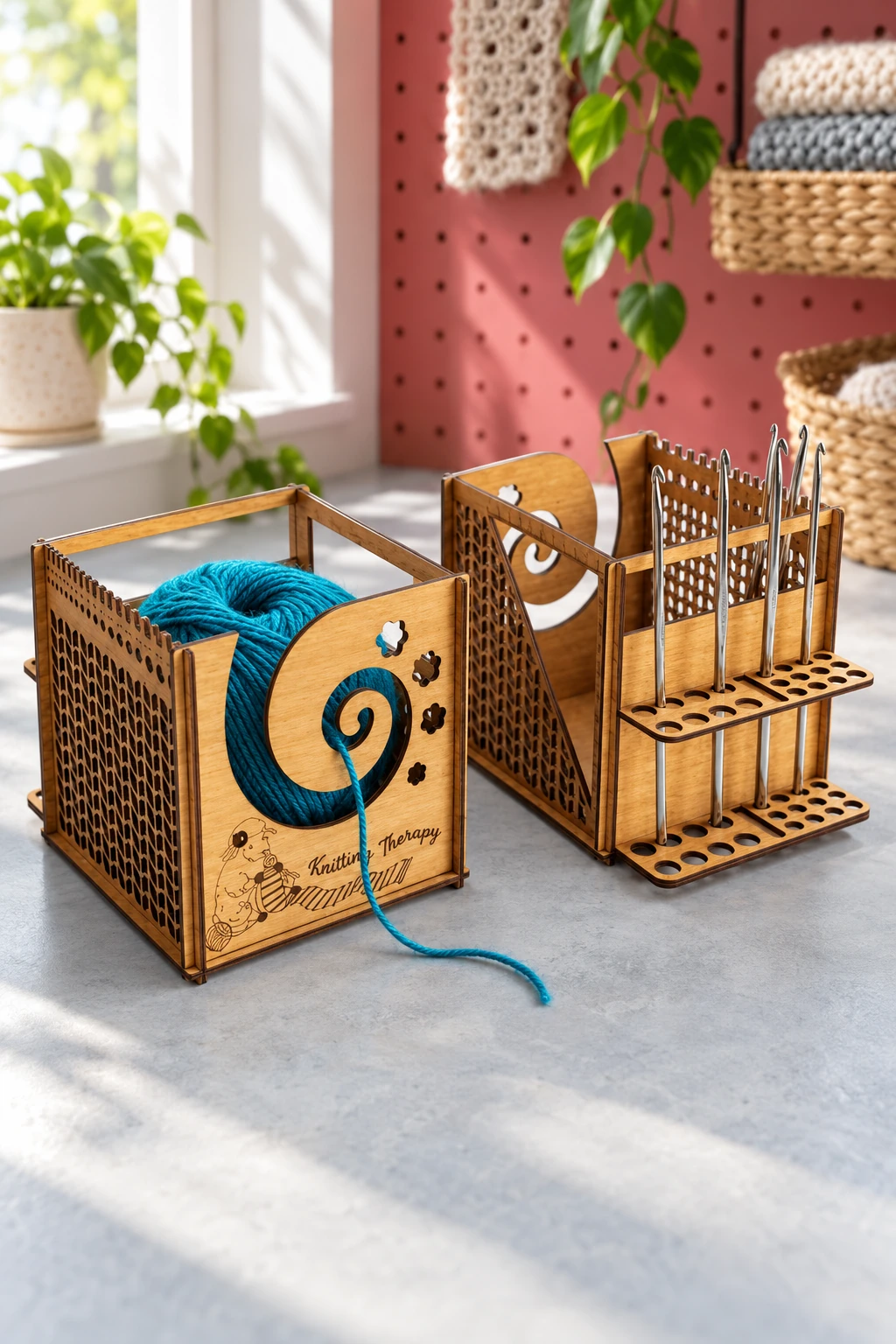
30. Wooden Yarn Organizer Box Laser Cut SVG
A yarn box gives an active knitting project a place on the table. This flydesignsvg design combines a yarn caddy with a rack for crochet hooks, with engraved cat and squirrel motifs. Keep the working ball inside the box and the hooks within easy reach.
The maker specifies 3 mm plywood and includes one file in each of SVG, EPS, PNG, PDF and DXF. Red lines are for cutting and black lines for engraving. Finished dimensions are not stated, so check the layout against your yarn ball and tools before cutting.
Choose it for a project corner or as a gift for someone who knits and crochets. Smooth the yarn opening carefully and try the intended yarn before adding a finish. Keep the hook rack clear enough to lift out the tool you need.
Compare the construction before choosing a file
| Construction | Good starting point | Check first |
|---|---|---|
| Drawers | Rainbow jewellery box | Drawer clearance and room for your accessories |
| Hinged or flip lid | Plain cubes and ornate keepsake chests | The hinge, closure and usable opening |
| Sliding lid | Five-size slide-lid set | Clearance after sanding and finishing |
| Book shape | fv3digital, Vector Area or LaserBuildLAB | Internal space and the way it opens |
| Open carrier | Bottle boxes and gift caddies | Content dimensions, balance and handle construction |
| Curved wall or living hinge | Round boxes and glasses case | Material version and supplied hinge pattern |
Measure the contents, the sheet and the machine
Write down the size of the actual contents, including sleeves, wrapping or a lining. Distinguish internal measurements from outside dimensions. Where a listing only supplies the finished size, inspect the file or ask the maker about the usable space. A compartment that is the same width as the object may still be awkward to use.
Measure the sheet itself and select the matching material version. The collections above use several different thicknesses. In particular, 3 mm and 1/8 inch are not the same measurement. Also compare the largest individual part with the usable cutting area of your machine; assembled box dimensions are not a cutting-bed requirement.
Check the imported layout before cutting
Open the file in your cutting software and confirm a known measurement. Several makers here specifically recommend DXF for LightBurn. Keep cutting and engraving operations separate, using the selected product’s own colour instructions rather than assuming every designer uses the same convention.
If you resize a joined box, review the slots, hinge geometry and clearances. Scaling a complete layout changes those features as well as the outside dimensions. For help with imported formats, start with the maker’s instructions. Our plywood settings guide can help you organise the next test.
Make one complete sample before a batch
Cut and assemble one box in the intended material before preparing several. Dry-fit it, test the moving parts and try the real contents. Check the effect of paint, stain, adhesive and any lining on the opening. The examples in this guide were selected from product listings and previews; they have not been physically cut and tested by svgdiy.com.
Choose a finishing scheme that suits the detail. Fine openwork benefits from a clear outline, while a plain lid gives lettering more room. For text choices, see our guide to fonts for cutting and engraving. For related projects, explore wedding laser cut files and embroidery organiser designs.
Questions about laser cut box files
Which file should I choose for a first box?
A plain box with a stated material thickness, dimensions and clear assembly information is easier to plan than an elaborate design with missing details. Start with a shape that fits your gift without resizing, then make one complete sample. Our plywood settings guide covers the material, the test cut and what to change first.
Does SVG mean the file will work on every cutting machine?
No. SVG is a file format, not a promise about a machine’s material capability, cutting area or import behaviour. Check the specific product, your software and your machine. Some makers in this guide recommend using DXF in LightBurn.
Can I use a different thickness of plywood?
Choose the matching version when one is supplied. If the thickness differs, the slots and other joined features may need adjustment. An overall resize does not automatically preserve a correct fit.
Are glue, magnets, fonts and hinges included?
These listings supply digital files. Physical materials and hardware need to be sourced separately. Some makers specify glue or a magnetic closure, while Tiny Fox Store explicitly says fonts are not included. Check the selected design before making a shopping list.
Can I sell boxes made from these files?
Some makers, including Vector Area, explicitly permit selling physical products. Check the current licence and the specific product terms before producing items for sale. Permission to sell a finished object does not mean you may share or resell the digital files.
Are the product images proof of the finished result?
They show the maker’s presentation of a design. Paint, sublimation, engraving, lighting and props can change the appearance. Use the included file details and assembly information to plan the build; the separate editorial cover is an illustration of the topic, not a commercial template in this collection.
Where do I download the designs?
Each product button opens its own Creative Fabrica page. svgdiy.com provides previews, selection notes and links, rather than hosting the designers’ product archives. Check the current access options and terms on the product page.
Images: styled AI visualisations based on the selected product designs. Accessories and finishes illustrate possible uses.
Good to know: the files in this guide are hosted on Creative Fabrica. Downloading is free with their free trial: a payment card is needed to start it, and you can cancel the subscription at any time. Our affiliate disclosure explains how the links on this page work, and our free file sources guide lists other places to download designs. Check the current offer and access conditions on the product page.