3D Layered Christmas SVG: 13 Projects for Laser and Cricut
Flat Christmas decor is fine. A layered Christmas piece — real wood or cardstock, stacked so the light falls into the gaps — is the one guests pick up and turn over in their hands. And it starts as a single SVG file you cut, stack, and glue.
This is your December project list: what to make, which files are worth cutting, how to get clean depth, and how a warm LED behind the layers turns a craft into a keepsake.

What “3D layered” actually means (and why it beats flat)
A layered Christmas SVG is one design split into 3–8 separate outline files. You cut each layer, then stack them with tiny spacers between. The gaps cast real shadows, so the depth is physical, not printed. Add a light source behind the back panel and those same gaps glow.
If you’ve made a layered mandala before, this is the exact same skill in a holiday costume — just warmer wood tones and a lot more star cutouts.
The 13 projects, easiest to most impressive
Start here (1–3 layers):
- Ornaments — snowflakes, reindeer baubles, filigree stars. One or two layers, cuts in minutes, and you can make a dozen from one sheet. The perfect first cut and the easiest thing to gift or sell.
- Gift tags — a mini layered snowflake glued to a kraft tag. Uses your offcuts.
- Napkin rings — a thin band plus a layered front motif.

Build up (3–5 layers):
- Standing Christmas tree — the classic. A back panel with star cutouts, front layers stepped forward, on a small base. This is the piece in the photo at the top.
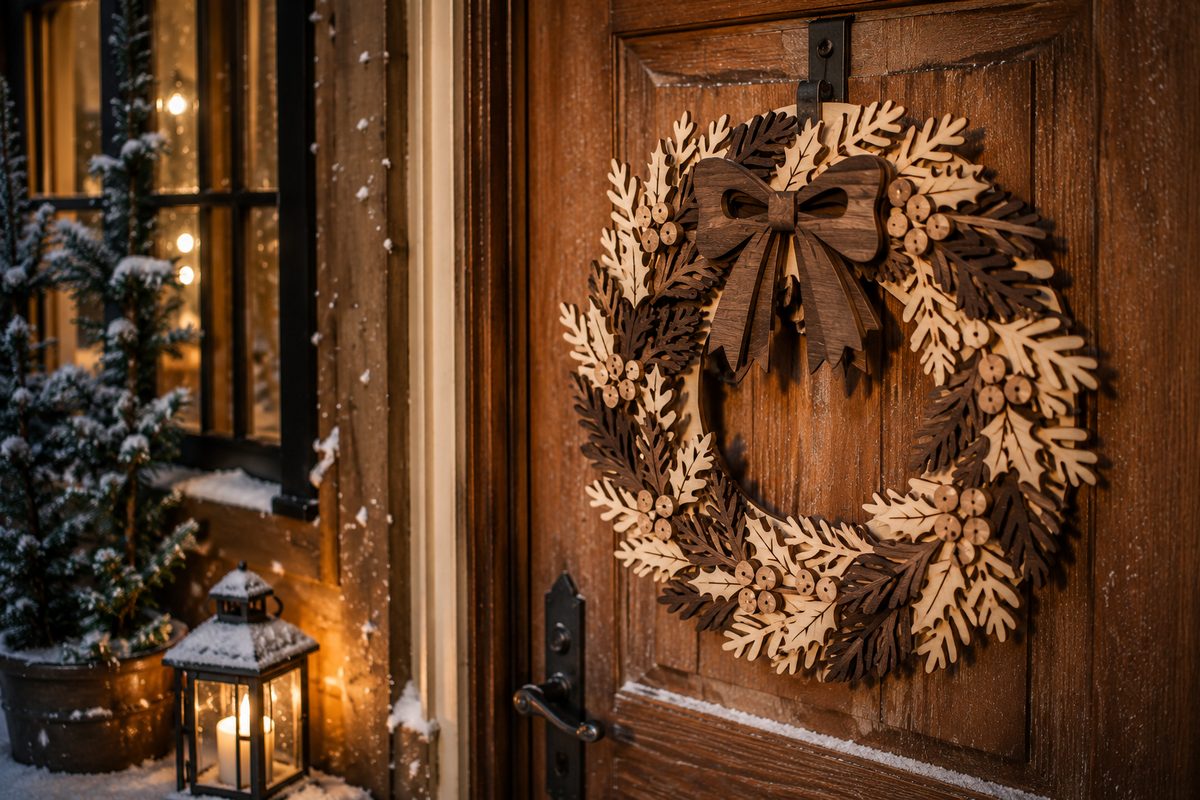
- Layered wreath — oak and fir leaves in two wood tones with a wooden bow. Hangs on a door or leans on a shelf.
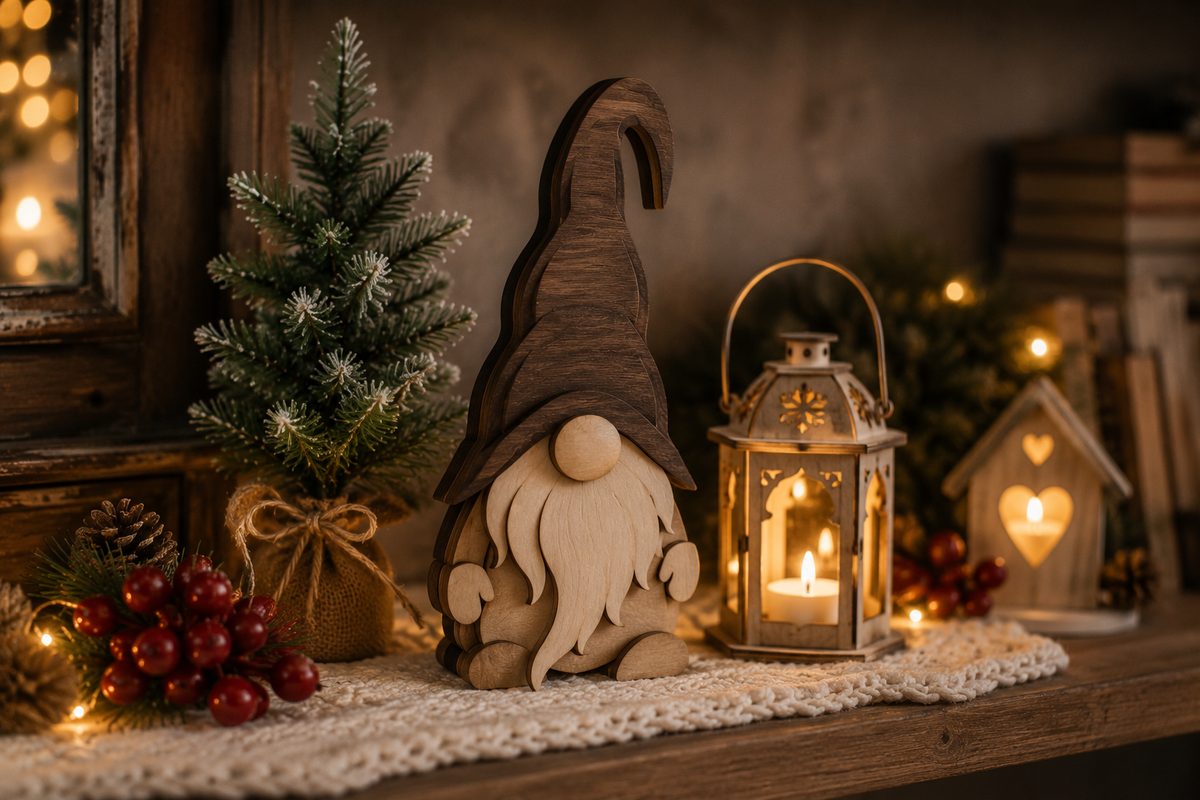
- Gnome / Santa shelf sitter — chunky layers, very forgiving, sells like crazy at markets. A trio of shelf-sitter gnomes is a good example of the type.
- “Merry Christmas” word sign — script cut once, backed by a contrasting layer so the letters lift.
- Mini ladder with hanging figures — a folding ladder with flat two-layer figures sitting on the rungs. It stands on a shelf by itself and doubles as a stand for the ornaments you already cut.
Showpiece (backlit or multi-piece):
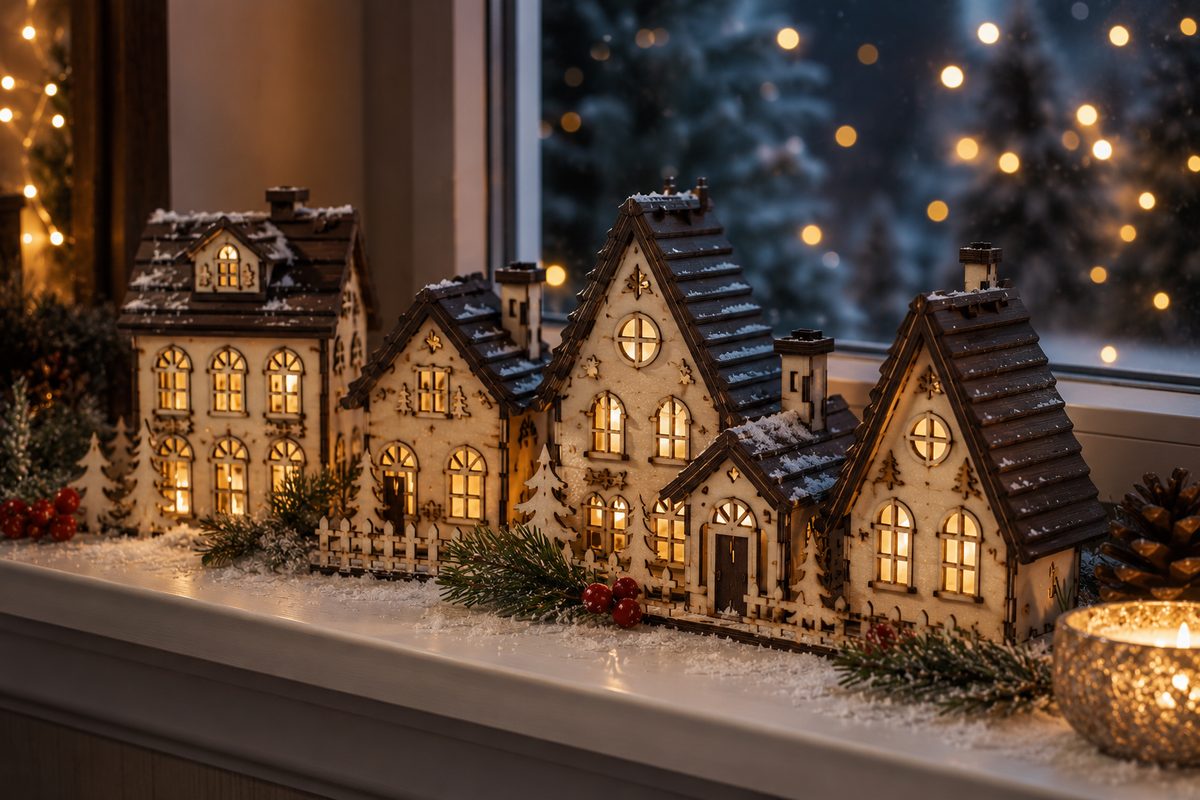
- Lit village arch — a windowsill arch with tiny lit houses, a gnome and a star cut into the top, built around this file: seven tealight cups behind the windows do the lighting.
- Barn light box — a red barn with a winter scene and a snowman lit up inside it, a tealight or LED behind the front layer.
- Advent calendar — twenty-five drawers in a Santa Mail post box, one of several bases covered in that build guide.
- Character door sign — not every sign is script-only text: a reindeer peeking over a snowy ledge spells out “MERRY Christmas” in raised letters instead.
The mini ladder, three ways

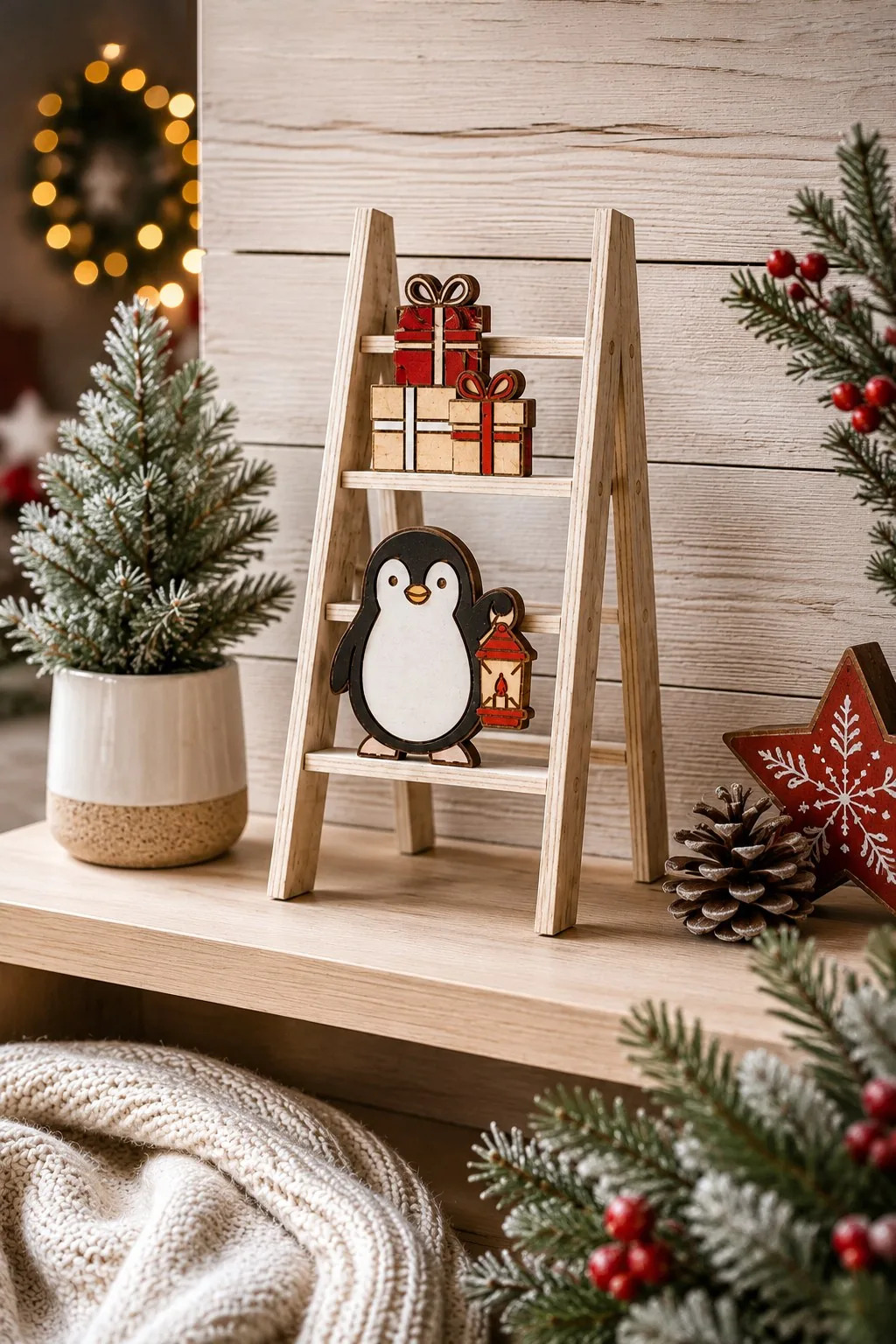
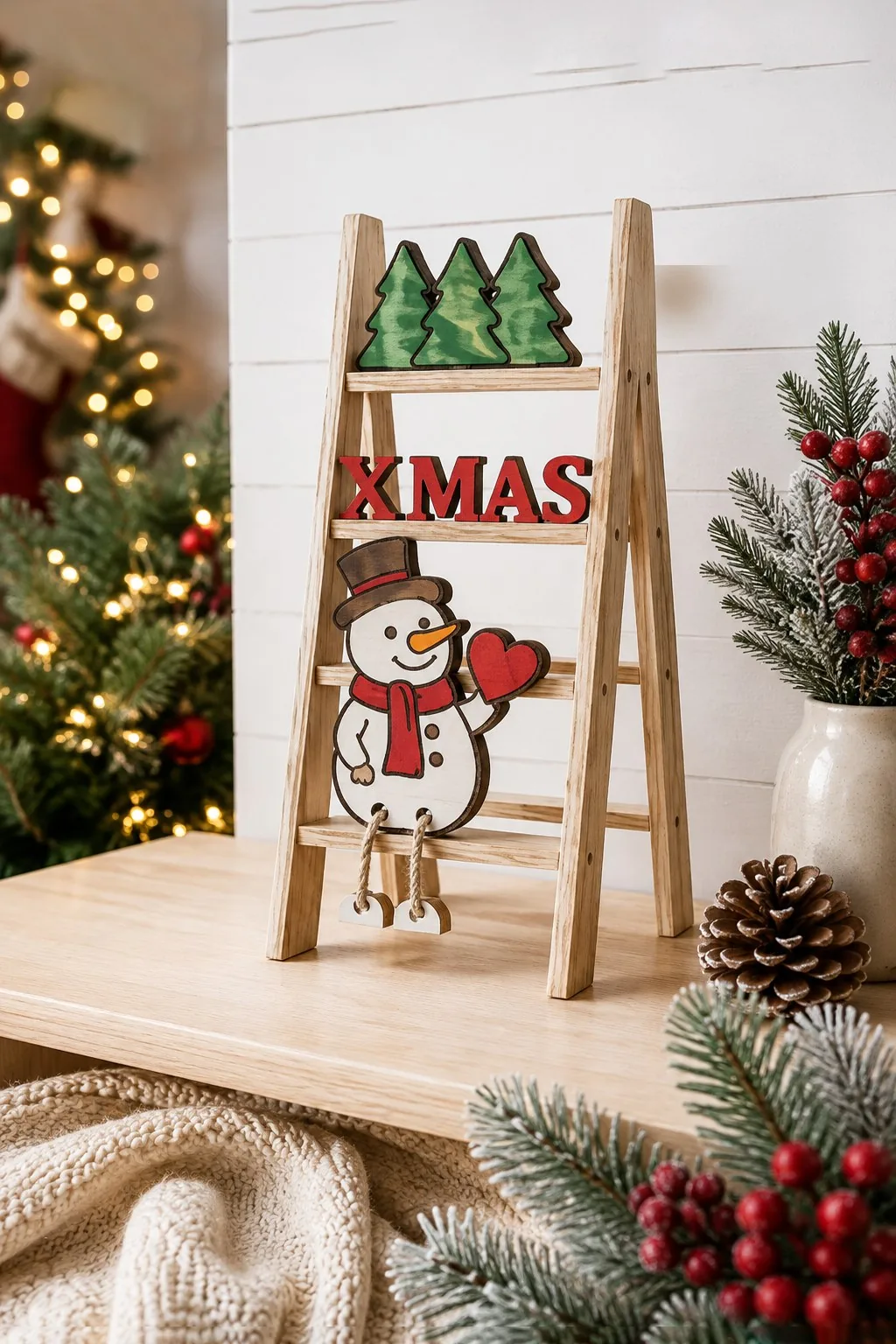
Of the build-up projects, this is the one you can download ready to cut: a Christmas bundle of 10 mini ladders. Each ladder folds out of two halves joined by rungs, and the figures are flat pieces in two layers that sit on the rungs or lean against them: Santa climbing towards a painted tree with a star in his hand, a penguin with a lantern under a stack of presents, a snowman holding a heart under an XMAS sign and a row of pines.
The maker’s description is a template and says nothing about the ladders themselves, but it does give the one number that matters: 3 mm material. Thin sheet, cheap, quick to cut. It is also the only project here that holds the others: hang a few ornaments from the first group on the rungs and the ladder turns into a display stand for the rest of your December cutting. Files come as SVG, DXF, EPS, PDF, JPEG and PNG.
Showstoppers (5+ layers, or backlit):
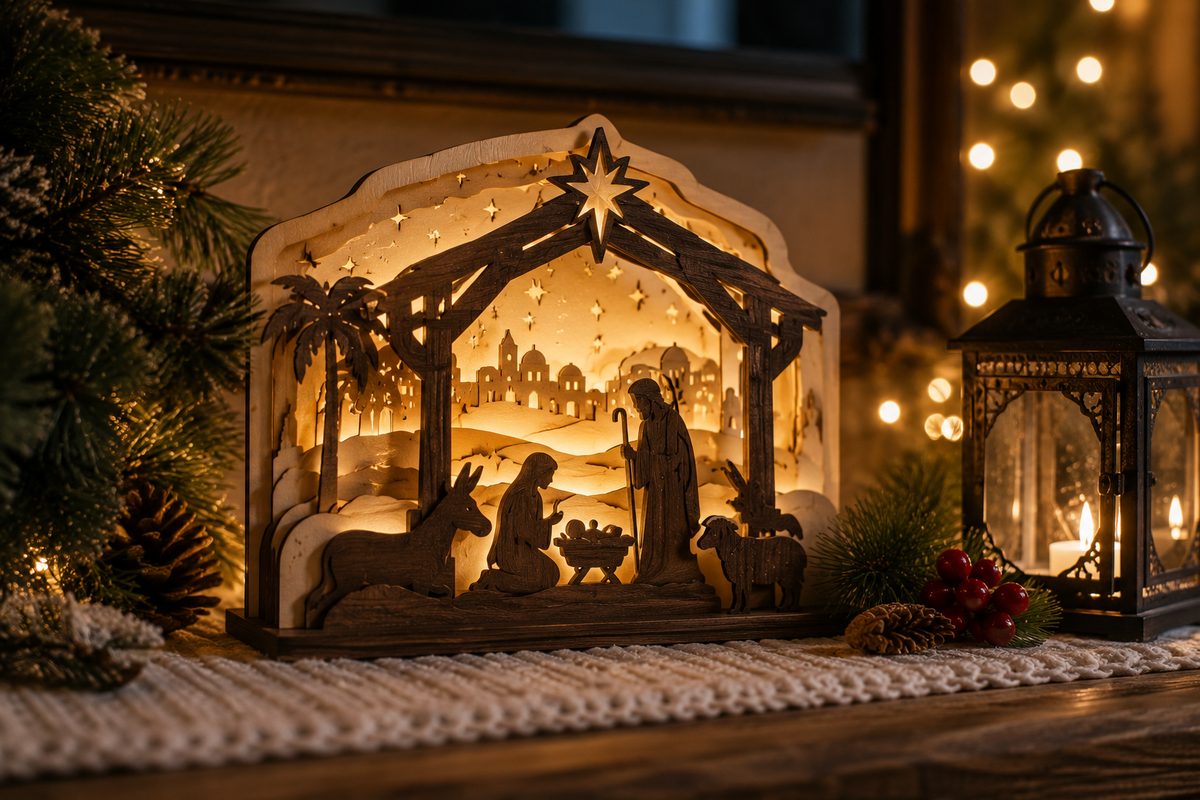
- Lit nativity scene — stacked panels build the stable, the town, and the sky; a warm LED behind makes the Bethlehem star and cutouts glow. This is a lighted shadow box in Christmas form.
- Winter village — little lit houses in a row on the windowsill.
- Advent calendar — 24 layered doors or drawers.
- Tree topper star — layered front and back so it reads from both sides.
- Mantel centerpiece — a wide layered forest scene with depth front-to-back.
Five more layered pieces worth cutting
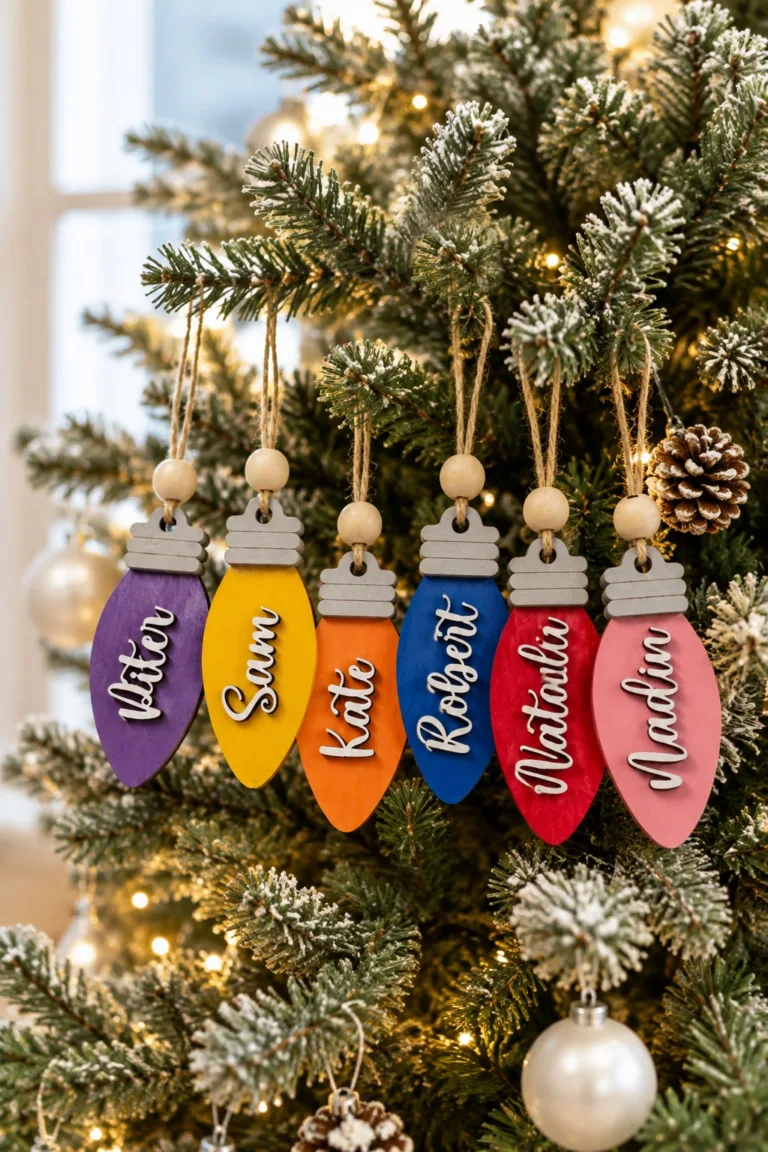
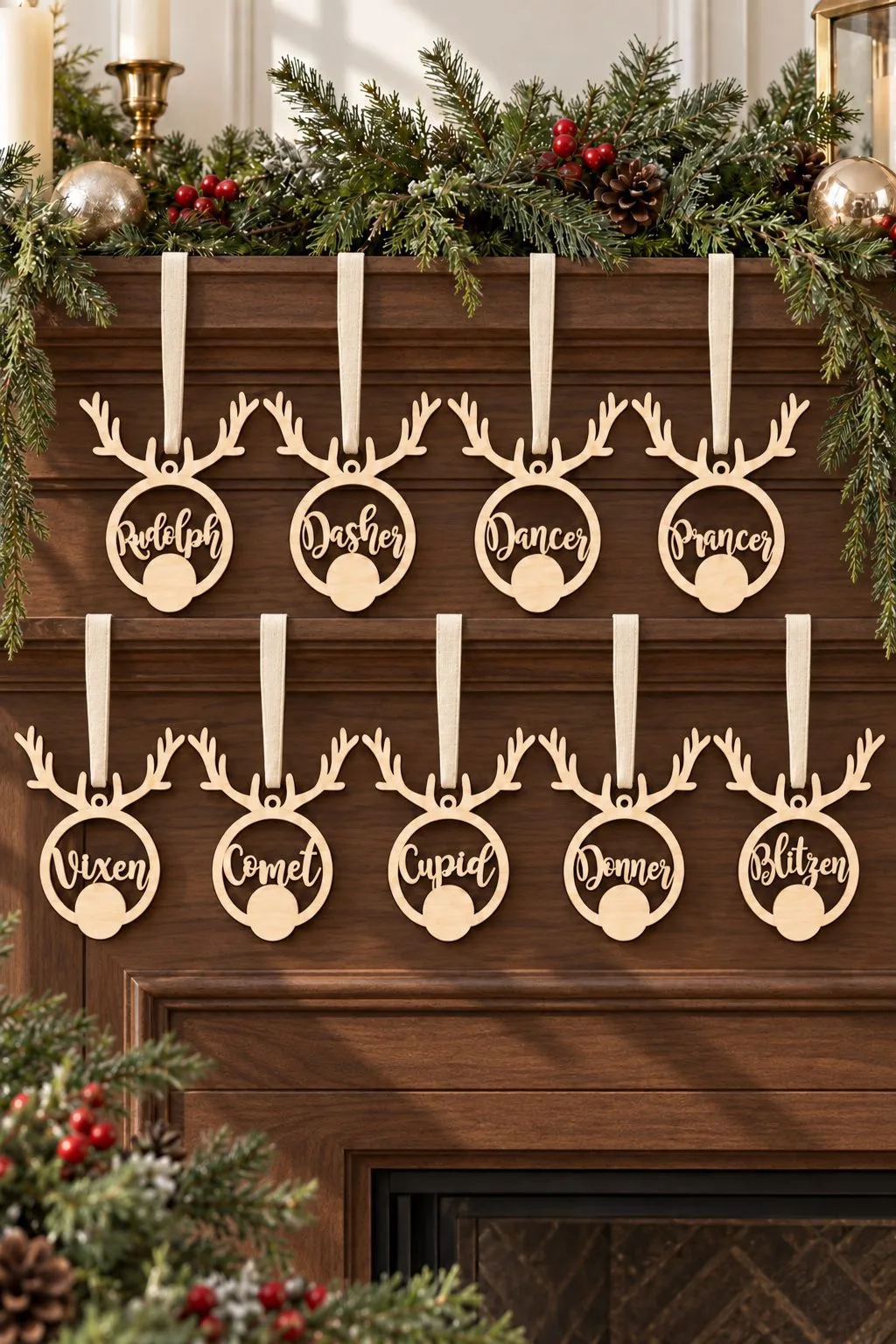
A set of nine reindeer baubles covers the whole team by name: Rudolph, Dasher, Dancer, Prancer, Vixen, Comet, Cupid, Donner and Blitzen, each one a circle with antlers on top and a name engraved across the middle. The design is about 12cm tall and scales to whatever you’re cutting, so the same file works as a full set of mantel ornaments or a single one on a gift tag.
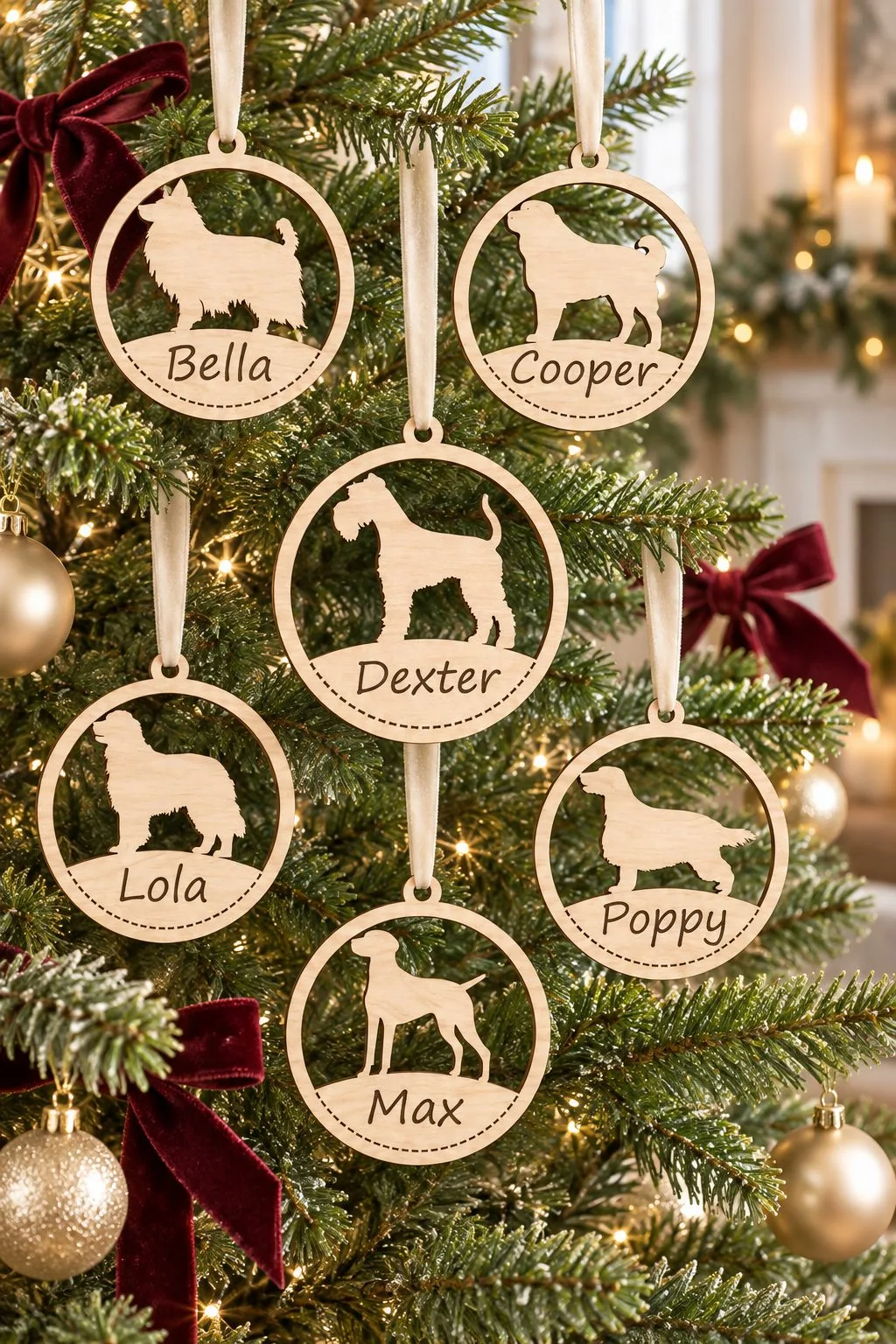
Same idea, forty times over: a dog breed ornament bundle gives each round a different dog outline — a fluffy long-coated dog, a stocky short-nosed one, a smooth short-haired dog, a floppy-eared spaniel type, a feathered retriever type and more — with the dog’s name engraved underneath. Engraving carries the whole design; nothing here is painted.
For a mixed set on one tree, a bell ornament bundle gives four different layered shapes rather than one shape repeated: a round bauble with “Merry Christmas” cut into it, a single bell with a bow and star cutouts, a double bell with a pine sprig, and a teardrop-shaped ornament with a tree silhouette cut through it. Four files, four looks, one afternoon of cutting.
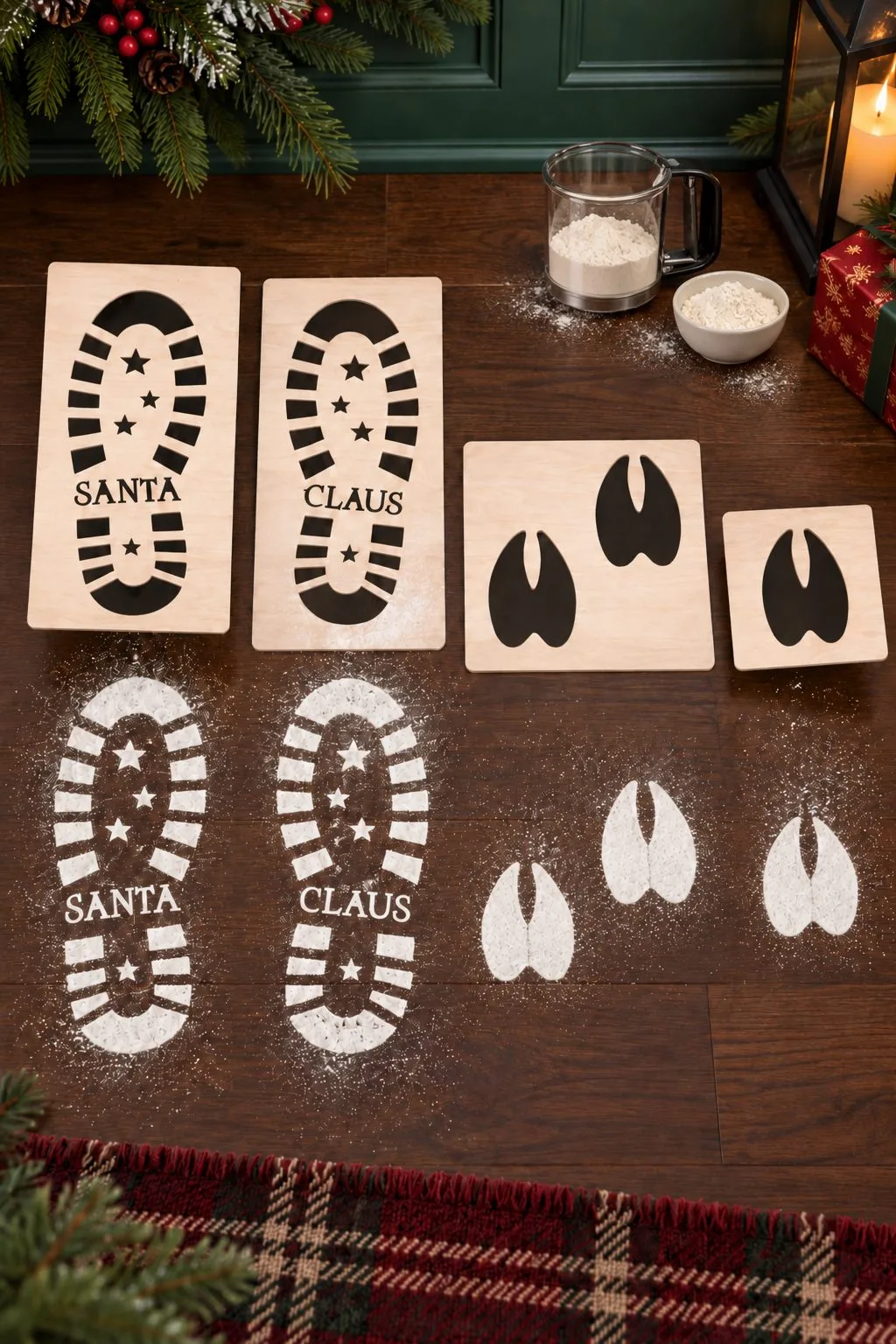
And one that isn’t for the tree at all: footprint stencils for the old flour-on-the-floor trick. Dust icing sugar or flour over the cut panel and lift it away to leave the print behind — the file includes a pair of boot stencils that spell out SANTA and CLAUS between them, plus smaller hoof-shaped stencils at two sizes, cut from plywood, MDF, card or acrylic.

Materials for a Christmas layer stack
Wood version (laser):
- 3 mm plywood or basswood for the back panels
- 1.5–3 mm for upper layers (thinner = finer snowflake detail)
- Wood glue, plus a weight or small clamps
- Optional: stain the back layers walnut and leave the front layers light — that two-tone contrast is what makes the photos pop
Paper version (Cricut / Silhouette or any cutting machine):
- Cardstock 200–230 gsm — heavier warps less
- Foam spacers 2–3 mm or stacked glue dots
- Tacky glue or a fine-tip glue pen (school glue soaks and wrinkles)
- A deep frame if you’re making a scene
For the lit pieces: warm-white LED fairy lights or a flat puck light, and a back panel with an open channel so the wire hides. Never a hot bulb against wood or paper.
Cutting and stacking without the headaches
Every layered file numbers its layers — layer 1 is usually the front (most detailed), the highest number is the back plate. Cut them all, then dry-stack in a row before any glue to check nothing’s missing and the order makes sense.
- On a laser: run a small test cut per sheet. Thin snowflake bridges are the first thing to burn through — drop power or bump speed before committing a full sheet.
- On a Cricut: heavier cardstock on the “intricate cardstock” setting with a fresh fine-point blade. Dull blades tear snowflake arms every time.
- Spacers go under solid areas, never under a cutout — or the spacer shows through the gap you wanted to glow.
Making it glow
The difference between “nice” and “wow” is backlighting. Put a warm LED behind the back panel and keep 1.5–2 cm of air between the light and the first layer so the glow spreads evenly instead of hot-spotting. Star and snowflake cutouts in the front panels become points of light. A lit shadow box build applies directly here — same channel-and-diffuser trick, holiday art.
Where to get the files
You want files that ship as separate SVGs per layer, with a preview of the stack order and a recommended size. Avoid single flattened “3D-look” images — those are printed, not layered.
- Creative Fabrica has the deepest layered-Christmas catalog we’ve found; the subscription includes unlimited downloads, so you can test several trees and wreaths before committing to one. Grab a few from our free files first to learn what cuts cleanly on your machine.
- Design Bundles carries strong one-off layered Christmas bundles if you’d rather buy a single set.
If you’re cutting to sell this season, layered Christmas pieces are near the top of what actually moves at markets — high perceived value, low material cost, and they photograph beautifully under warm light.
A realistic December timeline
- Early December: cut a batch of ornaments — fast wins, easy gifts, and they teach your settings.
- Mid December: build one standing tree and one wreath. Photograph them in daylight and at night with the lights on.
- Before the 24th: the showstopper — a lit nativity or village. Give yourself an evening; the glow is worth it.
Disclosure: some links above are affiliate links — if you buy through them we may earn a commission at no extra cost to you.
FAQ (schema-ready)
What is a 3D layered Christmas SVG? It’s one Christmas design split into several separate SVG outlines — one per layer. You cut each layer from wood or cardstock and stack them with small spacers, so the gaps create real shadow and depth. Many designs also work with a light behind them so the cutouts glow.
Do I need a laser cutter, or will a Cricut work? Both work. The same SVG files cut on a Cricut or Silhouette in cardstock, or on a laser in thin plywood. Wood gives you the backlit “lit-up” look; paper is faster and cheaper to start with.
How many layers should a beginner Christmas project have? Start with 1–2 layer ornaments, then move to a 3–5 layer standing tree or wreath. Save the lit nativity and multi-house village for once your cutting settings are dialed in.
How do I make a layered Christmas piece light up? Leave an open back panel and place warm-white LED fairy lights or a flat puck light behind it, with about 1.5–2 cm of air before the first layer so the glow spreads evenly. Keep the light source cool to the touch — never a hot bulb against wood or paper.
Can’t find the design you need?
Describe your idea in a few words and generate your own SVG design with AI.
Good to know: the files in this guide are hosted on Creative Fabrica. Downloading is free with their free trial: a payment card is needed to start it, and you can cancel the subscription at any time.