Laser Cut Toys and Games: Free Templates for Wooden Play
A wooden toy is the honest test of a laser file. A sign forgives a rough edge — nobody runs a thumb along it. A toy gets handled, dropped, chewed on by a younger sibling and put back together wrong, and every sloppy cut shows up on the first afternoon.
Below are the files so far: three that are puzzles, and two that are actual games with moving parts. For each, what the maker states and what the photograph shows — which is not always the same thing.
Three puzzles, three different jobs
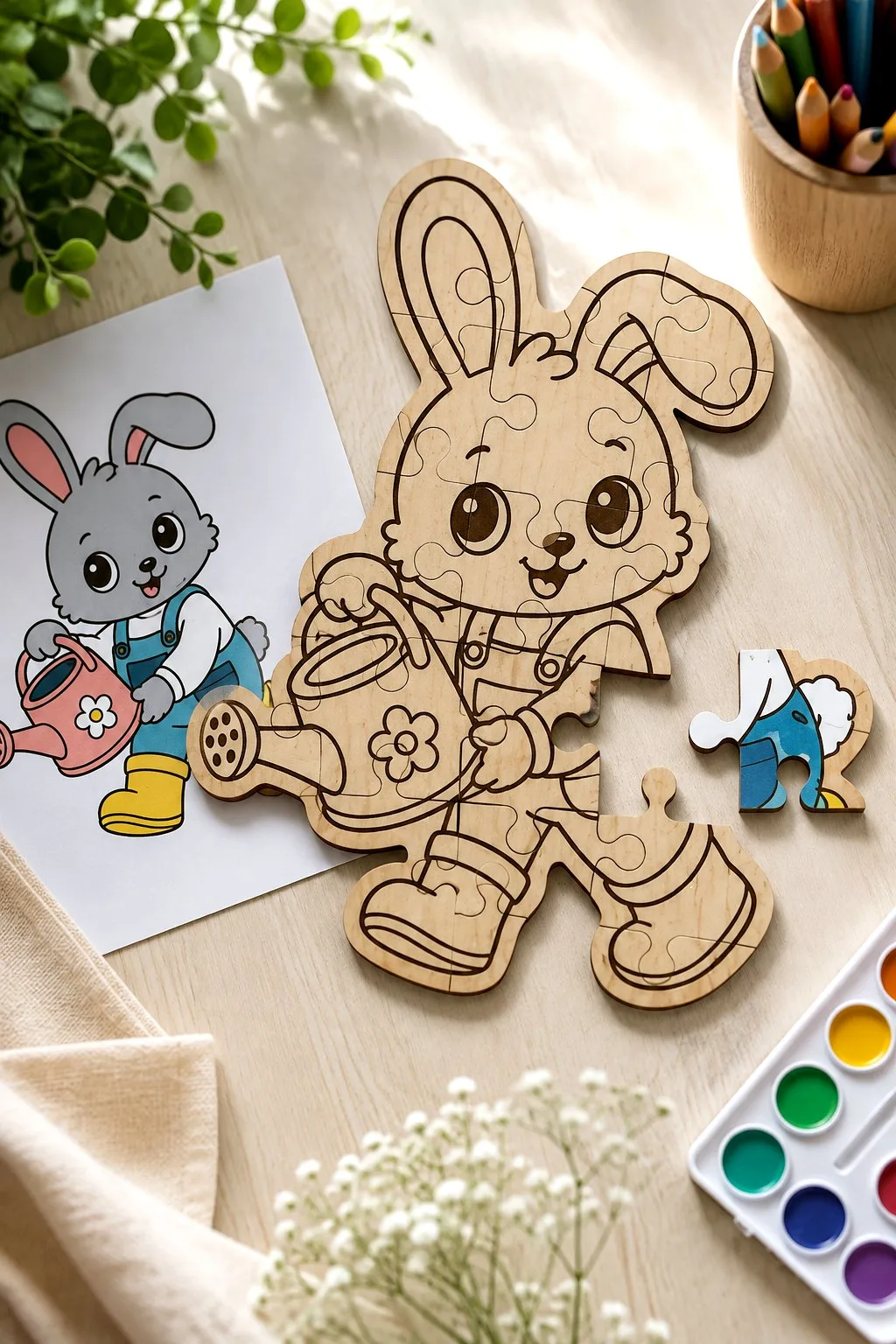
The bunny jigsaw is the one that is not finished when it comes off the machine, and that is the point. The outline is cut, the fur, the dungarees and the watering can are engraved, and the whole figure is divided into large pieces along wavy lines. It leaves the bed as bare plywood. Painting it is half the toy — the photograph shows a printed card of the same bunny in colour sitting beside it, so a child has something to copy.
That changes what you are selling, if you cut these for a fair: not an ornament, an afternoon.
The maker is unusually precise about the file itself: the red line is the cut, the black line is the engraving. Most listings leave you to work that out. Ten designs in the bundle — the count is stated, ten files of each format: SVG, EPS, PNG, PDF and DXF. Plywood is named as the material; the thickness is not.
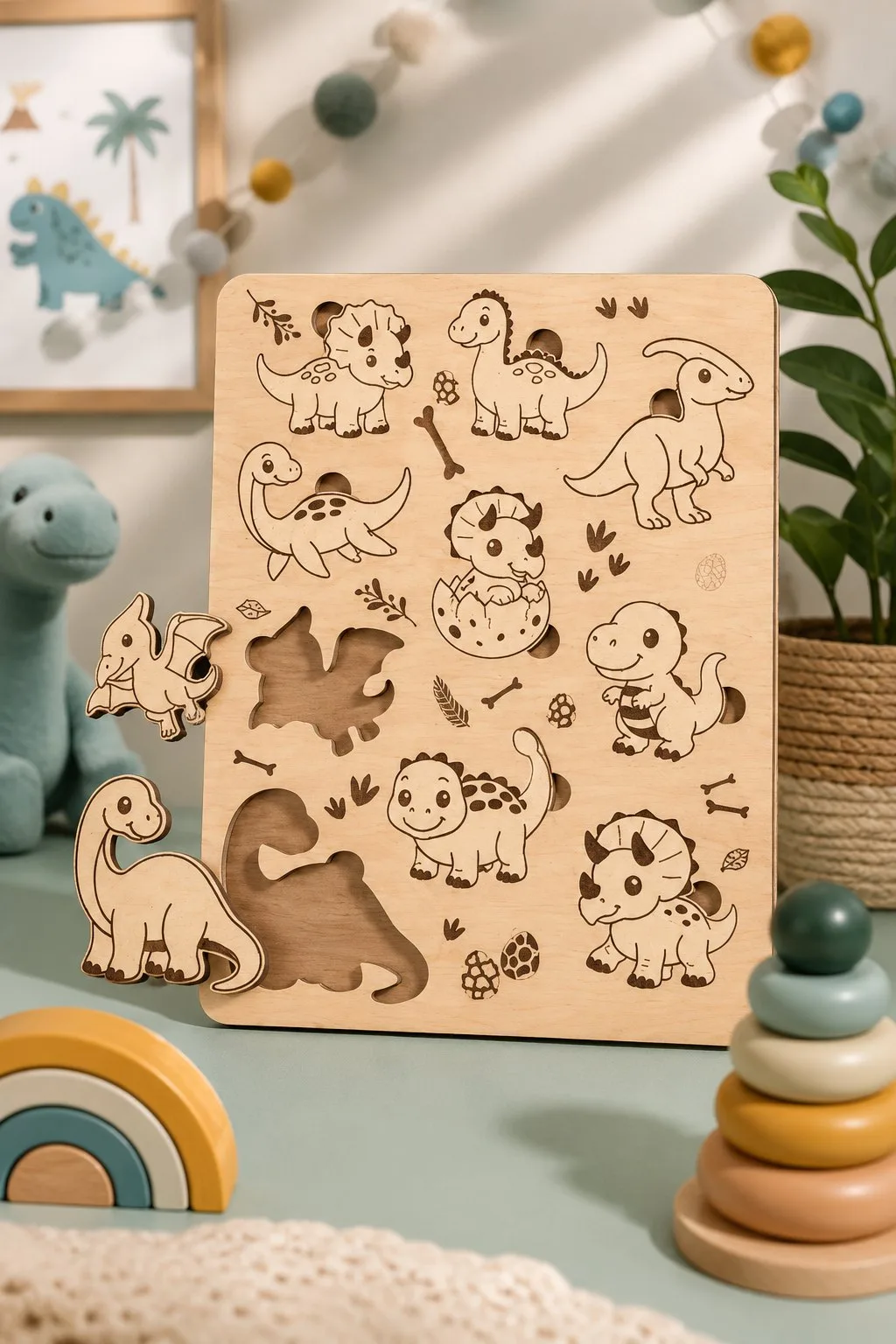
The dinosaur board is a different kind of puzzle: an inlay tray. Ten dinosaurs are engraved into one board along with bones, footprints and speckled eggs filling the gaps, and two of the shapes are cut clean through so a small hand can lift them out and drop them back. Nothing here needs paint at all — the whole design is line work, and it is finished the moment the machine stops.
Two things worth stealing from it. The engraved detail sits around the cut-out shapes, so the board still reads as a picture when the pieces are out — an empty inlay tray usually looks broken, this one does not. And it stands upright against a wall, which is why it can live on a shelf as decor when nobody is playing.
The maker gives SVG, DXF, EPS, PDF and DWG, and says the file suits most cutting machines. Thickness, board size and the number of lift-out pieces are not stated, so measure your own sheet and check the drawing before you cut.
Where the two differ in practice: the jigsaw is forgiving. Its pieces interlock, and if your kerf runs a little wide they simply sit looser. The inlay board is not — a lift-out shape that comes out 0.3 mm small rattles in its hole, and one cut 0.3 mm large will not go back in at all. If you have never compensated for kerf, cut the jigsaw first.
The third: eight boards in two layers
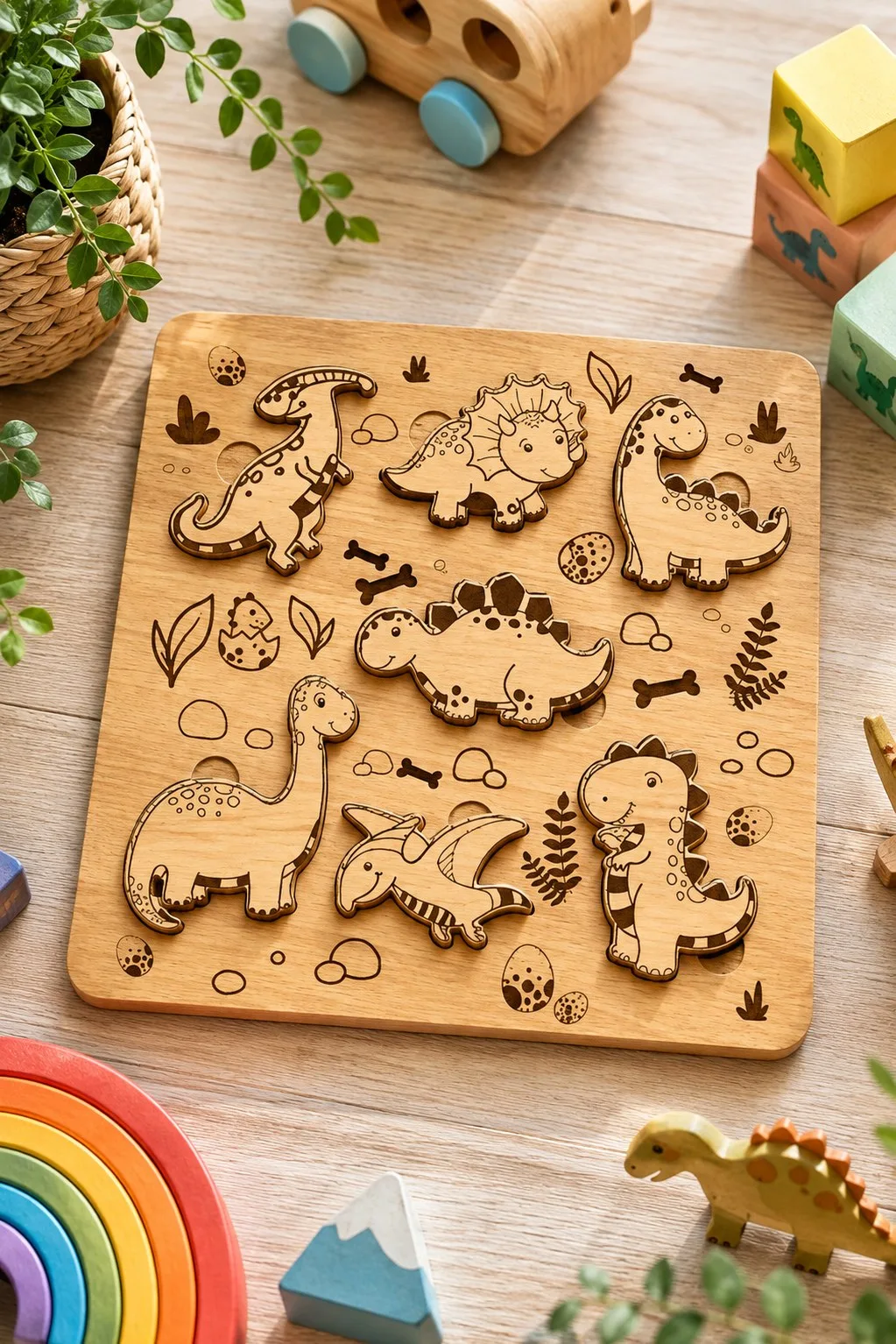
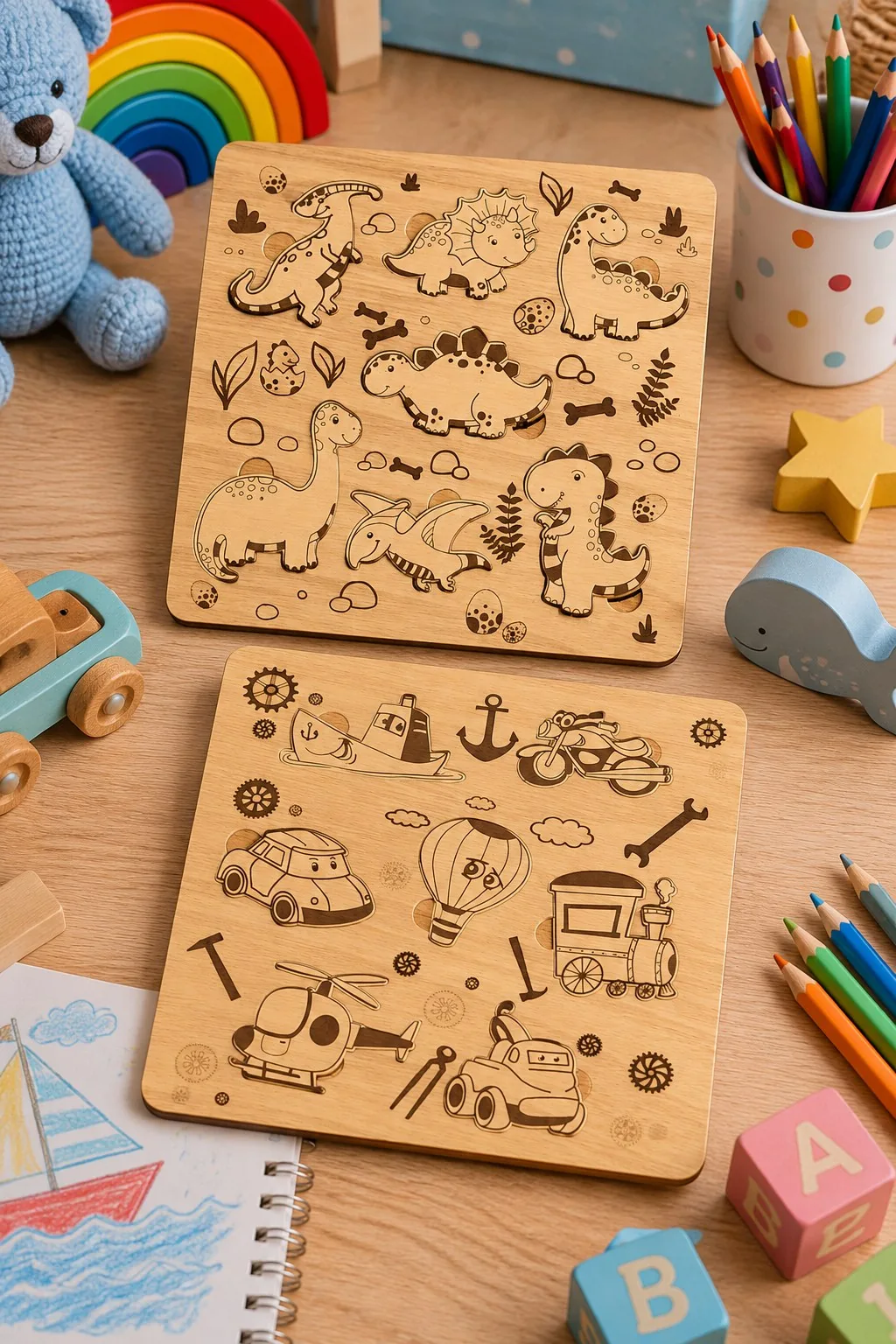
The only puzzle file here where the maker gives a size: eight boards of 12 by 12 inches, about 30 by 30 cm. Each board is two layers. The top one carries the drawing and the cut-outs, dinosaurs on one board, cars, a helicopter, a train and a hot air balloon on another, and the bottom one is solid, so every shape sits in its own pocket instead of falling through.
Engraved extras sit around the holes without being cut: footprints, bones and ferns on the dinosaur board, clouds and an anchor on the vehicle one. They tell a small child which picture belongs where. Two instructions from the maker are worth reading before you start: paint the layers before you glue them together, and scale the design up as much as you like, but if you scale it down, watch the thin parts. The maker lists 3 to 6 mm plywood, MDF, acrylic, plexiglass, metal, cardboard or paper, with AI, SVG, DXF, DWG, CDR, EPS and PDF files.
Eight boards in the bundle.
Two games that actually work
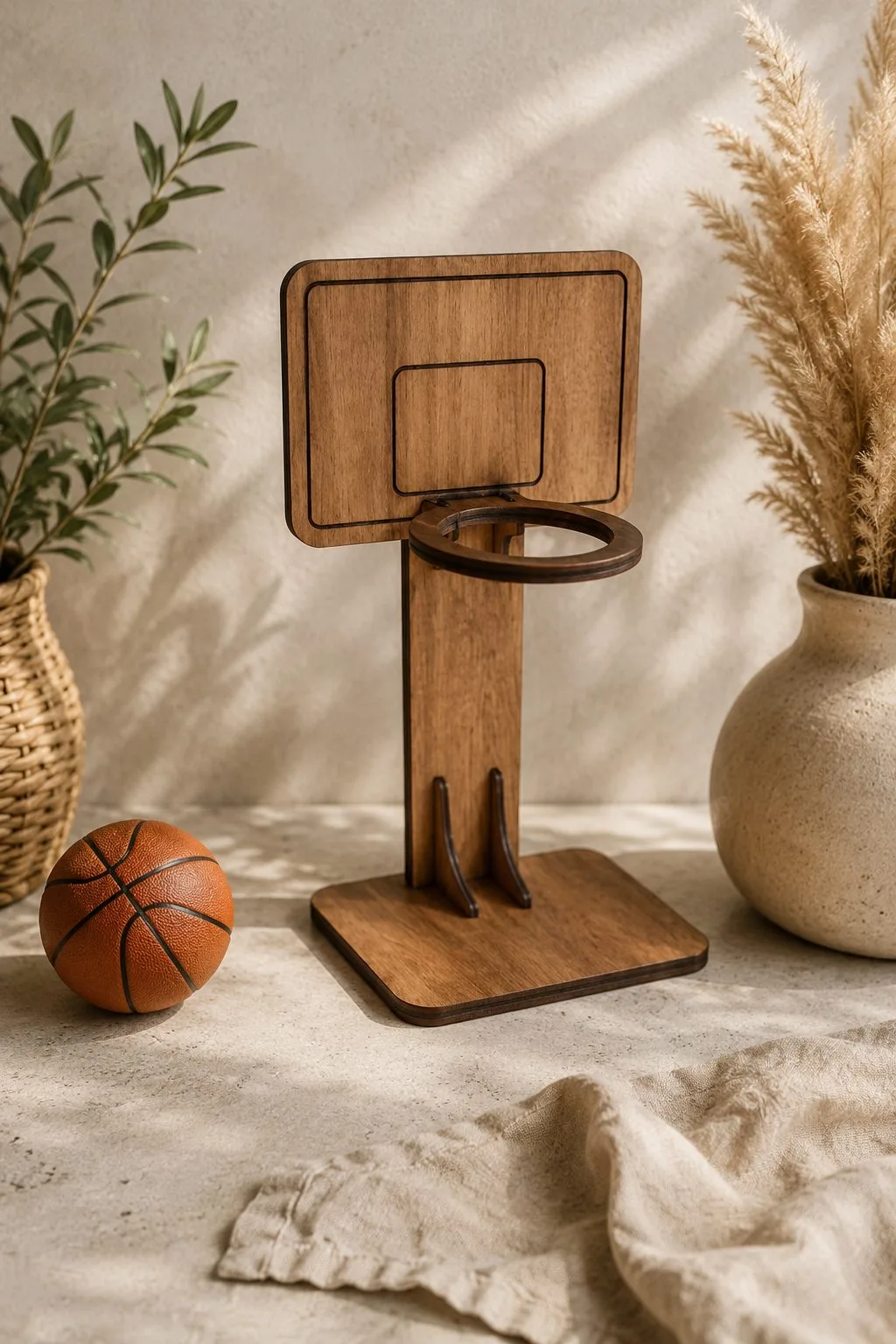
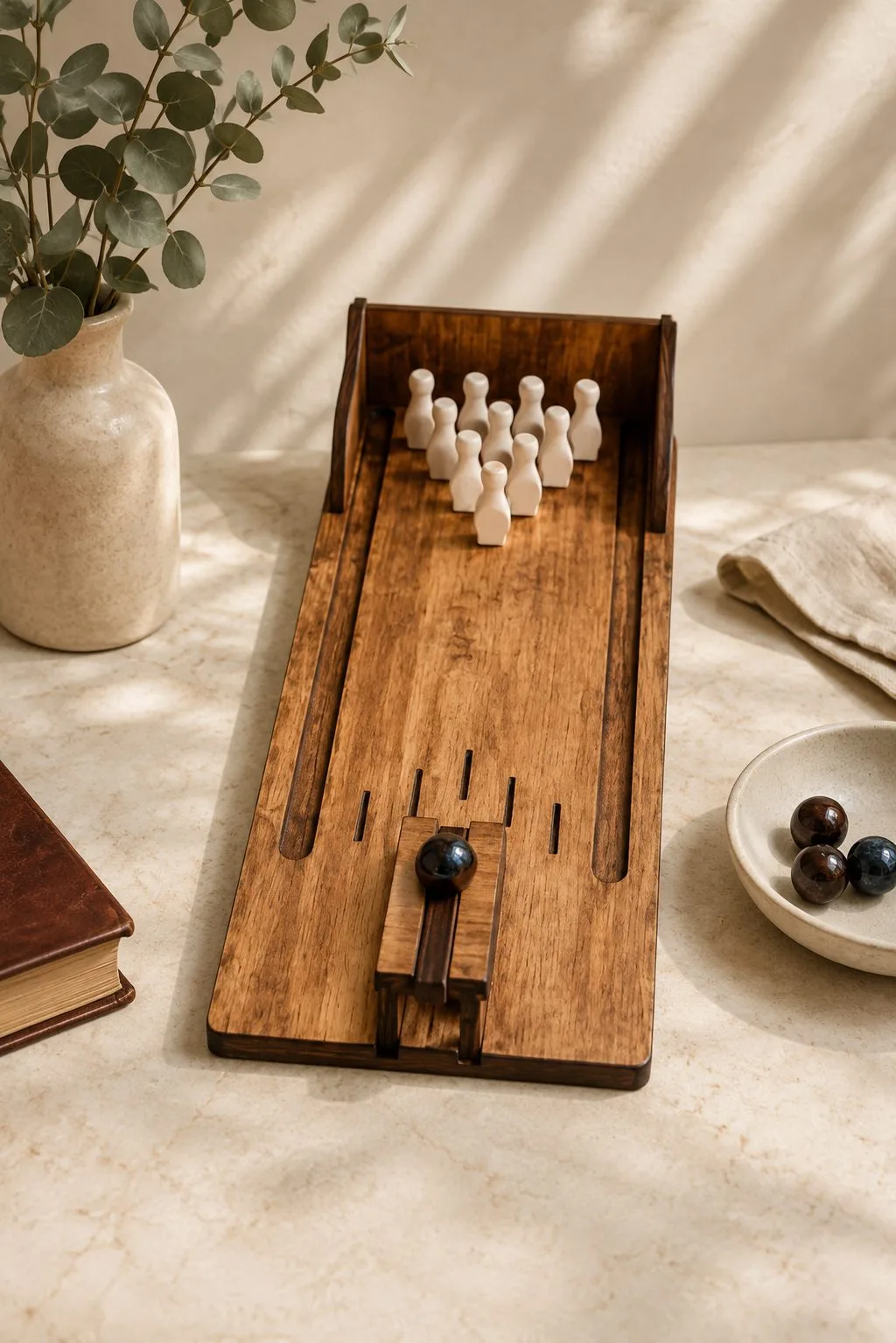
Both of these come out of the same bundle, and both are assemblies rather than flat cut-outs — which is the interesting part, because it means the file has to get slot widths right, not just outlines.
The basketball hoop is four kinds of part: a backboard, a ring, a curved upright and a foot. The upright slots into the base and the backboard slots onto the upright, so the whole thing stands without glue if the slots are cut to your actual sheet. It is small — the ball beside it in the photograph is a desk toy, not a real one — which makes it a good candidate for offcuts.
The bowling lane is the more ambitious build: a long tray with raised side rails, ten turned-looking pins standing at the far end, and a launcher at the near edge with a knob on it. Everything you see is plywood except the balls. This is the one where slot fit stops being cosmetic — a lane that is not square will send every ball into the rail.
The maker states the important number outright: 3 mm material. That is not a suggestion here. Every slot in an assembled design is drawn for one specific thickness, and plywood thickness wanders — so measure the sheet with callipers, and if it comes out at 2.8 or 3.2, adjust the slots before you cut rather than sanding parts afterwards.
Ten designs in the bundle, stated, with SVG, DXF, EPS, PDF, JPEG and PNG for each. The maker also says plainly that the photographs are for inspiration — treat the finish you see as one possibility, not a promise.
What to know before you cut a toy
Slots are drawn for one thickness. Everything that stands up here — the hoop, the lane, the upright board — depends on a slot matching your sheet. Plywood is sold by nominal thickness and varies by half a millimetre along a single sheet. Measure, then cut a test comb of two or three slot widths and pick the one that pushes together firmly by hand.
Kerf decides whether a piece goes back in. The laser burns away roughly 0.2–0.3 mm along the cut. On an inlay board that is the difference between a piece that drops in and one that jams. Cut one shape as a test before you commit the whole board.
Sand the edges, then check them again. A toy is handled. Char rubs off on hands and clothes — a light sanding or a wipe with denatured alcohol takes care of it. Look at the underside too: if it came off a honeycomb bed, it may carry the honeycomb print.
Small parts are the fire risk, not the big ones. Tiny cut-outs finish fast and can flare if the beam lingers. Keep air assist on, and do not leave the machine while a tray full of little pieces is cutting.
Choose the sheet for the mouth, not the price. For anything a small child will handle, plywood with a stated low-emission class is worth the difference — the same E0/E1 grades that also give you cleaner cuts and less smoke in the room. Our full write-up on that is here: laser cut settings for plywood.
More free files
Every design on this page is free. The full catalogue of wooden projects — boxes, keychains, games and small gifts — lives here: free laser cut SVG files for wood.
And if the nursery is what you are actually kitting out, the night lights are the other half of the job: night light and lantern SVG files, including the cloud lamps with a child’s name across them.
Can’t find the design you need?
Describe your idea in a few words and generate your own SVG design with AI.
Good to know: the files in this guide are hosted on Creative Fabrica. Downloading is free with their free trial: a payment card is needed to start it, and you can cancel the subscription at any time.